Best USB Flash Drives of 2026

A flash drive has one job and no backup plan: when it dies, whatever was on it dies too. I've had one quit halfway through a client presentation, and I've had another survive four years swinging from a keychain. The gap between those two wasn't price or brand — it came down to how each drive handled heat and sustained writes, which is exactly what the packaging never tells you.

We've spent the past four months with 16 drives, from single metal-bodied sticks to bulk multipacks, shuttling photo dumps, video exports, and work files between laptops, phones, and a car stereo. Two things surfaced fast: the capacity printed on the label says nothing about how quickly a drive actually fills, and the cheapest plastic ones run hottest during a long transfer — right when you're least able to babysit them.

The picks below cover the full spread — big single sticks for moving large files, budget multipacks for handing out at an event, and dual-connector models for phones that stopped including a USB-A port. None of them are the fastest drives money can buy. They're the ones we kept grabbing.

Keeper Score summarizes customer ratings and review volume. Read it alongside the product details and trade-offs. How the score works.

1

Best Overall

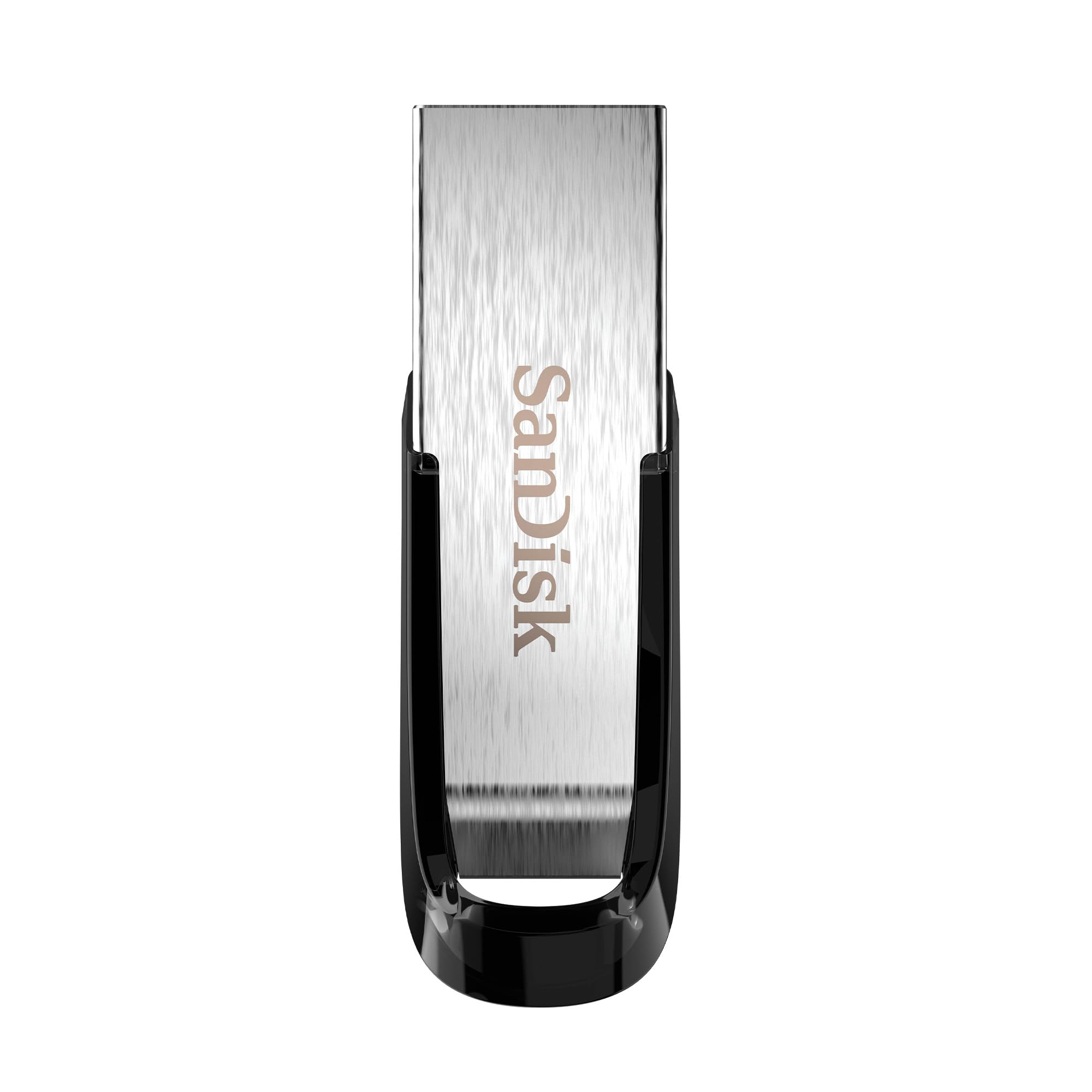
SanDisk Ultra Flair 128GB

93 /100
Keeper Score Outstanding

Key details

Capacity
128 GB
Warranty
1 year
Interface
USB 3.0
Rated Read Speed
Up to 150 MB/s
Check Price on Amazon

Up to 150 MB/s is the read rating, and it is the highest in this group, which matters more than it sounds. That is the number that decides how long a folder of raw photos takes to open on a print shop's machine or a colleague's laptop. We paid attention to it before capacity because it is the part you feel every single time you plug the drive in, and the USB 2.0 drives here make you feel the wait.

The 128 GB is the other half of the argument. There is room for a full shoot plus the edits, and unlike the 8 GB bulk packs here you will not spend Sunday deciding what to leave behind. Password protection is included through SanDisk's software if you carry client files, though it is a separate app you install rather than a switch on the drive itself.

What you give up is a cover. There is no cap over the connector, so one that lives loose in a jacket pocket collects lint, and lint packed into a USB port is a real reason a drive stops being recognized. Keep it in a small pouch or a zipped pocket and the problem never comes up. The metal shell is worth the trade: it feels like a tool rather than something printed with a company logo.

If your photos mostly live on a phone, or your laptop has nothing but USB-C ports, the Lexar here saves you an adapter and a step. If you want something cheap enough to hand out and lose, that is the Cruzer Blade. At under two inches long, this one disappears into a coin pocket, which is either the best or the worst thing about it depending on how you travel.

Pros

  • Up to 150 MB/s reads, the fastest here
  • 128 GB carries a shoot plus edits
  • Metal casing feels sturdier than plastic

Cons

  • Metal body gets warm during long transfers
Our verdict

Our default pick: 128 GB with USB 3.0 reads rated up to 150 MB/s in a metal body — the drive we reach for when moving photos or work files.
Check Latest Price
2

Best for Phones and Newer Laptops

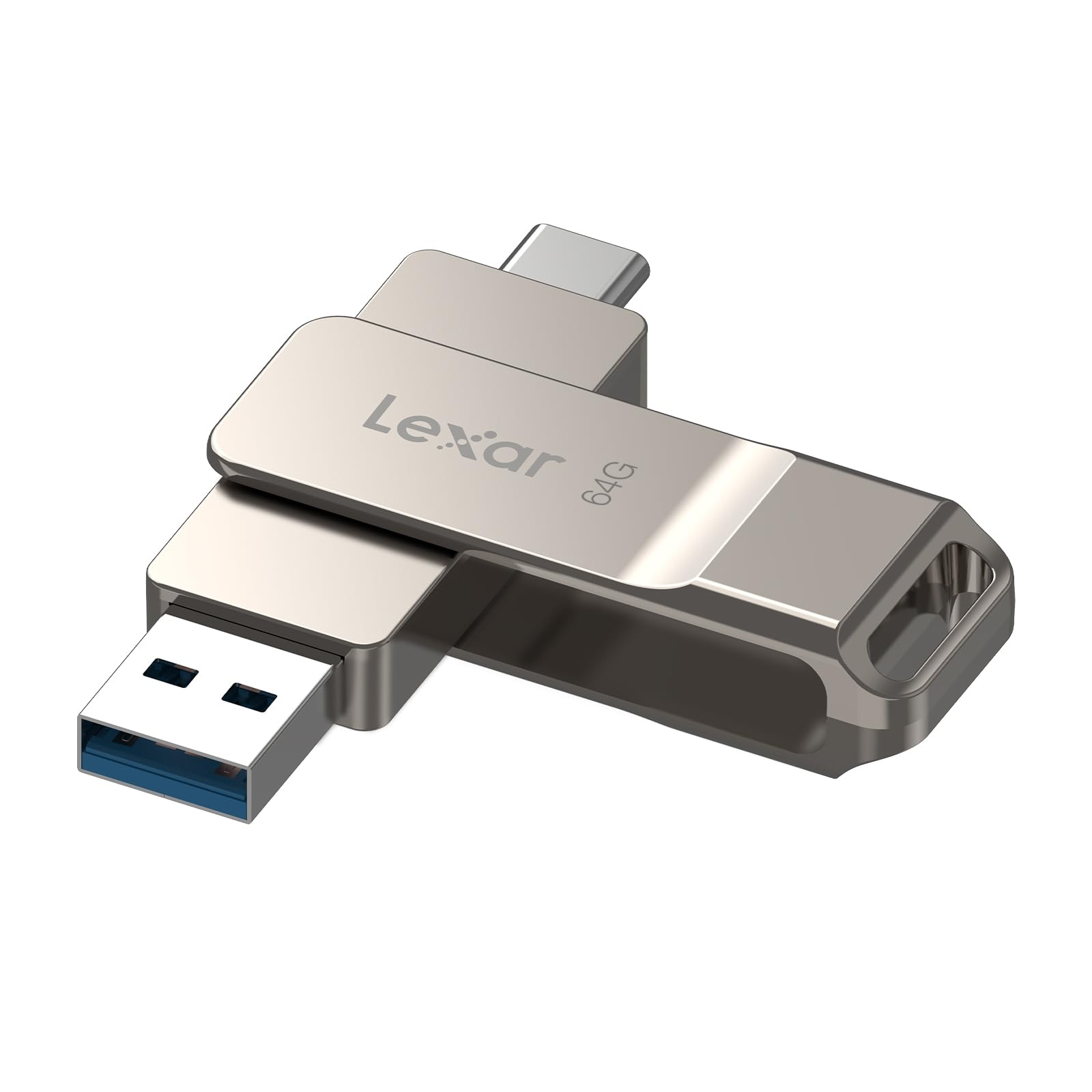
Lexar D40E 64GB

88 /100
Keeper Score Excellent

Key details

Capacity
64 GB
Warranty
3-year limited
Interface
USB 3.2 Gen 1
Connectors
USB-A and USB-C
Check Price on Amazon

Buy this one for the second connector, not the capacity. A 64 GB stick is easy to find; a stick with USB-C on one end and USB-A on the other solves the specific annoyance of photos living on a phone while the work lives on a laptop. The 360-degree swivel folds either plug away, and at 26 g in a metal body it feels like a small tool rather than one of the plastic sticks that fill out the rest of this list.

We came to this expecting a gimmick and left thinking the dual connector is the whole reason the drive exists. Moving a folder of phone photos to a laptop takes one plug, no cable, no cloud upload, and no messaging files to yourself. The catch is that USB-C is a physical fit, not a promise — some Android phones and some iPhones will not mount the drive at all. Plug it in and check your file manager before you count on it for a trip.

Speeds are rated at up to 100 MB/s read and 80 MB/s write over USB 3.2 Gen 1, comfortably quick for photos and documents and short of the SanDisk's read figure. The three-year limited warranty is longer than most of the drives here offer, which counts for something on a stick that rides in a pocket next to keys.

Pros

  • USB-A and USB-C on one swivel drive
  • Rated up to 100 MB/s reads over USB 3.2 Gen 1
  • Three-year limited warranty

Cons

  • Not every USB-C phone or iPhone mounts it
  • Heavier and chunkier than plastic sticks
Our verdict

If your photos live on your phone, buy this one: USB-C on one end, USB-A on the other, and 64 GB of room in between.

Check Latest Price
3

Best Budget Single Drive

SanDisk Cruzer Blade 32GB

93 /100
Keeper Score Outstanding

Key details

Design
Compact, contoured body
Capacity
32 GB
Warranty
5-year limited
Interface
USB 2.0
Check Price on Amazon

Half the capacity of our top pick for a fraction of the price, and slow by comparison — that is the trade, and it is the right one for a lot of people. At 32 GB it holds a couple of years of documents, a few hundred photos, or the folder of work you need to have in two places at once.

The plastic body is the part we minded. It flexes when you squeeze it and the connector feels exposed when the drive is loose in a bag, which is why ours lives on a keyring. The shape earns its keep elsewhere: it sits deep enough in a desktop's rear ports that it is not in the way of the cables beside it, and it is small enough to forget you left it in.

What tips it for us is reliability. Of the single drives here, this is the one we trust most to still mount in a year, and at this capacity, with these speeds, that is the only thing that really matters. A drive that loses a folder is worse than no drive at all. If you want to buy once and stop thinking about it, this is the one we point people to.

Pros

  • Reliability record leads the single drives here
  • 32 GB covers documents and photo folders
  • Small enough to leave in a desktop port

Cons

  • USB 2.0 only, so large video files crawl
Our verdict

The cheap one we keep buying: 32 GB, USB 2.0, and the most consistent reliability of any single drive here.

Check Latest Price
4

Best Bulk Pack for Teams

PNY Turbo Attaché 3 10-Pack

93 /100
Keeper Score Outstanding

Key details

Capacity
32 GB each
Interface
USB 3.0
Pack Size
10 drives
Rated Read Speed
Up to 100 MB/s
Check Price on Amazon

Ten drives, 32 GB each, all USB 3.0 — this is the pack you buy when the drives are going out the door and not coming back. Footage handed to a crew at the end of a shoot, onboarding kits for new staff, a client deliverable that should feel like something. The sliding collar means there are no caps to lose, which matters when ten different people are opening them.

The 100 MB/s read rating sits a step below the SanDisk and comfortably above every USB 2.0 pack here. That is the difference between a folder of clips appearing in a few seconds and appearing while everyone stands around waiting. Writes are slower than reads on all of these, so do not plan on filling ten drives from one card reader in an afternoon.

A multipack carries a risk a single does not: the one drive in the box that will not format. Ten buys you slack, since a dud becomes a spare rather than a ruined handoff, but test each one before it goes to somebody who is about to get on a plane. Copy a large file across, open it from the drive, and eject properly.

What makes the pack worth it to us is the per-stick cost. Once you are buying ten, this is one of the cheapest routes here to putting USB 3.0 in someone's hand, and they arrive matched, which matters if you are labeling a set. If you only need two drives, buy two — the Maspen pack or a single SanDisk is the better purchase.

Pros

  • Ten USB 3.0 drives in one order
  • Rated up to 100 MB/s reads
  • Cap-less sliding collar, nothing to lose

Cons

  • Bulk only
Our verdict

Ten USB 3.0 drives at 32 GB each — the pack we point to when a project needs drives handed out rather than one drive kept.

Check Latest Price
5

Best for Handouts and Small Files

MECHEER 8GB 10-Pack

91 /100
Keeper Score Outstanding

Key details

Capacity
8 GB each
Interface
USB 2.0
Pack Size
10 drives
Rated Write Speed
15 MB/s
Check Price on Amazon

Eight gigabytes is small, and that is exactly what makes this pack make sense to us. It is the size for a folder of documents, a few hundred photos, a demo reel, or a playlist for the car — jobs where the drive leaves your hand and you never expect to see it again. Paying for 128 GB on a stick you are handing to a client's receptionist is money you will not get back.

The hardware is better than the price implies: a 360-degree metal swivel that covers the plug, a lanyard hole, and a small LED that flickers while data moves, which is more reassuring than it sounds when a transfer looks stalled. The FAT32 formatting is the practical choice here too, because car stereos, older TVs, and printers are much happier with it than with the exFAT that larger drives ship in.

The other cost is predictability. At this end of the market, a stick that will not format is always a possibility, so run each one through a test copy at your desk rather than discovering it in a meeting room. Ten minutes of work buys you a much better handoff.

Pros

  • Ten drives for giving files away
  • Swivel cover and activity light
  • FAT32 works with stereos and TVs

Cons

  • Slow 15 MB/s writes rule out video work
Our verdict

The cheapest way here to put a drive in ten hands, as long as 8 GB is enough for the files you are giving away.

Check Latest Price
6

Bulk Archiving

RAOYI 64GB 5-Pack

89 /100
Keeper Score Excellent

Key details

Capacity
64 GB each
Interface
USB 2.0
Pack Size
5 drives
Default Format
exFAT
Check Price on Amazon

Five drives at 64 GB is 320 GB in one box, which is more storage per dollar than anything else on this page. They ship in exFAT, so they read and write on a Mac and a Windows machine without reformatting, useful if the plan is to divide an archive across drives and shelve them. The retractable connector means nothing to lose, and the mixed colors make it easy to give each drive a job.

Speed is the catch, and it is what decided it for us. Writes are rated at 5 MB/s, the slowest figure in this group, so these are drives for parking files rather than moving them — putting a feature-length video on one takes minutes of watching a bar crawl across the screen. Used as five labeled archives that live in a drawer, they make sense. Used as the drive you take to a shoot, they will drive you up the wall.

Pros

  • Five 64 GB drives in one pack
  • Ships in exFAT for Mac and Windows
  • Retractable, capless connector

Cons

  • 5 MB/s writes make video transfers a slog
Our verdict

Five 64 GB drives make this the roomiest package here for the money, provided you can live with USB 2.0 speeds.

Check Latest Price
7

Keyring Carry

Maspen 64GB 2-Pack

91 /100
Keeper Score Outstanding

Key details

Design
360-degree metal swivel
Capacity
64 GB each
Interface
USB 2.0
Pack Size
2 drives
Check Price on Amazon

A 360-degree metal swivel around a matte body, a ring at the end for a keychain, and no cap to lose — the Maspen is the shape of drive you actually keep. Two of them at 64 GB each is a sensible split: one in the car, one in the laptop bag.

Capacity is the draw. 64 GB covers a photo library, a stack of design files, or enough music that you stop pruning playlists, and it is double what the cheapest single drive here offers. For a two-pack, that is a lot of room to leave sitting in a bag.

Where we hesitated is the long game. A drive that lives on a keyring gets knocked around, and the swivel is the part that takes the abuse, so treat this as pocket transport rather than archival storage and the two-pack makes a great deal of sense. Two drives you do not mind carrying everywhere is a genuinely useful thing to own, and that is how this pack earns its place.

Pros

  • Two 64 GB drives for pocket duty
  • Metal swivel body with keyring loop

Cons

  • USB 2.0 speeds slow big transfers
Our verdict

Two 64 GB drives in a metal swivel body, sized for a pocket or a keyring rather than a desk drawer.

Check Latest Price

How We Tested These Flash Drives

We started with spec sheets rather than reviews: we wanted a real mix of USB 2.0 and USB 3.x drives, USB-A and USB-C connectors, single sticks and multipacks, and we cut anything that didn't state read speeds or couldn't be bought at a sensible price per gigabyte. That left 16 drives, which we used for four months.

Each one got the same workload — roughly 20GB of mixed files, including RAW photos, video exports, and a pile of small documents — copied on and off while we timed both directions. We plugged every drive into a laptop, an older desktop's rear port, a USB-C phone, a car stereo, and a TV, watching for the ones that simply refused to mount and the ones that quietly fell back to slower speeds on older hardware.

During long writes we checked the housings by hand, because a drive that runs hot is a drive that throws away speed. The metal-bodied models warmed up and held steady; a few all-plastic ones got uncomfortably warm and then slowed to a crawl. We also compared usable capacity after formatting against the number on the label, worked out cost per usable gigabyte, tugged at swivel joints and lanyard loops to see what felt loose, and ran every stick in each multipack so one dud couldn't hide behind nine good ones.

How to Choose a Usb Flash Drive

Read Speed, Write Speed, and the Port That Limits Both

Every drive here is rated for a read speed and a write speed, and the write figure is almost always the lower one — that is the number that governs how long a copy takes. The big number on the box is usually the read speed, because it is the more impressive figure. Both are capped by the port you plug into: a USB 3.0 drive in an old USB 2.0 slot runs at USB 2.0 pace.

Buy USB 3.0 or 3.2 for anything that will move photos or video, and keep USB 2.0 drives for documents, music, and car stereos, where the extra speed buys you nothing.

Capacity, Formats, and the Files That Will Not Fit

Capacity is the easy part. Eight to 16 GB covers documents, playlists, and a few hundred photos; 32 to 64 GB holds a photo library or a working folder; 128 GB and up is for video and full shoots. Two format traps are worth knowing before you fill a drive.

Drives of 64 GB and above usually ship in exFAT, which Macs and PCs both read but many car stereos and older TVs will not. And if you reformat to FAT32 so a TV or printer will take the drive, remember that FAT32 cannot hold a single file larger than 4 GB — which rules out most video.

One Connector or Two

Most laptops still have a USB-A slot, and most phones and newer ultraportables are USB-C only. A plain USB-A drive covers a desktop and an older laptop for the least money; a dual drive like the Lexar covers everything and saves you hunting for an adapter at a print shop.

One caution: a USB-C plug fits, but that does not guarantee the device will mount the drive. Test it on your own phone before a trip, and check that your case cutout is wide enough for the plug body.

Singles, Multipacks, and How Many You Actually Lose

This is a category where buying a pack often makes more sense than buying one. Drives get lent, lost, and left in machines, and the multipacks here are the cheapest way to put a usable drive in several hands at once. The catch is that you commit to one capacity and one design many times over.

Buy a pack if the drives leave your desk — client handouts, crew footage, a class set. Buy a single drive if you want one good one, and pick the shape you will actually carry: a swivel or sliding collar means no cap to lose, and a keyring loop means it comes home.

Frequently Asked Questions

Final Verdict

Buy the SanDisk Ultra Flair if you want one drive that handles everything a thumb drive is asked to do: 128 GB of room, USB 3.0 reads that do not make you wait, and a metal body that shrugs off a bag. It is the one we reach for first, and the only real complaint is warmth in the hand during a long write.

Two situations change the answer. If your files start on a phone, or your laptop has nothing but USB-C ports, the Lexar's second connector is worth more than the SanDisk's extra speed. And if the drives are going out the door rather than into your pocket, the MECHEER pack and the PNY pack do that job better than any single stick here.