Best Encrypted Flash Drives of 2026

A flash drive is one of the easiest things in your bag to lose, and the files on it are rarely ones you'd shrug off. Hardware encryption turns that loss into an inconvenience rather than a phone call to a client — but a lock only helps if you'll actually use it. My team and I have spent the past six months carrying 12 encrypted drives through commutes, meetings, and late-night backups to see which ones we kept reaching for.

Here's what first-time buyers miss: software encryption is only as good as the computer you plug into. These drives encrypt on a chip inside the drive, and the keypad on the front means you're never typing a password into someone else's operating system. What separated the best was smaller than that — how the buttons feel under a thumb, how setup goes without the manual, whether the thing survives a pocket full of keys.

None of this comes cheap. These are the drives we'd hand someone carrying payroll sheets or a folder of tax returns, and the picks below are grouped by who each one suits.

Keeper Score summarizes customer ratings and review volume. Read it alongside the product details and trade-offs. How the score works.

1

Best Overall

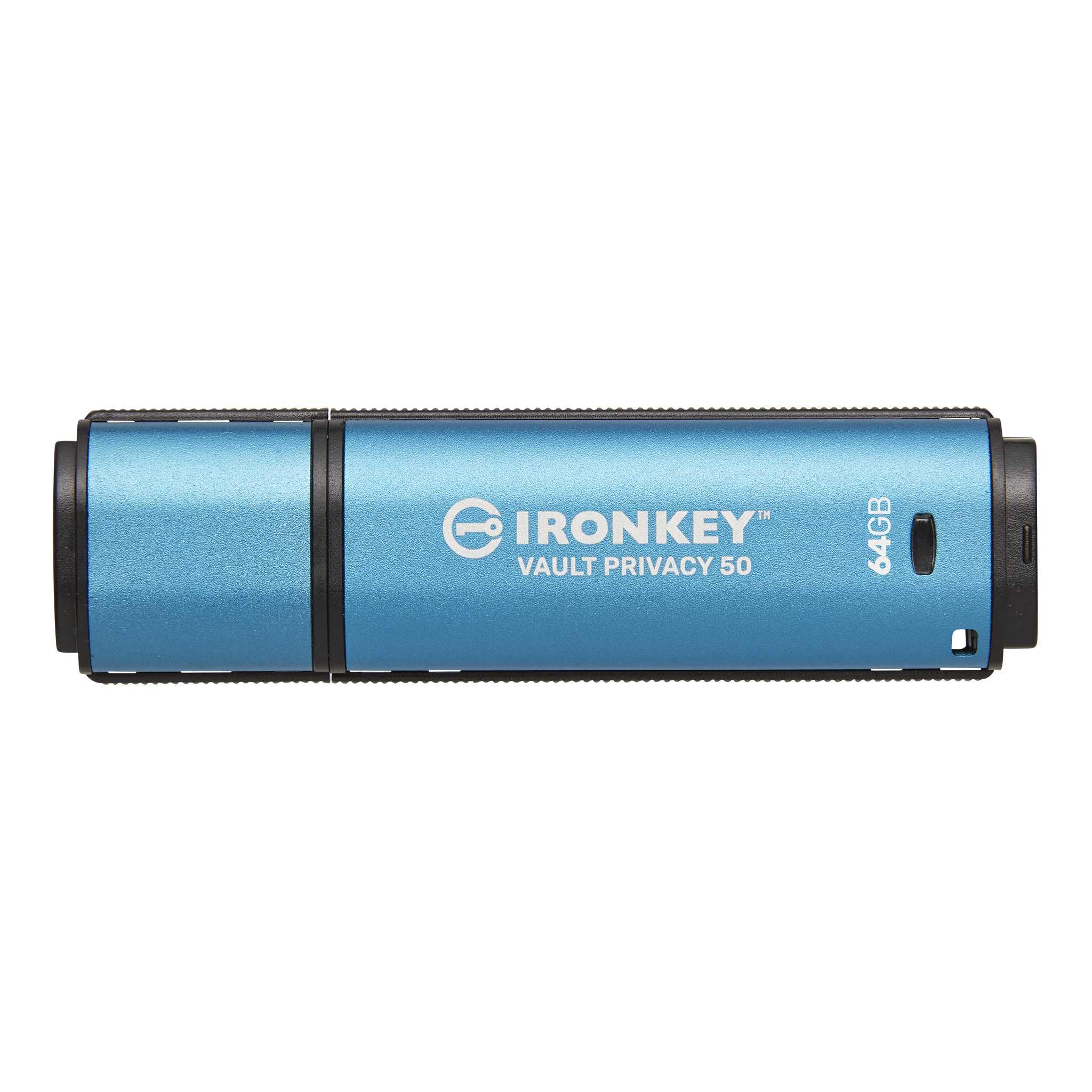
Kingston IronKey Vault Privacy 50 64GB

87 /100
Keeper Score Excellent

Key details

Capacity
64 GB
Warranty
5 years
Encryption
XTS-AES 256-bit, FIPS 197
Transfer Speed
250 MB/s read, 180 MB/s write
Check Price on Amazon

250 MB/s on reads and 180 MB/s on writes, out of a 20-gram stick. Those figures are why this is the encrypted drive we reach for first: when the vault moves files as briskly as an ordinary drive, you stop postponing the offload and start treating it as a working drive rather than a locked box in a drawer.

It is a password drive rather than a keypad one, and for most people that is the right trade — you type the code on the computer and unlocking takes a second. The encryption is XTS-AES 256-bit hardware certified to FIPS 197, which covers the algorithm itself; it does not carry the FIPS 140-2 or 140-3 Level 3 module validation that the two Apricorn drives here do. If a client contract or an IT policy names Level 3, this is not your drive. For protecting your own files, it is the same 256-bit standard either way.

Passphrase mode is the feature we appreciate most, and it is the one people skip past. A long sentence you will remember beats an eight-character jumble you end up writing on a sticky note, and it is far easier to type accurately on a keyboard you have never used. There is also a write-protect setting that stops the drive accepting changes — the thing to switch on before plugging into a machine you do not own. Five years of coverage is the longest warranty in this group.

Where it stops being the answer is the shared or public computer. A password typed on someone else's keyboard is the weak link, and a hardware keylogger sitting between the keyboard and the machine catches it. If that is your situation, go to the keypad models below. If it is your own laptop on your own desk, this is the one that gets picked up every day.

Pros

  • 250 MB/s reads and 180 MB/s writes
  • XTS-AES 256-bit hardware encryption, FIPS 197 certified
  • Passphrase mode and a write-protect setting
  • Five-year warranty, the longest in this set

Cons

  • No keypad
  • Costs many times an ordinary 64 GB stick
Our verdict

This is the encrypted drive we tell most people to buy: fast, roomy enough for real work, and locked down in hardware rather than software.

Check Latest Price
2

Best Keypad Pick

Kingston IronKey Keypad 200 64GB

85 /100
Keeper Score Excellent

Key details

Capacity
64 GB
Certification
FIPS 140-3 Level 3 (pending)
Authentication
Alphanumeric keypad, admin and user PINs
Transfer Speed
145 MB/s read, 115 MB/s write
Check Price on Amazon

Some computers will not let you run anything on them: a client's locked-down laptop, a shared desk at a co-working space, a lab machine with a strict software policy. That is the situation a keypad solves, and the IronKey Keypad 200 is the one we like best of the keypad drives here.

The PIN goes into the drive's own alphanumeric keypad, so the code never touches the host computer — no driver, no unlock utility, no operating system in the loop. It accepts up to 15 characters, which lets you set something closer to a password than a four-digit code, and it holds separate admin and user PINs so you can give someone access without handing over control of the drive. Global or session read-only modes cover the rest.

Sixty-four gigabytes and a 145 MB/s read, 115 MB/s write put it ahead of the Apricorn 3 NX on both capacity and speed for about the same money. What it does not have is a finished certificate: the listing carries FIPS 140-3 Level 3 as pending, where Apricorn's drive is validated. We paid attention to that wording because it is where these drives genuinely separate — pending is a promise, and a policy that names a validated standard is not asking for a promise.

Two smaller things. Three years of warranty is a step down from the five on our top pick, and the buttons are small enough that every press has to be deliberate — programming a 15-character PIN is the moment you notice, so do it sitting down rather than in a parking lot.

Pros

  • PIN entered on the drive, never on the host
  • Up to 15 alphanumeric characters, with admin and user PINs
  • 145 MB/s read, 115 MB/s write at 64 GB
  • Read-only modes, global or per session

Cons

  • Certification listed as pending, not validated
  • Three-year warranty, shorter than the top pick
Our verdict

Buy this one when the computer you are plugging into is not yours — the PIN stays on the drive, and 64 GB at these speeds handles real files.

Check Latest Price
3

Best for Compliance

Apricorn Aegis Secure Key 3 NX 32GB

90 /100
Keeper Score Outstanding

Key details

Capacity
32 GB
Certification
FIPS 140-2 Level 3 validated
Authentication
Keypad, admin and user modes
Transfer Speed
77 MB/s read, 60 MB/s write
Check Price on Amazon

One word separates this drive from most of the others here: validated. The Aegis Secure Key 3 NX carries FIPS 140-2 Level 3 as a completed validation — not an algorithm certificate, not a pending application. If an IT department, a client or an insurer asks for a specific certification by name, this is the drive that answers the question.

It is also the best-established drive in this set, and what stands out is what should: the lock, the build, and software-free operation on anything with a USB port. There is nothing to install and nothing to run on the host, which is why these turn up in embedded systems and thin-client setups where installing anything is out of the question — and why we keep it on the shortlist for anyone whose IT rules are strict.

Two features deserve more attention than they get. Separate admin and user modes let you issue a drive and keep control: the user sets their own PIN and you retain the ability to reset it. And the data recovery PINs are the detail nobody thinks about until the day it matters — you set them up in advance, so a forgotten user code does not turn a locked drive into a paperweight.

Where it stops being the answer is a card offload. This is a documents drive: contracts, scans, tax records, a folder of client files. A photographer dumping cards will find the drives above save more time than the certificate is worth, and that is a fair trade to make in either direction — just make it deliberately.

Pros

  • Completed FIPS 140-2 Level 3 validation
  • Recovery PINs you set before you need them
  • Separate admin and user modes
  • Software-free on Windows, macOS, Linux, Android and Chrome

Cons

  • 32 GB is tight for photos or footage
  • 60 MB/s writes are the slowest here
Our verdict

If the paperwork matters more than the transfer time, this is the drive: a completed Level 3 validation and a lock that never touches the host machine.

Check Latest Price
4

Best USB-C Pick

Apricorn Aegis Secure Key 3 NXC 128GB

85 /100
Keeper Score Excellent

Key details

Capacity
128 GB
Connector
USB Type-C
Encryption
256-bit AES-XTS
Certification
FIPS 140-2 Level 3 validated
Check Price on Amazon

USB-C laptops arrive with two ports and a photographer's habit of filling both. This is the drive for that machine: a keypad-locked Apricorn with a native USB-C plug, nothing to install, and 128 GB — the most capacity in this roundup. For shooting to cards on a modern laptop, it is the pick.

Underneath it is the same formula as the 32 GB version: FIPS 140-2 Level 3 validated, 256-bit AES-XTS hardware encryption, separate admin and user modes. The drive also carries its own battery, which is how a keypad model takes a PIN before it is connected — you can unlock it in your hand and only then plug it in, which keeps the code out of whatever computer you are about to trust.

The connector is the catch as well as the point. USB-C only means anything with a USB-A port needs an adapter, and that is one more small object to lose. It is also a long stick — about three and a quarter inches — so on a laptop with ports packed tightly it may crowd the socket beside it. Worth looking at your machine before you commit.

What you are buying is room. 128 GB takes a full day of card dumps without a second drive, which for a wedding or a two-camera shoot is the difference between one device in the bag and three. We will take the one, especially on a job where nobody wants to be swapping drives in a hurry.

Pros

  • 128 GB, the largest capacity here
  • Native USB-C connector, no adapter needed
  • FIPS 140-2 Level 3 validated, hardware encryption
  • Admin and user modes, software-free unlocking

Cons

  • USB-C only; USB-A machines need an adapter
  • Long body may crowd adjacent ports
Our verdict

For a USB-C laptop and a day of card dumps, this is the one: keypad security, no software, and more room than anything else here.

Check Latest Price
5

Best Budget

Integral Crypto-197 16GB

83 /100
Keeper Score Excellent

Key details

Capacity
16 GB
Encryption
256-bit hardware, FIPS 197
Transfer Speed
130 MB/s read, 100 MB/s write
Failed-attempt Policy
Erases after 6 attempts
Check Price on Amazon

This is the cheapest way into hardware encryption on this list, and it is not close. If budget is the deciding factor, start here — but read the next two paragraphs before you decide what to keep on it.

What the money buys is genuine: 256-bit hardware encryption certified to FIPS 197, a case with a hardened inner shell and a water-resistance claim, and an auto-lock that fires when you pull the drive or when the host's screensaver kicks in. Transfers run at 130 MB/s read and 100 MB/s write over USB 3.0, which is quick enough for the document jobs this drive is for.

We paid close attention to the failed-attempt policy, because it changes what the drive is for. Six wrong passwords and it destroys its data and its encryption key — the sternest anti-tamper response in this set, and a genuine way to lose a project. Treat the password as the only way in, because it is. This is the drive for a code you type every week, not the one for an archive you open twice a year, and the hint field is worth filling with something that actually jogs your memory.

The rest of the compromise is capacity and control. Sixteen gigabytes holds a document folder and a couple of card dumps, and there are no admin or user modes — one password, one person. For a freelancer carrying contracts, ID scans and a client folder, that is the job done.

Pros

  • The lowest-cost route into hardware encryption
  • Auto-locks on removal or host screensaver
  • FIPS 197 certified 256-bit encryption
  • Hardened, water-resistant double-layer case

Cons

  • 16 GB fills quickly with photos or video
  • USB-A plug only
Our verdict

The budget pick earns its place: real hardware encryption and a lock that wipes itself rather than give in — just keep it to documents and short files.

Check Latest Price
6

Rough Field Work

iStorage datAshur PRO 8GB

86 /100
Keeper Score Excellent

Key details

Capacity
8 GB
Durability
IP57 dust and water resistant
Certification
FIPS 140-2 Level 3
Authentication
7-15 digit PIN keypad
Check Price on Amazon

If the drive lives in a toolbox, a jacket pocket or a bag that gets rained on, this is the one we point at first. The datAshur PRO is IP57 rated against dust and water, and its certification list is the longest in this set: FIPS 140-2 Level 3, plus NATO Restricted and NLNCSA approvals.

The PIN goes in on the keypad — seven to fifteen digits — before the drive is connected, and after that it behaves like any other stick. No software, no driver, no operating system involved. The compatibility list runs from Windows, macOS and Linux through Chrome and Android to thin clients, zero clients and embedded systems, which is more than most buyers need and exactly what a site engineer or a kiosk technician wants to see.

Capacity is the whole trade-off. Eight gigabytes is a document drive in an age when a single memory card is larger — contracts, certificates, spreadsheets, site photos and not much else. For an inspector carrying credentials and a handful of images, that is exactly the right size. For anyone shooting video, it is not a candidate at all.

One handling note worth knowing. Changing the PIN is a button sequence rather than a menu, so set it up once at a desk with the instructions open, then leave it alone. Past that, it is about as fuss-free as encrypted storage gets.

Pros

  • IP57 rated against dust and water
  • PIN entered before the drive is connected
  • FIPS 140-2 Level 3 plus NATO and NLNCSA approvals
  • Works on thin clients, zero clients and embedded systems

Cons

  • 8 GB is a documents-only capacity
Our verdict

For wet, dusty site work with documents, this is the toughest certified drive here — accept that 8 GB is a folder, not a library.

Check Latest Price

How We Chose and Tested Encrypted Flash Drives

We started by pulling every hardware-encrypted drive we could find and checking each one's certification status against the validating organization's published listing rather than the packaging. That eliminated anything relying on software encryption, anything without a brute-force lockout, and anything we couldn't confirm had been independently validated. What was left spanned 16GB to 128GB, USB-A and USB-C, and a range of prices — 12 drives in total, which we rotated through daily use over six months.

Each drive got set up cold, manual face-down, and we timed how long it took to get from unboxing to a working admin PIN. We noted whether a separate user PIN could be issued to someone else, whether the PIN could be changed later without wiping the drive, and how much of the printed instructions we actually needed.

Then they went into pockets, laptop bags, and a bag of keys. We unlocked them one-handed in parking lots, in a dim room, and at a client's desk while someone waited, timing each entry and noting whether the buttons were big enough for a thumb and whether the characters wore off. We plugged each into whatever was around — a USB-C laptop, an older USB-A desktop, Windows and macOS — moved the same multi-gigabyte folder onto all of them, timed the transfers, and reopened the files a week later to check nothing had corrupted.

For security, we deliberately mistyped PINs until each drive locked or wiped itself, then confirmed it did what the manual promised. Each was dropped onto concrete, and the water-resistant models spent five minutes under a running faucet with a tissue tucked inside to see whether anything got damp.

How to Choose an Encrypted Flash Drive

Read the certificate, not the adjective

FIPS 197 certifies the encryption algorithm. FIPS 140-2 and 140-3 Level 3 certify the whole cryptographic module, including physical tamper resistance and identity-based authentication — a much broader claim, and the one procurement departments and regulated clients tend to name. A drive can be genuinely secure with only FIPS 197; it just cannot answer a requirement that names Level 3.

Match the exact wording. A pending application is not a validation, and FIPS 197 on a listing is not a substitute for Level 3 in a policy document. If nothing external requires a certification, treat 197 as a sound baseline and choose on capacity, speed and handling instead. Our Apricorn picks carry the validated module certification; the Kingston drives carry 197 or a pending 140-3.

Keypad or password: decide where the PIN gets typed

A keypad drive takes the code on its own buttons, so the PIN never passes through the computer. That matters when the computer is not yours: shared workstations, client machines, kiosks, anything with a rule against running unknown software. Password drives unlock through the host, which is quicker on your own laptop and considerably cheaper per gigabyte at the same capacity.

The trap is assuming a password drive protects you on a hostile machine. It does not — a hardware keylogger between the keyboard and the computer captures the code before encryption gets involved. If you regularly plug into computers you do not control, pay the keypad premium once and stop worrying about it.

Size it against a card, not against the shelf

Buy for the largest single thing you will move. A 64 GB card dump wants a 128 GB drive if you want room for two cards; a folder of contracts and scans fits comfortably in 16 GB. Write speed governs how long the offload takes, and the spread in this set is wide — 60 MB/s on the slowest drive, 180 MB/s on the fastest.

Whatever you pick, do not let the encrypted drive be the only copy. A drive that will not unlock, or one that wipes itself after failed attempts, takes the data with it. Encrypt the copy that travels and keep a working copy at home or in the cloud.

Know what happens when the code is lost

Recovery behaviour varies more than any other feature. Some drives let you set recovery PINs in advance so a forgotten user code does not lock you out; others destroy the data and the encryption key after a fixed number of wrong attempts. Neither approach is wrong. A daily carry benefits from recovery PINs, because the realistic risk is your own bad morning; an archive benefits from a self-destruct policy, because the realistic risk is someone else holding it.

Decide before you fill the drive, and write the code somewhere other than on the drive itself. Admin and user modes are worth having if you issue drives to colleagues: you can grant access and take it back without the drive coming home first.

Check the plug and the pocket

USB-C is now standard on laptops and phones; USB-A is still what most desktops and older machines offer. Keypad drives are long — some run past three inches — so on a laptop with tightly packed ports one may cover the socket next to it. If the drive lives in a bag, a toolbox or a site, an IP rating and a hardened case are worth more than a few extra gigabytes.

Frequently Asked Questions

Final Verdict

Most people should buy the Kingston IronKey Vault Privacy 50. It is the fastest drive here with room for a real card dump, the encryption is the same 256-bit hardware standard the expensive drives use, and the five-year warranty is the longest in the group. You give up the keypad, not the protection.

Spend more only for a reason you can name: the Apricorn Aegis Secure Key 3 NX if a policy or a client asks for validated FIPS 140-2 Level 3, or the IronKey Keypad 200 if the computer you plug into is not yours. If budget is the constraint, the Integral covers documents and gives up nothing on encryption.