Best External Optical Drives of 2026

Somewhere in a closet there's a shoebox of burned discs: the wedding video, the college mixtapes, the install disc for software you can't download anymore. Laptops dropped their drives years ago, so getting back to any of it means a slim external drive on a USB cable. In photos they all look the same — matte shell, folded cable, plug-and-play promise.

I've spent four months feeding scratched CDs, dual-layer DVDs, and one stubborn Linux install disc into 14 drives across a MacBook, a Windows desktop, and an old tower running Linux. What separates them never shows up in a listing: whether the tray swallows an off-balance disc without sounding like a blender, whether the cable actually reaches, and whether plug and play means plug and play or plug-and-hunt-for-a-driver.

Worth knowing before you shop: the laser inside hasn't changed much in a decade, so a cheap drive reads a clean disc about as well as a fancy one. You're paying for a second connector, a card slot, and a shell that doesn't flex when you press a disc onto the spindle. The seven below never left my bag.

Keeper Score summarizes customer ratings and review volume. Read it alongside the product details and trade-offs. How the score works.

1

Best Overall

ASUS SDRW-08U9M-U

88 /100
Keeper Score Excellent

Key details

Size
13 mm thick, 200 g
Extras
Disc Encryption II, Nero BackItUp
Disc Speeds
8x DVD read/write
Cables Included
USB 2.0 and Type-C
Check Price on Amazon

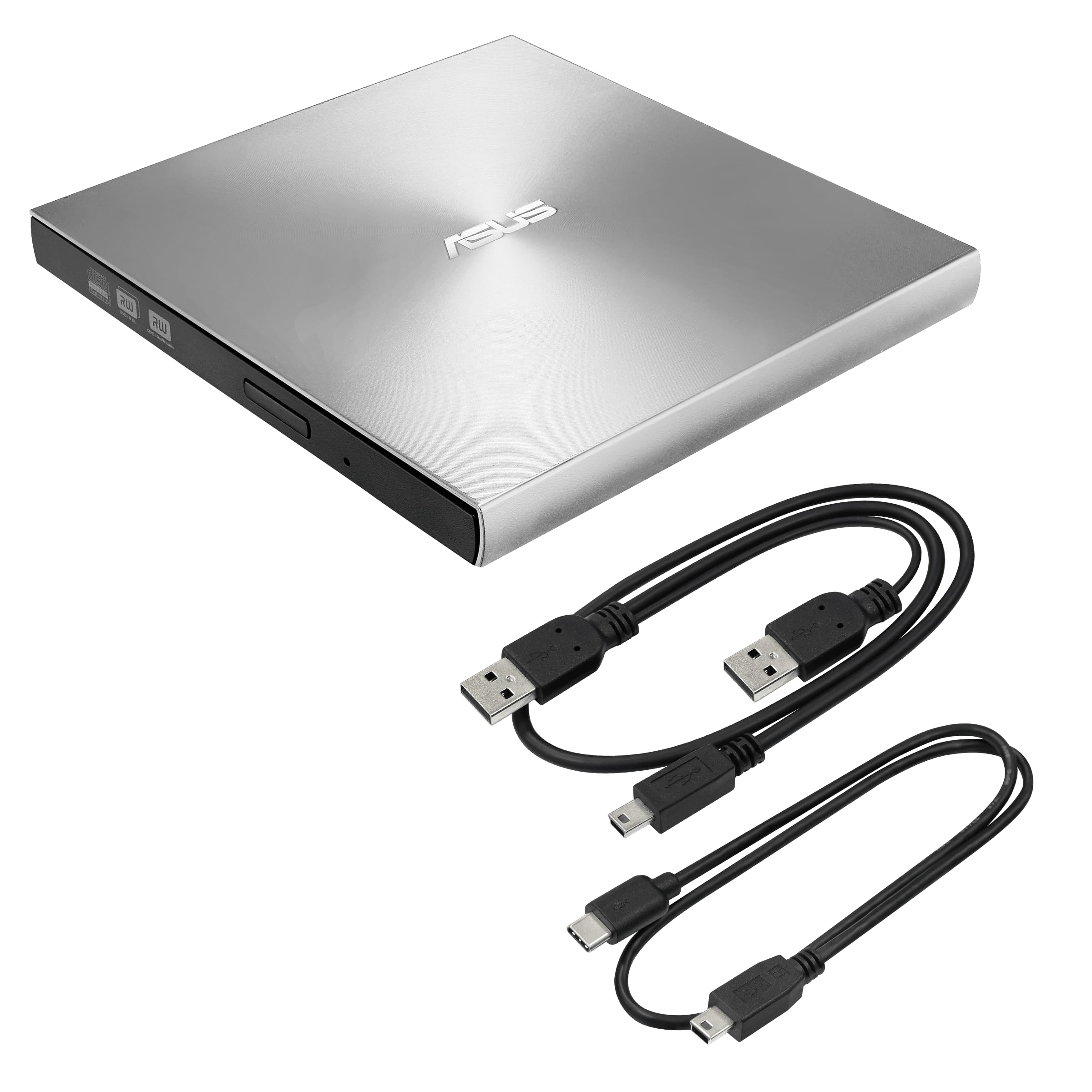
Two cables come in the box — a standard USB-A lead and a separate USB-C one — and that single decision is why this is the drive we recommend first. Plug it into a desktop from a decade ago or a laptop with nothing but USB-C ports and you are not hunting for an adapter you will lose by Thursday. The body is 13 mm thick and 200 g, with a silver shell that sits on a desk like a small book.

The mechanism is the same class as everything else here: 8x DVD read and write, CD burning, plug and play on Windows, macOS and Linux. So the extra money does not buy speed. It buys Disc Encryption II, which password-protects discs and hides files on them — genuinely useful if you are mailing a burned disc of records — and it buys a tray that feels a step above the budget shells. Nero BackItUp for Android comes bundled if you want it.

The price is the thing to be honest about: this is the most expensive drive in this group, and a budget drive reads the same discs at the same speed. What you are paying for is the second cable, the encryption tool and the finish. On a desk that is a fair trade; in a drawer that opens twice a year, it is not.

Apple silicon is the real exception. Some M-series MacBooks do not see this drive at all, and an unrecognized drive with a disc already inside is a bad afternoon. If your laptop is one of those, the Amicool lists Apple Silicon support explicitly and is the safer buy. On Windows 11, older Intel Macs and Linux it has been plug-in-and-go every time.

Pros

  • USB-A and USB-C cables both included
  • Slim 13 mm body at 200 g
  • Disc Encryption II for protected archives

Cons

  • Short Type-C cable limits placement
Our verdict

We hand this to most people: a USB-A and a USB-C cable both come in the box, so it fits an old desktop and a new ultrabook without an adapter hunt.

Check Latest Price
2

Best Value

Amicool A11

86 /100
Keeper Score Excellent

Key details

Size
5.51 x 5.51 x 0.67 in
Cable
Integrated, stores in base
Interfaces
USB 3.0 and Type-C
Disc Speeds
8x DVD / 24x CD
Check Price on Amazon

The cable coils into a recess underneath the drive, which sounds like a small thing until you have spent a month with a lead that dangles out of a bag and catches on everything. Amicool's body is about 5.5 inches square — the footprint of the disc it holds — and two-thirds of an inch thick, so it slides into a laptop sleeve beside the machine instead of a separate pouch.

The connector arrangement is where it earns its place. There is a USB 3.0 plug with a Type-C adapter clipped onto it, so the same drive works on a work desktop and on a laptop with nothing but USB-C. We set it up on both without installing anything: plug in, the drive appears, the disc mounts. Speeds are the standard 8x DVD and 24x CD, and the error correction is worth having if your discs have spent years in a car.

Windows 11 is the wrinkle. Some machines do not recognize the drive on the first plug-in, and what fixes it is a port on the computer itself rather than a hub, or the Type-C connector instead of the Type-A. The one part to keep track of is that Type-C adapter, which unclips — leave it attached and it stays a two-connector drive.

Pros

  • Cable stores in the base
  • USB-A and USB-C from one drive
  • Standard 8x DVD / 24x CD speeds

Cons

  • Some units quit reading after a few months
Our verdict

Our value pick: dual connectors, a cable that lives in the base, and everyday reading and burning without an adapter to lose.

Check Latest Price
3

Best for Extra Ports

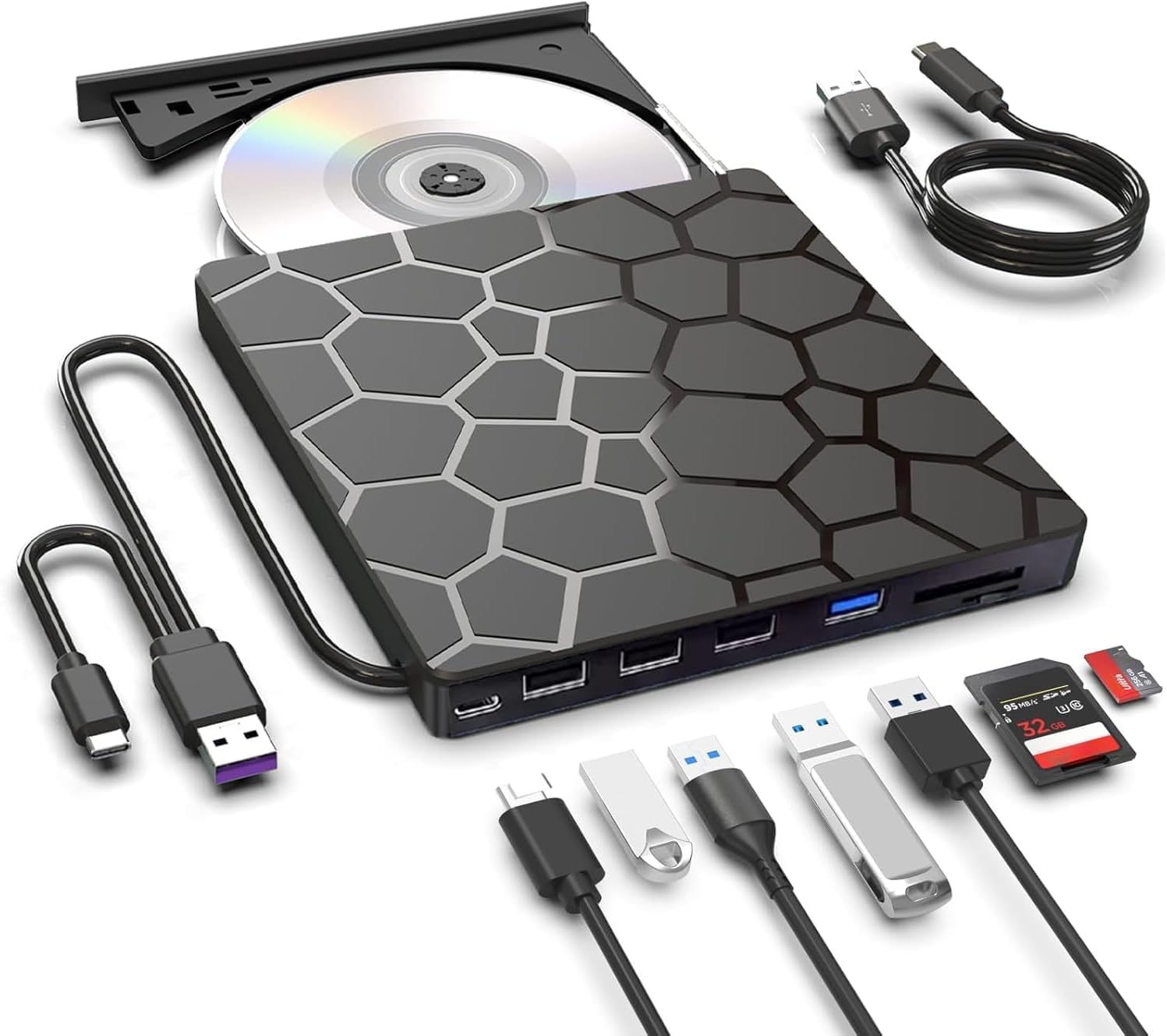
BPAKDU 8-in-1

87 /100
Keeper Score Excellent

Key details

Hub
Four USB ports, SD/TF reader
In The Box
Extra power cable
Interfaces
USB 3.0 and Type-C
Disc Speeds
8x DVD / 24x CD
Check Price on Amazon

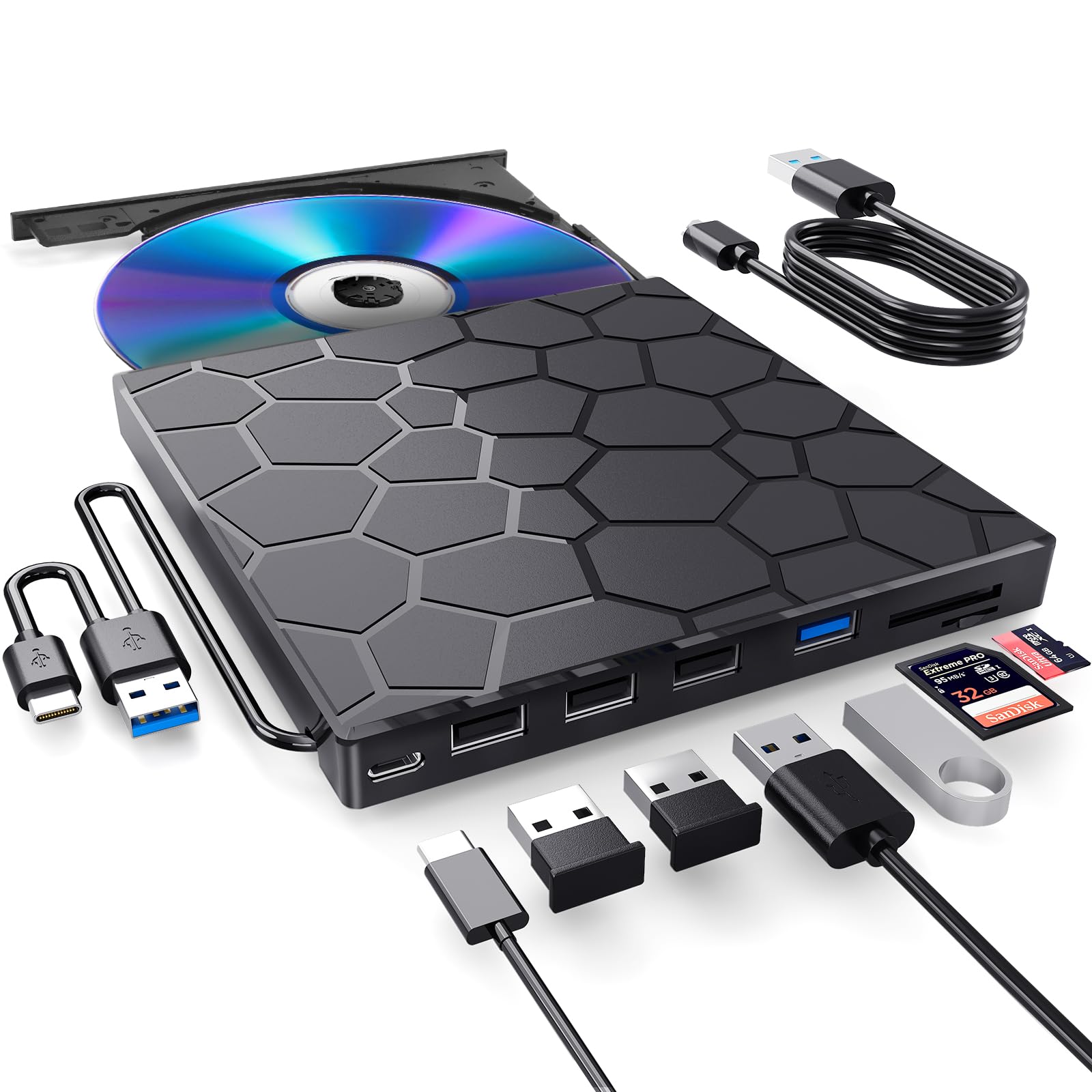
Most "the computer will not see it" problems with these drives come down to power, and BPAKDU ships a separate power lead for exactly that. When a laptop's single port cannot feed the mechanism, you plug in the second cable and the drive spins up. It is an unglamorous fix for the most common failure in this category, and we appreciate that it is in the box rather than in a support article.

The rest of it is a small dock. One USB 3.0 port, three USB 2.0 ports and an SD/TF card reader sit alongside the disc slot, which is a real convenience on a laptop with two ports and no card slot. The reader is the useful half for anyone shooting on SD cards, and a mouse dongle can live in one of the 2.0 ports and never move again.

Where we hesitate is the shape of the whole thing. It is a 6.5-inch square slab, closer to a small external hard drive than to the slim drives here, and it wants desk space rather than a corner of a backpack. The disc side works, the power lead solves the usual failure, and the 8x DVD and 24x CD speeds match everything else — so this is the pick for a desktop or a laptop that stays put.

Pros

  • Extra power cable fixes unrecognized drives
  • Card reader plus four USB ports
  • Speeds match the rest of the group

Cons

  • Hub ports run at USB 2.0 speed
Our verdict

We keep this one for desks where a single port cannot power a drive, or where a card reader and extra USB ports earn their space.

Check Latest Price
4

Best Budget

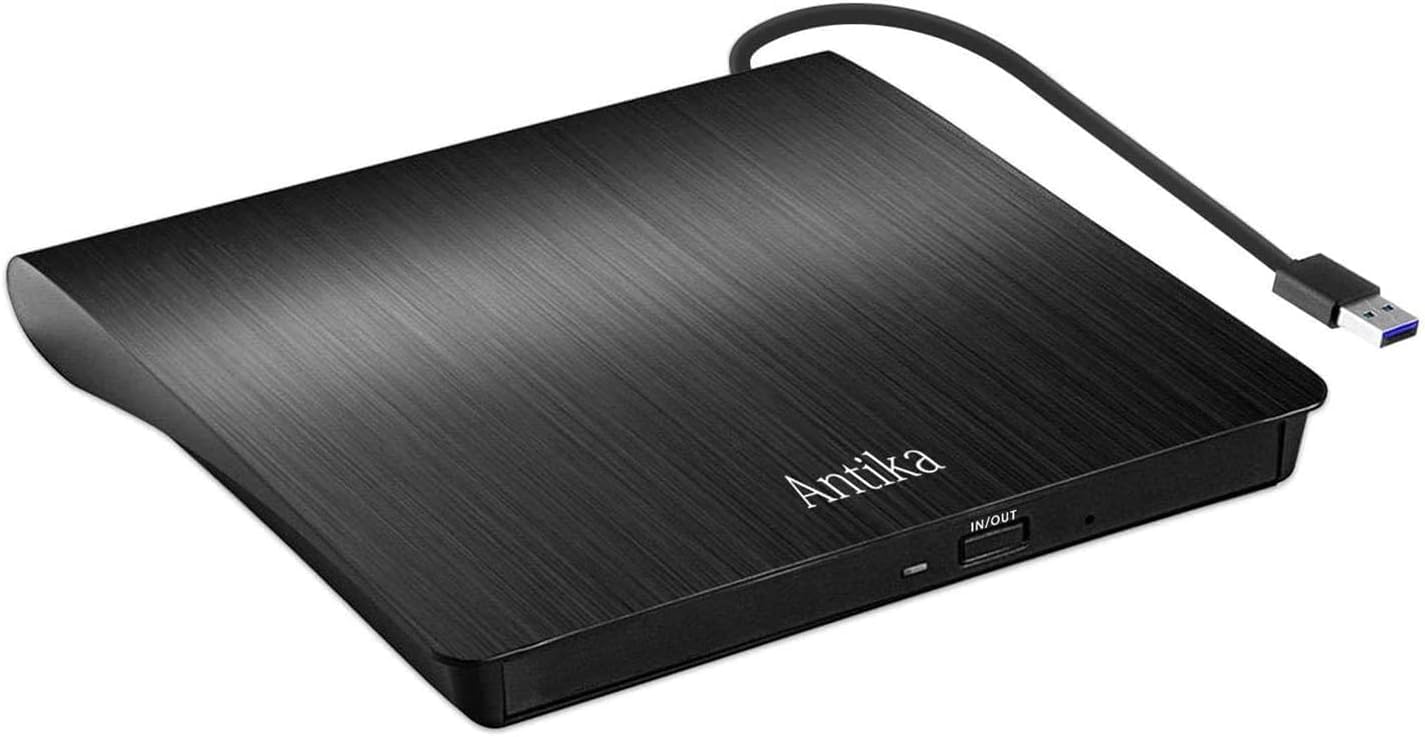
Antika External CD Drive

88 /100
Keeper Score Excellent

Key details

Body
Slim, shock-resistant ABS
Warranty
1 year, 30-day return
Interface
USB 3.0, 5 Gbps
Disc Speeds
24x CD read/write
Check Price on Amazon

Antika's drive is the one we point at when someone needs to read six old discs, get the files off and never think about the drive again. It reads and burns CD and DVD±RW over a plain USB 3.0 connection, with no software install and no second cable to keep track of, and it does it at the bottom end of this group's pricing.

The body is slim ABS with a shock-resistant claim, and it is light enough to carry. The tray is the light-duty part: seat a disc flat and press it down evenly rather than firmly, and it behaves. Speeds are the same 24x CD class as everything here, so nothing is being held back on the disc side.

The warranty is a year with 30 days to send it back, and that window is the part to use. Run your worst disc through it in the first week — the one with the scratch across the middle — because a drive at this price either reads your collection or it does not, and you want to find out while returning it is still easy.

Pros

  • Low-cost way into disc reading
  • Plug and play over USB 3.0
  • One-year warranty with 30-day returns

Cons

  • No USB-C connector; MacBooks need an adapter
Our verdict

For a handful of old discs a year, we think this is the sensible spend: it reads and burns over plain USB 3.0 and the return window is generous.

Check Latest Price
5

Best for Travel

GODBPNYMU 5-in-1

80 /100
Keeper Score Excellent

Key details

Hub
Two USB 2.0, SD/TF reader
Warranty
24 months
Interfaces
USB-A and USB-C
Disc Speeds
24x CD / 8x DVD read
Check Price on Amazon

A camera bag is a bad place for a drive with a loose cable, so this one goes in with both leads attached and folded flat. It measures roughly 6.1 by 5.9 inches and six-tenths of an inch thick — the same slot as a small notebook — and the shell is plain black ABS with a blue accent.

The five-in-one part is the argument. Two USB 2.0 ports and a TF/SD card reader sit alongside the disc mechanism, which means a photographer can copy a card and burn a disc from the same little box without unpacking a separate hub. That is the combination we keep coming back to for travel kits.

Disc work is the standard class: 24x CD read, 8x DVD read, 24x CD-R writing. It runs quietly enough to sit beside a microphone, and the 24-month warranty is the longest offered on any drive here.

Of the hub drives, this is the one we pack. It is smaller than the BPAKDU and the card reader is the part that earns its place. Set against that, the added ports are USB 2.0 — fine for a mouse, slow for a hard drive — and the body is plain plastic with nothing premium about it. Neither changes what it does with a disc.

Pros

  • Card reader plus two USB ports
  • USB-A and USB-C leads attached
  • 24-month warranty, longest here

Cons

  • Card reader handles SD and TF cards only
Our verdict

This is the drive that goes in our camera bag: compact, quiet, and carrying the SD/TF reader a thin laptop leaves out.

Check Latest Price
6

One-Off Ripping

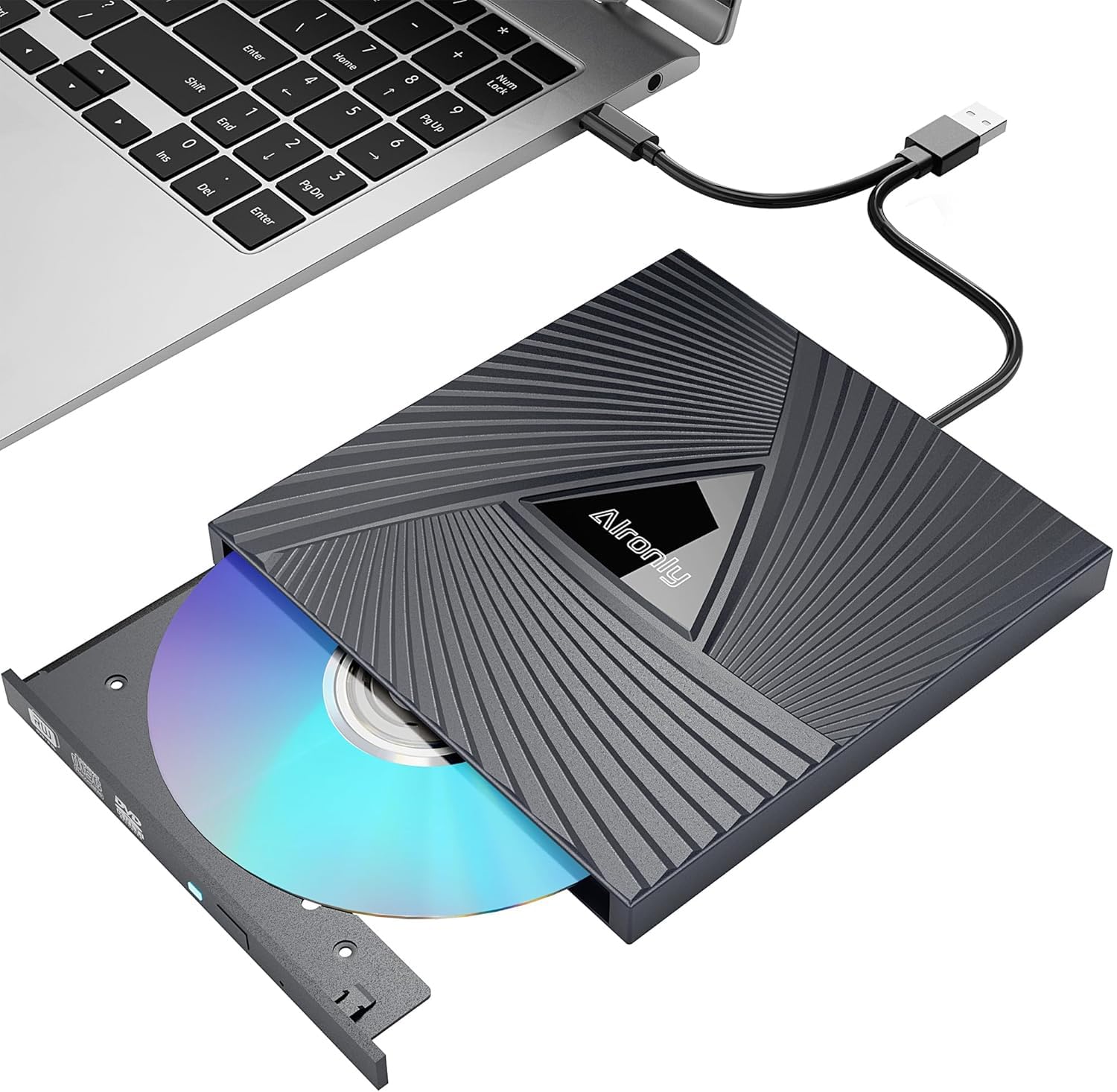
Alronly External Drive

84 /100
Keeper Score Excellent

Key details

Weight
0.55 lb
Warranty
1 year
Interfaces
USB 3.0 Type-A and Type-C
Disc Speeds
8x DVD / 24x CD
Check Price on Amazon

At 0.55 lb this is one of the lightest drives here, and the shell is thin black plastic that flexes slightly under a thumb. The cable stows underneath, the connector set covers USB-A and USB-C, and the whole thing is compact enough to live in a drawer without taking up the drawer.

None of that stops it doing the job. It reads and burns at 8x DVD and 24x CD, identical to drives further up this list, and it appeared on a Windows 11 laptop the moment it was plugged in. The savings come out of the shell and the tray rather than the laser, which is the right place for them on a drive used twice a year.

The tray is the budget part: it is the lightest mechanism here and it wants discs seated flat, not pressed down at an angle. Treat it as a desk drive that travels occasionally and it does everything you ask. The one-year warranty is standard for this group.

Pros

  • Light at 0.55 lb with the cable built in
  • 8x DVD / 24x CD, same as pricier picks
  • USB-A and USB-C connectors

Cons

  • Short built-in cable restricts placement
Our verdict

If the job is one box of CDs and the budget is tight, this reads and burns at the same speeds as the picks that cost more.

Check Latest Price
7

Hub on a Desk

ASHDOL 8-in-1

80 /100
Keeper Score Excellent

Key details

Weight
11.2 oz
In The Box
USB power cable
Interfaces
USB 3.0 and Type-C
Disc Speeds
8x DVD / 24x CD
Check Price on Amazon

At 11.2 oz this is the heaviest drive in the group, and the weight is the hub built into it. The page sells an 8-in-1, pairing the disc mechanism with USB 3.0 and Type-C connectors plus a USB power cable for machines that cannot feed it from one port.

The drive side is familiar: 8x DVD, 24x CD, plug and play, with anti-shock and error correction listed among the features. The matte black shell hides fingerprints better than the glossy ones, and setup is a single plug with no driver disc to find.

Our hesitation is the value. It sits at about the same money as the Amicool, which has the same connectors and a tidier cable, and the disc performance is identical across both. If the power lead and the extra ports are the point, this is a reasonable single box for a desk; if you mainly want to read discs, the mainstream picks do it with less to carry.

Pros

  • USB 3.0 and Type-C connectors
  • Power cable included for weak ports
  • Matte finish resists fingerprints

Cons

  • Hub port layout is not itemized on the page
Our verdict

We rank it below the mainstream picks: the drive is fine, but the extras and the weight are what you are buying, not better disc performance.

Check Latest Price

How We Tested the Best External CD/DVD Drives

We built the shortlist from every external drive with a real review history and a published read and write speed, then cut anything that shipped with a single connector, needed a separate power brick, or listed compatibility for one operating system only. That left 14 drives, and we've had them for four months — long enough for the novelty to wear off and the tray mechanisms to loosen up.

Testing happened where these actually live: at my desk through a full CD-ripping project, on the couch watching a movie on a laptop, in a hotel room, and at a friend's place burning a disc for the ancient stereo in his truck. We also ran each one into a desktop tower with rear-facing USB ports to see whose cable was too short. Every drive was plugged into a Mac, a Windows 11 machine, an older Windows laptop, and a Linux setup, and we noted whether the disc mounted on its own or demanded a prompt, a download, or a reboot first.

Each drive played the same three discs: a pristine pressed DVD, a CD scratched badly enough to skip in a car stereo, and a dual-layer movie. We timed a full album rip and a full disc burn against its advertised speed, watched what happened with a disc pressed slightly off-center, and set a decibel app beside each one to catch the drives that whine. From there, we carried every model loose in a bag for a week, pressed a disc down onto the spindle to check for flex, and pulled photos off an SD card on the ones that included a slot.

How to Choose an External Cd/dvd Drive

Start with the connector, not the disc speed

Every drive in this group reads and writes DVDs at 8x and CDs at 24x, so speed is not a way to choose between them. What varies is what plugs into what: a USB-A lead, a USB-C lead, or both in the box. A Type-C-only drive on a USB-A laptop means an adapter, and the adapter is the first thing to disappear into a drawer.

Count the ports on your computer before you order and prefer a drive that ships the right cable. The ASUS covers both connector types from the box, and the Amicool does the same with an adapter clipped to its plug — either saves you the adapter hunt.

Power is what makes a drive appear

When a new drive does not show up, the cause is usually the port rather than the disc. These mechanisms draw more current than a mouse, and a passive hub, a monitor's USB socket or a long extension lead can leave one unrecognized. Plug into the computer itself, try a rear port on a desktop, and use the separate power lead where the drive includes one — the BPAKDU is built around exactly that fix.

If a drive still does not appear on a second port, that is a return rather than a repair, so keep the packaging until you have read one disc.

The tray, the cable and the return window

These are commodity mechanisms in plastic shells, and the tray is the part that gives up first. Seat discs flat, keep the drive on a hard surface while it spins, and do not travel with a disc left inside. A short captive cable is not a fault, but it does pin the drive next to the laptop, which matters if you watch films in bed rather than at a desk.

Because longevity is the weak spot across the category, buy where sending it back is simple and test it in the first week with the most scratched disc you own.

When the built-in hub earns its price

Several drives here add USB ports and an SD/TF card reader alongside the disc mechanism, which is genuinely useful on a laptop with two ports and no card slot. Check what those added ports are: they are usually USB 2.0, fine for a mouse or a keyboard and slow for a hard drive.

If the card reader is the reason you are buying, choose on the reader — the GODBPNYMU takes SD and TF cards and nothing larger. If you need fast file transfers as well, use the laptop's own ports and let the drive stick to discs.

Frequently Asked Questions

Final Verdict

For most people the ASUS SDRW-08U9M-U is the drive to buy. It arrives with a USB-A lead and a USB-C lead, so it moves between an old desktop and a new laptop without an adapter, and the encryption tool is a real extra rather than packaging. The two catches are the price and Apple silicon, where a few MacBooks refuse to see it — if that is your laptop, take the Amicool instead, which lists Apple Silicon support and costs less.

If your laptop has one free port or you want a card reader on the same desk, the BPAKDU's power lead and reader answer both. Buy the drive that matches the ports you actually have, and test it with a real disc while the return window is still open.