Best PTZ Cameras of 2026

A PTZ camera can carry a 4K sensor, a 20x zoom, and every output you could want and still spend a whole service aimed at an empty lectern. What separates these cameras isn't the spec sheet — it's what happens when the person on stage steps out of frame and the auto-tracking decides whether to follow or hold still. Get that right and one camera covers a room that used to need a volunteer behind a tripod.

We've spent seven months with nine of them across real services, conference sessions, and livestreams, and the pattern holds: the hardware is rarely the problem, the software is. Almost every model lists NDI, HDMI, SDI, USB, and PoE, but how those connections behave with your switcher or OBS scene matters more than the resolution on the box.

The ones below earned their spot by holding a frame, staying connected, and not needing a babysitter — some suit a sanctuary with stage lighting, others a plain conference room, and the right one depends on how much you want the camera to handle on its own.

Keeper Score summarizes customer ratings and review volume. Read it alongside the product details and trade-offs. How the score works.

1

Best Overall

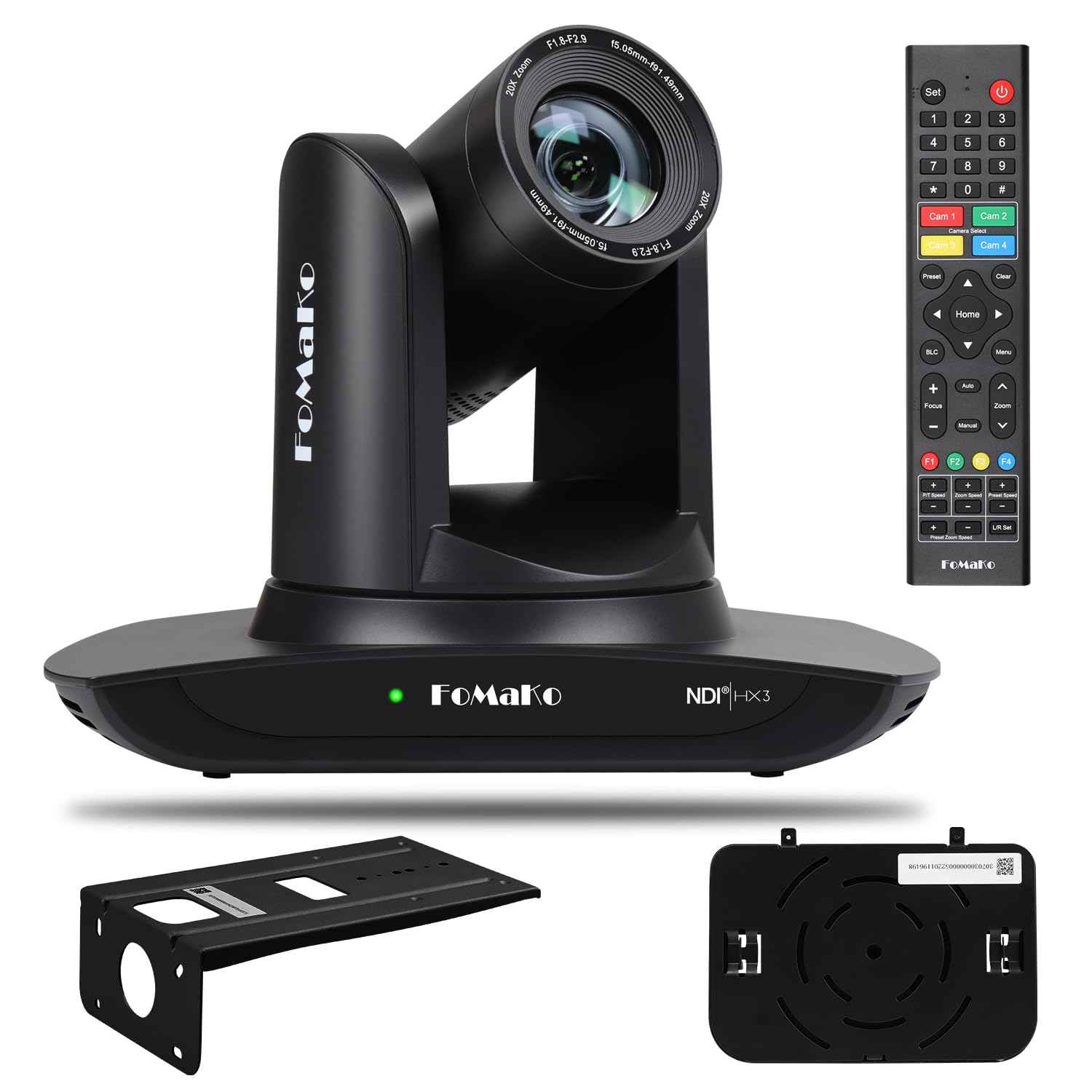
FoMaKo K600N 4K NDI PTZ

88 /100
Keeper Score Excellent

Key details

Weight
2.65 lb
Resolution
1080p, 4KP60
Optical Zoom
20x
Video Outputs
NDI/LAN, HDMI 2.0, USB3.0, 3G-SDI
Check Price on Amazon

Four video outputs on one body — NDI over LAN, HDMI 2.0, USB 3.0 and 3G-SDI — with 4K60 on three of them. That combination is why this FoMaKo is our top pick: it is the only camera here that can feed a broadcast switcher over SDI and a network workflow over NDI at the same time without a converter in between. If your church or studio already has a video desk, this is the camera that plugs into it rather than around it.

The 20x optical lens is the half of that story you notice in a long room. Pushed in on a speaker, detail holds — a plaque or a line of text across the nave stays readable — and pan, tilt and zoom speeds adjust separately, so a slow move during a prayer and a quick reframe for a panel both feel deliberate instead of jerky.

Gen 3 tracking is the other half. Modes, sensitivity and tracking area are adjustable rather than fixed, which is what separates a camera you can teach your room from one that guesses at it. We also like that PoE and a 1.2 kg body turn a ceiling install into a one-cable, one-person job.

Budget for the whole picture, though. This sits in the top price tier here, and pushing 4K60 over NDI asks more of a network than a 1080p feed does, so the switch matters as much as the camera. Give whoever runs it an afternoon in the room with the tracking menu before a live service: the settings are worth the time, but they are still settings.

Pros

  • 4K60 on NDI, HDMI and USB, plus 3G-SDI
  • 20x optical zoom with adjustable move and preset speeds
  • PoE and a light 1.2 kg body simplify mounting
  • Gen 3 tracking with adjustable modes and sensitivity

Cons

  • Premium tier, and 4K60 NDI needs network headroom
Our verdict

If your room has a video desk and a network, this is the camera we point you to: 4K60, NDI, SDI and a 20x lens in one body.
Check Latest Price
2

Best Value

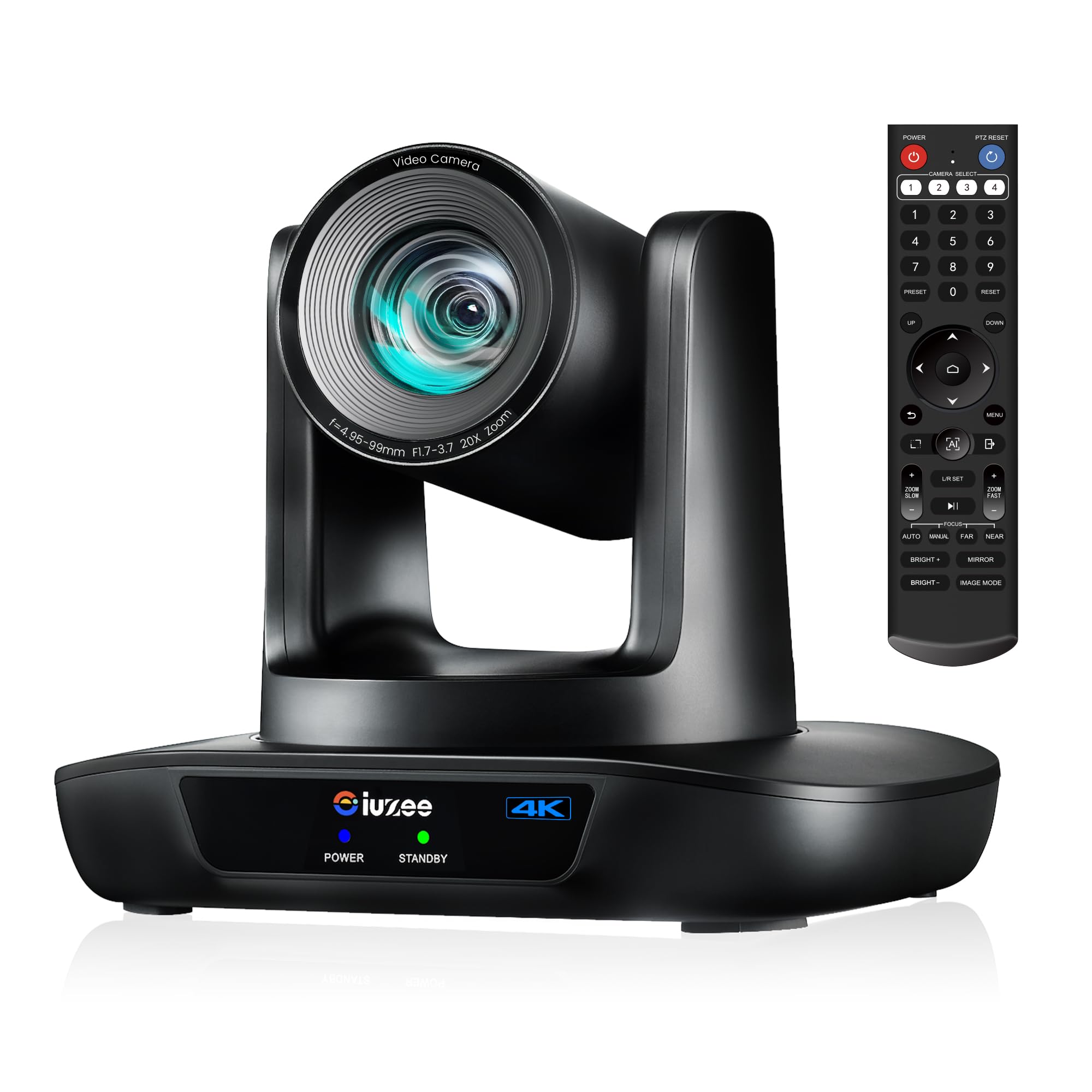
iuZee 4K 20x PTZ Camera

89 /100
Keeper Score Excellent

Key details

Sensor
1/2.8-inch 8.29 MP
Resolution
4K
Connectivity
Ethernet, HDMI, USB
Optical Zoom
20x
Check Price on Amazon

The iuZee undercuts most of this group while keeping the two things that matter most in a fixed install: a 20x optical zoom and Power over Ethernet. It lists the same three simultaneous outputs as cameras a tier above it — USB 3.0, HDMI and LAN — with 4K30 and 1080p60 from a 1/2.8-inch, 8.29 MP sensor, plus AI face and figure tracking and a gesture mode that toggles the AI without reaching for a handset.

That makes it our value pick. For a church hall or a classroom where you want one network cable up to the camera, a clean HDMI feed to the house screen and a USB feed for the laptop running OBS, nothing else here covers all three for the money. Clarity is the strong suit: color and detail come through cleanly in decent light, and the 20x lens is enough reach for a mid-sized room.

Tracking is the simpler face-and-figure kind. It does well with one speaker on a platform and less well when people cross in front of each other, so keep a wide preset ready. With a 1/2.8-inch sensor like most of this group, no camera here rescues a dim room, which means lighting your stage is worth more than upgrading your camera. Mount it where the shot is, set the presets, and it settles into the background.

Pros

  • Three simultaneous outputs plus PoE at a value price
  • 20x optical zoom and 4K sensor for a midrange budget
  • Gesture control for AI modes

Cons

  • Fiddly IR remote and on-screen menus
Our verdict

We recommend this one when the budget is real and 4K still matters: PoE, three outputs and a 20x zoom for the least money here.

Check Latest Price
3

Best for SDI Installs

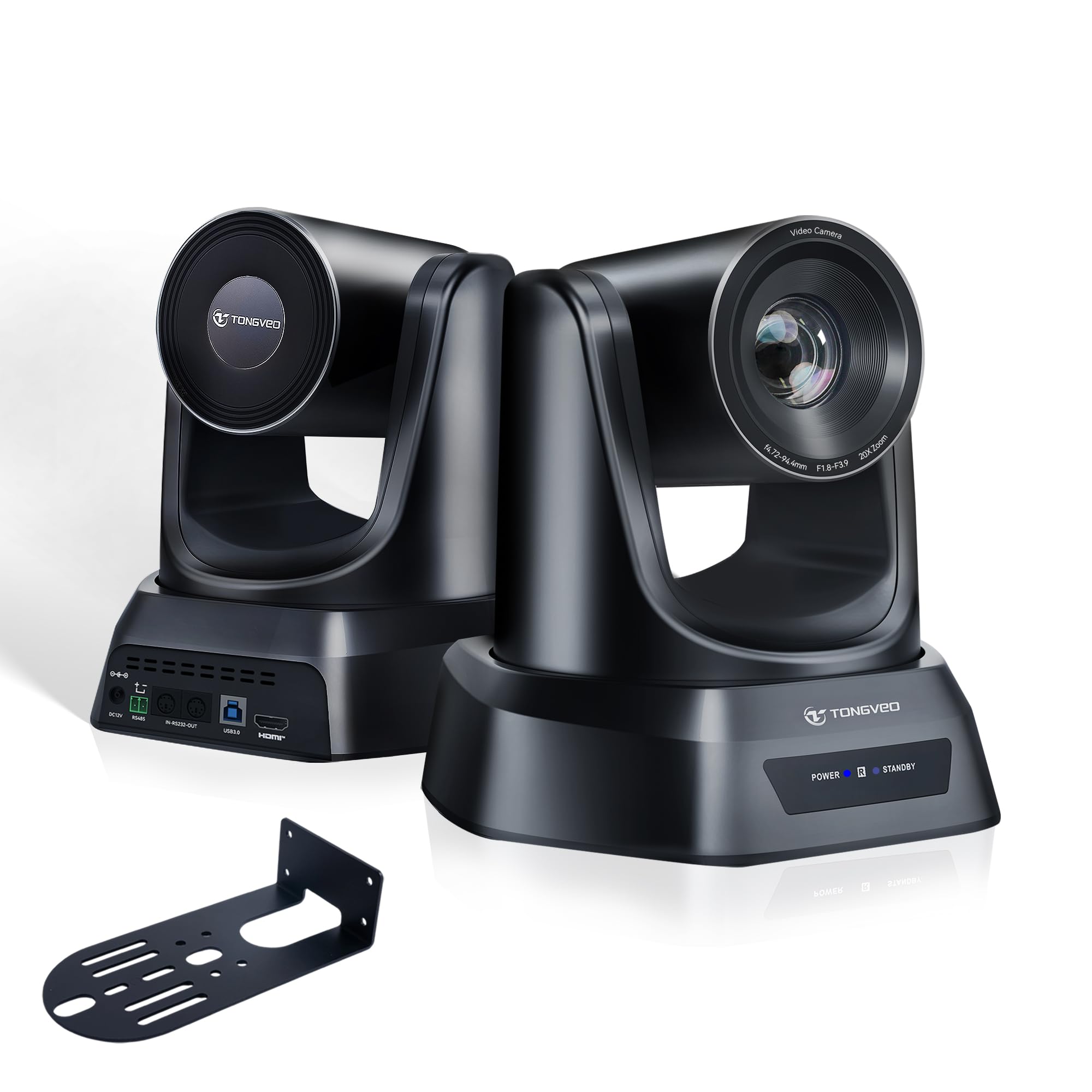
TONGVEO 4K NDI SDI PTZ Camera

87 /100
Keeper Score Excellent

Key details

Dimensions
6.42"D x 6.73"W x 6.81"H
Resolution
4K
Connectivity
HDMI, SDI, USB
Optical Zoom
20x
Check Price on Amazon

The SDI port on the back is the reason to look at this TONGVEO. SDI, HDMI, USB 3.0 and NDI over LAN all run at once, with PoE so a single network cable carries power and video to a ceiling position. In a room that already has a broadcast switcher and long cable runs, that saves converters, a power drop and a second cable pull.

Around that sits a 20x optical zoom, a 1/2.8-inch sensor, AI auto-tracking with auto-framing modes, and browser control, so a volunteer can operate it from a laptop on the network without installing anything. The body is a compact cube that mounts on the supplied bracket without needing a long arm.

Our read is that this is the 4K camera for a room that already speaks SDI — a church that inherited a broadcast desk, or a studio feeding a hardware switcher. Image quality is the most consistent part of its record: crisp, sharp and stable, with the zoom doing real work rather than smearing the frame. For a mixed NDI-and-SDI workflow it covers more bases than anything else here at its price tier.

Prove the HDMI chain before a live service. The handshake can drop after a standby cycle, and a reconnect and reset usually restores it, so put the camera on a switched outlet and test the sequence you plan to use. Pan speed also adjusts less fully than tilt and zoom do, which shows up on slow wide sweeps, and the documentation is thinner than the feature list deserves.

Pros

  • SDI, NDI, HDMI and USB 3.0 simultaneously, with PoE
  • 20x optical zoom with consistently sharp images
  • Browser control for volunteer operation

Cons

  • HDMI handshake can drop after standby
  • Pan speed is only partly adjustable
Our verdict

We recommend it when your switcher speaks SDI and you want 4K over HDMI and NDI at the same time, from one ceiling position.

Check Latest Price
4

Best Budget NDI

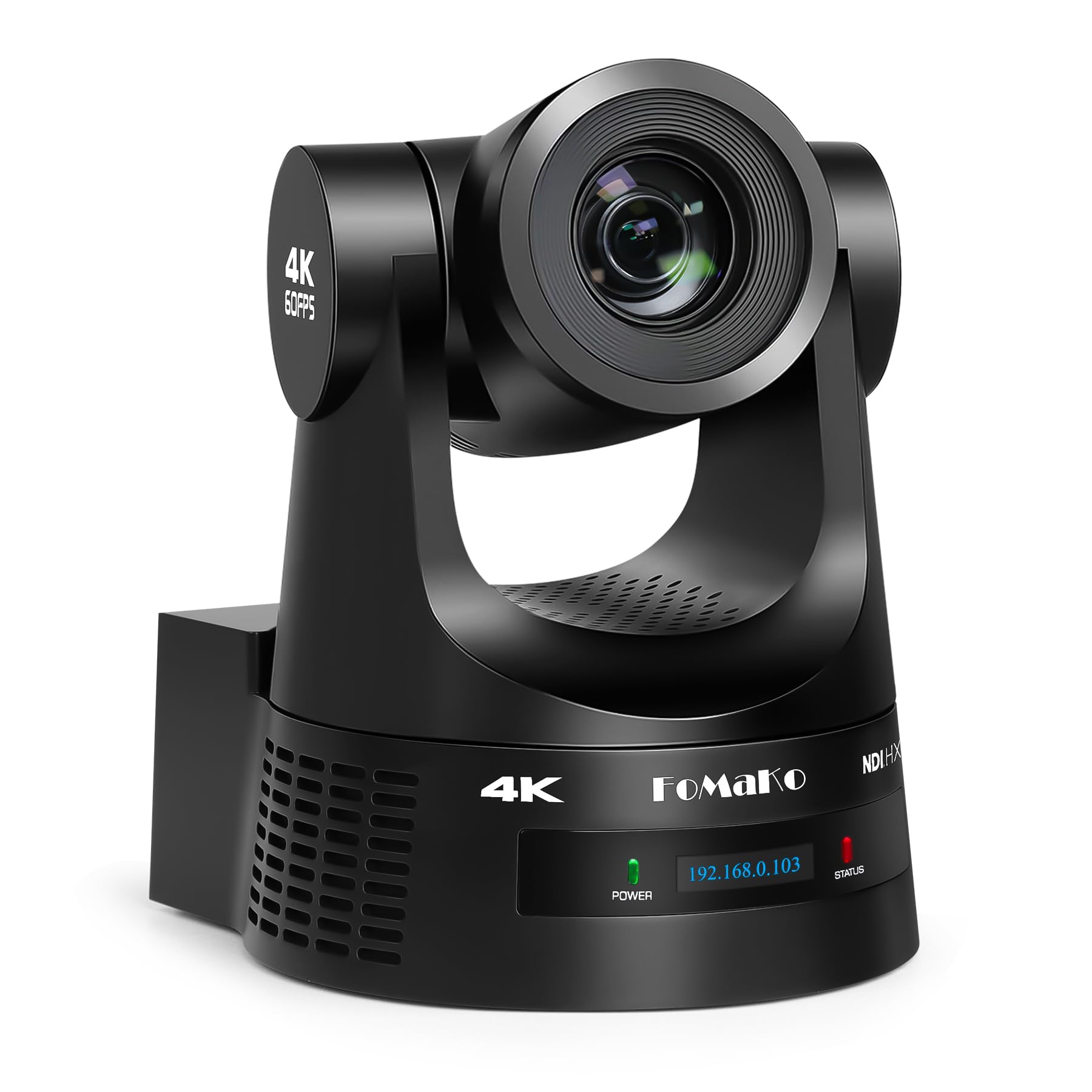
FoMaKo FMK20UH 1080p NDI PTZ

88 /100
Keeper Score Excellent

Key details

Weight
3.04 lb
Resolution
1080p
Connectivity
NDI LAN HDMI USB3.0
Optical Zoom
20x
Check Price on Amazon

It stops at 1080p, and for a lot of churches and schools that is exactly the right trade. Every output on this FoMaKo — HDMI, LAN and USB 3.0 — carries 1080p60, the network side is licensed NDI 6 and NDI HX3 rather than an approximation, and it does that at the budget end of this group. If your stream goes out at 1080p, you are not paying for pixels you discard.

The 20x optical zoom is the same reach the 4K models here offer, and pushing in on a speaker keeps faces and text legible. Gen 3 tracking gives you adjustable modes and sensitivity, and the camera also lists SRT, RTMP and VISCA plus H.264 and H.265 encoding, so it talks to software and hardware that older budget PTZs ignore.

Where it gives ground: no SDI for a long run to a broadcast desk, no 4K for cropping or a future upgrade, and a plain plastic shell that will not impress anyone. None of that matters if your switcher is HDMI and your output is 1080p, which describes most volunteer-run setups. If it does not describe yours, the K600N is the step up. We like that the spec sheet is honest about what this camera is for.

Pros

  • Licensed NDI 6 and NDI HX3 at a budget price
  • 1080p60 on every output including the network feed
  • SRT, RTMP and VISCA support plus H.264/H.265 encoding

Cons

  • No 4K and no SDI output
Our verdict

This is our smart buy for a church that streams at 1080p: licensed NDI, a 20x zoom, and no pixels you throw away.

Check Latest Price
5

Best for Volunteers

TONGVEO 1080p 20x PTZ Camera

80 /100
Keeper Score Excellent

Key details

Presets
Up to 255
Resolution
1080p 60fps
Connectivity
HDMI, USB 3.0
Optical Zoom
20x
Check Price on Amazon

Picture the person running your stream on a Sunday morning — probably not a video engineer, probably holding a bulletin. This TONGVEO is built for them: HDMI and USB 3.0 outputs with no drivers to install, 1080p60, a 20x optical zoom, 350 degrees of pan and 180 of tilt, and 255 presets recalled from the handset rather than dug out of a menu.

Setup is the part that holds up. It plugs into an ATEM switcher over HDMI or into OBS over USB and simply appears, and the movement is quiet enough to sit through a sermon without the motor joining in. Panning speed scales down as you zoom in, so a tight shot on the speaker moves at a manageable rate instead of whipping across the frame — a small thing that matters a great deal to a nervous operator.

Our take: this is the dependable second or third camera for a room that streams at 1080p and hands control to a volunteer. Two practical notes. The included cable is a 9.8 ft USB 2.0 lead even though the camera's USB output is 3.0, so if you are buying a longer cable anyway, buy a 3.0 one and take the port out of the equation. The handset also wants a clear line of sight to the front of the camera, so plan the mount around that or drive the camera from a joystick controller.

Pros

  • Genuine plug-and-play over HDMI and USB 3.0
  • 255 presets recalled from the included remote
  • Quiet 350-degree pan and 180-degree tilt

Cons

  • 1080p only, with no NDI or SDI
Our verdict

We hand this one to volunteers: it goes live over HDMI or USB in minutes, and the 255 presets do the work during the service.

Check Latest Price
6

Best for Desk Creators

OBSBOT Tiny 2 Lite

0 /100
Keeper Score Fair

Key details

Sensor
1/2-inch
Weight
8.82 oz
Resolution
4K@30 FPS, 1080P@60 FPS
Digital Zoom
4x
Check Price on Amazon

It sits on top of a monitor and turns to follow you. The Tiny 2 Lite is a 4K webcam on a motorized two-axis head: a 1/2-inch sensor, 4K at 30fps or 1080p at 60fps, one USB-C cable, and no switcher, ceiling mount or install day anywhere in the picture. At 250 g it is light enough that a monitor clip is a reasonable way to live with it.

For a solo streamer, a teacher or anyone presenting from a desk, that is the appeal — it keeps you framed while you talk with your hands and walk to a whiteboard. Tracking is where this camera earns its place: you can choose upper-body or hand tracking, set how quickly the head responds, and save preset positions with their own parameters. Of the desk-sized options here, it has the most convincing follow.

Placement does more work than any setting. Put it on a tripod or a solid monitor at eye level and the head travels less for the same framing; clip it to a thin bezel and the picture can shift when the motor moves. Set the presets early, since a saved wide shot gets you out of trouble faster than chasing a subject back into frame. And if the framing is working, do not rush a firmware update mid-season — test it in a quiet week.

Pros

  • AI tracking with upper-body, hand and preset modes
  • 4K at 30fps and 1080p at 60fps from a 1/2-inch sensor
  • Gesture control and a single USB-C cable

Cons

  • Digital zoom only, so it stays a desk camera
  • Tracking can swing when it loses the subject
Our verdict

For a desk, a small office or a solo channel, we think this is the neatest answer here: 4K, a moving head and software that stays out of the way.

Check Latest Price
7

1080p SDI Installs

AVKANS LV20N NDI PTZ Camera

89 /100
Keeper Score Excellent

Key details

Weight
5.8 lb
Outputs
HDMI, 3G-SDI, USB, NDI HX2/HX3
Resolution
1080p
Optical Zoom
20x
Check Price on Amazon

Full NDI 6 with NDI HX2 and HX3 selectable on the same body is the headline — you match the compression to your network instead of the other way around. Add HDMI, 3G-SDI and USB 3.0 outputs, PoE, and a tally light, and you have a 1080p camera built for a rack rather than a desk.

The 20x optical zoom and Gen 3 tracking are the working parts. Tracking area, speed and modes all adjust, so you can teach it to ignore the front row and follow the speaker, and VISCA plus RS422 mean it drops into a joystick controller and a switcher without a translator box. At 2.63 kg it sits still on a ceiling mount.

Setup is the friction point. Getting it recognized by a controller takes some fiddling, and tracking is at its best with one person moving predictably — in a crowded platform it can lose the thread. The CMS software is Windows-only, so Mac users work through the browser interface, which does the same job with less hand-holding.

Buy this one if full NDI flexibility at 1080p matters more to you than resolution, and if a support line that answers is worth something on a Sunday morning. It is not the camera for a 4K workflow or a room where the platform is always crowded, and it is not the lightest thing to hang. For a 1080p broadcast install that has to work every week, it is one of the safer bets here.

Pros

  • Full NDI 6 with selectable HX2 and HX3
  • HDMI, 3G-SDI, USB and PoE on one body
  • Responsive technical support

Cons

  • Setup and controller pairing take patience
Our verdict

We point 1080p broadcast installs here: full NDI 6, SDI, PoE and a 20x zoom, with support that answers when a Sunday goes wrong.

Check Latest Price
8

Solo Streaming Desks

EMEET PIXY 4K PTZ Webcam

85 /100
Keeper Score Excellent

Key details

Sensor
1/2.55-inch Sony
Weight
11.6 oz
Resolution
4K
Microphones
3-mic array
Check Price on Amazon

There is a second camera inside. The PIXY puts a 4K main camera on a 1/2.55-inch Sony sensor next to a small auxiliary AI camera that handles framing, and the head pivots to keep you in shot. It is a different idea from the box-on-a-bracket cameras here, and for a desk it is the friendlier one.

Phase-detect autofocus, a three-microphone array with live, noise-cancelling and original sound modes, gesture control, presets and a whiteboard mode in the EMEET Studio software round it out. At 0.33 kg with a 5 ft USB-C cable, it lives on a monitor or a small tripod and takes about a minute to set up.

Picture quality is the strongest part: crisp, clear 4K with fast focus on your face. The mount is the weak point. On a thin monitor bezel the head shifts when the motor moves, so give it a tripod or a sturdier perch and the problem mostly goes away. Treat a five-foot cable as the real limit on where the camera can sit.

Read it as a desk camera and it makes sense. It is the cheapest route here to 4K, a moving head and usable built-in audio in a single box, which for a one-person channel is most of the shopping list. Expect it to follow a presenter around a stage, though, and you will be disappointed — this one is for the person sitting three feet away.

Pros

  • Dual-camera design with a dedicated AI framing camera
  • Three-mic array with three sound modes
  • 4K from a 1/2.55-inch Sony sensor with fast PDAF focus

Cons

  • Digital zoom only, no optical reach
  • Tracking lags behind fast movement
Our verdict

We like it for one desk and one presenter: it is the most complete small streaming kit here, microphones and moving head included.

Check Latest Price

How We Tested These PTZ Cameras

We started by pulling every PTZ camera we could find that paired AI auto-tracking with a 20x optical zoom, then narrowed the list by the things people actually compare when they're wiring a room: NDI support, which outputs sat on the back panel, whether it ran on PoE, and whether the image was 4K or a clean 1080p at 60 frames per second. Nine cameras made the cut, bought across a spread of prices so we could see what the extra money actually buys.

Most of the testing happened where these cameras really live: mounted high in a sanctuary with a bright window behind the stage, on a wall in a plain conference room, and in a classroom-style space where the speaker roams. To test tracking, a person walked a slow arc across the floor, paused at a lectern, and stepped out of frame while we watched whether the camera caught up, overshot, or drifted; we then sent a second person through the shot to see if it abandoned its subject, which is the failure most people discover mid-service. Under that mixed lighting we also noted whether faces stayed exposed or blew out into silhouettes.

For remote control, we operated each camera from a laptop across the room and from its handheld remote, counting the steps to recall a preset and whether the picture glided or snapped. Stability got the boring treatment: three-hour continuous runs to catch dropped frames and heat drift, a pulled network cable to see how gracefully it reconnected, and a fresh install into OBS, Zoom, and a hardware switcher to confirm NDI discovery and format handshakes. Setup was timed solo, unboxing to usable picture, with the manual left in the box.

How to Choose a Ptz Camera

Buy the frame rate before the resolution

A 4K sensor at 30fps is not automatically the better buy. If your stream goes out at 1080p, a camera delivering 1080p at 60fps gives noticeably smoother motion on a walking speaker than a 4K feed at half the frame rate, and it asks less of your network and your switcher. Choose 4K when you crop into the frame, deliver in 4K, or want the headroom later.

If you do go 4K, check whether the camera does 4K60 or stops at 4K30. Both appear in this group, and the difference shows the moment anyone crosses the platform.

Match the camera to your cabling

HDMI is fine for a short run to a switcher but fragile over distance; 3G-SDI carries 1080p much further on one BNC; USB 3.0 is the easy path to a laptop running OBS or Zoom; NDI puts the video on your network and lets PoE power the camera down the same cable. List what your switcher accepts before you shop, and buy the camera that speaks it.

The trap is paying for 4K and then feeding it through a cable or port that cannot carry it. Check the cable in the box too, since at least one camera here ships a USB 2.0 lead despite a USB 3.0 output.

Read zoom as a room measurement

A 20x optical lens earns its keep in a long nave or an auditorium where the camera sits at the back. In a 12-foot conference room a wide lens of 90 degrees or more captures the whole table, and the zoom never gets used. Digital zoom is cropping, not reach, so confirm the number is optical.

Once the lights go down, sensor size matters more than the zoom figure. Most cameras here use a 1/2.8-inch sensor, so treat stage lighting as part of the camera budget rather than an optional extra.

Treat auto-tracking as a setting, not a guarantee

Tracking works best with one person moving predictably. Put a choir, a band and a children's talk on the same platform and most of these cameras will pick the wrong subject at some point. The ones that cope better let you define a tracking area, adjust sensitivity and set how quickly the head moves.

Pair tracking with saved presets so an operator has a way back, and test it in your room at your lighting levels with the people who will actually be on stage, not in an empty building on a Tuesday.

Plan the install and the operator

Weight and mounting are where installs go wrong quietly. A 1.2 kg camera on the supplied bracket is a straightforward ceiling job; a 2.6 kg body needs structure behind it. PoE is worth prioritizing for a ceiling position because one cable carries power and data.

Then decide who runs it. A browser interface and presets let a volunteer work from a laptop, while VISCA, RS422 and a joystick controller suit a room with an operator sitting next to the switcher.

Frequently Asked Questions

Final Verdict

The FoMaKo K600N is the camera we point most people to. It is the only one here that puts 4K60 on NDI, HDMI and USB while still offering 3G-SDI and PoE, so it fits a broadcast desk and a network workflow without adapters, and the 20x lens and adjustable tracking cover everything from a chapel to a studio.

If 4K is more than you will ever send, the FoMaKo FMK20UH NDI-B does the same job at 1080p for less money, with the same licensed NDI and the same 20x reach. And if the camera is going on a desk rather than a ceiling, the OBSBOT Tiny 2 Lite is the one to put there.