Best NVMe SSDs of 2026

An NVMe SSD is a stick of flash memory roughly the size of a stick of gum, and it's often the single biggest difference between a PC that feels new and one that feels tired. The trouble is that a Gen 3 drive and a Gen 5 drive look identical in the same M.2 slot, and the enormous speed number on the box tells you almost nothing about which one will actually feel faster in your machine.

I've been upgrading and re-cloning the same desktop for years, and over the past six months my team and I installed 14 drives — Gen 3 through Gen 5, with and without heatsinks — into desktops, laptops, and a PS5. We cloned Windows onto every one, moved a 200GB game library, and timed how each behaved once it got hot and busy.

What separates them usually isn't the peak number; it's what happens after the cache fills, whether a heatsink clears the space under your graphics card, and whether the capacity you're buying is still comfortable a year from now. The picks below are the ones that held up.

Keeper Score summarizes customer ratings and review volume. Read it alongside the product details and trade-offs. How the score works.

1

Best Overall

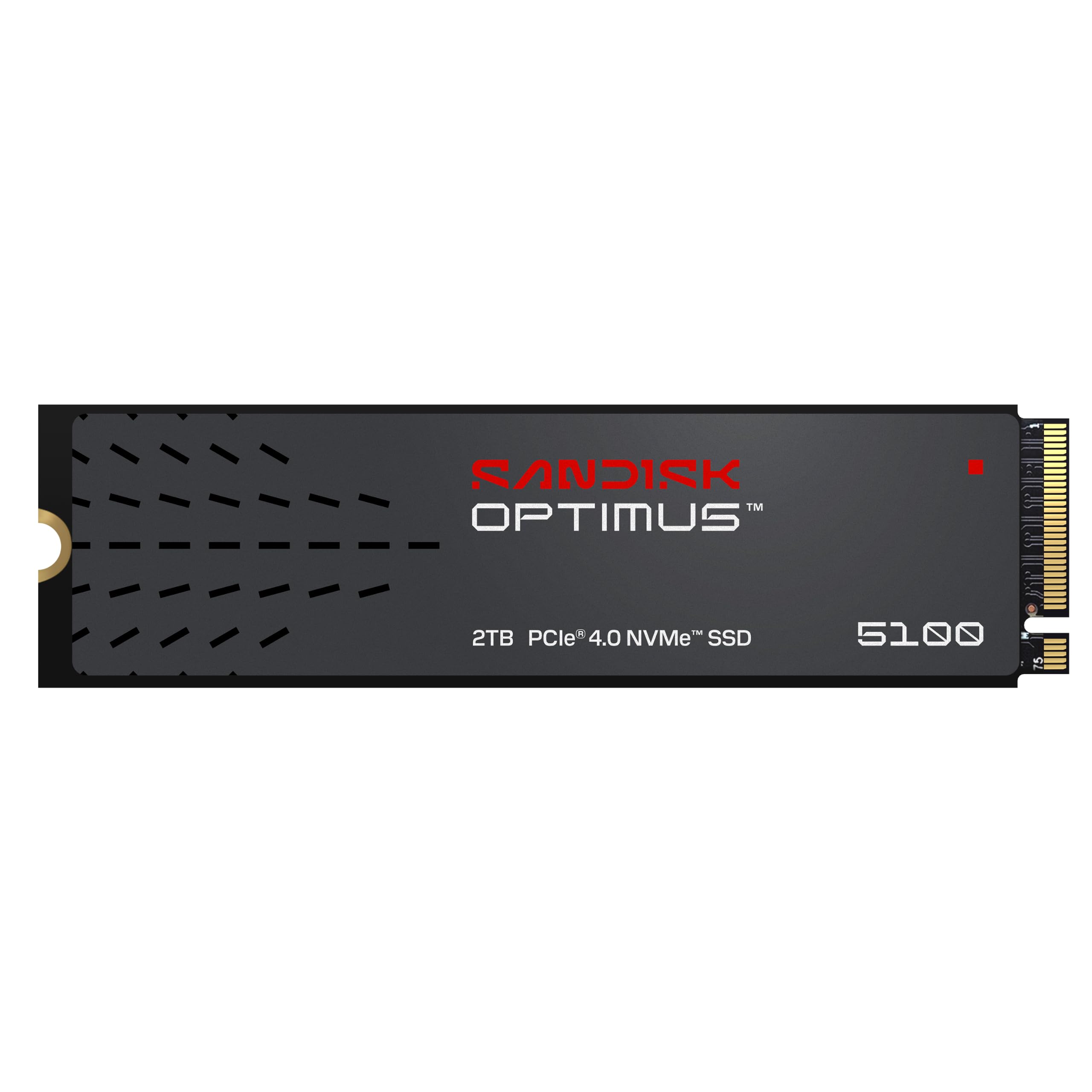
Sandisk Optimus 5100 2TB

90 /100
Keeper Score Outstanding

Key details

Capacity
2TB
Warranty
5-year limited
Interface
PCIe 4.0 x4, M.2 2280
Sequential Read/Write
Up to 7,100/6,700 MB/s
Check Price on Amazon

The Optimus 5100 does nearly everything the premium drives here do, from a slot that almost every recent desktop, laptop, and PS5 already has. Sandisk rates it at 7,100 MB/s read and 6,700 MB/s write over PCIe 4.0, which is within a few hundred megabytes of the fastest Gen4 drives in this guide and roughly half of what the PCIe 5.0 flagship manages.

That gap is why we made this the default. Booting Windows, loading a game world, scrubbing a 4K timeline — none of it gets faster with the extra bandwidth, because 7,100 MB/s is already well past what those jobs ask for. You feel the difference when you are moving very large files between two fast drives, and that is a narrower slice of life than the price tags suggest. The money is better spent on capacity: this is a 2TB drive for well under what the 2TB Gen5 costs.

The supporting details are just as sensible. It is a 5.7-gram single-sided M.2 2280 stick with a five-year limited warranty, and its power-efficient design keeps it comfortable in a laptop or a console bay where there is no room for a heatsink. The listing names the PS5 and Xbox Series S among compatible devices, and Sandisk's Dashboard software handles firmware and a game mode.

It is also sold from 500GB up to 4TB, and the 2TB sits in the middle of that range, which is the version we recommend for a machine that has to hold both a Windows install and a game library.

Pros

  • Near-flagship Gen4 speed at a lower price
  • 2TB of capacity with a five-year warranty
  • Stays cool in laptop and console bays
  • PS5 and Xbox Series S listed as compatible

Cons

  • Ships without a heatsink
Our verdict

This is the one we reach for when someone asks for a drive that just works: near-flagship Gen4 speed, 2TB of room, and money left over for the rest of the build.

Check Latest Price
2

Fastest

Samsung 9100 PRO 2TB

93 /100
Keeper Score Outstanding

Key details

Capacity
2TB
Warranty
5-year manufacturer
Interface
PCIe 5.0 x4, M.2 2280
Sequential Read/Write
Up to 14,700/13,400 MB/s
Check Price on Amazon

Samsung's 9100 PRO is the only drive here that reads at 14,700 MB/s, and the number comes with a condition: you need a PCIe 5.0 slot to see it. On a Gen4 board it behaves like an extremely good Gen4 drive, which is still more than most work asks for. We think it justifies itself for a specific buyer — someone whose day is measured in hundreds of gigabytes moved, not in apps opened.

The hardware behind it explains part of the price. A 5nm controller that Samsung rates as up to 49% more power-efficient than the 990 PRO, random reads up to 1,850K IOPS and writes to 2,600K IOPS, hardware encryption, and Magician software for firmware and drive health. Its 13,400 MB/s write rating is unusually close to the read figure, which is where a lot of drives quietly give ground.

Heat needs planning rather than worrying. This is a drive that wants the motherboard's M.2 shield, and Samsung's own listing notes that PS5 use needs an added heatsink. Give it airflow and it stays in its stride; bury it under a graphics card in a bare slot and a long write will warm it up.

The line also runs to 8TB, which is the quiet second argument. If the goal is one stick that holds everything and you never think about storage again, this is the only family here that gets you there.

Pros

  • Highest read speed in this set at 14,700 MB/s
  • Efficient 5nm controller with advanced thermal control
  • Magician software for firmware and health
  • Available up to 8TB

Cons

  • Premium price for a 2TB drive
  • PS5 install needs a separate heatsink
Our verdict

If your board has a PCIe 5.0 slot and you move huge files for a living, nothing here touches it. Everyone else can keep the premium.

Check Latest Price
3

Best High-Capacity

Samsung 990 PRO 4TB

95 /100
Keeper Score Outstanding

Key details

Capacity
4TB
Warranty
5-year limited
Interface
PCIe 4.0 x4, M.2 2280
Sequential Read/Write
Up to 7,450/6,900 MB/s
Check Price on Amazon

Four terabytes at 7,450 MB/s is a particular kind of luxury: you stop managing space. A full game library, a year of camera files, and a scratch disk for edits all live on one stick, and none of them load slowly.

The 990 PRO is the drive that finished Gen4. Random performance is up more than 55% over the 980 PRO, power efficiency up to 50% better, and the 7,450/6,900 MB/s sequential figures sit close enough to the ceiling that the Gen5 premium is hard to argue for on speed alone. For games specifically, it is the most consistently praised drive in this guide.

Where we hesitate is the long view. This is a very high-volume drive, and it has the least reassuring reliability picture in this set. When these drives fail, they tend to fail suddenly, with the board simply not seeing the drive one morning. That can happen to any SSD, but it happens here often enough to plan around: back up anything you cannot re-download, and the capacity argument still wins.

Pros

  • 4TB of near-maximum Gen4 speed
  • The strongest gaming feedback in this guide
  • Five-year limited warranty

Cons

  • Runs hot under sustained writes without a heatsink
  • Recognition can need a BIOS update on older boards
Our verdict

Buy it when 4TB of fast storage is the entire point: it ends the delete-a-game-to-install-a-game cycle, provided you keep proper backups.

Check Latest Price
4

Best Value

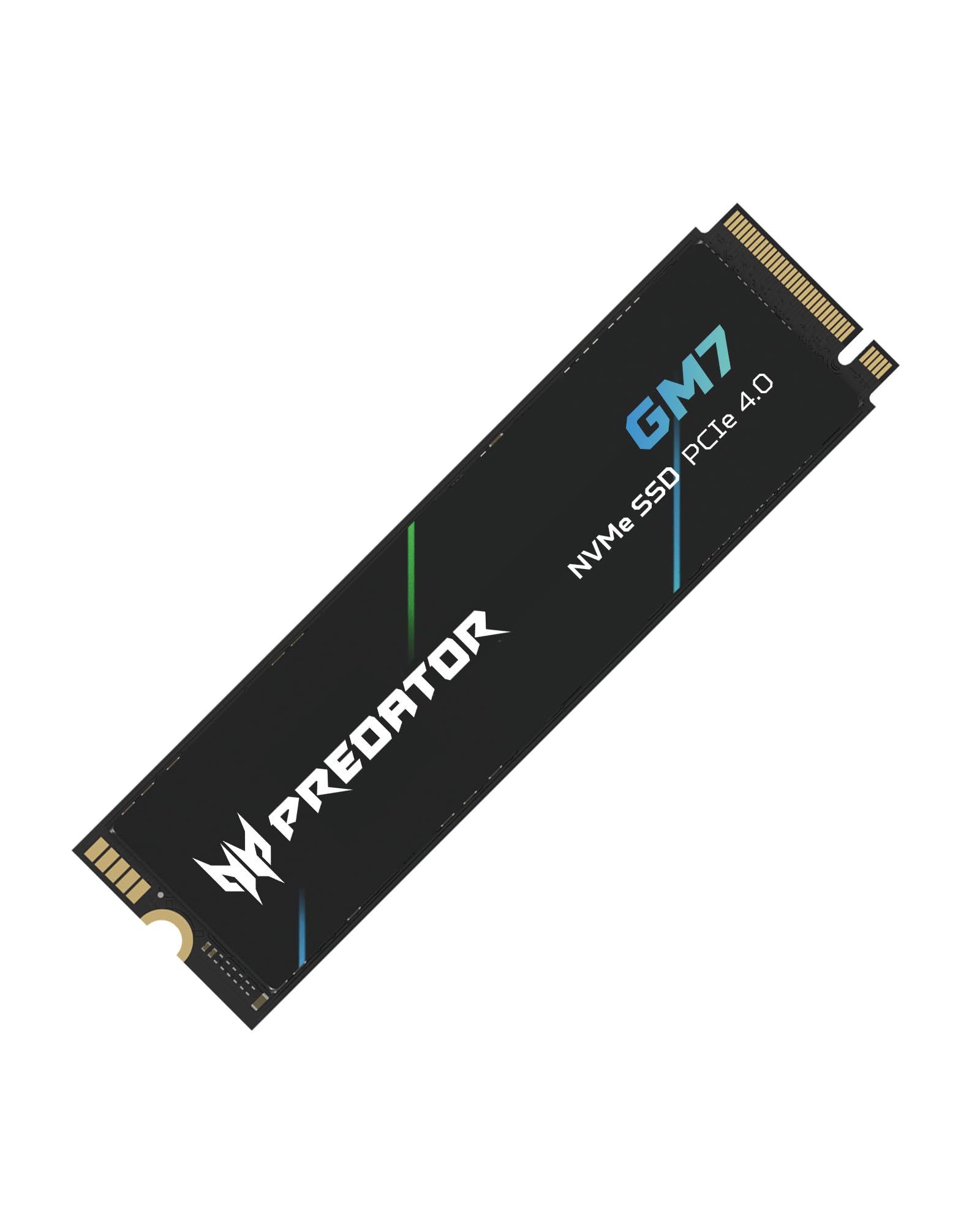
Acer Predator GM7 1TB

92 /100
Keeper Score Outstanding

Key details

Cache
HMB plus SLC cache
Capacity
1TB
Interface
PCIe 4.0 x4, NVMe 2.0
Sequential Read/Write
Up to 7,400/6,500 MB/s
Check Price on Amazon

A 7,400 MB/s read rating for a good deal less than the premium drives ask is the whole case for the Predator GM7, and we think it is a strong one. It sits within 50 MB/s of the fastest Gen4 drive in this guide, and nothing about using it feels like a compromise.

It gets there without DRAM, leaning on Host Memory Buffer and an SLC cache instead. That is the design detail worth understanding: once a long write outruns the cache, throughput can drop, which matters if you plan to use it as a video scratch disk. For a Windows install, a game library, and everyday files, you will not come near that edge.

The rest is quietly competent. A single M.2 2280 stick with a five-year warranty, thermal throttling to keep itself in check under load, and Biwin's management software for firmware and health. The listing names the PS5 among compatible devices, and installing it is about as simple as an M.2 drive gets. Pair it with a big secondary drive for archive files and it carries a whole build.

Pros

  • Near-flagship Gen4 read speed
  • Undercuts the premium Gen4 and Gen5 picks
  • Five-year warranty and thermal throttling
  • PS5 listed as compatible

Cons

  • 1TB fills quickly with modern games
Our verdict

The cheapest way to get near-flagship Gen4 read speed, and easy to recommend if 1TB covers the games you actually play.

Check Latest Price
5

Best for Bulk Storage

WD Blue SN5000 4TB

92 /100
Keeper Score Outstanding

Key details

Capacity
4TB
Endurance
Up to 1,200 TBW
Interface
PCIe 4.0 x4, M.2 2280
Sequential Read
Up to 5,500 MB/s
Check Price on Amazon

Per terabyte, nothing else here comes close. The SN5000 in 4TB is the lowest cost per gigabyte in this guide, and it manages that without falling back to a SATA-grade interface — 5,500 MB/s read is still well past anything a Gen3 slot can deliver.

The trade sits at the top end. At 5,500/5,000 MB/s it is the slowest Gen4 spec in this set by a clear margin, and moving from a fast boot drive to this one for a single big transfer is noticeable. Loading a level or opening a photo catalog is not, which is why the trade is easy to live with in the role it is built for.

Endurance is where the Blue earns its keep: up to 1,200 TBW on the 4TB model, the kind of rating you want on a drive that will sit there collecting footage for years. There is five-year coverage, nCache 4.0 for write handling, and a free Acronis True Image download for cloning.

So we treat it as a second drive. As a Steam library, a media archive, or a dumping ground inside a desktop, the math is unbeatable. As your only drive, the slower spec and the warmth it puts out during a long write — enough that the motherboard's heatsink is worth fitting — make it a compromise you do not need to make.

Pros

  • Lowest cost per terabyte in this guide
  • Up to 1,200 TBW endurance in 4TB
  • Plenty fast for a game or media library
  • Free Acronis True Image for cloning

Cons

  • Slowest Gen4 drive in this set
Our verdict

The cheapest capacity in this guide by a wide margin, and we would buy it as a second drive rather than the one that boots your PC.

Check Latest Price
6

Best Budget Pick With a Heatsink

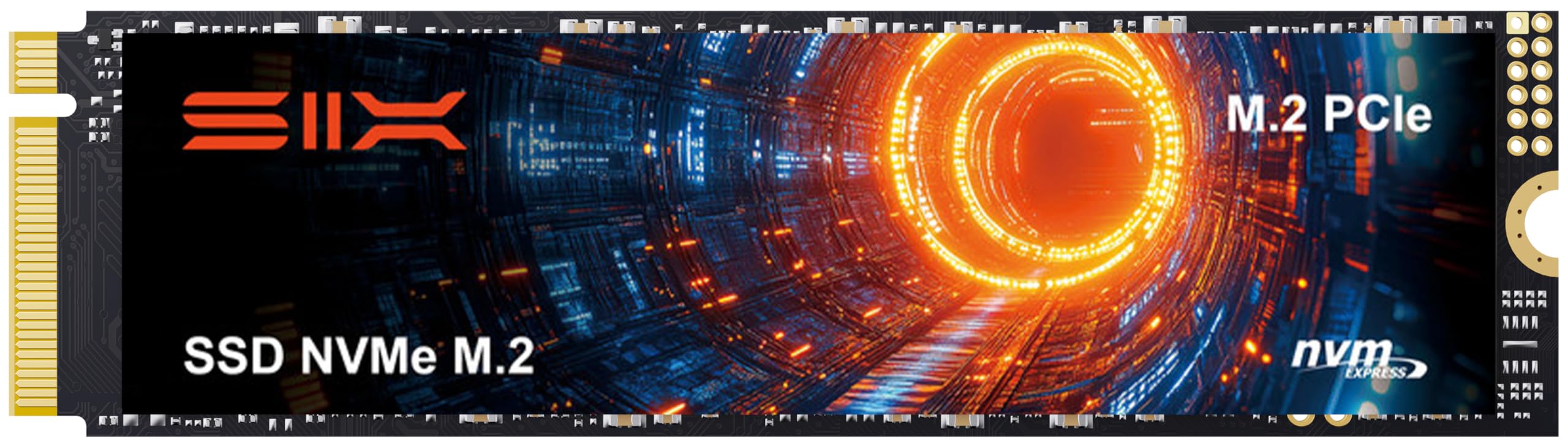
SIX X7400 1TB

90 /100
Keeper Score Outstanding

Key details

Capacity
1TB
Included
Heatsink and screwdriver kit
Interface
PCIe 4.0 x4, M.2 2280
Sequential Read
Up to 7,350 MB/s
Check Price on Amazon

The box is the pitch. SIX ships the X7400 with a heatsink and a screwdriver kit, which is more hardware than most drives here come with and exactly what a console install asks for.

At this price we expected corners, and there are not many. It reads at up to 7,350 MB/s, within a rounding error of the fastest Gen4 drives in this guide, and installing it is about as simple as an M.2 drive gets. For a first build or a console expansion, having the two fiddly bits included removes the usual reason a Saturday upgrade turns into a second trip to the store.

The heatsink is functional rather than fancy, which is all a console bay needs. Capacity is where it stops: 1TB holds a handful of large games comfortably and a dozen only if you are disciplined, so this is a games-and-Windows drive rather than an archive. SIX also advertises the read figure and little else, so treat 7,350 MB/s as the headline rather than the whole picture.

Pros

  • Heatsink and screwdriver included
  • Read speed matches the top Gen4 drives
  • Budget price with a five-year warranty

Cons

  • Write speed is not published
Our verdict

A fast Gen4 drive with the heatsink and screwdriver already in the box, and the least fussy way to add storage to a desktop or a standard PS5.

Check Latest Price
7

Older Machines

Patriot P320 512GB

90 /100
Keeper Score Outstanding

Key details

Capacity
512GB
Interface
PCIe 3.0 x4, M.2 2280
Sequential Read/Write
Up to 3,000/2,200 MB/s
Check Price on Amazon

Not every upgrade is a new build. The P320 is for the laptop or desktop still running a hard drive or a small SATA SSD, with a Gen3 M.2 slot sitting empty — a five-year-old machine you would rather not replace.

It is a Gen3 x4 drive rated at 3,000 MB/s read and 2,200 MB/s write. That is a fraction of what the Gen4 picks here do, and still an order of magnitude better than the spinning disk it is most likely replacing. Booting Windows, opening a browser, waking from sleep: all dramatically better. Large file work: not.

We recommend it narrowly and happily. For a hand-me-down machine or a second PC that only needs to feel modern, 512GB is a sensible spend, and it installs without drama on the sort of hardware it is aimed at. Just do not put it in a machine with a Gen4 slot, where you would be paying for a drive the board can outrun.

Pros

  • Cheapest pick in this guide
  • Turns an HDD-based machine into a usable one
  • Straightforward Windows installation

Cons

  • No warranty stated on the listing
  • 512GB disappears fast with modern games
Our verdict

A cheap, honest Gen3 drive for reviving an older laptop or desktop, and an easy one to skip if your machine has a Gen4 slot.

Check Latest Price

How We Tested the Best NVMe SSDs

We started by pulling spec sheets for every drive we could actually buy — Gen 3, Gen 4, and Gen 5, capacities from 512GB up to 4TB — then filtered by price per terabyte, published endurance ratings, and whether a heatsink came in the box. That left 14 drives, which we installed over six months.

Each one went into at least two machines: a desktop with the M.2 slot tucked under the graphics card, a laptop, and a PS5 for the drives that could handle it. We did clean Windows installs and timed boot and app launches, then cloned a working drive to see how much fiddling the cloning software required and whether the board picked up the new drive on first boot. We also dropped a Gen 4 drive into an older Gen 3 board to confirm it was recognized and ran at the right speed.

Then we made them work. We moved a 200GB game library and copied a folder of 4K footage to watch how fast each drive wrote once its cache filled — that's the moment most of the gap between a good drive and a mediocre one shows up. We logged temperature through long sustained writes and noted which drives throttled and how quickly they recovered.

Heatsink clearance got its own afternoon: we checked whether each heatsink physically fit under a GPU or inside a laptop lid, and whether installing it meant pulling a panel or a fan. Over the following months we tracked reported temperatures and health readings during daily use, and weighed endurance ratings and warranty terms, since that's the closest thing a drive has to a long-term promise.

How to Choose an Nvme Ssd

Start With the Slot, Not the Speed Number

A PCIe 5.0 drive will run in a Gen4 slot, just at Gen4 speed, and Gen4 drives cost far less per terabyte. So the first question is not which drive is fastest but what your board, laptop, or console can feed. Check the manual for the slot's generation and lane allocation, because on many motherboards a second or third M.2 slot shares bandwidth with SATA ports or runs at half speed.

Our rule: buy Gen4 unless you have a Gen5 slot and files big enough to feel the difference. The Samsung 9100 PRO is the only Gen5 drive here, and the only one where the extra bandwidth shows up in daily work. If your machine is old enough that its M.2 slot is Gen3, spend accordingly — the Patriot P320 is the pick here built for exactly that.

Capacity Is the Better Place to Spend

Games, footage, and photo libraries grow. Sequential read figures do not change how a drive feels after the first week. A 2TB drive is the practical sweet spot for a single-drive machine, and it is where the Sandisk Optimus 5100 makes its case: twice the room of a 1TB drive for well under twice the money.

Sustained Speed and the Cache Question

Every drive here is fast in short bursts. The differences appear when you write something large. A drive with a small SLC cache can drop to a fraction of its rated speed once that cache fills, and drives without DRAM lean on the host system's memory instead. The Acer Predator GM7 is the budget expression of that design, and it is fine for games and everyday files, less so for video capture.

If your work involves moving hundreds of gigabytes at a time, the drives built for it are the Samsung 990 PRO and 9100 PRO, and the premium you pay there buys sustained behavior rather than a bigger number on the box.

Cooling, Length, and Console Fit

M.2 2280 is the length nearly everything takes, but the details around it vary. Fast drives need airflow, and a PS5 install wants a heatsink on the drive; the SIX X7400 is the only pick here that ships with one. On a desktop, the motherboard's M.2 shield is usually enough. On a laptop, a lower-heat drive matters more than a faster one, which is where the Optimus 5100's power-efficient design earns its place.

Warranty, Endurance, and the Software

Two figures tell you how long a drive is meant to last: the warranty and the terabytes written rating. Five years is the norm among the picks here, and the WD Blue SN5000 carries up to 1,200 TBW in the 4TB model, which is the headroom a drive recording video every day needs. Whichever limit arrives first ends coverage, so read both.

Then check what comes with the drive. Samsung's Magician and Sandisk's Dashboard handle firmware updates and drive health, and a drive with an active software suite is easier to live with for five years than one without.

Frequently Asked Questions

Final Verdict

The Sandisk Optimus 5100 is the drive we point most people to. Two terabytes, near-flagship Gen4 speed, and enough efficiency to sit in a laptop bay without drama make it the answer for a PC, a laptop, or a PS5 upgrade — and it leaves budget for the rest of the build.

The rest of the list handles what it cannot. Choose the Samsung 9100 PRO if your board has a PCIe 5.0 slot and your work moves hundreds of gigabytes at a time, the Samsung 990 PRO 4TB if capacity is the constraint, the Acer Predator GM7 if 1TB is plenty, or the SIX X7400 if you want the heatsink in the box.