Best NVMe SSD Enclosures of 2026

A bare NVMe drive is a great slab of storage until you need to plug it into a laptop with no free slot. An enclosure is the bridge, but a loose latch or a hot controller can make a fast drive feel unreliable. We spent six months with 14 enclosures, swapping drives between them and carrying them in backpacks and laptop bags.

Fit is the first hurdle. Most cases claim to take 2230 through 2280 drives and both M-key and B+M-key cards, but the good ones make the adjustment obvious rather than fiddly. A tool-free tray or latch only earns its keep if it clamps the drive flat; if the closure feels vague, the drive can shift when you move the cable. Heat matters too: an aluminum shell is decoration unless it pulls warmth off the controller.

Speed is the headline, but sustained speed is the real test—and so is whether the case still feels solid after months of cable swaps. The picks below got the basics right, not just the sequential read number on the box.

Keeper Score summarizes customer ratings and review volume. Read it alongside the product details and trade-offs. How the score works.

1

Best Overall

Sabrent EC-PNVO

91 /100
Keeper Score Outstanding

Key details

Weight
2.62 oz
Interface
USB 3.2 Gen 2, 10Gbps
Max Capacity
8TB
Drive Support
M.2 NVMe, 2230-2280
Check Price on Amazon

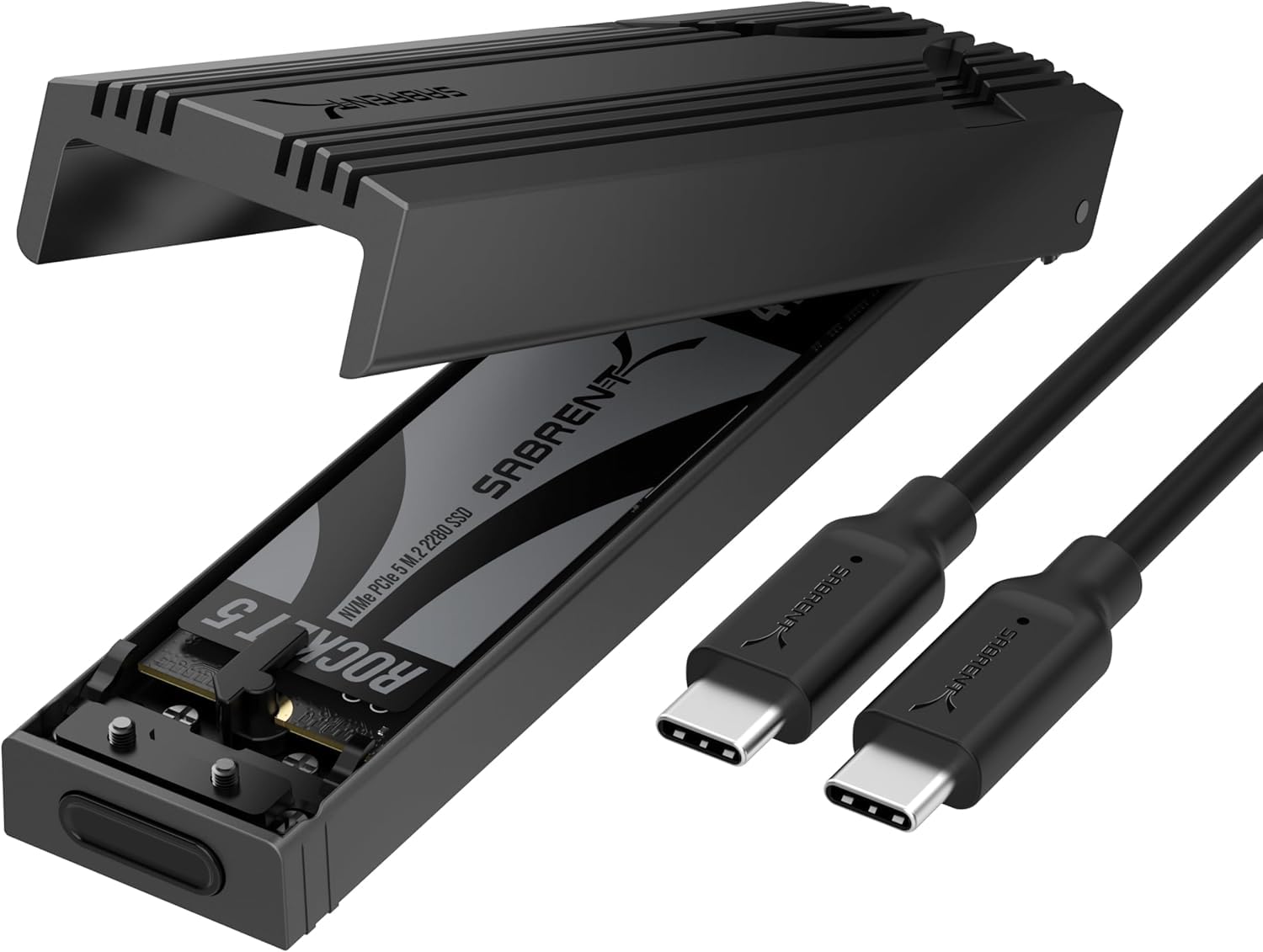
The flip-open clamshell is why this Sabrent is our top pick. Open the lid, seat an M.2 NVMe drive, close it, and you're done—no screws, no tiny screwdriver, no hunting for a mounting post. We also like that the aluminum top presses a thermal pad directly onto the SSD instead of relying on a slide-in sleeve. For turning a spare drive into a portable backup or clone target, that is the right balance of speed and convenience.

At 10Gbps over USB 3.2 Gen 2, it is the sensible default for most laptops and desktops. The case takes 2230 through 2280 NVMe drives and up to 8TB, so it covers both a tiny OEM pull and a full-size drive. We paid attention to the direct-contact thermal design because a fast SSD in a sealed case can slow down once it heat-soaks; the aluminum top and pad give it a better path out than a plastic shell. The enclosure is light enough to live in a bag, and the clamshell feels solid when closed.

Short-drive support is the detail that matters more than it sounds. A lot of compact laptops and handhelds use 2230 drives, and many full-size enclosures leave you improvising a mount; this one accepts the small sizes without an adapter. The included C-to-C cable is the only one in the box, so a USB-A laptop needs an adapter, but that is a small thing to solve next to the tool-free access. We reach for this one for cloning and quick file swaps, and we keep the drive backed up rather than treating any enclosure as the only copy.

Pros

  • Tool-free clamshell makes drive swaps quick
  • Aluminum top and direct thermal pad
  • Fits 2230 through 2280 NVMe drives
  • 10Gbps USB-C with no drivers

Cons

  • NVMe only; M.2 SATA won't work
  • Connection can drop during long transfers
Our verdict

The best default for most spare NVMe drives: tool-free access, direct thermal contact, and a broad size range in a simple 10Gbps case.

Check Latest Price
2

Best Travel Kit

UGREEN 10Gbps Enclosure

89 /100
Keeper Score Excellent

Key details

Cables
USB-C to C and USB-C to A
Interface
USB 3.2 Gen 2, 10Gbps
Max Capacity
8TB
Drive Support
M.2 NVMe, 2230-2280
Check Price on Amazon

The extra silicone sleeve is the first thing we noticed in UGREEN's box, and it gives this enclosure a clear job. The aluminum body is slim enough for a jacket pocket, while the bumper takes the scuffs that a loose drive case collects in a bag. You also get both a USB-C to USB-C cable and a USB-C to USB-A cable, which makes it the easier one to hand to someone with an older laptop.

We recommend it as a travel kit rather than the default for every drive. The tool-free buckle is quicker than screws, and the RTL9210 chip brings short-circuit and over-current protection. The enclosure supports 2230 through 2280 NVMe drives and up to 8TB, so it has the same breadth as our top pick. If you carry one known-good drive and want both cable types in the pouch, it is a neat package.

The silicone pad and sleeve are the practical bits: the pad bridges the drive to the aluminum shell, and the sleeve keeps the finish from getting chewed up in transit. We also appreciate that the bundle includes both cable types—less to remember, and one fewer adapter to lose. The slim body looks good on a desk, but this is a case built to leave the desk, and that is how we judge it.

Pros

  • Includes USB-C and USB-A cables
  • Silicone bumper plus thermal pad
  • Fits 2230-2280 NVMe up to 8TB

Cons

  • Drive recognition can be inconsistent
  • Gets warm during sustained transfers
Our verdict

A neatly bundled travel enclosure with both cable types and a bumper case; choose it for a known-good drive, not as the most predictable host.

Check Latest Price
3

Best Budget

FIDECO M210

90 /100
Keeper Score Outstanding

Key details

Cable
USB-C to C with USB-A adapter
Enclosure
Aluminum and ABS sandwich
Interface
USB 3.2 Gen 2, 10Gbps
Drive Support
M.2 NVMe, 2230-2280
Check Price on Amazon

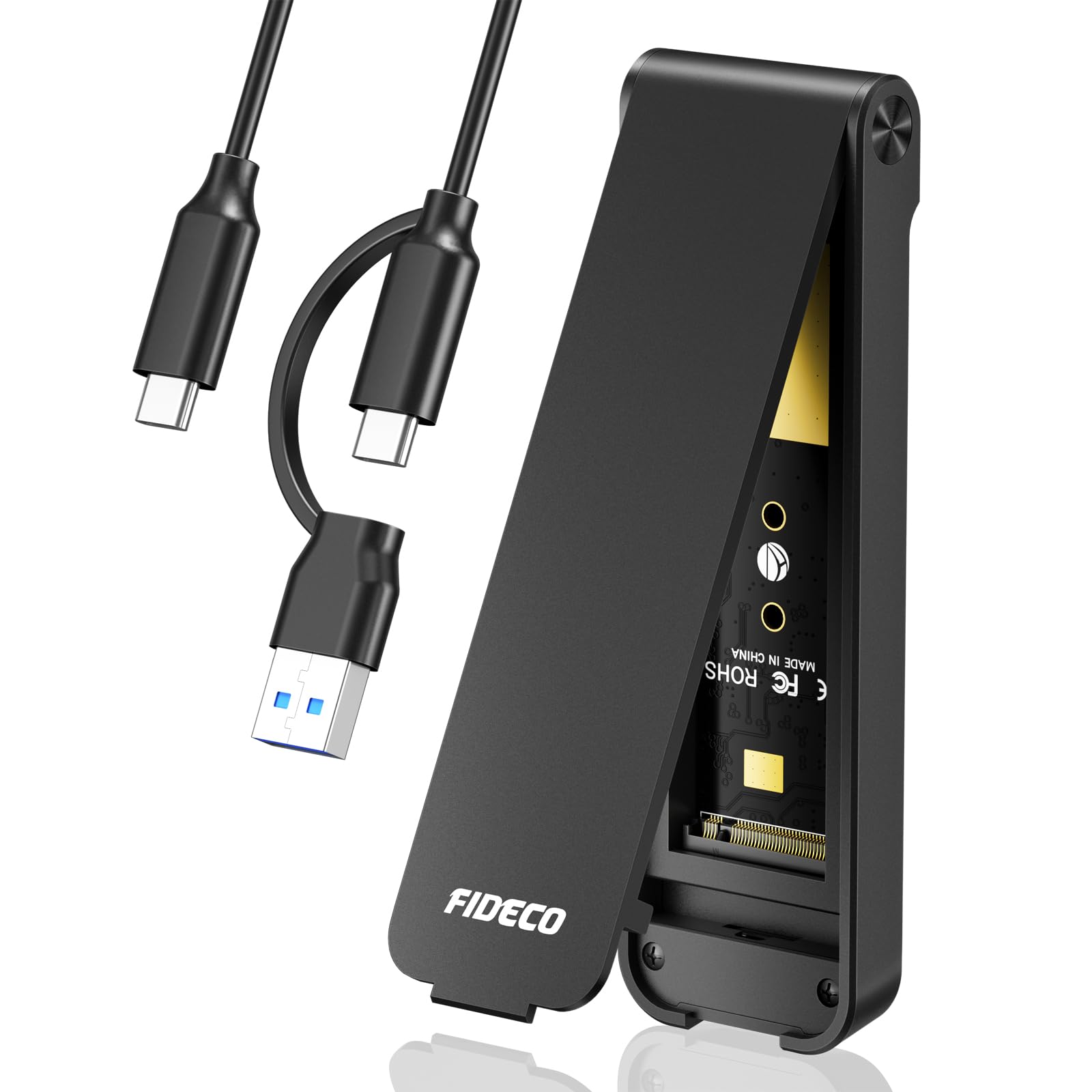
The attached USB-A adapter is the small design move that makes FIDECO's enclosure feel smarter than its price. The cable ends in USB-C, with an A adapter fixed to the lead, so you can move between a modern laptop and an older desktop without hunting through a drawer. That is the kind of detail that makes the difference between using an enclosure and leaving it in a drawer.

The rest is sensibly simple: a sandwich-style aluminum and ABS case, a thermal pad, and a tool-free mount that accepts 2230 through 2280 NVMe drives. We like the compact footprint for a go-bag, and the 10Gbps USB 3.2 Gen 2 interface is the right match for most laptops. Transfer performance depends on the drive and host, as it does with every enclosure here, but the hardware is not the bottleneck for ordinary backups.

We recommend it for a drive that stays put. The lid can take a firm pull to open, and the drive sits closely in the frame; that snugness helps heat transfer but makes frequent swaps less casual. The fixed adapter is the real convenience, especially for a desktop with no USB-C port. This is the budget enclosure we trust for a simple, permanent pairing rather than a daily drive swap.

Pros

  • Attached USB-A adapter simplifies hookups
  • Tool-free mount fits 2230-2280 NVMe
  • 10Gbps USB 3.2 Gen 2 interface

Cons

  • B+M SATA drives won't work despite fitting
Our verdict

Our budget pick for a drive that stays put: the attached USB-A adapter is genuinely useful, provided you are not trying to use an M.2 SATA drive.

Check Latest Price
4

Best for NVMe and SATA

SSK SHE-C325 Pro

91 /100
Keeper Score Outstanding

Key details

Cables
USB-C and USB-A
Interface
USB 3.2 Gen 2, 10Gbps
Controller
RTL9210B
Drive Support
M.2 NVMe and SATA, 2242-2280
Check Price on Amazon

If your parts drawer still has an M.2 SATA drive in it, the SSK is the enclosure that earns its place. Its RTL9210B controller handles both NVMe and SATA M.2 drives, a combination the Sabrent and UGREEN picks do not offer. That makes it the practical choice for older laptops, cloning jobs, and anyone who does not want to sort drives by protocol before plugging one in.

We recommend it for the mixed-drive desk. The aluminum shell, two thermal pads, and two-cable bundle give you more than the bare minimum, and 10Gbps over USB 3.2 Gen 2 is still the sweet spot for most laptops. It is not as quick to open as a clamshell—the drive mounts with screws—but the result feels secure, and the included hardware means you are not improvising.

Two cables cover USB-A and USB-C hosts, and the included screws and thermal pads make the kit complete. The mounting is more deliberate than a clamshell, but that is the point: once the drive is in, it stays put. For a cloning station or a desktop dock, that trade-off is easy to live with.

Pros

  • Handles NVMe and SATA M.2 drives
  • RTL9210B controller with UASP and TRIM
  • Includes USB-C and USB-A cables
  • Aluminum shell and two thermal pads

Cons

  • No 2230 drive support
  • Runs warm under sustained writes
Our verdict

The pick for a drawer of mixed M.2 drives, because it handles SATA as well as NVMe; accept the screw-in mount and the lack of 2230 support.

Check Latest Price
5

Best Rugged

ASUS TUF Gaming A1

90 /100
Keeper Score Outstanding

Key details

Weight
8.78 oz
Interface
USB-C 3.2 Gen 2x1, 10Gbps
Protection
IP68, MIL-STD-810H
Drive Support
M.2 NVMe and SATA, 2242-2280
Check Price on Amazon

The ASUS TUF Gaming A1 is the enclosure we reach for when the drive has to survive a bag, a shoot, or a console shelf. ASUS seals the case to IP68 and rates it to MIL-STD-810H for drops, then adds a rubber-isolated Q-latch for the drive. That is more protection than most bare aluminum sleeves offer, and it changes where you are willing to take your data.

The Q-latch is the easiest mount here—no screws, no tiny tray—and the dual NVMe/SATA support covers both modern and older M.2 drives. The sealed body keeps dust and splashes away from the drive, which matters if the enclosure lives in a camera bag or beside a console. We also like that the USB-C cable is included; the accessory count is low, but the important parts are there.

The cost of that toughness is weight: at 249 grams, it is a hefty little brick compared with the Sabrent or UGREEN. We do not mind that for travel, because the heft feels like protection rather than dead weight, but it is not the enclosure to forget in a pocket. For a drive that travels to a shoot or a console, that is the right trade.

Pros

  • IP68 and MIL-STD-810H protection
  • Tool-free Q-latch drive mount
  • Handles NVMe and SATA M.2 drives

Cons

  • Doesn't fit 2230 drives
Our verdict

The rugged choice for a drive that travels to shoots or consoles; the sealing and Q-latch are worth the extra heft and the missing 2230 size.

Check Latest Price
6

Best High-Speed

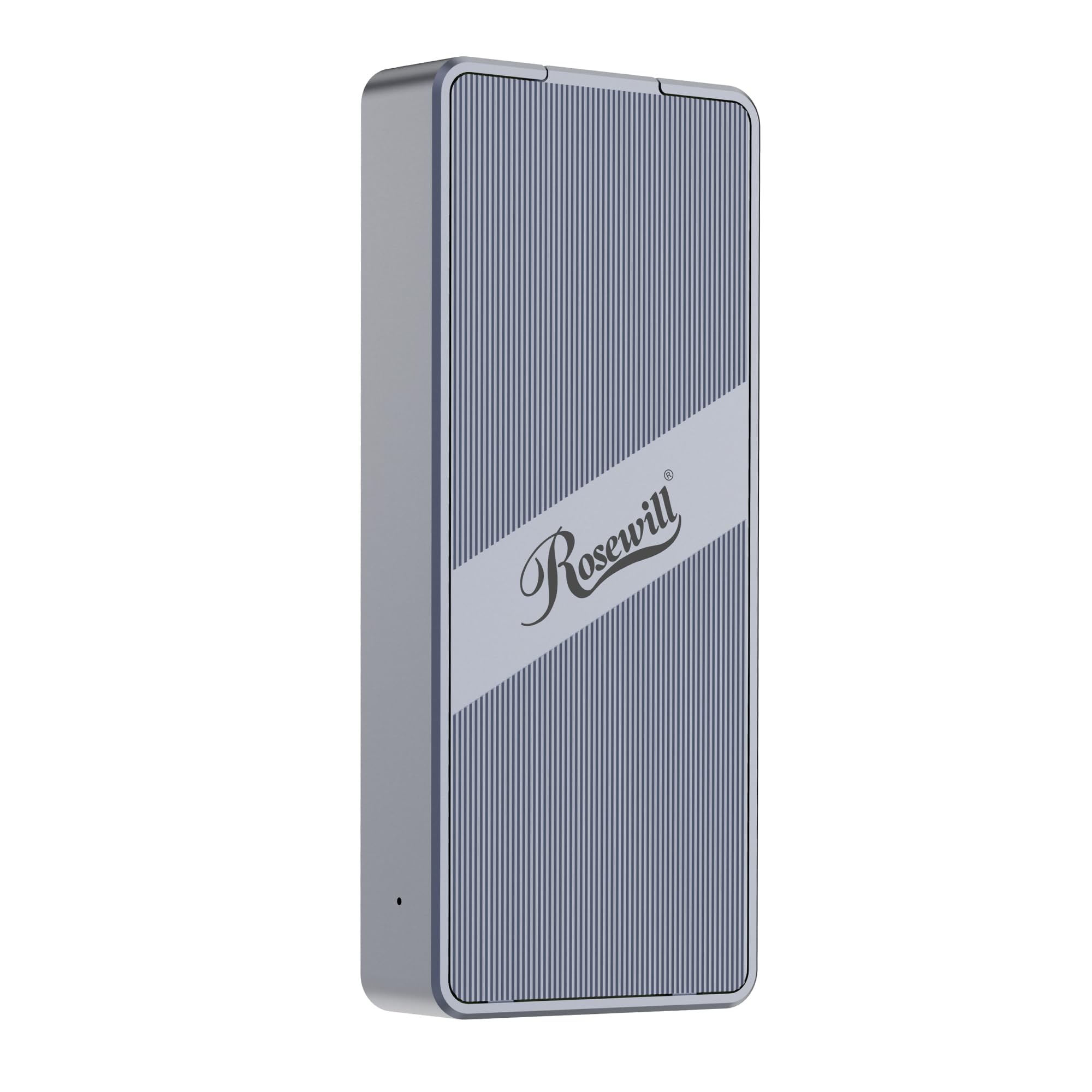
Rosewill RNE-01

83 /100
Keeper Score Excellent

Key details

Cooling
Built-in fan
Interface
USB4 and Thunderbolt, 40Gbps
Top Speed
Up to 3187MB/s
Drive Support
M.2 NVMe, 2230-2280
Check Price on Amazon

The Rosewill RNE-01 is built around a 40Gbps USB4 and Thunderbolt interface and an ASM2464PD controller, with a rated ceiling of 3187MB/s. That is four times the theoretical headroom of the 10Gbps cases here, and the built-in fan is there to keep the speed from collapsing during a long transfer. The transparent back plate makes the active cooling visible rather than hidden.

The drive support covers 2230 through 2280 NVMe and up to 8TB, so it can handle a high-capacity project drive. We like the compact metal body and the fact that Rosewill rates it for up to four hours of full-speed operation; that is the kind of claim that matters for video work, where a fast burst followed by throttling is worse than a steady, slower drive.

We recommend it for video editors and anyone moving huge project folders between machines with USB4 or Thunderbolt. This is a working drive for a desk with the right port, not a universal upgrade. On a 10Gbps port it gives up its main advantage, so the other 10Gbps picks are the smarter match for most laptops. If you have the right port and the files are big enough, the speed is worth the extra care.

Pros

  • 40Gbps USB4 and Thunderbolt interface
  • Up to 3187MB/s with ASM2464PD
  • Built-in fan supports sustained speed

Cons

  • Fan noise is constant and noticeable
Our verdict

The high-speed pick for USB4 or Thunderbolt workstations; its active cooling supports long transfers, but the fan is a constant companion.

Check Latest Price
7

Style-First Setups

ASUS ROG Strix Arion

95 /100
Keeper Score Outstanding

Key details

Weight
3.46 oz
Enclosure
Aluminum with thermal pads
Interface
USB 3.2 Gen 2, 10Gbps
Drive Support
M.2 NVMe, 2230-2280
Check Price on Amazon

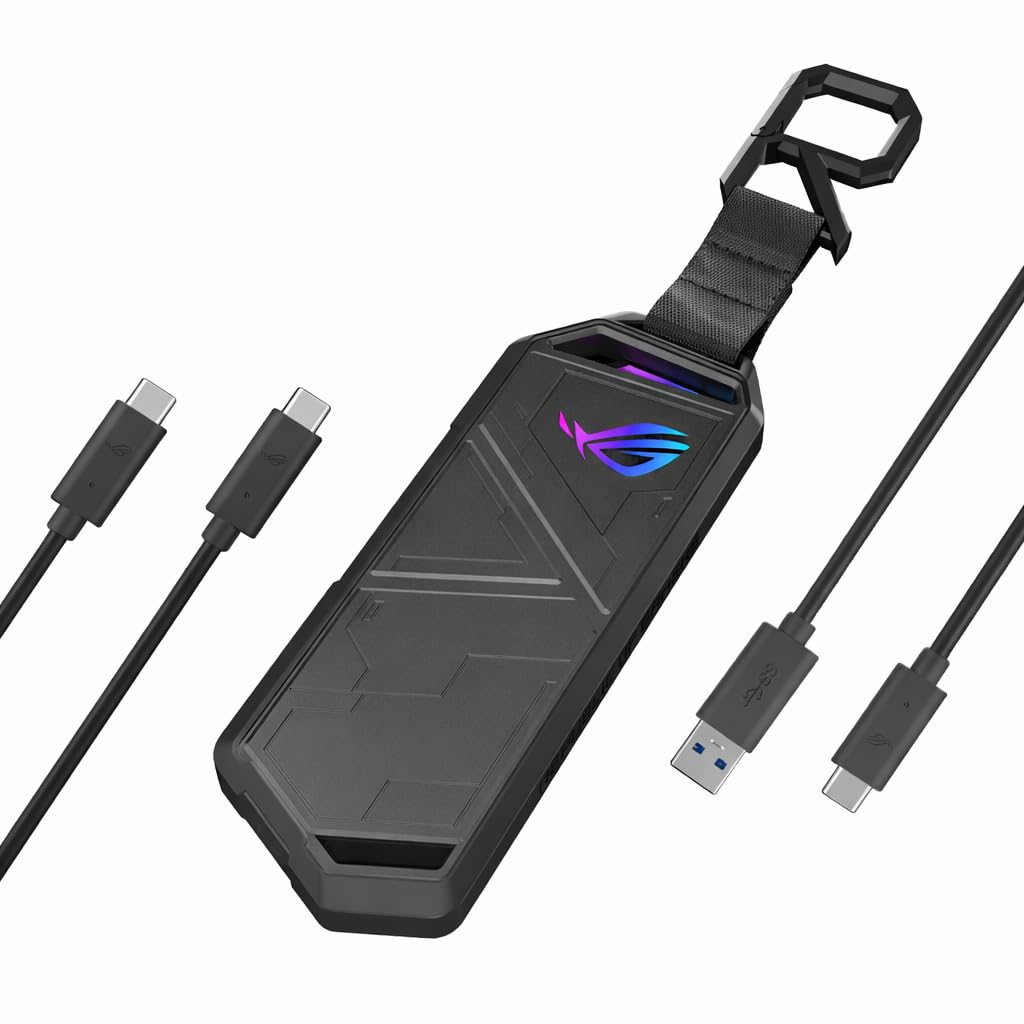
The ROG Strix Arion is the enclosure you buy when the drive is going to be seen as well as used. The aluminum shell, thermal pads, and Aura Sync lighting give it a finish that most plain black cases cannot match, and the two-cable bundle covers USB-C and USB-A hosts. It is a 10Gbps enclosure, so the styling is the main event rather than a speed advantage.

We were also impressed by how solid it feels. The drive installs without a screwdriver, the pin ejector and R-hook are in the box, and the metal body has a reassuring heft. For a desktop or a display shelf, it earns its place as an object, not just a utility.

Inside, the install is simple: the drive goes in without a screwdriver, and ASUS includes the pin ejector and R-hook so you do not need to raid a toolkit. We like the way the metal body and thermal pads handle the practical side, and the RGB can be left subtle or turned up. It is still a 10Gbps enclosure, so buy it for the look and the solid feel, not for more speed than the Sabrent.

We recommend it for a desk, a dock, or a display shelf where the enclosure is part of the setup. It is best left where its finish can be seen, and at 10Gbps it does not buy you extra speed over the Sabrent. What it does buy is a solid metal case and a look that stands out—worth it if those things matter to you.

Pros

  • Aura Sync RGB lighting
  • Aluminum body with thermal pads
  • Screwdriver-free drive installation

Cons

  • Lid can fail to latch after installation
  • Premium price for a 10Gbps case
Our verdict

A style-led enclosure with a solid metal feel and easy install, but the lid latch and premium price keep it out of our top recommendations.

Check Latest Price

How We Tested NVMe SSD Enclosures

We started with a list of USB-C enclosures advertising 10Gbps or faster and support for 2280 drives, then filtered out models with repeated complaints about disconnects or loose ports and made sure the shortlist covered aluminum, plastic, tool-free, screw-down, and fan-cooled designs. That left 14 enclosures, which we used for six months.

For each one, I installed a 2280 M-key drive and a short 2230 drive, timing the swap and noting whether the tray, latch, or screws held the card flat. I checked that the closure seated with one hand, that the cable fit without wobble, and that the case survived a week in a backpack pocket alongside keys and a charger. I weighed each empty case and again with a drive installed, since an ounce or two matters if it rides in a laptop bag all day.

Speed testing was practical: I copied a 40GB folder of photos and video, installed a game, and opened a photo catalog directly from each drive. I noted not just the first-minute transfer but whether speeds fell off after five or ten minutes, and I logged drive temperature before and after. I also unplugged and reconnected each one dozens of times, wiggled the cable during transfers, and watched for drives that disappeared.

I confirmed UASP and TRIM support in system information where claimed, and weighed value by what came in the box—cables, thermal pads, a latch that felt like it would last—against the cost. The enclosures that scored best were not always the fastest on the first run, but they were the ones that stayed cool, stayed connected, and did not make me fight the closure.

How to Choose an Nvme Ssd Enclosure

Match the case to your drive

M.2 is a shape, not a protocol. An NVMe drive and an M.2 SATA drive can look identical, but an NVMe-only enclosure will not mount the SATA one, and a B+M key alone does not promise SATA support. Check the drive's label before you shop, then match its length: 2230 drives are common in handhelds and compact laptops, while 2280 is the full-size standard.

If your drive already has a heatsink, measure its thickness before choosing a slim case. Many aluminum sleeves leave no room for a drive with a pre-installed heatsink, and forcing one in can damage the connector or leave the lid proud. Bare drives are the safer assumption unless the enclosure explicitly allows extra clearance.

Buy for the port you have

A 10Gbps enclosure needs USB 3.2 Gen 2 on the host, a suitable cable, and a drive that can exceed that ceiling. The 10Gbps cases here are the right match for most laptops; a 40Gbps USB4 or Thunderbolt enclosure such as the Rosewill only pays off when the whole chain supports it. Plugging a fast case into a USB 3.0 port or a crowded hub is the usual reason a drive feels slower than the label.

Plan for heat, not just the first burst

A slim aluminum shell and a thermal pad are the minimum; they spread heat, but they do not create airflow. For short backups, that is enough. For long clones or video work, an actively cooled case like the Rosewill RNE-01 holds speed better, at the cost of fan noise. A plastic case can work, but it gives the drive fewer paths to shed heat.

If the enclosure is warm after a transfer, let it cool before packing it away. Heat is also why a fast drive can feel slower late in a large copy: the case has soaked, and the drive has throttled to protect itself.

Choose an opening you can live with

Tool-free clamshells are the quickest for swapping drives, and they are the reason the Sabrent EC-PNVO is our default. A screw-in mount takes longer but feels more permanent; a Q-latch like the ASUS TUF A1 is the easiest compromise for travel. If the enclosure will stay attached to one drive, access matters less than a latch that stays closed. If you swap drives weekly, put tool-free access near the top of your list.

Frequently Asked Questions

Final Verdict

For most people, the Sabrent EC-PNVO is the enclosure we point to first: the tool-free clamshell, direct thermal pad, and 2230-to-2280 support make a spare NVMe drive useful without fuss, and 10Gbps is the right ceiling for typical laptops.

Choose the Rosewill RNE-01 if you have USB4 or Thunderbolt 4 and move huge files regularly, or the ASUS TUF Gaming A1 if the drive will ride in a camera bag or console setup and needs sealing and drop protection. Those are specific answers to specific needs; the Sabrent remains the default.