Best Teleprompters of 2026

A teleprompter is a deceptively simple trick: a pane of glass sits at an angle in front of the lens, a script scrolls across a screen below it, and you read the reflection while the camera looks straight through. Get it right and you stop memorizing, stop breaking eye contact, and stop burning a ninth take because you lost your place halfway down the page.

The trick only works if the rest of the rig cooperates. I've watched a five-minute read turn into an hour because the app wouldn't talk to a Mac, or because the glass sat an inch too low for the lens. We ran eight teleprompters through six months of actual shooting — mirrorless camera in my living room, then an iPad, then a phone — and the differences weren't in the glass. Built-in screens cut a step out of setup, a good remote or app meant nobody walked back to the desk mid-take, and the mount decided whether the whole thing worked with the camera you already own.

The picks below split along those lines, so start with the camera you shoot on and the screen you've already got — the rest tends to sort itself out.

Keeper Score summarizes customer ratings and review volume. Read it alongside the product details and trade-offs. How the score works.

1

Best Overall

Elgato Prompter

86 /100
Keeper Score Excellent

Key details

Screen
9 in, FHD
Weight
1.52 lb
Text Source
Any window from a Mac or PC
Camera Support
DSLR, mirrorless, webcam, phone
Check Price on Amazon

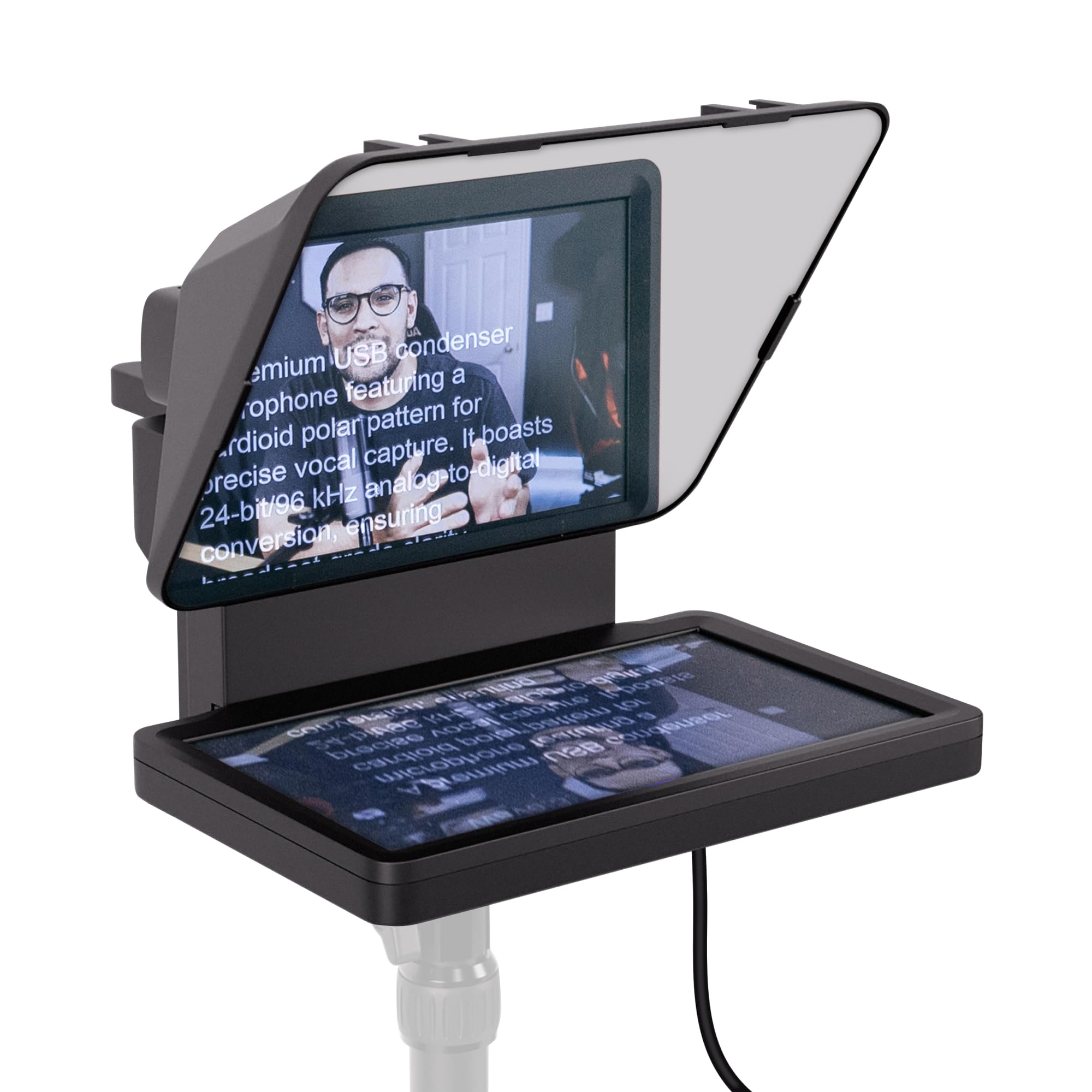
There is a screen inside this prompter, and that single decision is why it is our top pick. A 9-inch display sits behind the glass and behaves like a small extra monitor: plug the Prompter into a Mac or PC, drag any window onto it, and your script is on the glass at lens height. No tablet to borrow, no phone clamped into a bracket, no mirroring setting to hunt for ten minutes before you record.

We ended up valuing it as a display as much as a prompter. During a stream, chat can sit on the Prompter's screen while you look into the lens; on a call, the call window goes there and you stop staring at your own thumbnail. The tablet-based units here can do that too, but only by tying up the tablet that is already showing your script.

The catch is that the Prompter has no brain of its own. It needs a computer running, which rules it out for anyone who shoots on a phone away from a desk, where the NEEWER X12 or the Desview T3 serve you far better. Setup runs through Elgato's Camera Hub and a display driver, and that is the part of the package with the least margin for error. The saving grace is that the screen is still just a monitor: if the app misbehaves, point a browser-based prompter at it and keep working.

On the camera side it takes DSLRs, mirrorless bodies, and webcams, and at 0.69 kg it hangs off the lens without dragging the rig forward. What we keep coming back to is how little there is to think about once it is running: one cable, one window, one screen already where your eyes need to be.

Pros

  • Built-in screen needs no tablet or phone
  • Doubles as a second monitor for chat and calls
  • Works with DSLRs, mirrorless, webcams, and phones

Cons

  • Needs a running Mac or PC, no standalone use
  • Plastic housing feels lighter than the price
Our verdict

If you record at a desk with a computer within cable reach, this is the prompter to buy: the built-in screen removes the tablet, the app juggling, and most of the setup.

Check Latest Price
2

Best for Studio Rigs

NEEWER X17 II

89 /100
Keeper Score Excellent

Key details

Max Load
44.1 lb / 20 kg
Beamsplitter
17 in, 71% light transmittance
Tablet Width
Up to 9.3 in / 235 mm
Reading Distance
Up to 13 ft / 4 m
Check Price on Amazon

Where the Elgato builds the screen in, the X17 II goes the other way: it puts the largest piece of glass in this group in front of your camera and expects you to bring the tablet. At 17 inches with 71% light transmittance, the beamsplitter carries a script you can read from up to 13 feet away, which is far enough to stand back and use your hands instead of hunching over a desk.

What we appreciated most is how little ceremony there is in mounting a camera on it. The frame is all metal and arrives assembled, and the camera plate is a Manfrotto 501PL-style quick release that drops in and locks from the top in about a second, so you can move a body between the prompter and a tripod without re-aiming anything. The platform adjusts from 2.2 to 3.5 inches and tilts to 45 degrees, and the mount is rated to 44.1 pounds, which is the number that matters when there is a cinema camera hanging off the front.

Size is the trade. At 6.6 pounds and roughly 17 by 16.5 by 5.5 inches folded, this is a fixture that travels in a car trunk and sets up on a stand, not something you toss in a backpack for a phone shoot. It also needs a tablet you already own, up to 9.3 inches wide, so measure yours before ordering — a laptop-sized panel will not go in the holder.

Pros

  • 17-inch beamsplitter readable from 13 feet
  • Quick-release plate swaps cameras in seconds
  • All-metal frame that arrives fully assembled
  • Rated to 44.1 lb of camera and lens

Cons

  • 6.6 lb with a large folded footprint
  • Tablet holder tops out at 9.3 inches wide
Our verdict

For a standing studio setup with a tablet already in the kit, the X17 II is the most capable prompter here: 17 inches of glass, a metal frame, and no assembly.

Check Latest Price
3

Best Complete Kit

NEEWER X12

87 /100
Keeper Score Excellent

Key details

Control
RT-110 remote with NEEWER app
Carry Case
Included
Tablet Fit
Up to 9.84 x 8.68 in (25 x 22 cm)
Beamsplitter
14 in
Check Price on Amazon

The X12 is the one that lives in a bag. The frame collapses, and the box holds the prompter, the RT-110 remote, a phone holder, and a carry case, so there is no separate shopping trip before your first shoot. For a 14-inch unit that has to travel to a client's office, that completeness counts for more than any single specification.

Fourteen inches of glass is a sensible middle: enough to hold a paragraph at arm's length without turning the rig into furniture. It takes phones and tablets up to 9.84 by 8.68 inches, and the folding design means it goes back in the case in the same shape it came out. The app side is where it asks for patience — the remote pairs through NEEWER's own app, so switching to a different prompter app costs you the remote entirely.

Two other things are worth knowing. The phone clamp is stiff, and loading a handset takes both hands and a bit of force. And at wide focal lengths the sides of the hood can drift into the frame, so keep the camera close to the glass and do not shoot through the widest lens you own. Neither is a dealbreaker for tablet-and-DSLR work, which is where this kit is at its best.

Pros

  • Remote, phone holder, and case in the box
  • Collapses for travel between shoots
  • 14-inch glass suits desk and small-set work

Cons

  • Remote only works inside NEEWER's app
  • Carry case feels thin for air travel
Our verdict

A complete 14-inch kit that folds into its own case, priced in the middle of this group — the sane choice if your prompter has to travel.

Check Latest Price
4

Best for iPad Rig Builders

SmallRig 3646

84 /100
Keeper Score Excellent

Key details

Mount
15mm LWS baseplate, not included
Weight
1.98 lb
Lens Fit
49-95mm silicone cover
Tablet Fit
Up to 11 in
Check Price on Amazon

Two requirements decide whether the 3646 is for you, and neither is negotiable. It holds an iPad or tablet up to 11 inches and is explicitly not for smartphones, and it has to be mounted on a 15mm LWS baseplate — SmallRig's own rails, sold separately. If you already run a rail rig this is a beautifully tidy solution; if you do not, the baseplate is part of the purchase.

The prompter couples to the lens rather than to a stand: a silicone boot stretches over lenses from 49mm to 95mm, so the glass sits square to the front element with no gap for light to sneak through. The hood releases for cleaning, and a top flag cuts glare and ghosting when you are shooting toward a window. It is the tidiest lens interface in this group.

The companion app, SmallGoGo, is more useful than most: it lifts text out of PDFs, photographs of pages, Word documents, and plain text, which is the difference between a prompter you use for prepared scripts and one that only takes scripts you retyped.

What earns it a place is the geometry. Because the camera locks to the baseplate and the prompter clamps to the lens, the two move as one assembly, so a nudge to the tripod does not break your eyeline. At 898 grams it adds very little to a rig that is already built, and there is no phone clamp to fight because there is no phone clamp.

Pros

  • Lens-mounted hood sits square with no light gaps
  • App imports PDFs, images, Word, and text
  • Stays aligned when the rig moves

Cons

  • No smartphone support at all
  • Requires a 15mm baseplate sold separately
Our verdict

Buy the 3646 if you cut on an iPad and shoot on 15mm rails: the lens-mounted design is the cleanest way here to get a script onto a built camera.

Check Latest Price
5

Best 13-Inch Value

Desview P13

78 /100
Keeper Score Very Good

Key details

Weight
3.75 lb
Control
Bluetooth remote with Desview app
Included
Remote and Oxford cloth bag
Beamsplitter
13 in, 70/30 glass
Check Price on Amazon

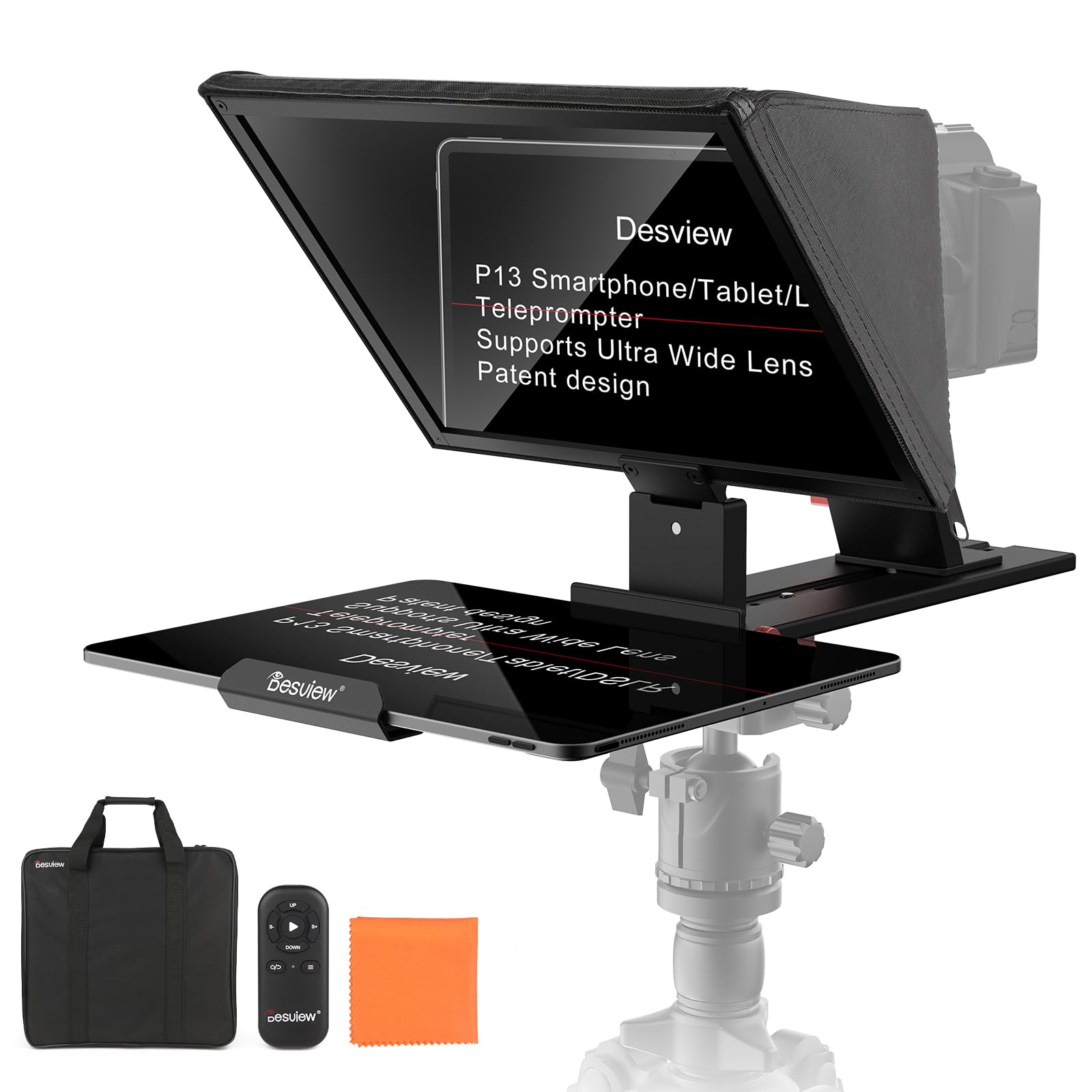
The P13 arrives in one piece: 13 inches of glass in an aluminium frame, 1.7 kg on the scale, and an Oxford cloth bag with enough structure to survive a car trip to a client's office. There is no assembly ritual. Unfold it, mount it, and the script is up.

Desview's glass is the part worth paying for: 7H hardness, a 70/30 split between transmitted and reflected light, and enough clarity to read against a bright window. It covers 35mm horizontal shooting without vignetting and turns for vertical work if you are cutting shorts, which makes it more flexible than its size suggests.

The mount is where our enthusiasm cools. The P13 clips onto the lens, and clipping it on and taking it off takes longer than it should — long enough to change how often you switch between prompted and free takes. On a locked-off tripod in a studio that is a small tax; on a set where the camera moves between setups all day, it is the difference between using a prompter and leaving it in the bag.

Pros

  • 13-inch glass with a 70/30 coating
  • Carry bag included for transport
  • Handles 35mm horizontal and vertical shooting

Cons

  • Lens clip is slow to attach and remove
  • Needs a fairly wide lens to avoid vignetting
Our verdict

Thirteen inches of coated glass in an aluminium frame, at the lower end of the mid-range — a strong pick if the camera stays on a locked-off tripod.

Check Latest Price
6

Budget Tablet Shoots

Desview T3

79 /100
Keeper Score Very Good

Key details

Glass
70/30, 7H, 26-layer coating
Weight
2.2 lb
Device Fit
Tablets up to 10 in, 170 mm wide
Wide-angle
24mm or wider
Check Price on Amazon

Check the clamp before anything else. The T3's phone holder is sized for older, smaller handsets, and a current large phone is a squeeze at best. That one detail decides the purchase: with a tablet behind the glass this is a genuinely useful budget prompter, and with a big phone it is a fight every time you set up.

What you get for the money is legitimately good glass: a 70/30 beamsplitter with a 26-layer coating and 97% light transmission, which reads clearly and keeps your eyes at lens height where they belong. It supports 24mm and wider lenses horizontally, assembles in a few minutes, and weighs 2.2 pounds, so it packs away without a struggle. The plastic frame is the honest trade, and the free DESVIEW app is the piece to test first.

Pros

  • Coated 70/30 glass reads clearly
  • Quick to assemble and pack away
  • Takes 24mm and wider lenses horizontally

Cons

  • Phone clamp is tight for large handsets
  • Plastic frame feels inexpensive
Our verdict

For the money, the T3 gets you clear coated glass and a fast setup; the only real question is whether your phone fits the clamp.

Check Latest Price
7

First Prompter

LENSGO TC7

78 /100
Keeper Score Very Good

Key details

Folded
Folds in about a second
Weight
15.9 oz
Included
Nine adapter rings, phone clip, remote
Wide-angle
17mm
Check Price on Amazon

This is the cheapest way onto our list, and it behaves like it: 450 grams, a plastic frame, and a fold that takes about a second. What you are paying for is the glass and the hinge, and both work. The beamsplitter is clear, and the whole thing collapses flat enough to live in a drawer between shoots.

Two details make it more capable than the price suggests. The hood takes 17mm wide-angle lenses, so you can shoot wide without the frame closing in on the corners, and the box includes nine 49-82mm adapter rings plus a phone clip and a small remote. For a first prompter, or a second one that lives in a travel bag, that is a lot of coverage for the money.

The weak points are the predictable ones at this end of the range. The phone and tablet holder is the flimsiest part of the kit — fine for a phone, questionable for a tablet. And the camera mount depends on getting exactly the right adapter ring seated flat, so check your lens thread before you shoot rather than on location.

Pros

  • Cheapest pick here with usable glass
  • Supports 17mm wide-angle lenses
  • Nine adapter rings and a phone clip included

Cons

  • Holder is flimsy for tablets
  • Needs an exact adapter-ring fit
Our verdict

The least expensive prompter here, and a sensible first one: clear glass, 17mm wide-angle support, and a frame that folds flat into a drawer.

Check Latest Price
8

Stage and Lectern

GVM 18.5-inch Kit

78 /100
Keeper Score Very Good

Key details

Glass
70/30 beamsplitter
Weight
38.8 lb
Included
Stand, hood, remote, case
Built-in Monitor
18.5 in Android display
Check Price on Amazon

At just under 40 pounds, this kit announces what it is before you open the case: a lectern-sized prompter with its own stand. The 18.5-inch Android display is built in, alongside a 70/30 beamsplitter, an aluminium alloy base, a hood, a Bluetooth remote, and a carry case. Nothing here needs a tablet, and nothing here is going to be moved by one person in a hurry.

There are three ways to drive it — the built-in Android panel, the GVM app on your phone, or the remote — and for a stage that redundancy is the point. If the phone app drops out mid-session, the panel still runs the script.

The panel is also the part to think hardest about. It is an older, low-memory Android build, so plan on using it for prompting rather than loading it up with your own software; treat it as a display, not as a tablet. The size cuts both ways as well: 18.5 inches of glass in a deep hood takes real floor space and a fixed position.

Where it earns its place is scale. Reading from several feet back in a room with an audience is exactly what this much glass is for, and the aluminium base keeps the assembly steady while you do it. If your work happens at a desk, this is far more prompter than the job needs.

Pros

  • 18.5-inch built-in Android display
  • Stand, hood, remote, and case included
  • Three separate control paths

Cons

  • Just under 40 pounds, so a fixed install
  • Android panel is dated and low on memory
Our verdict

For a stage, lectern, or conference room where the reader stands several feet back, the built-in 18.5-inch screen earns its footprint.

Check Latest Price

How We Tested Eight Teleprompters

We built the shortlist from the models that keep surfacing in creator forums and retailer listings, then filtered by what each one actually accepts — phone, tablet, DSLR or mirrorless — whether it needs a baseplate or cage to mount, whether there's a real app behind it or just a remote, and where it landed on price. Eight made the cut and stayed set up in my living room for six months.

Each one got the same first test: unbox it alone, no extra hands, and time how long it took before the first line of a script was legible on camera through the glass. I noted whether assembly needed tools, whether the cradle swallowed a tablet still in its case, and whether the ones billed as folding or no-assembly actually were.

Then the real work. I shot a five-minute scripted piece to camera off a mirrorless rig on a tripod, read the same script off an iPad, then off a phone, and had a second person change scroll speed mid-take to see how badly it jolted. One bright afternoon outdoors showed which beamsplitters ghosted or threw a reflection back at the lens, and whether the built-in screens held their brightness. We paired every app on a Mac and on iOS and Android, timing how long pairing took, how far the text lagged behind a button press, and whether a Word or PDF script imported without mangling the formatting.

Reliability and build showed up later, which is the point. Rigs sat assembled on a shelf for weeks to see if mounts sagged or frames worked loose, and the ones with carry cases went to two shoots in the back of a car. Value came down to what you still had to buy: glass size, whether a screen was included, whether a remote was extra.

How to Choose a Teleprompter

Start With What Feeds the Script

Every prompter needs a screen behind the glass, and there are three routes: a phone or tablet in a clamp, a display built into the unit, or a computer monitor showing the text. That choice costs more than the glass does. A clamp-style prompter is only as good as the tablet you already own, while a built-in screen like the Elgato's ties you to a computer.

Write down the devices you own before you shop. If there is no spare tablet in the house, a built-in display can work out cheaper than a clamp unit plus the iPad it needs, and if there is no computer near where you film, the clamp units are the only ones that will work.

Glass Size, Lenses, and the Edges of the Frame

Bigger glass buys reading distance. The 17-inch NEEWER X17 II is rated for a script at 13 feet, while the 9.7-to-13-inch units here are arm's-length tools. Size has a cost in framing, though: the deeper the hood, the more likely its corners show in a wide shot, which is why the wide-angle limits matter — 24mm and wider on the Desview T3, 17mm on the LENSGO.

The Mount Is the Part Buyers Overlook

Prompters attach one of two ways: clamped to the lens through an adapter ring, or carried on rails. Rings are the common route and come in fixed ranges — 49 to 95mm on the SmallRig, 49 to 82mm on the LENSGO — so check your lens filter thread first and expect a step ring for anything unusual. Rail mounting is tidier but needs a 15mm LWS baseplate, which the SmallRig does not include.

Either way, add up the weight. Prompter, camera, and lens all hang off one mount, and the stands and plates behind them have limits.

Test the Remote and App on Day One

Almost every remote in this category pairs over Bluetooth through the maker's own app, which means the remote stops working the moment you switch to a different prompting app. If you already have a script app you like, decide before you buy whether the remote is worth giving it up for.

Run a two-line test script the day the box arrives: confirm the text flips the right way, confirm the remote scrolls, and confirm the speed control suits the pace you actually talk at.

Setup, Storage, and Where It Lives

Where the prompter lives decides what to pay for. On a permanent stand, spend on glass and load rating; the NEEWER X17 II and the GVM kit are built to stay put. If it travels, weight and folding matter more — the NEEWER X12 collapses into its own case and the LENSGO folds flat in about a second. A prompter you dread assembling is one that stays in the closet, so count the steps before you commit.

Frequently Asked Questions

Final Verdict

Most people should buy the Elgato Prompter. The built-in screen is the difference between a prompter you assemble and one you switch on, and it is the only unit here that does not require you to own a tablet.

If your setup is tablet-based and stays on a stand, the NEEWER X17 II is the better long-term buy: 17 inches of glass, a metal frame, and a quick-release plate that lets you move the camera without re-aiming. Shooting phone-only on a tight budget? The Desview T3 or the LENSGO TC7 will put you on camera for the price of a filter — check that your phone fits the clamp first.