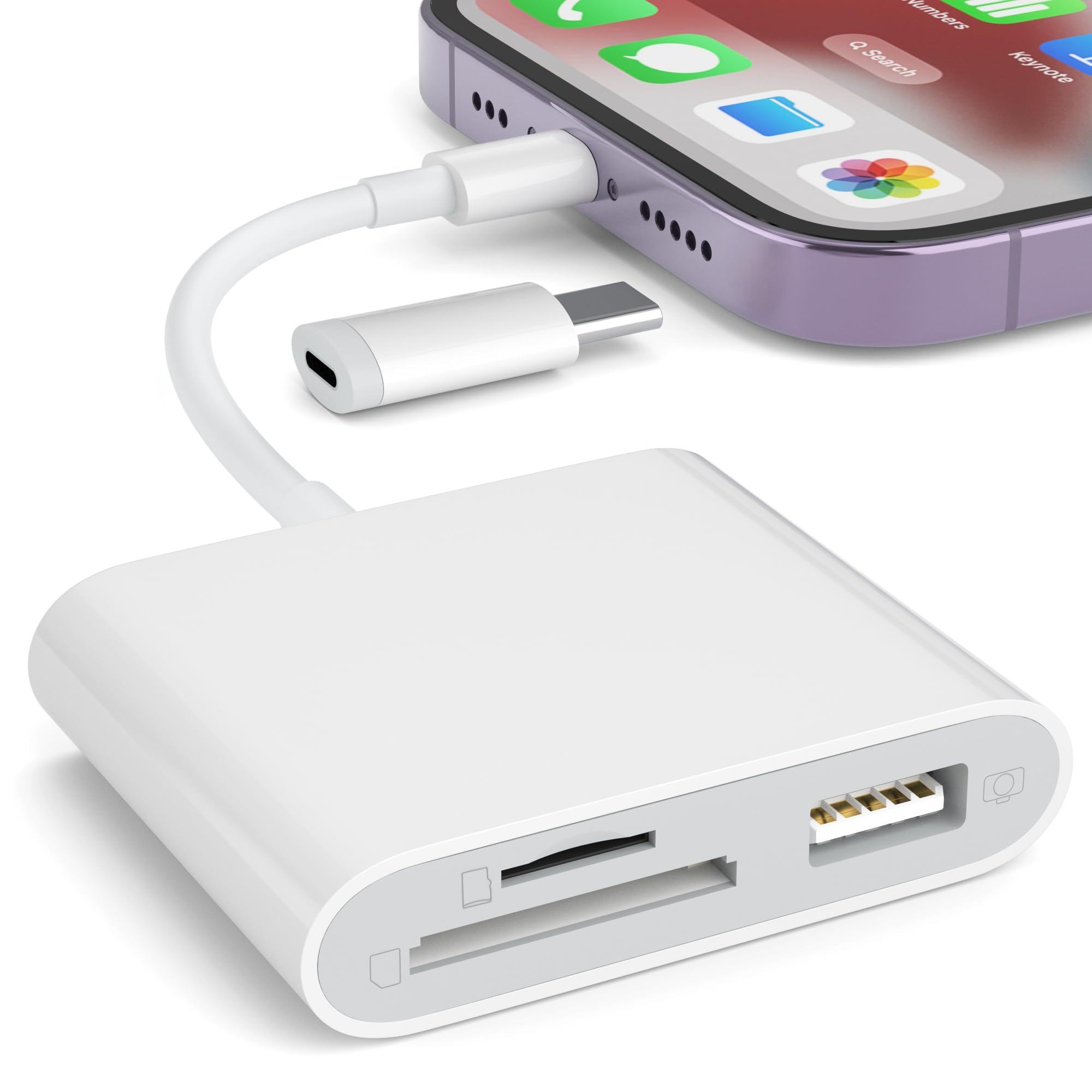
Best Memory Card Readers of 2026

A friend handed me a memory card at a wedding last fall and asked whether I could pull three photos off it, and my laptop had nowhere to put it. That's the whole reason card readers exist, and it's also where the trouble starts. The cheap ones look alike, and the bad ones stall halfway through a big offload or run hot enough that you start worrying about the files.

I have a drawerful of them, and my team spent three months with 15 readers, moving real footage onto MacBooks, Windows laptops, iPads, and USB-C phones. Two things I'd tell a first-time buyer: dual slots cost almost nothing extra and save a lot of hunting, and the plug matters more than the spec line — a USB-A reader is dead weight on a phone, while a chunky USB-C body can block the port beside it.

The ones that survived are below, sorted by what they're good at. Some are built for a camera bag, others for a pocket, and a couple are small enough that you forget you're carrying them.

Keeper Score summarizes customer ratings and review volume. Read it alongside the product details and trade-offs. How the score works.

1

Best Overall

uni SD Card Reader

93 /100
Keeper Score Outstanding

Key details

Weight
0.46 oz
Card Slots
SD and microSD
Connectors
USB-A and USB-C
Rated Speed
5 Gbps
Check Price on Amazon

Two connectors, one small body: USB-C at one end, USB-A under a cap at the other, so the same reader goes into a MacBook, an older laptop, an Android phone, or a USB-C iPad with no adapter in between. Both connections are rated at 5 Gbps, and the SD and microSD slots read at the same time — one pass for the camera card and the drone card instead of two.

That is why this is the reader we hand to most people. It weighs 13 g, the caps keep pocket lint out of both plugs, and the 18-month warranty runs longer than the usual year. Nothing about it is precious, which is exactly right for something that lives loose in a camera bag.

The 5 Gbps figure is the connector's ceiling, not your card's — a UHS-I SD card tops out well below it, and no reader in this group changes that. If a device does not mount it on the first try, swapping to the other connector or a different port is the usual fix, and it is the same hiccup the other sticks here can give you.

What it really replaces is the little pile of adapters most of us carry: a USB-C hub, an SD dongle, a card wallet. One item covers both machines and both card sizes. That sounds like a small thing until you are standing at a hotel desk with three cables, a full card, and no slot to put it in.

Pros

  • USB-A and USB-C connectors on one body
  • Reads SD and microSD cards simultaneously
  • Rated 5 Gbps on both connections
  • Dust caps at both ends, 18-month warranty

Cons

  • SD and microSD only
Our verdict

We recommend it because the connector question disappears: USB-A and USB-C on one 13 g body, with two card slots reading at once.

Check Latest Price
2

Best for Legacy Cards

UGREEN 4-Slot Card Hub

93 /100
Keeper Score Outstanding

Key details

Card Slots
SD, microSD, CompactFlash, Memory Stick
Dimensions
2.67 x 2.16 x 0.59 in
Rated Speed
5 Gbps
Cable Length
1.7 ft
Check Price on Amazon

Four slots is the argument: SD, microSD, CompactFlash and Memory Stick, all readable at once, which nothing else in this group offers. If a modern mirrorless body shares a bag with a decade-old DSLR or an old camcorder, that spread is the difference between one reader and a drawer of them.

It works like a small hub rather than a stick — 1.7 ft of cable, a flat 2.67 x 2.16 x 0.59 in body that sits on the desk, and a USB-A plug at the far end. Four cards read and write at the same time, rated at 5 Gbps. The CompactFlash slot is the one we paid closest attention to, since that is the card type most readers here have dropped.

At 80 g it is a desk or laptop-bag item rather than a pocket one, and the failure worth planning for is the one readers in this style share: a unit that simply stops being recognized. Keep the receipt, and do not let a long card dump be the only copy of anything.

Pros

  • Four slots including CompactFlash and Memory Stick
  • Reads and writes four cards at once
  • Cable keeps the body off the port

Cons

  • USB-A plug only, with no USB-C option
  • Short 1.7 ft cable limits where it reaches
Our verdict

If your kit still runs CompactFlash or Memory Stick, we think this is the obvious buy: four slots at once, on a cable that keeps the body off the port.

Check Latest Price
3

Best Build Quality

Acer USB-C SD Card Reader

93 /100
Keeper Score Outstanding

Key details

Weight
0.53 oz
Card Slots
SD and microSD
Connectors
USB-A and USB-C
Rated Speed
5 Gbps
Check Price on Amazon

The housing is metal, and it is the first thing you notice picking it up — this is the reader here that feels like a tool rather than a shell. At 15 g it still drops into a pocket, and covers on both connectors mean it can ride loose in a bag without collecting grit.

The spec sheet mirrors our top pick: USB-A and USB-C connectors, SD and microSD slots that read simultaneously, 5 Gbps on both. There is no extra feature to justify the step up in price — the money goes into the body and the little doors on the ends.

What tips it for us is exactly that. A reader gets knocked around: thrown in a camera bag, dropped into a laptop sleeve, shoved into a pocket with keys. The metal shell and the covers are the parts that survive that, and the transfer job is identical to the cheaper picks. If yours never leaves the desk, the plastic ones do the same work.

Pros

  • Metal housing feels sturdier than plastic sticks
  • Protective covers on both connectors
  • Dual connectors and dual slots at 5 Gbps

Cons

  • Some iPhones and iPads fail to mount it
Our verdict

We like it as the tougher version of our top pick: a metal body, dust covers, and the same dual connectors, for anyone who treats a reader as camera gear.

Check Latest Price
4

Best for Phone-Only Kits

Anker USB-C Card Reader

93 /100
Keeper Score Outstanding

Key details

Weight
0.32 oz
Connector
USB-C
Card Slots
SD and microSD
Rated Speed
5 Gbps
Check Price on Amazon

Nine grams is the whole pitch: this is the lightest reader in the group, small enough to forget in a pocket and light enough that you will not notice it in a phone bag. One USB-C plug, an SD slot, a microSD slot, and a 5 Gbps rating.

Its natural home is a phone or a tablet. Pull the card from a GoPro or a dash cam, plug it straight into the phone, and copy across in the Files app with no computer in the middle. Anker backs it with 18 months, which is the sort of term that matters on something this easy to lose.

Whether it earns its place over a plastic stick comes down to how often it leaves the house. Carried daily, the size and the warranty are worth the extra; kept in a drawer as backup, a cheaper reader with both connectors is the better buy.

Pros

  • 9 g
  • SD and microSD slots at 5 Gbps
  • Pocketable enough to live in a phone bag

Cons

  • USB-C plug only, so older USB-A laptops need an adapter
  • Thick phone cases can block the plug
Our verdict

The lightest reader in this group: 9 g, both card slots, and one USB-C plug, which covers a phone-and-tablet kit and nothing else.

Check Latest Price
5

Best Budget Pick

UGREEN 2-in-1 Card Reader

93 /100
Keeper Score Outstanding

Key details

Card Slots
SD and microSD
Connectors
USB-A and USB-C
Dimensions
2.9 x 0.85 x 0.46 in
Rated Speed
5 Gbps
Check Price on Amazon

Both connectors and both slots at the lowest price in this group — that is the offer. USB-A at one end, USB-C at the other, SD and microSD slots that read simultaneously, 5 Gbps, and a 24-month warranty that is the longest on this page.

It is the heaviest of the compact two-slot readers at 37 g, which is nothing in a bag but noticeable if you are comparing it directly against a 9 g stick. The body is 2.9 x 0.85 x 0.46 in, so it is still a pocket item.

The reason to pause is phones. iPhones are the weak spot: a Lightning handset needs a Lightning reader, and USB-C iPhones have been uneven with this one. Buy it for laptop transfers and it does nearly everything our top pick does; a phone-first workflow is where it asks for patience.

Pros

  • Both connectors at the lowest price here
  • Two slots read at once
  • 24-month warranty, the longest in the group

Cons

  • Short USB-C plug often needs the case removed
Our verdict

We think it is the value pick — both connectors, both slots, and the longest warranty here, with a short USB-C plug as the trade.

Check Latest Price
6

Best Corded Design

Oyuiasle USB-C Card Reader

93 /100
Keeper Score Outstanding

Key details

Extras
USB-C to USB-A OTG adapter
Connector
USB-C with built-in cable
Card Slots
SD and microSD
Rated Speed
30 Mbps
Check Price on Amazon

Instead of a plug on the end of the body, this one puts a short USB-C cable there, and that fixes a specific irritation: a stick reader sitting flush against a phone can foul the case or cover the port next to it. The cable takes the strain and the body stays clear.

There is a USB-C to USB-A OTG adapter in the box, which turns the reader into a port for flash drives, keyboards and cameras on a tablet — genuinely useful if an iPad is your editing machine. We treat this as the convenience pick rather than the speed pick: its own listing rates it far below the 5 Gbps of the others here, so do not buy it for a huge card dump.

The body is 1.55 x 0.93 x 0.19 in and 30 g, with SD and microSD slots under the shell and the OTG adapter alongside. For a phone-first shooter who leaves the case on, the cord is the detail that decides it.

Pros

  • Built-in cable clears cases and crowded ports
  • USB-C to USB-A OTG adapter included
  • Slim enough for a wallet pocket

Cons

  • Some iPad Pro models do not recognize it
Our verdict

We reach for it when a phone case or a crowded port blocks a stick reader: the short cable keeps the body clear and adds an OTG adapter.

Check Latest Price
7

Older iPhones

SZHAIYIJIN Lightning Card Reader

89 /100
Keeper Score Excellent

Key details

Extras
USB-A camera adapter port
Connector
USB-C with Lightning adapter
Card Slots
SD and microSD
Rated Speed
25 MB/s
Check Price on Amazon

The reader ends in USB-C, and a detachable USB-C to Lightning adapter in the box lets it plug straight into an older iPhone. That adapter is the point: a Lightning handset otherwise needs a separate dongle, and the two pieces are small enough to leave assembled in a bag.

There is a third connector as well — a female USB-A port for pulling files off a camera or a flash drive, which makes this a small card-and-USB hub for iOS. Rated at 25 MB/s, it is built for photos and short clips rather than offloading a day of 4K.

The workflow is the iOS one: plug in, open Files, import, done. No app, no account, no driver — which is why this shape of reader took over for phone-first shooters.

Compatibility is the uneven part. It connects on some iPhone and iPad models and not others, and the spread shows up across the range rather than in one corner. Check the model list against your own phone before ordering, and buy somewhere the return is easy. When it does mount, a memory card's worth of trail-camera photos lands on the phone in minutes with no computer involved.

Pros

  • Lightning adapter works with older iPhones
  • Female USB-A port for cameras and drives
  • No app needed

Cons

  • Compatibility varies across iPhone and iPad models
Our verdict

For a Lightning iPhone this is the reader we keep on hand: it plugs in without an adapter and imports through Files, provided your model is on the list.

Check Latest Price
8

Desktops with USB-A

Anker USB-A Card Reader

93 /100
Keeper Score Outstanding

Key details

Connector
USB-A
Card Slots
SD and microSD
Dimensions
2.56 x 1.3 x 0.47 in
Rated Speed
5 Gbps
Check Price on Amazon

A desktop reader, plain as they come: one USB-A plug, two slots, nothing to configure. It weighs 14 g, measures 2.56 x 1.3 x 0.47 in, and is rated at 5 Gbps.

It reads SD and microSD at once, and there is nothing to install — no drivers, no app, no account. For a desktop or an older laptop that still has USB-A, that is the whole job.

On a laptop, watch the width. The body is wide enough that it can crowd the next port when two sit stacked side by side, so use the outer slot or a short extension cable.

Longevity is where it sits near the bottom of this set. This is the reader here with the largest body of durability complaints, offset by a lifetime warranty and a long tail of units that simply keep working. Buy it for a desk that stays put, and keep a second reader for the cards you cannot lose.

Pros

  • Two slots at 5 Gbps in a low-profile stick
  • Lifetime warranty
  • Nothing to install on Windows or macOS

Cons

  • USB-A only
Our verdict

A simple, lifetime-warranted USB-A stick for a desktop, but its reliability record is one of the weakest in this group, so do not make it your only reader.

Check Latest Price

How We Picked and Tested the Best Card Readers

We started from more than 60 listings and cut anything that read only one card format, needed an app or driver before it would mount, or carried a pattern of reviews about dropped connections. That left 15 readers we rotated through for three months: bare USB-C sticks, short-cabled pucks, and USB-A dongles for older laptops and desktops. Every one was run against the same stack of cards — a full-size SDXC, a microSDHC, an older SDHC, and an MMC card we keep specifically to see what chokes.

Testing looked like my actual week. After a Saturday shoot I offloaded a folder of RAW files and a long video clip onto a MacBook and timed the clock; on the couch I pulled dashcam footage and trail-camera stills onto a Windows laptop; and on the road I moved phone-shot video from a microSD onto an iPad and a USB-C phone, noting whether the card appeared instantly or needed unplugging and retrying.

Because these get knocked around, each one rode in a jeans pocket with keys for a week, was plugged and unplugged 50 times, and had its connector nudged mid-transfer to see whether the copy kept going or the reader dropped. We also watched for heat during long transfers, whether a card sat flush or stuck out far enough to catch on a bag, and whether the plug crowded the neighboring port — the small annoyances that turn into a broken offload at the worst possible moment.

Ease of use was judged bluntly: did it work on the first try, on every device, with no pop-up and no setup step? Value came down to whether the extras were worth carrying — a second slot, a short cable that keeps the reader from hanging off a port, a snug cap. A reader that costs a little more but never loses a card mid-copy is the better deal every time.

How to Choose a Memory Card Reader

Match the connector to every device you plug into

A reader is only useful on the ports you actually have. USB-A covers older laptops and desktops, USB-C covers recent MacBooks, iPads and most Android phones, and an iPhone 14 or earlier needs Lightning or a Lightning adapter. A dual-connector reader like the uni or the Acer costs little more than a single-ended one and removes the question before it starts.

Then think about physical fit. A stick reader plugged straight in can foul a thick phone case or cover the port beside it on a laptop with tightly stacked USB-C ports. If that describes your phone or laptop, a corded design such as the Oyuiasle gets the body out of the way and takes the strain off the plug.

Slots: what cameras and drones actually write to

Most mirrorless cameras, DSLRs, action cams and drones use SD or microSD, and a two-slot reader covers both at once, so a card from each device comes off in a single pass. CompactFlash and Memory Stick only matter if older gear is still in rotation; if it is, the four-slot UGREEN hub is the only sensible buy in this group.

One trap: a slot on the spec sheet is not proof that a card fits it well. Some readers grip CompactFlash so tightly that pins bend on insertion, and a bent pin takes the slot with it. Try an old card first and never force one in.

What 5 Gbps does and doesn't buy you

Almost every reader here is rated at 5 Gbps, and none of them will hit that with a normal camera card. That figure is the USB 3.0 ceiling; the card's own read speed is usually lower, and the port you plug into matters just as much. A UHS-I card in a 5 Gbps reader gives you UHS-I speeds, because that is all the card has.

So match the reader to the card rather than to the box. Offloading a full card through a genuine USB 3.0 reader and through a USB 2.0 one is the difference between a coffee break and an afternoon. Cheap listings that never state a speed are usually the slow ones, and the Oyuiasle's own rating is far below the rest of this group — it earns its place on convenience, not throughput.

Plan for the reader to die

The failure these devices share is losing recognition: one day the computer or phone stops seeing the reader, sometimes in the middle of a transfer. Treat a reader as consumable rather than permanent. Buy one with a stated warranty — 18 months on the uni and the Anker stick, 24 on the UGREEN — and keep a second reader or a trusted cable for cards you cannot re-shoot.

The same logic applies to housekeeping. Copy files off before you need the space, format cards in the camera rather than on the computer, and keep the contacts clean. A reader that fails costs you the price of a reader; a card that fails mid-write costs you the shoot.

Frequently Asked Questions

Final Verdict

The uni earns the default recommendation: two connectors, two slots at 5 Gbps, 13 g, and a warranty longer than a year. For most people that is the whole decision, and the spare in the camera bag is the insurance.

Buy something else only when a specific requirement pulls you away. A CompactFlash or Memory Stick habit points at the UGREEN hub, a metal body and dust covers point at the Acer, and a bag containing nothing but USB-C devices points at the nine-gram Anker.