Best Laptop Cooling Pads of 2026

The fans kick up about twenty minutes into a video call, the bottom of the chassis gets too hot to rest on your legs, and everything starts to stutter. That's not a dying laptop — it's a laptop protecting itself, throttling back the moment the chip hits its thermal limit. A cooling pad is the cheapest fix in computing: a mesh slab and a few fans that keep air moving under the chassis so the internal fans aren't fighting a cushion or a bedsheet for every breath.

I've spent three months with 14 of them stacked beside my desk, and the lesson is that fan count tells you almost nothing. What matters is whether the fans line up with your laptop's intake vents, how much noise you're trading for those few degrees, and whether the pad stays put on your lap. The details count too: a pass-through USB port, a height setting that fixes your typing angle, software that ramps the fans with the load instead of running at one fixed speed.

There's a pick below for a 17-inch gaming rig, one for a slim ultrabook that barely fits its own bag, and one for the person who works from the couch. Each earned its place by keeping a real laptop cooler without becoming the loudest thing in the room.

Keeper Score summarizes customer ratings and review volume. Read it alongside the product details and trade-offs. How the score works.

1

Best Overall

havit HV-F2056

89 /100
Keeper Score Excellent

Key details

Weight
1.54 lb
Laptop Size
15.6–17 in
Number Of Fans
3
Height Settings
2
Check Price on Amazon

At 697 grams, the havit HV-F2056 is the light, simple three-fan pad we keep coming back to for a typical 15.6- or 17-inch laptop. It does not try to be a gaming throne: two height settings, one extra USB port, and a single cable. That restraint is why it earns Best Overall. We tested it as the everyday default, and the balance of quiet operation and steady airflow is the thing that matters more than a long feature list.

The three fans pull air through a metal mesh and spread it across the underside. We like that the pad is narrow enough for a small desk and low enough that it does not push the laptop too far forward. The two angles are modest, so think of this as airflow plus a slight typing tilt rather than a full ergonomic overhaul. The extra USB port is enough for a mouse receiver or a phone cable, not a full dock.

What keeps it at the top is how little it asks of you. It is quiet enough to leave running while you work, and the 697-gram body actually moves between rooms. The plastic frame is basic, and a 17-inch gaming laptop will still work hard under a heavy load. For the common 15-inch work laptop, those are easy trade-offs. We noticed that the single cable and simple switch make it the pad we reach for when we do not want to think about cooling at all.

Pros

  • Light 697 g body travels easily
  • Three fans stay quiet in everyday use
  • Simple two-height stand and extra USB port
  • Fits 15.6- to 17-inch laptops

Cons

  • USB-A cable only
Our verdict

The havit is the quiet, light default for a 15.6- or 17-inch laptop, and the one we recommend when you want steady cooling without extra fuss.
Check Latest Price
2

Best for Adjustability

Kootek LCP04

89 /100
Keeper Score Excellent

Key details

USB Ports
2
Laptop Size
12–17 in
Number Of Fans
5
Height Settings
6
Check Price on Amazon

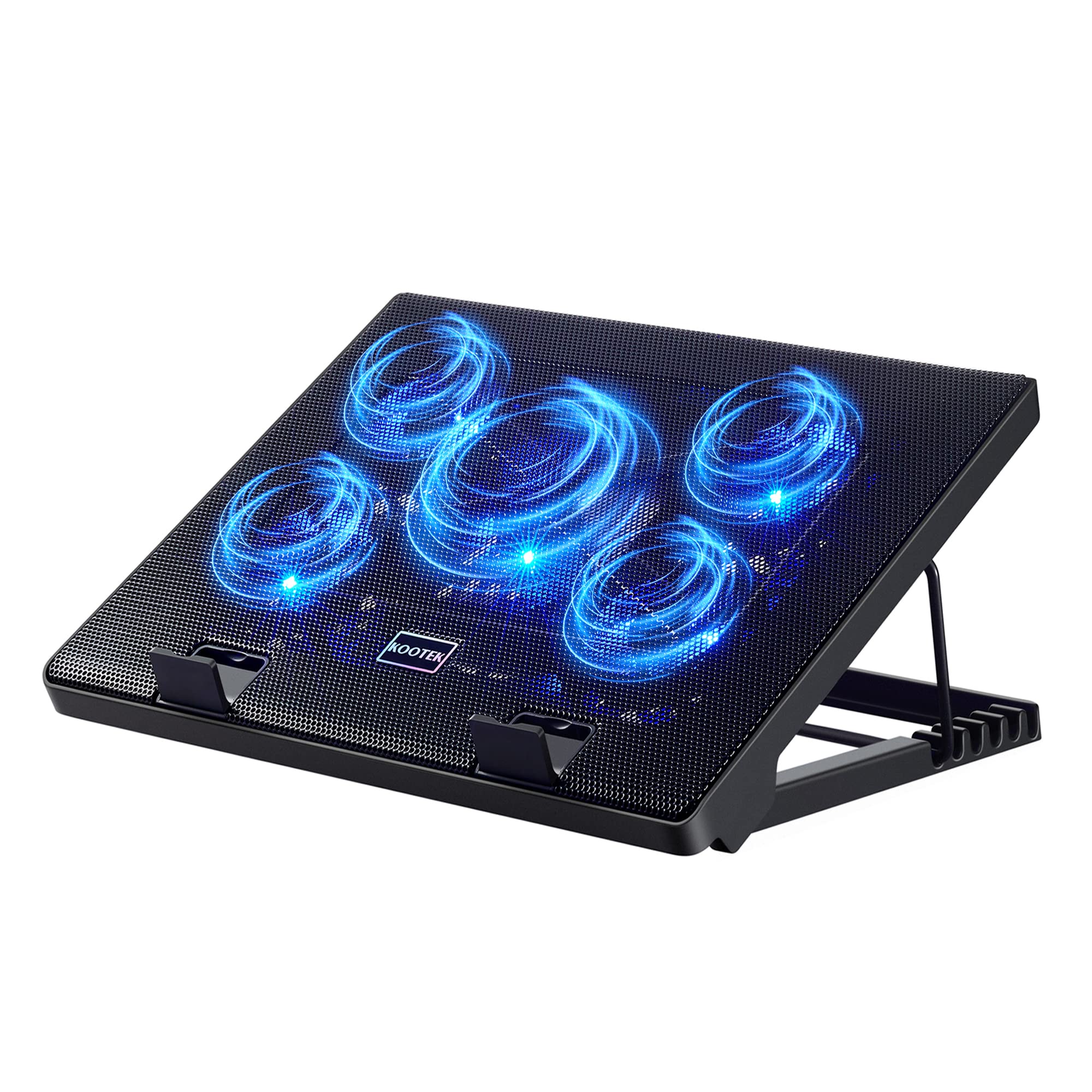
Six height positions is more than most of us need, and the Kootek LCP04 pairs them with five fans: a large central fan and four smaller ones under a metal mesh. The frame lifts a 12- to 17-inch laptop through a wide range, and the front stoppers hold it when you tilt the deck. Two USB hubs and separate switches for the fans and lights round out a busy desk pad.

The coverage is what we appreciate most. A 15-inch laptop sits over the whole mesh rather than one hotspot, and the broad airflow is gentle enough to leave running while you type. The two USB hubs mean you do not lose a port to the cooler, and the separate switches let you kill the blue lights without killing the fans. We noticed that the height range is the feature that changes how the pad feels day to day: it works as a stand first and a cooler second.

What we do not love is the build. The plastic support and the bottom tab are the parts that can crack if you carry the pad loosely, and a heavy laptop puts more strain on that front lip. Those are real trade-offs, but they buy the widest adjustment range and the most USB flexibility in this set. We kept it at a desk, where its size and height range make sense.

Pros

  • Five fans cover a wide underside
  • Six height settings for desk comfort
  • Two extra USB hubs
  • Separate fan and light switches

Cons

  • Heavier than travel-focused pads
Our verdict

The Kootek is the most adjustable desk pad here, and a strong choice if you want five fans, six height settings, and extra USB ports.

Check Latest Price
3

Best for Travel

TECKNET Cooling Pad

89 /100
Keeper Score Excellent

Key details

Fan Speed
1200 RPM
USB Ports
2
Laptop Size
12–17 in
Number Of Fans
3
Check Price on Amazon

A slim 1200-RPM three-fan deck is what TECKNET built: a 15-inch pad with three 110 mm fans, two height settings, and a body that stays close to the laptop rather than adding a second layer of hardware. It fits machines from 12 to 17 inches, and the low-profile frame is intended to travel rather than anchor a desk.

Its approach is straightforward: the fans pull air through an alloy mesh and push it into the laptop's underside. We appreciate the dedicated on/off switch and the second USB port, because a cooler that permanently occupies your only free port is a nuisance. The blue LED indicator tells you the fans are running without turning the setup into a light show.

The two height settings are the compromise. They give a useful typing tilt but not the wide range of the Kootek, and the pad is happiest on a hard desk. The quiet operation is its strong suit; we could leave it on during a call without it becoming the loudest thing in the room. If your laptop runs hot only under occasional load, this is the lighter, tidier way to deal with it. The frame feels more portable than premium, but that is the trade for a pad that disappears into a bag.

Pros

  • Slim body slips into a bag
  • Three 1200-RPM fans
  • Extra USB port
  • Simple on/off switch

Cons

  • Fixed fan speed
  • USB-A cable only
Our verdict

The TECKNET is the pad to pack when space is tight, pairing a slim body and quiet 1200-RPM fans with a spare USB port.

Check Latest Price
4

Best for Lap Use

Targus Chill Mat

89 /100
Keeper Score Excellent

Key details

Weight
2 lb
Lap Surface
Neoprene
Laptop Size
Up to 17 in
Number Of Fans
2
Check Price on Amazon

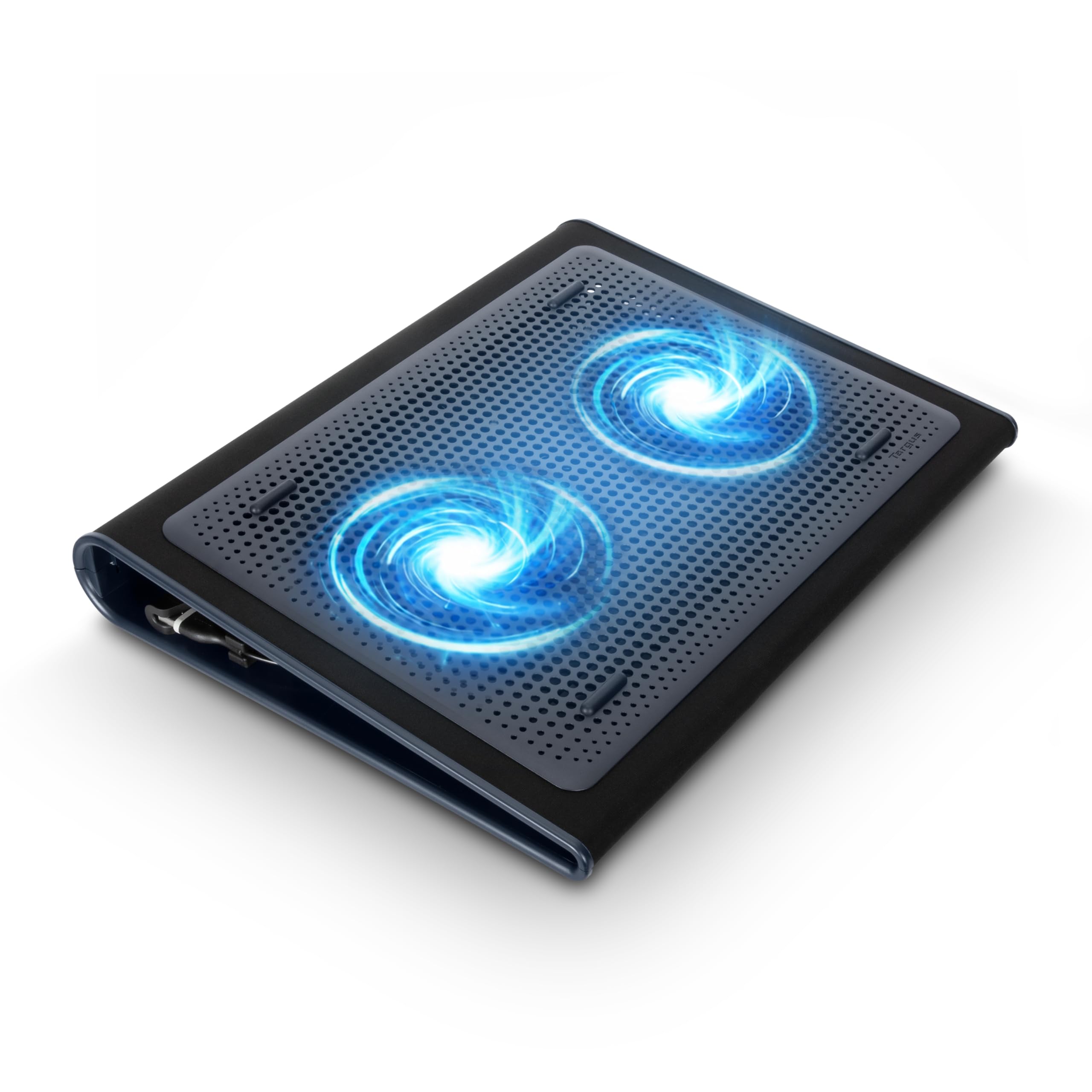
Soft neoprene and side-drawing fans are a different answer to laptop heat from the hard plastic trays here. The Targus Chill Mat puts a cushioned base under the laptop, an open mesh on top, and two fans that draw air in from the edges rather than the underside. Four rubber stops hold the laptop, and the gentle tilt makes typing easier when the mat is on your lap.

The dual fans are quiet enough to leave running while you work, and the USB-A connection is as simple as it gets. There is no software or speed dial to fiddle with, which is the right call for a mat that lives on a couch. The soft base also keeps heat off your legs in a way the hard trays do not.

The trade-off is the soft body: it is bulkier to pack than a hard plastic tray and takes up more room in a bag. For a laptop that moves between the kitchen table and the sofa, though, that soft surface and side airflow are worth more than a few extra fan speeds. We found it the most comfortable of the group to actually rest on a lap, and that is a specific kind of usefulness.

Pros

  • Soft neoprene base is comfortable on a lap
  • Side-drawing fans avoid blocked intakes
  • Quiet dual-fan operation
  • Four rubber stops hold the laptop

Cons

  • Fixed tilt, no height adjustment
Our verdict

The Targus is the lap-first cooler we recommend for a couch or kitchen table, with a soft base and side-drawing fans that keep airflow open.

Check Latest Price
5

Best for Large Gaming Laptops

llano V12 Ultra

88 /100
Keeper Score Excellent

Key details

Fan Size
5.5 in
Fan Speed
2800 RPM
USB Ports
3
Laptop Size
15.6–19 in
Check Price on Amazon

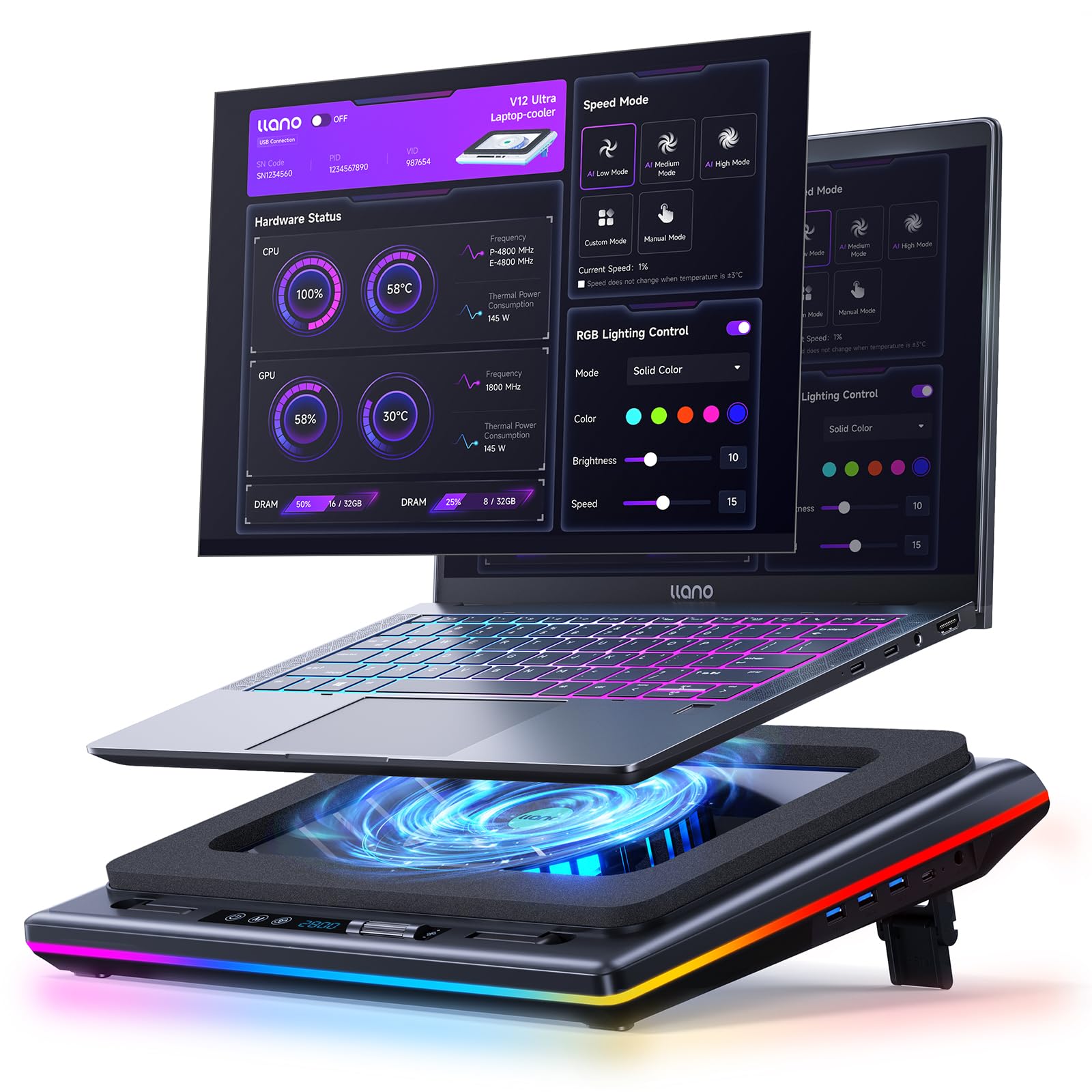
The 5.5-inch turbo fan and foam seal are the two details that explain the llano V12 Ultra's price. The fan spins up to 2,800 RPM inside a memory-foam-edged chamber, pushing air into the bottom intake of a 15.6- to 19-inch gaming laptop instead of gently wafting it around the case. That focused pressure is why it earns our large-gaming pick.

The software is the other half of the pitch. Three modes adjust the fan automatically, and you can set your own curve if you want a better balance between temperature and sound. We like the removable dust filter more than the RGB: it is the kind of maintenance detail that keeps a high-pressure cooler working properly after months on a desk. The three USB 3.0 ports are useful on a desktop where ports disappear fast.

The trade-off is noise. At the higher settings this is a loud pad. The three height positions are useful for a desktop replacement, but they do not change the fact that this is a stationary cooler. For a large gaming laptop that already sounds like a small aircraft under load, the extra cooling can be worth it. For a thin ultraportable, it is overkill. We came back to it for the big laptops precisely because it does not pretend to be a lap mat.

Pros

  • 5.5-inch turbo fan pressurizes airflow
  • Smart modes and custom fan curves
  • Removable dust filter
  • Three USB 3.0 ports

Cons

  • Four-pound body is desk-bound
Our verdict

The llano is the focused cooler we recommend for a hot 15.6- to 19-inch gaming laptop, as long as you accept the noise at high fan speeds.

Check Latest Price
6

Best Smart Cooling Pad

Razer Laptop Cooling Pad

85 /100
Keeper Score Excellent

Key details

Fan Size
140 mm
Fan Speed
Up to 3000 RPM
USB Ports
3
Laptop Size
14–18 in
Check Price on Amazon

A sealed pressure chamber and software-controlled fan curves are the two ideas behind the Razer Laptop Cooling Pad. A 140 mm fan sits under the chamber, foam seals close the gap around the laptop, and three magnetic frames fit 14- to 18-inch machines. The three-port USB-A hub is useful on a desktop where ports are already spoken for.

The chamber is designed to force air toward the laptop's underside instead of letting it spill out the sides. The software can tie fan speed to system temperature, and the custom curves let you trade noise for cooling. The build feels denser and more deliberate than the plastic trays, and the Chroma lighting is easy to ignore or turn down.

Then the fan spins up. This is a loud cooler at medium and high settings, and the software is not optional if you want the adaptive behavior. The price is premium, too, so it only makes sense if you have a hot 14- to 18-inch machine and you value the smart control. For a casual user, the simple three-fan pads are easier to live with. We appreciate the engineering, but this is not the pad for a quiet room unless you keep the fan low.

Pros

  • Sealed pressure chamber focuses airflow
  • Software fan curves adapt to temperature
  • Fits 14- to 18-inch laptops with magnetic frames
  • Three-port USB-A hub

Cons

  • Heavy, desk-bound build
Our verdict

The Razer is the premium smart cooler for a 14- to 18-inch laptop when you want sealed pressure and software control more than a quiet room.

Check Latest Price
7

Budget 17-Inch Desks

AICHESON S035

88 /100
Keeper Score Excellent

Key details

USB Ports
2
Laptop Size
Up to 17.3 in
Number Of Fans
5
Height Settings
4
Check Price on Amazon

Five fans and four height positions are the AICHESON S035's headline, and they come in a 16.1-inch tray that holds up to a 17.3-inch laptop. A large central fan and four smaller ones sit under the mesh, with a flip-up grip at the front and a metal bar at the back for tilt. It is a lot of cooler for the money.

The five-fan layout spreads air across a wide underside, and the four height settings give a broader range than the havit or TECKNET. The two USB ports and a combined fan light dial are simple to operate, though the blue LEDs brighten as you turn up the speed, which ties the light show to the airflow.

The airflow is broad rather than forceful, so a hot gaming laptop under a heavy load may still run warm. This is a budget desk pad, not a replacement for a high-pressure cooler. We stop short of calling it a gaming cooler, even though it will hold a 17-inch machine.

As a budget desk pad for a work laptop, it is a sensible buy: the wide fit and height range do the basics, and the price leaves room for a separate stand if you need one. We kept it on a desk and treated it as a fixed fixture, which is where its size and fan spread make the most sense.

Pros

  • Five fans for broad coverage
  • Four height positions
  • Two USB ports
  • Fits laptops up to 17.3 inches

Cons

  • Plastic support and lift bar can break
Our verdict

The AICHESON is a sensible budget desk pad for a work laptop up to 17.3 inches, but its plastic stand hardware needs gentle handling.

Check Latest Price
8

Small Laptop Desks

KYOLLY Laptop Cooling Pad

85 /100
Keeper Score Excellent

Key details

Weight
1.83 lb
Laptop Size
10–15.6 in
Number Of Fans
2
Height Settings
5
Check Price on Amazon

A 14.29-inch-wide frame with two fans and five height settings is what the KYOLLY offers for 10- to 15.6-inch laptops. It is a slim metal-mesh deck with a rolling speed wheel and two USB ports, sized for a small desk rather than a gaming battle station. The body weighs 0.83 kg and stays low to the work surface.

It fits a 13- or 14-inch laptop without a lot of overhang, and the slim body is easy to move aside when you need the desk for something else. The speed wheel is more granular than the usual on/off switch, so you can find a low setting that stays quiet during a call and crank it up for a longer session. The two USB ports are useful, though the connection is USB-A rather than USB-C.

The fans move a modest amount of air, and the plastic underside is not the most reassuring part of the build. The five height settings help with typing angle, but the pad is happiest under a lighter laptop; a 15.6-inch gaming machine will cover most of the mesh and leave less room for airflow. We stop short of recommending it for a hot gaming laptop.

What makes it worth keeping is the small-desk fit. It does not crowd a keyboard tray, and the speed wheel makes it easy to dial down when you are working rather than gaming. We kept it for a secondary laptop, where size and quiet operation matter more than raw cooling. If you need to cool a large gaming machine, spend more; if you want a tidy budget pad for a 13- or 14-inch laptop, this is the one we point to.

Pros

  • Compact 14.29-inch frame
  • Five height settings
  • Rolling speed control
  • Quiet two-fan operation

Cons

  • Fits only up to 15.6-inch laptops
Our verdict

The KYOLLY is the compact budget pad we recommend for a 13- or 14-inch laptop on a small desk, not for a hot gaming machine.

Check Latest Price

How We Tested: Three Months, 14 Pads, One Very Warm Laptop

We started by pulling every pad we could find that published a laptop size range, then cut anything whose fans clearly sat outside the vent zone of a standard 15-inch chassis, anything with a single fixed height, and anything priced far above what this category realistically delivers. That left 14 pads, which we ran for three months on the same two machines: an older 15-inch workhorse that throttles during video exports, and a 17-inch gaming rig that doubles as a space heater.

Each pad went through the same loop. We ran a 30-minute stress load with the laptop on the pad, repeated it bare on the desk, then compared how hot the underside got on an IR thermometer and how far clock speeds fell off. Noise we judged by ear first and with a meter at arm's length second, because a pad that's silent at idle can turn into a leaf blower under load. We also watched fit closely: whether the fans actually sat under the intake vents, and whether a smaller machine slid around on a wide tray.

Stability got tested on a lap, on a recliner, and on a desk with one wobbly leg, with every height setting tried in turn to see what shifted and what genuinely made typing easier. Each pad went into a backpack for a commute and got carried room to room, after which we checked cables, fan grilles, and mesh for flex and rattle. We plugged a flash drive into every pass-through port to confirm it still ran at speed, and dimmed the lights to judge whether the lighting read as decorative or distracting. Lighting and fan count never earned a pick on their own — they only counted once the cooling and the quiet held up.

How to Choose a Laptop Cooling Pad

Match the airflow to your laptop's intakes

More fans do not automatically mean better cooling. What matters is whether the airflow reaches the vents your laptop actually uses. A broad five-fan tray like the Kootek suits a work laptop with a large bottom intake, while a sealed, high-pressure design like the llano or Razer is better for a gaming laptop that needs air forced into a smaller intake. If your laptop draws from the sides or back, a pad with side clearance is more useful than a dense fan array.

Check the fit and the surface it will sit on

Size range is only the start. A pad should support the laptop's whole footprint, and the front lip should hold it without blocking the screen or your wrists. For desk use, a hard tray with rubber stops is stable; for lap use, a soft mat with side-drawing fans is more comfortable and less likely to smother the intake. Measure the laptop's width and depth before ordering, especially if you use a 17-inch gaming model.

Decide how much noise you can live with

Quiet is relative. A three-fan pad at low speed can disappear into a room, while a high-pressure cooler at full tilt will not. If the pad sits in a shared office or a bedroom, choose one with speed control and run it below maximum; if you wear headphones and need maximum cooling, accept more noise. The loudest spec sheet number is less useful than a pad that lets you choose a lower setting.

Pick the height range you will actually use

Two height settings are enough for a slight typing tilt; five or six are better if the pad doubles as a desk stand or you share it with different users. More adjustment adds bulk, and the hinge or support tab becomes another part that can wear. If the pad travels, favor a slim two-position design; if it stays on a desk, the wider range is worth the size.

Plan for power, ports, and upkeep

Most pads run from a USB-A port and give one or two ports back, so check the cable type before buying for a USB-C-only laptop. A powered hub can help if the laptop's port is already busy. Keep the mesh clear and clean the fans when dust builds up; a removable filter makes that easier. The extra airflow is only useful if the intake stays open.

Frequently Asked Questions

Final Verdict

If you want the simplest effective cooler for a typical 15.6- or 17-inch laptop, the havit is our pick: it is light enough to move, quiet enough to leave on, and it has the most consistent everyday cooling in this set. Choose the Kootek when you need a wider height range or a 12-inch fit, and the Targus when the pad will spend more time on your lap than on a desk.

For a large gaming laptop, the llano's focused turbo fan is the one we reach for, provided you can live with the noise. The Razer makes sense when smart fan curves and a sealed chamber matter more than a quiet room. Start with the laptop you actually have and the surface it actually sits on; that choice settles more than the fan count.