Best Laptop Screen Protectors of 2026

A matte finish is the reason most people buy a screen protector in the first place — it turns a sunlit window into a dull gray rectangle instead of a blinding one — but it also mutes color and softens small text. A clear film keeps everything crisp and hands you a mirror at noon. That trade-off, plus whether the sheet actually fits your bezel, is what makes choosing one so irritating.

I've been sticking these onto every laptop in my house for the past four months, and my team has worked through 16 of them in that time — matte film, clear shields, blue-light filters, two-packs and three-packs alike. The blue-light claim is the one I'd treat most skeptically: almost none of them meaningfully changed the color of the screen, but the better matte ones did cut the harsh glare that makes an eight-hour spreadsheet day feel like a headache.

Fit is where most of these go wrong, so measure your viewable area — the lit panel, not the lid — and match the aspect ratio before you buy anything. Below are the ones we'd put on our own machines, sorted by how you actually use your laptop.

Keeper Score summarizes customer ratings and review volume. Read it alongside the product details and trade-offs. How the score works.

1

Best Overall

ANTOGOO V 15.6-Inch Protector

86 /100
Keeper Score Excellent

Key details

Fits
15.6-inch 16:9
Pack
2 films
Finish
Matte
Hardness
5H
Check Price on Amazon

The 15.6-inch 16:9 fit is what makes the ANTOGOO V the easy default here: it matches the most common laptop panel, and the matte surface goes after glare rather than just scratches. The film is 5H PET, comes two to a pack, and adds blue-light filtering to the anti-glare finish. We appreciate that the two-pack turns a one-shot job into a two-chance one.

In a bright room, the matte surface is the feature that earns its keep. It knocks down reflections and keeps fingerprints from blooming across the panel, and the blue-light layer is a sensible extra for long work sessions. This is not a privacy screen: the display is still readable from an angle, and the matte look can soften the very finest text.

The two-pack is the practical detail we keep coming back to. A screen protector is only as good as its install, and a spare sheet lets you start over if dust lands or a corner folds. The 5H film is there for everyday scuffs and keyboard marks, not for drop protection.

For a 15.6-inch 16:9 laptop, this is the one we point to first. If your panel is 16-inch 16:10, stop here: the F FORITO is cut for that shape.

Pros

  • Fits common 15.6-inch 16:9 screens
  • Matte surface cuts glare and fingerprints
  • Blue-light filtering with anti-glare
  • Two films give a second attempt

Cons

  • Bubbles can be stubborn during install
Our verdict

Our default for a 15.6-inch 16:9 laptop: the matte two-pack cuts glare and blue light, and it gives you a spare for a clean second install.

Check Latest Price
2

Best for 16-Inch 16:10 Laptops

F FORITO 16-Inch Protector

86 /100
Keeper Score Excellent

Key details

Fits
16-inch 16:10
Pack
2 films
Finish
Matte
Hardness
6H
Check Price on Amazon

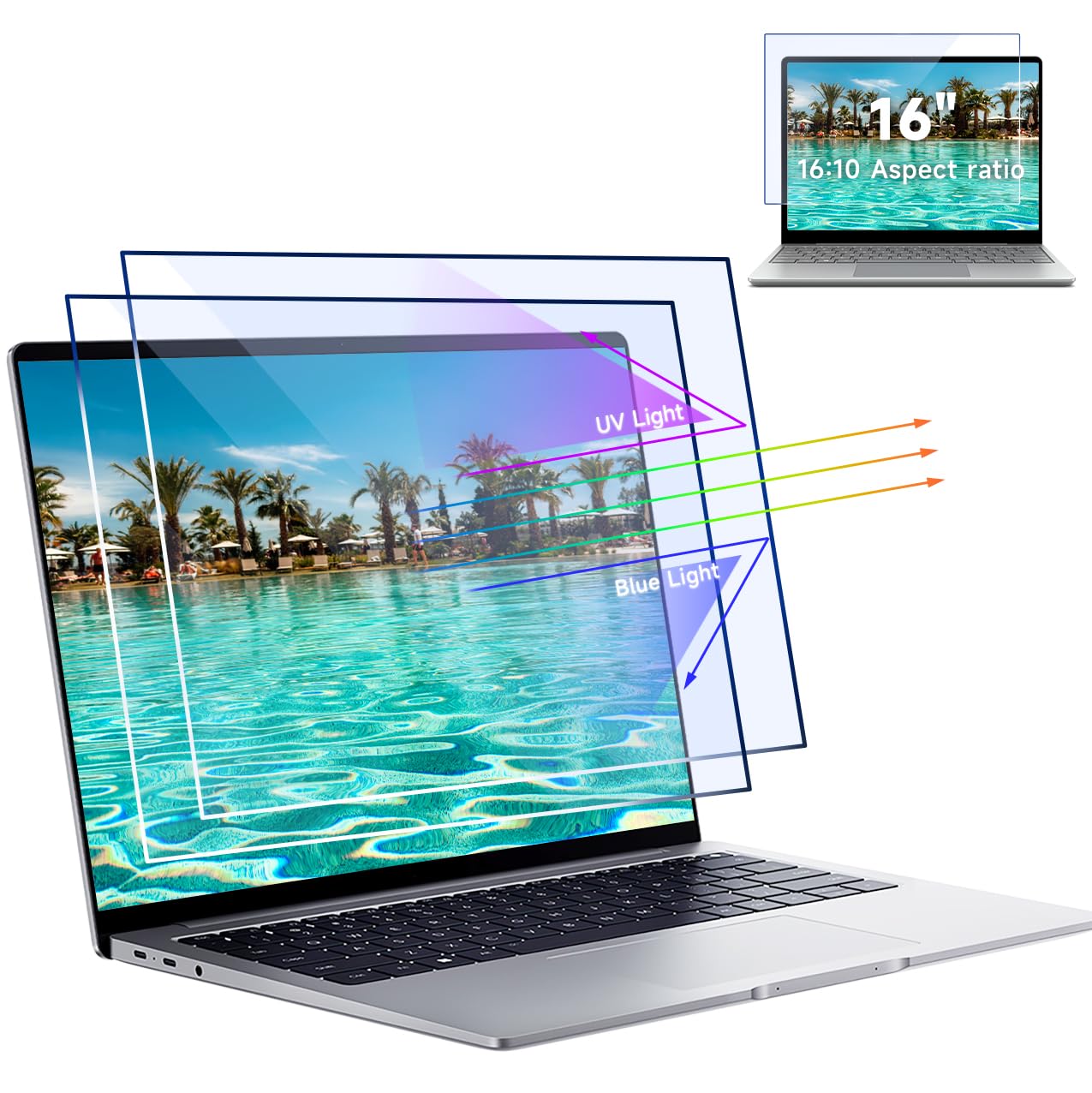
The 16-inch 16:10 cut is the first thing to check, because this F FORITO film will not help a 15.6-inch 16:9 laptop no matter how carefully you line it up. It is a two-pack of 6H PET with a matte anti-glare finish and a blue-light layer, sized for the wider 16:10 display.

We recommend it for a 16-inch 16:10 work laptop when glare is the problem. The matte surface does the visible work, dropping reflections and keeping the screen usable near a window; the blue-light filtering is a bonus rather than a reason to buy on its own. The 6H rating is a step above the 5H films here, though it is still a film rather than glass.

The two-pack is the buffer here. A large film gives dust more places to land, and a spare sheet turns a spoiled first attempt into a do-over rather than a return. We also like that the install kit includes a squeegee and guide, so you are not improvising with a credit card.

For a 16-inch 16:10 PC, this is the film we trust for glare control. If you want tempered glass instead, the Spigen is the MacBook Pro 16 step up; if you need 1920x1200 touch support, the IPROKKO is the closer match.

Pros

  • Exact 16-inch 16:10 fit
  • Strong anti-glare matte surface
  • 6H film resists daily scratches
  • Two-pack adds a spare

Cons

  • Bubbles can be hard to remove
  • Matte finish can soften fine text
Our verdict

We recommend it for a 16-inch 16:10 laptop when glare is the problem; the 6H matte film is the strongest fit here for that screen shape.

Check Latest Price
3

Best Tempered Glass for MacBook Pro 16

Spigen GlasTR MacBook Pro 16

89 /100
Keeper Score Excellent

Key details

Fits
MacBook Pro 16-inch (M1-M5)
Pack
1 protector
Hardness
9H
Material
Tempered glass
Check Price on Amazon

We choose the Spigen for a MacBook Pro 16 when you want real glass over the display. The 9H tempered glass is the hardest protector in this group, and the cut is specific to the 16-inch MacBook Pro from the M1 through M5 generations, 2021 to 2026.

We like the precision more than the pack count. The glass is cut for the camera and edges, and it sits flat without the dust-catching edges of a thin film. The catch is that you get one sheet, so a mistake is expensive.

This is a protection-first purchase. The glass is the more reassuring surface if the laptop lives in a bag and the screen takes daily abuse, and the precise cut keeps the edges from collecting dust. If you want the lowest-profile film, the Supershieldz matte is the better fit.

For a MacBook Pro 16 that travels, we prefer the glass. For a 14-inch MacBook, the Supershieldz matte film is the lower-profile choice.

Pros

  • 9H tempered glass resists scratches
  • Precise MacBook Pro 16 fit
  • Smooth, bubble-free application

Cons

  • Adds glare to the glossy display
  • Can keep the lid from closing fully
Our verdict

We choose the Spigen for a MacBook Pro 16 when you want real glass over the display; 9H protection and a precise fit justify the premium if you accept the extra reflectivity.

Check Latest Price
4

Best Matte for MacBook Pro 14

Supershieldz MacBook Pro 14 Matte

89 /100
Keeper Score Excellent

Key details

Fits
MacBook Pro 14-inch
Pack
3 films
Finish
Matte
Material
PET film
Check Price on Amazon

The matte finish is the reason to pick this Supershieldz over a clear film, and the three-pack is the reason a first attempt does not have to be perfect. It is cut for the MacBook Pro 14-inch, comes with three PET sheets, and uses a matte anti-glare surface that also hides fingerprints.

We think it is the best matte option here for a MacBook Pro 14. The film drops reflections without the mirror-like look of glass, and the fit is precise enough that the edges do not advertise themselves. It is a PET film, so treat it as scratch and glare protection rather than impact protection.

Clarity is where we pause. Matte film can give fine text a slightly grainy look, especially on a white background, and that is the price of the reflection control. If you want the crispest possible image, a clear film or glass is the better trade.

The film is thin, so it adds little bulk to a lid that already closes tightly, and the matte surface does not turn the display into a mirror. That low profile is the practical luxury here.

Pros

  • Matte surface cuts glare and fingerprints
  • Exact MacBook Pro 14 fit
  • Three films for retries and spares

Cons

  • Installation can trap dust and bubbles
Our verdict

For a MacBook Pro 14, this three-pack is the matte choice we reach for: it tames reflections and fingerprints, and the spares make an imperfect install less painful.

Check Latest Price
5

Best for HP 15.6-Inch Laptops

YINOVEEN HP 15.6 Protector

81 /100
Keeper Score Excellent

Key details

Fits
HP 15.6-inch models
Pack
2 films
Finish
Matte
Hardness
5H
Check Price on Amazon

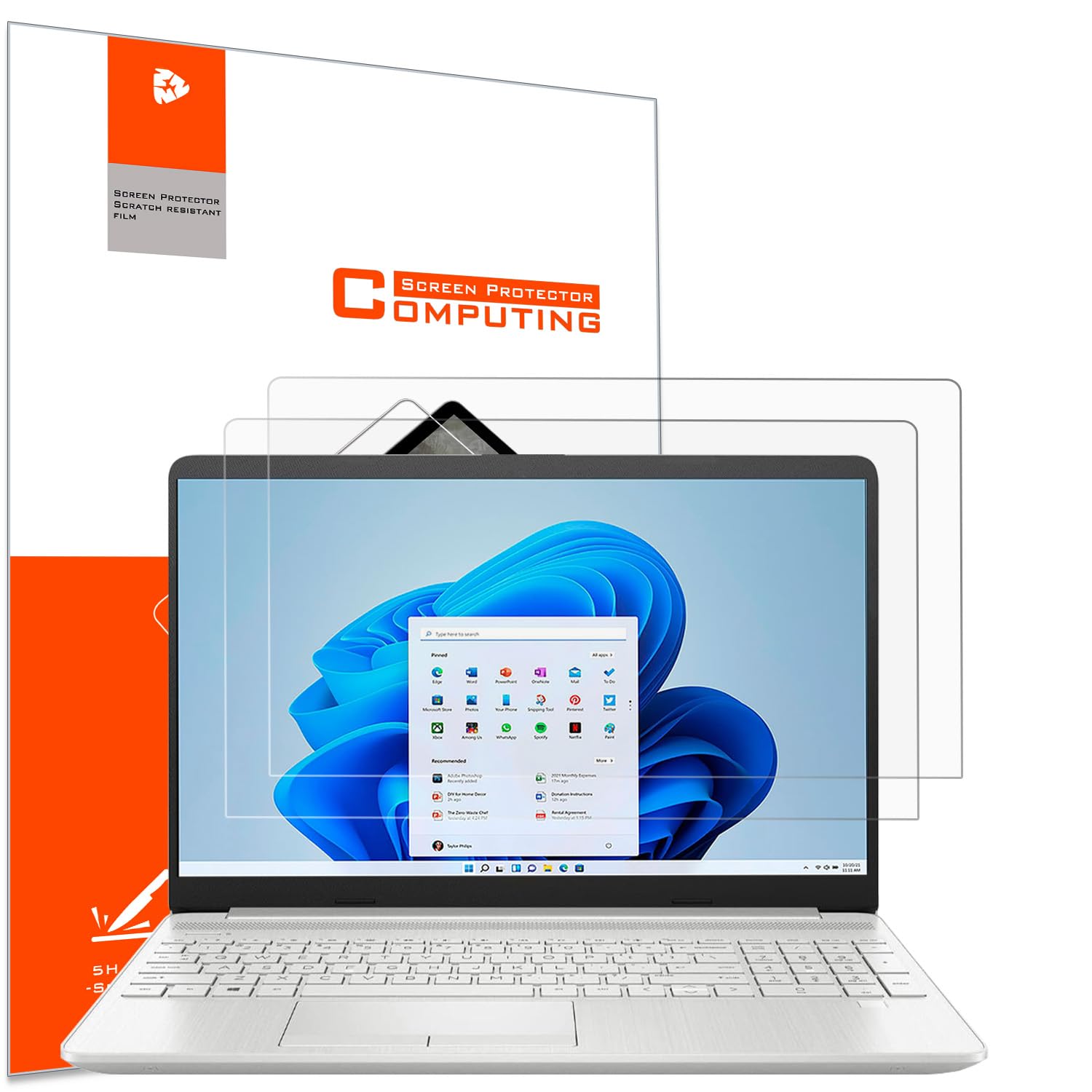
The HP model list is the first thing we check, because this YINOVEEN film is cut for a long run of HP 15.6-inch laptops rather than a generic 15.6-inch rectangle. It covers the Pavilion, Envy x360, ProBook, EliteBook, OMEN, and Chromebook families, plus a stack of model codes.

The surface is matte, the hardness is 5H, and the pack includes two films. We like the matte finish for a desk near a window, and the 5H film is enough for the scratches and scuffs a laptop picks up in a bag. The oleophobic layer is a useful extra for fingerprints.

What we appreciate most is the specificity. A model-specific cut saves you from trimming a film or living with a border that does not line up, and the two-pack gives you a spare. That specificity is worth more than a generic sheet that almost fits.

For an HP 15.6-inch laptop that matches the list, this is the neat, low-drama choice. The spare film can live in the laptop bag, which is the kind of small convenience we notice.

Pros

  • Cut for many HP 15.6-inch models
  • Matte anti-glare surface
  • 5H scratch resistance
  • Two films in the pack

Cons

  • Only fits the listed HP models
Our verdict

If your HP 15.6-inch model is on the list, we like this neat matte two-pack: 5H protection, no generic-fit guessing.

Check Latest Price
6

16-Inch 1920x1200 Laptops

IPROKKO 16-Inch Protector

84 /100
Keeper Score Excellent

Key details

Fits
16-inch 16:10 (1920x1200)
Pack
2 films
Finish
Matte
Hardness
5H
Check Price on Amazon

The 1920x1200 match is the detail that separates this IPROKKO film from a generic 16-inch 16:10 protector. It is a two-pack with a 5H matte film, blue-light filtering, and a cut designed for the 16-inch 16:10 panel found on many work laptops.

We like it for a 16-inch 1920x1200 touchscreen. The matte surface cuts reflections, the blue-light layer is there for long sessions, and the film is specified to work with a sensitive touch panel. It is a more specific fit than the F FORITO, which is the broader 16-inch 16:10 choice.

The trade-off is the look. Matte film can make fine text and white backgrounds look a little grainy, and that is the cost of the glare control. We also treat the two-pack as part of the purchase: a clean install is easier to get right with a spare sheet.

For a 1920x1200 touchscreen, this is the film we pick when glare and blue light both matter. If your panel is 16-inch 16:10 but not 1920x1200, the F FORITO is the safer general fit.

Pros

  • Fits 16-inch 1920x1200 panels
  • Matte anti-glare with blue-light filtering
  • Touchscreen-friendly film
  • Two films and install kit

Cons

  • Bubbles can be hard to clear
Our verdict

Our pick for a 16-inch 1920x1200 touchscreen: matte anti-glare, blue-light filtering, and a patient install in exchange for a softer look.

Check Latest Price
7

Clear 15.6-Inch Screens

MUBUY 15.6-Inch Clear Protector

79 /100
Keeper Score Very Good

Key details

Fits
15.6-inch 16:9 (345 x 194 mm)
Pack
2 films
Finish
Glossy
Hardness
5H
Check Price on Amazon

The clear glossy finish is the whole point of this MUBUY film: it keeps the punch and color of a glossy laptop panel instead of trading them for a matte look. It is cut for 15.6-inch 16:9 screens at 345 by 194 millimeters, and the pack includes two 5H PET films.

We see the appeal for a laptop used mostly indoors for photos, video, or design work. The clear surface lets the display look like the display, and the oleophobic coating gives fingerprints something to wipe off. It is the opposite of the matte picks here, and that is the point.

The film is thin PET, so it is there for scratches, scuffs, and keyboard marks rather than impact. The two-pack is the buffer: a clear film has nowhere to hide a dust speck, and a second sheet is the difference between a do-over and a return.

We treat this as a clear-film option for a 15.6-inch laptop when you want the gloss back and are willing to install slowly. For a matte, glare-first pick, the ANTOGOO V is the safer default. The MUBUY is for the buyer who wants the panel's original finish, not a muted one.

Pros

  • Clear glossy finish preserves color
  • Fits 15.6-inch 16:9 screens
  • 5H film with oleophobic coating
  • Two films in the pack

Cons

  • Bubbles can be stubborn during install
  • Glossy finish shows smudges
Our verdict

For a glossy 15.6-inch panel, this clear two-pack is the one we choose; plan for a slow, dust-free install.

Check Latest Price

How We Tested Laptop Screen Protectors

We started with a tape measure. A 16-inch 16:10 panel and a 15.6-inch 16:9 panel take completely different sheets, so every contender had to state a viewable area and aspect ratio before we ordered it; anything that ran over the bezel or blocked the webcam cutout was out. From there we filtered by finish, pack size, and price per sheet, and brought in 16 protectors to test over four months.

Every install happened at my kitchen table, solo, in a single sitting. I timed each one, counted the bubbles left after the squeegee pass, then checked again 24 hours later to see which worked themselves out and which had to be lifted and re-laid — the real measure of adhesion. Then I sat each laptop facing a bright window at midday and read the same block of small text to see how much glare actually died.

Those machines went into backpacks, onto café tables, and through long nights of spreadsheets. I noted fingerprints blooming on the matte sheets, whether photos looked washed out, whether corners curled after a few weeks of closing the lid, and whether a film pulled off clean when I finally removed it. I also dragged keys across a spare sheet from each pack to check for scratches, and logged how my eyes felt after a four-hour session on a filtered screen versus a bare one.

Value mostly came down to second chances: the two- and three-packs forgave a botched first attempt that a single sheet did not.

How to Choose a Laptop Screen Protector

Start With the Panel, Not the Diagonal

A 15.6-inch label is not enough. A 15.6-inch 16:9 screen and a 16-inch 16:10 screen are different shapes, and a film cut for one will not sit cleanly on the other. Check the aspect ratio and the viewable width and height, then look for cutouts around the camera or notch. For a common 15.6-inch 16:9 laptop, the ANTOGOO V is the straightforward match; a 16-inch 16:10 machine calls for the F FORITO or IPROKKO.

Decide What the Finish Should Do

Matte films cut reflections and fingerprints, which is why they suit a desk near a window. The trade-off is a slightly softer, grainier look on fine text. Glossy films keep more punch and clarity but show every reflection and smudge. Blue-light filtering is a separate comfort feature; it can take some blue out of the screen, but it does not change the basic matte-or-glossy trade. Pick the finish for the room you work in, then decide whether blue-light filtering matters.

Choose Film or Tempered Glass

PET film is thin, inexpensive, and easy to remove; it handles scratches and scuffs without adding much bulk. Tempered glass steps up impact and scratch protection, but it is thicker and more reflective, and on a tight laptop lid it can interfere with full closure. The Spigen glass is the premium pick for a MacBook Pro 16 when protection matters more than a low profile; the Supershieldz matte film is the quieter choice for a MacBook Pro 14.

Treat Installation as Part of the Purchase

Bubbles and trapped dust are the most common reasons a protector disappoints, not the film's daily performance. Work in a clean, bright space, use the included dust stickers and squeegee, and plan to lift and reseat a corner if a speck lands. A multi-pack is not just value; it is a second attempt. The three-film Supershieldz packs and the two-film picks here all make more sense than a single sheet for a first-time install.

Check Touch and Lid Clearance

If you use a touchscreen or stylus, look for a film that explicitly supports touch; most PET films do, but thick glass can add a little drag. On a MacBook or any laptop with a tight hinge, lid clearance matters more than hardness: a protector that keeps the lid from closing fully is the wrong trade. Test the lid gently after installation, and if it does not settle, remove the protector rather than forcing it.

Frequently Asked Questions

Final Verdict

For most 15.6-inch laptops, the ANTOGOO V is the pick we keep coming back to: the 16:9 cut is right, the matte film cuts glare, and the two-pack gives you a second chance at a clean install. If your screen is 16-inch 16:10, choose the F FORITO instead; its 6H film and anti-glare surface are the better match.

For a MacBook Pro 16 and maximum scratch protection, the Spigen tempered glass is worth the step up, as long as the added reflectivity and lid clearance do not bother you.