Best Dash Cams for Uber and Rideshare Drivers

Every rideshare driver has heard the story, or lived it: a rider says something happened in the back seat, and it's your word against theirs. A dash cam is the closest thing to a witness you can bolt to a windshield, but the lens aimed at the road only tells half of it. For rideshare work you need one that watches the cabin too, with enough infrared to see who's back there at 2 a.m. without the dome light.

I've spent about six months running 12 of these cameras through airport staging lots, school pickups, and late Saturday nights. The pattern was consistent: cabin coverage and usable night footage mattered more than a headline resolution number, and the camera that fights you at the curb is the one you quietly stop checking.

The app decides whether the thing stays useful — a cam you can't pull a clip from in 30 seconds at the roadside won't help when a fare disputes the ride. The picks below held up in ordinary driving; they're sorted by how you drive, not by spec sheet.

Keeper Score summarizes customer ratings and review volume. Read it alongside the product details and trade-offs. How the score works.

1

Best Overall

70mai T800E

88 /100
Keeper Score Excellent

Key details

Channels
3 (front, cabin, rear)
Included Card
64GB
Cabin And Rear
1080p each
Front Resolution
4K
Check Price on Amazon

Three cameras are the reason the 70mai T800E earns our top spot. It records the road ahead at 4K, the cabin at 1080p, and the rear at 1080p, so a rideshare shift leaves you with the two views that matter most and a rear check for collisions. That complete set is the default we recommend for most Uber and Lyft drivers.

The 64GB card in the box means you can start without another purchase, and the camera accepts up to 512GB if you drive long shifts. We like the built-in GPS and Wi-Fi 6 because they make a clip easier to find after a dispute, and the 1.55 aperture helps the front camera in low light. The 1.9-inch screen is small, but you will mostly use the app.

A supercapacitor is the right power design for a car that sits in the sun, and the parking monitor adds another layer of protection when you are away from the vehicle. We also appreciate that the three-camera layout is contained in one unit; there is no second box to mount on the dash. The result is a setup that feels complete rather than assembled.

Pros

  • Three-channel front, cabin, and rear coverage
  • 4K front video with 1080p cabin and rear
  • 64GB card and built-in GPS included
  • Supercapacitor and Wi-Fi 6

Cons

  • 64GB card may be small for full-time shifts
  • App connection can be inconsistent
Our verdict

Our default for most rideshare drivers is the T800E: front, cabin, and rear coverage plus a card in the box.
Check Latest Price
2

Best for Night Cabin Video

Vantrue N2X

86 /100
Keeper Score Excellent

Key details

Channels
2 (front and cabin)
Card Support
Up to 512GB
Night Vision
STARVIS 2, dual HDR, IR
Front And Cabin
1944p + 1080p
Check Price on Amazon

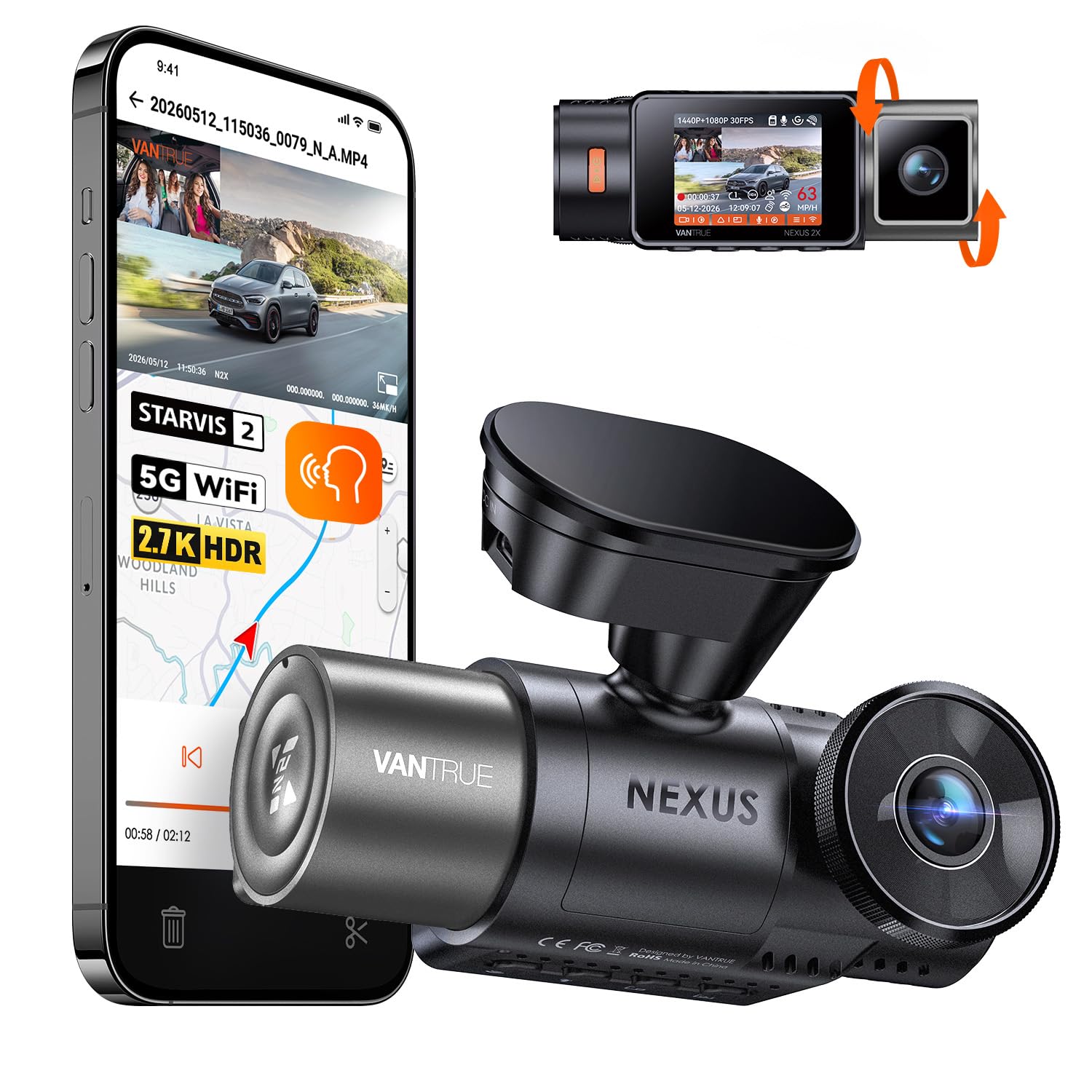
A dark cabin is where the Vantrue N2X makes its case. The inside camera pairs IR with a STARVIS 2 sensor and dual HDR, while the front records at 1944p. The point is a wide view of the back seat and a front clip with enough detail to read a plate, even when the only light comes from streetlamps.

We rank it as the best pick here for night-time cabin video. The image is the most convincing of the two-camera units we tested after dark, and the magnetic mount keeps the install tidy. It is a premium choice, and the front-and-cabin pairing keeps the install compact.

The 5G Wi-Fi and GPS are useful, and voice control means we can save a clip without reaching for the screen. We also like the supercapacitor for hot-climate durability. Card support reaches 512GB, which gives you room for long shifts.

Pros

  • Best night cabin view in this set
  • 1944p front footage
  • Compact magnetic mount and supercapacitor

Cons

  • No rear camera coverage
  • Requires a separate microSD card
Our verdict

If your priority is the clearest cabin view after dark, this is the two-camera unit we recommend.

Check Latest Price
3

Best for Front-Plate Detail

REDTIGER F17

89 /100
Keeper Score Excellent

Key details

Channels
3 (front, cabin, rear)
Night Vision
STARVIS 2, HDR, 4 IR
Included Card
64GB
Front Resolution
4K
Check Price on Amazon

The REDTIGER F17 asks for more than our top pick and answers with a brighter front sensor and a bigger screen. Its 4K front camera uses a STARVIS 2 IMX675 sensor, and the cabin and rear cameras each record at 1080p. That is a familiar three-camera recipe, but the front hardware is the differentiator.

We appreciate the 5.8GHz Wi-Fi and built-in GPS, and the 64GB card means the box is usable without a separate purchase. The 3-inch screen is easier to glance at than the tiny displays on some rivals, though we still rely on the app for setup and downloads. The adhesive mount with GPS is tidy, and the supercapacitor suits a hot windshield.

Our verdict is that the F17 is the best choice here when front-plate detail matters more than budget. The 4K front clips are the ones we trust most in daylight, and the three-camera set gives a rideshare driver a complete record. It is a premium unit, so it makes sense for a driver who wants that extra front detail rather than the lowest-cost setup.

Pros

  • 4K front camera with STARVIS 2 sensor
  • Three-camera front, cabin, and rear setup
  • 64GB card included
  • 5.8GHz Wi-Fi, GPS, and supercapacitor

Cons

  • Wi-Fi can conflict with CarPlay
  • Adhesive mount can loosen in heat
Our verdict

Choose the F17 when sharp front footage matters most and you are willing to pay for a three-camera setup.

Check Latest Price
4

Best for a Simple Two-Camera Install

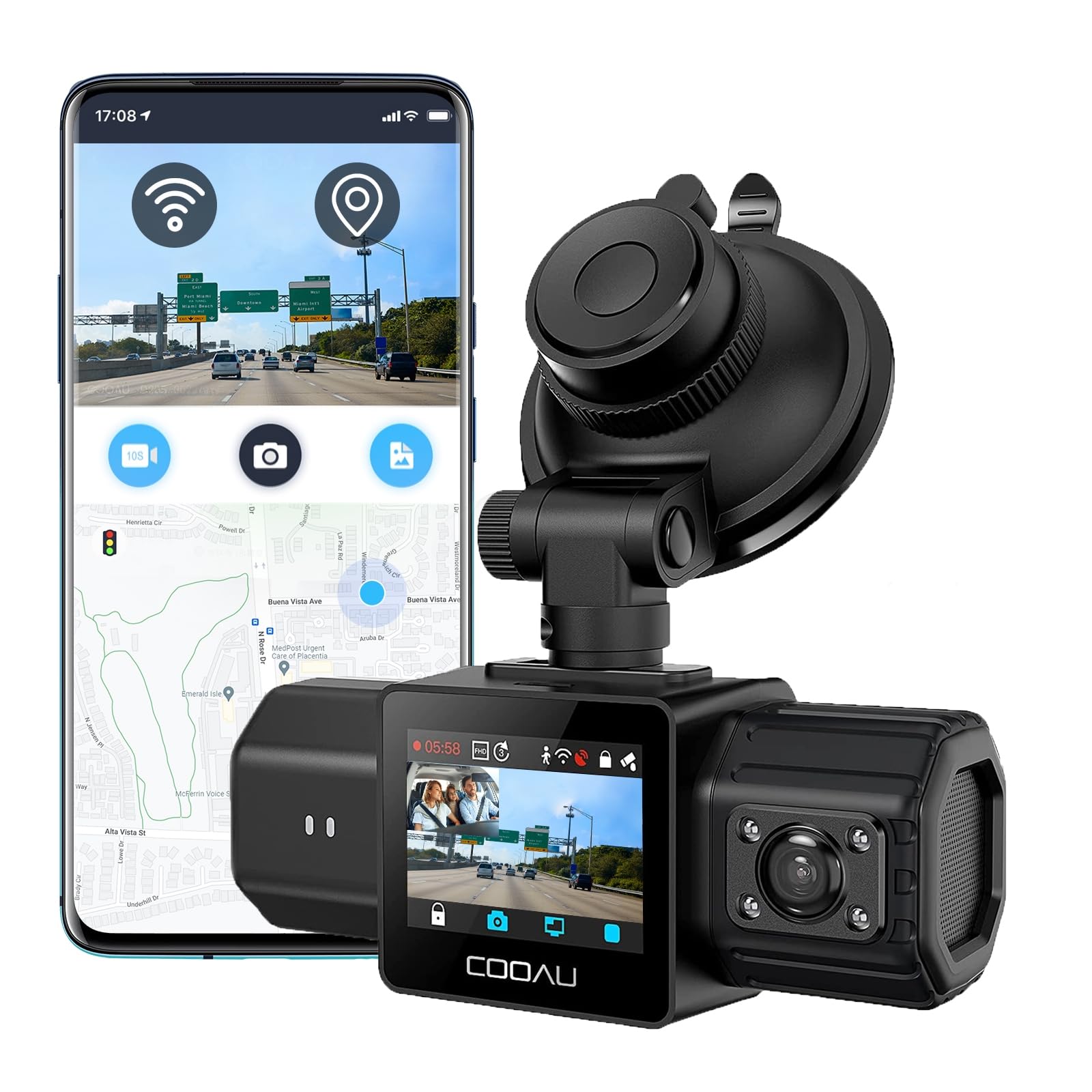
COOAU D30S

87 /100
Keeper Score Excellent

Key details

Channels
2 (front and cabin)
Card Support
Up to 256GB
Night Vision
STARVIS 2, IR, f/1.8
Front And Cabin
2.5K + 1080p
Check Price on Amazon

The COOAU D30S is the two-camera pick for a driver who wants a tidy windshield and no rear-cable job. Its 2.5K front camera and 1080p cabin camera cover the two views a rideshare driver needs most, and a 4K single-front mode adds detail when you want it. The compact body is easy to place behind the mirror.

The cabin camera uses four IR LEDs and an f/1.8 aperture, and the front sensor is a STARVIS 2 part. We like the built-in GPS and supercapacitor, and the 1.5-inch screen is small enough to stay out of the way. The app is the main place you will review footage, so test it early.

COOAU keeps the menu simple, and the 170-degree front lens gives you a wide view of the road. The cabin camera is aimed at the back seat rather than the whole interior, which is the right call for rideshare work. Card support reaches 256GB, so the camera can handle a larger card than the one you may already own.

We recommend the D30S for the driver who wants a clean front-and-cabin install and cares more about front detail than rear coverage. It is a premium two-camera unit, and the front-detail advantage is what justifies the price for daytime plate reading. For a simple install with strong front footage, it is an easy recommendation.

Pros

  • 4K single-front mode with 2.5K dual recording
  • IR cabin camera with f/1.8 aperture
  • Built-in GPS and supercapacitor

Cons

  • No memory card included
  • App can crash during setup
Our verdict

The D30S is for a clean front-and-cabin install, with a 4K single-front mode for extra detail.

Check Latest Price
5

Best Budget Pick

COOAU D20

86 /100
Keeper Score Excellent

Key details

Channels
2 (front and cabin)
Card Support
Up to 256GB
Night Vision
4 IR, f/1.8
Front And Cabin
2.5K + 1080p
Check Price on Amazon

The COOAU D20 is the budget route into front-and-cabin recording. It pairs a 2.5K front camera with a 1080p cabin camera, adds four IR lights for night pickups, and includes GPS. For a driver who wants the two essential views without paying for a rear channel, it covers the basics.

We think it is the best value here for a first rideshare setup. The 170-degree front lens is wide, the cabin camera has IR, and the camera is compact enough to sit behind the mirror. It is a straightforward two-camera unit, and that is exactly what makes it easy to recommend at the budget end.

The 2.5K front clips are a step down from the 4K units here, but the cabin view is the one that matters when a passenger dispute starts. GPS and WDR are useful additions, and card support reaches 256GB. We like that COOAU keeps the menu simple; the small screen is not where you will spend time.

Pros

  • 2.5K front and 1080p cabin recording
  • Four IR lights for night pickups
  • Lowest price in this set

Cons

  • App connection can be unreliable
Our verdict

For a first rideshare setup on a budget, the D20 covers the front and cabin basics.

Check Latest Price
6

Best for Full 360 Coverage

IIWEY N6

88 /100
Keeper Score Excellent

Key details

Channels
4 (front, rear, both sides)
Night Vision
8 IR LEDs
Included Card
128GB
Front Resolution
2K
Check Price on Amazon

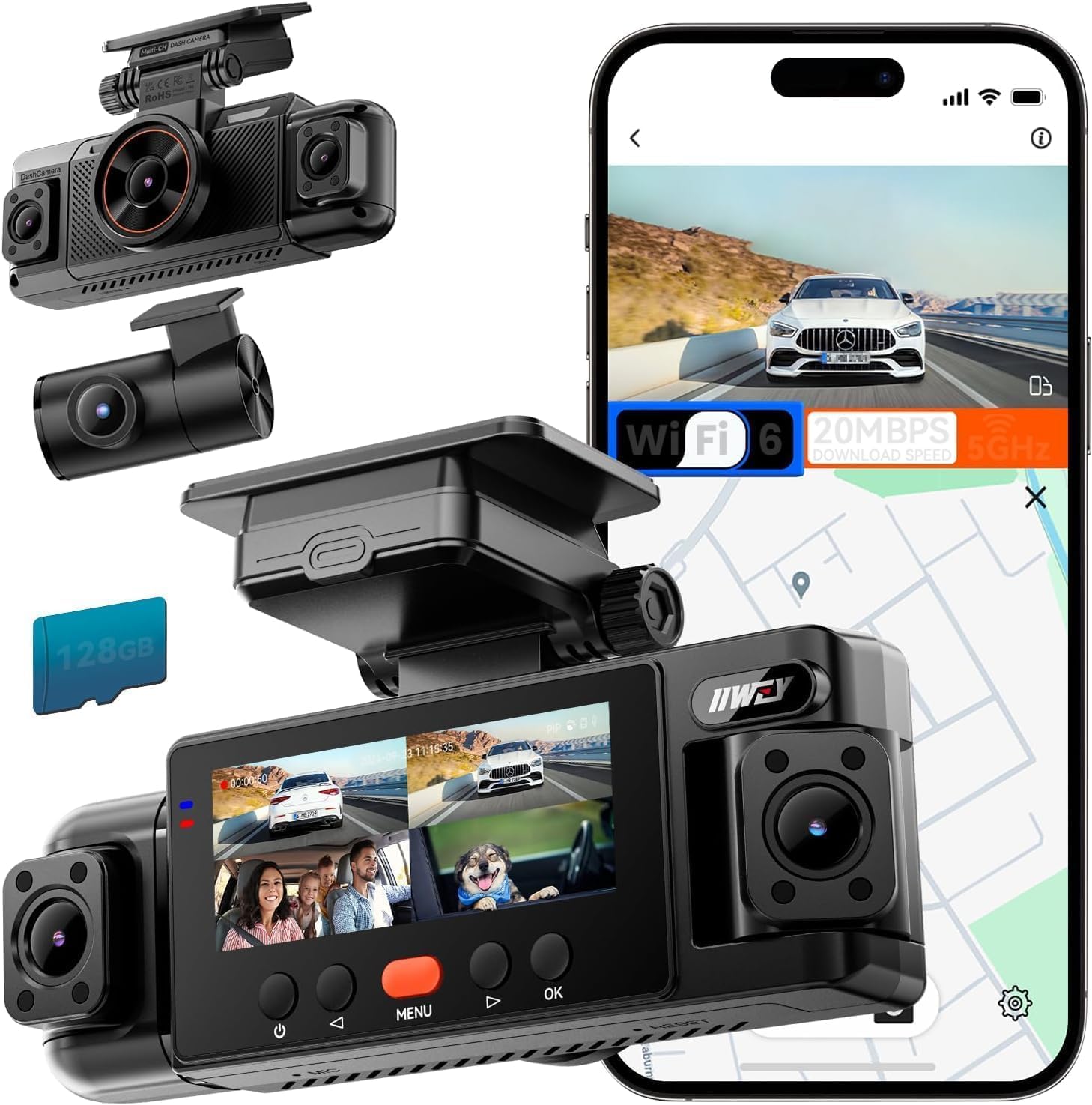
Four cameras are the reason the IIWEY N6 stands apart here. It records the front at 2K and adds rear and side views at 1080p, with eight IR lights for night coverage. For a rideshare driver who wants the widest possible record around the car, this is the most coverage we can get from one unit in this set.

The 128GB card is included, and the 5.8GHz Wi-Fi 6 connection is the faster setup in this group. GPS is built in, and the 3.18-inch IPS screen makes the menu easy to read. The camera is wired and uses a supercapacitor, which suits a vehicle that bakes in the sun.

We like the side coverage for lane changes and curb-side pickups, but the four-camera install is more work than a two-camera unit. You are running more cable and finding homes for more lenses. That is the trade-off for the extra view, and it is one we accept when the goal is a full record around the car.

Pros

  • Four-camera 360 coverage
  • 128GB card included
  • Eight IR lights for night vision
  • 5.8GHz Wi-Fi 6 and GPS

Cons

  • Parking mode needs a separate hardwire kit
Our verdict

We recommend the N6 when you want the widest record around the car from one unit.

Check Latest Price
7

High-Res Rear Coverage

TERUNSOUL D018D

89 /100
Keeper Score Excellent

Key details

Channels
3 (front, rear, cabin)
Included Card
128GB
Front And Rear
4K + 4K
Cabin Resolution
1080p
Check Price on Amazon

The 4K rear camera is the specification that makes the TERUNSOUL D018D worth a look. The front also records at 4K, and the cabin camera handles the inside view. For a driver who spends hours on highways and wants a clear view of what happens behind, that is the standout feature.

The 128GB card is included, and the camera supports up to 512GB. Wi-Fi 6 and GPS are built in, and the cabin camera has four IR lights. The 3.18-inch screen and included trim tool make the install feel thought through. The 21-foot rear cable gives you room to route through a sedan or small SUV.

Our judgement is that the D018D is the best pick here for rear detail. The 4K rear feed is the reason to choose it over the other three-camera picks, and the included card makes it ready to use. It is a specialist pick, not the default for every rideshare driver.

Pros

  • 4K front and 4K rear recording
  • 128GB card included, 512GB max support
  • Wi-Fi 6, GPS, and four IR cabin lights

Cons

  • Cabin camera is only 1080p
Our verdict

The D018D earns its place on rear detail: both the front and rear cameras record at 4K.

Check Latest Price
8

Premium 360 Coverage

FREEXAR D4

82 /100
Keeper Score Excellent

Key details

Channels
4 (front, rear, side, cabin)
Connectivity
5.8GHz Wi-Fi, GPS
Included Card
128GB
Front Resolution
4K
Check Price on Amazon

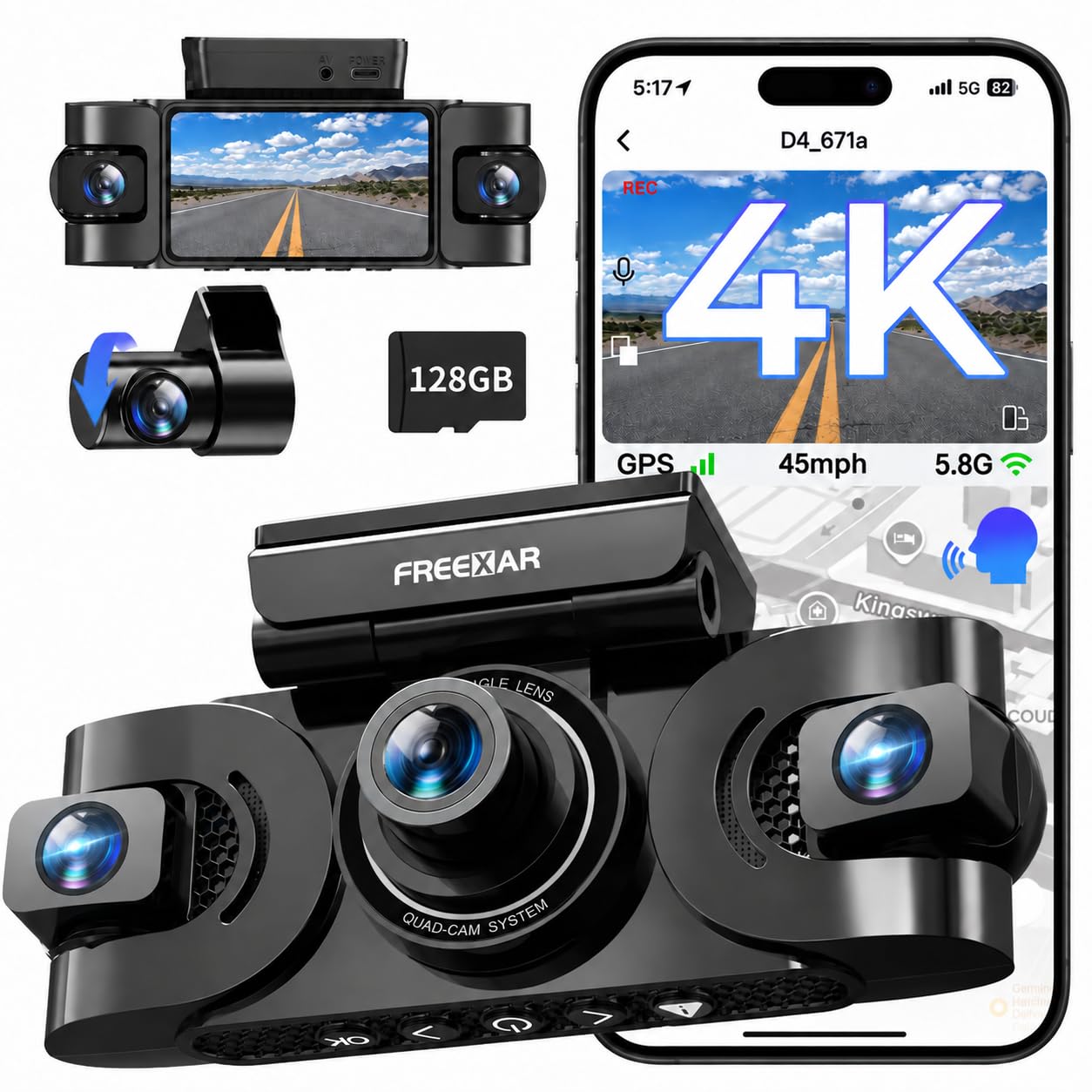
The FREEXAR D4 is the premium four-camera option here, and it is built around a simple rideshare promise: front, rear, side, and cabin views from one setup. The front camera records at 4K, and the 128GB card is included. That combination puts it at the top of the coverage ladder in this set.

We like the 5.8GHz Wi-Fi and built-in GPS, and the 3-inch screen is easier to use than the smallest displays here. The camera supports up to 256GB, so the included card is not the ceiling. The four adjustable cameras are the feature that makes it interesting; they cover the angles a rideshare driver usually has to piece together from separate units.

The 4K front footage is the part we trust most for plate detail, and the cabin camera adds the passenger view that matters in a dispute. The D4 also has a compact body for a four-channel unit, so it does not dominate the glass. We like that FREEXAR includes the mounting and cable tools in the box.

Our judgement is that the D4 earns a place for the driver who wants the most complete view and is willing to pay for it. It is a premium unit with a 4K front camera and a card in the box, and the four-camera layout is the reason to choose it. It is a specialist pick for maximum coverage, not the default for every driver.

Pros

  • Four-camera front, rear, side, and cabin coverage
  • 4K front camera
  • 128GB card included
  • 5.8GHz Wi-Fi and GPS

Cons

  • More cable and placement work than a two-camera unit
Our verdict

The D4 is the premium route to front, rear, side, and cabin views from one setup.

Check Latest Price

How We Tested the Best Dash Cams for Rideshare Driving

We started with every dash cam we could find that advertised a cabin-facing lens plus at least one other channel, then filtered out anything without GPS logging or an app that could export a clip without a computer. From there we narrowed to 12 units in the price range drivers actually shop, favoring models that shipped with a memory card and built-in GPS instead of selling them as add-ons.

Each one lived in a car for six months of ordinary driving: morning commutes, airport staging lots, evening pickups, and the pothole-heavy route to the grocery store. We installed every unit ourselves, timing how long a solo install took and whether the cable could be tucked behind trim without pulling panels. Once mounted, we checked that the cabin lens framed the back seat rather than the headrests.

Night was the real test. We recorded pickups with the interior lights off, then scrubbed the footage on a laptop, asking whether a face in row two was identifiable and whether a plate two car lengths ahead was readable. We timed how long it took to pull a one-minute clip over Wi-Fi while parked at a curb with the phone on cellular, counted how often the app dropped the camera and forced a reconnect, and tried the voice commands with the radio at a normal volume.

Reliability came from boredom rather than drama: we left every camera recording through hot afternoons in a sun-baked windshield, then checked for footage gaps, frozen timestamps, and units that needed a manual restart after the ignition cycled. Parking mode sat overnight in driveways to see whether it caught a passing car without draining the battery. Value came down to what was in the box — card, GPS, mounting hardware — against what we had to buy separately.

How to Choose a Dash Cam for Uber and Rideshare Driving

Start With the Views You Need

Every Uber or Lyft setup needs a clear front view and a cabin view. A two-camera unit like the COOAU D30S keeps the install simple because there is no rear cable to route. A three-channel model such as the 70mai T800E adds a rear view for collisions from behind, while a four-camera unit like the IIWEY N6 covers the sides as well. Decide whether you want a clean two-camera install or the widest record around the car; that choice matters more than the camera count on the box.

Judge Night Video by the Cabin Camera

Resolution sells cameras, but night-time cabin footage is where rideshare drivers get the most value. Look for infrared LEDs around the inside lens and a wide aperture; the Vantrue N2X pairs IR with a STARVIS 2 sensor and dual HDR, which is the strongest low-light combination in this set. The budget COOAU D20 also uses four IR lights and an f/1.8 aperture, so you do not have to pay the most for a usable back-seat view. Check a sample clip in a dark car before you trust the spec sheet.

Plan for Parking Mode and Heat

Parking mode is only useful if the camera has power when the ignition is off. Many units need a separate hardwire kit, including the IIWEY N6, so factor that into the install and check that the kit protects the car battery. We prefer a supercapacitor over a lithium battery in a hot windshield; the 70mai T800E and several other picks here use one. If you park in direct sun, heat tolerance matters as much as the parking feature itself.

Storage, Mounting, and Daily Retrieval

Loop recording means the camera overwrites the oldest clips, but the card still sets how far back you can go. Included cards range from 64GB on the 70mai T800E to 128GB on the IIWEY N6 and TERUNSOUL D018D, and some models accept up to 512GB. Format the card in the camera before the first shift. Mount the unit behind the mirror so it does not block your view, and test a clip download from the driver's seat before you rely on it.

Frequently Asked Questions

Final Verdict

We recommend the 70mai T800E for most Uber and rideshare drivers: it covers front, cabin, and rear, includes a 64GB card, and keeps the front view at 4K. If night-time cabin video matters more than rear coverage, choose the Vantrue N2X. If you want the widest view around the car, the IIWEY N6 is the better fit.