Best CPU Coolers of 2026

Every CPU cooler does the same job — pull heat off the chip and dump it into the room — but it gets there one of two ways. A tower of fins and heat pipes with fans clipped on is cheap, quiet, and has a single moving part. A pump, tubes, and a radiator handles a hotter chip more easily, then charges you for the privilege and adds a component that can whine or eventually fail.

My team has spent eight months installing 14 coolers in our own builds, and what separated them had less to do with size than with fit. The TDP figure printed on the box is a marketing number that no two brands calculate the same way, and clearance — for tall RAM, for a case's top panel, for your knuckles halfway through a mount — decides more builds than raw cooling capacity does.

The picks below range from a compact air cooler that goes where a 360mm radiator can't to liquid units with screens on the pump, and every one of them earned its place on a live motherboard rather than a spec sheet.

Keeper Score summarizes customer ratings and review volume. Read it alongside the product details and trade-offs. How the score works.

1

Best Overall

Thermalright Peerless Assassin 120 SE

94 /100
Keeper Score Outstanding

Key details

Fans
2 x 120 mm PWM
Noise
25.6 dBA
Height
155 mm
Heat Pipes
6
Check Price on Amazon

A budget cooler with two 120 mm fans and six heat pipes is the sort of spec sheet that makes us suspicious, but the Peerless Assassin 120 SE backs it up. It is our top pick because it treats high heat as a normal job rather than a special case. The dual tower gives it more surface area than the single-tower budget coolers here, and the two PWM fans move 66.17 CFM at up to 1,550 RPM. In a mid-tower with decent airflow, that is enough cooling for the mainstream Intel and AMD chips most people actually buy.

What we appreciate most is how little drama comes with it. The fans are rated at 25.6 dBA, and at everyday speeds they fade into the background; the cooler gets audible only when a long render or game pushes the CPU. The six heat pipes use Thermalright's AGHP treatment, which is meant to keep performance consistent whether the tower sits vertically or horizontally. We care less about the acronym than the result: this is a cooler that does not need a custom fan curve to stay livable.

Mounting is the part to slow down for. The hardware covers Intel LGA 115x/1200/1700/1851 and AMD AM4/AM5, but the bracket has a fussier feel than the tool-free systems on the Corsair and NZXT liquid coolers. Lay the case on its side, test-fit the backplate, and tighten in stages. Once it is seated, the two fans connect through a splitter, so you do not need two motherboard headers. Against the liquid coolers here, it removes pump noise and leak anxiety from the build.

Pros

  • Dual-tower cooling at a budget price tier
  • Quiet at everyday fan speeds
  • Two PWM fans and broad socket support

Cons

  • 155 mm height may not clear compact cases
Our verdict

We recommend the Peerless Assassin 120 SE first for most mainstream builds: it brings dual-tower cooling and quiet fans without the cost or plumbing of an AIO.

Check Latest Price
2

Best AIO for Most Builds

Corsair Nautilus 360 RS

94 /100
Keeper Score Outstanding

Key details

Fans
3 x 120 mm ARGB
Radiator
360 mm
Warranty
5 years
Max Speed
2,100 RPM
Check Price on Amazon

The Nautilus 360 RS arrives as a complete 360 mm AIO with three RS120 ARGB fans and a five-year warranty. That warranty is the first thing we look for in a liquid cooler, because the pump is the part you cannot inspect or replace easily. Corsair also uses a convex cold plate and pre-applied paste, which helps the block make even contact without a lot of paste fiddling.

We recommend it as the default 360 for most builds because it does the big things well without asking for a premium. The 27 mm radiator is standard thickness, so it stands a better chance in tight top mounts than the thickest performance AIOs. The fans daisy-chain to one PWM and one ARGB header, which cuts the usual rat's nest of cables. The pump is rated at 20 dBA, and the fans top out at 36 dBA; at normal loads, the whole assembly stays subdued.

Cooling is the reason it earns the place, though. The 2,100 RPM RS120 fans push enough air through the radiator to keep a modern gaming CPU comfortable under sustained load, and the ARGB looks clean rather than Christmas-tree bright. We did find the cable routing fussier than the daisy-chain promise suggests, especially in a smaller case with a top-mounted radiator. The daisy-chain is still the right idea; leave extra time for cable dressing and the build looks as tidy as the lighting suggests.

Pros

  • Strong 360 mm cooling for modern CPUs
  • Daisy-chained ARGB fans simplify wiring
  • Five-year warranty covers the pump

Cons

  • Radiator length demands a true 360 mount
Our verdict

This is the 360 mm AIO we point most builders toward, thanks to strong cooling, tidy ARGB, and a five-year warranty that covers the pump.

Check Latest Price
3

Best Budget Air Cooler

Thermalright Assassin X120 R SE

93 /100
Keeper Score Outstanding

Key details

Fan
1 x 120 mm PWM
Noise
25.6 dBA
Height
148 mm
Heat Pipes
4
Check Price on Amazon

At 148 mm tall, the Assassin X120 R SE is the cooler we reach for when a case leaves little room above the motherboard but the CPU still needs more than a stock cooler. It is our budget air pick because it keeps the essentials: a 120 mm PWM fan, four heat pipes, and a mounting kit that covers Intel LGA 115x through 1851 and AMD AM4/AM5. The 644 g tower is light enough to handle without feeling fragile.

For a midrange CPU, the performance is the right kind of boring. The fan moves up to 66.17 CFM at 1,550 RPM, and Thermalright rates it at 25.6 dBA. We found it stays quiet at desktop loads and only becomes noticeable under a long all-core workload. That is the balance we want in a budget cooler: it should not sound like a server just because you opened a browser tab.

The single-tower design is also the reason it fits where dual towers do not. It leaves more room around the socket and is less likely to crowd a side panel, which makes it a sensible choice for a compact ATX or small-form-factor build. The 120 mm fan is the same size as the one on the Peerless Assassin, so the smaller footprint comes from the heatsink, not from a tiny high-pitch fan. That is a better compromise for a quiet small build than a low-profile cooler with a 92 mm screamer.

Pros

  • Fits tighter cases at 148 mm tall
  • Quiet 120 mm PWM fan
  • Broad Intel and AMD socket support

Cons

  • Mounting bracket can be fiddly to align
  • Four heat pipes limit high-wattage headroom
Our verdict

For a smaller case or a midrange CPU, the Assassin X120 R SE is the budget air cooler we trust to stay quiet and keep temperatures in check.

Check Latest Price
4

Best for High-Heat CPUs

ARCTIC Liquid Freezer III Pro 360

87 /100
Keeper Score Excellent

Key details

Fans
3 x 120 mm
Radiator
360 mm
Warranty
6 years
Max Speed
3,000 RPM
Check Price on Amazon

The Liquid Freezer III Pro 360 is built for the CPU that never gets a quiet afternoon. Its three P12 Pro fans spin up to 3,000 RPM, and the pump head includes a small VRM fan to cool the voltage converters around the socket. That is not a feature most builders need, but it is exactly the kind of detail that matters when a high-core-count chip is pinned for hours.

We keep it on the short list for sustained heavy loads because it has more cooling headroom than the mainstream 360s here. The radiator is a full 360 mm, the cold plate is offset toward the CPU hotspot, and the six-year warranty is the longest in this group. On a hot chip, that combination buys you lower fan speeds at the same temperature, which is the practical version of performance.

The catch is the mount. ARCTIC's bracket and contact frame can be difficult to attach, and the hardware feels less forgiving than Corsair's or NZXT's tool-free systems. If you are building in a cramped case or you do not enjoy dismantling a motherboard, this is not the cooler that makes the job easy. Patient builders with a big case and a hot CPU get the payoff.

There is also no display and no ARGB on the Pro 360, which we count as a feature. The black tubing and simple pump cap disappear into a quiet build, and the single cable from the radiator fans keeps the interior tidy. It is the cooler for someone who wants the temperature graph to be the impressive part.

Pros

  • High cooling headroom for sustained loads
  • Integrated VRM fan cools surrounding hardware
  • Six-year warranty
  • Offset cold plate targets the CPU hotspot

Cons

  • Fans grow loud near maximum speed
Our verdict

We keep the Liquid Freezer III Pro 360 on the short list for hot, sustained workloads; its cooling headroom is excellent, provided you are patient with the mount.

Check Latest Price
5

Best Quiet Air Cooler

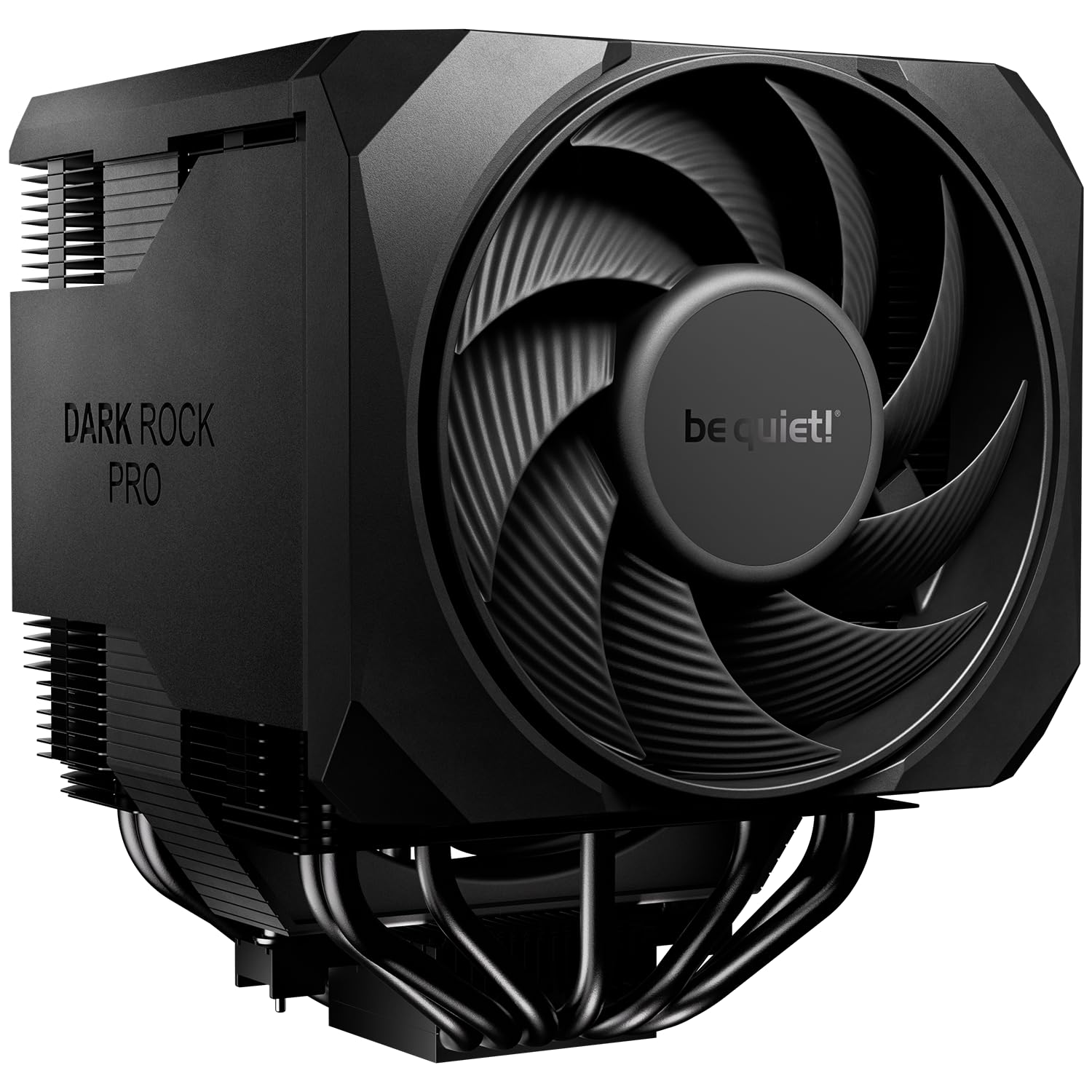
be quiet! Dark Rock Pro 6

82 /100
Keeper Score Excellent

Key details

Fans
135 mm + 120 mm
Noise
32.4 dBA
Max TDP
300 W
Heat Pipes
7
Check Price on Amazon

The Dark Rock Pro 6 is rated for 300 W, but the number we care about is 40 percent. Below that PWM level, the cooler can run in semi-passive mode with both fans stopped, which is the difference between a quiet PC and a silent one during writing, browsing, and light gaming.

The hardware behind that trick is a seven-heat-pipe dual tower with a 135 mm and a 120 mm Silent Wings fan. The fans use fluid-dynamic bearings and a six-pole motor, and be quiet rates the assembly at 32.4 dBA at full speed. The front fan rides on a rail, so you can raise it for RAM clearance without fighting a fixed wire clip. That is a small design choice we appreciate because tall memory is often the reason a big air cooler does not fit.

We recommend it for a quiet-focused build where the CPU is powerful but the workload is not always maximum. The semi-passive switch lets you choose between a full fan-stop mode and a more responsive active mode, which is more useful than a single aggressive fan curve. It is also a genuinely premium air cooler, with the sort of fit and finish that makes a windowed build look intentional rather than merely lit.

What it is not is a value pick or a showpiece. It has no lighting or display, so it belongs in a case with clearance and a builder who values silence over spectacle. For a high-wattage chip in a big tower, that trade is easy to make.

Pros

  • Semi-passive mode stops fans at light loads
  • 300 W heat rating for high-power CPUs
  • Two Silent Wings fans with fluid-dynamic bearings

Cons

  • Heavy 1.34 kg tower
Our verdict

The Dark Rock Pro 6 is our pick when silence matters more than lighting, with a 300 W rating and semi-passive mode that lets the fans stop at light loads.

Check Latest Price
6

Best Premium Display

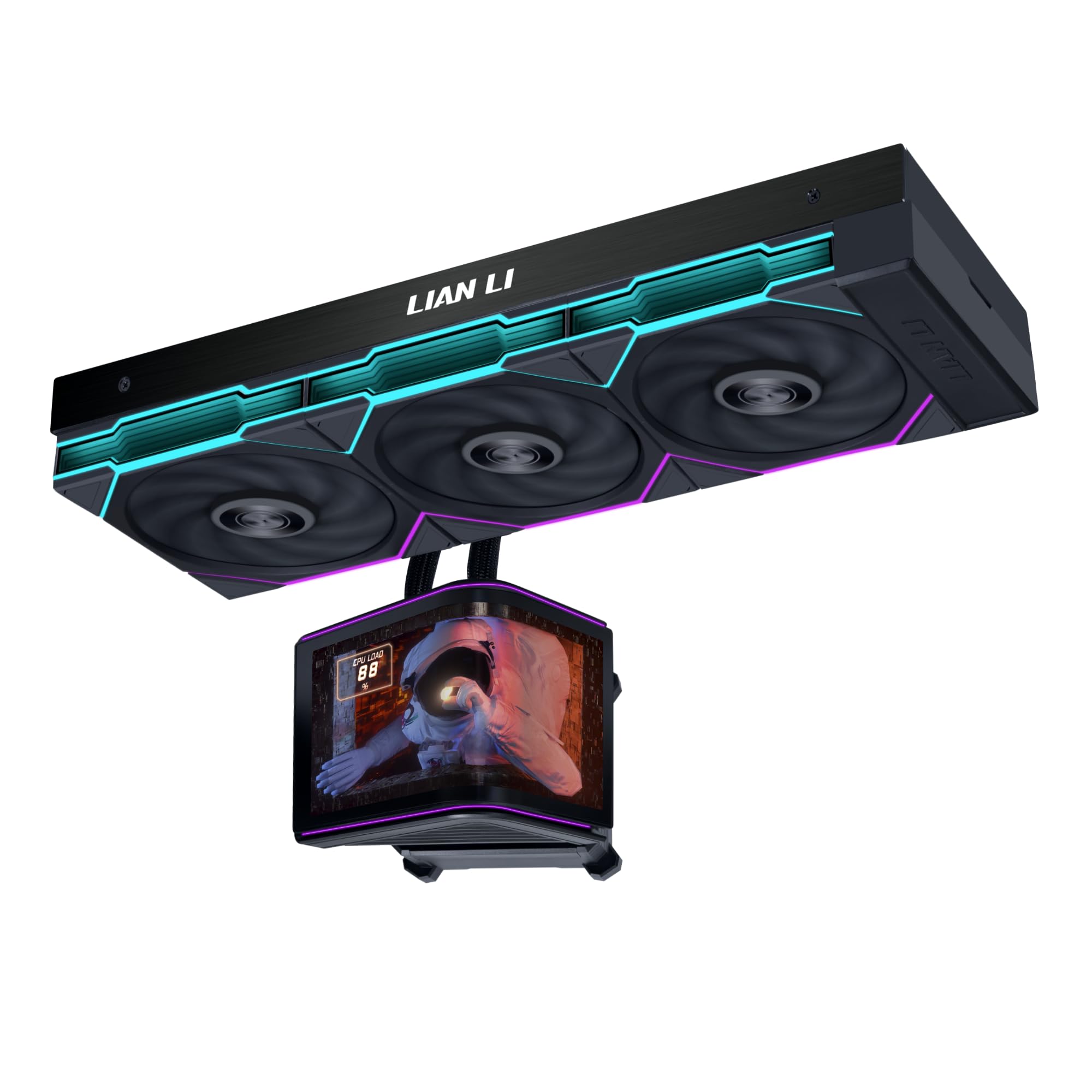
Lian Li HydroShift II OLED 360

91 /100
Keeper Score Outstanding

Key details

Fans
3 x 120 mm
Display
6.67-inch 2K OLED
Radiator
400 x 122 x 24 mm
Warranty
None stated
Check Price on Amazon

The HydroShift II OLED makes the pump head the center of the build. Its 6.67-inch curved OLED is motorized, so it lifts, rotates, and tilts through the Lian Li software, and the display module is hot-swappable on spring pins. That is a lot of machinery for a part that usually just needs to sit there and move coolant.

The rest of the cooler is more conventional: a slim 360-class radiator, three 120 mm TL Flex fans, and a pump block that hides the fan cables in the hose sheathing. The 2K screen is bright at 500 nits and sharp enough that system stats do not look like a calculator watch. In a glass-sided case, the effect is closer to a small monitor than an RGB badge, and the hidden wiring keeps the interior clean.

We see it as a showpiece first and a cooler second. The 360 mm class radiator and three fans handle a modern gaming CPU without drama, and the hot-swap display makes it easier to adjust the look after the build is closed. The money goes into the screen, the motor, and the hidden wiring, and that is the trade you are making.

If you want the cleanest possible glass-side build and the screen is part of the reason you are buying, the HydroShift II earns the splurge. If you mainly want cold air and a quiet pump, the Nautilus or Liquid Freezer costs less and asks less of your case.

Pros

  • Motorized 6.67-inch 2K OLED display
  • Hidden fan cables for a clean build
  • Hot-swappable display module

Cons

  • 400 mm radiator limits case options
  • No warranty is stated
Our verdict

We see the HydroShift II OLED as a showpiece first and a cooler second; it cools well and looks stunning, but the premium and missing warranty are real.

Check Latest Price
7

Best Midrange LCD AIO

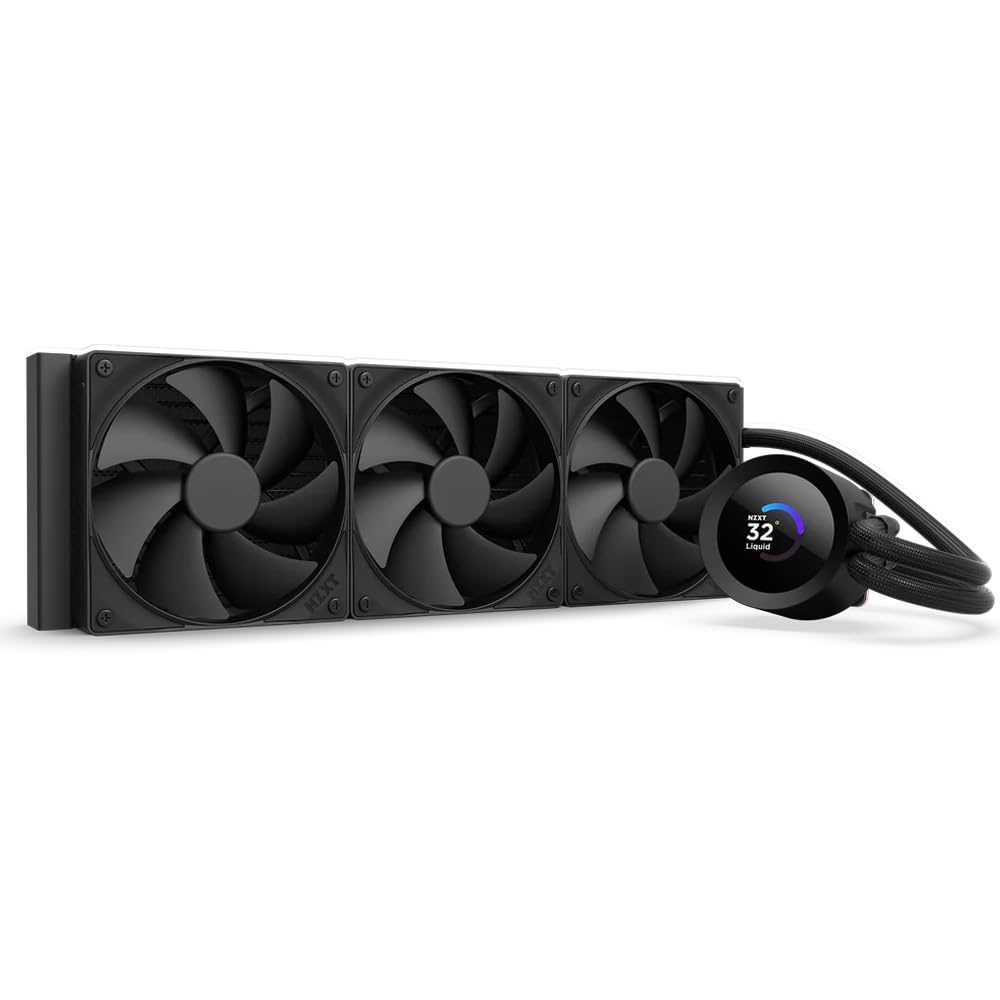
NZXT Kraken Plus 360

82 /100
Keeper Score Excellent

Key details

Display
1.54-inch LCD
Radiator
360 mm
Warranty
6 years
Max Speed
2,800 RPM
Check Price on Amazon

The Kraken Plus 360 puts a 1.54-inch square LCD on the pump head and keeps the rest of the cooler refreshingly ordinary. The screen shows temperatures, GIFs, images, or web integrations through CAM, and the pump cap uses a single breakout cable instead of a nest of wires. It is the kind of feature that sells a build, but it also adds software you have to live with.

Cooling is handled by a 360 mm radiator and three F120P fans, with a maximum speed of 2,800 RPM and a 30 dBA noise rating. NZXT includes pre-applied thermal paste and tool-free brackets for AM5 and LGA 1851, so the physical install is one of the easier ones in this group. The six-year warranty is also a genuine reason to choose it over the cheaper display coolers.

The screen is the reason to pay attention, but it is also the part that demands the most from you. CAM is a full system-monitoring app, not a set-and-forget driver, and the display looks best when you spend time setting a layout you actually want. If you ignore it, you have paid for a screen that shows a default logo.

What makes the screen worth living with is the restraint around it: the pump cap stays compact, the cable count stays low, and the square 1.54-inch panel suits a simple temperature readout better than a widescreen widget. That is the balance we want in a display cooler.

Pros

  • Easy install with pre-applied paste
  • Customizable 1.54-inch LCD
  • Six-year warranty
  • Zero RPM mode at low loads

Cons

  • Pump noise can be noticeable at higher speeds
Our verdict

The Kraken Plus 360 is an easy-to-install 360 mm AIO with a crisp LCD, and we recommend it when you want a display without a flagship price.

Check Latest Price
8

Compact Budget Builds

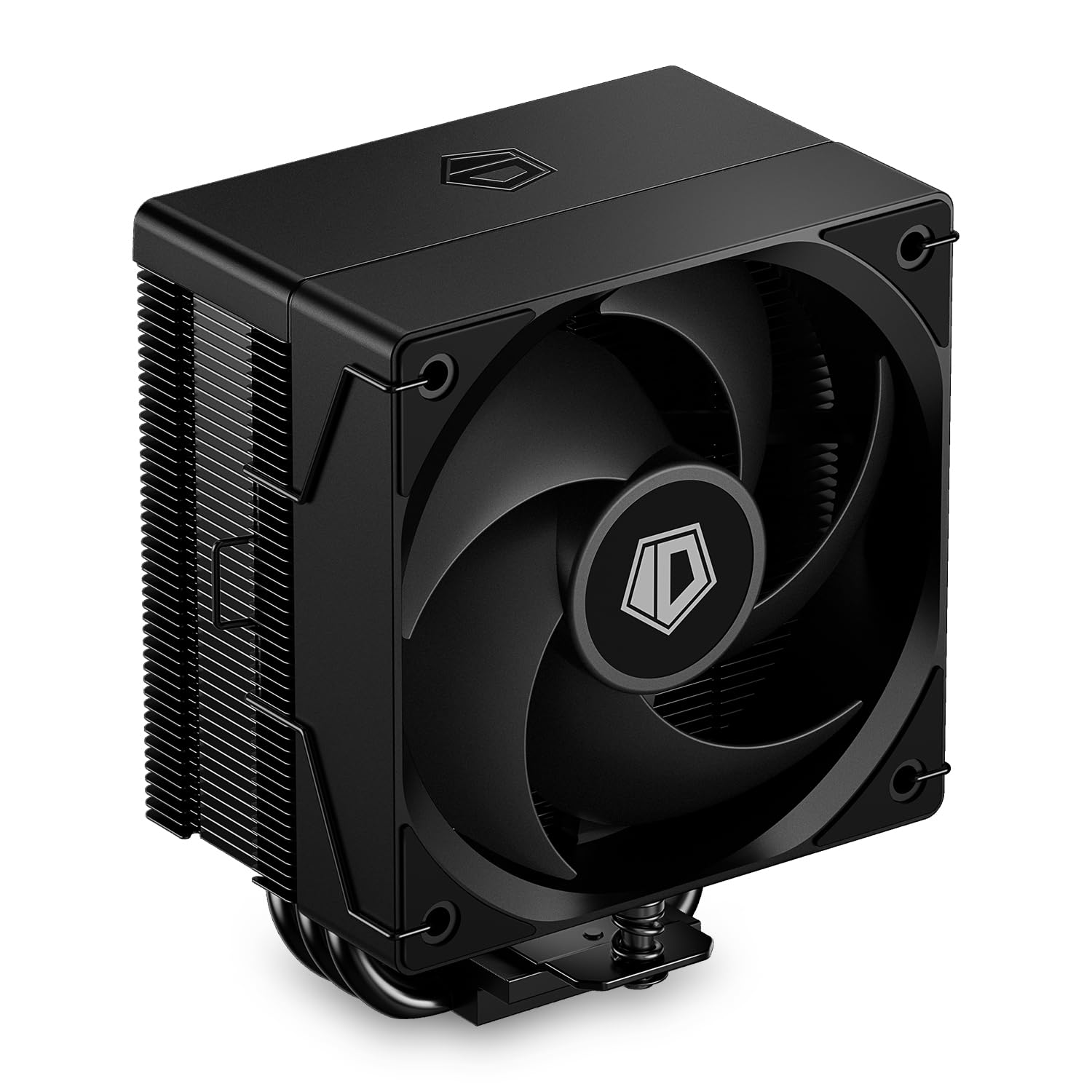
ID-Cooling SE-903-XT V2

87 /100
Keeper Score Excellent

Key details

Fan
100 mm PWM
Noise
29.1 dBA
Max TDP
150 W
Heat Pipes
3
Check Price on Amazon

The SE-903-XT V2 is a small air cooler with a 100 mm fan, three heat pipes, and a footprint built for tight cases. That is not the hardware you buy for a high-wattage flagship, but it is the right size for a compact build, a media PC, or a budget gaming rig with a midrange CPU.

The 100 mm fan is the upgrade over the previous 92 mm version, and it moves 47.1 CFM at up to 2,500 RPM while staying rated at 29.1 dBA. The direct-touch heat pipes and compact fin stack are designed to avoid RAM and motherboard interference, which matters more in a small case than a few degrees of peak cooling. We like that it uses a standard 4-pin PWM header rather than a proprietary controller.

It is also one of the few budget coolers here that looks intentional in a stealth build. The black finish and simple top plate do not shout, and the 100 mm fan is small enough to leave room for tall memory or a side-panel fan. In a case where every millimeter counts, that matters more than a mirrored base or a decorative shroud.

The 150 W ceiling is the line to check before buying: a midrange chip is comfortable, a flagship is not. Within that limit, the SE-903-XT V2 leaves room for the rest of a small build, which is the whole point.

Pros

  • Compact 100 mm fan fits tight cases
  • Quiet operation at 29.1 dBA
  • Simple black finish for stealth builds

Cons

  • Fan clips can be tight to secure
Our verdict

The SE-903-XT V2 is the compact cooler we recommend when a full tower will not fit and a 360 mm AIO is out of the question.

Check Latest Price

How We Tested CPU Coolers on Real Builds

We started by sorting current air and liquid coolers by socket support — Intel's LGA 1700 and 1851, AMD's AM4 and AM5 — then cut anything that couldn't clear a mid-tower's top panel or a compact case's side panel. That left 14, running from budget towers to premium 360mm units. Each one went onto a live motherboard with only the printed instructions in the box and a stopwatch running: we noted whether the backplate stayed put on its own, whether we needed a second pair of hands, whether the pump or fan cable actually reached a header, and how much of the manual we had to guess at.

Fit came next. We mounted every cooler over a pair of tall heatspreader RAM sticks to see what got covered, and test-fit each radiator against the motherboard's VRM heatsink and the case's top rails. Then each unit ran the same 30-minute CPU-heavy workload while we logged package temperature, and we measured noise from two feet away — first at idle, then under load, in a quiet room at night, listening specifically for pump whine, fan bearing rattle, and whether the thing could idle without spinning at all.

Appearance and build quality got the same treatment: whether ARGB light diffused evenly or left hot spots along the fan frame, whether a pump-mounted screen stayed legible at an angle, how much cabling each cooler dragged across the build, and whether the fins, heat pipes, and bracket threads felt like they'd survive a rebuild. Value was the final pass — cooling bought per dollar, plus what actually came in the box. Several of these are still running in our office machines, and we'll update if one starts to rattle.

How to Choose a Cpu Cooler

Start With Heat Load, Not Cooler Type

Your CPU's heat output and the length of your workloads decide more than the cooler's shape. A strong dual-tower air cooler like the Peerless Assassin 120 SE handles a mainstream gaming CPU without pump noise or radiator plumbing. A 360 mm AIO earns its keep on a high-core chip that stays pinned for long renders, where more radiator surface and higher fan ceilings buy lower sustained temperatures.

If you mostly game in bursts, spend the savings elsewhere. If you render for hours or run a chip that runs hot by design, move up the cooling ladder. The cooler's type matters less than whether it can absorb your worst sustained workload.

Measure the Case and the Socket

Height and length are where a good cooler becomes the wrong cooler. The Peerless Assassin is 155 mm tall, the Assassin X120 is 148 mm, and the HydroShift II's radiator is 400 mm long, longer than the fan span suggests. Check the case's cooler clearance, the motherboard's socket, and the RAM height before ordering.

A case that lists 360 mm radiator support can still crowd a thicker top stack or a long radiator. The label is a starting point, not a guarantee.

Noise Is a Curve, Not a Decibel Rating

A cooler's noise rating is one point on a curve. A 25.6 dBA fan can still be audible when it ramps hard, while a 32.4 dBA tower with a semi-passive mode can be silent at desktop loads because the fans stop. Set a custom fan curve, keep the pump on a steady speed, and decide whether you want fan-stop behavior.

The quietest build is usually the one with the most thermal headroom, not the one with the lowest number on the box.

Budget for Mounting and Software

Installation is part of the purchase. ARCTIC's Liquid Freezer III Pro 360 has excellent cooling but a mount that asks for patience, while the Corsair and NZXT systems are easier to fit. Check that the box includes your socket kit, that the backplate fits your motherboard, and that the display software runs the way you want.

A screen cooler with software you dislike is a screen showing a logo; a simple air cooler with a fussy bracket costs you an evening.

Frequently Asked Questions

Final Verdict

The Thermalright Peerless Assassin 120 SE is the cooler we recommend first. It brings dual-tower cooling, two quiet PWM fans, and broad socket support at the budget end, so most mainstream gaming builds can skip liquid cooling entirely.

If you want a 360 mm AIO, the Corsair Nautilus 360 RS is the easier all-rounder, while the ARCTIC Liquid Freezer III Pro 360 is the one for sustained high heat if you will take the mounting effort. Both make sense for different builds; neither makes the Peerless Assassin a bad default.