Best Condenser Microphones of 2026

A condenser microphone is a detail machine — that's the entire design brief. The same sensitivity that makes a voice sound like a person rather than a phone call also grabs the laptop fan, the keyboard clatter, and the truck idling at the curb. The right one lets you sound like yourself without soundproofing the spare room.

I've recorded under blanket forts and at kitchen tables, and the boring specs decide more than the exciting ones. Over eight months, our team ran 12 condenser mics through the same sessions — podcast episodes, voice-over, streaming, and late-night takes with a TV on in the next room — comparing sound, setup time, and what comes in the box. Worth knowing before you buy: four polar patterns look great on a spec sheet, but for one voice at one desk, a cardioid capsule and a real shock mount matter more than a dial you'll touch twice. USB gets you recording in minutes; XLR buys room to grow if you already own an interface. The picks below sort by which of those situations you're in.

Keeper Score summarizes customer ratings and review volume. Read it alongside the product details and trade-offs. How the score works.

1

Best Overall

HyperX QuadCast

96 /100
Keeper Score Outstanding

Key details

Weight
1.6 lb
Included
Shock mount, pop filter, stand, mic-arm adapter
Connectivity
USB
Polar Patterns
Cardioid, bidirectional, omnidirectional, stereo
Check Price on Amazon

A condenser microphone is usually a shopping list before it is a microphone: stand, shock mount, pop filter, cable. The QuadCast arrives as the finished list. The elastic suspension is built into the frame, the pop filter sits behind the grille, and the desk stand and a mic-arm adapter come in the box, so the only thing you add is the computer.

Four patterns are why we keep it at the top of this group. Cardioid for one voice, bidirectional for an interview across a desk, omnidirectional when you want the room, and stereo if you ever point it at an instrument. The tap-to-mute pad on top became the detail we used every session: the red LED goes out the moment you touch it, which is quieter and faster than finding a mute in software.

A 1.6-pound body rated from 20 Hz to 20 kHz with a 90 dB signal-to-noise figure is a sensitive instrument, and sensitivity cuts both ways. On the wider patterns it hears the fan, the fridge, and the street, and even in cardioid you want to be within a hand's width with the gain dial near the bottom of its travel. That is a placement habit rather than a fault, but it is the habit that decides whether a condenser flatters your voice or exposes your room.

The connector is the one place the design shows its age. It takes a Mini-USB cable rather than the USB-C the rest of this group has moved to, so replacing a lost cable is a small errand. Replacing that cable is the only errand this microphone has ever given us.

Pros

  • Four polar patterns cover solo, interview, and room capture
  • Built-in shock mount, pop filter, and desk stand
  • Tap-to-mute pad with a clear status LED
  • Gain dial within reach on the body

Cons

  • Mini-USB cable connection rather than USB-C
  • Plastic body feels less substantial than metal rivals
Our verdict

We recommend it as the default desk mic: four patterns, a built-in shock mount, and tap-to-mute cover streaming, calls, and two-person recordings without buying a single accessory.

Check Latest Price
2

Best Hybrid XLR/USB

RØDE NT1 5th Gen

93 /100
Keeper Score Outstanding

Key details

Weight
10.9 oz
Included
Shock mount, pop filter, XLR and USB-C cables
Connectivity
XLR and USB-C
Polar Pattern
Cardioid
Check Price on Amazon

Most condensers make you pick a side, a studio XLR chain or a USB mic for the desk. The NT1 5th Gen refuses to. There is an XLR output for an interface and a USB-C port that runs RØDE's Revolution preamp and converts at up to 192 kHz, so the same microphone can sit in a treated room one day and beside a laptop the next.

The capsule is the part that matters. RØDE rates it at 4 dB of self-noise, the figure that decides how much hiss you hear when you push the gain on a quiet voice, and the character is warm rather than bright. Over USB it records in 32-bit float, which is real insurance: a level that would clip a 24-bit take can be pulled back afterwards, so a sudden laugh mid-sentence is recoverable rather than ruined.

We like the bundle as much as the microphone. The SM6 shock mount and pop filter come with it, along with a 6 m XLR cable, a 3 m USB-C cable, and a dust cover, which is the difference between opening one box and opening four. RØDE also extends the warranty to 10 years, which is a long time to stop thinking about a purchase.

There is a practical difference between the two modes worth knowing. Over USB the mic is the interface, so you monitor through the computer and set levels in software; over XLR, phantom power comes from your interface and the 32-bit safety net is gone. Having both is what makes the price feel less like a premium and more like two microphones in one body.

Pros

  • XLR and USB-C in one microphone
  • 4 dB self-noise rating for quiet sources
  • Shock mount, pop filter, and both cables included
  • 32-bit float recording over USB protects against clipping

Cons

  • Cardioid pattern only
  • Price includes accessories you may already own
Our verdict

The one we reach for when a session might move between an interface and a laptop: a genuinely quiet studio capsule that also plugs straight into USB-C.

Check Latest Price
3

Best XLR Starter

Audio-Technica AT2020

95 /100
Keeper Score Outstanding

Key details

Power
Phantom power required
Weight
1.32 lb
Connectivity
XLR
Polar Pattern
Cardioid
Check Price on Amazon

The AT2020 is the microphone everyone points at when someone asks what to buy first, and the honest answer includes a second purchase. It is XLR only, so it needs an interface or mixer that supplies phantom power before it makes any sound at all, and that device is a real line in the budget rather than an afterthought.

What you get for the money is a clean, uncoloured cardioid with a metal body and a side-address design, which means you talk across the grille instead of into the end of it. The pattern rejects what is behind and beside the mic, so it behaves better in an ordinary room than its sensitivity suggests. It adds very little character of its own: what you record sounds like the voice, with the room attached.

The rest of the chain is where the money goes. A boom arm gets the capsule off the desk, a pop filter keeps plosives off the grille, and an interface with a quiet preamp matters more than the next microphone up the range. Do that and you have a chain that will outlast the computer it is plugged into.

Pros

  • Clean, uncoloured cardioid sound
  • Metal body with a side-address design
  • Rejects sound from the sides and rear

Cons

  • No XLR cable or stand included
Our verdict

We think it is still the right first XLR condenser: a clean, uncoloured cardioid that gets out of the way of a voice, provided you budget for the interface that feeds it.

Check Latest Price
4

Best for Streamers

Elgato Wave:3 MK.2

95 /100
Keeper Score Outstanding

Key details

Weight
7.52 oz
Onboard DSP
Clipguard 2.0, auto gain, EQ, compressor
Connectivity
USB-C
Polar Pattern
Super cardioid
Check Price on Amazon

Setting levels is the part of recording nobody enjoys, and the Wave:3 MK.2 automates most of it. Clipguard 2.0 rides the gain in stages so a sudden laugh does not turn into a distorted spike, and auto gain settles on a working level after a few seconds of speech. The appeal is simple: plug in over USB-C, talk, and stop thinking about the meter.

That is why we point streamers here rather than at a studio XLR mic. The multifunction dial handles headphone volume and mic gain, the top surface mutes with a tap, and the LED ring shows level and mute state at a glance. In a live chat, where you cannot stop to open a settings panel, a mute you can hit without looking is worth more than a slightly nicer capsule.

Wave Link is the other half of the pitch. It splits the mic, your game, and your music into separate channels so you can hear one mix and send another to the stream, and it hosts VST plugins in a single chain. None of it is required: without the app this is still a plug-and-play USB-C condenser with a mute button. Install it and you get routing that would otherwise take a mixer and a drawer of cables.

The capsule is a tight cardioid with a 110 dB signal-to-noise rating, and it is sensitive enough to notice a mechanical keyboard across the desk if you push the gain. Close placement and a low gain setting do more for the sound than any plugin. At 7.52 ounces with a desk stand, thread adapters, and a USB-C cable in the box, it also travels without drama.

Pros

  • Clipguard 2.0 and auto gain set levels for you
  • Tap-to-mute with a live LED level ring
  • Wave Link routing and VST support
  • Works plug-and-play without the app

Cons

  • Wave Link settings can drop between sessions
  • Desk stand only, no boom arm
Our verdict

Our pick for anyone going live: auto gain and Clipguard take care of levels so you can stream without a mixer, and the mute sits right where you can hit it mid-sentence.

Check Latest Price
5

Best for Live Monitoring

Blue Yeti

93 /100
Keeper Score Outstanding

Key details

Weight
3.5 lb
Monitoring
Headphone jack, zero latency
Connectivity
USB
Polar Patterns
Cardioid, bidirectional, omnidirectional, stereo
Check Price on Amazon

The Yeti undercuts our top pick on price and adds a headphone jack on the front with zero-latency monitoring. If you have ever finished a take and discovered you were too quiet, too close, or too loud, that jack is the fix: you hear yourself while you speak instead of afterwards.

Four patterns and a tri-capsule array cover the same ground as the HyperX: cardioid for solo work, bidirectional for an interview, omnidirectional for a group around a table, and stereo for anything you want wide. The controls sit on the front — pattern, mute, gain, headphone volume — so the hardware works with no software at all. Blue VO!CE adds broadcast-style processing in the app when you want it.

Where the Yeti gives ground is the room. It is a heavy, sensitive microphone with a 3.5-pound metal body and 100 dB of signal-to-noise, and it hears the keyboard, the chair, and the fan with equal enthusiasm. Our advice is the usual one: cardioid, close, gain down, and a boom arm rather than the desk stand, which passes every tap straight into the capsule. Do that and it is a warm, full voice mic for the money; skip it and your recording is as much room as voice.

Pros

  • Headphone jack with zero-latency monitoring
  • Four patterns with controls on the body
  • Metal body with a 3.5-pound build
  • Blue VO!CE processing available

Cons

  • Long-term durability is the weak spot
Our verdict

We keep it on the list for the headphone jack: four patterns, onboard controls, and zero-latency monitoring make it the easiest mic here to check yourself on while you record.

Check Latest Price
6

Best Step-Up XLR

Audio-Technica AT2035

94 /100
Keeper Score Outstanding

Key details

Included
Custom shock mount
Switches
80 Hz high-pass, 10 dB pad
Connectivity
XLR
Polar Pattern
Cardioid
Check Price on Amazon

Two small switches on the front of the AT2035 explain most of the step up from the AT2020. The 10 dB pad gives you headroom when someone leans into the mic, and the 80 Hz high-pass filter cuts desk rumble, footfall, and traffic before any of it reaches your interface. We think that pair is what turns a good starter microphone into one you keep.

The capsule is a large diaphragm with low self-noise, and the character is smooth rather than bright, which suits deeper voices and long narration sessions where a brittle top end wears thin. It handles high sound pressure levels without strain, so a loud singer is as comfortable on it as a quiet voice-over. A custom shock mount comes in the box, which is the accessory most people forget to buy.

What you are paying for over the AT2020 is the filtering, the mount, and a little more headroom. If your desk transmits every keystroke, your voice is loud, or you plan to record instruments as well as speech, that is money well spent. If none of that describes your setup, the cheaper model does the same job and leaves budget for a better arm.

Pros

  • Switchable 10 dB pad and 80 Hz high-pass filter
  • Low self-noise with a smooth top end
  • Custom shock mount included
  • Handles loud sources without strain

Cons

  • XLR only, so you supply the interface and cable
Our verdict

Our choice once you already own an interface: the pad and high-pass filter handle loud voices and rumbling rooms, and the shock mount comes with it.

Check Latest Price
7

Best Budget Kit

FIFINE T669

93 /100
Keeper Score Outstanding

Key details

Cable
8.2 ft
Included
Boom arm, shock mount, pop filter, windscreen
Connectivity
USB-A / USB-C detachable
Polar Pattern
Cardioid
Check Price on Amazon

Open the T669 and a desk setup falls out: a scissor boom arm with a C-clamp, a shock mount, a pop filter, a foam windscreen, and an 8.2-foot detachable cable that ends in both USB-A and USB-C. The mic itself is a cardioid condenser with a gain knob and nothing else to configure. No other kit in this guide arrives with this much hardware.

Setup is genuinely plug-and-play. Clamp the arm to the desk, screw the shock mount on, plug in, and the computer sees a microphone — no driver, no app, no phantom power. The arm rotates 180 degrees vertically and reaches forward and back, which is enough to get the capsule off the desk and in front of your face. That single change does more for how you sound than most upgrades.

The capsule is a 20 Hz to 20 kHz cardioid with a modest 78 dB signal-to-noise rating, and for speech it does the job: clear, close, and a little thin at the bottom, which is what a voice channel wants. The gain knob is coarse but usable. There is no software to install, and nothing to fight with at two in the morning.

The arm is where the money went missing. Arms in this class can sag under the weight of a shock mount over time, and the clamp is usually the first part to fail, so treat the arm as the replaceable part of the kit. We still recommend the bundle, because a beginner with the capsule in the right place will out-record someone with a better mic balanced on a bookshelf.

Pros

  • Arm, shock mount, and pop filter included
  • Plug-and-play USB with a gain knob
  • Clear, close voice sound
  • Detachable USB-A and USB-C cable

Cons

  • Boom arm and clamp are the weak point
Our verdict

We recommend it as the first kit for someone who owns nothing: arm, shock mount, pop filter, and a usable cardioid capsule for less than most mics here cost alone.

Check Latest Price
8

Small Desks

FIFINE K669B

91 /100
Keeper Score Outstanding

Key details

Weight
5.6 oz
Included
Tripod stand, USB cable
Connectivity
USB-A / USB-C
Polar Pattern
Cardioid
Check Price on Amazon

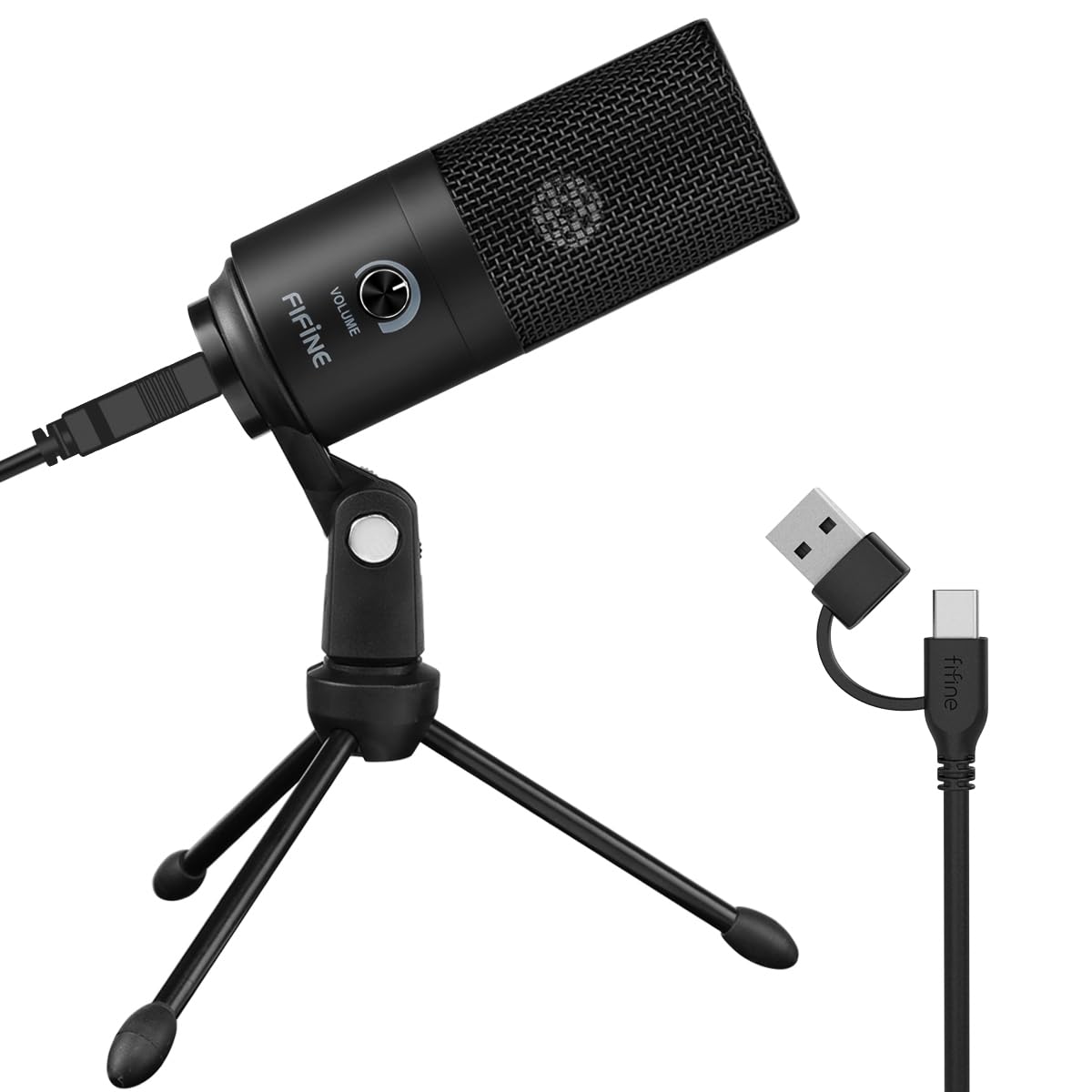
At 5.6 ounces on a small tripod, the K669B takes up about as much desk as a coffee mug. That sounds like faint praise until you have tried to fit a boom arm, a shock mount, and a pop filter onto a shared desk in a spare room. This one sits down, points at you, and disappears.

It is a cardioid condenser in a metal shell with a volume knob on the front and a 20 Hz to 20 kHz range, and it connects over USB-A or USB-C with the cable in the box. There is no software, no pattern switch, and no settings to lose. One knob, one job.

For meetings, scratch voice-over, and a first podcast, the sound is clear and close, and it is the least expensive way into a real condenser. What it will not do is hide a noisy room: the capsule is sensitive, so a fan, a keyboard, or a street outside lands in the recording unless you keep the mic close and turn the gain down.

We think it makes sense as a first microphone and as a spare, not as the centre of a studio. The footprint is the argument: it goes where a kit will not fit, it needs no setup, and it asks nothing of you afterwards.

Pros

  • Tiny footprint on a small tripod
  • Plug-and-play with a volume knob
  • Metal shell at a budget price
  • Clear, close voice sound

Cons

  • Durability is the weak point
Our verdict

We point people here when the desk is small and the budget is tight: honest voice sound, one knob, and nothing to configure.

Check Latest Price

How We Chose and Tested the Best Condenser Microphones

We started with a few dozen mics and cut the list by the things that actually change a purchase: whether it connects over USB or XLR, whether the pickup pattern suits one person or a pair, whether a shock mount and pop filter come in the box or cost extra, and where each one sits on price. That left 12 to test, from budget USB kits with a boom arm included up to studio-grade XLR mics.

Each one recorded the same 60-second script at the same desk, then moved to a home office with a vent humming overhead and a spare bedroom with a mechanical keyboard. I timed setup from opening the box to first take, noting whether the stand or arm needed tools and whether the companion software demanded an account before it would open — and whether its effects actually cleaned up the voice or just added lag. Then I played the takes back to back on headphones and wrote down which voices came through clean and which dragged room tone along with them.

For the noise floor, I recorded 30 seconds of silence in a closet and listened back with the volume up, which tells you more about hiss than any spec sheet. I pushed gain until the noise became obvious, switched patterns mid-session for a two-person interview, and pointed each mic at a TV playing in the next room to hear how much it rejected. A colleague with a deep voice and one with a soft one read the same lines, since suitability depends on whose voice it is. Over the months, mics rode in backpacks, got knocked off arms, and had their grilles, threads, and knobs checked, while I kept a running list of what shipped in each box — cable type and length, shock mount, pop filter, arm — and weighed it against the price.

How to Choose a Condenser Microphone

USB or XLR: Start With What You Already Own

A USB condenser is a complete recording chain in one box. You plug it into a computer, the computer sees a microphone, and you are recording, which is why the HyperX QuadCast and the Elgato Wave:3 need nothing else to get started. An XLR condenser such as the Audio-Technica AT2020 or the RØDE NT1 is one link in a chain you build: a cable, an interface or mixer that supplies phantom power, and usually a stand.

The trap is arithmetic. The mic looks cheaper than the USB alternative until you add the interface, and XLR models often ship without a cable at all. Buy XLR when you want the microphone to outlast the computer and the interface to be upgradeable on its own; buy USB when you want to be recording in ten minutes.

How Many Polar Patterns Do You Actually Need?

Cardioid, the heart-shaped pickup that ignores what is behind the mic, is what almost everyone uses almost all the time. Extra patterns are a convenience, not a quality upgrade: bidirectional lets two people share one mic across a desk, omnidirectional captures a group around a table, and stereo is for instruments rather than voices.

If you record alone at one desk, put the difference into a better arm and a quieter room instead of a fourth pattern. If you interview people in the same room, a multi-pattern mic like the Blue Yeti earns its keep, because a second microphone and a second input cost more than the switch does.

The Stand and Shock Mount Are Half the Purchase

A condenser on a short desk stand sits at keyboard height, and every keystroke travels up through the desk into the capsule. A boom arm moves the mic off the desk and in front of your mouth, where it belongs, and it is the upgrade we notice most in a recording. The budget kits here include one, which is much of why they are worth buying.

Check the clamp against your desk before you commit. Clamps have a maximum thickness, and a desk with a lip or a bevel can leave nowhere to grip. On the cheapest kits the arm and clamp are also the first parts to sag or break, so plan on replacing the arm at some point and keeping the microphone.

Controls, Monitoring, and Software

A physical mute you can hit without looking is worth more than a software mute during a live call. On-mic gain matters too, because it lets you fix a level without switching windows. Headphone monitoring, as on the Blue Yeti, is the feature people miss most once they have had it: hearing yourself while you talk catches the take that is too quiet before you finish it.

Software processing is the optional layer. Clipguard and auto gain on the Wave:3 flatten the level-setting chore, Blue VO!CE adds broadcast colour, and Wave Link routes separate channels to your stream and your headphones. Useful, but treat it as a bonus: settings can drop between sessions, and the mic has to sound right without the app open.

Your Room Is Part of the Recording

Every condenser in this guide is sensitive enough to hear a fan, a fridge, or a keyboard, and the more open the pattern, the more room arrives with the voice. That is not a defect; it is what a condenser does. The fix is distance and gain: get close, turn the gain down, and let the capsule do the work rather than the preamp.

Soft furnishings, a rug, and a mic placed between you and the noise do more than any plugin. If your room is shared, echoey, or next to a street, be honest about that before you spend more on a capsule — a cheaper mic in a quiet corner beats an expensive one in a live kitchen.

Frequently Asked Questions

Final Verdict

The HyperX QuadCast is the microphone we point most people to, because it answers the whole question at once: four patterns, a shock mount, a pop filter, a stand, and a mute you can hit in the dark. Nothing else here removes as many follow-up purchases.

Spend more only for a specific reason. If you want one mic that works with an interface and without one, the RØDE NT1 5th Gen is worth the premium. If you already own an interface, the Audio-Technica AT2020 is the cleanest cheap route into XLR. And if you are starting from nothing, the FIFINE T669 gets the capsule off the desk for the least money.