Best VR Charging Docks of 2026

The low-battery chime always lands at the worst possible moment — you're mid-round, the headset is at 12 percent, and now you're on your knees untangling a USB-C cable. A charging dock is supposed to end that: set the headset on the stand, drop the controllers on their contacts, walk away. Plenty of them only look like they do that.

We've spent four months with 12 of them, charging nightly after sessions and leaving several plugged in for days at a stretch. What separates the good ones isn't the light show — it's whether the magnetic contacts actually catch when you set a controller down one-handed in a dark room, and whether the rechargeable batteries hold through a long weekend of play.

These docks also sit in your living room, so appearance counts: how much shelf they eat, where the cable exits, whether the lighting can be dimmed below nightlight level. Quest 2, 3, and 3S controllers don't share a battery compartment either, so fit is worth checking before you buy. The picks below are the ones that handled all of it.

Keeper Score summarizes customer ratings and review volume. Read it alongside the product details and trade-offs. How the score works.

1

Best Overall

YOGES Q30 Pro Charging Dock

86 /100
Keeper Score Excellent

Key details

Charges
Headset and 2 controllers
Compatibility
Quest 3, Quest 3S
Controller Batteries
2 rechargeable, covers included
Stated Headset Charge
About 2.5 hours
Check Price on Amazon

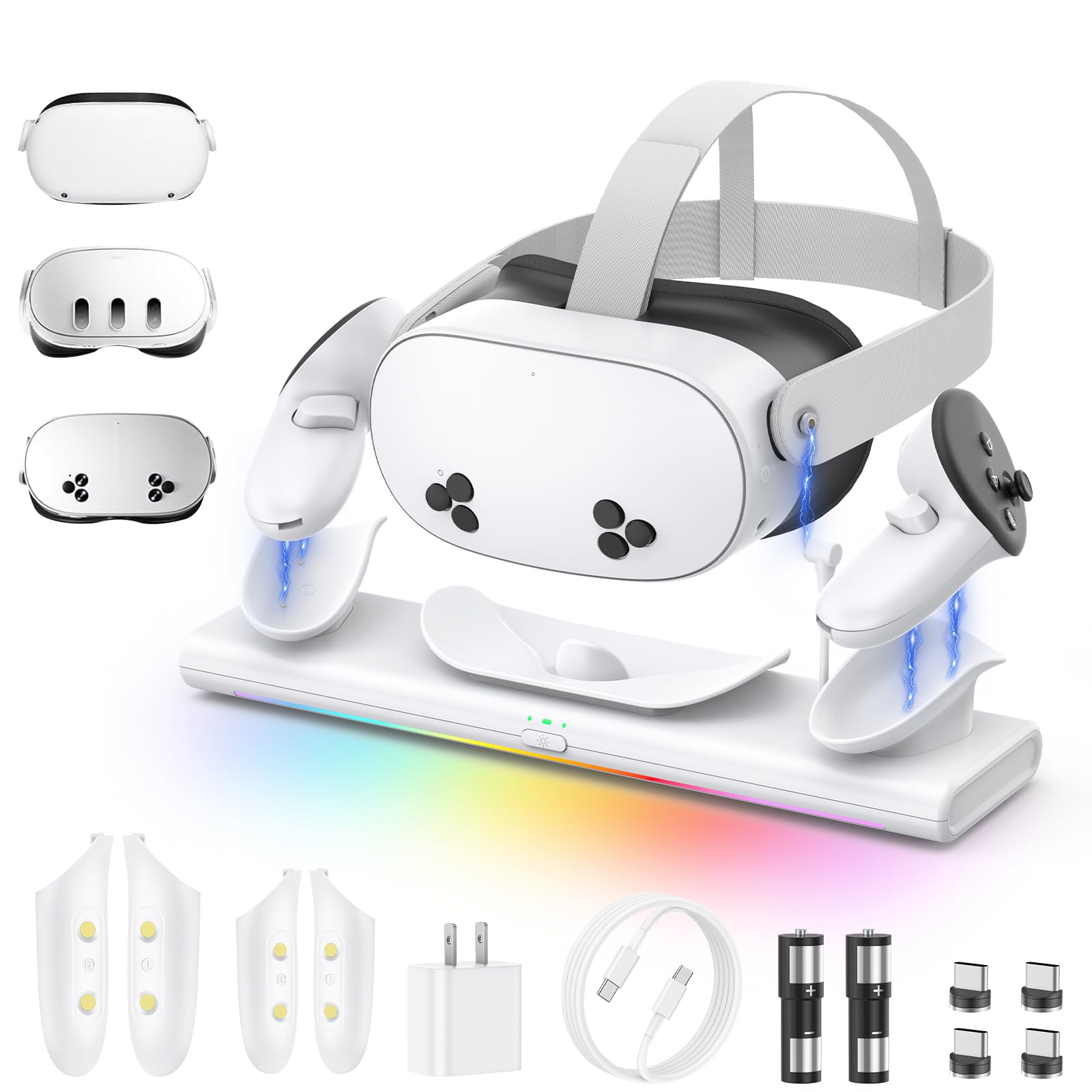
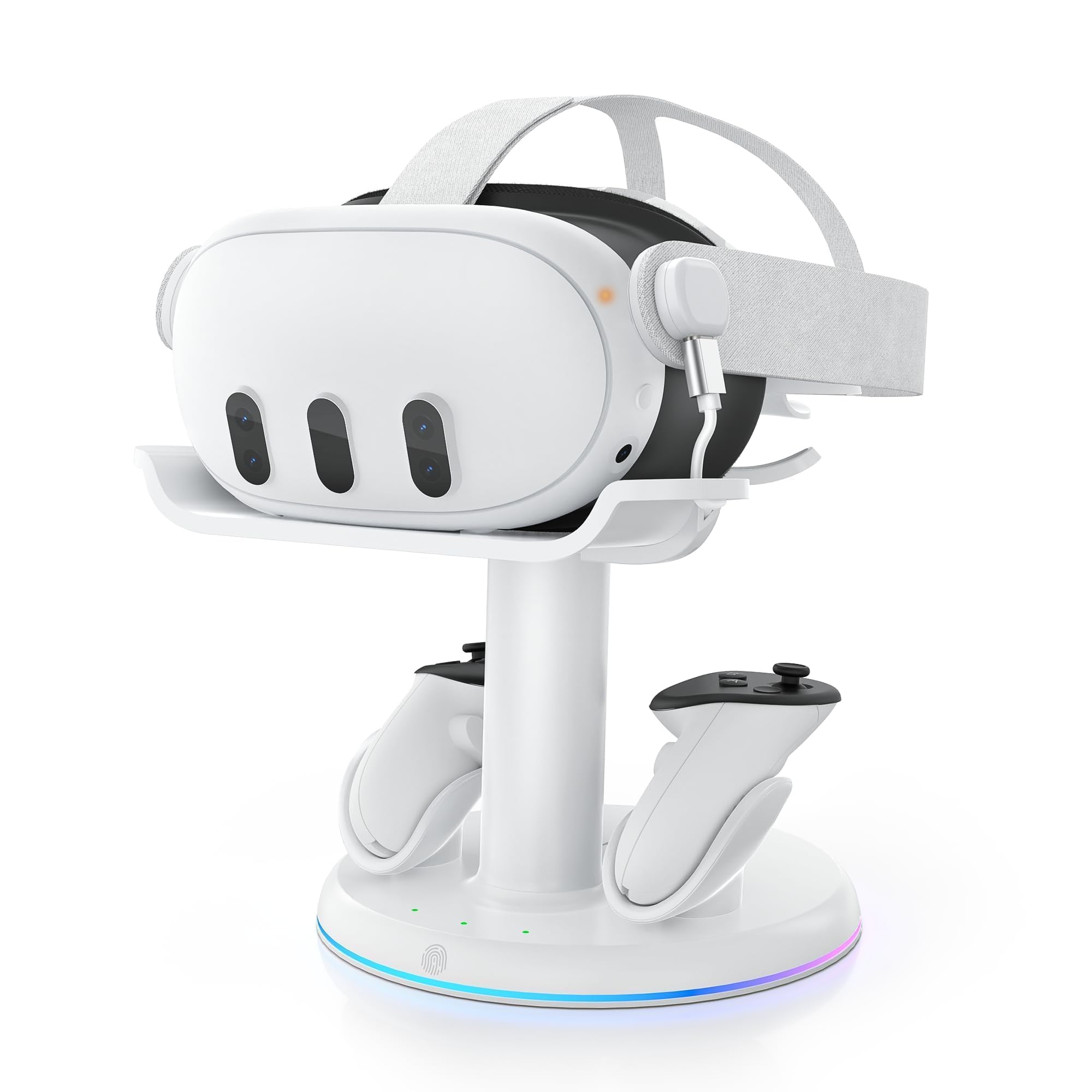
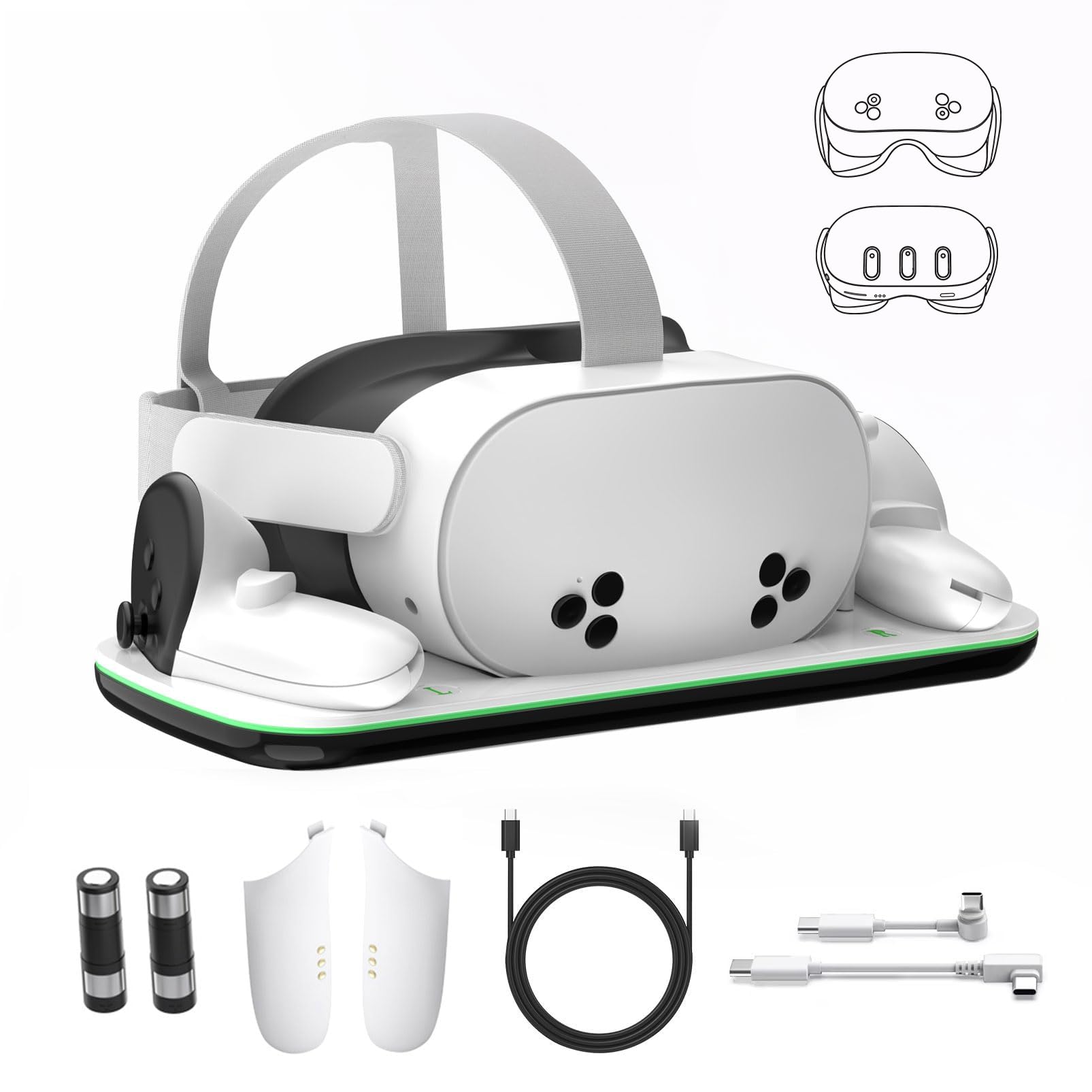
Two rechargeable controller batteries and two replacement covers come in the YOGES box, and that is the detail that decides it for us. Controller batteries are the running cost of owning a Quest, and a dock that includes the packs and the covers turns the whole business into a non-issue. Fitting the covers is a one-time job; after that the controllers go into the base and charge on contact.

The headset side is a top cradle fed by a USB-C connection rather than a pin dock, and YOGES quotes about two and a half hours for a full charge, among the quicker claims in this group. The stand is compact — eight inches square by two high — so it takes a corner of a desk rather than the desk itself. It is also Quest 3 and 3S only, and the company says so plainly: a Quest 2 will not fit.

Clearance for an Elite Strap with a battery is the other thing that separates it from the cheaper docks here, and the LED can be switched off when the dock lives in a bedroom. A one-year warranty is part of the deal, which matters in a category where the contacts are the first thing to give out.

The routine it creates is the point: headset down, controllers down, done. The one thing to get right on day one is the covers — seated a hair off, a controller will not start charging, and the only clue is the light. Fit them carefully once and the dock disappears into the furniture.

Pros

  • Battery packs and covers in the box
  • Fits an Elite Strap with battery
  • About 2.5 hours for a full headset charge
  • One-year warranty included

Cons

  • Controller packs may not last a year
Our verdict

The dock we point Quest 3 and 3S owners to: it charges the headset and both controllers, and the battery packs and covers come in the box.
Check Latest Price
2

Best for PC Link Setups

AMVR CD2 Charging Dock

82 /100
Keeper Score Excellent

Key details

Ports
USB 3.0 hub
Charges
Headset and 2 controllers
Compatibility
Quest 3, Quest 3S
Power Adapter
33W PD included
Check Price on Amazon

The USB port is what makes the AMVR dock different. Charging a Quest through a magnetic adapter normally costs you the headset's own USB-C port — the adapter lives in it — so anyone who also runs a Link cable spends their evenings swapping one for the other. AMVR builds a USB 3.0 hub into the base, which gives a port back and saves the headset's connector from being worked loose every session.

Both ends charge magnetically: two 1500mAh packs with covers for the controllers, and a magnetic connector for the headset. The cradle is listed as fitting most face pads and battery, halo, or Elite straps, which is the widest accessory tolerance on this page — useful once the stock facial interface has been swapped for something thicker.

AMVR quotes about two hours for the headset and three and a half for the controllers, and it includes a 33W PD adapter, so those figures do not depend on finding a charger in a drawer. Rated at 30W, it is the most powerful dock here, and the six RGB modes are there if the desk wants them.

What you are paying for is the parts nobody else bundles: the adapter, the hub, the strap tolerance. If none of those solves a problem you actually have, the cheaper docks here charge just as well, and the DOBE does the same job with less on the shelf.

Pros

  • USB 3.0 hub gives a port back
  • 33W PD adapter included
  • Fits most face pads and straps
  • About two hours for a full headset charge

Cons

  • Controller charging needs precise seating
  • Most expensive dock in this group
Our verdict

The most capable dock here, and the one for a Quest that doubles as a PC headset: a USB hub in the base, a 33W adapter in the box, and generous strap clearance.

Check Latest Price
3

Best Slim Design

DOBE FOMIS TY-3827 Dock

80 /100
Keeper Score Excellent

Key details

Charges
Headset and 2 controllers
Wall Adapter
Not included, 15W or higher
Compatibility
Quest 3, Quest 3S
Controller Batteries
2 rechargeable, covers included
Check Price on Amazon

Most of these docks are furniture whether you want them to be or not. DOBE's is the one that tries not to be: a low, flat base with a short upright in white plastic, with no ambition to be a display stand. The indicator lights — orange while charging, green when full — toggle off, which is the difference between a dock that can live on a nightstand and one that cannot.

What we like is that nothing practical got traded for the smaller footprint. The headset charges through a magnetic connector, so there is no cable to find at midnight, and the controllers charge through the included packs and covers. Setup takes a couple of minutes, and at around a pound the whole thing is light enough to move but stable enough that dropping the headset in does not shift it.

The status display is split, and it is worth knowing before you buy: the dock's own lights report the controllers, while the headset's charge level still comes from the headset itself, so you will be looking at the inside of the visor or opening the app. A small thing, but it is the difference between a dock that tells you everything at a glance and one that tells you most of it.

Pros

  • Slim, low-profile base
  • Indicator lights switch off
  • Magnetic headset connection, no cable
  • Controller packs and covers included

Cons

  • No wall adapter in the box
Our verdict

The slim one: it sits low on a nightstand, the indicator lights switch off, and it still charges the headset and both controllers.

Check Latest Price
4

Best for Quest 2

Hurra Charging Dock for Quest 2

88 /100
Keeper Score Excellent

Key details

Output
10W
Charges
Headset and 2 controllers
Compatibility
Quest 2
Controller Batteries
2 rechargeable, covers included
Check Price on Amazon

Hurra's listing argues with itself. The title and the model number say Quest 2; the marketing bullets talk about Quest 3 and 3S. The spec table is the tiebreaker for us, and it lists Oculus Quest 2, so treat this as a Quest 2 dock with copy borrowed from a newer product. Check your headset before ordering, because a Quest 3 will not sit in a Quest 2 cradle.

For a Quest 2, the routine is the right one. The headset drops onto a magnetic connection instead of a cable, the controllers charge through two included packs and covers, and the base lights double as the status display and can be switched off. Set it up once and the nightly job is two hand movements.

Build is where it pulls ahead of the cheaper stands. The plastics are sturdier than most on this page, the cradle holds the headset without wobble, and the weighted base stays put when the headset comes in hotter than intended.

What settles it is how little the thing asks of you: no cable to find, no batteries to buy, no ritual beyond setting the headset down. That is a low bar, and it is the bar most docks on this page miss.

Pros

  • Magnetic charging for headset and controllers
  • Rechargeable packs and covers included
  • Sturdier plastics than most here
  • Lights can be switched off

Cons

  • 10W output is the slowest here
  • Heavy aftermarket straps shift the balance
Our verdict

For a Quest 2 still doing weekly duty, this is the dock to get: magnetic charging, rechargeable packs, and a base that stays where you put it.

Check Latest Price
5

Fast Charging Value

Hagibis PD 20W Charging Dock

78 /100
Keeper Score Very Good

Key details

Power
PD 20W
Charges
Headset and 2 controllers
Compatibility
Quest 3S, Quest 3, Quest 2
Stated Headset Charge
About 2.5 hours
Check Price on Amazon

The number that caught our eye on the Hagibis listing is 1,000-plus charge cycles on the controller batteries. That is a claim rather than something we can confirm in a season of use, but it aims at the right problem: dead packs are what retire a dock, and a dock promising longer-lived cells is worth a look before you read anything else.

The rest of the spec is competitive: PD 20W charging with about two and a half hours quoted for the headset, magnetic connectors for the headset and both controllers, RGB lighting, and a compatibility line covering Quest 3S, 3, and 2 from one dock — broader than our top pick, which handles 3 and 3S only.

Where it gives ground is time in service. This is the newest dock here, with the shortest history to judge it by, and the faults that matter in a charging dock — a contact that stops connecting, a pack that will not hold — show up months in. Buy it for the fit and the spec, and keep the receipt.

Pros

  • PD 20W charging
  • Packs rated for 1,000-plus cycles
  • Fits Quest 3S, 3, and 2

Cons

  • Shortest track record of any dock here
Our verdict

The fastest-quoted charging in the middle of this group, with packs rated for longer life and one dock that lists all three Quest generations.

Check Latest Price
6

Mixed Quest Households

alcopanda VR Charging Stand

86 /100
Keeper Score Excellent

Key details

Weight
1.08 lb
Charges
Headset via Type-C cable
Compatibility
Quest 3S, Quest 3, Quest 2
Controller Storage
Quest 2 and Quest 3
Check Price on Amazon

Controllers are what break a dock's compatibility across generations, and alcopanda's answer is real estate: Quest 2 controllers hang from side suspensions, Quest 3 controllers sit in the base. If your house has one of each — a 3S in the living room, an old Quest 2 in a bedroom — this is the only stand on this page that gives both a home.

It is a stand rather than a dock, and that is the honest description. The headset goes into a tilted tray and you plug the included Type-C cable into it yourself each night. We rate it for tidiness and for the small footprint rather than for convenience, because the nightly plug-in is the ritual you already have — there is just somewhere to put the headset afterwards.

Two details make it nicer than a bare stand. The cable routes up the upright, so the plug sits right where the port is instead of dangling behind a shelf, and the base is widened and weighted, so it does not skate when the headset goes in one-handed. Assembly is a couple of minutes, and the whole thing weighs just over a pound.

Pros

  • Holds Quest 2 and Quest 3 controllers
  • Cable routes to the headset port
  • Weighted, stable base

Cons

  • Controller cradles store but do not charge
Our verdict

The stand for a house with two Quest generations: it parks Quest 2 and Quest 3 controllers separately and keeps the headset off the floor.

Check Latest Price
7

Quest Pro Owners

Bioherm RGB Charging Dock

87 /100
Keeper Score Excellent

Key details

Charges
Headset via Type-C
Lighting
14 colors, brightness control
Compatibility
Quest 2, 3, 3S, Quest Pro
Check Price on Amazon

Quest Pro owners have almost nothing to pick from in this category, and Bioherm is the only dock here that lists Quest Pro alongside Quest 2, 3, and 3S. That earns it a place on its own. What it is, plainly, is a vertical stand that charges the headset over USB-C and gives the controllers somewhere to sit while it does.

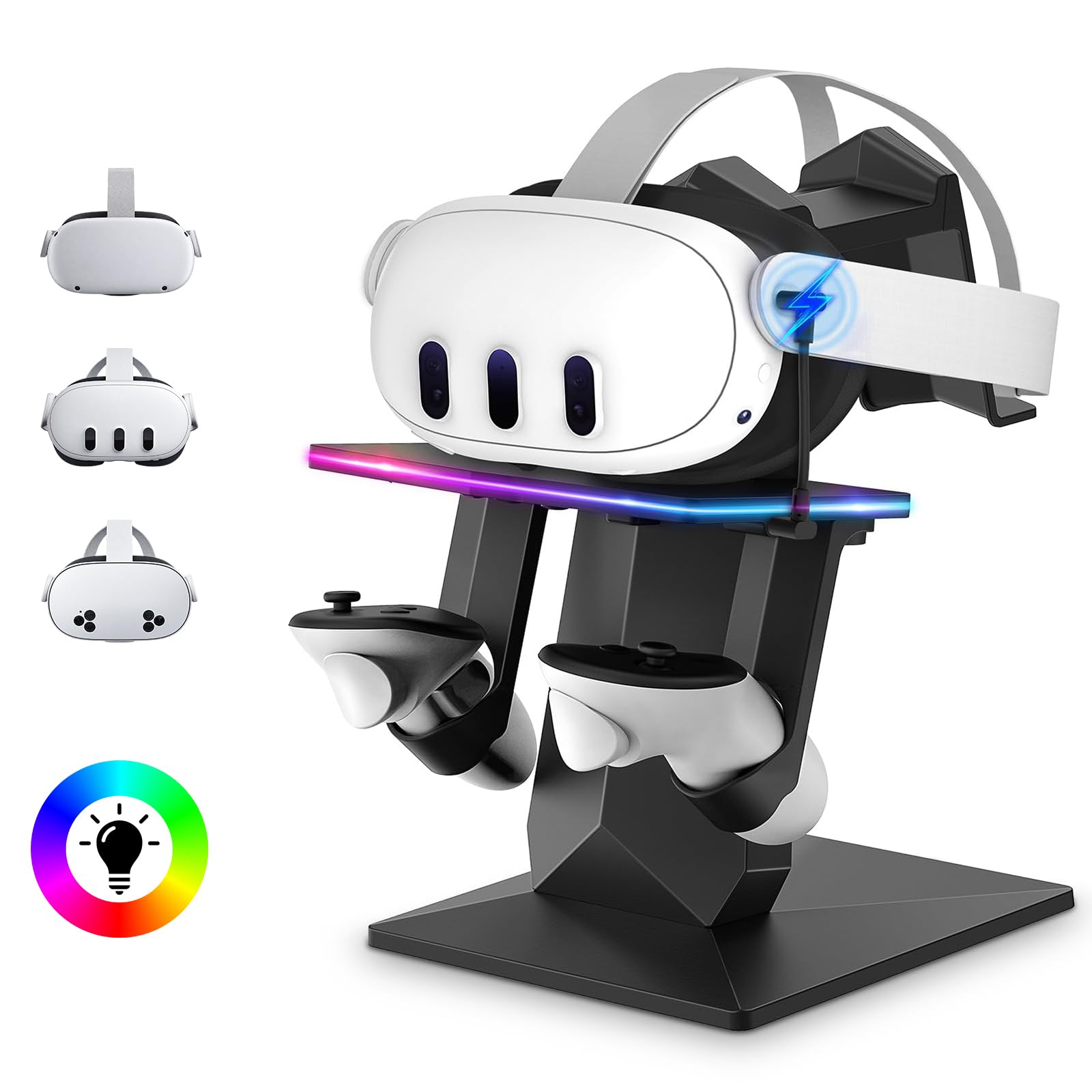
The lighting is the other reason to choose it: 14 colors with brightness control, adjusted on the dock itself rather than through an app, which is more control than the on and off toggles elsewhere. The base is wide with four non-slip pads, so it sits still on a shelf.

Charging is where to be careful. A dock that lit up and did not charge the headset is the out-of-box failure to watch for, so buy it somewhere with an easy return rather than as a gift you cannot take back. For a Quest Pro with no better option, that is a reasonable risk; for a Quest 3, the docks above are safer ground.

Pros

  • Only dock here listing Quest Pro
  • 14 colors with brightness control
  • Compact vertical stand

Cons

  • Costs as much as the full charging kits
Our verdict

The only dock here that lists Quest Pro, with the most adjustable lighting in the group — worth it if nothing else in this category fits your headset.

Check Latest Price
8

Non-Quest Headsets

G-STORY Charging Dock

85 /100
Keeper Score Excellent

Key details

Charges
Headset via built-in cable
Assembly
Tool-free, under a minute
Compatibility
Most VR headsets, incl. PSVR 2
Controller Batteries
None included
Check Price on Amazon

Every other dock on this page is built around one headset family. G-STORY's stand is not: it lists compatibility from Quest through PSVR 2, Rift, Rift S, and Valve Index, which makes it the one here that could survive an upgrade or serve a house with two VR setups.

The hardware is simple in a way that mostly works: ABS with anti-slip silicone feet, a widened base with some weight in it, red and green status lights, and assembly in about a minute with no tools. Charging is a built-in USB-C cable running up the upright — plug it into the headset and the stand passes power through to it.

What it does well is the display job: the headset sits up with the strap hanging clear, the base stays where it is put, and the whole thing reads as a stand rather than a gadget. For a PSVR 2 owner, or anyone who wants one stand to outlast the headset, that is the case for it.

Pros

  • Fits Quest, PSVR 2, Rift, and Index
  • Tool-free assembly in about a minute
  • Weighted base with silicone feet

Cons

  • Built-in cable charges slowly
  • No controller charging or packs
Our verdict

The one stand here that is not Quest-specific: it lists PSVR 2, Rift, and Index too, which makes it the pick for a mixed or soon-to-be-replaced headset.

Check Latest Price

How We Tested the VR Charging Docks

We started with docks that explicitly list Quest 3 and 3S support and ship rechargeable controller batteries, then cut anything that demanded a wall adapter we didn't already own or made no mention of overcharge protection. We also favored stands that claimed to work with an Elite-style strap, since a dock you can't use with your actual strap is a paperweight. From that pool we bought 12 and ran them for four months.

Each one lived on a living-room shelf beside the TV, in the spot where the headset genuinely gets dumped after a session. We drained the headset and a pair of controllers to zero, then timed how long each dock took to bring them back, checking how warm the stand and the battery bay got in the process. Controllers were set down one-handed in the dark at the end of a night, and we counted how often the magnets missed and left a controller sitting there uncharged. Every dock stayed plugged in overnight for at least two weeks, and we re-checked the batteries after a week of no play to see whether they'd bled off charge while idle. We also tried that spare USB-C port to see if it was actually live.

Because these are furniture, we measured the shelf footprint, noted where the cable exits, and ran it behind the console to see whether the stand tipped when the headset was lifted off. In a dark room we cycled every light mode and dimmed each to its lowest setting — a few turned the wall into a nightlight. We flexed the arms and posts by hand, dropped a controller into its cradle from an inch up, and looked for stress marks and scratches after four months of nightly use. Last, we weighed what came in the box against the price, since a dock that needs extra batteries isn't the bargain it looks like.

How to Choose a Vr Charging Dock

Start With the Headset Generation

Charging docks are built around one headset family, not around VR in general. A Quest 3 dock will not hold a Quest 2, and a Quest 2 dock will not hold a 3, because the shells and the controller battery covers are different shapes.

Read the model list rather than the product name. Older listings get rewritten with newer keywords and end up claiming two generations at once — the Hurra dock is a live example, with a Quest 2 title and Quest 3 copy — so trust the spec table when the two disagree.

Decide Whether the Controllers Charge

The headset is the easy part; the controllers are where a dock earns its money. A full dock ships rechargeable packs and replacement battery covers so the controllers charge on contact, which ends the AA habit for good. A stand just gives them somewhere to sit.

If the headset comes out most weeks, the packs pay for themselves in batteries and in the small irritation of a controller dying mid-session. If it comes out a few times a year, a stand is honest enough and costs less.

Contacts, Magnets, and the Cable You Plug In

There are three ways a dock connects: pin contacts under the controllers, a magnetic USB-C adapter that lives in the headset's port, or a plain cable you plug in yourself. Magnetic adapters are kindest to the port and least fuss nightly, but the adapter occupies that port — which matters if you also run a Link cable. The AMVR's hub is the answer to that here.

Pin and cable stands are cheaper and simpler, and they are also the ones that need things seated squarely. Whatever the mechanism, the contact is the part that fails first.

Check What Is Actually in the Box

The dock is not the whole purchase. Several of these ship without a wall adapter and want 15W or PD input to charge reliably, so the charger that came with your Quest becomes part of the setup — fine at home, awkward if the dock is a gift.

Look for the adapter, the controller packs, and the battery covers listed together. Missing covers are the usual reason a rechargeable controller turns out to be a controller that does not charge.

Where It Lives: Footprint, Lights, and Weight

A dock is furniture, so buy for the room. Slim bases with switchable-off LEDs suit a bedroom; taller stands with RGB suit a desk you are proud of. Weight matters more than it sounds — a light stand skates when you drop the headset in one-handed, and a heavy one is a nuisance to move for dusting.

Measure the shelf before you fall for a vertical stand, and check the clearance at the back if you have fitted a battery strap.

Frequently Asked Questions

Final Verdict

Buy the YOGES Q30 Pro if you own a Quest 3 or 3S. It charges everything, includes the packs and covers that make controller charging free after the first week, clears an Elite Strap with a battery, and carries a one-year warranty — which counts for something in a category where the contacts go first.

If the same Quest plugs into a PC, take the AMVR CD2 instead: the USB hub and the bundled 33W adapter solve a problem the YOGES does not address, and that is worth the step up in price.