Best Ultrawide Monitors of 2026

The day I traded two 24-inch panels for one wide curved screen, my desk got quieter: one stand, one cable, no seam down the middle of a spreadsheet. That's the real case for an ultrawide — not extra inches, but fewer pieces. The label doesn't tell you how wide the category runs, though, from 30-inch curves that feel like a small step up to 49-inch wraparounds that swallow a dual-monitor setup. Resolution, curve, and footprint decide whether it feels like freedom or a compromise.

We've spent eight months with seven of them on the same desk — working, gaming, editing photos. Two things I'd say before you buy: a DisplayHDR badge in this class means far less than it sounds, and a USB-C port that actually delivers power is the difference between one cable and a dock. Past that it's color, brightness, whether the curve wraps into your field of view or shoves you back from the desk, and whether the extra width earns its price. The monitors below are the ones still plugged in.

Keeper Score summarizes customer ratings and review volume. Read it alongside the product details and trade-offs. How the score works.

1

Best Overall

Dell S3425DW

86 /100
Keeper Score Excellent

Key details

Resolution
3440 x 1440
USB-C Power
65W
Refresh Rate
120 Hz
Color Coverage
95% DCI-P3
Check Price on Amazon

The 95% DCI-P3 coverage and 65W USB-C connection are what put the Dell S3425DW at the top of this list. On a 34-inch 3440 x 1440 panel, that color range is enough to review footage and stills without feeling like you are editing on a compromised display, and the 120Hz refresh makes scrolling timelines and long documents noticeably smoother than a 60Hz office screen. We also like that the USB-C port can carry video and charge a laptop at the same time, which removes a dock and a tangle of cables from the desk.

The 3000:1 contrast ratio gives dark scenes real depth, and the anti-glare finish keeps reflections under control. Text at 3440 x 1440 on 34 inches is comfortable, and the built-in 2 x 10W speakers are a useful convenience for meeting audio, not a substitute for a decent pair of desktop speakers. The monitor also has height and tilt adjustment, so you can line it up with a laptop without stacking books underneath.

Where the Dell earns its place is as a single-screen desk for someone who moves between editing, writing, and calls. It has the color coverage to trust for SDR video and photo work, the refresh rate to feel fluid, and the connectivity to keep a laptop charged. The 34-inch size is the Goldilocks compromise here: wide enough for two windows, not so wide that you need a new desk.

Pros

  • 95% DCI-P3 color for editing
  • 65W USB-C charging and video
  • 120Hz refresh smooths motion
  • Built-in 2 x 10W speakers

Cons

  • VA panel shifts color off-axis
  • Less vertical room than 5K2K
Our verdict

The Dell S3425DW is the ultrawide we recommend first for photo and video work: a sharp 3440 x 1440 panel, 95% DCI-P3 color, and 65W USB-C charging in one desk-friendly package.


Check Latest Price
2

Best USB-C Value

LG 34WR55QK-B

90 /100
Keeper Score Outstanding

Key details

Resolution
3440 x 1440
USB-C Power
65W
Refresh Rate
100 Hz
Color Coverage
99% sRGB
Check Price on Amazon

The LG 34WR55QK-B makes its case with one cable. USB-C carries video and up to 65W of power delivery to a laptop, while the 3440 x 1440 panel gives you the width for two documents or a timeline and a preview window. The 100Hz refresh is smooth for everyday work, and the matte finish keeps reflections from washing out the screen in a bright room.

We think the 99% sRGB coverage is the more important spec for most buyers. It will not match the Dell's 95% DCI-P3 for wide-gamut video grading, but for web work, office documents, and SDR editing it is a sensible target. The OnScreen Control software makes picture-by-picture easy when you want two computers on one panel, and the height-adjustable stand lets you line the screen up with a laptop instead of perching it on books. That stand adjustment matters more than it sounds on a 34-inch monitor.

The 3000:1 contrast gives it good depth for a VA panel, and everyday motion is clean enough. The 100Hz refresh is the compromise; the Dell's 120Hz and wider color are what the step up buys. The LG is the monitor we point to when a laptop is the only computer on the desk and the USB-C port can act as the hub.

Pros

  • 65W USB-C charging and video
  • 99% sRGB color coverage
  • Height-adjustable stand
  • Picture-by-picture support

Cons

  • VA color shifts off-axis
Our verdict

The LG 34WR55QK-B is the ultrawide we point to for a clean USB-C desk: 3440 x 1440 resolution, 65W charging, 99% sRGB color, and a height-adjustable stand without the Dell's wide-gamut premium.

Check Latest Price
3

Best High-Resolution 21:9

Samsung Odyssey G7 G75F

86 /100
Keeper Score Excellent

Key details

HDR
DisplayHDR 600
Curvature
1000R
Resolution
5120 x 2160
Refresh Rate
180 Hz
Check Price on Amazon

A 34-inch ultrawide gives you width, but it does not give you much height. The Samsung Odyssey G7 G75F solves that with a 40-inch 5120 x 2160 panel, which is effectively two 2560 x 2160 windows side by side. For a video editor, that means a timeline, a program monitor, and a bin without shrinking everything to fit. The 180Hz refresh and 1ms response time make it a gaming monitor as well, and the 1000R curve wraps the edges into view.

We were impressed by the resolution first: text is crisp, and 4K footage has room to breathe. The VA panel's 3000:1 contrast gives dark scenes weight, and the matte finish keeps reflections down. The 180Hz refresh is fast enough for games, while the 1000R curve makes the wide panel feel more enveloping than a flat screen of the same size.

We think this is the pick for someone who wants one screen for a high-resolution edit and immersive games, and who has the desk depth for a 40-inch display. At 24.9 pounds it is heavy enough that you should plan the stand position before you lift it. The 5K2K resolution is the reason to pay the premium over the 34-inch Dell; the Dell is easier to live with, but the Samsung gives you more canvas.

Pros

  • 5120 x 2160 high-resolution canvas
  • 180Hz refresh and 1ms response
  • DisplayHDR 600
  • 1000R immersive curve

Cons

  • VA colors can look washed out
  • 1000R curve is too steep for some
Our verdict

The Samsung Odyssey G7 G75F is our high-resolution pick: 5120 x 2160 gives photo and video work real vertical room, and 180Hz keeps the same screen fast for games.

Check Latest Price
4

Best Immersive 32:9

Samsung Odyssey G9 G91F

83 /100
Keeper Score Excellent

Key details

HDR
DisplayHDR 600
Resolution
5120 x 1440
Aspect Ratio
32:9
Refresh Rate
144 Hz
Check Price on Amazon

The 49-inch Odyssey G9 G91F is the two-monitor replacement taken to its logical end: a 32:9 5120 x 1440 panel that gives you two full 2560 x 1440 windows without a bezel between them. We like it most for racing games and wide timelines, where the extra width is the point rather than a novelty.

The 1000R curve keeps the edges from feeling too far away, and the 144Hz refresh with FreeSync Premium Pro keeps fast motion smooth. DisplayHDR 600 is a meaningful step up from the HDR10-only 34-inch budget models, with deeper blacks and brighter highlights, and the matte finish does a good job with reflections. The VA panel still has the usual off-axis color shift, so do not plan to color-grade from the side.

We see it as a specialist: great for a flight simulator, racing rig, or a trader's multi-window setup, less sensible for photo editing where vertical resolution and color accuracy matter more. The Samsung 40-inch G7 is the better creative pick, while the 49-inch G9 is the one for immersion. A 49-inch panel also changes the desk: it is 45.18 inches wide, so measure the space before you commit.

Pros

  • 32:9 gives two seamless QHD windows
  • 144Hz FreeSync Premium Pro
  • DisplayHDR 600
  • 1000R curve for immersion

Cons

  • No built-in speakers
  • MacBooks may not drive full resolution
Our verdict

The Samsung Odyssey G9 G91F is the ultrawide for a seamless two-window 32:9 setup, with 144Hz speed and DisplayHDR 600 for games and wide timelines.

Check Latest Price
5

Budget Office

LG 34U530A-W

84 /100
Keeper Score Excellent

Key details

HDR
DisplayHDR 400
Panel
IPS
Resolution
2560 x 1080
Refresh Rate
100 Hz
Check Price on Amazon

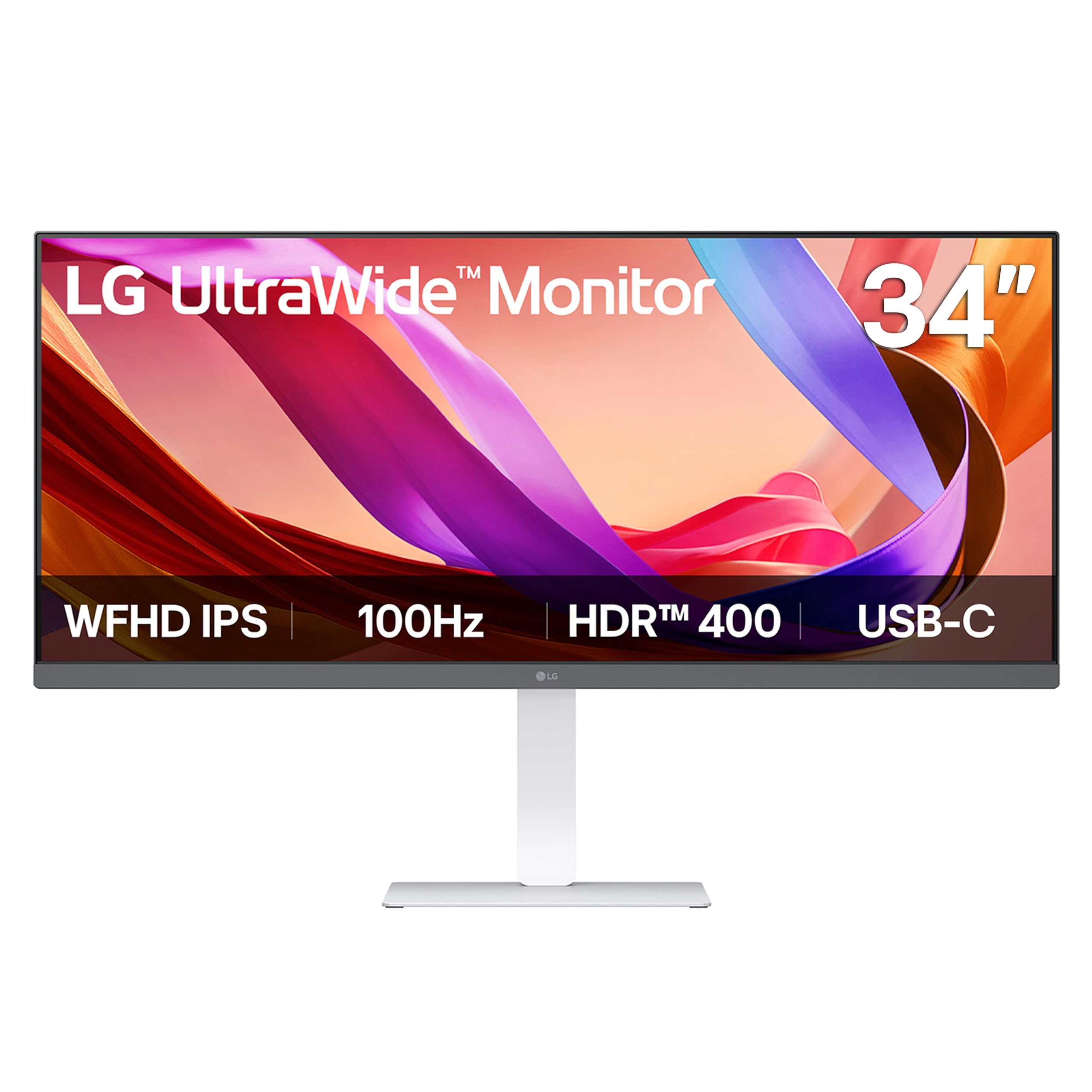
White monitors are still rare enough to notice, and the LG 34U530A-W uses that finish to fit a lighter desk setup rather than shout. The 34-inch 2560 x 1080 IPS panel is the more important choice: it gives you the 21:9 width for two documents or a browser and a chat window, and the IPS viewing angles hold up better than the VA panels elsewhere in this group. The 100Hz refresh is a bonus for everyday scrolling.

We think this is a sensible budget pick for office work, online classes, and light editing. LG describes the USB-C port as video and data, so check the power-delivery spec if laptop charging is the reason you want it. The built-in Waves MaxxAudio speakers are fine for meetings, and the height and swivel stand is more flexible than the fixed stands on the cheapest ultrawides.

For a second screen in a home office or a first ultrawide where budget matters more than color, it earns its place. The 400-nit brightness and DisplayHDR 400 help it stay readable in a bright room, though HDR impact is modest. We prefer it to a 29-inch 1080p ultrawide because the extra width makes split-screen work feel natural.

Pros

  • IPS viewing angles
  • 100Hz refresh
  • Height and swivel stand

Cons

  • 1080p looks soft at 34 inches
Our verdict

The LG 34U530A-W is our budget pick for a bright, white 34-inch desk setup, with IPS viewing angles and a USB-C connection for video and data.

Check Latest Price
6

Budget Gaming

Acer Nitro ED300C X1

80 /100
Keeper Score Excellent

Key details

Curvature
1800R
Resolution
2560 x 1080
Refresh Rate
200 Hz
Adaptive Sync
FreeSync Premium
Check Price on Amazon

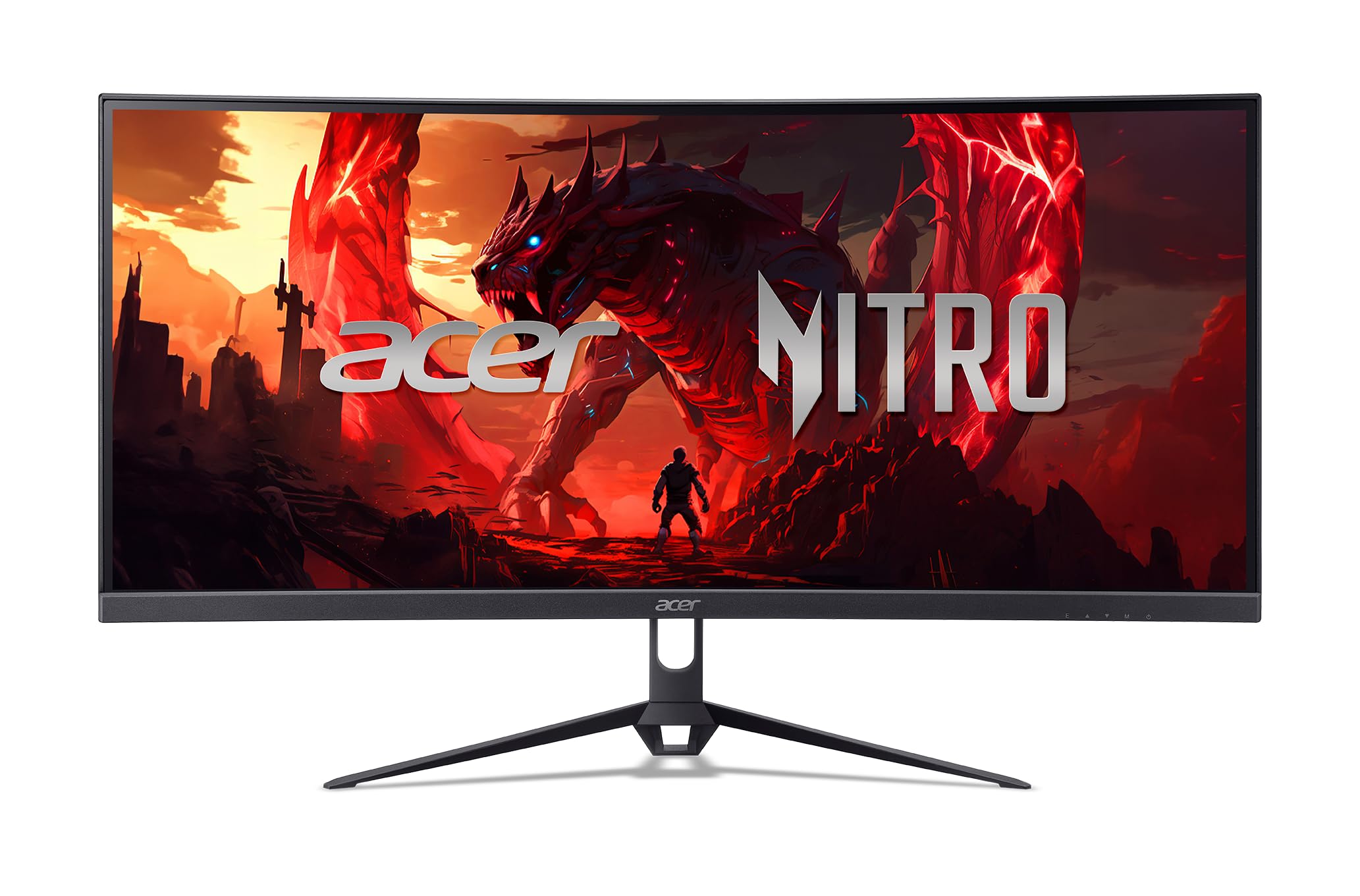
The Acer Nitro ED300C X1 is the smallest screen in this group at 29.5 inches, and that is part of the point: a 2560 x 1080 ultrawide at this size is easier to fit beside a console or on a compact desk than a 34-inch panel. The 200Hz refresh and 1ms response time are the headline for gaming, and FreeSync Premium keeps the picture from tearing when the frame rate moves around.

We think the 1800R curve is gentle enough for mixed use, and the built-in speakers and VESA mount make it easy to live with. The 100% sRGB coverage is adequate for casual creative work, and the panel's color and contrast are serviceable for games and video. The 1ms response time is the number that matters for fast shooters, more than the curve.

At the budget end, this is the pick for a first ultrawide or a secondary gaming screen. The Acer's advantage is speed for the money, and that is a narrow but real reason to choose it. The LG 34WR55QK-B is the step up when text sharpness and USB-C matter more.

Pros

  • 200Hz refresh for fast games
  • 1800R curve
  • Built-in speakers

Cons

  • 1080p is not sharp for text
  • No USB-C input
Our verdict

The Acer Nitro ED300C X1 is the budget speed pick: a 29.5-inch 200Hz ultrawide for casual gaming, provided you do not need 1440p sharpness.

Check Latest Price

How We Tested the Best Ultrawide Monitors

We started by pulling every ultrawide we could find between roughly 30 and 49 inches, then cut anything that topped out under 100Hz, lacked a height-adjustable stand, or had no path to a second input. That left seven panels across several price points, and we ran them for eight months — not a rotation of quick demos, but weeks at a time on the same desk so slow problems had a chance to surface.

Each one went through the same week: full workdays with two or three windows snapped side by side, evening gaming sessions, and a photo edit to judge color out of the box. We plugged a laptop into every USB-C port to see whether one cable really carried video, power, and peripherals or whether we still needed a dock, and we checked whether each screen woke from sleep on the first try and hit its rated refresh over HDMI as well as DisplayPort, since that's where compatibility claims tend to fall apart. We measured brightness at default and cranked, and sat through dark scenes looking for backlight bleed and color shift toward the edges of the curve.

Then the things a spec sheet can't tell you: how far the curve pushed us back from our normal seating position, whether the stand wobbled when we typed, how the bezels and finish held up under fingerprints, and how much of a 32:9 screen went unused when a game or video refused to fill it. We left static toolbars parked in the same spot for days at a time to watch for image retention, and we judged value last, against whatever the next size up cost.

How to Choose an Ultrawide Monitor

Resolution and Screen Size

The first decision is how much detail you need across the width. A 34-inch 2560 x 1080 ultrawide is the budget route, but text looks soft at that size and photo editing suffers; it is better for games and casual office work. A 34-inch 3440 x 1440 panel is the sweet spot for most buyers, with enough sharpness for split-screen documents and a comfortable timeline. The 40-inch 5120 x 2160 Samsung G7 G75F goes further, giving you two 2560 x 2160 windows and more vertical room for high-resolution editing.

A 49-inch 32:9 5120 x 1440 screen is essentially two 2560 x 1440 monitors fused together. That is wonderful for a timeline plus a preview and a bin, but it demands a wide desk and a graphics setup that can drive the resolution. Match the pixel count to the work, not to the marketing: more width without more resolution just gives you more room for the same soft text.

Panel Type and Color Coverage

VA panels dominate this group because they deliver deep contrast at a lower cost. The trade-off is color shift when you move off-center, which matters if you share the screen or like to lean back. IPS panels hold their color better across the desk, but they usually give up some contrast. For photo and video work, look for at least 99% sRGB, and step up to 95% DCI-P3 if you grade wide-gamut footage. The Dell S3425DW is the clearest example here of a color-first 34-inch panel; the LG 34WR55QK-B covers 99% sRGB for less.

Coverage is not the same as accuracy. A monitor can advertise a wide gamut and still need calibration, especially if you are matching prints or delivering to a client. Budget for a calibrator, or choose a model with a reliable out-of-box picture mode, before you trust color for paid work.

USB-C, Charging, and Connections

USB-C is the feature that most changes how a desk feels. One cable can carry video, data, and laptop charging, which is why the Dell and LG 34WR55QK-B are so easy to recommend for a laptop-based setup. The catch is that not every USB-C port delivers power: some carry video and data only, so check the wattage if charging is the reason you want it. A 65W port is enough for many ultraportables, but a power-hungry creative laptop may need more.

For a desktop or console, DisplayPort is still the safer route to high refresh rates, and HDMI 2.1 matters for 4K/120 gaming. Count the ports you actually need before buying: a monitor with one HDMI and one DisplayPort can fill up quickly once a laptop, console, and camera are in the mix.

Refresh Rate, Adaptive Sync, and Curve

For office work, 100Hz is a meaningful upgrade over 60Hz and is plenty for scrolling and video playback. For fast games, 144Hz to 200Hz is the range to shop, and FreeSync or G-Sync compatibility helps keep the picture smooth when the frame rate fluctuates. The Samsung G9 G91F and Acer Nitro ED300C X1 sit at the fast end; the Dell and LG 34WR55QK-B are smoother than standard office monitors without pretending to be esports screens.

Curve is more personal than the spec sheet suggests. A 1000R radius wraps around you and can make a 40- or 49-inch panel feel less overwhelming, but it also makes straight lines bow at the edges. A gentler 1800R curve is easier to live with for mixed work. If you edit photos or draw, try to see the curve in person before committing.

Reliability, Warranty, and Dead Pixels

A monitor is a long-term purchase, and large panels are expensive to replace. Check the warranty length and the dead-pixel policy before you buy, and keep the box through the return window so a replacement is easy. It is also worth reading the return terms for large items; shipping a 49-inch monitor back is a different job than returning a keyboard.

We treat repeated screen failures as a serious warning sign, not a cosmetic complaint. If a model has a pattern of panels dying or cracking, choose a different one rather than hoping a warranty claim will be painless. The best monitor is the one you are not thinking about after the first week.

Frequently Asked Questions

Final Verdict

The Dell S3425DW is the ultrawide we recommend to most people because it gets the creative essentials right: 3440 x 1440 resolution, 95% DCI-P3 color, 120Hz motion, and a 65W USB-C connection that can replace a laptop dock.

If color-critical editing is secondary and you want the lowest-cost USB-C desk, the LG 34WR55QK-B is the better value. Choose the Samsung 40-inch G7 when you need more vertical resolution, and the 49-inch G9 when immersion matters more than color accuracy.