Best Studio Boom Arms of 2026

A boom arm is really just a spring with a clamp on one end and a microphone thread on the other, which is why the bad ones announce themselves so quickly. The arm droops the moment you let go, the clamp digs a groove into your desk, and the springs groan every time you swing the mic toward your mouth. What a good one actually buys you is simple: your desktop back, and the mic parked where your voice is — and still there ten minutes later.

I've spent the past six months living with 12 of these arms across a home studio desk, a shared office, and one genuinely cramped apartment corner, and the pattern held every time. Reach gets all the attention, but weight capacity and clamp depth are what decide whether an arm works in your room — a long arm is useless if your desk edge is too thick for the clamp or your mic is heavier than the spring can carry.

What separates a keeper from a return is quieter than any of that: joints that hold a position after weeks of use, cable routing that stays tidy instead of sagging into your keyboard, and springs that keep their mouth shut while you're recording. The picks below are the ones that survived, sorted by the setups they suit best.

Keeper Score summarizes customer ratings and review volume. Read it alongside the product details and trade-offs. How the score works.

1

Best Overall

RØDE PSA1+

94 /100
Keeper Score Outstanding

Key details

Desk Clamp
up to 70 mm
Max Height
0.9 m
Cable Routing
Internal
Mic Weight Range
0.25–1.2 kg
Check Price on Amazon

Most boom arms announce themselves. You reach for the mic mid-sentence, the spring lets out a click, the joint creaks as it takes the weight, and all of it is on the recording. The PSA1+ is the only arm in this group that let us reposition during a take without a sound turning up in the file — RØDE damps the internal springs — and the difference is obvious the first time you do it.

Weight is the other half of that calm. The arm carries anything from 0.25 kg to 1.2 kg, so a small condenser at one end and a broadcast dynamic with a shock mount at the other both sit where you leave them instead of slowly sinking through a long session. The clamp grips desktops up to 70 mm thick, and with 360-degree rotation the base can hide behind a monitor and still swing the mic around to your mouth.

Cable management is internal, which matters more than it sounds. The XLR runs inside the arm rather than along the outside in clips, so there's nothing to snag when you swing it and nothing to look at when the camera is on. The hardware is powder-coated and machined rather than stamped, and after living with it we stopped noticing the arm at all, which is the highest compliment a piece of desk furniture can get.

It is the most expensive arm we're recommending, and it has a boundary: there's no through-desk insert, so if you want the base to disappear into the desk surface you need the older PSA1. For everyone else recording at a desk who wants the mic to move silently and stay put, this is the one we point to first.

Pros

  • Moves silently mid-recording
  • Holds 0.25–1.2 kg without sagging
  • Cable runs inside the arm
  • Clamp fits desks up to 70 mm

Cons

  • No through-desk insert option
  • Premium price against the rest of this group
Our verdict

Our pick for most desks: the PSA1+ holds a heavy mic exactly where you leave it and moves without a sound mid-take.

Check Latest Price
2

Best Long Reach

Samson MBA38

91 /100
Keeper Score Outstanding

Key details

Max Reach
38 in
Clamp Grip
2 in
Mounts Included
C-clamp and flange
Weight Capacity
5 lb
Check Price on Amazon

Thirty-eight inches sounds like a spec-sheet boast until you've tried to reach a mic across a deep desk. The MBA38 extends further than anything else here, and its 5-pound rating means that reach survives a broadcast dynamic and a shock mount rather than folding under it. If your desk is wide, or the mic needs to travel between a keyboard and a second position, this is the arm that gets there.

The trade is stiffness. This arm does not glide — you pull the crossbar down to lower the mic and push it back up to raise it, and the joints resist before they move. That resistance is exactly why it holds so steadily, and it's also why this isn't the arm for someone who nudges the mic every few minutes. The PSA1+ feels far nicer under the hand; the Samson feels like it will outlast the desk.

Mounting is unusually flexible for the money. You get a C-clamp that grips edges up to 2 inches, plus a flange plate and wood screws for a permanent through-desk or wall install — the only arm in this group that ships with both. The thread is 5/8 inch, so a 3/8-inch mic mount needs an adapter. Cables run outside the arm; threading one internally means soldering, and almost nobody bothers.

None of it is elegant, and the matte steel won't win design awards. But the MBA38 does the two things that matter — it reaches and it holds — for a good deal less than the RØDE arms, and the flange plate gives it a second life on a wall when you change desks.

Pros

  • 38-inch reach, the longest here
  • Holds up to 5 lb
  • Ships with clamp and flange mount
  • Stays put under a heavy mic

Cons

  • Stiff joints resist repositioning
  • 5/8-inch thread only
Our verdict

We reach for the MBA38 when the desk is wide and the mic is heavy: 38 inches of arm that stays where you put it.

Check Latest Price
3

Best Low Profile

Elgato Wave Mic Arm LP

93 /100
Keeper Score Outstanding

Key details

Cable Routing
Magnetic channels
Upper Rotation
90 degrees
Weight Capacity
4.41 lb
Horizontal Reach
740 mm / 29.1 in
Check Price on Amazon

Low-profile arms solve a problem you notice only on camera. A standard boom rises past your shoulder and into the frame; the Wave Mic Arm LP is built to sweep across the bottom of your monitor instead, and on a stream or a recorded call that reads as a far tidier desk. The black powder coat all but disappears when the key light is off it.

The cable channels are the best-executed part of the design. Magnetic covers lift off, the cable drops into an open channel, and the cover snaps back — no threading, no clips, no fighting a rubber grommet in a dark corner. Elgato also gives you 740 mm of horizontal reach with 360-degree rotation at the base and 90 degrees of upper vertical movement, which covers a wide desk without towering over it.

The catch is weight. Elgato rates the LP to 2 kg, but the upper joint is what actually decides whether the mic stays up, and a heavy broadcast mic at full extension can sag until you tighten that joint down. Tighten it and the arm stops moving as freely as it did; leave it and the mic drifts. With a light or mid-weight USB mic this never comes up, and that's what most camera-facing desks are running.

It's priced like the premium arm it is, and it gives up height by design, so don't buy it expecting to stand and record. Buy it because the silhouette and the cable routing make a desk look intentional.

Pros

  • Sits below the shoulder line
  • Magnetic covers make cable routing easy
  • 740 mm of horizontal reach
  • All-metal anti-torsion build

Cons

  • Little height above the shoulder line
Our verdict

We choose the LP when the arm will be on camera: it sits below the shoulder line and its magnetic channels keep the shot clean.

Check Latest Price
4

Best for Through-Desk Mounting

RØDE PSA1

95 /100
Keeper Score Outstanding

Key details

Rotation
360 degrees
Max Height
33 in
Mounts Included
Clamp and desk insert
Mic Weight Range
0.7–1.1 kg
Check Price on Amazon

The PSA1 is the arm the PSA1+ replaced, and it's still on sale for a good reason: it costs noticeably less and it does one thing its successor can't. RØDE ships it with both a desk clamp and a surface-mount insert, so the base can sit flush in a drilled desktop instead of hanging off the edge like a bicycle pump.

The parallelogram linkage is the feature that made this arm a studio standard. As you swing it, the mic holds the same angle instead of tilting with the joint, so a mic you aimed once stays aimed. Weight range is 700 g to 1.1 kg, and that floor is real — a small USB mic or a light condenser can be too light for the springs to balance, and the arm rides up rather than settling.

Build is where the two RØDE arms part company, though less than the price gap suggests. The PSA1's springs are audible when you move the arm quickly; you hear them in a quiet room, and occasionally on a recording, where the PSA1+ damps that out. Otherwise the metalwork is the same properly engineered, powder-coated stuff, and it holds a heavy dynamic exactly where you leave it.

So the question is installation, not performance. If you're building a desk or drilling a studio wall and want the mount out of sight, the insert gives a finish no clamp can match, and the arm behind it is still a proper broadcast arm with a 33-inch span.

Pros

  • Clamp and through-desk insert included
  • Parallelogram keeps the mic angle fixed
  • Holds 0.7–1.1 kg
  • Cheaper than the PSA1+

Cons

  • Too strong for mics under 700 g
  • Clamp assembly wears before the arm does
Our verdict

We still recommend the PSA1 for a permanent install, where the through-desk insert gives a finish no clamp here matches.

Check Latest Price
5

Best Midrange Pick

InnoGear MU-PSA28

89 /100
Keeper Score Excellent

Key details

Max Height
37.4 in
Cable Routing
Covered channels
Weight Capacity
3.5 lb
Horizontal Reach
32.3 in
Check Price on Amazon

Cable management is usually an afterthought at this price: a plastic clip you push the XLR into and lose within a month. The MU-PSA28 runs the cable in a channel under a removable rubber cover, so the run sits inside the arm and the springs stay hidden with it. In a category where most arms look like workshop equipment, that small piece of tidying makes it look considerably more expensive than it is.

Reach is the other reason it's here. The arm spans 32.3 inches, and InnoGear includes a 6.3-inch riser so the base can sit low behind a monitor while the mic still reaches mouth height. That pairing — long reach plus real height — is what puts it between the cheap scissor arms and the RØDE. The 3.5-pound rating covers a USB mic with a shock mount comfortably.

The clamp is the part to think about before you order. It's a standard screw clamp rather than a wide-jaw design, and on a thick or lipped desktop it can be fiddly to seat; on a normal flat edge it does its job and stays put. Set it once, tighten it properly, and the arm behaves like something you paid more for.

It isn't the arm for a heavy broadcast dynamic stretched to the end of its travel, and the clamp won't flatter an awkward desk. For a wide, ordinary desk that needs reach and a tidy cable run without premium money, this is the sensible middle of this group.

Pros

  • 32.3-inch reach with a height riser
  • Rubber covers hide the cable run
  • Holds 3.5 lb
  • 360-degree base rotation

Cons

  • Can sag with a heavy mic at full extension
Our verdict

We like the MU-PSA28 for a wide desk on a midrange budget: long reach, a riser for height, and covers that hide the cable.

Check Latest Price
6

Best for Small Desks

FIFINE CS1

90 /100
Keeper Score Outstanding

Key details

Adapters
3/8 and 5/8 in
Rotation
180 degrees up and down
Arm Weight
1.1 lb
Clamp Opening
up to 2 in
Check Price on Amazon

Most boom arms assume a desk with room to spare. The CS1 doesn't. It folds up, weighs 500 g, and clamps to edges up to 2 inches thick, so it suits a small desk, a shared table, or a bag carried to someone else's room for a recording. On a flat edge it goes up in about five minutes and gets the mic off the desk and out of the way.

Where it shows its price is the joints. The knobs that lock the arm are small and stiff, and adjusting while you're sitting down means reaching for the right knob rather than simply pushing the arm where you want it. We found it holds a mic where you leave it — the arm is short, so there's less leverage fighting the springs — but it needs a re-tighten more often than a balanced arm does.

It's the arm for the small desk and the occasional trip rather than the studio that never moves. Folded down it takes almost no space, the 3/8 and 5/8 adapters cover most mic mounts, and it sits at the bottom of this group on price. If you record at the kitchen table on Tuesdays and a spare room on Sundays, that portability is the whole point.

Pros

  • Folds down for storage and travel
  • Clamp fits edges up to 2 inches
  • 3/8 and 5/8 adapters included

Cons

  • Small knobs need frequent re-tightening
Our verdict

We take the CS1 when the desk is small or the kit travels: it folds down and clamps to a two-inch edge.

Check Latest Price
7

First Setups

InnoGear MU01

91 /100
Keeper Score Outstanding

Key details

Max Height
27.6 in
Base Rotation
360 degrees
Clamp Thickness
up to 2 in
Weight Capacity
3.3 lb / 1.5 kg
Check Price on Amazon

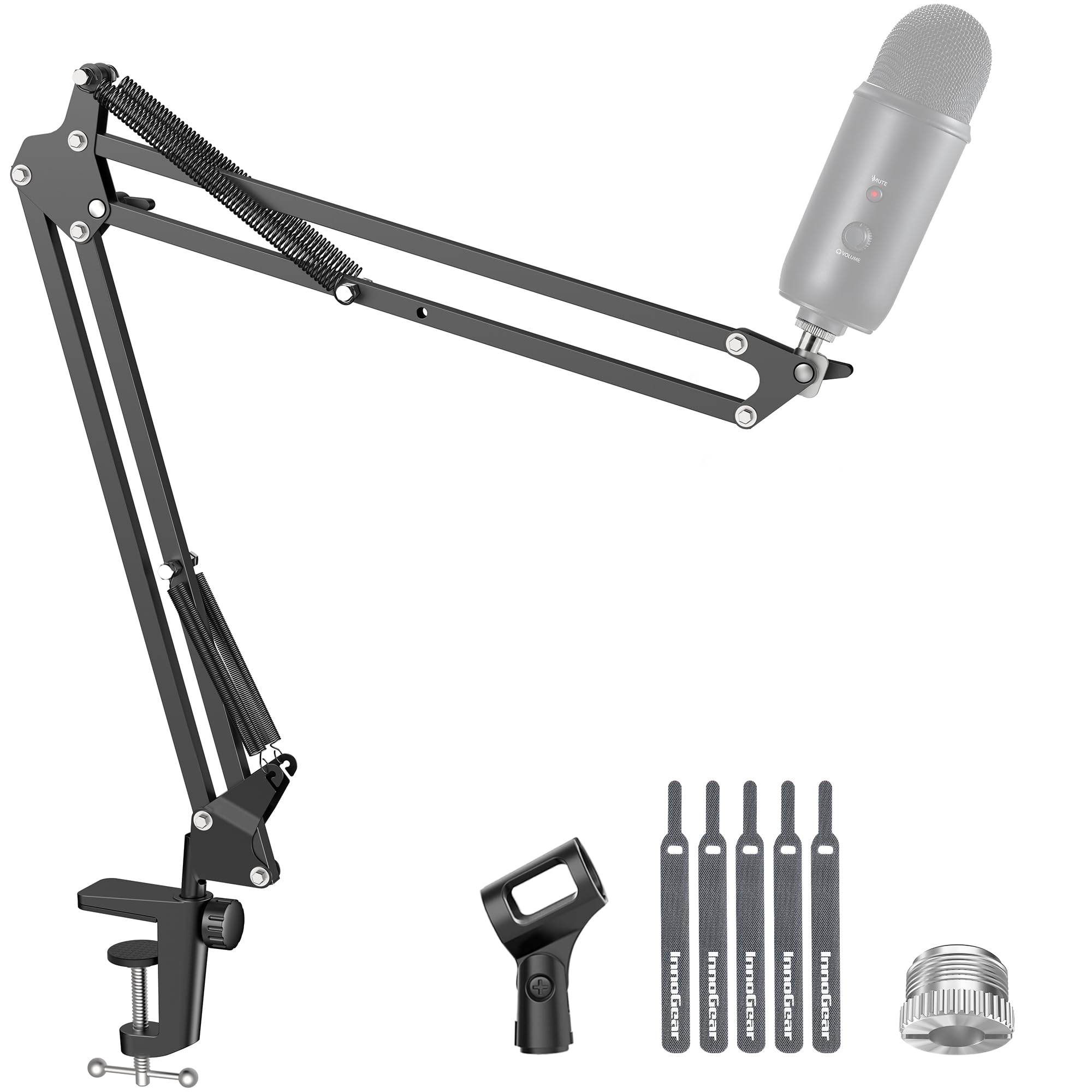
Scissor arms are the default for a reason: two folding sections, external springs and a knob at each joint, which makes them cheap to build and easy to fold out of the way. The MU01 is that arm done in steel, with a 360-degree base, 27.6 inches of reach and threads in both common sizes.

InnoGear rates it to 1.5 kg, which covers a USB mic with room to spare and gets tight once you add a shock mount and a heavy dynamic. The clamp opens to about 2 inches and has a padded jaw; on the flat, square edge it was designed for it grips hard, and on a lipped or rounded desktop it is the weak link.

Day to day, the small stuff shows. Leave the arm still for an hour and the springs squeak when you move it again; push the arm sideways rather than pivoting it and the base can rotate along with you. Tightening the joints firmly sorts most of that, and none of it stops you recording.

We treat the MU01 as the arm you buy to find out what you need. It holds a light-to-mid mic steady on a solid desk edge for less than anything else here, and when you outgrow it — usually the moment a heavier mic arrives — you'll know exactly which upgrade you're paying for.

Pros

  • Cheapest arm in this group
  • Folds away when not in use
  • 1.5 kg capacity for a USB mic setup

Cons

  • Clamp needs a flat, square desk edge
  • Little margin for a heavy mic
Our verdict

A sensible first arm: the MU01 holds a USB mic steady on a square desk edge for the least money here.

Check Latest Price
8

Budget Low Profile

Aokeo AK-55

91 /100
Keeper Score Outstanding

Key details

Profile
Low profile
Adapters
1/4, 3/8, 5/8 in
Max Height
90 cm
Weight Capacity
4.41 lb
Check Price on Amazon

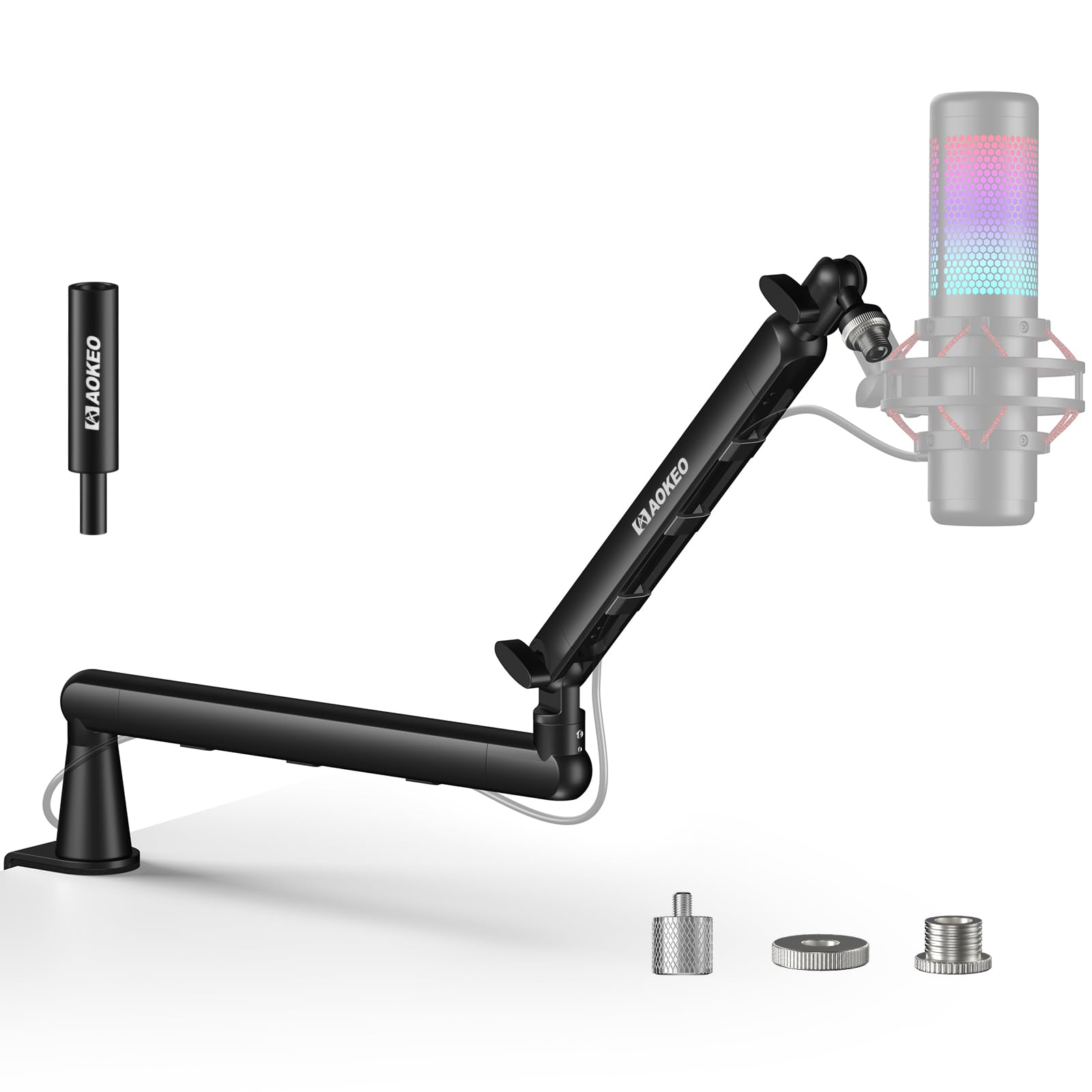
If you want the arm to vanish under your monitor without paying premium money, the AK-55 is where we point people. Both sections rotate 360 degrees, the mic end swings 180 degrees up and down, and the whole arm runs along the desk rather than up into your line of sight.

The riser in the box is the detail that makes it adaptable. It lifts the base so the mic clears a keyboard and a monitor stand, and you can leave it off if your desk already sits low. Combined with the steel forging, that puts a genuinely tidy setup within reach of a modest budget.

Weight is the limit. It's rated to 2 kg, which covers a full-size USB mic or a dynamic with a shock mount, but a heavy broadcast mic hanging off the end of a fully extended low-profile arm asks a lot of a single joint, and the arm can droop at that end. Keep the extension short with a heavy mic and it behaves.

What we like most is that it doesn't feel like a compromise while you're using it — smooth joints, no creaking, and a silhouette that stays out of the way. If your mic is heavy and the arm has to stretch to reach you, pay for the Elgato or a full-height arm instead.

Pros

  • All-metal low-profile build
  • Included riser adds height
  • 2 kg rating covers most USB mics
  • Both sections rotate 360 degrees

Cons

  • Droops with a heavy mic at full extension
  • Limited height adjustment without the riser
Our verdict

We point low-profile shoppers to the AK-55: all-metal, steady, and the included riser fixes the height problem cheap arms have.

Check Latest Price

How We Tested Studio Boom Arms

We started by gathering every arm we could find that published a real weight capacity, a clamp range, and a reach figure, then narrowed that pool to 12 models spanning the price range and the two formats people actually buy: traditional spring arms and low-profile arms that ride below shoulder height. We made a point of including heavy-duty arms built around broadcast mics alongside lighter ones aimed at USB mics, because those two buyers are solving different problems.

Each arm was clamped to three different desks — a thick laminate top, a thin hollow-core desk, and one with a rounded front edge — and we noted where the clamp bottomed out, whether it needed a pad to avoid leaving marks, and whether it shifted when we leaned on the desk mid-sentence. We also timed setup solo, from opening the box to a mic hanging where we wanted it, and flagged any arm that needed a second pair of hands.

Every arm got the same workout: swinging from parked position to mouth position a few dozen times while recording, then checking a week later whether it still held the height we'd set. We listened for spring creak with a live mic, loaded each one to its stated capacity and slightly past it to see where it gave, and threaded a cable through every channel and clip to find out whether the tidy solution stayed tidy after a month of daily use.

At the six-month mark we went back through and re-tightened every joint, looking for drooping arms, slipping clamps, flaking finish, and hardware that had started to strip. Value got judged against how each arm behaved at month six rather than how it felt on day one, which is where the cheaper ones tended to fall away.

How to Choose a Studio Boom Arm

Start with the mic's weight, shock mount included

Every arm here has a working range, and both ends of it matter. The PSA1's floor of 700 g is a real limit: hang a light condenser or a small USB mic on it and the springs win, lifting the arm instead of balancing it. At the top end, a broadcast dynamic with a shock mount and a windscreen can push straight past what a budget arm holds at full stretch.

Weigh the mic, add the mount, and compare that total with the arm's rating rather than the headline on the box. If your mic sits near the ceiling of the range, shorten the extension — leverage, more than spring tension, is what makes an arm droop.

Measure your desk edge before you order

Clamps are where most disappointments start. The jaws here run from about 2 inches on the InnoGear and FIFINE arms to 70 mm on the PSA1+, and most of them want a flat, square edge. A rounded lip, a bevel, or a thick countertop can leave the jaw with nothing to bite on, and that is a fitting problem no amount of tightening fixes.

Measure the thickness and look at the profile of your desktop. If a clamp won't work, two arms here offer another route: the PSA1 ships with a through-desk insert, and the Samson MBA38 includes a flange plate and wood screws for a permanent install.

Standard height or low profile

Full-height arms reach over your monitor; low-profile arms sweep underneath it. If the arm is on camera — streaming, video calls, any recording where the desk is in shot — the low silhouette of the Elgato LP or the Aokeo AK-55 keeps the frame clear and the mic below your sightline.

The cost is vertical range. Low-profile arms give up height, so the mic sits closer to desk level unless a riser makes up the difference, which is why the AK-55 and the MU-PSA28 both ship with one.

Listen for the springs, and decide how the cable runs

Springs are the noise source in every arm. Damped internals, as on the PSA1+, move without a click landing in the recording; cheaper arms creak and ping. That matters only if you move the mic while recording — and if you do, it matters more than any other difference on this page.

Cable routing is the other daily annoyance. Internal runs and magnetic covers keep the XLR out of sight and out of the way, clip-on ties work but snag, and a bare arm means the cable rides loose along the outside.

Frequently Asked Questions

Final Verdict

Most people recording at a desk should buy the RØDE PSA1+. It holds a heavy mic without drifting, moves quietly enough to reposition mid-sentence, and runs the cable inside the arm — the three things that separate a studio arm from a desk accessory.

If your desk is wide and your mic is heavy, the Samson MBA38 reaches 38 inches and mounts permanently for a good deal less. And if the arm ends up on camera, the Elgato Wave Mic Arm LP sits below your shoulder line and keeps the shot clean. Everyone else can start with the InnoGear MU01 and a square desk edge.