Best Slide Viewers of 2026

Somewhere in most families there's a shoebox of slides — or a carousel tray in a paper sleeve — that nobody has looked at since the eighties. The projector is long gone, or the bulb is, and holding a slide up to a window gets you a blurry square of sky. An illuminated viewer is the small fix: drop the slide in, flip the switch, and the picture comes up at 2x or 3x on a screen you can actually see.

My team and I spent four months with 12 of these, working through boxes of family slides at a kitchen table with one lamp on. Here's what a first-timer won't learn from the listings: more magnification isn't automatically better. It puts more detail in front of your eye but shows you less of the frame at once, so when the job is sorting a few hundred slides quickly, a slightly smaller, wider view often wins. Power is the other split — battery-only means no cord and shorter, dimmer sessions; USB means you're tethered. The picks below cover both camps, at screen sizes and prices that make sense for how much sorting you actually have ahead of you.

Keeper Score summarizes customer ratings and review volume. Read it alongside the product details and trade-offs. How the score works.

1

Best Overall

DIGITNOW! M203

90 /100
Keeper Score Outstanding

Key details

Power
USB or 4 AA batteries (included)
Accepts
2x2-inch mounted slides, 35mm film and negatives
Magnification
3X
Slide Handling
Sliding tray with eject button
Check Price on Amazon

Ours arrived with four AA batteries and a USB cable in the box, which is a small thing until you're deciding at nine on a Saturday whether you can start sorting slides tonight or after a trip to the store. That head start is part of why this is the viewer we recommend first. The 3X glass screen sits over a bright daylight LED, and a mounted slide comes up big enough to tell a sharp frame from a soft one and to recognize who's in it without leaning in.

Slides load through a slot in the back and land behind the glass; the eject button walks them out along a sliding tray. Most make the trip cleanly. Warped cardboard mounts are the ones that hang, and a gentle forward tilt of the whole unit frees them, which is worth knowing before you meet the first stubborn slide in your collection.

Power is the other reason it's our default. Run it from USB at the table for a long session, or fit the batteries and take it to the couch, where a shoebox and a wastebasket are the whole setup. The battery option also means you can work through a tray in a corner of an old house with no outlet within reach.

Against the DigitConvert, which is the same M203 viewer under another name, this one has the longer record behind it, and that's what settles a default between two otherwise identical machines. Where the handhelds here win is portability; this one wants a table, a chair, and an evening.

Pros

  • 3X glass screen with a big, bright viewing area
  • Batteries and USB cable both included
  • Eject button and sliding tray keep a session moving

Cons

  • Short USB cable limits where you can set it up
Our verdict

Our default pick: 3X magnification, a tray that feeds slides one at a time, and batteries plus a USB cable in the box for two ways to power it.

Check Latest Price
2

Best Value

DigitConvert M203

89 /100
Keeper Score Excellent

Key details

Power
USB or 4 AA batteries (included)
Accepts
35mm slides and negatives
Magnification
3X
Slide Handling
Quick-eject slot
Check Price on Amazon

The DigitConvert listing carries the same M203 model designation as our top pick, and the two look like the same viewer wearing a different badge: a 3X glass screen over a daylight LED, a quick-eject slot, and the choice of four AA batteries or USB power, with the batteries and cable both included.

That makes it the one we point to when the top pick's price is more than you want to spend on a shoebox you'll sort through twice. What you give up is a much shorter track record, since this one has been out in smaller numbers and there's simply less to go on. The price gap is the whole argument, and for a lot of buyers it's enough.

Two handling notes worth having before your first session. Slides can back up at the exit if you let the catch area fill, so empty it every dozen or so and the eject stays clean. And a small cleaning cloth comes in the box, which earns its place: the glass picks up fingerprints fast, and a soft cloth is the only thing you want near it.

Pros

  • Same 3X tray design as the top pick for less
  • USB and battery power, both included
  • Cleaning cloth included for the glass

Cons

  • Batteries in the box can arrive dead
Our verdict

The cheaper route to the same 3X tray design, worth taking if you want a desktop viewer and can live with a thinner track record.

Check Latest Price
3

Best Handheld

DigitPro 2X

88 /100
Keeper Score Excellent

Key details

Power
2 AAA batteries (included)
Weight
7.05 oz
Accepts
35mm slides and film negatives
Magnification
2X
Check Price on Amazon

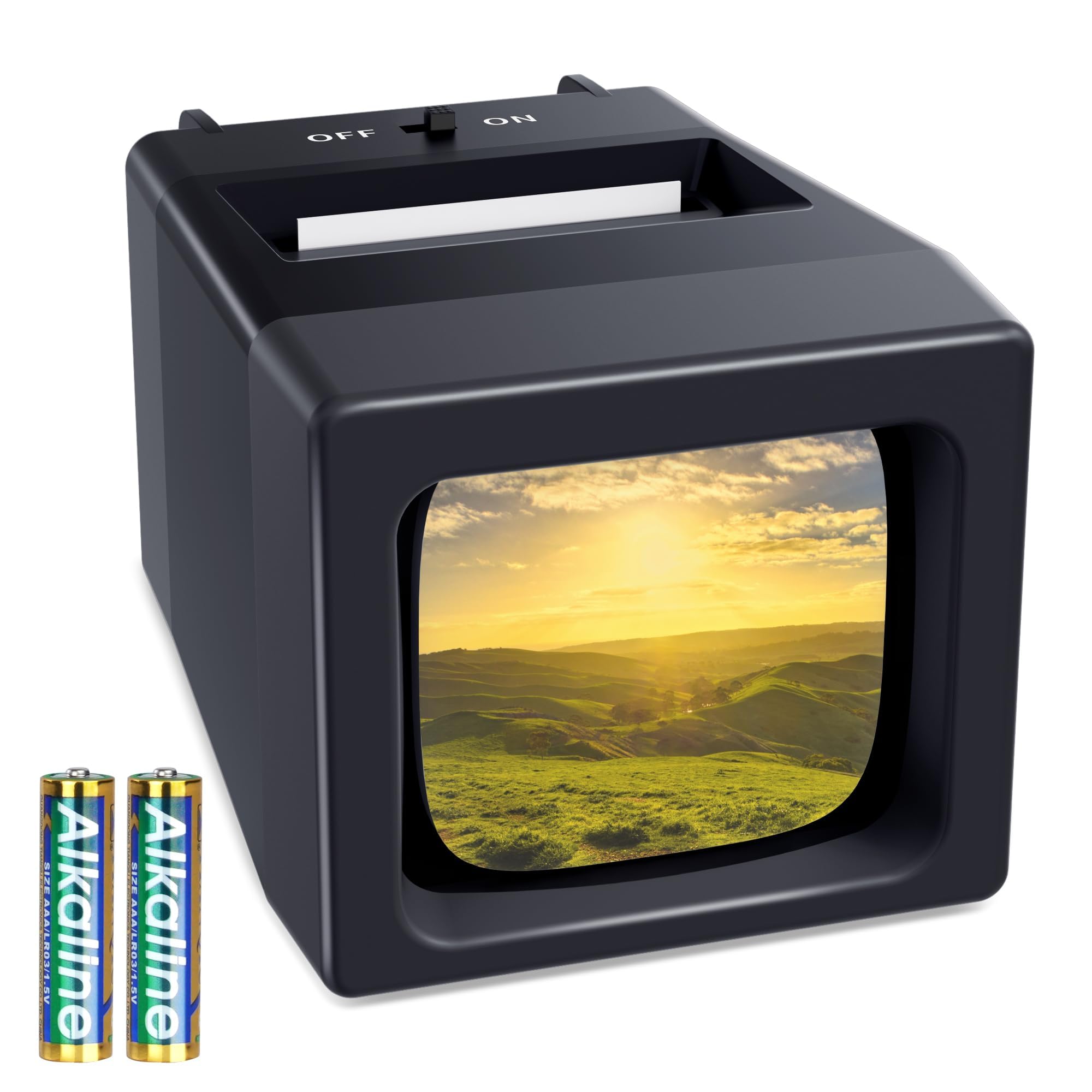
This is the least expensive viewer in our set and also the smallest: a palm-sized body with curved edges, 2X magnification, a single LED switch, and two AAA batteries in the box.

We reach for it when the job is triage rather than presentation. At 2X you can identify the shot, spot the obvious blur, and decide which pile a slide belongs in; you aren't going to judge fine focus through it. One thing worth knowing: you can photograph a slide through the screen with a phone or a macro lens and get a usable reference picture, enough to text someone or settle an argument about who was at that picnic.

The trade-off is in the holding. One hand works the switch and grips the body while the other feeds slides into the slot, which is fine at a table and awkward standing up, and harder still for anyone with a weak grip. Set it down for a long session and that stops mattering; hand it to a grandparent and they may want something with a stand.

Pros

  • Lowest price of any viewer here
  • Palm-size and light enough to carry anywhere
  • Bright, even LED light for its size

Cons

  • 2X magnification leaves the image small
  • Battery only, with no USB or AC option
Our verdict

The pick if you want to spend the least and sort slides alone: a pocketable 2X body that runs on two AAAs and asks nothing of your desk.

Check Latest Price
4

Best for Fast Sorting

Pana-Vue 2

85 /100
Keeper Score Excellent

Key details

Form
Folding stand, handheld or tabletop
Power
2 AA batteries (not included)
Screen
1 7/8 inches
Magnification
2X
Check Price on Amazon

The Pana-Vue is the simplest thing here: a 2X viewer on a 1 7/8-inch screen, a folding stand on the back, and a slot you push a slide into. Two AA batteries run it, and at four ounces it disappears into a coat pocket.

What we liked most is how little there is to go wrong. Push a slide in and the light comes on with it, with no switch to hunt for, then look, pull it back out, and take the next one. There's no eject mechanism, so there's nothing to jam, and that turns out to be the most valuable feature a viewer can have when you're deep into a shoebox.

Where it lands is sorting, not showing. The in-and-out rhythm is exactly what a box of slides needs, and the folding stand lets you put it down and keep both hands free for the next one. It's a plain piece of plastic and it feels like one, which is the trade you're making for the simplicity.

Pros

  • Light comes on as the slide goes in
  • No eject mechanism, so nothing to jam
  • Folding stand for tabletop use
  • Four ounces and pocketable

Cons

  • 1 7/8-inch screen keeps the picture small
  • Two AA batteries not included
Our verdict

The viewer we choose for sorting a shoebox quickly: one slide in, light on, slide out, with no eject mechanism to fight.

Check Latest Price
5

Small Desk Spaces

TCNEWCL FS225

85 /100
Keeper Score Excellent

Key details

Power
2 AAA batteries (included)
Weight
7.41 oz
Accepts
2x2-inch mounted slides, 35mm film and negatives
Magnification
2X
Check Price on Amazon

It's a tidy, bright little viewer for 2x2-inch mounted slides and 35mm film, and the thing to be honest about before you order is the 2X magnification: enough to see the picture, not enough to study it.

Within that limit it's well thought out. The snap-off bottom cover is the nicest battery door in this group, with no screwdriver and no wrestling with a plastic hatch, just a fingernail and two AAAs. The LED behind the screen is even and bright, the on/off switch sits where your thumb expects it, and at 210 grams it takes up a corner of a desk without claiming it.

The half-year warranty is the shortest here, against a year on most of the others, which is the one place it asks you to take a chance. For a second viewer in a desk drawer or a small apartment, we think that's a fair bet; for something you plan to use hard for years, the top pick is the safer spend.

Pros

  • Bright, even LED with a simple on/off switch
  • Tool-free snap-off battery cover
  • Light 210-gram body

Cons

  • Half-year warranty only
Our verdict

A neat, bright little desk viewer for a nightstand or a small apartment, as long as 2X magnification and a short warranty suit how you'll use it.

Check Latest Price

How We Tested a Dozen Slide Viewers

The shortlist came out of a few weeks of reading listings and customer reviews, then narrowing on the handful of things that genuinely differ between these: magnification, light source, power, screen size, and how a slide comes back out. We dropped anything with a pattern of dead-on-arrival lamps or slides that jammed on the way in, which left 12 viewers from a handful of brands. We noted where the money clearly went — a glass lens, an evenly lit panel — and where it didn't, like housing that flexed under a thumb.

Testing happened where slide sorting actually happens: at a table with a lamp on, an hour or two at a stretch, working through our own family boxes and a colleague's inherited trays. In one long session we ran 50 slides through each viewer back to back to watch the ejector — whether slides popped out cleanly or had to be pried up by a corner, which matters enormously with brittle cardboard mounts. Every viewer saw the same three slides: one bright, one underexposed, one dense with fine detail. We looked for shadows that crushed to black, colors that drifted green, and frame edges clipped by the screen.

We also set 2x and 3x units side by side on the same slides, since extra magnification buys detail at the cost of how much of the frame you see at once. Battery-powered viewers ran until the lamp visibly dimmed, with notes on how many evenings that took and whether a USB option existed as backup. Size got recorded the practical way: which ones slipped into a jacket pocket for a trip to a relative's house, and which needed both hands and a flat surface to load one slide at a time.

How to Choose a Slide Viewer

Start with magnification and screen size

Go by magnification and by the size of the screen behind it. A 3X viewer shows a slide about half again as wide as a 2X one, which is the gap between a viewer you sort with and a viewer you study: our 3X picks, the DIGITNOW and the DigitConvert, put a mounted slide up at a size where focus and expressions are readable, while the 2X handhelds are for identifying shots quickly.

Don't buy on the magnification number alone. A small screen at 3X still shows a small picture, and the lens is only as good as the light behind it, so a bright, even LED matters as much as the X figure on the box.

The slot and eject button are where these fail

The recurring failure in this category is a slide that won't come back out. Cardboard mounts swell with age, thick plastic and glass mounts bind in a tight slot, and a catch tray left to fill pushes slides back into the mechanism.

If your collection is mostly older cardboard mounts, look for an eject button and a tray you can empty as you go. Free a hung slide by tilting the unit forward rather than going at it with a knife, which scratches both the film and the viewing screen.

Batteries, USB, or both

Battery power is what makes a viewer useful in an armchair; USB is what gets you through a long session without buying AAs. The two models that do both, the DIGITNOW and the DigitConvert, ship with four AA batteries and a cable, which is our preference: you can start the minute the box is open and decide later how you want to run it.

Watch the battery type, since AAA cells are lighter but run down faster than AAs, and treat whatever comes in the box as a starter set rather than a guarantee.

Handheld, folding stand, or desktop

All of these view one slide at a time; the difference is what your other hand is doing. A handheld like the DigitPro suits an armchair and one pair of eyes, while the Pana-Vue's folding stand lets you set it down and keep both hands for slides.

A desktop model like the DIGITNOW or the TCNEWCL stands with the screen on top, so it wants a table at sitting height and gives the largest picture of the three shapes.

Frequently Asked Questions

Final Verdict

Buy the DIGITNOW! M203 if you want one viewer for the whole job: 3X magnification, a tray that feeds slides one after another, and two ways to power it. If money is the deciding factor, the DigitConvert M203 is the same design for less and the pick to make.

For armchair sorting, one slide at a time, the Pana-Vue's light-on-insert rhythm beats any tray, and its folding stand keeps both hands free for the shoebox.