Best SD Cards of 2026

When a memory card fails, it doesn't fail quietly the way a lens that won't focus does — it takes the photos with it. The gap between a good card and a cheap one doesn't show up on day one; it shows up on day 900, with a full card and a deadline. My team and I spent four months shooting, filling, offloading, and reformatting 18 cards, from high-capacity UHS-II options for mirrorless bodies to five-packs people buy for trail cams and older cameras.

The number printed largest on the package is read speed, and it's the one that matters least while you're actually shooting. Write speed decides whether a burst of RAW files clears before the action moves on, and a UHS-II card only earns its price if your camera and card reader both support the bus. Capacity and formatting cause most of the grief I hear about: two 64GB cards beat one 128GB card, and reformatting in-camera rather than on a laptop saves a lot of it.

We ranked these on how they behaved after months of that treatment rather than on their spec lines, so the picks below run from single cards for paid work to cheap multipacks for the camera you don't think about until December.

Keeper Score summarizes customer ratings and review volume. Read it alongside the product details and trade-offs. How the score works.

1

Best Overall

SanDisk Extreme PRO 256GB

96 /100
Keeper Score Outstanding

Key details

Capacity
256 GB
Read Speed
Up to 200 MB/s
Speed Class
U3, V30, C10
Write Speed
Up to 140 MB/s
Check Price on Amazon

SanDisk rates this card at up to 200 MB/s read and 140 MB/s write, with V30, U3 and Class 10 markings on a 256 GB SDXC card. Read speed is what you feel at the desk; write speed is what you feel in the camera. Two hundred is the highest read figure here, and 140 MB/s of write headroom is what keeps a burst of raw frames and a 4K clip moving while the buffer catches up.

Two qualifications belong beside those numbers. The read figure assumes a reader built to the card's own spec — SanDisk points to its Professional PRO-READER, sold separately — so a plain USB reader leaves a good share of that speed unused. And this is a UHS-I card: drop it into a camera with a UHS-II slot and the second row of contacts does nothing. Neither changes the recommendation for the UHS-I bodies most people will put it in.

The bigger question is whether 256 GB on one card suits how you shoot. It removes the mid-shoot swap, and it also means one failure costs a whole day of pictures rather than half of one. We treat that as a reason to offload at every break rather than a reason to carry something smaller; the card recorded our 4K clips without stalling, and it is the one from this group that stays in the bag for a shoot that matters.

For a camera with a single UHS-I slot, this is our default: the fastest offload here, the highest stated write speed of the UHS-I cards, and enough capacity that you stop thinking about cards altogether. If your body has UHS-II, the Lexar pair makes better use of the hardware.

Pros

  • Fastest read speed here, up to 200 MB/s
  • 140 MB/s writes handle 4K and burst shooting
  • 256 GB cuts mid-shoot card swaps
  • Works in any UHS-I camera slot

Cons

  • One large card concentrates the risk
Our verdict

For a UHS-I camera, this is the card we buy: 140 MB/s writes, a 256 GB capacity that ends mid-shoot swaps, and the fastest offload in this group.

Check Latest Price
2

Best for High-Bitrate Video

Lexar Silver PRO 128GB (2-Pack)

95 /100
Keeper Score Outstanding

Key details

Capacity
128 GB (2 cards)
Interface
UHS-II
Read Speed
Up to 280 MB/s
Speed Class
V60, U3
Check Price on Amazon

Two 128 GB UHS-II cards, rated up to 280 MB/s read and 120 MB/s write, carrying V60 and U3 markings. The V60 number is the point: it is the class cameras ask for when they record at bitrates a V30 card cannot sustain, and the UHS-II interface is what makes the offload quick.

The condition is the slot. A UHS-II card in a UHS-I body behaves like a UHS-I card, so unless your camera has that second row of contacts you are paying for headroom you cannot reach. In a two-slot body, though, the pair is the most useful thing on this page: stills on one card, video on the other, or a second card recording the same frames as backup. That buyer is who we recommend it to, and for that buyer it is the strongest video card in this guide.

What the numbers do not show is how much the bus matters at the end of a day. With a UHS-II reader in the chain, 280 MB/s turns a full-card offload into a coffee break rather than an evening; through a UHS-I reader you are back to ordinary speeds. The commitment is the pack itself — this is the biggest single outlay in the group, and it only makes sense if both cards will be used.

Pros

  • V60 rating suits high-bitrate 4K recording
  • Two cards suit a dual-slot camera body
  • 280 MB/s read speeds up offloading

Cons

  • Biggest single outlay in this group
Our verdict

We recommend the Silver PRO pair to anyone with a UHS-II slot who records high-bitrate 4K: two cards, V60 headroom and quick transfers.

Check Latest Price
3

Best Budget

SanDisk Ultra 128GB

95 /100
Keeper Score Outstanding

Key details

Capacity
128 GB
Card Type
SDXC UHS-I
Read Speed
Up to 100 MB/s
Speed Class
C10, U1
Check Price on Amazon

Most camera bags have one of these in a side pocket. The Ultra is a 128 GB SDXC card with a 100 MB/s read rating, U1 and Class 10 speed classes, and SanDisk's own description puts it on compact and mid-range point-and-shoots. That is the right home for it: a small camera writing JPEGs and 1080p will never outrun it, and 128 GB is enough to leave the card in for a whole trip.

Where it stops is anything wanting sustained write speed. U1 is a modest rating, so a DSLR or mirrorless in burst mode will fill the buffer and make you wait, and 4K is outside what this card is for. Set against that, it is the cheapest 128 GB card here, and for a point-and-shoot, a bridge camera or a spare in the wallet it is the obvious buy. Two habits we keep with a card like this: format it in the camera before first use, and offload before you clear it, because a corrupted card is the one problem no warranty fixes in time.

Pros

  • Cheapest 128 GB card in this group
  • Enough capacity for a whole trip
  • 100 MB/s read keeps transfers moving

Cons

  • U1 write limits burst shooting
  • Not rated for 4K recording
Our verdict

Our budget pick: for a point-and-shoot or a spare slot, the Ultra gives 128 GB and 100 MB/s read for the least money here.

Check Latest Price
4

Best Two-Card Value

PNY Elite-X 128GB (2-Pack)

93 /100
Keeper Score Outstanding

Key details

Capacity
128 GB (2 cards)
Card Type
SDXC UHS-I
Read Speed
Up to 100 MB/s
Speed Class
U3, V30, C10
Check Price on Amazon

Class 10, U3 and V30 markings on a 128 GB SDXC card, 100 MB/s read, and two of them in the pack. V30 is the rating that opens up 4K recording, and this pair is the least expensive route in this group to two cards that carry it.

Where the money went is obvious once you use them. Writes are quick enough to keep a V30-mode recording going, and reads are ordinary: pulling a full 128 GB card takes noticeably longer than it does from the SanDisk Extreme PRO. That is a difference you notice at the end of a shoot day rather than during one, which is the better place for a compromise to land.

The case for buying two rather than one bigger card is redundancy on a budget. Two cards let you split stills from video, keep a formatted spare in the bag, or hand one to a second shooter. For a first 4K card, a second body, or a two-card workflow where the cards are consumables, this is the pair we hand people.

Pros

  • Two V30 cards at a budget price
  • V30 rating covers 4K recording
  • A spare card in the bag from day one

Cons

  • 100 MB/s read is the slowest of the 128 GB picks
  • Some cards need a reformat before a camera will mount them
Our verdict

We point first-time 4K shooters to this pair: V30 recording and two 128 GB cards for less than a single premium card.

Check Latest Price
5

Best for Trail Cameras

Gigastone 32GB (5-Pack)

93 /100
Keeper Score Outstanding

Key details

Capacity
32 GB (5 cards)
Read Speed
Up to 80 MB/s
In The Pack
Five mini cases
Speed Class
C10, U1, V10
Check Price on Amazon

Five 32 GB SDHC cards, each in its own mini case, rated up to 80 MB/s read with Class 10, U1 and V10 markings. For anyone running trail cameras, a shelf of older compacts or a classroom's worth of point-and-shoots, this is the pack we recommend: 32 GB is the top of the SDHC range, which is exactly why cameras that balk at 64 GB and larger will still take it.

The cases turned out to be the detail we cared about most. Five loose cards in a drawer is how a season of trail-cam pictures gets mixed up; five boxes means the card from the north ridge goes back where it belongs and you can tell one camera's week from another's. Recording-wise, treat this as a stills card — 1080p is fine, 4K is not what a V10 rating is for. For rotating through a fleet of cameras, nothing else here does the job as neatly.

Pros

  • Individual mini cases for each card
  • SDHC sizing works in older devices
  • 80 MB/s read for quick offloads

Cons

  • U1 and V10 writes are modest for video
Our verdict

We like this five-pack for trail cameras and older compacts: SDHC sizing old slots accept, individual cases, and enough cards to rotate.

Check Latest Price
6

Legacy and Old Cameras

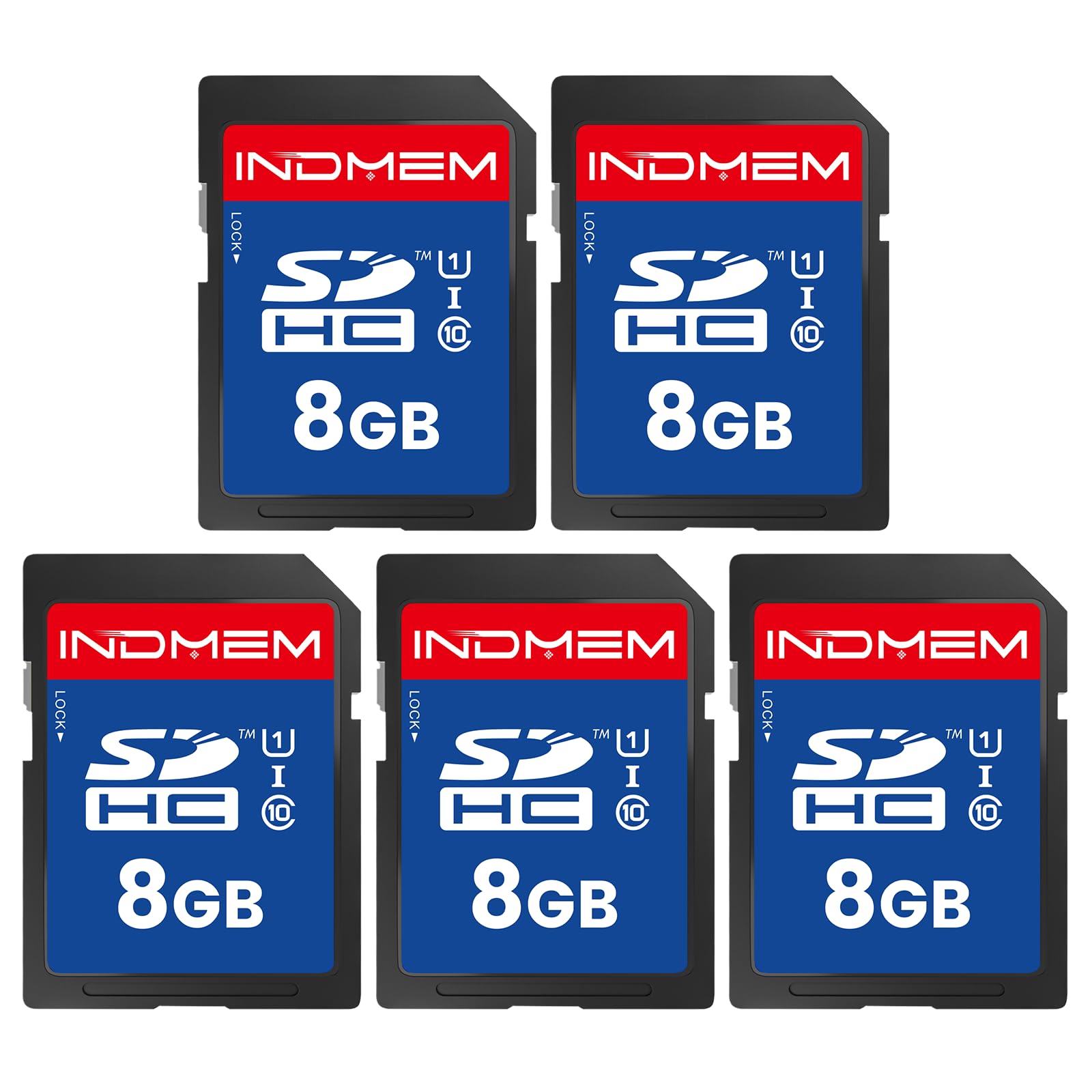
INDMEM 8GB (5-Pack)

89 /100
Keeper Score Excellent

Key details

Capacity
8 GB (5 cards)
Flash Type
SLC
Read Speed
Up to 80 MB/s
Speed Class
C10, U1
Check Price on Amazon

Old hardware is the reason this pack exists. INDMEM's 8 GB SDHC cards are built for devices that will not take anything larger — early DSLRs, ageing compacts, CNC machines, industrial loggers — and they are the only SLC-flash cards in this group. SLC is the longer-lived type of NAND, which matters when the card lives inside a device for years rather than travelling in a wallet.

The rest of the specification is modest and honest: up to 80 MB/s read, Class 10 with U1, error correction built in, a one-year warranty. Eight gigabytes fills quickly if you shoot raw, so plan on JPEGs or on a device that writes a few files at a time. It is a narrow pick, and the only one here for a slot that predates SDXC — which is precisely why it earns a place.

Pros

  • SLC flash suits long-term in-device use
  • 8 GB SDHC fits legacy slots
  • Five cards cover several old devices

Cons

  • One-year warranty is short for the category
Our verdict

We keep the INDMEM pack for legacy devices: 8 GB SDHC cards in SLC flash that old cameras and machines will actually read.

Check Latest Price
7

Devices Offloaded Monthly

Silicon Power 32GB (5-Pack)

90 /100
Keeper Score Outstanding

Key details

Capacity
32 GB (5 cards)
Warranty
5-year limited
Read Speed
Up to 40 MB/s
Speed Class
C10
Check Price on Amazon

Forty megabytes a second is the slowest read speed of any card in this group, and it is the first thing to know about Silicon Power's 32 GB five-pack. What the pack gives you for it: five Class 10 SDHC cards, CPRM and SDMI compliance, and a five-year limited warranty that is the longest stated on any budget pack here.

Slow reads stop mattering in the places these cards end up — trail cameras, 3D printers, a Wii, an old point-and-shoot you pull out twice a year. Those devices write small files and get their cards harvested monthly, and five cards means every one of them has its own. Capacity is not the issue at 32 GB for stills, and the individual cards are cheap enough to leave in place.

What we noticed is the gap against the Gigastone pack: same capacity, same card count, twice the read speed for a little more per card, plus the cases. So buy this one when the stated warranty is the thing you value and the cards are going into devices you open twice a season; the slower offload is a real cost every time you sit down to copy a card.

Pros

  • Five 32 GB cards per pack
  • Five-year limited warranty
  • Fine for trail cams, printers and older devices

Cons

  • 40 MB/s read is the slowest here
Our verdict

For trail cameras, printers and drawer duty we accept the slow read; five cards and a five-year warranty cover the job.

Check Latest Price

How We Tested the SD Cards

We built the shortlist from spec sheets rather than rankings: stated read and write ratings, speed class, UHS bus, and the compatibility lists manufacturers publish for specific camera bodies. Anything that couldn't hold a steady 4K recording, or that cost noticeably more per gigabyte than its closest rival, came off the list. That left 18 cards spanning capacities and formats, including several multipacks.

Each card went into rotation for four months, living in my camera bag and my team's. They were filled during weekend shoots, burst-fired through RAW sequences at a kid's soccer game, and recorded on until they hit their limit so we could watch for dropped frames or a clip that stopped early. Back at the desk, we offloaded a 20GB folder of photos and video through a card reader and timed the transfer, noting whether speeds held steady or collapsed partway through.

Compatibility got checked the hard way: every card went into an older DSLR, a mirrorless body, an action cam, a trail camera, and a laptop slot, and we logged any that needed a second try or threw an error. We also formatted each one in-camera, refilled it, and formatted again, since a card that only behaves when it's fresh isn't reliable.

Last, we compared the capacity a disk utility actually reported against the number on the label, opened files written at the very end of a full card to confirm nothing went missing, and benchmarked every card inside each multipack instead of assuming the batch matched.

How to Choose an Sd Card

Start With the Speed Class Your Camera Asks For

Video speed classes are the honest way to compare cards. V30 covers most 4K recording, V60 covers the higher-bitrate modes, and U1 or plain Class 10 is enough for 1080p and stills. Buying above what your camera needs costs money and gains nothing; buying below it gets you dropped frames that no amount of capacity fixes.

The card always runs at the speed of the slowest link, and that link is usually the camera rather than the card. Check the recording modes you actually shoot in, match the class, and stop there.

Check the Slot Type Before the Capacity

Two specifications decide whether a card works at all. SDHC tops out at 32 GB and SDXC starts at 64 GB, and a camera that only understands SDHC will not read a 128 GB card however new the card is. UHS-II cards carry a second row of contacts and only deliver their speed in a UHS-II slot; in a UHS-I body they fall back to UHS-I performance.

If you are nursing an old compact, a trail camera or an industrial device, 32 GB is the safe ceiling and the INDMEM 8 GB pack covers the slots that predate SDXC entirely. On a current mirrorless body, any capacity will mount, and the card type only decides how much of its speed you get to use.

Trade Capacity Against Card Count

One 256 GB card means fewer swaps. Two 128 GB cards mean a failure costs half a shoot instead of all of it, and they let you split stills and video across two slots. For most buyers the second arrangement is the better purchase, and it is why multi-packs earn places on this list — the PNY pair is the cheapest way here to put two V30 cards in the bag.

Set-and-forget devices are the exception. A trail camera wants one modest card per device, in its own case, so you can rotate a season of stills without handling the same card twice.

Spend a Little on How You Offload

Read speed only shows up when you copy files, and it is capped by whatever the card is plugged into. A UHS-II card in a basic USB reader transfers at the reader's pace, so a fast card behind a slow reader is money spent on nothing. If you care about a card's read rating, budget for a reader that matches its bus.

Then use that reader before you reformat. Formatting is the moment an un-backed-up shoot disappears, and the second copy is the only thing standing between a bad card and a lost job.

Frequently Asked Questions

Final Verdict

Buy the SanDisk Extreme PRO 256 GB for a camera with a UHS-I slot, which covers most DSLRs and mirrorless bodies still in service. It writes fast enough for 4K and burst work, offloads quicker than anything else here, and the capacity stops you juggling cards in the middle of a scene.

If your body has a UHS-II slot and you record high-bitrate video, the Lexar Silver PRO pair is the better use of that hardware. Shooting a point-and-shoot or keeping a spare in the bag? The SanDisk Ultra does the job for the least money here.