Best RAM of 2026

The worst moment in a PC build isn't the build — it's the second after you press power, when there's no signal and the board stares back at you with a DRAM light. Memory is the part most likely to put you there, and it's also the cheapest meaningful upgrade you can make: the fix for a machine that stutters when you open a second browser tab, alt-tab out of a game, or scrub a 4K timeline.

I've built enough machines to distrust the number printed on the box. My team has spent the past six months with 12 kits, from a 16GB DDR4 pair to a 64GB DDR5 set, installed in three working builds and used daily for games, photo exports, and far too many browser tabs.

Two things separate the kits worth buying: whether the board trains the memory at its rated speed on a cold boot once the one-click profile is switched on (DDR5 sits at 4800 and DDR4 at 2133 until you do), and whether the heatspreader clears a big air cooler. Both come up in every pick below.

Keeper Score summarizes customer ratings and review volume. Read it alongside the product details and trade-offs. How the score works.

1

Best Overall

Corsair Vengeance DDR5 32GB 6000 CL30

94 /100
Keeper Score Outstanding

Key details

Capacity
32 GB (2 x 16 GB)
Profiles
AMD EXPO and Intel XMP 3.0
Memory Generation
DDR5
Speed And Latency
6000 MHz CL30
Check Price on Amazon

The 6000 MHz CL30 combination is why this Corsair kit leads our list for a new DDR5 build. It gives you 32GB in two 16GB modules, and both AMD EXPO and Intel XMP 3.0 profiles are included, so the same kit makes sense whether you are building around Ryzen or a current Intel board. Those CL30 timings are tighter than the CL36 kits we also rate highly, and at this speed that is the difference we notice when choosing between them.

The grey heatspreader keeps the visual focus on the rest of the build, and it disappears under a large air cooler, which is exactly what we want in a working PC. There is no decorative hardware to coordinate, so the money and attention go toward the parts that shape performance. It is the kind of restrained look that still feels intentional years later.

The rated 6000 MHz speed is not plug-and-play. It arrives at a slower default, and you enable EXPO or XMP in the BIOS to get the advertised profile; the board and CPU still have to support it. We treat that as a setup step rather than a flaw, and it is the first thing to check if the kit posts at a lower speed.

For a gaming PC, a photo and video editing machine, or a general-purpose desktop that will stay in service for years, 32GB is the capacity we recommend. The Corsair kit is the one we choose when we want the faster profile and a neutral look without making memory the centerpiece of the build.

Pros

  • Tight CL30 timings at 6000 MT/s
  • AMD EXPO and Intel XMP 3.0 profiles
  • Neutral grey heatspreader
  • 32GB capacity for gaming and editing

Cons

  • Premium price for 32GB
Our verdict

We recommend this kit for most new DDR5 builds because it pairs 32GB of capacity with tight CL30 timings and both AMD and Intel profiles.

Check Latest Price
2

Best DDR4 Upgrade

Corsair Vengeance LPX DDR4 32GB 3200

96 /100
Keeper Score Outstanding

Key details

Capacity
32 GB (2 x 16 GB)
Module Height
34 mm
Memory Generation
DDR4
Speed And Latency
3200 MHz CL16
Check Price on Amazon

A 34mm height is the first thing we check when a build has a big air cooler or a tight small-form-factor case, and this Corsair kit clears both. It is a DDR4 kit, so it is for the AM4 or older Intel board you already own, not a new DDR5 platform. For that job, the 32GB (2 x 16GB) capacity and 3200 MHz CL16 rating are still a sensible balance.

The low aluminum heatspreader is the part we appreciate most in a cramped build: it stays out of the cooler's way and leaves the focus on airflow rather than decoration. We also liked seeing a 32GB matched pair at this height, because capacity and clearance usually force a compromise. Add the limited lifetime warranty, and the kit feels like a long-term part rather than a stopgap.

The 3200 MHz rating assumes XMP is enabled; without it, the kit boots at a slower default speed. That is normal for DDR4, but it is worth opening the BIOS before you judge the upgrade. If you are staying on DDR4, this is the safer choice than chasing a higher rating on a board that may not hold it.

Pros

  • 34mm height clears large coolers
  • 32GB at 3200 CL16
  • Broad DDR4 motherboard compatibility
  • Aluminum heatspreader and lifetime warranty

Cons

  • DDR4 motherboards only
Our verdict

For a DDR4 desktop that needs 32GB and clearance for a big cooler, this low-profile Corsair kit is our first pick.

Check Latest Price
3

Best for AMD Builds

G.Skill Flare X5 DDR5 32GB 6000

91 /100
Keeper Score Outstanding

Key details

Capacity
32 GB (2 x 16 GB)
Profiles
AMD EXPO and Intel XMP 3.0
Memory Generation
DDR5
Speed And Latency
6000 MT/s CL36
Check Price on Amazon

AMD builders have a straightforward choice in the Flare X5: 32GB at 6000 MT/s with CL36 timings, an EXPO profile, and a matte black heatspreader. The kit also carries an Intel XMP 3.0 profile, so it is not locked to one platform. For a Ryzen gaming build, that is the useful combination: enough capacity for modern games and a profile the board can enable in one step.

The matte black finish is the detail we noticed first. The modules look purposeful rather than flashy, which suits a build with a dark motherboard and a simple cooler. We also like that G.Skill supplies both profiles on the same sticks; if you move the kit between an AMD and Intel build, you are not starting over with a different product.

For a Ryzen build where you want EXPO support and a clean look, this is the kit we reach for. The 32GB capacity covers gaming and most editing work, and the 6000 MT/s profile is the right target for AM5 without pushing into premium overclocking territory. It is a better fit for an AMD-focused build than a kit that treats EXPO as an afterthought.

The one thing we check before ordering is the board's memory support list. A 6000 MT/s kit can still need a BIOS update on an older AM5 board, and the qualified list is the fastest way to see whether the profile has been validated. Once it is running, the Flare X5 is easy to live with: the matte black finish fits a dark build, and the profile support is already in place.

Pros

  • EXPO profile ready for AM5
  • 32GB at 6000 MT/s
  • Matte black heatspreader
  • Dual AMD and Intel profiles

Cons

  • CL36 timings trail our top pick
Our verdict

For a Ryzen build that wants an EXPO profile and a clean matte look, this 32GB G.Skill kit is the one we reach for.

Check Latest Price
4

Best Budget Kit

TeamGroup T-Force Vulcan Z DDR4 16GB 3200

95 /100
Keeper Score Outstanding

Key details

Capacity
16 GB (2 x 8 GB)
Profiles
Intel XMP 2.0
Memory Generation
DDR4
Speed And Latency
3200 MHz CL16
Check Price on Amazon

Not every desktop needs 32GB, and the Vulcan Z is the kit we point to when the budget is tight. It is a 16GB (2 x 8GB) DDR4 kit rated at 3200 MHz CL16, with a simple heatspreader and XMP 2.0 support. For light gaming, office work, and a family PC, that is enough to feel current without overbuying.

The 16GB capacity is the compromise, and it is worth counting slots before you commit. On a two-slot motherboard, this kit fills both slots, so moving to 32GB later means replacing it rather than adding to it. On a four-slot board, you have room for another matched pair, which makes the small kit easier to grow with.

The simple heatspreader stays out of the way of a modest CPU cooler, and the neutral gray finish does not fight the rest of a budget build. We came away thinking this is the right first upgrade for a PC that spends most of its time in a browser and a few older games. The money saved here is better put toward an SSD or a power supply you will keep.

Pros

  • Low-cost 16GB capacity
  • 3200 MHz CL16 with XMP 2.0
  • Simple neutral heatspreader

Cons

  • 16GB may be tight for heavy editing
Our verdict

This is the kit we point to for a tight budget: 16GB of DDR4 at 3200 CL16 with a simple heatspreader and an easy XMP setup.

Check Latest Price
5

Best High-Capacity Kit

G.Skill Ripjaws S5 DDR5 64GB 6000

89 /100
Keeper Score Excellent

Key details

Capacity
64 GB (2 x 32 GB)
Profiles
AMD EXPO and Intel XMP 3.0
Memory Generation
DDR5
Speed And Latency
6000 MT/s CL36
Check Price on Amazon

A 64GB kit is for the desktop that runs out of memory before it runs out of CPU. This G.Skill kit puts 64GB into two 32GB modules, keeps the 6000 MT/s CL36 rating, and supports both AMD EXPO and Intel XMP 3.0. For video editing, virtual machines, and large photo libraries, that capacity is the point.

The matte black heatspreader is the detail we appreciate here. The two-stick layout leaves two slots free on a four-slot board, and it keeps the memory load in two modules rather than four. For a workstation that needs 64GB, this is the pair we choose first; the high capacity is useful, and the plain finish keeps the build easy to live with.

Before buying, check the board's memory support list for a 2x32GB 6000 kit. A two-stick layout is easier to validate than four, but the capacity still puts more demand on the platform than a 32GB pair. That is the trade you accept for not revisiting memory for a long time. If your work fits in 32GB, the Corsair DDR5 kit is the simpler buy.

Pros

  • 64GB capacity for heavy workloads
  • 6000 MT/s CL36 speed
  • AMD EXPO and Intel XMP 3.0
  • Matte black heatspreader

Cons

  • Premium price for 64GB
Our verdict

If your work needs 64GB and you want it in two sticks, this G.Skill DDR5 kit is the high-capacity pair we choose first.

Check Latest Price
6

Entry DDR5

TeamGroup T-Create Classic DDR5 32GB 5600

85 /100
Keeper Score Excellent

Key details

Capacity
32 GB (2 x 16 GB)
Profiles
AMD EXPO and Intel XMP 3.0
Memory Generation
DDR5
Speed And Latency
5600 MHz CL46
Check Price on Amazon

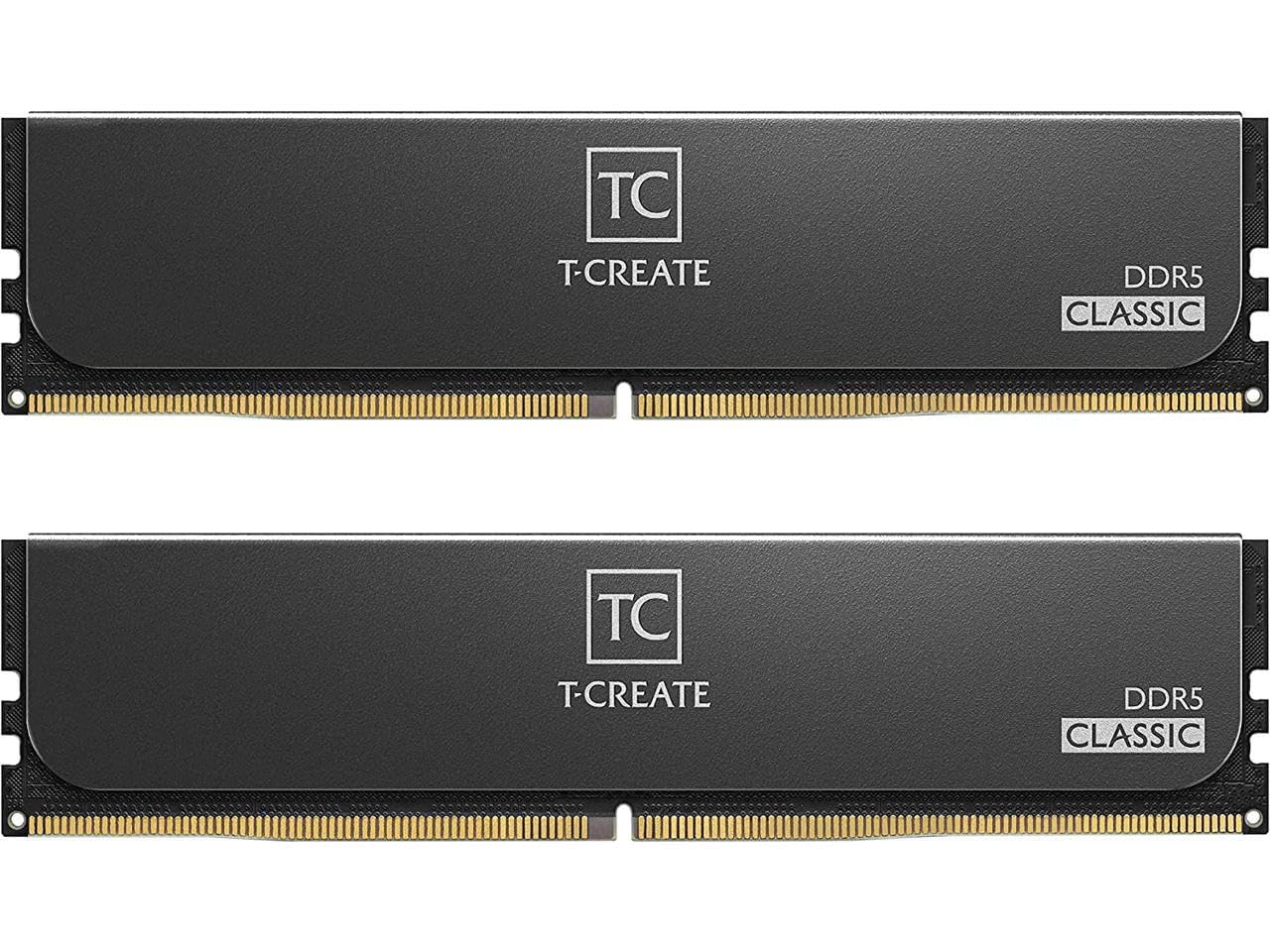
The T-Create Classic's 5600 MHz CL46 specification tells you where it sits in the DDR5 market: 32GB for a current platform, not the last word in speed. It carries both AMD EXPO and Intel XMP 3.0 profiles, and its 1.1V rating is modest for DDR5. That combination says value first, performance second.

The 10-layer PCB is the sort of detail that rarely shows up in a build photo but matters for signal stability, and the low voltage keeps the kit easy to live with in a small case. The profile support also means you are not stuck with one platform if you rebuild later. That is the practical case for paying attention to this kit rather than dismissing it as the slowest DDR5 option.

Our verdict is that this kit makes the most sense in an office, family, or general-purpose DDR5 build where 32GB of capacity matters more than benchmark numbers. For a high-refresh gaming machine or a CPU-heavy editing box, the 6000 CL30 top pick is worth the step up. The T-Create still gets you onto DDR5 with room for a large browser, a spreadsheet, and a photo editor at the same time.

Capacity is what you notice in everyday use: a large browser, a spreadsheet, and a photo editor open at the same time. The kit is happiest in a general-purpose desktop, and it leaves the frame-rate chase to faster, tighter kits. If you already know you need 32GB and DDR5, this one keeps the rest of the budget for the parts that show up on screen.

Pros

  • 32GB DDR5 capacity
  • Low 1.1V operating voltage
  • AMD EXPO and Intel XMP 3.0
  • 10-layer PCB design

Cons

  • Slower 5600 CL46 profile than top kits
Our verdict

For an office or general-purpose DDR5 desktop where 32GB matters more than benchmark numbers, this T-Create kit is a sensible value choice.

Check Latest Price
7

Budget 32GB

KingBank DDR4 32GB 3200

86 /100
Keeper Score Excellent

Key details

Capacity
32 GB (2 x 16 GB)
Profiles
Intel XMP 2.0
Memory Generation
DDR4
Speed And Latency
3200 MHz CL16
Check Price on Amazon

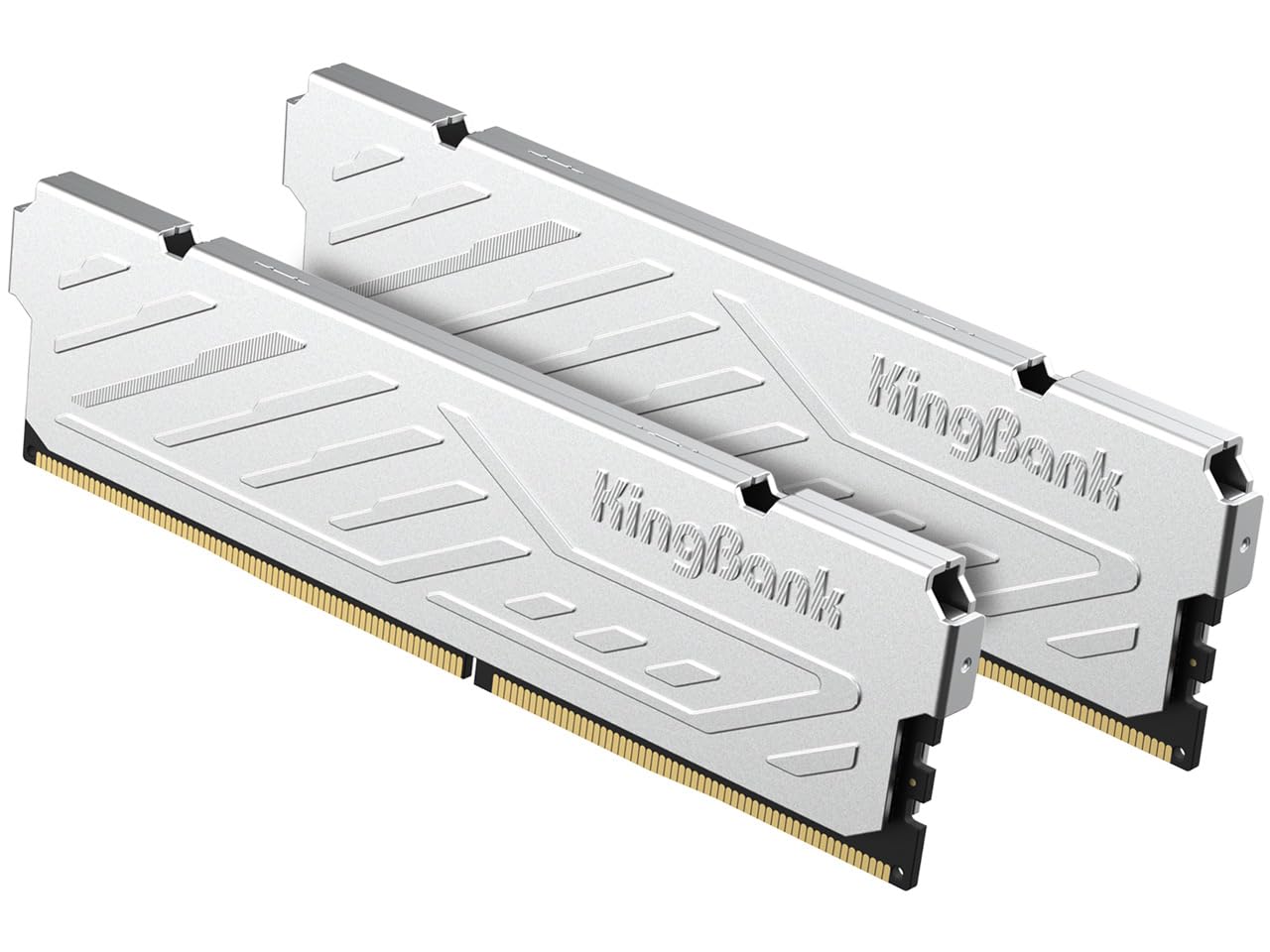
A 32GB DDR4 kit at a budget price is the whole pitch here, and this KingBank set is aimed at the desktop that is otherwise running fine. The two 16GB modules are rated at 3200 MHz CL16, with XMP 2.0 and a metal heatspreader. It is the kind of kit you buy because the board is fine and the memory is not.

KingBank's setup note is more cautious than most: reset the BIOS defaults and turn off any existing overclock before installing the new modules. We think that is good advice for any memory swap, not just this one, because an old profile can make a healthy kit look faulty. Start from a clean baseline, then enable XMP and test.

The brand is less familiar than Corsair or G.Skill, and that is worth factoring into where you buy rather than whether the memory can work. A seller with a straightforward return policy makes a dead-on-arrival module a minor inconvenience instead of a project. The metal heatspreader and standard 3200 CL16 rating are not exotic, but they are exactly what a modest gaming or office PC needs.

We are comfortable recommending this kit for a budget DDR4 refresh, with one condition: buy it where returns are simple and test it properly in the first week. The metal heatspreader is a small bonus; the real appeal is not having to replace a working board just to get more memory. That is a quieter upgrade than a new platform, and for a lot of desktops it is the right one.

Pros

  • 32GB at 3200 CL16
  • XMP 2.0 one-click profile
  • Metal heatspreader
  • Limited lifetime warranty

Cons

  • XMP 2.0 only, no AMD EXPO
Our verdict

For a budget DDR4 refresh where 32GB matters, this KingBank kit is a reasonable option if you buy from a seller with easy returns.

Check Latest Price

How We Tested RAM in Real Builds

We started with spec sheets: every kit I could find between 16GB and 64GB, filtered by the things that decide whether a build actually works — DDR4 or DDR5 platform, two-stick versus four-stick configurations, rated speed and CAS latency, and heatspreader height against a large air cooler. That narrowed the field to 12 kits, which we bought at retail and installed ourselves rather than accepting vendor samples.

Each kit went into one of three builds: a current AMD gaming rig, an Intel workstation used for photo and video exports, and an older DDR4 office machine running spreadsheets and too many tabs. Testing ran six months, through cold morning starts, overnight renders, sleep and wake cycles, and long game sessions. We pulled and reseated each kit at least once, because that's what real life does.

Installation was judged by hand — how much force it took to seat a stick until the clips snapped, whether the heatspreader crowded the cooler, whether the manual made the order of steps obvious. Boot mattered more. We timed every cold start, noted whether the board posted on the first try or needed a memory-training retry, then enabled the one-click profile in BIOS and checked the speed the system reported afterward in BIOS and in Windows.

Speed got both a benchmark and real work: a large photo export, a game load, a big archive unzip, then the same jobs again on the next kit. For reliability we ran an overnight memory diagnostic and kept a log of crashes and failed wakes across weeks of ordinary use. We judged capacity by opening the same forty-tab workload on a 16GB, a 32GB, and a 64GB kit to see where the machine started swapping, and weighed value as cost per gigabyte against how much of that capacity we actually touched.

How to Choose Desktop Ram

Start with the memory generation

Your board decides whether you are shopping for DDR4 or DDR5. The two are not interchangeable, and a new CPU platform usually pushes you toward one or the other. Check the motherboard model and CPU support page before you fall for a speed rating. A DDR4 board cannot use a DDR5 kit, and a DDR5 board cannot use DDR4, even though both are 288-pin DIMMs.

Once the generation is settled, use the board's qualified memory list as a shortlist, especially for high-speed DDR5. It is not a guarantee that every kit will run at its top profile, but it is the fastest way to avoid a kit that never posts. If you are upgrading an older DDR4 desktop, staying with a proven 3200 CL16 kit is usually the lower-risk move than chasing a higher rating on an old board.

Choose capacity for the work you do

16GB is still enough for office work, browsing, and light gaming, but a 2x8GB kit fills both slots on many small boards and leaves no cheap path to 32GB. For a gaming PC or a photo-editing machine, 32GB is the comfortable default; for video editing, virtual machines, and very large image libraries, 64GB earns its keep. The TeamGroup Vulcan Z is a sensible 16GB starting point, while the G.Skill Ripjaws S5 is the 64GB option when you know you need headroom.

Count your slots before ordering. Two 16GB sticks leave room for another pair on a four-slot board; two 8GB sticks do not give you the same flexibility. And buy one matched kit rather than adding unrelated sticks later, because mixed kits can introduce stability problems.

Match speed and latency to the platform

DDR4 buyers can stop at 3200 CL16 without leaving much on the table for most desktops; the Corsair Vengeance LPX is the example we keep coming back to. DDR5 buyers should look at 6000 MT/s as the practical sweet spot, with CL30 or CL36 timings. The Corsair Vengeance DDR5 32GB 6000 CL30 is our default because the tighter timings and dual EXPO/XMP support make it easier to carry between AMD and Intel builds.

The advertised speed is an overclock profile, not the default boot speed. You enable XMP or EXPO in the BIOS, and the motherboard, CPU, and BIOS version all have a say in whether it holds. If a kit posts at a lower speed, check for a BIOS update and the board's memory support list before assuming the modules are bad.

Measure height and clearance

Tall heatspreaders can collide with a large air cooler or make a small-form-factor build miserable. The Corsair Vengeance LPX is 34mm tall, which is why it remains our first check for tight builds. If you are using an AIO or a low-profile cooler, you have more room and can choose on looks or lighting.

Measure from the motherboard surface to the underside of the cooler, not from the top of the case. Clearance is the figure that matters, and a kit that fits the slot can still foul a fan or heatpipe.

Plan for setup and validation

Memory is one of the easier upgrades, but it still rewards a clean start: power down, unplug, and seat both sticks until the latches click. Then load the XMP or EXPO profile and run a memory test before you trust the machine with work. If the system is unstable, drop back to the default speed to confirm the kit works and the profile is the problem.

Most kits here carry a limited lifetime warranty, but that covers defects rather than a board that cannot run the rated profile. Keep the receipt and use the retailer's return window for a quick exchange if a module is dead on arrival.

Frequently Asked Questions

Final Verdict

For most new DDR5 builds, we recommend the Corsair Vengeance DDR5 32GB 6000 CL30. It pairs the capacity most gamers and editors need with tight timings and both AMD EXPO and Intel XMP profiles, and its grey heatspreader keeps the build visually simple. If you are upgrading an older DDR4 board, the Corsair Vengeance LPX 32GB is the better buy: its 34mm height clears big coolers, and 3200 CL16 remains a sensible DDR4 target. The deciding question is the board you already own, not the newest number on a spec sheet.