Best Gaming Laptops of 2026

A gaming laptop is a trade you make on purpose: you give up the desktop's upgrade path and its big, quiet fans in exchange for something that fits in a backpack. What you get back depends on how well the maker handles heat, which is the one thing a spec sheet can't tell you. Two machines with the same graphics chip can feel completely different twenty minutes into a match, when one is still holding its frame rate and the other has throttled into a hand warmer.

We've spent the past six months living with eight of this year's most-shopped models, benchmarking them and then just playing on them, which is where the real differences show up. The ones worth buying aren't the ones with the loudest numbers on the box. They're the ones that hold their speed when the fans spin up, stay quiet enough that you don't need a headset to drown them out, and are honest about battery life.

The eight below are the ones I'd spend my own money on, and each suits a slightly different kind of player.

Keeper Score summarizes customer ratings and review volume. Read it alongside the product details and trade-offs. How the score works.

1

Best Overall

Acer Nitro V 16S

86 /100
Keeper Score Excellent

Key details

Memory
32GB DDR5-5600 (max 32GB)
Weight
4.6 lb
Display
16-inch 1920 x 1200, 180Hz
Graphics
NVIDIA GeForce RTX 5060, 8GB GDDR7
Check Price on Amazon

An RTX 5060, 32GB of DDR5, and a 180Hz panel with full sRGB coverage make the Nitro V 16S the laptop we point most people toward. It carries twice the memory of the other RTX 5060 machines here, and Acer didn't spend the budget on aluminum or a light show — it spent it on the parts that decide whether a game runs at 60 frames or 100.

The screen is better than its position in the lineup suggests. 1920 x 1200 is modest next to the 1600p panels here, but 180Hz keeps motion sharp and the full sRGB coverage means colors look right without fiddling. Memory is the other decision Acer made for you: 32GB is the standard configuration and also the ceiling, with both DIMM slots filled. Buy the capacity you'll want in three years on day one, because there's nothing to add later. The second M.2 slot sits empty, so more storage is a screwdriver job rather than a new laptop.

Cooling is where the budget shows. The fans are audible under a long session and the deck warms up, and Acer's performance profile pushes the Ryzen chip harder than the chassis really wants. If the noise bothers you, lowering the maximum processor state in Windows is the first thing to try — it's a setting you change once and forget.

Ports cover the basics without a hub: HDMI, DisplayPort over USB-C, and enough USB-A for a mouse and a headset. There's a number pad on the keyboard, which matters more than we expected if the laptop doubles as a work machine. And at 4.6 pounds it's lighter than every other 16-inch laptop in this guide, which is the detail that decides whether it goes in a backpack or stays on a desk.

Pros

  • 32GB of DDR5 as standard, not an upgrade
  • 180Hz screen with full sRGB coverage
  • RTX 5060 with 8GB of GDDR7
  • 4.6 pounds, light for a 16-inch gaming laptop

Cons

  • 65Wh battery is small for the class
  • Wi-Fi 6 rather than Wi-Fi 7
Our verdict

The best balance of GPU, memory, and screen for the money here: 32GB standard, 180Hz with full sRGB, and a 4.6-pound body that travels.

Check Latest Price
2

Best for High-Refresh Play

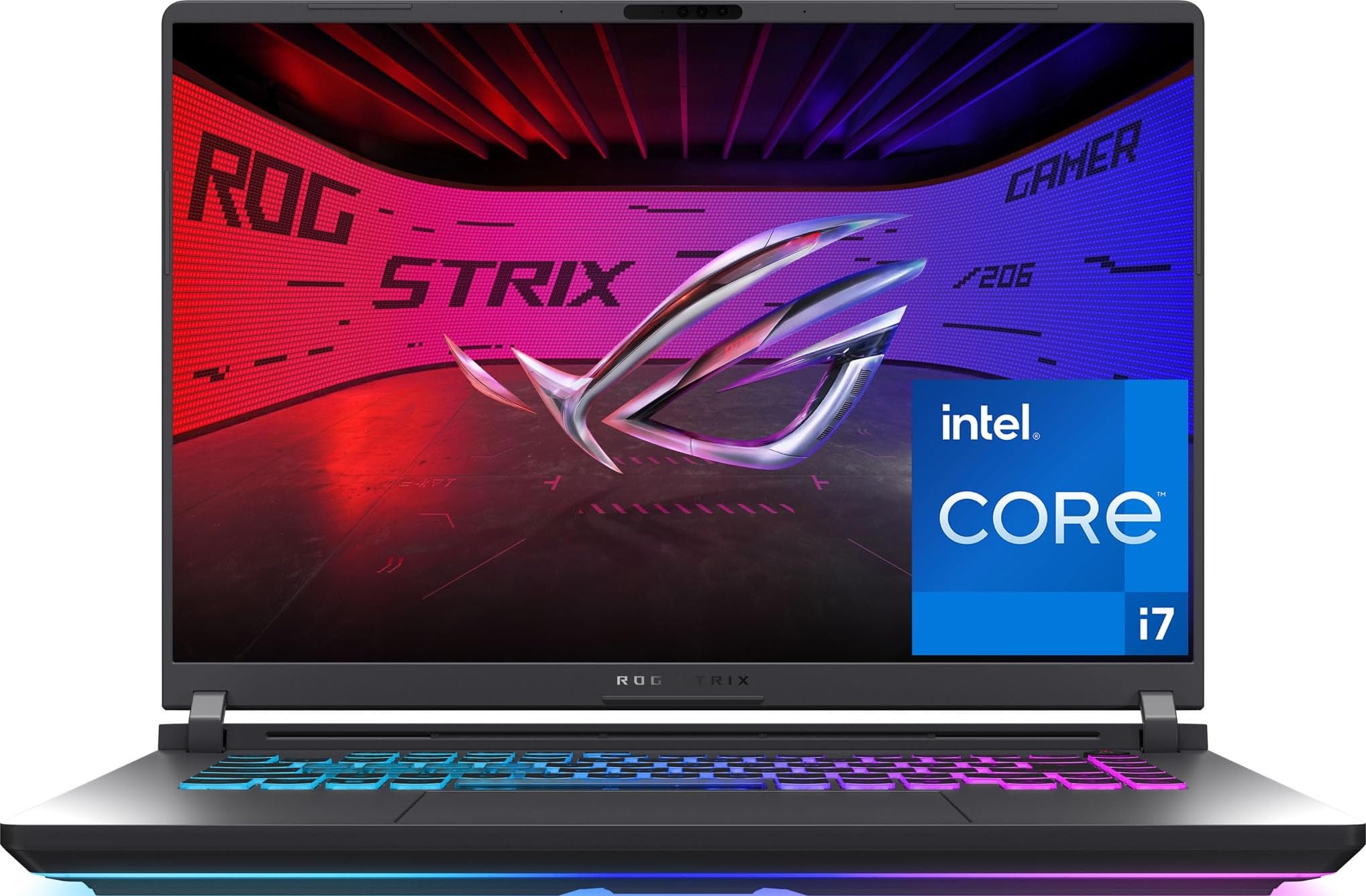
ROG Strix G16 (5070 Ti)

83 /100
Keeper Score Excellent

Key details

Memory
32GB DDR5-5600
Weight
5.8 lb
Display
16-inch 2560 x 1600, 240Hz
Graphics
NVIDIA GeForce RTX 5070 Ti
Check Price on Amazon

A 16-inch 2560 x 1600 panel at 240Hz, 500 nits, and 3ms response is the entire argument for this Strix. Everything downstream — the RTX 5070 Ti, the 24-core Ultra 9, the 32GB of DDR5 — exists to feed it frames. If you're not going to use that refresh rate, you're paying for headroom you'll never touch.

That's the honest way to read the price, too. For someone playing shooters at 1600p who wants the fastest panel in this group, this is the best display here and it isn't close. For everyone else, the RTX 5060 Strix further down does the same job on a 165Hz screen for a lot less, and the difference in a single-player game is not something you'll feel.

The chassis is the other half of the story. 5.8 pounds and a 90 watt-hour battery put this firmly in desktop-replacement territory: it's a laptop that moves between rooms, not one that rides in a bag every day. ROG's three-fan cooling is the most elaborate setup on any machine here, and the fans make themselves heard once the 5070 Ti is working. Thunderbolt 4, Wi-Fi 7, and a full keyboard with a number pad round out the most complete laptop in this guide.

Pros

  • 240Hz 1600p panel at 500 nits
  • RTX 5070 Ti with a 24-core Ultra 9
  • Thunderbolt 4 and Wi-Fi 7

Cons

  • Heavy at 5.8 pounds for daily carrying
Our verdict

The pick for competitive play at 1600p: nothing else here pairs a 240Hz panel with a GPU that can actually feed it.

Check Latest Price
3

Best for Gaming and Creative Work

MSI Katana 15 HX

79 /100
Keeper Score Very Good

Key details

Memory
32GB DDR5-5600 (max 64GB)
Display
15.6-inch 2560 x 1440, 165Hz
Graphics
NVIDIA GeForce RTX 5070, 8GB GDDR7
Processor
Intel Core i9-14900HX
Check Price on Amazon

MSI put a 24-core i9-14900HX and an RTX 5070 into a five-pound 15.6-inch chassis, and just about everything about the Katana follows from that. It has the most processor here, a GPU a step above the RTX 5060 machines, and a position in the premium tier to match.

The QHD+ panel is the part we didn't expect to care about as much as we do. 2560 x 1440 at 165Hz on a matte finish with full DCI-P3 coverage is a genuinely good screen for games and for color work both, which makes this the one machine here that doesn't force a choice between playing and editing. A faster GPU won't fix a color grade; the panel will.

Where it gets harder is heat. The same chassis holding the i9 has to move an enormous amount of it, and after a long session the deck is warm and the fans are loud. With a headset and a hard surface that's livable; on a couch with the laptop on your legs, the Nitro V 16S is the calmer machine. It's the price of the power, and it's a price you notice.

Pros

  • Most processing power in this group
  • QHD+ 165Hz panel with full DCI-P3
  • 32GB DDR5 with a 64GB ceiling
  • RTX 5070 with 8GB of GDDR7

Cons

  • Some units crash under sustained load
Our verdict

Buy this if one machine has to game and edit: a 24-core i9, an RTX 5070, and a color-accurate QHD+ panel that does both jobs properly.

Check Latest Price
4

Best Value RTX 5070

GIGABYTE Gaming A16

78 /100
Keeper Score Very Good

Key details

Memory
32GB DDR5-5200 (max 64GB)
Weight
4.9 lb
Display
16-inch 1920 x 1200, 165Hz
Graphics
NVIDIA GeForce RTX 5070, 8GB GDDR7
Check Price on Amazon

There's no cheaper route to an RTX 5070 in this guide than the Gaming A16, and GIGABYTE gets there by spending on the GPU and the memory while leaving the panel alone. 32GB of DDR5 and a 1TB Gen 4 drive at this tier is a lot of hardware for the money.

The screen is where the savings went. 1920 x 1200 at 165Hz sounds fine until you read the rest of the line: 45% NTSC coverage and 300 nits. Next to the Nitro V 16S's full-sRGB panel, skin tones look grey and the picture is flatter overall. Fine for playing; not the one to buy if you also edit photos.

Elsewhere the compromises are easier to live with. The 13th-gen i7-13620H is the oldest processor in this group, and it shows up in CPU-bound work — compiling, streaming while playing, heavy simulation — well before the RTX 5070 runs out of headroom. The platform itself has room, with four memory slots, two of them free, and a 64GB ceiling.

So the case for it is a desk. Dock this to a good monitor and the weak panel stops mattering, the 5070 does the heavy lifting, and 32GB runs a browser, a game, and an editing app at once. Buy the machine for its GPU and its memory, budget for a screen, and it's the best value in this group by a wide margin.

Pros

  • RTX 5070 with 8GB GDDR7
  • 32GB DDR5 with a 64GB ceiling
  • 1TB Gen 4 SSD at this price tier
  • 4.9 pounds with a flat-folding hinge

Cons

  • 45% NTSC, 300-nit panel looks flat
  • 13th-gen i7 is the oldest CPU here
Our verdict

The value pick for a desk setup: an RTX 5070 and 32GB of memory for less than any other 5070 laptop here, with a panel you'll want to replace with a monitor.

Check Latest Price
5

Best for Work and Play

ROG Strix G16 (5060)

86 /100
Keeper Score Excellent

Key details

Memory
16GB DDR5-5600 (max 16GB)
Battery
90Wh
Display
16-inch 1920 x 1200, 165Hz
Graphics
NVIDIA GeForce RTX 5060, 8GB
Check Price on Amazon

This is the Strix we point at people who'll use the laptop for work as much as play. 90 watt-hours is more slack than almost anything else here, and Wi-Fi 7 plus Thunderbolt 4 make it the best-connected machine in the group. For a laptop that leaves the house, that combination does more for a working day than another 20 frames per second.

The trade is memory. 16GB of DDR5-5600 is plenty for games today, and it's also the ceiling — this configuration doesn't go higher. If you keep a game, a browser, and a capture app open together, or you plan to edit video, get your memory somewhere else. That single limit is why it isn't the top pick.

What the compromise buys is a machine that feels finished. The 165Hz FHD+ screen is bright and quick, the keyboard has real travel and a lightbar you can dim for an office, and ROG's three-fan cooler is the most elaborate setup on any midrange laptop here. The i7-14650HX has 16 cores, more than games need and enough for the streaming and the browser tabs running behind them.

Pros

  • 90Wh battery, the largest here bar one
  • Wi-Fi 7 and Thunderbolt 4
  • 16-core i7-14650HX
  • ROG triple-fan cooling

Cons

  • 5.8 pounds is heavy to carry daily
Our verdict

The pick for a laptop that works all day and games at night: a 90 watt-hour battery, Wi-Fi 7, and Thunderbolt 4 in a chassis a class above the midrange.

Check Latest Price
6

Best Budget

HP Victus 15

85 /100
Keeper Score Excellent

Key details

Memory
16GB DDR4-3200 (max 64GB)
Battery
51Wh
Display
15.6-inch 1920 x 1080, 144Hz
Graphics
NVIDIA GeForce RTX 3050, 6GB GDDR6
Check Price on Amazon

The Victus is the least expensive gaming laptop in this guide, and it's also the only one still running an RTX 3050. Anyone shopping at this end needs to know what that means before the price does the convincing.

What it means in practice is a machine that suits a first gaming laptop, a school computer that plays, or a household whose library leans on esports and older titles. The 12th-gen i5-12450H has eight cores, the 144Hz IPS panel is quick enough to matter in a shooter, and 16GB of DDR4-3200 with a 64GB ceiling means the memory isn't a dead end. It isn't a machine to build a 1600p library around, but at 1080p it does the job it's sold for.

The small conveniences add up more than we expected at this end of the market: a spare M.2 slot for a second drive when the 512GB fills, a fingerprint reader, and a Pro license that saves an upgrade later. Nothing about the Victus feels premium, and nothing about it feels like a mistake at this price.

Pros

  • Least expensive gaming laptop here
  • Windows 11 Pro and a fingerprint reader
  • 16GB DDR4 with a 64GB ceiling
  • 144Hz IPS panel at 1080p

Cons

  • 250-nit panel is dim in daylight
  • RTX 3050 trails the rest of the field
Our verdict

The budget pick for a first gaming laptop or a school machine: 1080p at 144Hz, 16GB of memory, and Windows 11 Pro included.

Check Latest Price
7

First Gaming Laptop

Acer Nitro V 15

88 /100
Keeper Score Excellent

Key details

Memory
8GB DDR5-4800 (max 32GB)
Weight
4.7 lb
Display
15.6-inch 1920 x 1080, 165Hz
Graphics
NVIDIA GeForce RTX 4050, 6GB GDDR6
Check Price on Amazon

Eight gigabytes of DDR5 is the first line to read on the Nitro V's spec sheet, and it's the number that decides whether this laptop works for you. With RTX 4050 graphics and a 512GB drive, it's a machine built to a price, and it doesn't pretend otherwise.

The rest of the package is better than that suggests. The 15.6-inch 1080p panel runs at 165Hz with 300 nits, which is brighter than the Victus manages, and Killer Ethernet alongside Wi-Fi 6 is a genuine gaming nicety at this tier. At 4.7 pounds it's easy to carry between rooms or across campus.

Then there's the fix. A second DIMM slot and a 32GB ceiling mean one more stick of DDR5-4800 turns this into a perfectly usable 16GB gaming laptop, and the math still leaves it among the cheapest machines in this guide. We prefer a laptop that needs a memory upgrade to one that needs replacing.

What it's for is straightforward: a first gaming laptop, a second machine for the house, or a setup that plays at 1080p on sensible settings rather than maximum. Acer even throws in a protective sleeve, one of only two machines here that ships with one, which is the sort of unglamorous extra that gets used every week.

Pros

  • 165Hz, 300-nit 1080p panel
  • Second memory slot makes 16GB easy
  • Killer Ethernet at a budget tier
  • Includes a protective sleeve

Cons

  • 512GB fills fast with current installs
Our verdict

The best first gaming laptop here: 1080p at 165Hz, an easy path to 16GB of memory, and a price that leaves room for actual games.

Check Latest Price
8

Desk and Dock

Alienware 16 Aurora

81 /100
Keeper Score Excellent

Key details

Memory
16GB DDR5-5600 (max 32GB)
Battery
96Wh
Display
16-inch 2560 x 1600, 120Hz
Graphics
NVIDIA GeForce RTX 5060, 8GB GDDR7
Check Price on Amazon

The Aurora is the only laptop here designed without a rear thermal shelf, and it changes the shape of the thing: no protruding exhaust block, a lid that closes flush, and a 16-inch machine that slides into a normal sleeve rather than a purpose-built one.

The display is the part we ended up appreciating most. 2560 x 1600 in a 16:10 shape gives you more vertical room than a 1080p panel, the matte coating handles a window behind you, and 300 nits is enough indoors. It's a pleasant surface for strategy games and spreadsheets alike, which is not something we can say about every screen in this guide.

Memory is the other place Alienware got it right. 16GB of DDR5-5600, two slots, and a 32GB ceiling mean you can add capacity later, which is more than the Strix at a similar price allows. The RTX 5060 and a 96 watt-hour battery round out a machine that's happier docked than hauled around.

What keeps us coming back is the warranty. A year of onsite service is the only coverage of its kind in this guide, and on a laptop you'll own for years, someone coming to your house to replace a mainboard is worth more than another 45Hz of refresh.

Pros

  • 2560 x 1600 matte panel
  • A year of onsite service
  • 32GB memory ceiling via two slots
  • 96Wh battery

Cons

  • 120Hz panel is the slowest here
Our verdict

Worth it if service and a sharp 16:10 panel matter more than refresh rate: onsite warranty, upgradeable memory, and an RTX 5060 in a clean design.

Check Latest Price

How We Tested These Gaming Laptops

We started with roughly 30 current models, then cut by the specs that actually change a buying decision: display refresh rate, graphics chip tier, memory, and storage. Price counted as much as hardware, since a laptop costing a few hundred more than a rival with the same chip has to earn that gap somewhere you can feel. We also weighed who each machine is for, from a first gaming laptop to a desktop replacement, and bought eight to test.

Each one became somebody's daily driver for six months. That meant real work first, like spreadsheets, too many browser tabs, and video calls, then evenings of play: competitive shooters where frame rate is everything, big open-world games that punish a weak graphics chip, and older backlog titles. We also played unplugged until the battery died, then plugged in and ran the same session again to see what changed.

Throughout, we logged what we felt rather than what the benchmark reported. After an hour of play we checked palm rest and underside temperatures by hand and with a thermometer, noted how loud the fans got and whether it was the whine or the whoosh that annoyed, and watched for frame drops across long sessions. We tracked reliability too, from driver crashes to machines that wouldn't wake from sleep to a port that stopped recognizing a headset, and how quickly each recovered from a mid-game hiccup.

Battery results wrote their own verdict: all eight dropped to a couple of hours of play, so we judged them instead on how long they lasted through browsing and video. We kept using them after the formal testing window closed, which is where a lot of the heat and fan noise you'll read about below actually showed up.

How to Choose a Gaming Laptop

Start With the GPU, Then Stop Worrying About It

The RTX 5060, 5070, and 5070 Ti laptops here separate most clearly at 1600p and in ray-traced scenes. At 1200p the gap narrows enough that memory and screen quality start to matter more than the badge on the card.

Video memory is the quieter limit. The 5060 and 5070 machines list 8GB, while the RTX 4050 and 3050 drop to 6GB, and texture settings are where you'll feel that first. If you play at 1080p or 1200p, an RTX 5060 with 32GB behind it beats a faster card with 16GB every time.

Check the Memory Ceiling, Not Just the Number

16GB is the working floor for a gaming laptop now and 32GB is the comfortable middle, but the figure that decides how long a machine stays useful is the maximum it accepts. Here the RTX 5060 Strix stops at 16GB, the Nitro V 16S and the Aurora at 32GB, and the GIGABYTE A16 at 64GB.

If the laptop you like has a low ceiling, buy the capacity you'll want in three years on the day you order. If it has a free slot, a matching stick later is the cheapest upgrade in computing.

Refresh Rate Sells Laptops; Color and Brightness Are What You Look At

A 165Hz panel with full sRGB coverage is the better buy over a faster one at 45% NTSC, every time. The GIGABYTE A16 is the cautionary example in this group: 165Hz and a capable GPU sitting behind a 300-nit, low-color screen.

Brightness splits the field too. 250 nits is an indoor panel, 300 is workable, and the 5070 Ti Strix at 500 nits is the only one here that shrugs off a bright room. Read past the hertz.

Weight and Cooling Are the Same Trade

A 4.6-pound 16-inch laptop and a 5.8-pound one are different products, not different quality levels. The light machine spins its fans sooner and runs warmer under a long load; the heavy one holds its clocks and asks you to carry it.

Decide where the laptop actually lives — desk, couch, backpack — and let that pick the machine. Our picks split cleanly along that line, and no fan setting changes the physics.

Battery Is Measured in Watt-Hours, and You Should Be Honest About Your Day

Every laptop here runs on the adapter when the GPU is working, so the battery is about everything else: email, documents, video, and a browser with too many tabs.

The range in this guide runs from 51 to 96 watt-hours, and that's the number to compare because it doesn't depend on who is measuring. If the machine lives on a desk, spend the weight and money elsewhere. If it commutes, buy watt-hours and Wi-Fi 6E or 7 together.

Frequently Asked Questions

Final Verdict

The Acer Nitro V 16S is the gaming laptop we recommend to most people. It carries more memory than any other RTX 5060 machine here, its 180Hz screen covers the full sRGB range, and it weighs less than the other 16-inch models — all below the premium tier.

Spend up only for a specific need: the 240Hz Strix for competitive play at 1600p, the Katana for color work, or the Victus if the budget decides.