Best Photo Scanners of 2026

The box arrives the way these things always do: a few hundred prints, many curled at the corners, half of them dated in pen on the back, and nobody willing to throw any of them out. A photo scanner is how that box survives the next move — and how pleasant the job turns out depends on how the thing feeds, how fast it runs, and whether the software fights you the whole way.

For eight months my team and I have run 11 photo scanners through shoeboxes of prints, envelopes of negatives, and carousel trays of slides. The resolution figure on the box predicted very little; what separated them was how a faded snapshot looked at full size, how fast a fifty-print batch went, whether the software could be figured out without a manual, and whether the feed rollers still grabbed curled prints after a few hundred sheets.

Reliability turned out to be the whole ballgame: a scanner that jams on one dog-eared print costs more time than a slow one ever will. The picks below are the ones I would hand my own family's box to.

Keeper Score summarizes customer ratings and review volume. Read it alongside the product details and trade-offs. How the score works.

1

Best Overall

Epson FastFoto FF-680W

91 /100
Keeper Score Outstanding

Key details

Footprint
11.7"D x 11.7"W x 6.9"H
Resolution
600 dpi
Scan Speed
1 photo per second at 300 dpi
Two-sided Scanning
Front and back in one pass
Check Price on Amazon

A photo scanner earns its price on the second evening, not the first. The FastFoto takes a stack of prints, pulls them through at roughly one photo per second at 300 dpi, and hands back numbered files. Because it scans both sides in a single pass, the penciled date or the note on the back of a print arrives as its own image, and that's the detail that sold us. Half the value of an old snapshot is what somebody wrote behind it, and no flatbed here captures that without you flipping the print and starting again.

Image quality is decent rather than archival. Optical resolution is 600 dpi, and the restoration tools — color restore, dust removal, red-eye cleanup — turn a faded 1978 print into a bright, shareable JPEG that often looks better than the paper original. What they don't give you is a neutral master file: the enhancement is a judgement the software makes on your behalf, so when a photo really matters, switch the auto settings off and scan that one again. Panoramas and odd sizes feed through fine; anything curled or torn wants the carrier sheet that comes in the box.

Wireless is the weak point. Getting this scanner onto a network is the least reliable part of the package, and the answer is the cable that comes in the box — USB, end to end, and the machine behaves. It's a large box for a desk, and it's a lot of money to spend if your collection is one shoebox. For a collection that fills real boxes, nothing else in this group clears it faster.

Pros

  • Scans about one photo per second at 300 dpi
  • Captures handwriting on the back in the same pass
  • Clears a whole stack without you standing over it

Cons

  • Software is dated and awkward mid-batch
Our verdict

For a collection measured in boxes rather than a single shoebox, this is the scanner we recommend: load a stack, walk away, and get the notes on the back too.
Check Latest Price
2

Best Value

Plustek ePhoto Z300

91 /100
Keeper Score Outstanding

Key details

Sensor
CCD
Resolution
600 dpi
Scan Speed
2 seconds per 4x6 photo
Photo Sizes
3x5, 4x6, 5x7, and 8x10 inches
Check Price on Amazon

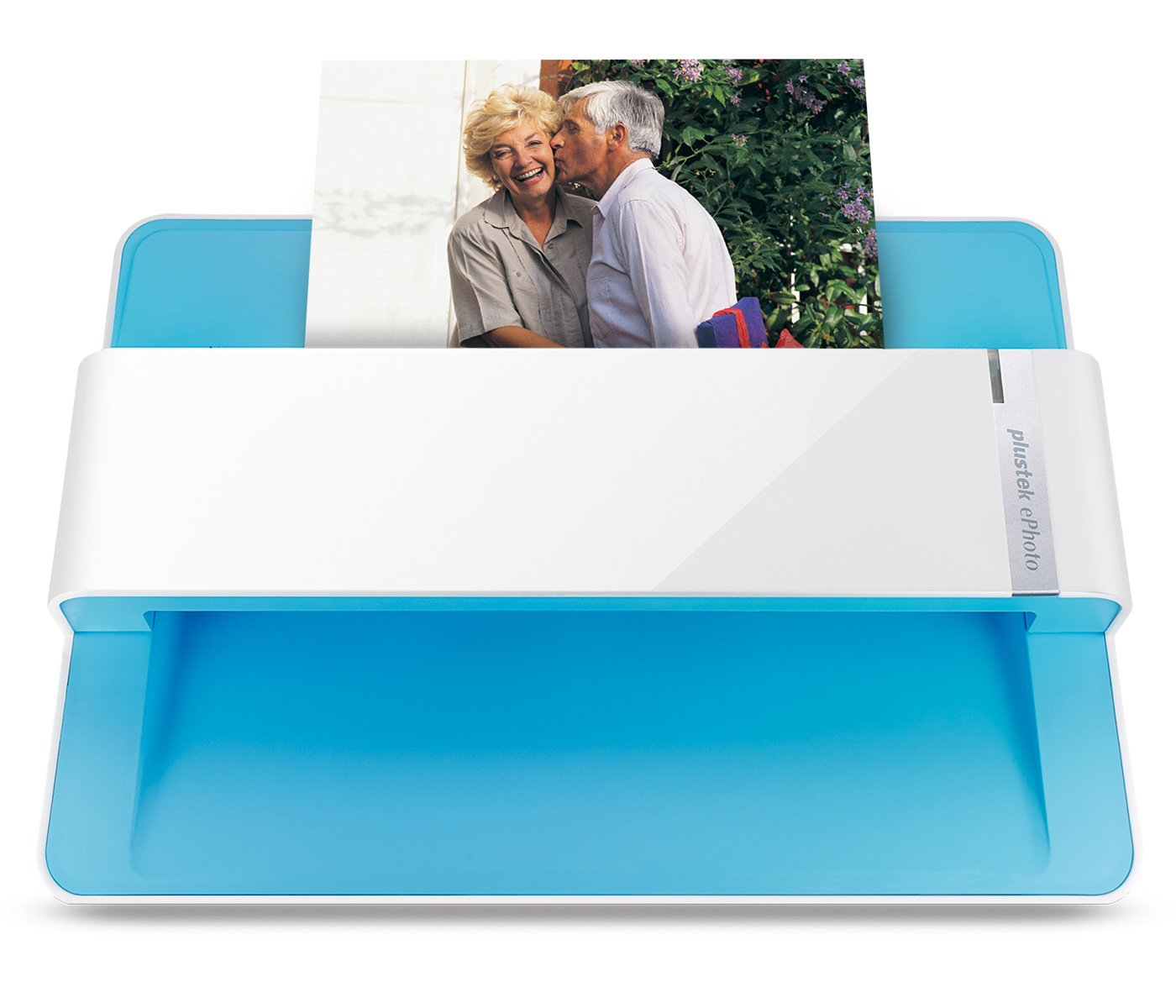
The ePhoto Z300 costs less than our top pick, skips the feeder, and clears a 4x6 in about two seconds at 300 dpi. What that means in practice is that you are the feed mechanism: you sit down, you take a print off the pile, you push it in, you take the next. In our testing the scanner was never the bottleneck — the pile was. For a few hundred prints and a free evening, that's a genuinely good trade.

The CCD sensor is the part that matters for photographs, pulling more tonal detail out of a flat, slightly magenta print than the contact-image sensor in a budget flatbed. The auto-crop and deskew are what make the workflow bearable — drop a print in crooked or upside down and it comes out square and the right way up, which matters when half the collection was trimmed by hand. Results aren't uniform, though: low-contrast prints can come back flat, so budget a re-do rate on the faded ones.

The print path needs the occasional clean. This is the model here where a few thousand prints can start showing as fine lines across the scans, and a wipe down the roller path clears it up. That's a maintenance habit, not a fault, and it's a small one against how quickly this thing empties a shoebox.

Pros

  • Two seconds per 4x6 at 300 dpi
  • Auto-crop and deskew fix crooked, sideways prints
  • CCD sensor holds color better on old prints

Cons

  • Desktop-only software, no phone workflow
Our verdict

The value pick: two seconds a print, reliable auto-crop, and none of the top pick's complications, as long as you don't mind feeding it yourself.

Check Latest Price
3

Best Budget Flatbed

Canon CanoScan LiDE 400

83 /100
Keeper Score Excellent

Key details

Connection
USB-C for power and data
Resolution
4800 x 4800 dpi
Scan Speed
8 seconds
Color Depth
48-bit
Check Price on Amazon

At 0.4 inch thick, with a clip-on stand in the box, the LiDE 400 stands upright between books and comes out when you need it. That sounds like a trivial thing until you've cleared desk space for a scanner you use twice a year. We like it for the job most people actually have: a shoebox of prints, a free afternoon, and no appetite for spending feeder money.

It scans better than its price suggests. Canon quotes 4800 x 4800 dpi and 48-bit color, and auto-scan mode is the feature worth learning: lay four 4x6 prints on the glass, hit the button, and get four cropped files back instead of one image of four photos. An eight-second pass becomes four photos, which is how a flatbed keeps up with a small pile. One USB-C cable carries power and data, so there's a single wire to the laptop and no power brick under the desk.

Volume is the boundary. Four prints per lift of the lid, plus your own sorting, makes this a fine evening's work for a few hundred prints and a miserable week for a few thousand. That's the honest case for it: not the scanner you buy for an archive, the one you buy so you stop putting the shoebox off.

Pros

  • Stores upright on a bookcase shelf
  • Auto-scan saves multiple prints as separate files
  • One USB-C cable for both power and data
  • 4800 x 4800 dpi and 48-bit color

Cons

  • Bundled app falls well short of the quoted dpi
  • Mac driver support is the least predictable here
Our verdict

File this one under small collections and small desks: the LiDE 400 scans a few hundred prints well and then stands on its edge in a bookcase.

Check Latest Price
4

Best for Film and Slides

Epson Perfection V850 Pro

86 /100
Keeper Score Excellent

Key details

Weight
20.9 lb
Resolution
6400 dpi
Film Capacity
12 mounted slides at a time
Optical Density
4.0 Dmax
Check Price on Amazon

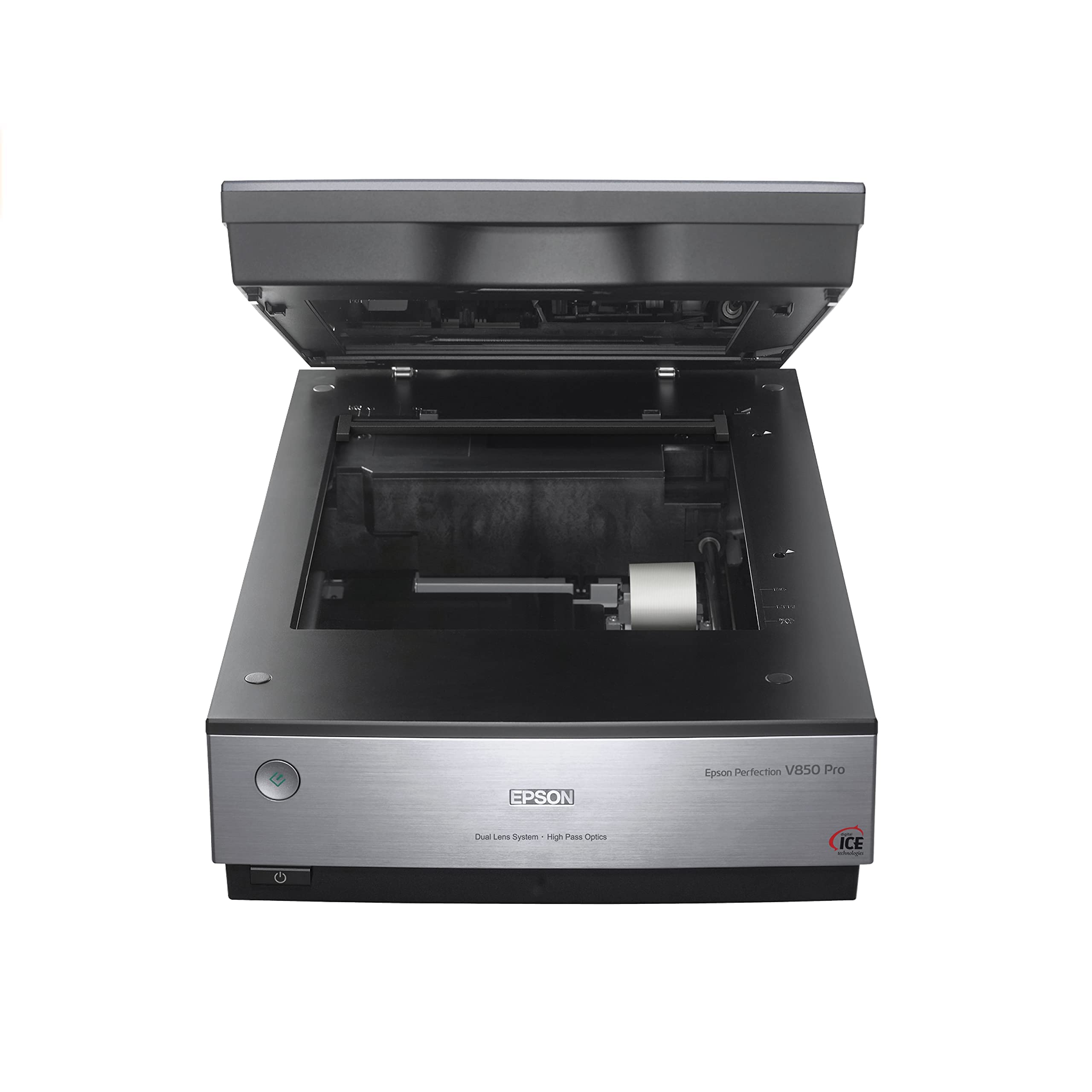
Twelve mounted slides in one pass, with Digital ICE mapping out dust and scratches as it goes: that's the trick nothing else in this group can do, and it's why the V850 is here. The dual-lens system switches between a high-resolution lens for film and a wider one for prints, resolution runs to 6400 dpi, and 4.0 Dmax holds the shadow detail that separates a good negative scan from a muddy one. For a film archive, it's the most capable machine on this page.

It's also 20.9 pounds and 19.8 inches across, so it doesn't go back in a cupboard between projects — it takes a desk and stays there. Prints get the same careful treatment as film, with detail a 1960s print hasn't shown anyone in decades, and the holders take 35mm strips and medium-format frames as well as slides. If your collection is entirely prints, this is the wrong machine: the FastFoto will clear more of them in one night than the V850 will in a week.

The holders are the part nobody warns you about. Each format has its own tray, strips have to sit flat, and the trays are fiddly to keep clean — a speck of dust you can't see on the glass becomes a speck you can see at 6400 dpi. Figure on more time with the holders than with the settings, and give the glass a wipe between formats.

Pros

  • Twelve mounted slides in a single pass
  • Digital ICE removes dust and scratches from film
  • 6400 dpi with a dual-lens system and 4.0 Dmax

Cons

  • SilverFast is a steep learning curve
  • A dozen slides can take 20+ minutes
Our verdict

If the archive includes slides, negatives, or medium-format film, this is the scanner worth giving a desk to: it does film properly and prints with real detail.

Check Latest Price
5

Paper and Photos

ScanSnap iX2500 Photo Edition

87 /100
Keeper Score Excellent

Key details

Display
5-inch touchscreen
Resolution
600 dpi
Scan Speed
Up to 100 photos per minute
Feeder Capacity
36 photos or 100 documents
Check Price on Amazon

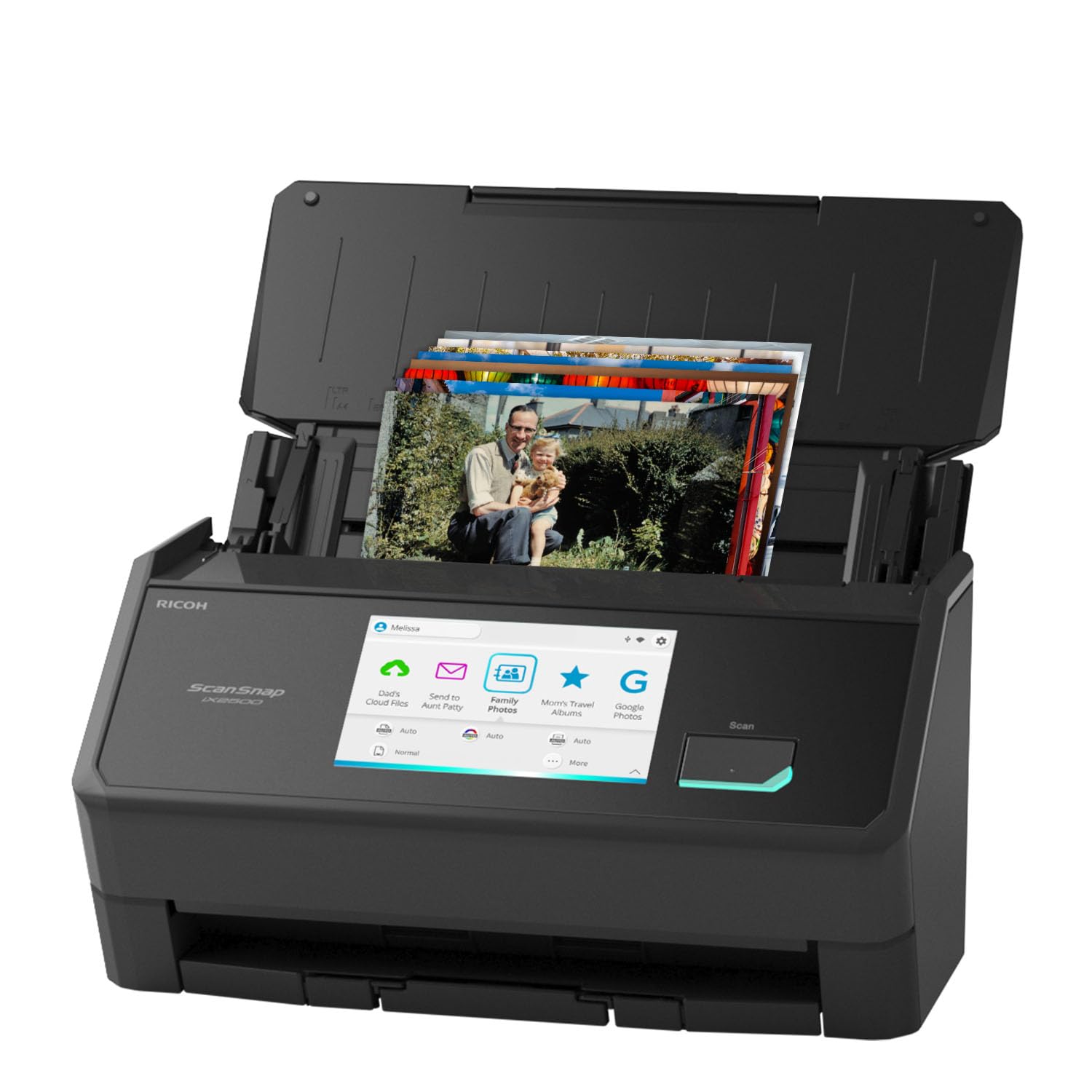
A five-inch touchscreen on a scanner looks like overkill until you've set up a photo profile, a receipts profile, and a school-papers profile and stopped opening a laptop at all. The iX2500 scans over Wi-Fi 6 or USB-C straight to a phone, a cloud folder, or a PC, and the Quick Menu turns a scan into a drag and drop. In a household where three people share one machine, that's the friendliest arrangement in this group.

For photographs it's quick: up to 100 images a minute, 36 prints in the feeder, and three carrier sheets in the box for prints too fragile for rollers. That last detail is the one worth knowing. A torn or curled print rides through in a sleeve, one at a time, instead of jamming the feed and losing a corner on the way out. Load a stack of sound prints and walk away.

The ceiling is 600 dpi, and the software leans hard on automatic settings, so resolution and file type are largely its call rather than yours. For album copies and sharing, nobody will notice. For a file you plan to crop hard or print large, it's the wrong tool, and the Plustek manages a finer setting for less money. Think of this as a document scanner that handles photos well, not the reverse.

Pros

  • Up to 100 photos a minute through the feeder
  • Carrier sheets protect torn and curled prints
  • Scans to phone or cloud without a computer

Cons

  • Network setup can take a few attempts
  • 600 dpi ceiling limits cropping and enlarging
Our verdict

Half paper, half photographs: this is the one machine here that handles both piles, and the touchscreen keeps the whole household out of your laptop.

Check Latest Price
6

No-Computer Scanning

ClearClick QuickConvert 2.0

83 /100
Keeper Score Excellent

Key details

Power
Built-in rechargeable battery
Resolution
14 megapixels (22 interpolated)
Photo Sizes
4x6 inches and smaller
Film Formats
35mm slides, 110 and 126 negatives
Check Price on Amazon

The one thing this scanner does that nothing else here can is scan a print without taking it out of the album. Lay the page flat, frame the photo on the 5-inch screen, press the button. It runs on a rechargeable battery, writes JPEGs to an SD card, and never asks you to install anything. For someone who has been putting off a scanning project because the software looked like homework, that's the whole pitch.

The limits are specific. It takes 4x6 and smaller, so a 5x7 won't fit and neither will a magnetic album page with two photos side by side. Output is 14 megapixels, 22 interpolated, which is plenty for a screen and thin for a large reprint. Old slides come out with color that wants correcting afterwards, a job the desktop scanners here do for you. Film support is the bonus: 35mm slides plus 110 and 126 negatives.

Point it at the right job and it's quick and painless: a box of 4x6 prints, a carousel of slides, a couple of hours on the couch. Point it at a shoebox of mixed sizes and you'll spend the evening sorting out everything it can't take. That isn't a fault so much as a job description, and a narrow one.

Pros

  • Scans prints still mounted in an album
  • No computer, drivers, or software needed
  • Also takes 35mm slides and 110, 126 film

Cons

  • Only accepts 4x6 and smaller prints
  • Internal lights can reflect off glossy prints
Our verdict

No computer, no software, and it scans a print without taking it out of the album. That's a narrow job, and this is the scanner that does it.

Check Latest Price

What Eight Months With 11 Photo Scanners Taught Us

We started with every scanner actually marketed for photographs rather than office paperwork, then cut anything that leaned on a phone-camera sensor, needed constant babysitting through a stack, or cost more than a family archive justifies. That left 11 models. Each one was set up on a dining table and on a cramped desk and lived with for eight months, working through real shoeboxes, a binder of 35mm negatives and slides, and the stray pile of receipts and certificates that always ends up in the same drawer.

Speed was measured in real batches rather than spec sheets: we timed fifty 4x6 prints from load to saved file, counted how many curled prints needed a second pass, and watched whether auto-crop and deskew trimmed evenly or shaved a corner off someone's face. Then we opened the files at full size and hunted for dust specks, muddy shadows, and the color drift that creeps into prints that spent thirty years in an album.

Every scanner's software went onto both a Mac and a Windows laptop, and we timed the gap between unboxing and the first saved scan — some took ten minutes, others an afternoon of driver hunting. We scanned wirelessly from the next room to see whether long batches survived the connection, and ran the standalone units with the computer switched off entirely.

Finally, we kept using the front-runners well past the formal testing, because reliability only reveals itself in month three, when the rollers get dusty and the hundredth batch is as boring as the first. The ones still feeding clean are the ones that made the list.

How to Choose a Photo Scanner

Feeder, single-sheet, or flatbed

Three designs do three different jobs. A feeder takes a stack and turns an evening into twenty minutes, which is why the Epson FastFoto and the ScanSnap exist. A single-sheet photo scanner like the Plustek takes one print at a time but clears it in about two seconds, so the pace is set by your hands rather than the machine. A flatbed takes whatever lies flat on the glass, including a print still stuck to an album page or one larger than 8x10.

Our rule is simple: a closet of prints needs a feeder, a shoebox is fine with single-sheet, and a collection of mixed sizes and album pages wants glass. The flatbeds here also store upright, which matters if the scanner has to live in a bookcase between projects.

Resolution, and the numbers that aren't

Three hundred dpi is enough to reprint a 4x6 at the size it already is. Six hundred dpi gives you room to crop and enlarge, and it's where we leave most print scans; beyond that you're buying film detail and very large files that slow down every laptop in the house.

Watch for interpolated figures. One scanner here advertises a 1200 dpi mode that manufactures extra pixels rather than resolving them, and plenty of listings quote a hardware maximum the bundled software never offers. Scan prints at 600 dpi, and keep a TIFF of anything you might print again.

What old prints do to a feeder

The rollers that make a feeder fast are exactly why you sort before loading. Curled corners, tape, staples, album adhesive, and prints trimmed to odd sizes belong on a flatbed or inside a carrier sheet, the sleeve that ships with the Epson and the ScanSnap so a torn print can ride through the feed untouched.

A print that jams can lose a corner on the way out. Two minutes of sorting per stack is the cheapest insurance in this whole project, and anything you would be heartbroken to damage is worth scanning on glass instead.

Software decides whether you finish

Auto-crop, deskew, and file naming determine whether a weekend of scanning leaves you with a searchable archive or a folder called Scan_0001. Look for an app that names files and sorts them into folders as it scans, and confirm it runs on your computer before you order — this is the step most people skip and most people regret.

On connection, USB is the reliable path on nearly every model here. Wi-Fi is a convenience that costs an evening of setup, and the scanner in this group that offers it is not the one to trust for a long batch.

If there's film in the box

Sort the film before you shop, because format decides the machine. A flatbed with a transparency unit and dedicated holders is the only way here to handle medium-format negatives properly, and the Epson V850 takes twelve mounted slides in a pass with dust removal built in. If it's a carousel of 35mm slides and nothing else, the ClearClick does slides, 110, and 126 without a computer at all.

Either way, scan film at the highest setting you can stand. It's the one place in this project where the extra minutes buy something you can see.

Frequently Asked Questions

Final Verdict

The pile decides. A collection that fills boxes and albums belongs with the Epson FastFoto FF-680W: a stack in, a folder of files out, and the handwriting on the back of every print saved along with the picture.

A single shoebox is different math. The Plustek ePhoto Z300 gets through it for a lot less and you do the feeding, while the Canon CanoScan LiDE 400 is the one to keep on a shelf for a few hundred. And if there are slides or negatives in the closet too, skip both and give the Epson Perfection V850 Pro a desk.