Best Flatbed Photo Scanners of 2026

The box of family photos had been in my closet for years—every time I moved it, I told myself I'd digitize it someday. A flatbed scanner is what finally made that happen. Unlike a phone scanning app, a dedicated flatbed captures the whole print in one pass, handles negatives and slides, and gives you a file you can actually archive. But the differences between models are real: some are fast but fussy, some are sharp but slow, and software can make or break the experience.

Over the past six months, I've run eight flatbed scanners through their paces—everything from slim, budget-friendly models to high-resolution film-capable machines. I scanned stacks of old prints, a shoebox of 35mm negatives, and a pile of receipts and kids' artwork. The best ones balanced image quality with speed and didn't make me fight the software. Value mattered too: a scanner that costs twice as much should earn it in sharpness or workflow.

One thing I learned: optical resolution is the number to watch, not interpolated DPI. And if you have negatives, make sure the scanner includes a film holder—without one, you're stuck with prints. The picks below are the ones I'd happily keep on my desk.

Keeper Score summarizes customer ratings and review volume. Read it alongside the product details and trade-offs. How the score works.

1

Best Overall

Epson Perfection V550

84 /100
Keeper Score Excellent

Key details

Item Weight
9.6 lb
Sensor Type
CCD
Film Support
35mm slides, negatives and film
Optical Resolution
6400 dpi
Check Price on Amazon

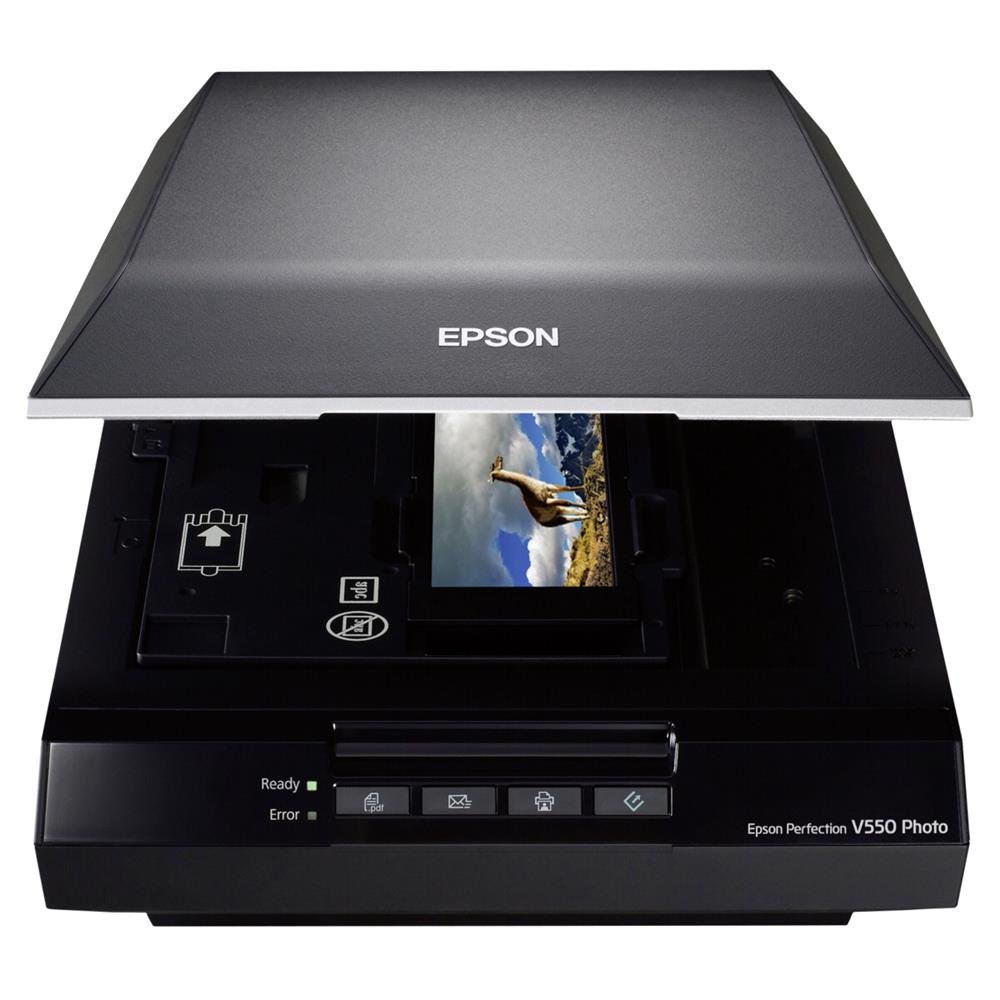
The lid is the argument for the Perfection V550. It carries a built-in transparency unit, so the machine that copies a stack of 4x6 prints also takes 35mm slides, negatives, and film strips in the holders that come in the box. Around that sit the photo specifications: 6400 dpi optical resolution, a CCD sensor, 48-bit color, and a stated enlargement ceiling of 17 by 22 inches.

One scanner for the whole shoebox is why this is our top pick. Splitting prints and film across two machines is a false economy — the CCD sensor and the holders are what let a negative scan hold its shadow detail open, and they're also why this unit weighs 9.6 pounds and wants a 19-by-11-inch patch of desk. ReadyScan's LED light means there's no lamp to warm up, so scanning a single photo doesn't begin with a wait.

Film is where it earns its keep. The holders keep mounted slides and cut strips flat against the glass, which is most of the battle for sharpness, and the Digital ICE pass takes care of dust and scratch cleanup that would otherwise mean retouching frame by frame. The holders load a few slides at a time, so a carousel is a series of evenings rather than an afternoon — the trade we accept for scans that hold up as enlargements.

The place it tests your patience is the bundled software, which can hang mid-scan and leave the scanner unresponsive until you force the program closed and cycle its power. That recovery is learned once and it doesn't sour the hardware, but save each batch before you start the next one, especially with slides on the glass.

Pros

  • Scans prints, slides, and negatives on one machine
  • 6400 dpi CCD with Digital ICE dust removal
  • No warm-up wait from ReadyScan LED

Cons

  • Bundled software can freeze mid-scan
Our verdict

If your boxes hold prints and film alike, this is the scanner to buy: a 6400 dpi CCD flatbed with a transparency lid and Digital ICE to handle the dust on your slides.
Check Latest Price
2

Best for Film Archives

Epson Perfection V850 Pro

86 /100
Keeper Score Excellent

Key details

Item Weight
20.9 lb
Lens System
Dual lens
Dynamic Range
4.0 Dmax
Optical Resolution
6400 dpi
Check Price on Amazon

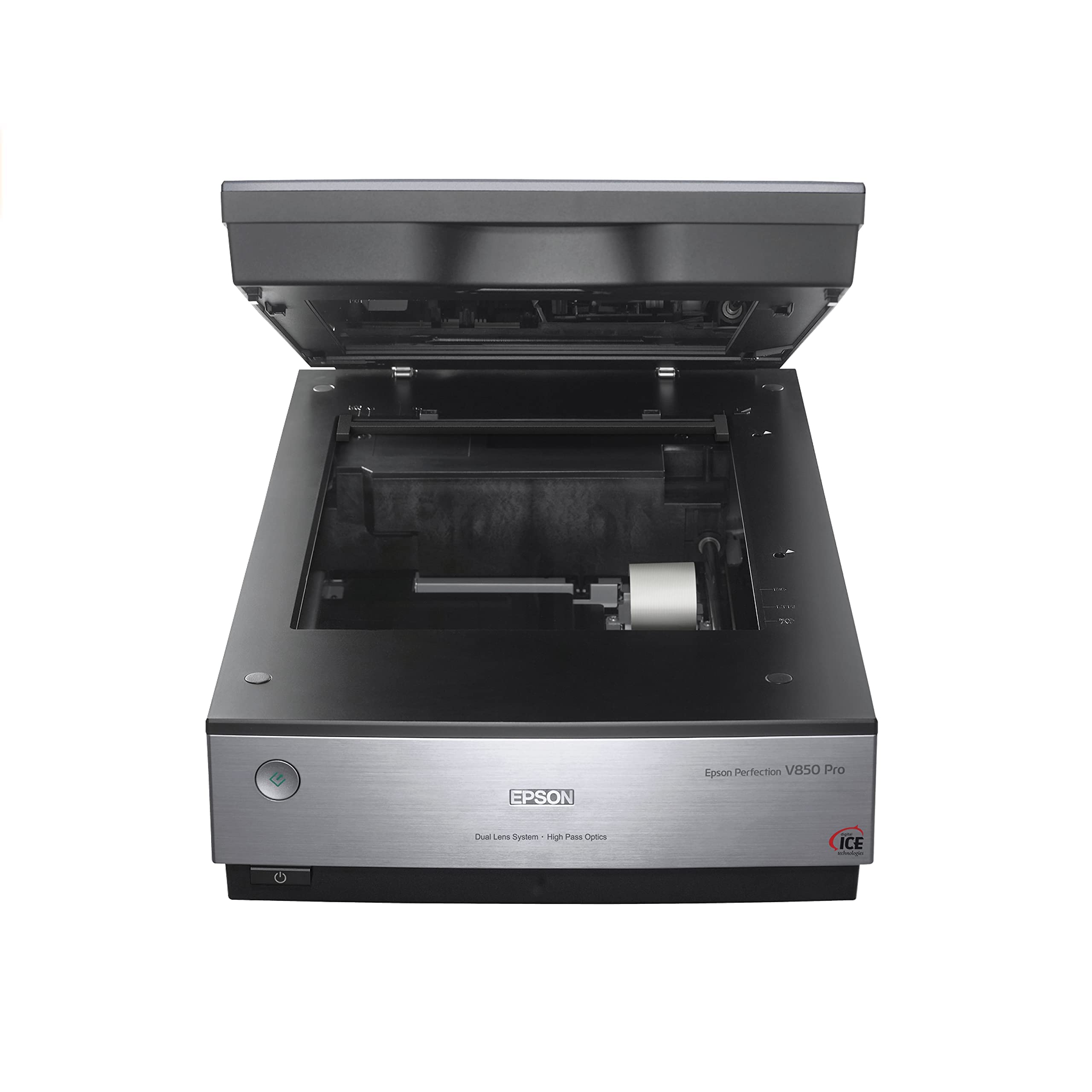
At 20.9 pounds and just under 20 inches wide, the Perfection V850 Pro is the one scanner here that expects a table of its own — and the mass buys something. Inside is a dual lens system that switches optics between reflective originals and film, paired with a 4.0 Dmax rating that keeps the darkest parts of a transparency open rather than letting them close into black. That's the difference between a slide that enlarges cleanly and one that goes muddy in the shadows.

Film is the whole reason this machine exists. The holders load slides by the tray and take medium-format negatives alongside 35mm, which matters when an archive spans more than one camera. We think of the V850 Pro as a scanner for someone who has already decided the family film collection is a project rather than a weekend: 6400 dpi of optical resolution, holders built to keep frames flat and focused, and batch handling that lets one setup cover a lot of film.

The friction is the software. SilverFast ships with it, and it's a professional package with a professional learning curve — per-frame adjustments, dense controls, and documentation that assumes you know what you're doing. That's the trade: the strongest film detail in this set, and evenings spent learning the tool that gets it out of the scanner. For a few hundred prints and one envelope of negatives, the V550 covers the job with far less desk and far less study.

Pros

  • Dual lens system switches optics for prints and film
  • 4.0 Dmax preserves shadow gradation in transparencies
  • Holders take a tray of slides plus medium format

Cons

  • High-resolution film scans are slow going
  • Needs a permanent table at 20.9 pounds
Our verdict

For large slide and negative archives, this is the film scanner here: 4.0 Dmax, dual lenses, and holders that take a tray of slides at a time — if you have the desk and the patience for SilverFast.

Check Latest Price
3

Best Budget Pick

Canon CanoScan LiDE 400

83 /100
Keeper Score Excellent

Key details

Connection
USB Type-C, data and power
Item Weight
3.6 lb
Sensor Type
CIS
Optical Resolution
4800 x 4800 dpi
Check Price on Amazon

A single USB-C cable carries both data and power, the body is 0.4 inch thick, and the whole thing weighs 3.6 pounds — the LiDE 400 is the scanner here that can stand on its edge, get unplugged, and go back in a drawer. On a desk that has to be a desk the rest of the time, that counts for more than a specification sheet.

For prints it's genuinely capable: 4800 x 4800 dpi optical resolution, and an auto scan mode that finds each photograph on the glass and saves it as its own file, so a stack of 4x6s goes on in batches instead of one at a time. That auto-cropping is the feature we used most, and it's why this little scanner keeps pace with a big print project.

The software is where the limits show. The 4800 dpi figure is the hardware's ceiling, and the bundled program's settings decide what you actually scan at, so set the resolution deliberately before starting a long batch instead of trusting the default. Setup itself is the easy part: one cable, a driver, and you're scanning.

Macs are the iffier half. Some setups connect cleanly and some fight the driver, so confirm your macOS version is listed before you order, and keep the return window in mind if you're running a very recent release.

Pros

  • 4800 x 4800 dpi through one USB-C cable
  • Auto scan splits a glass of photos into files
  • 3.6 pounds with a clip-on vertical stand

Cons

  • No film or slide scanning
Our verdict

The pick when the project is paper: 4800 dpi of optical resolution, a single USB-C cable, and a 3.6-pound body that stands on a shelf.

Check Latest Price

How We Tested the Best Flatbed Photo Scanners

To build our shortlist, we researched current flatbed models and filtered by optical resolution, film-scanning capability, software compatibility with both major operating systems, and price. We ended up with eight scanners, from slim document-focused units to high-resolution photo machines, and used each one for six months in a home office. That meant scanning a steady stream of everyday stuff: old family prints, a folder of receipts, my kids' drawings, and several rolls of 35mm negatives.

Speed was easy to measure: we timed how long each scanner took to preview and then scan a 4x6 photo at 600 dpi, and repeated the test at higher resolution. Image quality came down to side-by-side comparisons of the same print—looking at shadow detail, color accuracy, and how much dust or scratch removal the software applied without smearing faces. For film, we checked whether the included holders kept negatives flat and whether the scan captured the whole frame.

Ease of use and software reliability got equal weight. We installed each manufacturer's software from scratch, noted how many clicks it took to go from power-on to a saved JPEG, and tried scanning directly to PDF and to email. We also checked compatibility with both major operating systems, and whether the scanner woke up reliably after weeks of sitting idle. Value was the last filter: a scanner that cost more had to show it in sharper scans or a smoother workflow, not just extra features.

How to Choose a Flatbed Photo Scanner

Film support decides more than resolution

A flatbed without a transparency unit built into its lid can't scan a slide or a negative at all, whatever the dpi figure claims. Both Epsons here have one, and that single piece of hardware is most of why they cost more and weigh more than the Canon. If your project is prints, documents, or negatives you already had digitized, a slim CIS scanner is genuinely enough; it's the film path that needs a CCD sensor, a light source that shines through the film, and holders that hold frames flat.

So count the film before you shop. An envelope of negatives is a reason to pay for a film-capable flatbed. A shoebox of prints is not.

Frames per pass is the real speed limit

Film scanning is a queue, not a sprint. A holder that takes four mounted slides per pass and one that takes a tray of them can produce comparable quality and wildly different afternoons — the difference between finishing a carousel over a weekend and chipping at it for a season. Prints forgive more: several can go on the glass at once, and good software finds each edge and saves separate files, so the film holder is where your attention belongs.

Weighing two film-capable models? Count frames per pass before you compare dpi.

Give it a home before you give it a job

CCD scanners are heavy — one here is over 20 pounds — and a machine that lives in a closet scans nothing. Pick the spot it will occupy permanently, measure that patch of desk, and check for a free outlet and USB port nearby. Slim CIS units are the exception: the Canon is 3.6 pounds, runs off a single USB-C cable, and stands on its edge on a clip-on stand, so it can share a shelf with the printer.

Thin isn't the same as small, though. A 0.4-inch body still needs a full sheet of desk space when it's lying flat to scan.

Read the driver page, not just the spec sheet

The bundled application decides how the scanner behaves every day: how it names files, whether it splits a glass of photos into separate images, and whether it survives a long batch. It's also where these machines show their age, since some list operating systems that stop several versions short of current Windows and macOS. Before you order, find your exact OS version on the manufacturer's driver page and confirm it's still supported.

If the included software is a professional package, budget the learning time as part of the purchase. SilverFast is capable and it is not self-explanatory; that's a real cost of the V850 Pro, and not one the specifications mention.

Frequently Asked Questions

Final Verdict

We send most people to the Epson Perfection V550. It treats prints and film as the same job, and the combination of a transparency lid, Digital ICE, and a 6400 dpi CCD sensor is what a family archive actually asks for. If the film runs into the thousands — multiple formats, and a table you're willing to surrender — the V850 Pro is the better tool and the study time is worth it.

If there's no film at all, buy the Canon CanoScan LiDE 400 and put the difference toward prints and frames. It does the paper job for the least money and the least desk, and it's the one you won't resent finding room for.