Best Mug Presses of 2026

Every mug press works the same way: a curved heating blanket clamps a sublimation blank against a printed transfer, and a few minutes at the right temperature fuses the ink into the coating. The variables are how evenly the blanket heats, how firmly the clamp holds a tapered mug or a straight tumbler, and whether the controller holds the temperature it displays — the difference between a crisp, edge-to-edge print and a faded band near the handle.

I've pressed a few hundred blanks, and a good press disappears while a bad one makes itself known on every mug. Over nine months my team ran 11 machines — single stations and doubles that press two at once — weighing heat output against counter space and fiddling.

Match the press to your blanks: a unit built for 11- to 15-ounce ceramic mugs won't necessarily grip a 30- or 40-ounce skinny tumbler, and taper matters as much as height. The picks below cover that spread, and each survived months of repeated pressing without a hot-plastic smell or a blanket that quit heating evenly.

Keeper Score summarizes customer ratings and review volume. Read it alongside the product details and trade-offs. How the score works.

1

Best Overall

BetterSub 3-in-1 Tumbler Press

86 /100
Keeper Score Excellent

Key details

Timer Range
0 to 999 seconds
Cup Capacity
11 to 40 oz
Max Temperature
430 °F
Included Attachments
20–30 oz and 40 oz split sets
Check Price on Amazon

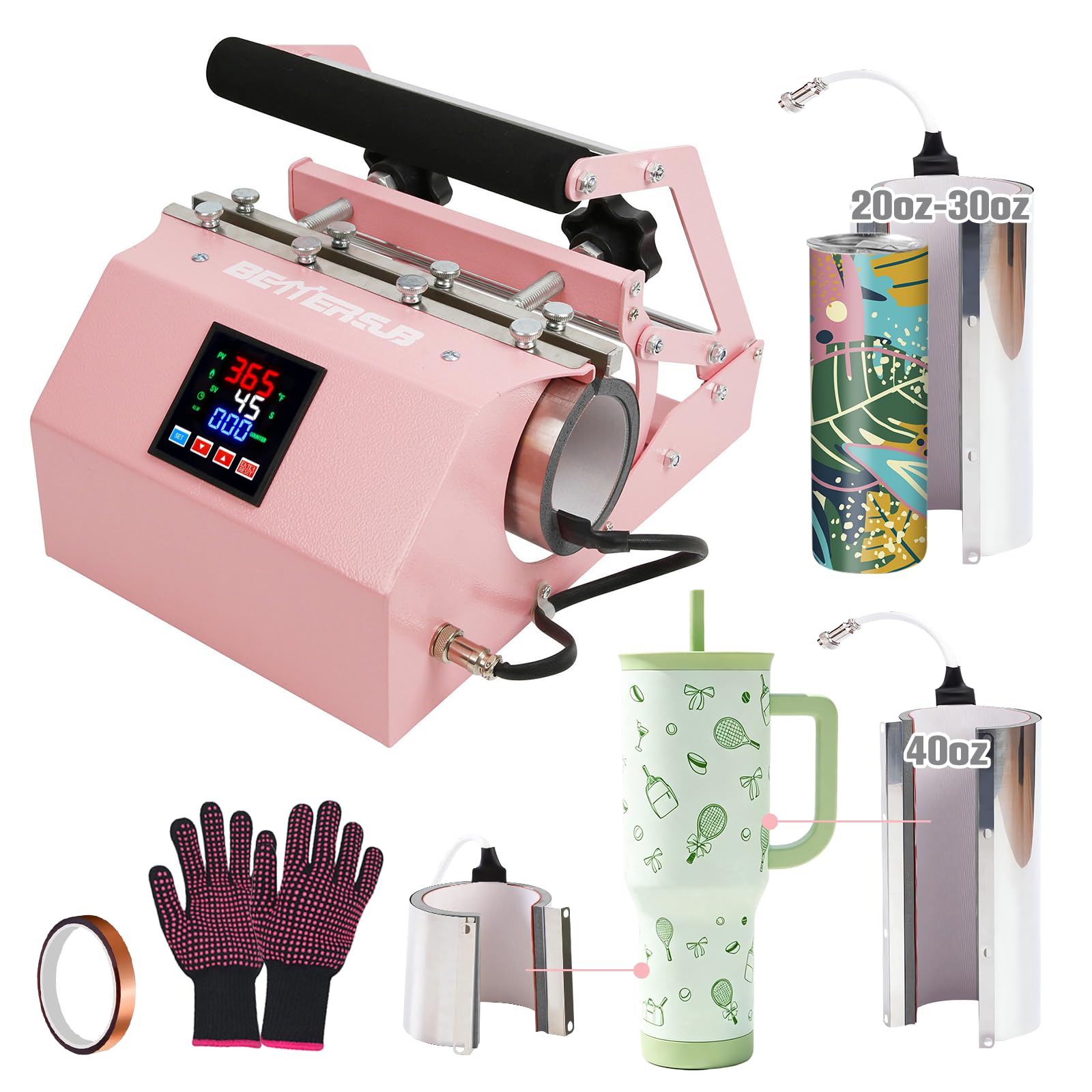
A press that handles both mugs and tumblers usually makes you pick a side. This one doesn't. The 20-to-30 ounce heater takes 11, 15 and 16 ounce mugs along with 16, 20 and 30 ounce skinny tumblers, and the 40 ounce split set opens up the big tumblers that have become the default gift order. Both pieces ship in the box, so a job that starts with a mug and ends with a 40 ounce tumbler doesn't send you back to the store for an attachment.

The controls are the part we ended up trusting. Temperature and time sit on an LCD panel with a constant-temperature hold, the timer runs to 999 seconds, and the defaults in the manual are a workable starting point rather than a puzzle you solve by wasting blanks. What matters more is the pair of pressure knobs. Pressure is the variable people underestimate on a mug press: too little contact leaves a pale patch around the curve, too much can crack the blank, and two knobs let you snug the heater against the wall of the mug instead of guessing. It comes up to heat quickly, too, so a short run stays short.

The housing is metal and feels solid rather than plasticky, and the one-year warranty is as long as anything in this set — worth more than it sounds in a machine whose entire job is heat. The body is pink; you'll either enjoy that or work around it. And there's no flat platen hiding anywhere in the box, so treat this as a mug and tumbler machine and nothing wider.

Pros

  • Covers 11 to 16 oz mugs and tumblers to 40 oz
  • Pressure knobs on both sides for a snug fit
  • Fast heat-up with a steady temperature hold
  • One-year warranty

Cons

  • Bulkiest footprint in this set
  • Costs the most of the presses here
Our verdict

The one we reach for when a job mixes mugs and tumblers: the heaters in the box cover 11 to 40 ounces, and the pressure knobs let us fit the machine to the mug.

Check Latest Price
2

Best for One-Touch Simplicity

Cricut Mug Press

94 /100
Keeper Score Outstanding

Key details

Weight
7.9 lb
Operation
One-touch automatic
Mug Capacity
11 to 16 oz
Max Temperature
400 °F
Check Price on Amazon

Shut the door and the machine takes over. There's no timer to set and no temperature to dial in — the Cricut works both out from the mug inside, then cuts the heat with an auto-off when the cycle finishes. For anyone who has ruined a blank by guessing, that's the feature worth paying for, and after a couple of mugs the whole thing feels less like operating equipment and more like using a toaster.

The blanks it takes run 11 to 16 ounces, which covers the standard sublimation sizes and stops there. The heat plate is zoned rather than one long element, and results with Cricut's Infusible Ink sheets come out peel-proof and dishwasher safe — the difference between a mug that survives a kitchen and one that lives on a shelf. At 7.9 pounds with an 8-by-13-inch footprint it stows between sessions, which is more than we can say for the tumbler-oriented machines here.

What gives us pause is heat that never arrives. Some of these presses are dead out of the box; others stop heating after a few months of use. It's the one reservation we carry into the recommendation, and it changes what you do rather than whether you buy: order from a seller with a straightforward return window, and press a test mug in the first week rather than the night before a market. Everything else about the machine is a pleasure to use, and the safety certifications are a small reassurance for something that sits on a workbench at 400 degrees.

Pros

  • One-touch cycle; nothing to set by hand
  • Peel-proof, dishwasher-safe results with Infusible Ink
  • Compact 8-by-13-inch footprint at 7.9 pounds

Cons

  • Built around Cricut's own Infusible Ink sheets
  • Mug-only; nothing above 16 ounces
Our verdict

If you want to load a mug, shut the door and walk away, this is the simplest machine here — just buy it somewhere with an easy return policy.

Check Latest Price
3

Best for Pressing Two Mugs at Once

BetterSub Tumbler Heat Press

86 /100
Keeper Score Excellent

Key details

Timer Range
0 to 1000 seconds
Cup Capacity
11 to 30 oz
Mugs Per Cycle
Two, at 11 or 15 oz
Max Temperature
430 °F
Check Price on Amazon

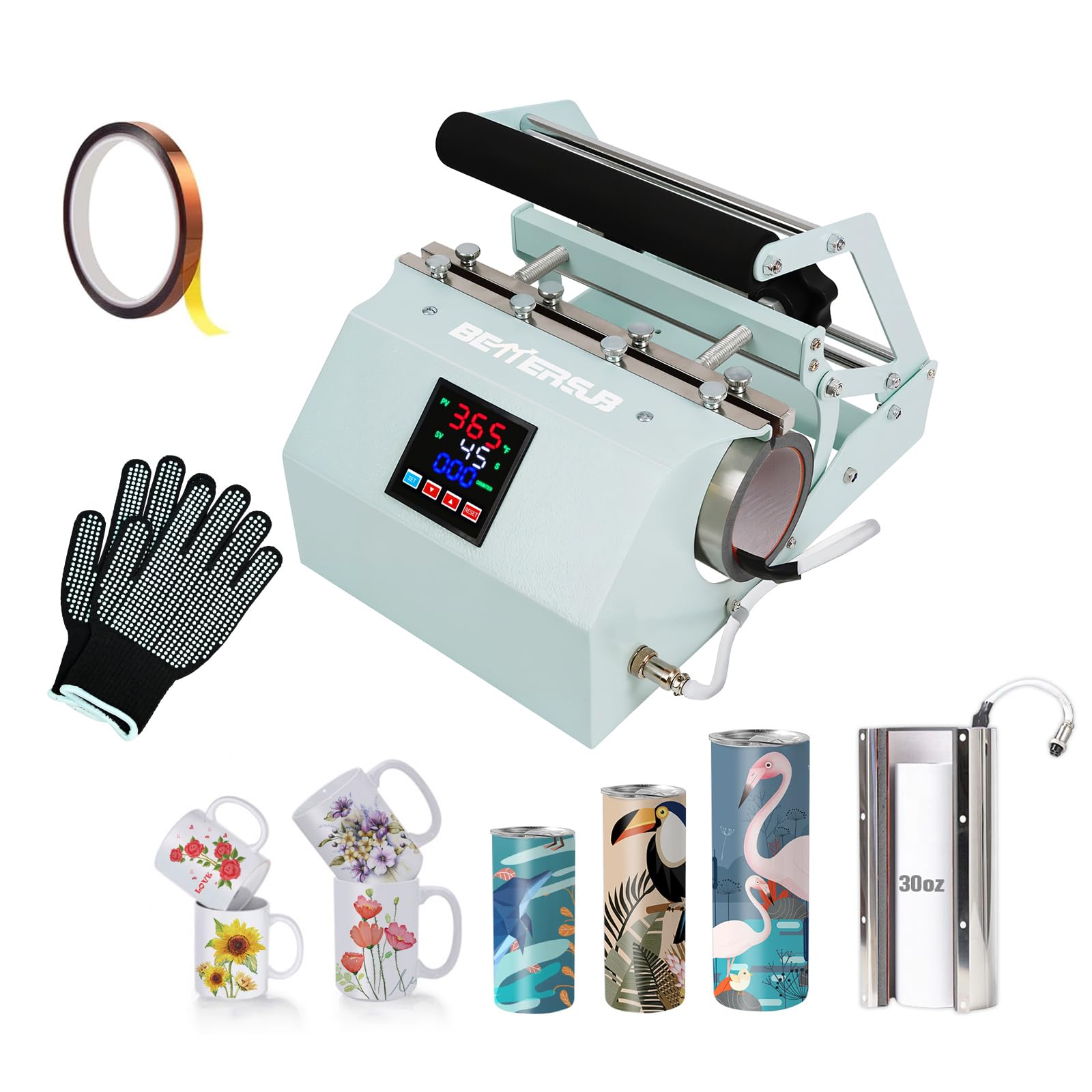
Two 11 ounce or 15 ounce mugs in a single cycle. That number decides whether this press makes sense for you: a pair is a gift set, and a pair per cycle roughly doubles the output of a single-mug machine for the same amount of standing around. The same heater opens up for 16, 20 and 30 ounce straight skinny tumblers, so one body covers most of what a small shop prints without extra parts.

The LCD panel is where your attention goes: temperature to 430 °F and a timer to 1000 seconds, both set by hand rather than from a preset. That's more fiddling than the Cricut's one-touch routine and less forgiving of a careless entry, but it's also what lets you give a heavy 30 ounce tumbler a longer cycle than a thin mug. An aluminum heating pad and silicone sleeve sit behind the two pressure knobs, and the manual that comes with it is unusually clear — a genuine help the first time you load a tumbler that doesn't want to sit straight.

A 365-day warranty covers it, which is generous at this end of the range. The body is teal and small enough at 14 by 7 by 8.3 inches to live on a shelf rather than a whole bench, and the aluminum heater feels like it will take the knocks of a working surface rather than needing to be treated like a laboratory instrument. It's the press we hand to someone who wants to be selling mugs next weekend.

Pros

  • Presses two 11 or 15 oz mugs at once
  • Adjustable temperature to 430 °F and 1000-second timer
  • Takes 16 to 30 oz straight skinny tumblers
  • Unusually clear, illustrated manual

Cons

  • Heating pad changes need the screws loosened
  • No coverage above 30 ounces
Our verdict

Two 11 or 15 ounce mugs per cycle, plus skinny tumblers to 30 ounces, make this the value pick of the group.

Check Latest Price
4

Small-Batch Work

CoolSub Tumbler Heat Press

86 /100
Keeper Score Excellent

Key details

Warranty
6 months
Timer Range
0 to 999 seconds
Cup Capacity
11 to 30 oz
Max Temperature
440 °F
Check Price on Amazon

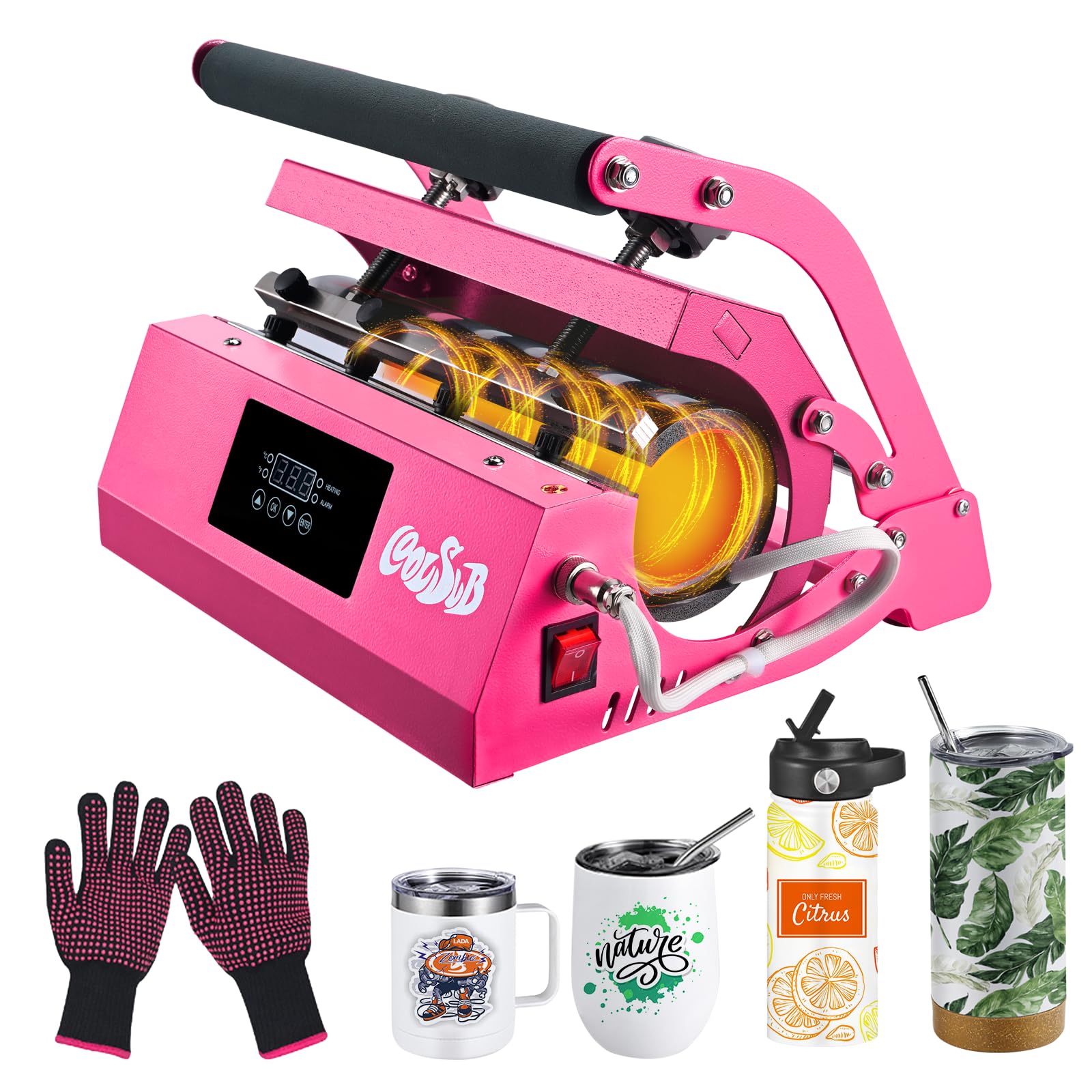
This is the least expensive press in the group, and nothing about using it feels like a corner was cut to get there. The digital panel covers 0 to 440 °F — the highest ceiling here — and 0 to 999 seconds, and the full-range pressure knob lets you back the heater off for a thin glass can and clamp down on a ceramic mug without swapping a part. It takes 11 to 30 ounce tumblers, glass cans, ceramic mugs and paint-coated water bottles, and at 13 by 12 by 10 inches it looks tidy on a bench rather than dominating one.

We appreciated where the heating element sits: set back from the opening, so your knuckles aren't brushing hot metal while you seat a mug. That's a small thing that matters far more on the twentieth mug than the first. It also holds its temperature while the timer counts down, which is what keeps a wrap even from seam to handle, and the element detaches when you want a proper look at the working end. Where it stops is 30 ounces — fine for mugs, cans and standard skinny tumblers, wrong for the 40 ounce tumblers our top pick and the ColorSub are built to take.

Pros

  • Holds temperature through the full cycle
  • 440 °F ceiling, the highest in this set
  • Full-range pressure knob for thin cans and thick mugs
  • Heating element set back from the opening

Cons

  • Six-month warranty, the shortest in this set
Our verdict

A tidy, easy-to-run press for 11 to 30 ounce mugs, cans and tumblers, provided you're comfortable with the shortest warranty here.

Check Latest Price
5

Large Tumblers

ColorSub 3-in-1 40 oz Press

85 /100
Keeper Score Excellent

Key details

Warranty
1 year
Timer Range
0 to 999 seconds
Max Temperature
400 °F
Heaters Included
40 oz split set and 15 oz attachment
Check Price on Amazon

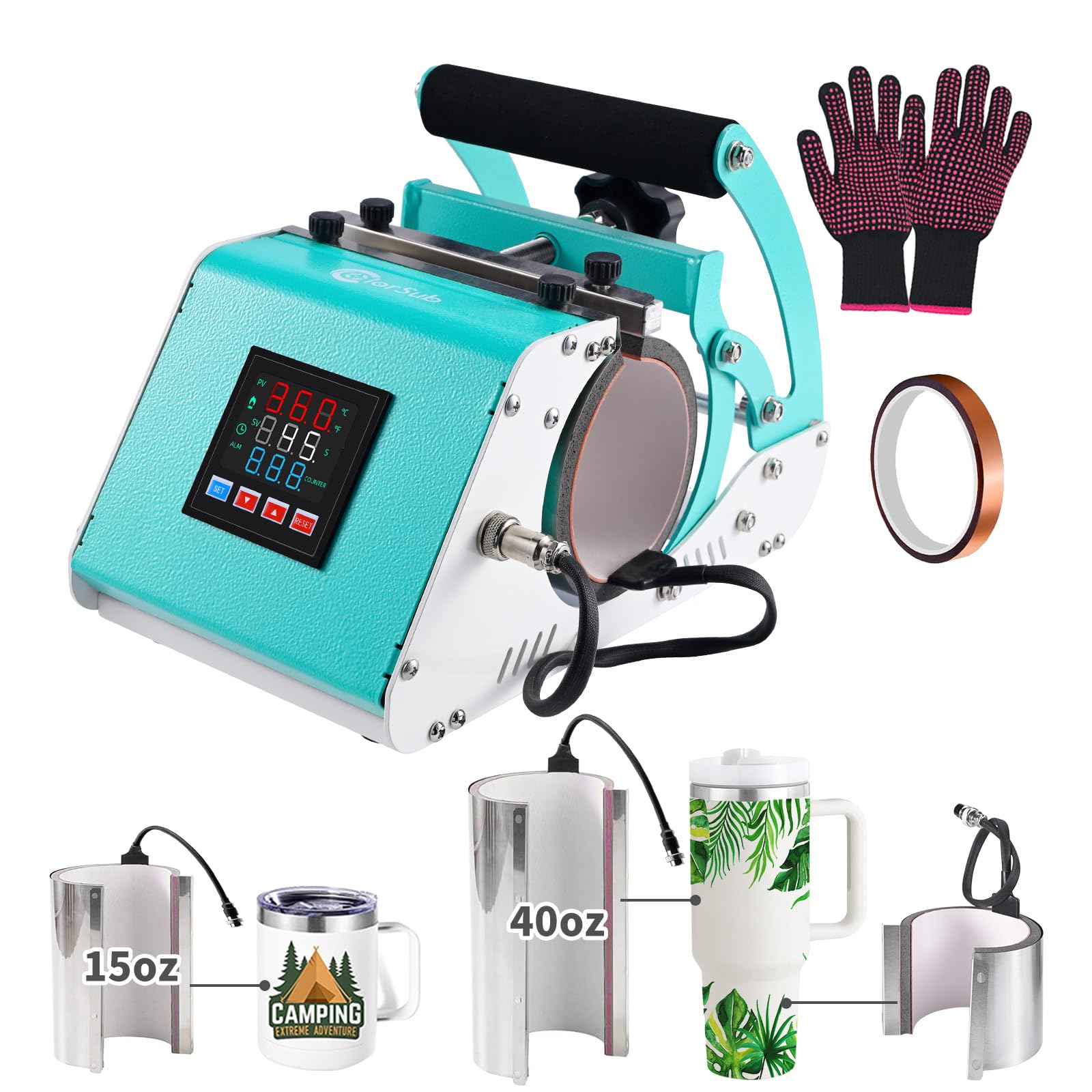
The 40 ounce heater is the whole point of this machine, and it's built properly: a cylindrical section running 3.27 to 3.94 inches across plus a conical piece for tapered bases, which is the pairing that wraps a big tumbler all the way around instead of leaving a gap near the bottom. A 15 ounce attachment covers mugs between 2.83 and 3.54 inches in diameter. If your orders are large tumblers, that split set justifies the machine on its own; if they're mugs, you're paying for heaters you won't use.

The panel is plain in a good way — 400 °F maximum, 0 to 999 seconds, constant temperature — and at 750 watts the heater reaches working heat quickly. We liked that the parameters sit on the display rather than behind a menu, because you check them constantly on a press like this. The frame is compact at 9.3 by 6.7 by 8.7 inches, and the teal finish looks better on a bench than a transfer machine has any right to.

For a full-wrap design the machine expects you to do some of the work: the instructions suggest turning the tumbler partway through so the artwork meets cleanly at the join. That's a two-second habit after a few tries, and on part-wrap work — a name, a logo, a band — it never comes up at all.

Pros

  • Split 40 oz set for large tumblers
  • Conical heater for tapered bases
  • 750 W element reaches heat quickly
  • One-year manufacturer warranty

Cons

  • Heater length limits how tall a design can be
Our verdict

The press to pick when 40 ounce tumblers are the job, since the split heater set is built around them.

Check Latest Price

How We Tested Mug Presses

We started with more than 40 presses gathered from manufacturer listings and craft-forum threads, then cut the list by what each machine could physically hold: blanket diameter and depth, straight-walled versus tapered blanks, and the range of mug and tumbler sizes it claimed to fit. Anything that couldn't take a 20-ounce skinny tumbler was out. So was anything with a fixed pressure clamp that couldn't be adjusted for a narrower blank. That left 11 presses, from a single-mug unit to double stations that hold two blanks at once.

Every press got the same job: one 11-ounce ceramic mug and one 20-ounce straight tumbler, same transfer, same design. I ran each at the manufacturer's recommended setting first, then again 20 degrees hotter — timing heat-up from cold, checking the blanket surface with an infrared thermometer against the number on the display, and counting the button presses it took to set temperature and time. Then I looked at the print near the handle and along the seam, where contact is hardest to hold, and noted whether the design stayed crisp or ghosted where the transfer shifted.

The real test was a Saturday in my craft room with a dozen tumblers queued up: pressing back to back to see how fast each machine recovered its temperature, whether the handle or cord got hot enough to worry me, and whether the plastic smell hung around after the first hour. Over nine months I watched for the slow failures — a blanket coating that cracked, a clamp that loosened its grip, a controller that drifted — and whether I'd leave the thing sitting out on the counter between projects.

Value came down to throughput: how many usable blanks a press turned out in an hour, set against what it cost and how much room it took up.

How to Choose a Mug Press

Match the heater to the blanks you print

Standard sublimation mugs run 11, 15 and 16 ounces, and every press here covers that middle ground; the split happens above it. If you want 40 ounce tumblers, you need a press with a dedicated 40 ounce heater — the BetterSub 3-in-1 and the ColorSub both ship one, and the others don't.

Check the heater's diameter range against the mug you plan to use rather than trusting the ounce figure, since a tall 15 ounce mug and a squat 15 ounce mug need different clearances. Straight-walled mugs are the safe choice; a tapered latte mug will fight the heater and leave you with a pale band.

Pressure decides more prints than temperature

The failure you'll see most often isn't a cold press — it's a pale patch where the transfer never touched the mug. Sublimation needs contact across the whole curve, held steady for the full cycle, so adjustable pressure is worth more than another 20 degrees of headroom on the dial.

Look for knobs or a clamp that let you fit the heater to the wall thickness of the mug. Fixed-pressure presses only work well with the blanks they were designed around. Our top pick puts a knob on each side, which makes a snug fit easy to find without overclamping and cracking a blank.

One-touch control or a panel you set yourself

The Cricut is the only press here that decides time and temperature for you: shut the door and it runs. The rest give you a digital panel and expect you to know what you're doing, which is more capable once you do and more frustrating for the first ten mugs.

Manual control earns its place if you print a range of coatings and thicknesses, because you can add time for a heavy tumbler and take it off for a thin mug. One-touch earns its place if you print the same blank over and over and would rather not think about it. Neither is better; they suit different people.

Consumables, warranty and the first week

The press is only part of the bill. Blanks are sold separately, and the Cricut is built around its own Infusible Ink sheets, so factor supplies into what the machine costs you across a year of printing.

Warranties here run from six months to a year, and the longer one is worth taking seriously because heating elements are the component that fails. Whatever you buy, press a test mug in the first week — a dead heater is a return, and a return is much easier inside the window than outside it.

Frequently Asked Questions

Final Verdict

Our pick is the BetterSub 3-in-1. It covers 11 to 40 ounces with the heaters already in the box, the pressure knobs let you fit the machine to the mug rather than the other way round, and the one-year warranty is as good as it gets here. Buy it once and stop shopping.

If you press nothing but mugs and want to set nothing at all, the Cricut Mug Press is the simpler machine and the nicer experience when it works — order it somewhere with an easy return window and test it immediately. If 40 ounce tumblers are the business, the ColorSub's split heater set is the more focused tool.