Best Mechanical Keyboards of 2026

The keyboard that sounds wonderful to you can make a coworker want to throw it out a window. That is the odd bargain of mechanical keyboards: the deep, creamy thock that feels so satisfying under your fingers can be a dealbreaker in a shared office or a bedroom where someone else is trying to sleep. What you want is a board that looks right on your desk, feels solid, sounds right for your space, and keeps working after the novelty wears off.

Over the past six months, my team and I lived with 12 mechanical keyboards, rotating each through full workdays, late-night gaming, and the trip between desk and couch. We noted case ping, keycap shine, how quickly each paired over Bluetooth or a 2.4GHz dongle, whether hot-swappable switches or little knobs and screens made a real difference, and whether a board still felt like good value after the RGB stopped distracting us. A few felt like tanks; others flexed under a heavy typist.

The picks below earned their place through months of use, not just a long feature list.

Keeper Score summarizes customer ratings and review volume. Read it alongside the product details and trade-offs. How the score works.

1

Best Overall

Kisnt KN85

91 /100
Keeper Score Outstanding

Key details

Layout
75% (85 keys)
Keycaps
PBT
Switches
Pre-lubed linear, hot-swappable
Connectivity
Bluetooth 5.0, 2.4GHz, USB-C
Check Price on Amazon

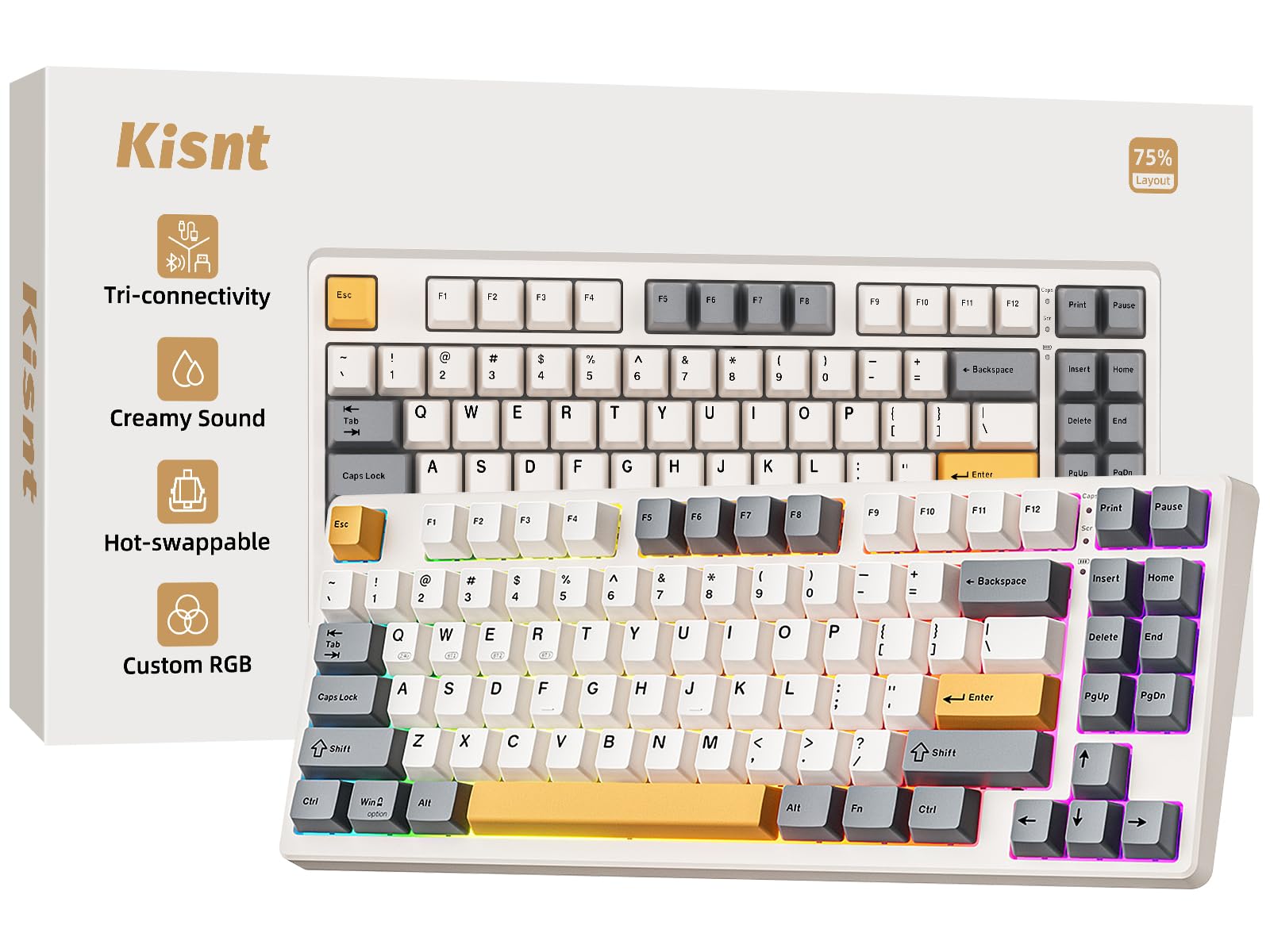
Eighty-five keys is the decision this board is built around. The KN85 keeps the function row, the arrow cluster and the delete key, then leaves off the number pad — the section most desks never reach for and the one that pushes a mouse hand furthest out to the side. We recommend it as the default here because it gets the fundamentals right without charging extra for them: tri-mode wireless, hot-swappable sockets, PBT keycaps and a gasket mount in the least expensive package on this page with that combination.

The typing sound is the part we kept coming back to. A gasket mount floats the plate on soft pads instead of screwing it to the case, and the pre-lubed linear switches take the rattle out of each press, so what you hear is a low, soft clack rather than the hollow ping of a cheap board. PBT keycaps hold their texture, which means the caps don't go shiny under your fingers the way ABS does after a few months of real use.

Three Bluetooth channels, a 2.4GHz dongle and USB-C cover most setups: leave the dongle in a desktop, pair Bluetooth with a laptop and a tablet, and switch from the keyboard itself. Two things to know before you buy. The number pad is gone, so spreadsheet work happens on the top row. And charging is fussy about the source — the maker specifies a 5V charger or a computer USB port, and a fast-charge brick can shut the board down.

The software is the weakest part of the package: lighting and remapping work, but the interface is basic next to Logitech's. The two-year warranty is the longest coverage in this group apart from the budget Redragon, which matters more than another lighting effect on a board you plan to keep.

Pros

  • Tri-mode wireless with three Bluetooth channels
  • Hot-swap sockets and PBT keycaps
  • Soft, damped sound straight out of the box

Cons

  • No number pad for heavy data entry
  • Basic software for remapping and lighting
Our verdict

We tell most people to start here: a 75% board that keeps the keys you use, adds tri-mode wireless and hot-swap sockets, and sounds better than it has any right to.
Check Latest Price
2

Best Sound and Feel

AULA F75

92 /100
Keeper Score Outstanding

Key details

Layout
75% (81 keys)
Weight
2.25 lb
Switches
Pre-lubed linear, hot-swappable
Connectivity
Bluetooth 5.0, 2.4GHz, USB-C
Check Price on Amazon

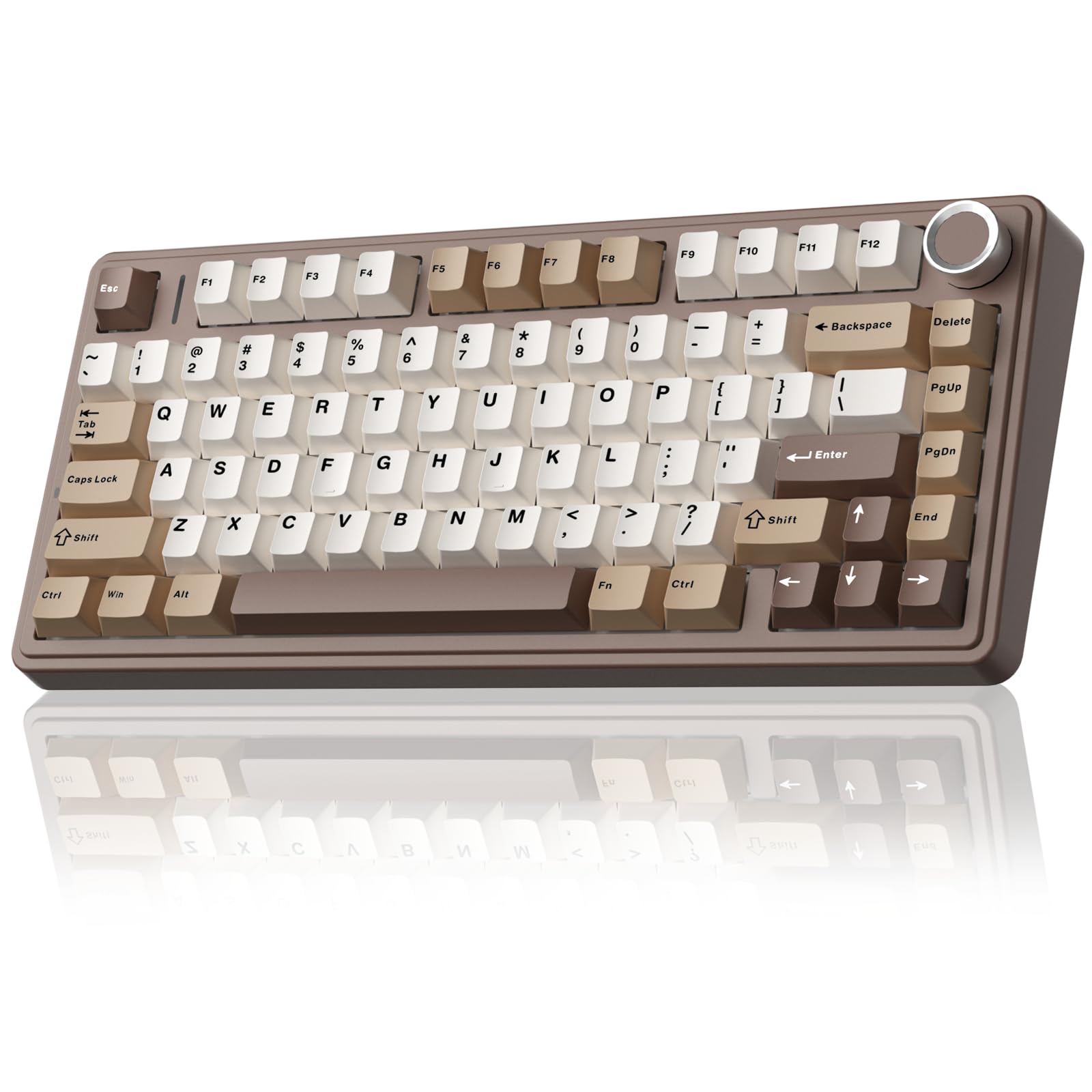
The F75 has the best sound out of the box of anything in this group. Silicone padding, single-key PCB slotting and pre-lubed linear switches add up to the deep, soft thock people normally chase with foam and tape mods, and this one arrives that way — no tools, no opening the case. Eighty-one keys in a 75% layout keep the function row, arrows and delete without the number pad, and a volume roller sits in the top corner where your hand already is.

We think it's the pick for anyone who types all day and wants the sound to be part of the pleasure rather than something to tolerate. It's also the most flexible board here on paper: Bluetooth, 2.4GHz and USB-C, connection for up to five devices, 16.8 million colors across 16 effects, and hot-swap sockets that take 3- or 5-pin switches when you want a different feel. At just over a kilo it stays where you put it.

The catch is the long game. The wireless connection and, in some units, individual keys have given out after a few months — the kind of failure that leaves a board unusable rather than merely annoying — and nothing about the design explains why some run for years while others don't. Buy it for the sound and the feature set, with the understanding that this is a board you enjoy now rather than one you count on for a decade.

Pros

  • Creamy, well-damped sound with no modding
  • Tri-mode wireless with five-device pairing
  • Hot-swap sockets and a volume roller

Cons

  • Six-month warranty is the shortest here
  • No number pad on the 75% layout
Our verdict

Buy this one for the sound, if you can accept a six-month warranty and a wireless record that isn't as clean as the top pick's.

Check Latest Price
3

Best for Multi-Device Offices

Logitech MX Mechanical

85 /100
Keeper Score Excellent

Key details

Layout
Full-size, low-profile
Battery
Up to 15 days
Switches
Low-profile tactile
Connectivity
Bluetooth LE, Logi Bolt, USB-C
Check Price on Amazon

Low-profile switches change how a desk feels. The MX Mechanical sits with its keycaps barely above the case, so wrists stay flatter and forearms rest closer to the desk than they do on a full-height board. The difference is easiest to notice after a long writing session rather than in the first ten minutes, which is why we kept coming back to it for work rather than for play.

Logitech's tactile quiet switches give you a bump you can feel without much of a click to hear, and the aluminum top plate adds a planted feel — at 2.6 pounds it's heavier than most low-profile boards and doesn't skate. Pair it with three devices over Bluetooth LE or the included Logi Bolt receiver, and the backlight comes up as your hands approach and dims when you leave. Logi Options+ handles Fn remapping, lighting behavior and Flow, which copies text and files between paired computers.

Where this one earns its spot is the office, and specifically a desk with more than one computer on it. Nothing else here switches between a work laptop, a home desktop and a tablet as cleanly, and the low-profile shape is the most comfortable thing in this group for all-day typing. You're paying for that polish rather than for better switches — the feel is good, not exceptional, and the money sits at the top of this group.

The record on reliability is the thing to watch. Some units arrive with, or develop, keys that don't register — a failure the one-year warranty covers early on, though it's a reminder that a premium price doesn't buy immunity. Nothing else about the board gave us trouble.

Pros

  • Comfortable low-profile typing angle
  • Switches between three paired devices
  • Solid aluminum build that stays put

Cons

  • The most expensive board in this group
  • Smart backlight shuts off quickly
Our verdict

The board we take to an office desk with three computers on it, provided you accept the premium and don't need a heavy mechanical feel.

Check Latest Price
4

Best Clicky Board for Macros

Redragon K580 VATA

93 /100
Keeper Score Outstanding

Key details

Layout
Full-size (104 keys)
Switches
Outemu Blue clicky, hot-swappable
Macro Keys
5 dedicated (G1-G5)
Connectivity
USB-C wired
Check Price on Amazon

Five macro keys and a media wheel run along the top edge, and that's the argument for the K580. Macros record on the board itself with no software running, so a long combo or a repeated shortcut can be captured mid-game and replayed from G1 through G5, while the wheel and dedicated media buttons sit within reach. We recommend it to anyone who plays the same handful of games seriously and wants shortcuts stored in hardware rather than in a background app.

The stock switches are Outemu Blues — clicky, with a sharp bump and an audible snap on every press. That's either the whole appeal or the end of the conversation. The sockets are hot-swappable and accept most switches, so a set of linears turns it into a much quieter board without a soldering iron.

The plate is aluminum under a plastic case, and at 1.2 kg the board stays planted when you're hammering keys. Double-shot keycaps resist legends wearing through, the RGB can be set per key from the board itself, and anti-ghosting covers all 104 keys, so the hardware side is more capable than the money suggests.

Longevity is where we hold back. Some units have failed at the cable connection or lost keys well inside a year, and the one-year warranty is the backstop. Buy it for the click and the macro row; if you need a board to run untouched for five years, the wired Logitech is the calmer bet.

Pros

  • Five macros recorded on the board
  • Hot-swap sockets accept most switches
  • Media wheel and dedicated controls

Cons

  • Clicky switches carry across a room
  • Wired USB only, no wireless option
Our verdict

We point serious players here: macro keys that record on the board with no software, a media wheel, and a click you can feel through your fingertips.

Check Latest Price
5

Best Simple Full-Size

Logitech G413 SE

90 /100
Keeper Score Outstanding

Key details

Case
Brushed aluminum
Layout
Full-size (108 keys)
Keycaps
PBT
Switches
Tactile mechanical
Check Price on Amazon

There's no wireless and no RGB. The G413 SE does the plain version of a full-size mechanical keyboard: 108 keys, a brushed aluminum top case, PBT keycaps and one color of white backlight. We spent most of our time with it typing rather than gaming, and that's exactly where it earns its place.

We think it's the right buy for someone who wants a sturdy, unfussy full-size board that will sit on a desk for years without asking for attention. The aluminum plate gives the keystroke a firm, dead sound instead of the hollow ring an all-plastic case produces, and at 780 g it's heavy enough to stay put without being a brick. The white LEDs are bright and even, which is all a backlight really needs to be.

The tactile switches are the middle ground — a bump you feel, no click you hear — which makes it a reasonable neighbor in an office. What you give up is flexibility: one backlight color, no per-key lighting, and a 17-inch footprint that a small desk will notice. The space bar also runs noticeably louder than the rest of the keys.

It's listed for Windows and macOS, and six-key rollover covers fast typing and most gaming. Set against the KN85 you trade wireless for a number pad; set against the MX Mechanical you give up the low profile and get a metal plate and a much lower price.

Pros

  • Aluminum plate kills the hollow case ring
  • PBT keycaps and even white lighting
  • Full-size layout with a number pad

Cons

  • Single backlight color, no per-key lighting
  • Space bar is louder than the rest
Our verdict

A full-size board for someone who wants a metal plate, PBT caps and nothing else to think about — as long as a cable and white light are fine.

Check Latest Price
6

Budget First Builds

Redragon K671

85 /100
Keeper Score Excellent

Key details

Layout
Full-size (104 keys)
Keycaps
Double-shot PBT
Switches
Linear red, hot-swappable
Connectivity
USB wired
Check Price on Amazon

Full-size, hot-swappable, RGB, double-shot PBT keycaps — the K671's parts list reads like a board from a higher price bracket. It's the cheapest thing in this group by a wide margin, and for a first mechanical keyboard or a second one for a student desk, that combination is hard to argue with.

The stock switches are linear reds, light enough that a long typing session doesn't wear your hands out, and the sockets take replacements when one starts double-typing. Eleven backlight modes with five brightness and speed levels handle the lighting, macros are recordable, and 12 multimedia shortcuts sit on the function row. All 104 keys are anti-ghosting, so fast combinations register.

We think it's the sensible first mechanical keyboard: nothing here is a gimmick, and the parts that fail first — switches and keycaps — are the parts you can replace yourself. What you don't get is wireless, and the ABS case sounds and feels a step below the gasket-mounted boards above. At this money that's a fair trade rather than a flaw.

One practical note before ordering: the remapping and macro software is Windows-only, so a Mac user gets the keyboard but not the customization. Pair it with a desktop PC and it's the least expensive way to find out whether linear switches suit you.

Pros

  • Hot-swap sockets at a budget price
  • Double-shot PBT keycaps
  • Full-size layout with full anti-ghosting

Cons

  • Wired USB only
  • Macro and remapping software is Windows-only
Our verdict

The board we hand to a first-time mechanical buyer: full-size, hot-swappable and cheap enough that trying linear switches costs almost nothing.

Check Latest Price
7

Full-Size Wireless Desks

RK Royal Kludge S98

88 /100
Keeper Score Excellent

Key details

Layout
96% (98 keys)
Display
LCD with control knob
Switches
Pre-lubed linear, hot-swappable
Connectivity
Bluetooth 5.0, 2.4GHz, USB-C
Check Price on Amazon

A small LCD sits above the arrow keys with a knob beside it. The S98 uses that screen for the things you'd otherwise hunt through software for — connection mode, battery level, whether the layout is in Windows or Mac mode — and the knob handles volume, brightness and lighting speed with a twist or a click. It's a small convenience that turned out to be the feature we used most.

Underneath is a top-mount design with five layers of dampening: an IXPE switch pad, two foam layers and a silicone pad. The effect is a soft, low-pitched keystroke with the hollow echo stripped out, and the pre-lubed linear switches and hot-swap sockets mean you can change the feel later without touching a soldering iron. Three pounds keeps it planted.

Ninety-eight keys in a 96% layout keeps the number pad and trims the case to a little over 16 inches wide, which is narrower than a full-size board without losing the keys most people use. Bluetooth, a 2.4GHz dongle and USB-C cover three kinds of desk, and the screen tells you which one you're on.

We like it most as a do-everything desk board for someone who wants the number pad and a bit more character than a plain rectangle. The reservation is the battery: charging trouble shows up within the first month or so on some units, and a wireless board that won't take a charge is a wired board with extra weight. If it lives plugged in, that risk costs you very little.

Pros

  • Screen shows battery, connection and layout
  • Five damping layers soften the keystroke
  • 96% layout keeps the number pad
  • Hot-swap sockets and a control knob

Cons

  • Some units stop accepting a charge within weeks
Our verdict

For a desk that needs the number pad and a board with some personality, this is our pick — just plan on using it plugged in.

Check Latest Price
8

Style-First Compact Desks

SOLAKAKA A99 Pro

87 /100
Keeper Score Excellent

Key details

Layout
97 keys
Display
LCD with metal knob
Structure
Gasket, five-layer dampening
Connectivity
Bluetooth 5.0, 2.4GHz, USB-C
Check Price on Amazon

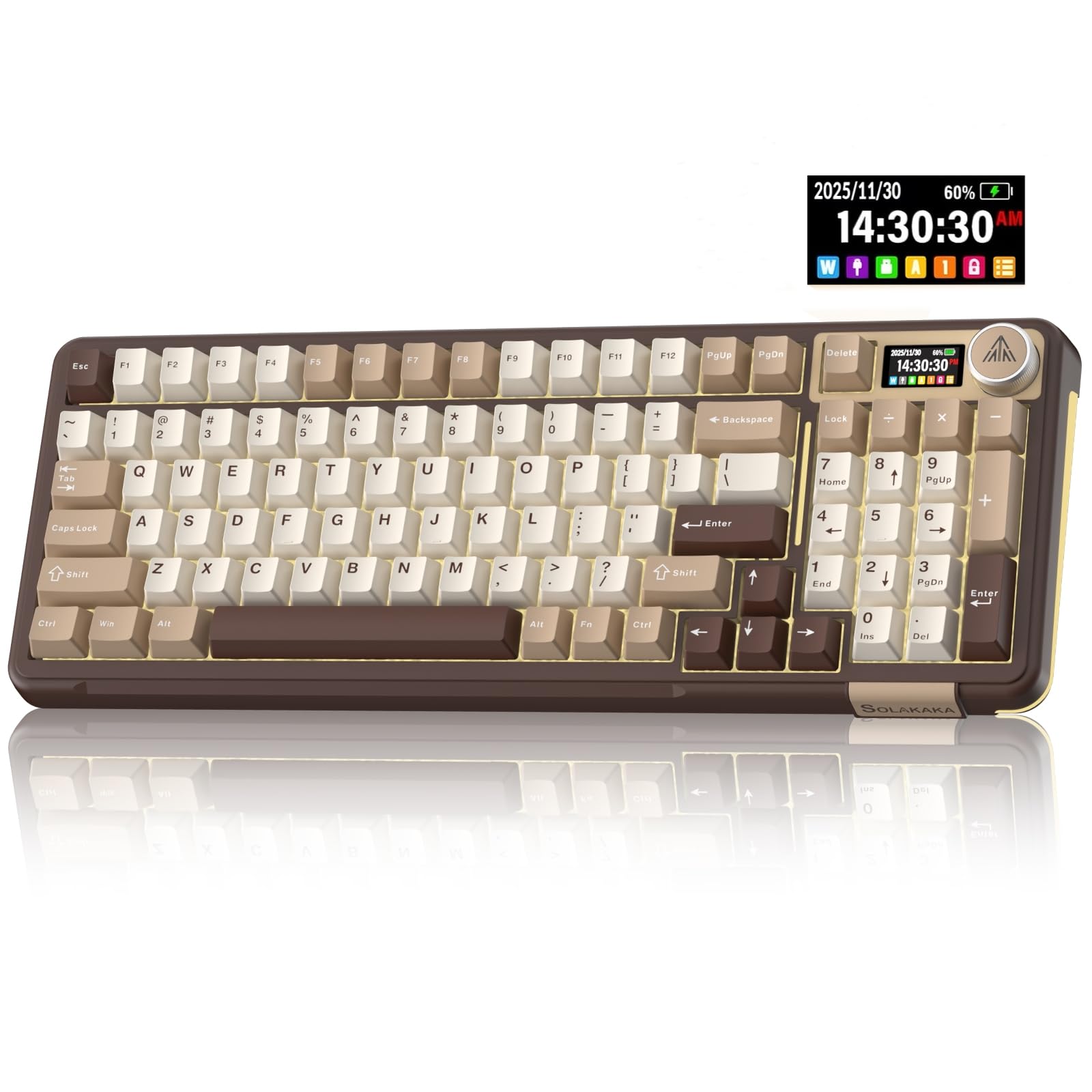
The A99 Pro comes in a milk-coffee brown that reads warmer than the black slabs most gaming boards default to, and the lighting runs around the sides of the case as well as under the keys. It's a desk object as much as an input device, and that's a fair thing to want from something you look at all day.

The gasket structure uses five layers of cushioning and single-key PCB slotting, so the plate has some give and each keystroke bottoms out softly instead of slapping the case. Linear switches come pre-lubed, all 97 keys are hot-swappable for 3- or 5-pin replacements, and the LCD shows date, time, battery and connection mode while the metal knob handles volume and lighting.

Bluetooth 5.0, 2.4GHz and USB-C cover the usual three setups, and moving between a work laptop and a personal desktop takes a key combination rather than a cable swap. Ninety-seven keys keeps the number pad and the arrow cluster while trimming the overall case.

We think it's a good pick when the look matters and you want the screen-and-knob package for about the same money as the RK. It feels like a finished object rather than a kit. The caveat is the track record: the Windows key has stopped responding on some units after a few months, and the software for lighting and macros is the clumsiest here — usable, but not pleasant. The year of warranty is the backstop.

Pros

  • Warm finish with lighting around the case
  • Gasket structure with five cushioning layers
  • Full hot-swap and a metal knob

Cons

  • Windows key has stopped responding on some units
  • Clumsy software for lighting and macros
Our verdict

A good choice if the desk should look as good as it types, with the caveat that it has far less history behind it than the picks above.

Check Latest Price

How We Tested 12 Mechanical Keyboards

We built the shortlist by reading owner reviews and spec sheets, then narrowing by layout, connection type, switch style, and what you actually get for the money. The final group covered wired and wireless boards, compact and full-size layouts, and models with hot-swappable sockets, knobs, screens, and adjustable backlighting. Over six months, we tested 12 mechanical keyboards side by side rather than judging each one in a single sitting.

They lived on our desks through workdays, moved to the couch for evening gaming, and traveled in bags between rooms; we typed the same long documents, email marathons, and game sessions on each. To judge feel and build, I typed for full days, pressed the corners of the chassis, checked case seams, and pulled keycaps to look for wobble. We listened for ping, rattle, hollow case noise, and the deeper thock we were hoping for, then asked someone two desks away whether the clatter carried.

For connectivity and battery, we paired each board with a laptop, tablet, and phone, switched between Bluetooth, 2.4GHz, and cable, and logged how many days passed before a charge was needed with backlighting on and off. We also dimmed the lights to check backlight evenness and glare, swapped switches on hot-swappable models, and watched keycaps for shine after weeks of use. Reliability showed up in smaller ways: dropped connections, double presses, stuck keys, and whether a board still felt solid after months.

How to Choose a Mechanical Keyboard

Layout comes first

A 75% board drops the number pad and keeps the function row and arrows; the Kisnt KN85 measures 13.7 inches across, while the full-size Logitech G413 SE runs 17.1. Those three and a half inches are the difference between a mouse at a comfortable angle and one pushed out to the side of your desk.

If you enter numbers all day, keep the pad — a 96% board like the RK S98 fits it into a case a little narrower than full-size. If you don't, the smaller board gives you back desk space you'll notice every day.

Switch type settles the sound

Linear switches travel straight down with no bump, tactile switches add a bump you feel near the actuation point, and clicky switches add a bump plus an audible snap. The pre-lubed linears in the KN85 and the blue clickies in the Redragon K580 sit at opposite ends of that range.

Case construction matters as much as the switch. A gasket mount with foam or silicone layers, as on the AULA F75 and the SOLAKAKA A99 Pro, removes the hollow ping that makes an inexpensive board sound inexpensive. If you share a room, choose linear or tactile and leave the click alone.

Wired, 2.4GHz or Bluetooth

Wired is the simplest thing that works: no charging, no pairing, no dropouts. A 2.4GHz dongle behaves almost like a cable and is the mode to use for games, while Bluetooth is for hopping between a laptop, a tablet and a phone — the tri-mode boards here pair with three to five devices.

Two traps are worth knowing. A wireless board becomes a wired board once the battery goes, and charging trouble is the most common long-term caveat in this group. Charge from a 5V source as the makers specify, and be honest about whether you'll actually use the wireless modes.

Hot-swap sockets and keycaps decide how long it lasts

A mechanical board usually dies one switch at a time. Hot-swap sockets let you pull a failing switch and drop in a replacement without soldering, and the KN85, F75, K671, K580, S98 and A99 Pro all accept 3- or 5-pin switches.

Keycaps matter next: PBT resists the shine that ABS develops where your fingers rest. If you plan to keep a board for years, both features are worth more than another lighting mode.

Height, heft and the desk you actually have

Low-profile boards like the MX Mechanical put your wrists at a flatter angle and are the easiest step from a laptop keyboard; full-height boards give more key travel and a more pronounced feel. Weight is a feature too — the K580 at 1.2 kg barely moves, while a light board slides during fast play.

Neither is better in the abstract. If you've never used a mechanical keyboard, a wrist rest and a board that doesn't skate are the two things that make the first week comfortable.

Frequently Asked Questions

Final Verdict

If one keyboard has to cover typing, gaming and a desk that isn't the size of a door, the Kisnt KN85 is the board we point people to: a 75% layout, tri-mode wireless, hot-swap sockets and a sound that doesn't need modding to be pleasant, all at the low end of this group's prices.

Spend more only when a specific need takes over — the Logitech MX Mechanical if you want low-profile keys and three computers on one desk, the Redragon K580 if you want the click and the macro row. The rest of the list is a set of variations on that theme.