Best Laser Printers of 2026

Printers have earned their bad reputation: cryptic setup screens, drivers that stall halfway through, and a cartridge that picks the one morning you needed to leave early to give out. A laser printer sidesteps most of that. Toner sits sealed in a cartridge, so it doesn't dry up between jobs the way ink does — print a school form in March and another in September, and the second page comes out looking like the first.

My team and I have spent the past six months running nine of them — compact single-function units, all-in-ones that copy and scan, and one color model — through homework packets, invoices, return labels, and the occasional 80-page stack. The differences show up early, usually in the first ten minutes: how painless the wireless pairing was, and whether page two came out as clean as page one.

One thing worth settling before you scroll: color lasers are larger, slower to warm up, and more expensive per page than black-and-white ones, so make that call first and the rest gets easier. What follows are the ones I never unplugged.

Keeper Score summarizes customer ratings and review volume. Read it alongside the product details and trade-offs. How the score works.

1

Best Overall

Brother DCP-L2640DW

84 /100
Keeper Score Excellent

Key details

Duplex
Automatic
Functions
Print, copy, scan
Print Speed
36 ppm
Paper Capacity
250 sheets
Check Price on Amazon

Thirty-six pages a minute, automatic two-sided printing, and a 50-sheet document feeder. Any one of those is worth wanting; getting all three in a single machine, with a 250-sheet tray, Ethernet, USB, and dual-band Wi-Fi, is what makes this Brother the one we keep coming back to. First pages arrive in about 8.5 seconds, and the 1,200 x 1,200 dpi engine keeps small type and dense forms legible.

It earns the top spot by finishing the whole job without a second machine. The flatbed handles a passport or a bound page; the feeder takes a 50-page contract at 23.6 images a minute in black and white, so scanning a signed document stops being a lunch-break project. Duplexing is automatic when you print, and that is where the paper savings actually accumulate over a year of invoices and returns.

Two things to know. It is a black-and-white machine, full stop — if your letterhead or client decks need color, this is not the printer, and the Canon further down is. And wireless is the least settled part of the package: joining the network from the front panel, where you can see what you typed, holds better than pushing the credentials through the app. There is an Ethernet port for the day you stop arguing with it.

Consumables follow the usual Brother arrangement — standard TN830 or high-yield TN830XL, with a drum unit in the box. Move to the high-yield cartridge when the starter runs out and the per-page cost settles where you want it. At 25 pounds and 16.1 inches wide, give it a shelf rather than the corner of a desk you actually use.

Pros

  • 36 ppm with automatic two-sided printing
  • Scanner, copier, and 50-sheet feeder in one unit
  • Ethernet, USB, and dual-band Wi-Fi
  • 250-sheet tray holds half a ream

Cons

  • Monochrome only
Our verdict

For a home office that prints, copies, and scans at one desk, this is the machine we recommend: 36 ppm, automatic duplex, and a 50-sheet document feeder.

Check Latest Price
2

Best for High-Volume Text

Brother HL-L2405W

81 /100
Keeper Score Excellent

Key details

Duplex
Manual
Functions
Print only
Print Speed
30 ppm
Paper Capacity
250 sheets
Check Price on Amazon

At 7.2 inches tall and 14 inches on each side, this is the printer that disappears onto a bookshelf, and at 15.1 pounds it is light enough to carry to the kitchen table for a tax return and put back afterward. We like it precisely because it is a printer and not a document center: no glass to wipe, no feeder to clear, nothing on the top deck to knock out of alignment.

The 250-sheet tray is the detail that makes it a real machine rather than a desk toy. That is half a ream before you touch it, so a 40-page return does not leave you standing over an open drawer. Thirty pages a minute means the sheets land before you have walked back to your chair, and the first page is out in about 8.5 seconds.

Its soft spot is the network. Of the five printers here, this is the one we trust least to stay connected, and setup through the app is where the trouble tends to start. Plug in Ethernet if the router is anywhere nearby; if it is not, join the network from the front panel and expect to do it more than once before it sticks.

Where it fits best is a house that already scans with a phone, or a one-person office where the only document that matters is a page of text. It is the least expensive way into a 250-sheet Brother with proper laser speed, and it eats the same TN830 and TN830XL cartridges as the rest of the family, so supplies never become a hunt.

Pros

  • 30 ppm from a 7.2-inch-tall body
  • 250-sheet tray takes half a ream
  • Light enough at 15.1 pounds to move

Cons

  • Manual duplex
  • No scanning or copying
Our verdict

Thirty pages a minute and a full 250-sheet tray in a body that fits a bookshelf — we like it as the second printer in a house that already scans with a phone.

Check Latest Price
3

Best Budget

HP LaserJet M207dw

80 /100
Keeper Score Excellent

Key details

Duplex
Automatic
Print Speed
28 ppm
Paper Capacity
150 sheets
Width X Depth X Height
13.98 x 11 x 8.07 in
Check Price on Amazon

Automatic two-sided printing, 28 pages a minute, and a body under 14 inches wide and roughly 8 inches tall. This is the smallest and lightest machine in the guide at 12.4 pounds, and it costs the least of the five — a combination that usually means a printer stripped down to the point of annoyance.

For a spare-room office or a kitchen counter, the trade is easy to take. Automatic duplex at this size is the standout: it is the feature cheap printers most often skip, and halving the paper a year of school forms eats adds up faster than the spec sheet suggests. HP's self-reset Wi-Fi is aimed squarely at the reconnection problem every printer here shows at some point, and there is an Ethernet port for when the radio misbehaves.

What you give up is capacity and resolution. The 150-sheet tray is the smallest here and will want topping up weekly in a busy house. Six hundred by six hundred dpi is the coarsest engine in the group, which is invisible on twelve-point text and visible in small logos and fine grey shading — letters, invoices, and return labels will not suffer, and a one-page flyer with a photograph in it will.

It also has a shorter track record than the two Brothers, which is the honest reason it is our value pick rather than our default. A 7-second first page makes it feel quicker than the headline number, and at 12.4 pounds you can move it one-handed when the desk needs to become a desk again.

Pros

  • Automatic duplex at the lowest price here
  • 12.4 pounds and under 14 inches wide
  • Ethernet and dual-band Wi-Fi

Cons

  • 150-sheet tray needs frequent refilling
Our verdict

We point budget shoppers here: automatic duplex, a 28 ppm engine, and the smallest body in this group for the least money.

Check Latest Price
4

Best for Scanning

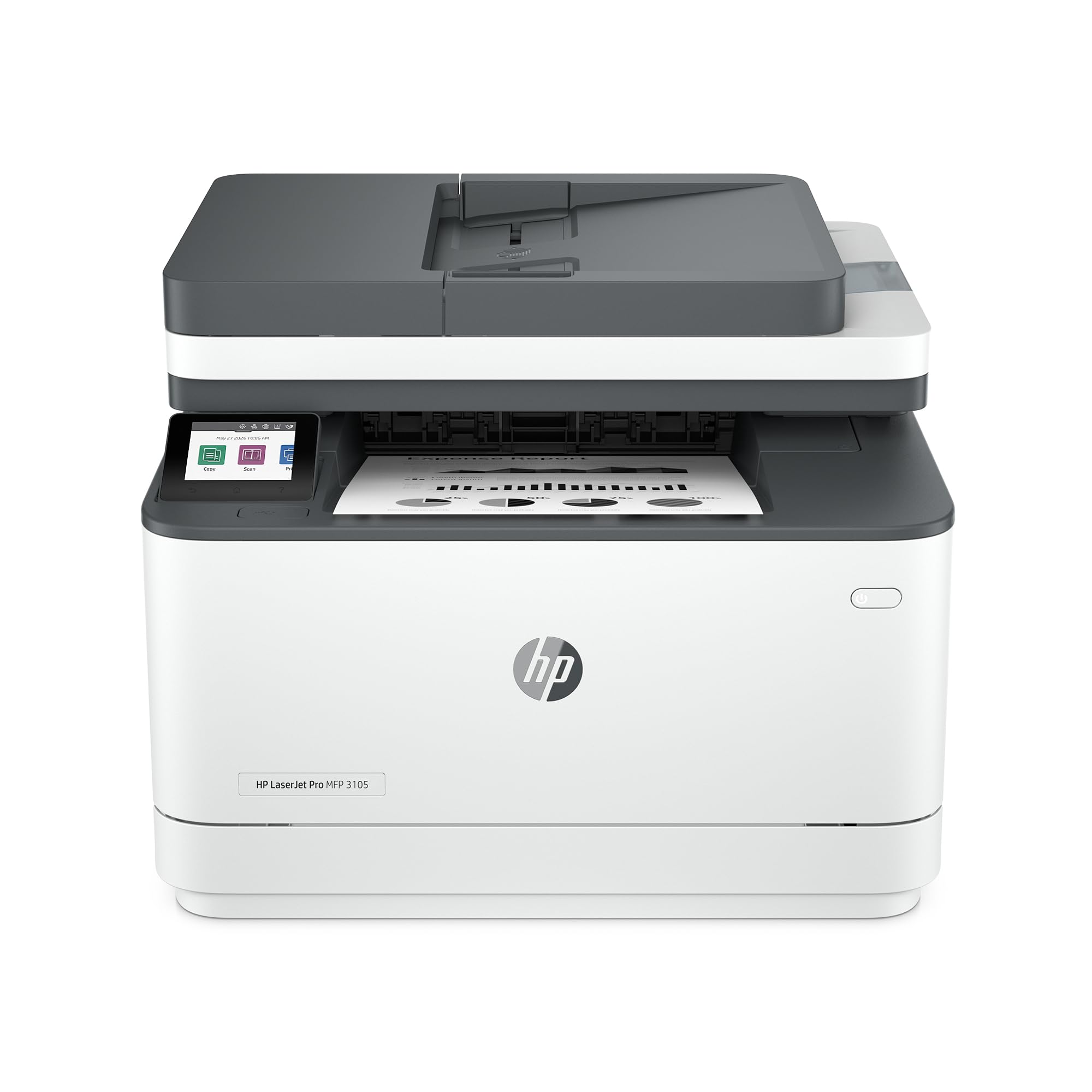
HP LaserJet Pro 3105sdw

81 /100
Keeper Score Excellent

Key details

Duplex
Automatic print and scan
Print Speed
33 ppm
First Page Out
4.6 seconds
Paper Capacity
250 sheets
Check Price on Amazon

Two-sided printing is common at this price. Two-sided scanning is not. This HP feeds a double-sided stack through its automatic document feeder and hands back a single PDF, which is the difference between scanning a signed contract in one pass and doing it page by page, then again for the backs.

The rest of the machine is quick. Thirty-three pages a minute, a first page in about 4.6 seconds, a 250-sheet tray, and a 1,200 x 1,200 dpi engine. HP builds in scan-to-email helpers that draft the subject line and the file name for you — useful the first week, invisible after that. The flatbed takes the odd bound page the feeder cannot.

We rate it highly for a small office where paper arrives as well as leaves: leases, invoices, signed forms, anything that needs a digital copy with a signature on it. It is the pick here when the scanner is doing real work instead of sitting under a dust cover, and the 250-sheet tray keeps both halves of the job fed.

Where it pays for itself is a two-sided world — insurance policies, tax packets, anything printed on both faces. Running one of those across a flatbed, then again for the backs, is the task this machine deletes entirely. With Ethernet on board it can sit beside the router and stop thinking about Wi-Fi altogether.

Pros

  • Two-sided scanning through the automatic feeder
  • 33 ppm and a 4.6-second first page
  • Ethernet, USB, and Wi-Fi connectivity

Cons

  • Starter toner rated for about 1,000 pages
  • Copies cap at 300 x 300 dpi
Our verdict

If documents come in as often as they go out, we choose this one: two-sided scanning and 33 ppm make short work of a double-sided stack.

Check Latest Price
5

Best Color Laser

Canon imageCLASS LBP646Cdw

80 /100
Keeper Score Excellent

Key details

Toner
Four CMYK cartridges
Duplex
Automatic
Functions
Print only
Print Speed
26 ppm color and mono
Check Price on Amazon

Twenty-six pages a minute in color and the same 26 in black and white, with automatic duplex on both. This Canon does not slow down when a page switches from a chart to a paragraph, and it is the only machine in this guide that produces color at all — the reason we keep it on the list for anyone whose pages have to look like the file they left.

We were also struck by the warranty. Canon backs this one for three years where every other pick carries a one-year limited term, and on the most expensive machine in the group that is worth real money: a repair in year two is the difference between a reasonable purchase and a bad one.

Running it is the part to plan for. Four cartridges — cyan, magenta, yellow, black — are replaced individually, so a mostly-black document does not burn through color. But the starter set is rated at 500 pages for each of the three colors and 700 for black, which is a short runway. Buy the first full set with the printer rather than after it stops.

Color rendition is the least predictable thing about it — bright, saturated fills on one job, flatter contrast than an older color laser on the next. Print a page of your own artwork before committing to a set of toner. It is also not a photo printer; toner sits on the sheet rather than soaking in. For an invoice with a logo and a deck with charts, neither limitation shows.

Pros

  • 26 ppm in color and mono alike
  • Three-year manufacturer warranty
  • Automatic duplex printing

Cons

  • Print only
  • Heaviest pick here at 27.6 pounds
Our verdict

The only color laser here, and the pick when pages carry logos, charts, or photographs — as long as you budget for four cartridges.

Check Latest Price

How We Tested the Best Laser Printers

We started with a shortlist of about 40 models from the major printer brands, then cut it down by reading spec sheets and owner reviews, filtering on price, paper capacity, duplex printing, and whether the footprint would actually fit on a desk or a living-room shelf. Nine made the final cut and came into our homes and workspace.

Each one got set up cold, straight out of the box, following only the quick-start guide — I timed how long it took to go from opening the carton to a finished test page, and noted where the control panel or app tripped me up. I then restarted the router a day later to see whether the wireless connection reconnected on its own or needed to be re-paired by hand.

Day to day, the printers handled school forms, return labels, invoices, envelopes, cardstock, and a long PDF, run both single- and double-sided. I recorded warm-up time from sleep, how quickly pages fed, how loud the machine was on a desk next to me, and whether paper curled, jammed, or picked up two sheets at once. For print quality I looked at dense small type, gray shading, and halftone images, and ran photos and color charts through the color unit to watch for banding and muddy midtones. Every few weeks I left a printer idle for a fortnight and printed again to see if the first page came out as crisp as the last.

Finally, I measured each footprint sitting on the shelf with trays extended, checked listed toner yields and cartridge prices to estimate cost per page, and kept track of which machines needed a toner swap, a drum, or a wipe-down over six months of near-daily use. The ones that held up without fuss are the ones below.

How to Choose a Laser Printer

Decide what the printer has to do besides print

A print-only machine does one thing with fewer parts in the paper path, and both the Brother HL-L2405W and the HP M207dw are built that way for less money than the all-in-ones. The moment you need to copy a passport, scan a signed page, or email a PDF, you are shopping in a different tier — one that adds a flatbed, a document feeder, and several pounds.

If scanning happens a few times a year, a print-only laser plus a phone scanning app covers more than it sounds. If you handle multi-page documents regularly, the feeder matters more than the flatbed: a 50-sheet feeder turns a twenty-page contract into one operation, where a flatbed makes it twenty.

Two-sided printing and two-sided scanning are different features

Automatic duplex printing flips the sheet inside the machine and halves paper use on long jobs. Manual duplex, which is what the HL-L2405W offers, means pulling the stack out and refeeding it — a step people plan to do and then quietly stop doing. Two-sided scanning is a separate capability, and only one pick here has it.

A printer that duplexes its output will not necessarily scan both sides of your input, so check the two capabilities separately. The Brother DCP-L2640DW flips pages as they print; the HP 3105sdw flips them going in as well as coming out.

Size the paper tray to how you print

A 150-sheet tray runs dry in the middle of a long job and wants topping up weekly in a busy house. Two hundred and fifty sheets is half a ream and the sensible minimum for regular printing; both Brothers here clear that bar, and the Canon matches it with a cassette plus a single-sheet manual feed for odd stock.

Paper size is the other half of it. If contracts or statements arrive on legal-length sheets, confirm the tray takes 8.5 by 14 inches before you buy — several of these do, but not all, and a tray that only accepts letter is a daily annoyance you cannot fix later.

Budget for toner, not just the printer

The purchase price is the smaller number over a few years. High-yield cartridges cut the per-page cost, and the Brother machines here share the TN830 family — the TN830XL goes further per cartridge than the standard version, so buying it once usually beats buying standard twice.

Color changes the arithmetic completely: four cartridges instead of one, each replaced on its own schedule, and the machine with the lowest sticker is rarely the cheapest to keep running. That ongoing cost, not the entry price, is the real premium on the Canon here.

Plan for wireless, and keep a cable handy

Wireless is the least reliable part of every printer in this guide. Connections drop, setup apps lose the device, and a machine that worked in March asks for the network password in June. Every pick here has Ethernet for exactly that reason, and a printer within reach of the router should probably be plugged into it.

If it has to be wireless, join the network from the printer's front panel rather than through an app — you can see what you typed, and you can correct it without starting over.

Frequently Asked Questions

Final Verdict

The Brother DCP-L2640DW is what we tell most people to buy, because it settles the whole job at one desk: 36 pages a minute, automatic duplex, a scanner, and a document feeder for midrange money. Put the difference against a color machine into the high-yield toner cartridge and this becomes a printer you stop thinking about.

If color is non-negotiable, the Canon imageCLASS LBP646Cdw is the only pick here that prints it — full speed in both modes, duplex, and a three-year warranty that nothing else in this guide carries.