Best Label Makers of 2026

Label makers come in two camps, and that split explains most of the frustration people run into. The pocket-size Bluetooth models put fonts, icons, and templates on your phone; the handheld keyboards skip the app entirely and print the second you type. Choose wrong and you'll either spend ten minutes fighting a pairing screen over one label or wish you could drop an icon onto a spice jar.

I've been labeling pantry shelves, school folders, and garage bins for years, and over the past four months my team and I put 13 machines through the same round of household jobs. The detail that surprises first-time buyers is the tape, not the printer: thermal labels are cheap and smudge-proof but fade in direct sun and don't love the dishwasher, while laminated tape costs more and shrugs off both.

The picks below cover both camps, plus a couple of desk models that split the difference. They aren't all the cheapest things on the shelf, but they're the ones that still printed cleanly on the hundredth label as well as the first.

Keeper Score summarizes customer ratings and review volume. Read it alongside the product details and trade-offs. How the score works.

1

Best Overall

Brother P-Touch PT-D210

93 /100
Keeper Score Outstanding

Key details

In The Box
Label maker and four tapes
Tape Width
12 mm (0.47 in)
Printer Type
Thermal
Print Resolution
180 x 180 dpi
Check Price on Amazon

Four tape cassettes come in the box with the PT-D210, a sample plus three full-length rolls, and that bundle is the reason it is the machine we reach for first. There is a real QWERTY keyboard, an LCD preview, and no phone, app or pairing step between you and a printed label. For most homes this is the best all-round label maker in this set: you can stand in front of an open pantry and have the shelves done before dinner.

Printed at 180 x 180 dpi on 12 mm tape, the lettering is crisp enough for a folder tab and legible across a kitchen shelf, and the laminated TZe tape is the part that matters long term. Lamination is the difference between a label that holds up on a freezer container or a handled file and one that does not. The preview screen earns its keep too: you check the text before it commits, so a typo costs you a keystroke instead of a strip of tape.

Power is the thing to plan around. It runs on six AAA batteries and the AC adapter is sold separately, so if this is going to live on a desk, order both with the machine. Under a long labeling session the batteries go quickly; for a once-a-month burst they are fine, and the auto-off helps.

At 1.1 pounds it is a shelf-or-drawer tool rather than a pocket one, which is the honest trade for a keyboard this size. What kept bringing us back is how little thought the whole thing takes: pick it up, type, print, peel. That is the entire interaction, and it is why the D210 stays the one we point people toward when they do not want another app in their life.

Pros

  • Prints without a phone or app
  • Four laminated tapes included
  • Laminated tape suits freezer and handled labels
  • Preview screen catches typos before printing

Cons

  • Smaller font and frame library than the app models
Our verdict

We recommend the PT-D210 to anyone who wants a keyboard, laminated tape and a preview screen without an app: it is the most self-contained label maker here, and the bundle starts you with tape to spare.
Check Latest Price
2

Best Keyboard-And-App Hybrid

SUPVAN E11

91 /100
Keeper Score Outstanding

Key details

Battery
1,200 mAh rechargeable
Connectivity
Bluetooth
Max Label Width
15 mm
Print Resolution
203 dpi
Check Price on Amazon

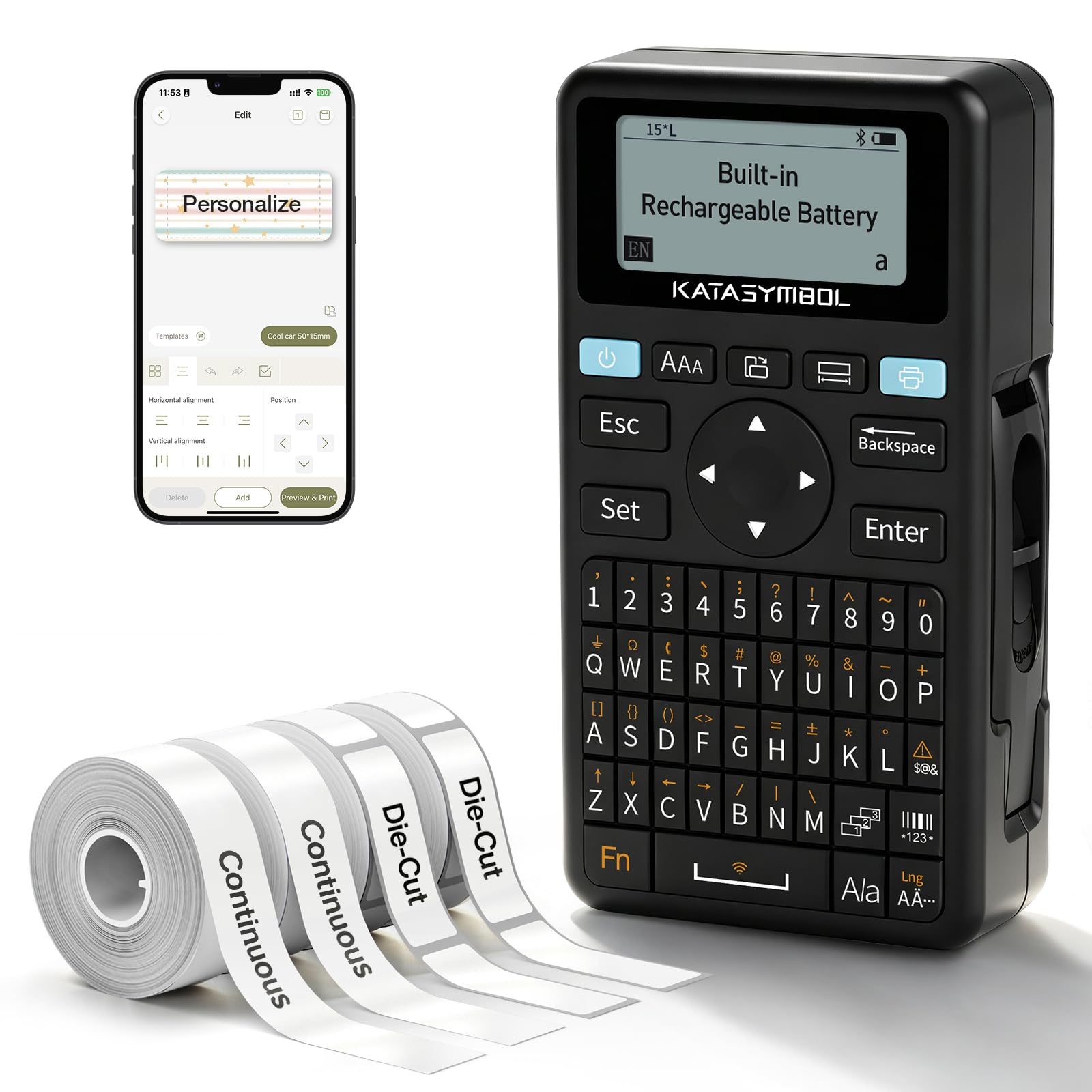
The E11 leaves only a 0.2-inch margin at each end of a label, roughly a fifth of what most machines here feed through before the first character prints. On a spice jar or a switch in a patch panel, that is the difference between a label that looks deliberate and one with a blank tail hanging off it. It also means more labels per cassette, which is the quiet economy of the thing.

What we appreciate most is that it does both jobs. Type on the keypad when you want a label in ten seconds, then open the app over Bluetooth when you want 30-plus fonts, 660 icons or a template you can reuse. At 203 dpi the print is a step sharper than the 180 dpi machines in this set, which shows on small type. Add USB-C charging, a rated month of use per charge and a half-pound body, and it is the one we tuck into a drawer rather than leave on a desk.

Two things to know. The keypad is small enough that a long line of text gets fiddly, and the rechargeable battery is the part to test early, since a unit that stops taking a charge is the failure to catch while it is still in the return window. Neither is unusual at this size, and neither stops it being the most flexible machine here for the money.

Pros

  • Keyboard and app in one device
  • Minimal margin wastes less tape
  • Rechargeable over USB-C

Cons

  • Tape width capped at 15 mm
  • Printed manual is thin and hard to read
Our verdict

For a household that wants a keypad for quick jobs and an app for the pretty ones, the E11 is our pick: it is the only hybrid here and it costs less than the dedicated keyboard machines.

Check Latest Price
3

Best Budget

Nelko P21

89 /100
Keeper Score Excellent

Key details

Cutter
Built-in
Connectivity
Bluetooth
Max Label Size
14 x 75 mm
Print Resolution
203 dpi
Check Price on Amazon

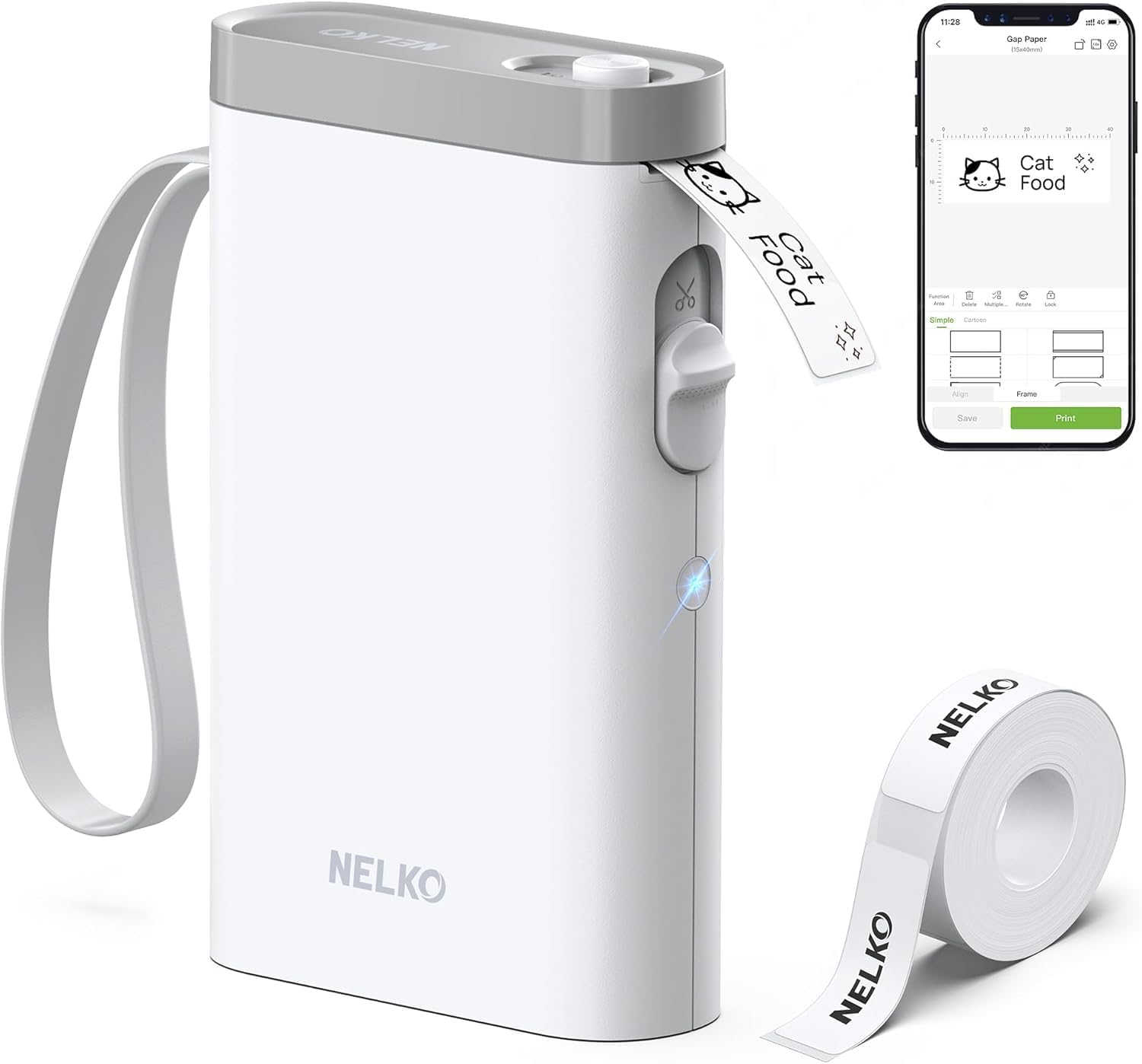
There is no keyboard on the P21, which is the whole idea: you build the label in the Nelko app and the printer does the rest. Setup walked us through a download, a roll of tape and a Bluetooth pairing, and then labels started appearing. It is one of the least expensive machines here, and the built-in cutter trims each label cleanly instead of leaving you with a torn edge.

The output is genuinely good for something this small. At 203 dpi the type is sharp, the app carries a deep catalog of fonts, icons and templates, and the design tools became invisible to us after the first few labels. It weighs 11.5 ounces and charges over USB-C, so it can live in the same bag as the cables it is labeling.

The limit is the tape. The P21 takes labels up to 14 x 75 mm, which suits bins, cords, spice lids and name tags but not a shelf edge you read from across the room, and because it prints direct thermal there is no laminated option. For indoor organizing that is fine; for a freezer or a garden shed, a machine that takes laminated cassettes is the better call.

Pros

  • Quick template workflow in the app
  • Sharp 203 dpi printing
  • Built-in cutter and USB-C charging

Cons

  • Phone required for every label
Our verdict

If you are comfortable typing on your phone, the P21 is the budget pick we point to: crisp 203 dpi labels, a built-in cutter and an app that makes designing one genuinely easy.

Check Latest Price
4

Best Simple Handheld

DYMO LetraTag 100H

93 /100
Keeper Score Outstanding

Key details

Display
Graphical LCD
In The Box
3 LT tapes
Tape System
LetraTag LT cassettes
Fonts And Styles
5 font sizes, 7 print styles, 8 box styles
Check Price on Amazon

The keys on the LetraTag run alphabetically rather than in a QWERTY layout. We expected that to be irritating and found the opposite: for the four- and six-letter labels this machine is built for, hunting sideways is faster than touch-typing. Pick it up, type, print, put it back. Three LT cassettes come in the box, including a paper label and two plastic ones, so you can start on either straight away.

It is a small handheld with a graphical display that previews the label before it prints, 5 font sizes, 7 print styles and 8 box styles. For pantry jars, tool drawers and school supplies, that is enough variety to keep labels consistent across a house without turning labeling into a project, and the auto-off means it does not die in a drawer between sessions.

Labels come out clear and peel cleanly, and the plastic cassettes are the ones to use on anything that gets handled. What it will not do is grow with you: five font sizes and eight boxes is the whole toolbox, and that is fine, because the jobs this machine is for do not need more than that.

Pros

  • Alphabetical keys suit short labels
  • Three tapes included for either surface
  • Graphical preview and auto-off

Cons

  • Tape feed can jam mid-label
Our verdict

The LetraTag is the one we hand to someone who wants a label in ten seconds: alphabetical keys, three tapes in the box and no menus to learn.

Check Latest Price
5

Best for Wide Labels

Brother P-Touch PT-D610BT

89 /100
Keeper Score Excellent

Key details

Memory
90 labels
Connectivity
Bluetooth and USB
Max Label Width
24 mm (1 in)
Print Resolution
180 x 360 dpi
Check Price on Amazon

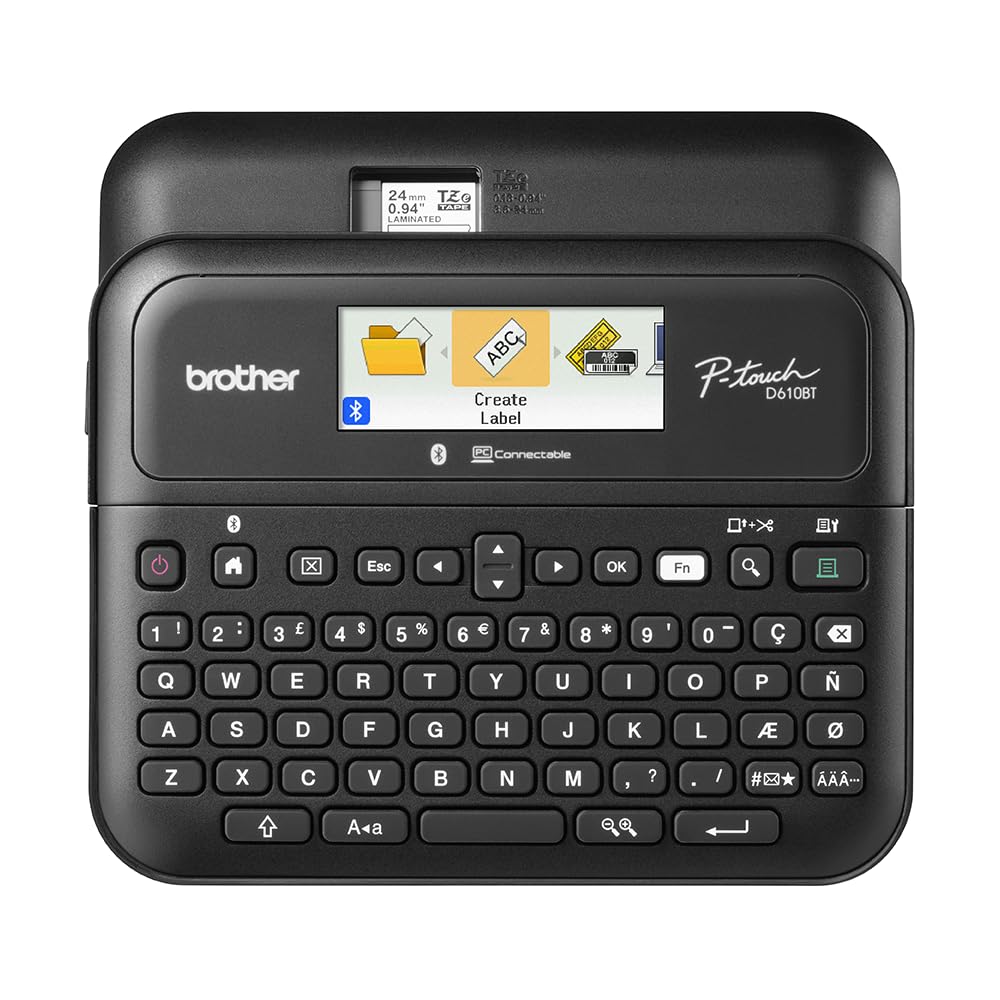
Tape up to an inch wide changes what a label maker is for: binder spines, shelf edges, asset tags, anything meant to be read from a few feet away. The D610BT is the only machine here that prints that wide, and the larger canvas is why it makes sense in an office rather than a kitchen drawer.

Behind that sits the most complete setup in this set. Bluetooth and USB mean several people can print from phones or from P-touch Editor on a computer, the 90-label memory holds the asset tags and shelf labels you reprint every quarter, and the automatic cutter keeps long batches tidy. The 20-character color display is the detail we appreciated most; it stays readable in a dim stockroom, which is more than we can say for the monochrome screens on cheaper machines.

Bluetooth is the soft spot. Pairing with a Mac is where this model stumbles, so if the office runs macOS, keep the USB cable on the desk and skip the loop entirely. Everything else about it is built for volume, and that is what the price buys.

Pros

  • Prints inch-wide laminated labels
  • Bluetooth, USB and PC software
  • 90-label memory for repeat jobs
  • Color display readable in low light

Cons

  • Costs the most of the machines here
Our verdict

For an office printing asset tags and shelf labels in bulk, the D610BT earns its place: inch-wide laminated labels, 90 saved designs and a display you can actually read.

Check Latest Price
6

Small Cable Labels

Phomemo D30

88 /100
Keeper Score Excellent

Key details

Weight
5.64 oz
Connectivity
Bluetooth
Max Label Width
0.55 in
Print Resolution
203 dpi
Check Price on Amazon

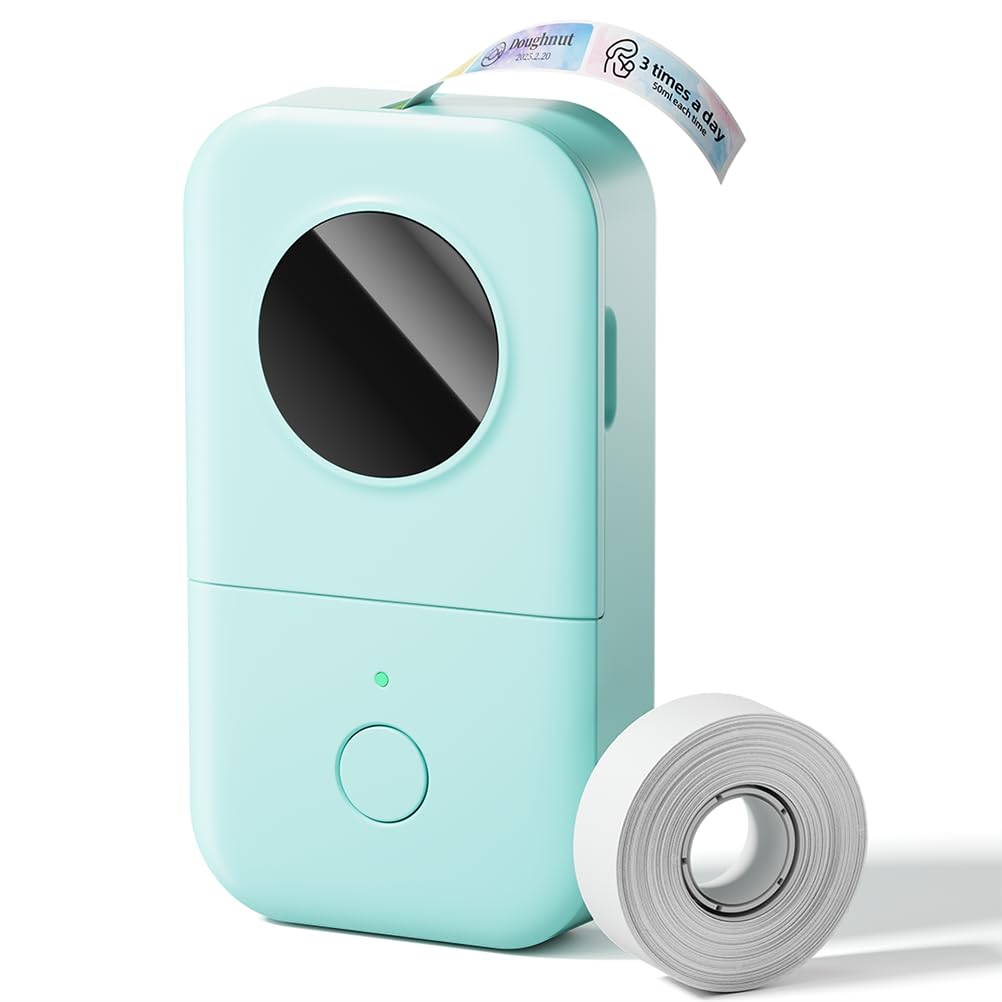
At 160 grams and roughly the size of a deck of cards, the D30 disappears into a drawer, a glovebox or a jacket pocket. That sounds like a spec-sheet detail until you have labeled cables: the work happens behind a desk, under a counter or inside a rack, and a label maker that lives there is one that actually gets used.

It prints at 203 dpi over Bluetooth from the Print Master app, which is where all the design work happens: templates, fonts, icons, saved designs. There is no ink to buy, just rolls of thermal label tape, and it charges over USB-C like everything else on your desk.

Small is the whole pitch, so small is the limit. The 0.55-inch tape means short labels for cords, plugs and box edges, not a pantry shelf you read from across the room, and the phone does all the thinking. If you want one label maker for the entire house, this is not it. If you want a labeling tool that lives where the mess is, it earns its spot.

Pros

  • Fits in a pocket at 160 grams
  • No ink to buy
  • Recharges over USB-C

Cons

  • Extra design content sits behind a membership
Our verdict

The D30 is the pocket pick for cables, plugs and box edges: 160 grams, 203 dpi and an app that does the thinking, as long as small labels are all you need.

Check Latest Price

How We Tested the Label Makers

We started by gathering every label maker a normal person might actually buy, then cut the list by tape. Anything that locked you into one expensive cartridge, or capped out at a single tape width, was dropped. Thirteen models made the cut, and they lived with us for four months.

Most of the testing happened where labels actually go. We spent a Saturday reorganizing the pantry, labeling spice jars, freezer containers, and leftover lids; ran a back-to-school session on folders, lunchboxes, and pencil cases; and gave up a weekend to garage shelves, a filing cabinet, and the nest of cables behind the TV. Every machine printed the same 20-character label first, and we counted the taps, keystrokes, and pairing attempts it took to get there, along with how much blank tape each one wasted before the first character.

Then we pushed a little harder. A wet thumb rubbed across every label, a batch went through the dishwasher, and a few sat taped to a sunny windowsill for weeks. We tracked power too, noting how many labels a charge or a set of batteries lasted and whether each model charged over a cable or ate disposables, and we read the quick-start guide on every one to see whether it answered the obvious questions or sent us hunting online.

The last thing we weighed was flexibility: how many tape widths and label lengths each system offered, and how much customization you got before the app or the keyboard ran out of options. The phone-connected models won on fonts and icons. The keyboards won on speed.

How to Choose a Label Maker

Start with how you will type

Keyboard machines such as the Brother PT-D210 and the DYMO LetraTag print with nothing but batteries in them, which matters in a basement, a garage or a classroom where you would rather not unlock a phone with dusty hands. App machines such as the Nelko P21 trade the keyboard for templates and icons, and the SUPVAN E11 does both. If you reprint the same set of labels every quarter, look for built-in memory: the PT-D610BT saves 90 designs, which is the difference between retyping January's shelf labels and reprinting them.

The trap is assuming the app is always quicker. It wins on a batch of designed labels and loses on a single word for a folder tab, where the keyboard machines finish before a phone has even paired.

Match the tape to the job

Every maker locks you into its own cassette family, so the tape you will be rebuying matters more than the machine you buy once. Brother's TZe is the laminated kind, built for a freezer shelf or a handled folder; the paper-and-plastic LT and M cassettes are for the file drawer. Before you commit, price three refills. A cheap printer with expensive cassettes is the costly way to label a house.

Buy an extra cassette with the first order if the project is bigger than a couple of drawers, and buy by width if you are labeling shelves rather than jars: 12 mm is the handheld standard, and only one machine here prints the 24 mm that makes a shelf-edge label.

Resolution and width decide what fits

Resolution tells you how small the type can go before it turns to mush. The 180 dpi machines are fine for a folder tab, 203 dpi is noticeably crisper on spice lids and cable flags, and the higher-resolution business models are for tiny technical labels. What resolution cannot fix is width: a 12 mm cassette holds two short lines, so an inch-tall asset tag is a tape question first and a print-quality question second.

For a pantry, 12 mm tape is right and resolution barely matters. For a stockroom, buy width first and everything else after.

Power, batteries and what is in the box

Almost nothing here arrives ready to run. The keyboard machines take AAA batteries and sell the AC adapter separately; the pocket printers charge over USB-C but need a phone to drive them. Add batteries, or the adapter, to the first order, because a label maker that needs a store run before its first label is one that waits until next weekend.

Count the tape, too. Bundles that ship with three or four cassettes are worth more than they look beside a bare box, and on a machine you will keep for years the included tapes can cover the whole first project.

Frequently Asked Questions

Final Verdict

Most homes should buy the Brother PT-D210 bundle and be done: a keyboard, a preview screen, laminated tape and four cassettes in the box, with no phone in the loop and no app to keep updated. It is the most self-contained machine here, and the one that gets used on a Tuesday night.

If designing on a screen appeals more, the SUPVAN E11 gives you the keypad and the app for less than the dedicated keyboard machines, and the Brother PT-D610BT is the only choice when the labels have to be an inch wide.