Best Flash Drives for iPhone of 2026

The Storage Almost Full warning never lands at a good time. Mine showed up two days before a phone trade-in, with a summer of 4K video still on the phone I was about to hand over. That's the problem an iPhone flash drive solves: plug it in, offload the files, and stop renting cloud space you'll never fill. The complication is the connector, because Lightning, USB-C, or both decides whether the drive still works after your next upgrade.

My team and I have spent six months with 11 of these drives, plugging them into Lightning and USB-C iPhones, iPads, and laptops. The speed printed on the package turned out to be the least useful thing on it: a Lightning port caps transfers no matter how fast the stick claims to be. What separates them is how quickly the app gets out of your way, whether files open straight from the drive, how hot the metal runs mid-dump, and whether the capacity on the box is capacity you can actually use.

Keeper Score summarizes customer ratings and review volume. Read it alongside the product details and trade-offs. How the score works.

1

Best Overall

SanDisk Phone Drive 256GB

87 /100
Keeper Score Excellent

Key details

Capacity
256 GB
Warranty
2 years
Connectors
Lightning + USB-C
Max Read Speed
150 MB/s
Check Price on Amazon

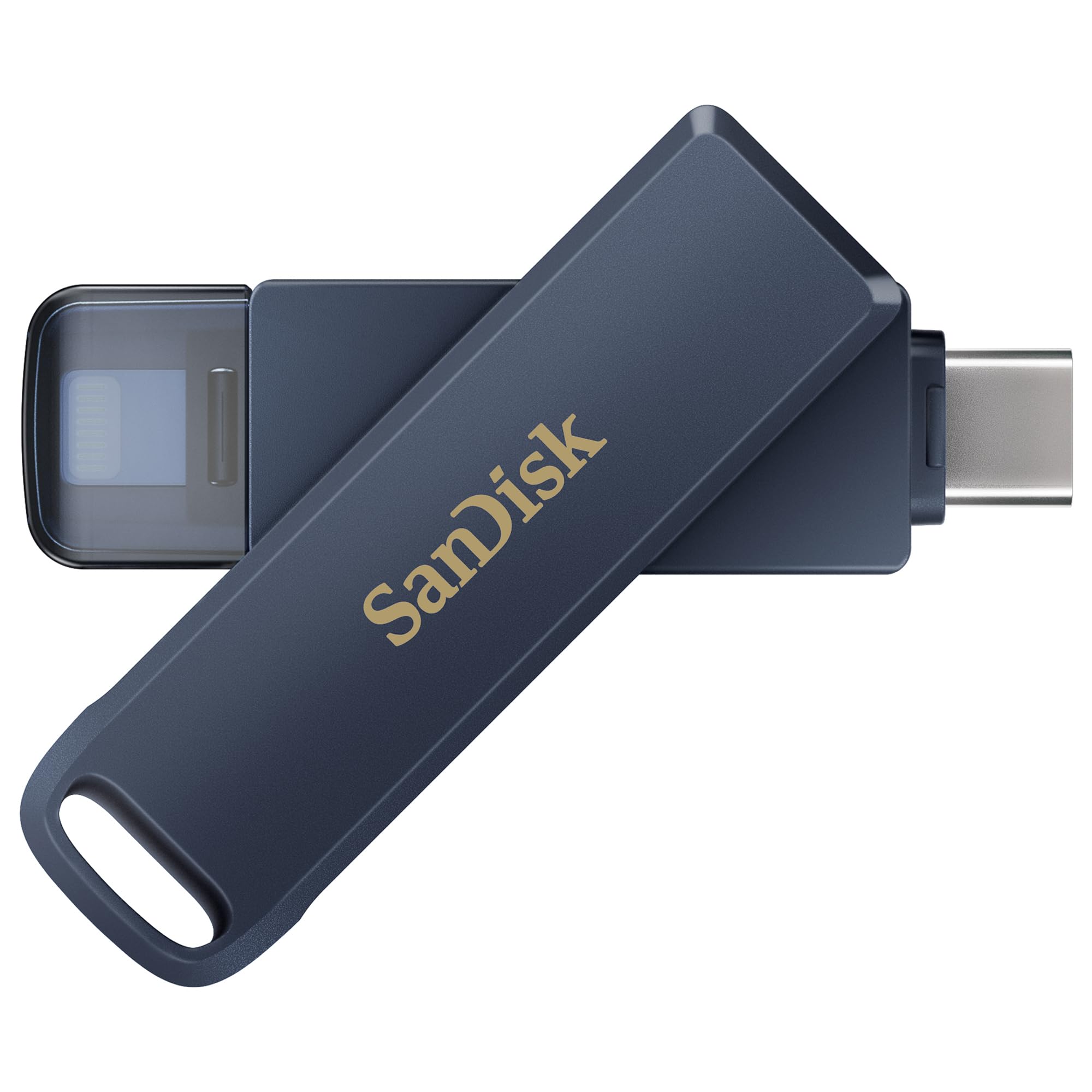
A Lightning plug at one end, a USB-C plug at the other, and a short metal body that swivels between them: that's the whole idea of the SanDisk Phone Drive, and it's why it's the pick we recommend first. At 5 grams and under two inches it disappears in a coin pocket until you need it, and there's nothing to lose because the connector you aren't using is part of the drive.

We chose it over the cheaper three-connector sticks for one reason. When a stick is holding the only copy of a year's photos, Made for iPhone certification, a two-year warranty and a backup app that reports progress matter more than a third connector you'll use twice a year. It's also the tidiest execution of the idea in this group: one body, no dongles, no cap to drop.

The routine is simple. Plug in, open the SANDISK Memory Zone app, and take a manual or an automatic backup while you get on with something else. Over USB-C you can skip the app and work through the iOS Files app instead; over Lightning you'll need Memory Zone. That's the one asymmetry worth knowing, and it falls in favour of the newest phones.

Two things to weigh. The plug is short, and a thick or tightly fitted case can stop it seating, so try it with your case on before committing to a long backup. And if everyone in your house is already on USB-C, you're paying a premium for a Lightning plug nobody will use.

Pros

  • Lightning and USB-C in one metal body
  • Made for iPhone certified with a two-year warranty
  • Manual or automatic backup with live progress
  • 5 g and short enough for a coin pocket

Cons

  • Writes rate 10–50 MB/s, far below its read speed
  • No USB-A end for older computers
Our verdict

This is the one we hand to a household that mixes old and new iPhones: one metal body, both connectors, and a backup routine with no adapters or workarounds.
Check Latest Price
2

Best Value

Techkey 3-in-1 256GB

89 /100
Keeper Score Excellent

Key details

Capacity
256 GB
Warranty
1 year
Connectors
Lightning, USB-C, USB-A
Certification
MFi certified
Check Price on Amazon

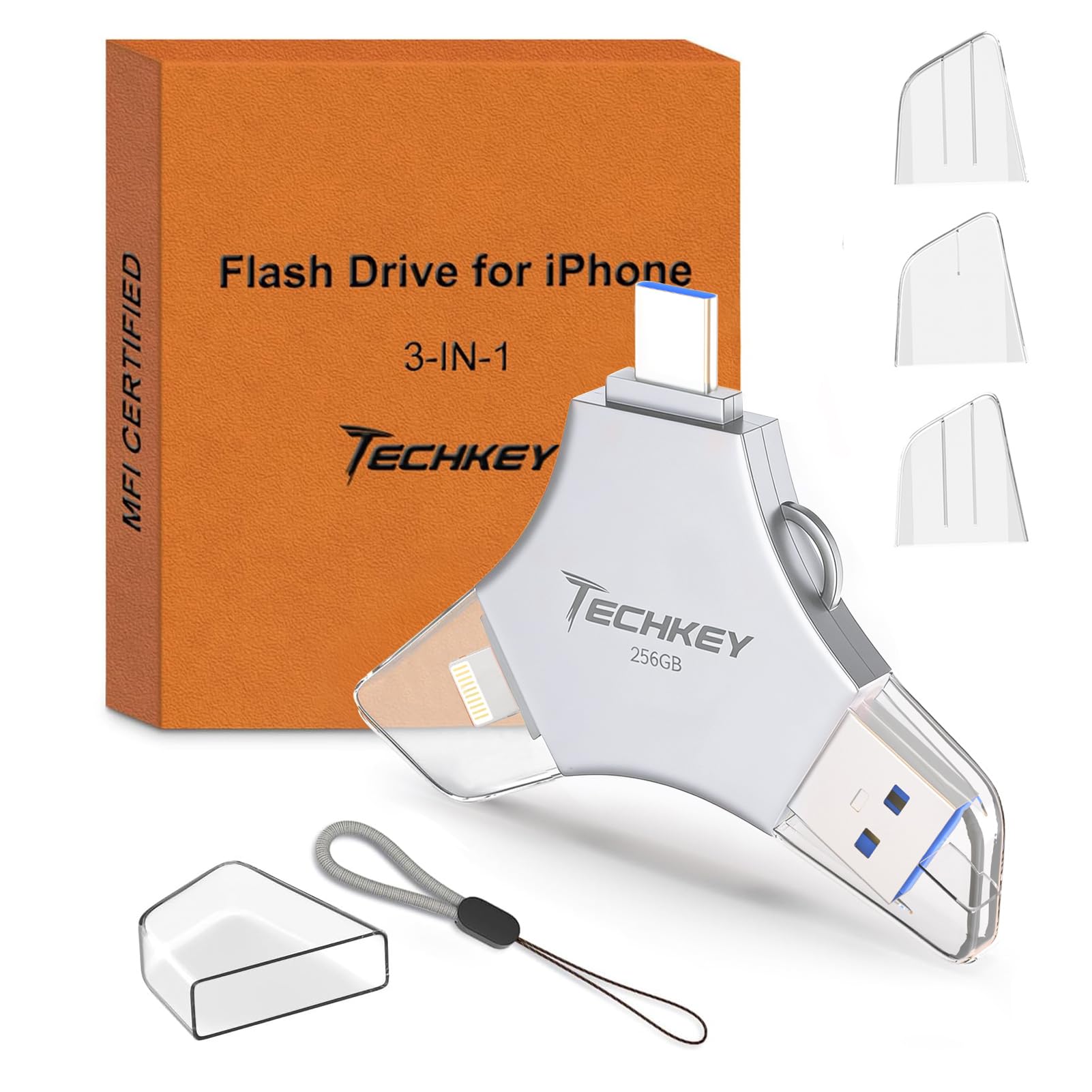
Three connectors on one MFi-certified stick, 256GB of space, and a one-click backup app: the Techkey asks the least of your wallet and gives up surprisingly little. The USB-A plug is what earns it a place beside our top pick — offload from the phone, then walk the same stick to an older laptop or a print shop's PC without hunting for an adapter. Among the dual-connector drives here, this is the one we send value hunters to.

One click covers photos, video and contacts, and anything you shoot through the in-app camera lands in a U-Disk album as you take it — a genuinely useful trick if the phone is your second camera on a trip. File-level encryption is there for documents and the like. The routine is about as simple as this category gets.

The app is not optional on the iPhone side. There's no route through the iOS Files app, so you're trusting a third-party app to keep working across iOS updates — that's the main thing this drive asks of you. For a stick that costs as little as this one, it's a reasonable ask, and it's why we call it the value pick rather than the default one.

Pros

  • Three connectors, including a full USB-A
  • MFi certified with one-click backup
  • 256GB at the bottom of the group's price range

Cons

  • No transfer speed published for this model
  • One-year warranty, the shortest in this group
Our verdict

Three connectors, MFi certification and 256GB for less than the premium picks — this is where we send anyone who wants the most drive for the least money.

Check Latest Price
3

Best for Big Photo Libraries

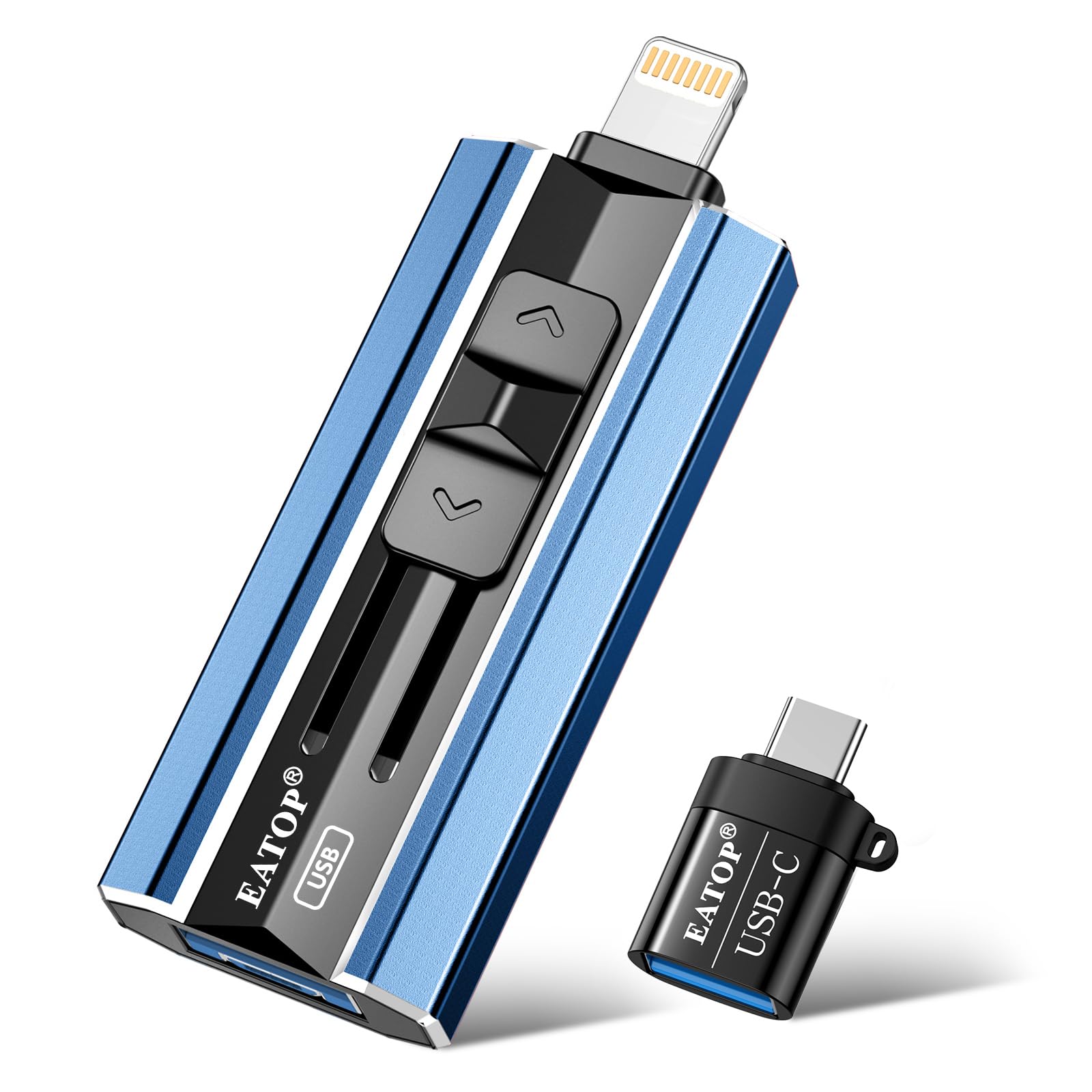
EATOP 512GB Flash Drive

82 /100
Keeper Score Excellent

Key details

Capacity
512 GB
Connectors
USB-A, Lightning, Micro-USB, USB-C
Backup Method
iOS Files app, no companion app
Max Read Speed
30 MB/s
Check Price on Amazon

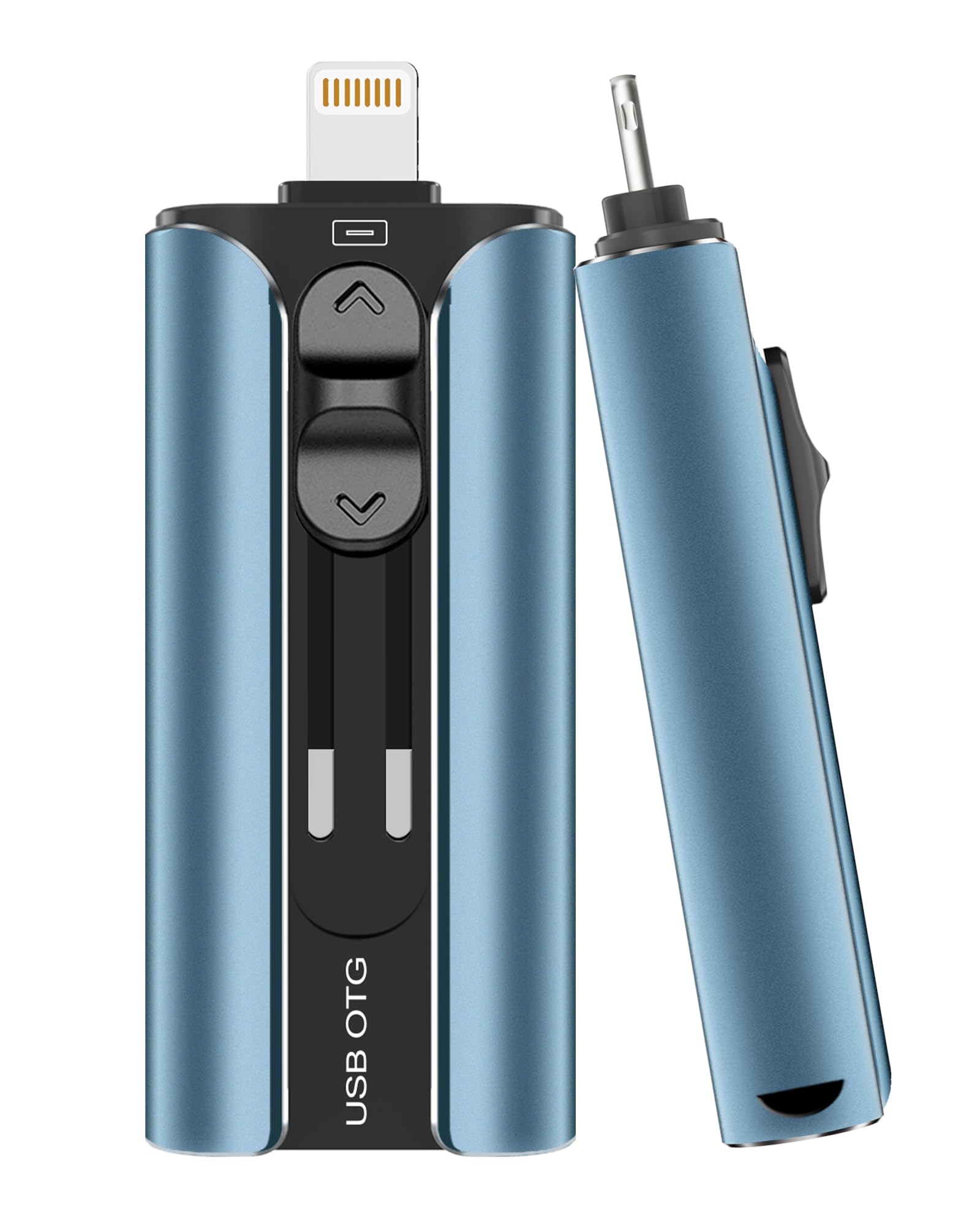
512GB is twice what any other drive in this guide holds, and that's the entire argument for the EATOP. If your phone is full of 4K video rather than stills, space runs out long before convenience does, and this is the only stick here that buys another year of headroom before you're back to deleting things.

It's also the only Lightning-capable drive here that works with no companion app at all. On iOS 13 or later you plug it in, open Files, and drag — no account, no third-party software to trust, nothing to rate. The trade is speed: reads are rated 30 MB/s and writes 15 MB/s, the slowest transfers in this group, so a first backup of a full phone is an overnight job rather than a coffee break.

We think that's the right trade for this buyer. Somebody buying 512GB is usually clearing out years of accumulated video, once, rather than syncing a handful of shots before dinner. The four built-in connectors — USB-A, Lightning, Micro-USB and USB-C — are a bonus for a mixed drawer of devices, and the USB-C port takes a firm push to seat, which is worth knowing before you blame the drive.

Pros

  • 512GB, double every rival in this guide
  • No companion app, just the iOS Files app
  • Four connectors built in

Cons

  • Short Lightning stem needs a slim case
Our verdict

For a phone stuffed with years of video, we think the extra capacity and the app-free Files workflow are worth putting up with slow transfers.

Check Latest Price
4

Best Budget

Techkey 3-in-1 128GB

88 /100
Keeper Score Excellent

Key details

Capacity
128 GB
Warranty
2 years
Connectors
Lightning, USB-C, USB-A
Max Read Speed
40 MB/s
Check Price on Amazon

Half the capacity of its bigger sibling, the same three connectors, and a longer warranty: the 128GB Techkey is the cheapest way into a drive that fits both generations of iPhone. If you're buying this for a glovebox or a travel bag rather than a working photographer's desk, that's the version to look at.

On paper it's the lesser of the two: 128GB of space, and read and write both rated at 40 MB/s. In practice that's a workable pace for photos and short clips, and we like that the warranty runs two years — one more than the 256GB version gets. The three connectors mean the same stick moves files from an iPhone 13 to a USB-C iPad to an old desktop without anything else in the bag.

The catch is the same one that applies to its sibling: on the iPhone side everything runs through Techkey's app, with no Files-app fallback if the software misbehaves after an iOS update. And 128GB goes quickly if you shoot video rather than stills. For a few thousand photos twice a year, though, it's plenty.

Pros

  • Lowest-cost route to both connectors
  • Two-year warranty beats its 256GB sibling
  • 40 MB/s read and write stated

Cons

  • Only slightly cheaper than the double-capacity version
Our verdict

We think it's the sensible first photo stick: both connectors, a two-year warranty, and enough capacity for photos, at the lowest cost here.

Check Latest Price
5

USB-C iPhones

SanDisk Ultra Dual Drive Go 128GB

91 /100
Keeper Score Outstanding

Key details

Capacity
128 GB
Warranty
5 years
Connectors
USB-C + USB-A
Max Read Speed
400 MB/s
Check Price on Amazon

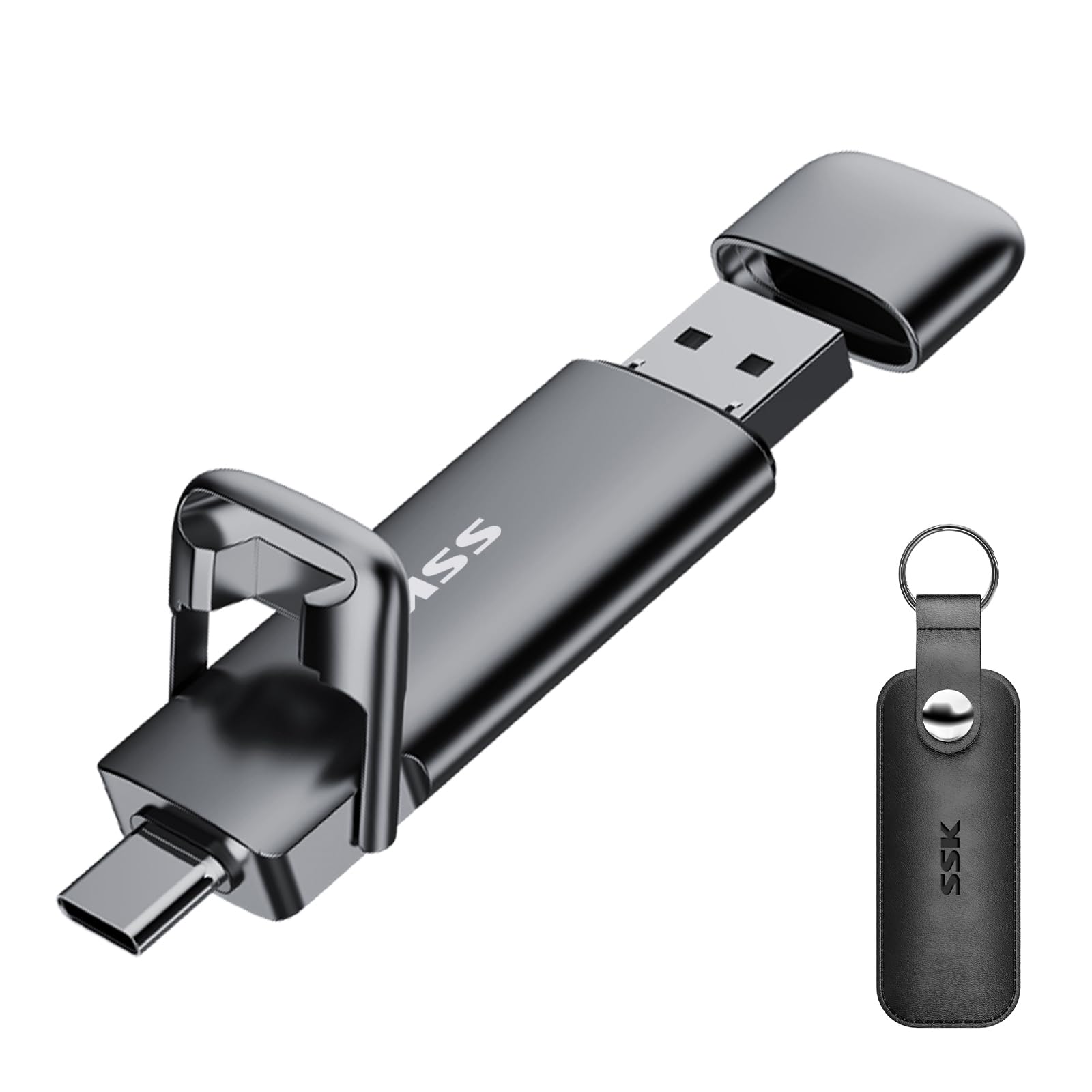
It's about the length of a house key and light enough to forget on a keyring, which is why the Ultra Dual Drive Go is the drive that ends up in a bag and stays there. One end is USB-C for an iPhone 15 or newer; the other is the old rectangular USB-A for whatever computer you land at.

SanDisk rates it at up to 400 MB/s read, with writes well below that; on a phone the transfer is limited by the iPhone's side of the connection anyway. No software is needed for basic drag-and-drop through the Files app, though the Memory Zone app will run automatic photo backups if you want them.

The limit is the connector. USB-C only, so an iPhone 14 or older gets nothing from it without an adapter — a clean split rather than a flaw, since anyone who moved to USB-C with the iPhone 15 gets the smallest and quickest-reading drive on this page.

What settles it for us is the size-to-speed ratio. It disappears on a keyring, reads faster than anything here short of the SSK, and works without a byte of third-party software. For an iPhone 15 or 16, that's the least fuss in this guide.

Pros

  • Small and light enough for a keyring
  • Up to 400 MB/s read
  • Works through Files without software

Cons

  • Gets hot during long transfers
Our verdict

The one we reach for in an all-USB-C household: tiny, quick to read, and simple enough to use without installing anything.

Check Latest Price
6

Fast Transfers

SSK USB-C Flash Drive 256GB

89 /100
Keeper Score Excellent

Key details

Capacity
256 GB
Connectors
USB-C + USB-A
Max Read Speed
550 MB/s
Max Write Speed
500 MB/s
Check Price on Amazon

550 MB/s read and 500 MB/s write put the SSK in a different class from every other stick here. It behaves like a small external SSD, and that changes what you use it for: dumping a card's worth of footage or a full phone backup stops being something you schedule and becomes something you do on the way out the door. That's worth a premium if speed is what you're short of.

The zinc alloy body has real heft at 37 grams, with a double-headed cover rather than a swivel and a three-year warranty behind it. Plug and play with nothing to install, working through the iOS Files app and the phone's own OTG support — plainer than the MFi sticks, but there's nothing between you and the files.

What it doesn't have is Lightning, so an iPhone 14 or older is out. In a bag the weight never registers; on a keyring you notice it in a way you don't with the five-gram drives. We treat this less as a photo stick than as the drive you buy when the phone is your camera and the files are big.

Pros

  • 550 MB/s read and 500 MB/s write
  • Zinc alloy body with port covers
  • Three-year warranty

Cons

  • No app for one-click photo backup
Our verdict

We point to it when speed is the constraint: for iPhone 15 and newer owners moving large video files, nothing else here comes close.

Check Latest Price
7

Phone-To-Laptop

Lexar D40E 256GB

88 /100
Keeper Score Excellent

Key details

Capacity
256 GB
Warranty
3 years
Connectors
USB-C + USB-A
Max Read Speed
100 MB/s
Check Price on Amazon

Metal housing, a 360-degree swivel, 26 grams and a three-year warranty: the Lexar D40E is the drive here that feels most like a piece of equipment rather than something that came free with a conference lanyard. It's rated for 0° to 50°C, the sort of detail that matters if the stick lives in a car.

Reads are rated at 100 MB/s and writes at 80 MB/s over USB 3.2 Gen 1 — slower than the SSK, quicker than the rest of the group — and the pair of connectors means the same stick moves files from a phone to a laptop to a desktop without an adapter. Lexar also bundles 256-bit AES encryption software for files you'd rather lock down.

The appeal for us is the commute: phone, laptop, then somebody else's desktop, one stick, no dongles, and a write speed that keeps a folder of raw files from turning into a whole afternoon. It handles that better than the cheaper 3-in-1s, and that's what the extra money buys.

Two reservations. There's no Lightning connector, so this is an iPhone 15-or-newer proposition. And the encryption lives in Lexar's software on a computer, not on the phone, so it protects files once they've left your pocket rather than while they're in it.

Pros

  • Metal body with a 360-degree swivel
  • 100 MB/s read and 80 MB/s write
  • 256-bit AES encryption software included
  • Three-year limited warranty

Cons

  • The swivel is the part that wears
Our verdict

The Lexar is what we carry when a job means phone, laptop and someone else's desktop in the same afternoon, and the write speed keeps big folders moving.

Check Latest Price
8

Older Androids Too

ROSPE 4-in-1 256GB

82 /100
Keeper Score Excellent

Key details

Capacity
256 GB
Warranty
3 years
Connectors
USB-A, Lightning, Micro-USB, USB-C
Max Read Speed
80 MB/s
Check Price on Amazon

Four connectors for the price of a mid-range stick — USB-A, Lightning and Micro-USB built in, with USB-C arriving on a small adapter — is more than an iPhone household strictly needs. That's the honest pitch for the ROSPE: it's the drive you hand to a drawer of mixed devices, including the old Android tablet nobody has thrown out.

256GB, MFi certification, reads up to 80 MB/s and writes up to 40 MB/s, a frosted aluminium body, file and app encryption, and a three-year warranty. On paper it sits in the middle of this group, and the one-click backup through ROSPE's app is the same routine the other MFi sticks use.

The software is where it gets shaky. Transfers can stall partway through a big offload, and the layout takes a couple of runs to learn. Not enough to strike it off — plenty of people use it happily — but enough to keep it out of the top tier, especially next to the app-free EATOP.

Where it earns a place is the Micro-USB plug, which nothing else here has, at a price that undercuts the premium picks while matching their capacity. If that drawer still holds an older Android tablet or an e-reader, this is the one stick that covers everything in it.

Pros

  • Micro-USB as well as Lightning and USB-C
  • 80 MB/s read and 40 MB/s write
  • Three-year warranty

Cons

  • USB-C arrives as a separate adapter to lose
Our verdict

We like it for a drawer of mixed devices — micro-USB as well as Lightning and USB-C — though simpler three-connector drives are the safer call for iPhones only.

Check Latest Price

How We Tested These iPhone Flash Drives

We started with a long list of drives that claimed iPhone compatibility, then cut anything that needed a proprietary app just to see a file, anything without MFi certification on the Lightning side, and anything whose connector couldn't serve both an older Lightning phone and a newer USB-C one. That left 11 drives, from 128GB to 512GB, spanning single-connector sticks and 3-in-1 models with Lightning, USB-C, and USB-A on the same body. We bought every one at retail.

Compatibility got tested first, and bluntly: each drive went into a Lightning iPhone, a USB-C iPhone, an iPad, a Mac, and a Windows laptop, and we noted every time a drive mounted but the phone refused to read it. Then we counted the taps to the first successful backup and watched whether the drive appeared in the Files app or pushed us into a download.

For speed and capacity, the same 8.2GB folder of photos and 4K clips went onto every drive, timed with a stopwatch, then copied back off. We also plugged each one into a laptop to see how much of the advertised capacity was usable once formatted. Heat we measured by hand, feeling the housing one minute and eight minutes into a 20GB dump and flagging any drive that grew too hot to hold or slowed to a crawl halfway through.

Reliability and durability ran the full six months. Each drive lived on a keyring or loose in a bag, got dropped on tile, and had keys ground against its housing; we noted loose swivels, cracked caps, and connectors that stopped clicking into place. Every file we moved was reopened afterward to check for corruption.

How to Choose a Flash Drive for Your Iphone

Match the connector to every iPhone in the house

If everyone in your household has an iPhone 15 or later, you want USB-C and you can ignore Lightning completely. If anyone is still on an iPhone 14 or older, or you plan to keep the drive past your next upgrade, buy a stick with both connectors built in, like our top pick or the Techkey 3-in-1.

The trap is the adapter. A USB-C drive plus a Lightning dongle does work, but the dongle is a small object that exists to be lost. Count the phones and tablets in the house before you choose, not just the one in your hand.

Decide capacity by what you shoot, not by what's discounted

Photos are small; video isn't. A 128GB drive covers years of stills for most people and fills up over a couple of trips if you shoot 4K. 256GB is the sensible middle and the capacity most of our picks carry; the 512GB EATOP is for someone moving a whole library in one go.

Whatever the label says, the phone will report a little less once the file system takes its share, so leave yourself some headroom rather than filling a drive to the last byte.

Read speed sells drives, write speed moves your files

Listings lead with read speed because it's the bigger number, but copying off a phone is a write, and on several drives here the write rating is a fraction of the read. The SanDisk Phone Drive is rated 150 MB/s read against 10–50 MB/s write; the EATOP manages 30 and 15.

That's the figure that decides whether a video offload takes minutes or an evening. For stills, either number is fine. For a phone full of footage, look at the write rating first and treat the headline read speed as advertising.

Know whether you're getting an app or a folder

Some drives work through a companion app with a one-click backup button; others behave like a plain folder you drag files into from the iOS Files app. The app is friendlier for a first backup and can automate the routine. The folder is more durable, because it doesn't depend on a small developer keeping up with each iOS release.

We lean toward drives that offer the Files route, or at least a documented fallback, and we check that the drive shows up as ordinary removable storage once it's plugged into a computer.

Build, heat and warranty are worth a minute

A swivel or a cap keeps the plug clean in a bag; a metal shell survives a keyring. Weight matters more than you expect: a five-gram stick disappears in a pocket, a 37-gram one you notice. Fast metal drives also warm up during a long transfer, which is normal rather than a fault, but it's a reason not to leave one running in a hot car.

Warranty runs from one year to five across this group, and it's the cheapest insurance on the page.

Frequently Asked Questions

Final Verdict

The SanDisk Phone Drive is the one we recommend to most people, because it's the drive here that covers an iPhone 14 and an iPhone 17 with the same stick, without an adapter and without a second purchase. It isn't the cheapest, and it isn't quick to write to.

If capacity matters more than either of those, the EATOP doubles the space and skips the app entirely. If your household has already moved to USB-C, the little SanDisk Ultra Dual Drive Go is smaller, reads faster and is easier to live with.