Best Conference Speakerphones of 2026

The meeting was going fine until the person on the other end asked whether I was calling from a bathroom. I was at the kitchen table, using my laptop's built-in mic, which is apparently what a bathroom sounds like. A conference speakerphone fixes exactly that: a ring of microphones picks up the people around the table instead of the room's echo, and the far end stops sounding like a drive-thru window.

I've spent the past six months with 11 of them, from USB pucks that live in a laptop bag to wireless units with daisy-chain ports for longer tables. What separates them rarely shows up on a spec sheet — every box claims 360-degree pickup and noise reduction. It's whether the mute button lands under your thumb without looking, whether Bluetooth reconnects on the second try, and whether the volume you set on Monday is still there on Wednesday.

None of these are cheap enough to buy twice, so it's worth matching the unit to the room you actually have, and to how roughly it'll get treated between calls. The picks below are the ones that held up when a dog barked, an HVAC unit hummed, and two people at the far end of the table talked at once.

Keeper Score summarizes customer ratings and review volume. Read it alongside the product details and trade-offs. How the score works.

1

Best Overall

Jabra Speak 410

94 /100
Keeper Score Outstanding

Key details

Weight
6.08 oz
Speaker
4 inches
Carry Case
Included
Connection
USB-A, integrated cable
Check Price on Amazon

Ten people around one table is the hardest thing we ask a speakerphone to do, and it's where the Speak 410 pulls ahead of everything else on this list. Voices from the far end arrive clearly, and the people on the other end don't ask you to repeat yourself. No driver, no pairing step, no battery gauge — it turns a laptop into a conference room the moment the cable goes in.

That combination is why it's our top pick. The four-inch speaker is sized for a room rather than a lap, the microphone picks up at a distance instead of demanding that everyone lean in, and the whole unit weighs six ounces, so it lives in a bag without complaint.

The cable is the trade-off, and it's the one thing to settle before you order. There's no Bluetooth and no battery, so it stays tied to whatever it's plugged into. At a desk, or in a huddle room with a computer in it, that's a feature: nothing to charge, nothing to drop mid-sentence. If your calls happen on a phone in the kitchen, it isn't the pick and the wireless models below cover that.

The small things are what we keep coming back to. The mute ring lights red all the way around, so you can read your state from across the table, volume climbs without distorting, and the cable winds into the base so it doesn't arrive as a knot inside the case.

Pros

  • Clear pickup across a full table
  • True plug and play, no drivers
  • Six ounces with case and cable management
  • Works with all leading UC platforms

Cons

  • Corded USB only, with no Bluetooth or battery
Our verdict

We recommend the Speak 410 as the default for a desk or huddle room: it makes a laptop sound like a conference room, needs no charging or pairing, and its voice pickup is the most consistent here.

Check Latest Price
2

Best Wireless All-Rounder

Anker PowerConf

89 /100
Keeper Score Excellent

Key details

Weight
12 oz
Battery
24 hours
Microphones
6
Connectivity
Bluetooth wireless connector + USB-C
Check Price on Amazon

Cutting the cord is the whole idea here. Six microphones in a ring, a battery rated for 24 hours of calls, and Bluetooth 5.3 alongside USB-C: the PowerConf is for anyone who has shuffled a laptop sideways to reach a cable. Of the wireless options here, it's the one we reach for first.

Distance is what the microphone ring buys. Voices from across a room arrive at roughly the same level as the person sitting beside the unit, because the array rebalances levels rather than simply amplifying everything. It's the difference between a call where the far end keeps asking people to speak up and one where they don't.

Bluetooth is the shakier half of the package, and it's worth knowing which way you'll connect. Pairing to a phone and staying paired is where this one gets fussy; over USB-C it has been steady. If your calls run through a laptop, plug in and leave the radio alone — you keep the battery for the day the meeting moves to another room.

Twelve ounces and a three-watt speaker keep it a personal-workspace device rather than a boardroom one, which is the honest description of what most of us are actually equipping.

Pros

  • Six-mic array picks up across a room
  • Bluetooth and USB-C in one unit
  • Rated for 24 hours of call time
  • Zoom certified

Cons

  • Volume control can jump or drift
Our verdict

Buy it if your meetings move around: six-mic pickup, a 24-hour battery and Bluetooth make this the wireless speakerphone we trust for a full day of calls.

Check Latest Price
3

Best Wired Desk Speakerphone

Anker PowerConf S330

88 /100
Keeper Score Excellent

Key details

Speaker
1.75 inches
Connection
USB-C with USB-A adapter
Microphones
4
Pickup Range
3 meters
Check Price on Amazon

If the PowerConf is the one that cuts the cord, the S330 is the same idea with the cord left in, and for a desk that never moves that's the better trade. It runs on USB-C with a USB-A adapter in the box, and there is nothing to charge.

Four microphones cover about three meters, which is a table rather than a room, and the 1.75-inch driver with two passive radiators gives meeting audio more body than a laptop ever will. Music between calls sounds better than a speakerphone has any right to.

What we appreciate most is how little there is to manage. No pairing, no battery to remember, no driver install, and Teams, WebEx and Zoom all pick it up without an argument. The one catch is power: it draws from the port it's plugged into, so a weak hub or a monitor's pass-through can leave it silent. Use the laptop's own port if it doesn't appear.

Eight ounces and a single cable make it easy to move between rooms, provided there's a computer at the other end to plug into.

Pros

  • Plug and play over USB-C, adapter included
  • Four mics cover a table-sized space
  • Fuller sound than laptop speakers
  • Teams, WebEx and Zoom compatible

Cons

  • Wired only, with no battery or Bluetooth
Our verdict

For a desk that never moves, the S330 is the least fussy fix for bad call audio — one cable, no charging, no pairing, nothing to remember before a meeting.

Check Latest Price
4

Best Value

EMEET Luna

86 /100
Keeper Score Excellent

Key details

Battery
2600 mAh
Speaker
4.7 inches
Daisy Chain
Up to 16 attendees
Microphones
3
Check Price on Amazon

The Luna sits at the budget end of this list and doesn't behave like it: a metal enclosure, a 4.7-inch speaker, and four ways to get audio in and out — USB, Bluetooth, a USB dongle and an aux cable.

That flexibility is why it earns a place. It's the least expensive way here to cover a home office, a borrowed meeting room and a call on your phone with one device, and two of them daisy-chain to cover 16 people when the meeting outgrows the table.

Where it gives ground is noise. The reduction is uneven — fine in a quiet room, less convincing with an air conditioner running or someone typing hard nearby. Keep it within a few feet of whoever is talking and it behaves; treat it as a room-wide solution and it won't.

The mute lights are the detail we appreciated most: bright and unmistakable, which matters on a device with no screen to check.

Pros

  • USB, Bluetooth, dongle and aux in one
  • Daisy-chains to cover 16 people
  • Metal body at the budget end
  • Clear mute indicators

Cons

  • Noise reduction is uneven in noisy rooms
Our verdict

The Luna is what we suggest for a home office on a tight budget: Bluetooth, a dongle, an aux cable and room to daisy-chain, all in a metal body.

Check Latest Price
5

Best for Larger Rooms

EMEET Luna Plus Kit

86 /100
Keeper Score Excellent

Key details

Battery
10 hours
Speaker
5 watts
Daisy Chain
Up to 25 attendees
Microphones
9
Check Price on Amazon

A second microphone on a cable is the thing this kit has that nothing else here does, and it's what makes it the pick for a long table. The main puck holds eight microphones; the satellite adds a ninth and sits at the far end, exactly where a single unit starts to struggle.

For a boardroom, a classroom or a church hall, that's the difference between everyone being heard and the people at the end giving up. The 5-watt speaker fills a room more convincingly than the desk units here, and with the satellite placed opposite the main unit there's no bad seat.

Battery is rated at 10 hours, a full charge takes about four, and Bluetooth 5.3 keeps the laptop wherever it is. Daisy-chaining extends coverage to 25 people, which is a small conference suite rather than a huddle room.

What it asks in return is setup. The satellite needs a seat and a run of cable to it, and the kit costs more than the single-unit picks — a fair trade only if your meetings genuinely happen in a room that size.

Pros

  • Satellite microphone reaches the far end
  • Five-watt speaker for a full room
  • Daisy-chains to 25 attendees
  • Ten-hour battery and Bluetooth 5.3

Cons

  • Daisy-chain cable is sold separately
Our verdict

A satellite mic changes what a speakerphone can do in a long room, and this kit is the one we choose when the table seats more than eight people.

Check Latest Price
6

Best Portable Premium

Jabra Speak2 55

84 /100
Keeper Score Excellent

Key details

Weight
9.88 oz
Battery
12 hours
Microphones
4 beamforming
Bluetooth Range
Up to 30 m
Check Price on Amazon

Four beamforming microphones, 12 hours of battery and a felt pouch: this is a speakerphone built to be carried rather than installed. At 280 grams it's about the size of a large coaster and disappears into a bag next to a laptop.

The microphones level voices as they pick them up, so the quiet person at the end of the table comes up to everyone else instead of being asked to repeat. It's Teams certified, connects over Bluetooth 5.1 or USB-C with an A adapter, and the 2025 edition adds a USB-C charging adaptor to the box.

It's the one that leaves the office with us. If your week is split between a desk, a kitchen table and a client's meeting room, the premium buys portability and a mic array that behaves the same in all three, and that's worth paying for. If it never moves, the wired picks above do the same job for a lot less.

Pros

  • Beamforming mics level voices around the table
  • Twelve hours of battery and a carry pouch
  • Bluetooth 5.1 plus USB-C with A adapter
  • Microsoft Teams certified

Cons

  • Bluetooth on/off control is hard to confirm
Our verdict

Pay for the Speak2 55 if the speakerphone travels with you — the pouch, the battery and the beamforming array are what the premium buys over the wired picks.

Check Latest Price
7

Desk with Monitor

Dell Speakerphone SP3022

84 /100
Keeper Score Excellent

Key details

Width
8.89 inches
Warranty
3 years
Connection
USB-A or USB-C
Microphones
2
Check Price on Amazon

Most speakerphones are pucks. This one is a soundbar — about nine inches wide and low enough to slide under a monitor or sit on its base, which means it stops competing for desk space.

Two microphones and full-duplex audio keep overlapping speech intelligible: two people talking at once don't cut each other off. The LED strip shows call, volume and mute state without a screen, and the three-year warranty is the longest on this list by a distance.

Sound is clear with no echo at the far end, though 1.8 watts is desk volume rather than room volume. Noise cancellation needs the app's own settings to do its part: Teams, Zoom and Skype each have their own suppression, and stacking them produces artifacts. Set one and leave it.

For a fixed desk in a Teams shop — a monitor, a laptop, no separate speakers — it's a tidy answer that doubles as your computer's audio. That's the whole brief, and it meets it.

Pros

  • Soundbar shape frees up desk space
  • Full-duplex audio for overlapping talk
  • Three-year warranty
  • Readable LED status for mute and volume

Cons

  • Two mics and 1.8 watts: a desk device only
  • Sensitive buttons that are easy to brush
Our verdict

Choose the SP3022 if you want better call audio without another puck on the desk; it's the tidiest fit for a monitor-based Teams setup.

Check Latest Price
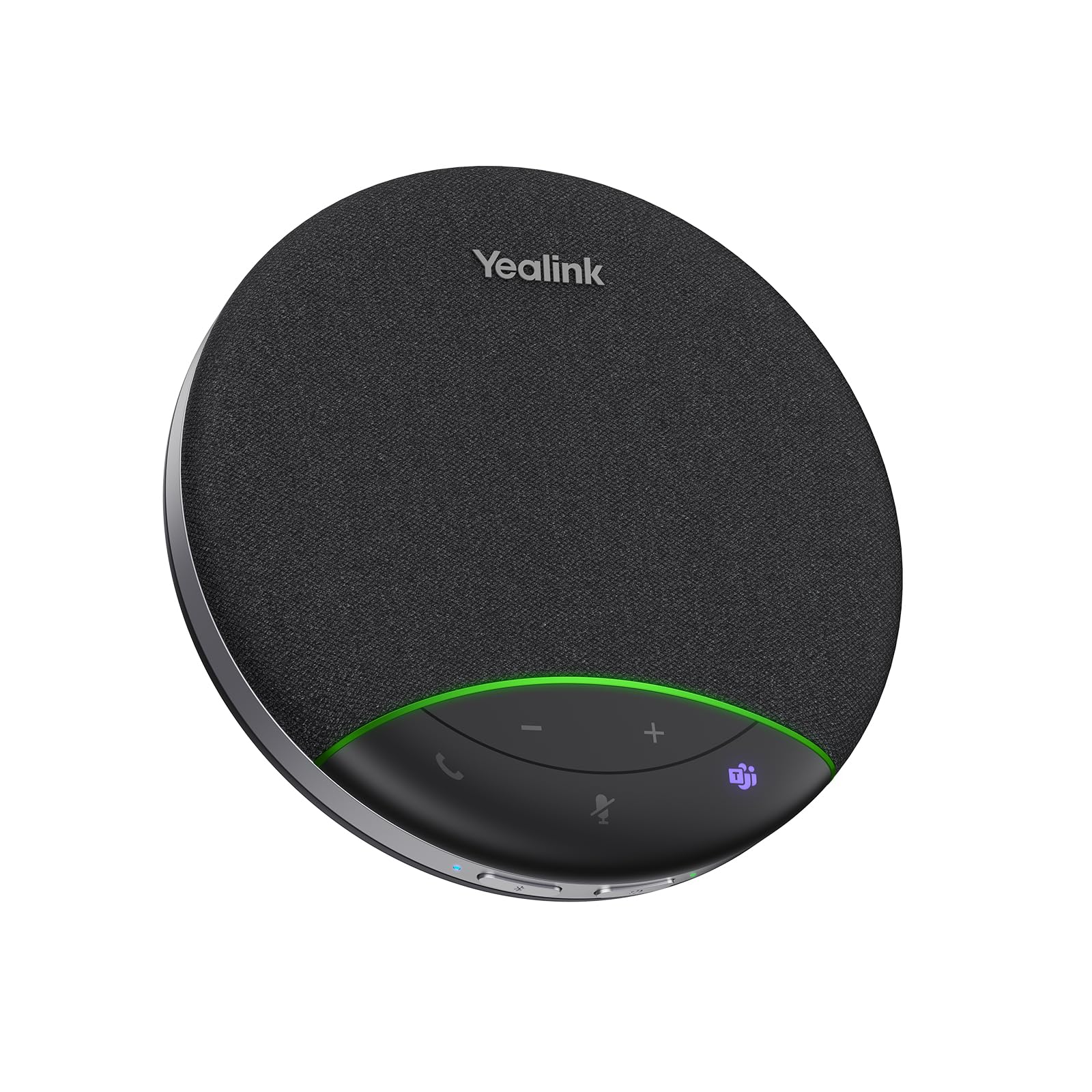
8

Small Meeting Rooms

Yealink SP92

81 /100
Keeper Score Excellent

Key details

Weight
9.88 oz
Battery
20 hours
Speaker
50 mm
Pickup Radius
13 ft (4 m)
Check Price on Amazon

Yealink aims this one at a specific room: four to eight people, all within about 13 feet of the unit. A single omnidirectional mic and a 50 mm speaker are sized for exactly that, which is why it suits a huddle room better than a boardroom.

The noise work targets the sounds that break up calls — keyboard taps, fans, paper — and full duplex keeps a fast back-and-forth from turning into walkie-talkie conversation. It's Teams certified and works with Zoom, Meet and Webex as well.

Battery is rated at 20 hours with a 2.5-hour charge, the longest here, and the box includes a carry case, a USB-C to C cable and a C-to-A adapter. Bluetooth is on board too, with no dongle needed.

It's the value pick for a certified small room: Teams-native controls, a long battery and a case to carry it in, for less than the Jabra or the Anker wireless. The Bluetooth link is the least dependable way to connect it — USB-C has been the steady path — and the 5-watt speaker won't carry a room bigger than the one it's specified for.

Pros

  • Sized for a four-to-eight-person room
  • Twenty hours of rated call time
  • Carry case and both cables included
  • Teams certified, works with Zoom and Meet

Cons

  • Mute button is easy to confuse with power
Our verdict

For a huddle room that needs Teams-certified hardware, the SP92 is our value pick — long battery, a carry case and a speaker sized for the room.

Check Latest Price

How We Tested These Speakerphones in Real Meetings

We started by gathering every speakerphone we could find with USB, Bluetooth, or both, then filtered the field by platform certification, microphone count, whether a dongle or carry case came in the box, and price. That left 11 units, which we bought ourselves and used for six months.

Each one spent at least two weeks on a desk in a home office, then moved to a borrowed conference room with seating for six, a kitchen table, and — for the portable models — a hotel room and the bottom of a backpack. We recorded the same scripted conversation from every seat at the table and played it back, listening for whether the person at the far end sounded hollow or distant, and noting when a voice dropped out as someone turned their head.

We ran a box fan and a space heater two feet from the mic to hear how much of that reached the other end, and typed through entire calls to check keyboard clatter. Mute got its own test: pressed mid-sentence while recording, then checked for a confirmation light you can read from across the table. We paired each unit to a laptop and a phone, walked out of range and back to see whether it reconnected on its own, cranked the volume to maximum looking for distortion, and joined the same Zoom, Teams, and Meet calls on both Windows and macOS. Cables were coiled and uncoiled daily, the portable units rode in bags next to laptops and water bottles, and we weighed what came in the box — dongle, case, battery — against the price.

How to Choose a Conference Speakerphone

Match the microphone to the room

When a listing says 360 degrees, it means the microphones hear around the unit, not across a building. What actually decides coverage is the pickup radius and how many elements are doing the work: the single-unit models here are specified for roughly 10 to 13 feet, which is a table, a huddle room or a personal workspace. Beyond that you need a satellite microphone or a second unit chained to the first.

Measure from where the device will sit to the furthest seat before you choose, and buy for the room you have rather than the boardroom you occasionally borrow.

Choose a connection you can fall back on

USB is the dependable path: no pairing, no radio interference, no battery. Bluetooth is the convenient one, and it is where trouble clusters across this whole category, from phones that won't stay paired to a link that dies mid-sentence. A model with both lets you take the important calls wired and move around when it doesn't matter.

If the computer in the room never moves, spend the money on microphones rather than a radio you won't use.

Decide whether the battery earns its place

Battery ratings here run from 10 to 24 hours, and they only matter if the unit actually leaves the desk. Corded models are lighter, never need charging and can't die halfway through a call, which is why we still recommend them for fixed setups. Count how often a speakerphone would move in a month; a few times a year doesn't justify the premium, a few times a week does.

Speaker output, full duplex and the limits of noise reduction

Full duplex decides whether two people can talk at once without one of them being cut off, and in a real meeting that matters more than any single number on the box. Wattage is a rough guide to room size: under two watts is desk volume, five fills a small room.

Noise reduction is tuned for speech-shaped sound, so fans and keyboard clicks go before a slammed door does. Place the unit between the talkers, closer than feels necessary, and expect the processing to do less the further away it sits.

Mute you can see, and what certification buys

A visible mute state matters more than most spec-sheet features, which is why an LED ring or strip you can read from across the table is worth choosing for. Teams and Zoom certification buys hardware controls that sync with the app, including a mute button that mutes the meeting rather than just the device.

Check that the app's mute icon changes when you press the button, and do that before your first real call rather than during it.

Frequently Asked Questions

Final Verdict

The Jabra Speak 410 is the one we recommend to most people, because it solves the two problems that ruin calls, being heard and hearing, with nothing to configure, charge or pair.

If your meetings move between rooms, the Anker PowerConf does the same job untethered. If the table is long enough that the far end strains, the EMEET Luna Plus Kit's satellite microphone is what changes the outcome. Everything else here is a variation on those three decisions.