Best Cameras for Kids of 2026

A kid's camera has one job: survive being a kid long enough to take a picture worth keeping. I've watched a 5-year-old drop one on a driveway, dust it off, and ask for it back before I could pick it up—that moment says more than any megapixel claim. The right camera is small enough for small hands, simple enough to use without a parent hovering, and tough enough that nobody treats it like an heirloom. It also has to stay fun past Tuesday.

We tested 14 kid cameras over four months with my own kids, nieces, nephews, and neighborhood families, and the pattern was clear: the ones that got picked up again had clear buttons, a comfortable grip, and a memory card in the box. Appearance mattered—kids reached for the soft, colorful models—but picture quality, battery life, and drop resistance separated keepers from shelf clutter. Filters, games, and instant prints added enjoyment, but only after the basics worked. Value came down to what was included and how long it kept a child interested.

Keeper Score summarizes customer ratings and review volume. Read it alongside the product details and trade-offs. How the score works.

1

Best Overall

Desuccus X2 Kids Camera

89 /100
Keeper Score Excellent

Key details

Screen
2 inches
Weight
5 oz
Battery
1000mAh, USB-C
Included Storage
32GB card
Check Price on Amazon

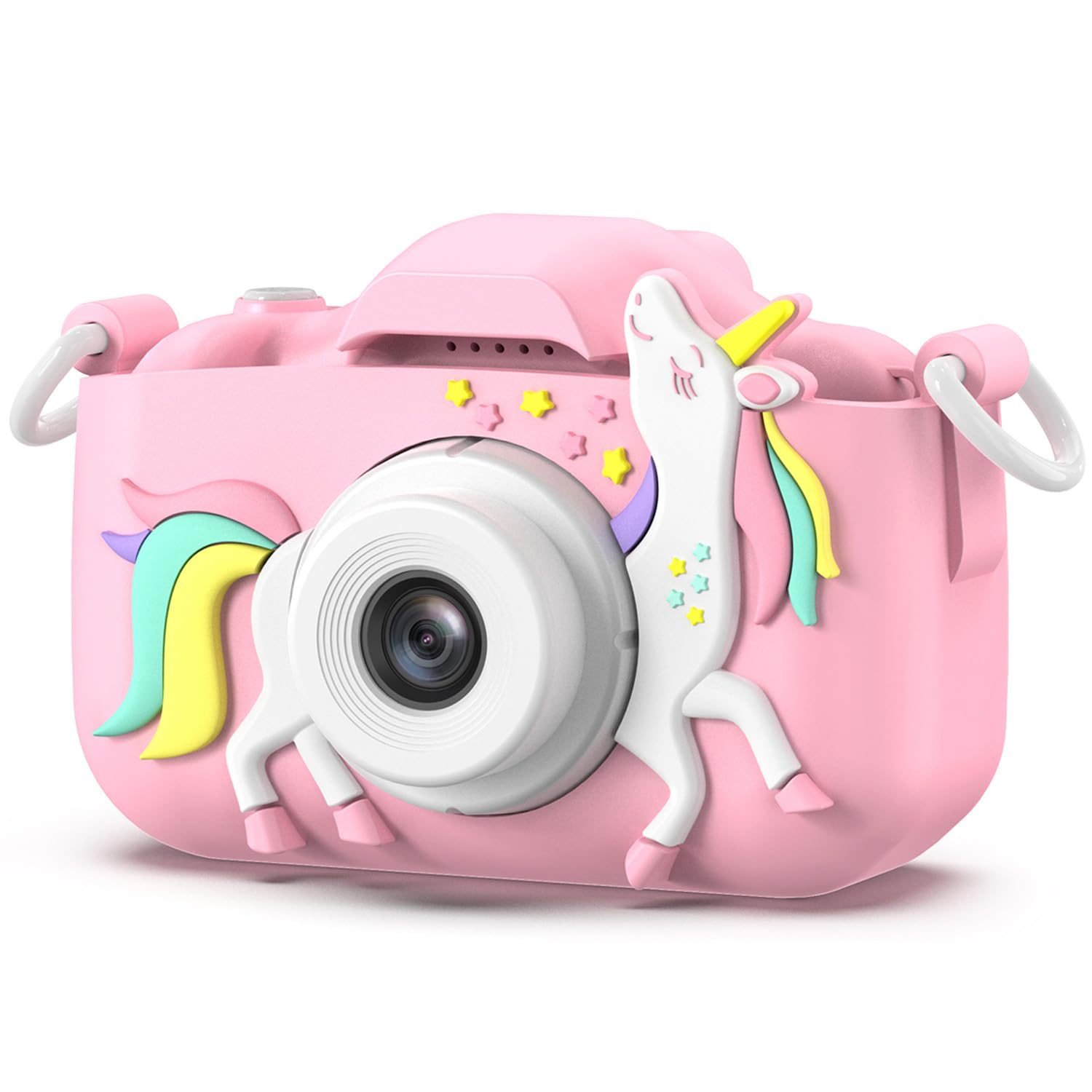
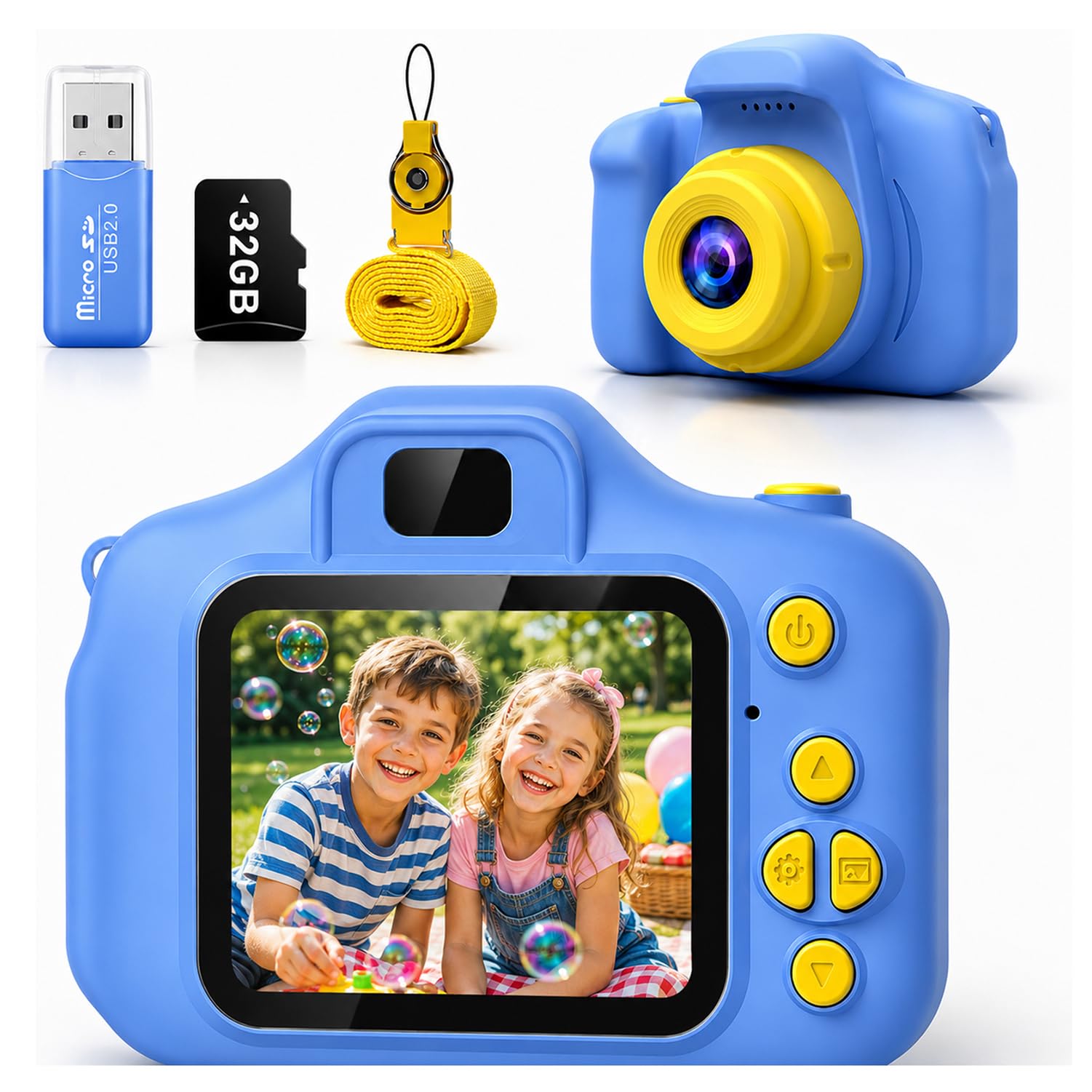
The first thing we check with a kids camera is whether a child can run it without an adult leaning over their shoulder, and this one cleared that bar faster than anything else in the group. A 2-inch screen, a handful of buttons and a menu that does not bury the shutter mean a five-year-old can be taking pictures within minutes of opening the box. At about five ounces it suits small hands, and the lanyard means it comes back to you instead of ending up under a car seat.

The kit is the other half of the argument. The 32GB card is in the box with a card reader, a USB-C cable and a lanyard, so there is no evening-of-the-birthday dash for accessories. The 1,000mAh battery charges over USB-C, which in a house full of modern devices means one less cable to keep track of. Fifteen frames, six filters and five built-in games round it out; the games sound like filler, but they are the reason the camera comes out on a long car ride rather than only on a photo-worthy afternoon.

What it will not do is make a decent picture in a dim room. Photos look their best in daylight, and indoor evening shots come out soft and flat — fine for a kid's scrapbook, not for anything you plan to print large. It is also a small camera, and older children may want more body to hold. For everyone below that, this is the one we hand over without a speech about being careful.

Pros

  • Simple controls a five-year-old can run
  • 32GB card, reader and cable in the box
  • USB-C charging like the rest of the house
  • Built-in games keep it in the bag

Cons

  • Soft, flat photos indoors
  • Very small body for older kids
Our verdict

We recommend it as the first camera for most families: a five-year-old can run it alone, the kit is complete, and nothing about it makes you hover.
Check Latest Price
2

Best Instant-Print Camera

ESOXOFFORE Instant Print Camera

91 /100
Keeper Score Outstanding

Key details

Screen
2.4 inches
Weight
13.1 oz
Print Type
Black-and-white thermal
Battery Life
4.5 hours
Check Price on Amazon

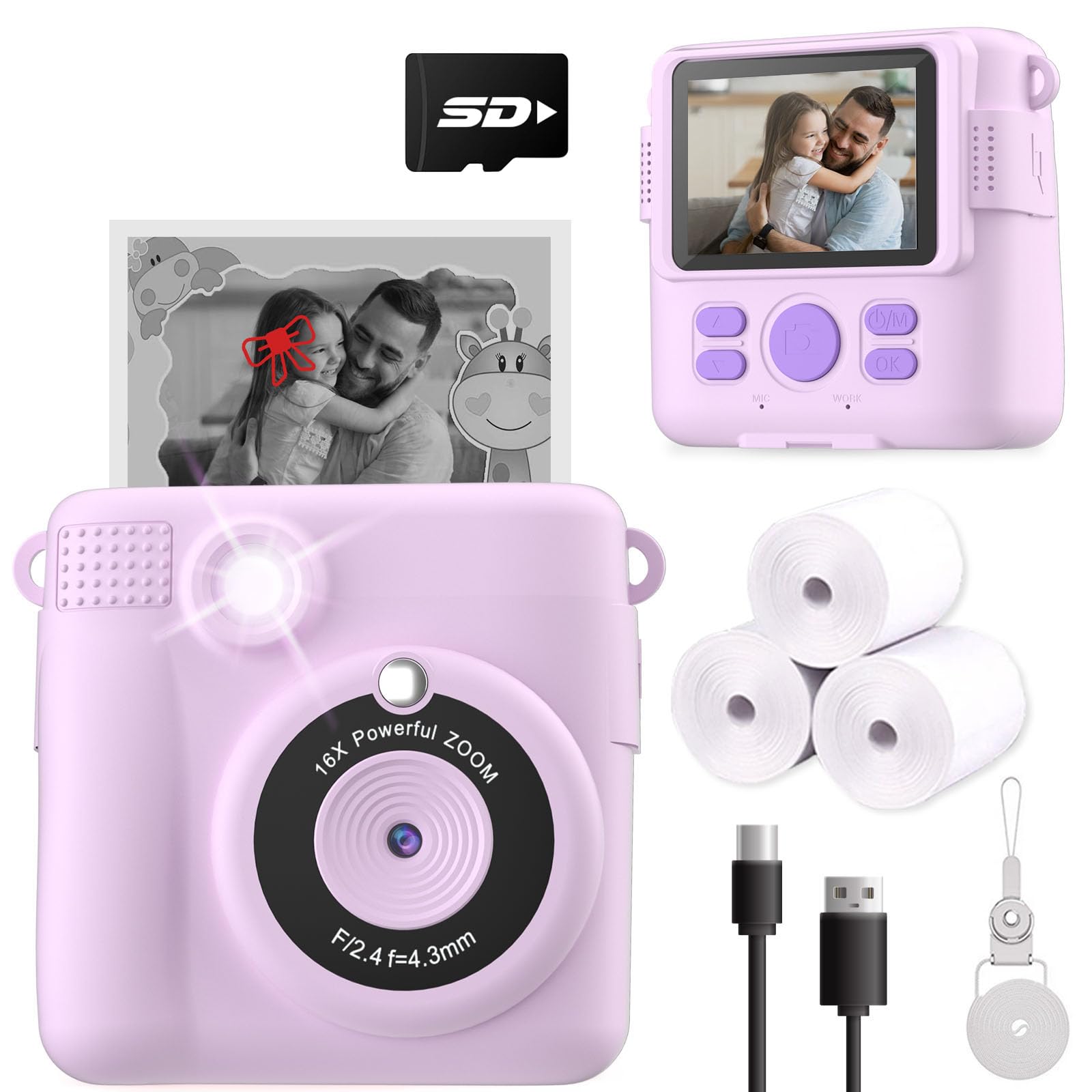
A second after the shutter, a black-and-white print starts feeding out of the front. That is the whole appeal of this design, and it suits a seven-year-old better than a real instant camera: the paper is cheap, there is no film pack to waste on a misfire, and the thermal head needs no ink or cartridges.

We think the printing is what makes it worth owning, not the photographs. The colour files stay inside the camera and are ordinary point-and-shoot stuff — soft at the edges, noisy indoors — while the print is what ends up on the fridge door with a magnet. The 2.4-inch screen, 16x digital zoom, time-lapse and games are all there, but nobody buys this one for the zoom.

Two practical notes before you order. Prints are black-and-white only, which is worth explaining to a child who is expecting colour. And the paper feed is the part that gives trouble: prints can come out blank, and loading a fresh roll takes a steady hand the first few times. Buy from a seller with an easy return, keep a spare roll in the drawer, and it earns its keep on birthdays and school holidays. The listed four and a half hours of battery life is generous for a camera this size.

Pros

  • Prints in about a second, with no ink
  • Cheap thermal paper instead of film packs
  • Keeps a colour copy of every print
  • Games and filters between prints

Cons

  • Black-and-white prints only
  • 13 ounces, so it lives in a bag
Our verdict

If the printing matters more than the pictures, this is the one we point to — a black-and-white print in about a second, with no film pack to waste.

Check Latest Price
3

Best for Older Kids

Lecran 44MP Point-and-Shoot

85 /100
Keeper Score Excellent

Key details

Video
1080p
Screen
2.5 inches
Stills
44MP
In The Box
Two batteries and 32GB card
Check Price on Amazon

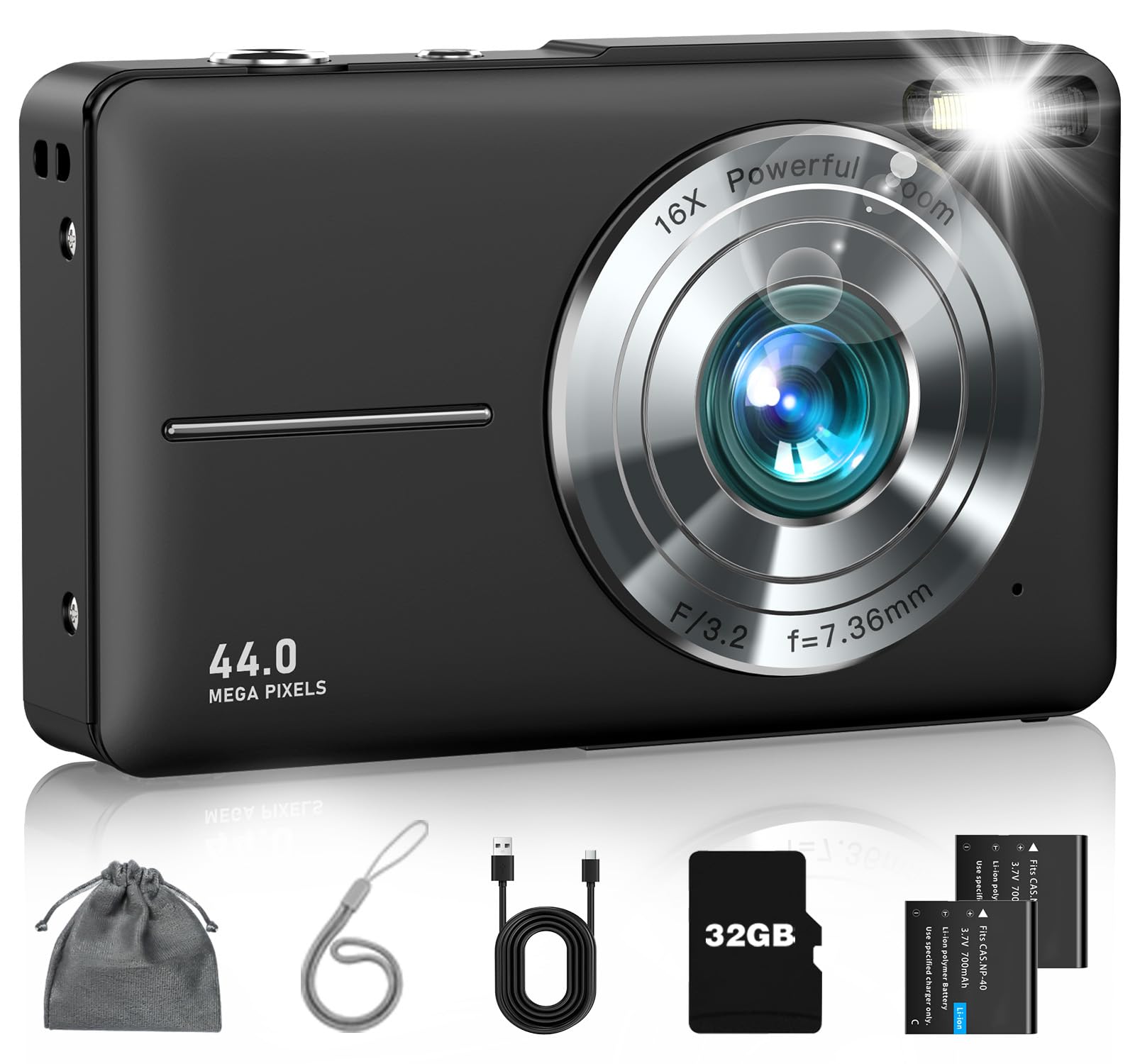
Somewhere around fourth grade, a cartoon-covered camera stops being a gift and starts being embarrassing. This is the pick for that moment: a plain black point-and-shoot with a 2.5-inch screen and a body that could pass for a grown-up's compact. We go to it when the child is closer to ten than five and wants to be taken seriously.

It also has the strongest picture-quality record of the picks here, with clear, sharp shots in good light and 1080p video that is perfectly watchable on a laptop. The 16x zoom is digital, so treat it as a way to frame a distant subject rather than a way to see one clearly, and the anti-shake helps a child who has not learned to hold still. Two rechargeable batteries and a 32GB card come in the box.

The compromise is the flash, which is to say there isn't one: birthday candles and evening shots come out soft and dim. It also sits at the top of the price range in this group, which is fine once a child has shown they will keep using a camera and less fine as a hopeful first gift. For the nine-to-twelve set who want to take photographs rather than play games, it is the one we point to.

Pros

  • Strongest daylight photo quality in this set
  • Plain, grown-up looks for older kids
  • Two rechargeable batteries and a 32GB card

Cons

  • No flash for indoor and evening shots
  • Priced above the toy-style cameras
Our verdict

Our pick for the nine-to-twelve crowd who want a camera rather than a toy: plain looks, clear daylight shots, and no flash to rescue a dim room.

Check Latest Price
4

Best for Travel

Camkory FHD 1080P Camera

86 /100
Keeper Score Excellent

Key details

Screen
3 inches
Stills
44MP
Weight
5.6 oz
Battery
Two rechargeable cells
Check Price on Amazon

Two rechargeable batteries and a charger come in the box, and that detail decides a lot of family trips. A child who shoots all morning on one cell is back in business in the time it takes to swap, without hunting for a wall socket in a hotel room.

The rest is a sensible travel kit: a 3-inch screen, a 32GB card, 16x digital zoom and digital anti-shake in a body that weighs about 159 grams and slides into a jacket pocket. The listing claims 44-megapixel photos and 1080p video; take the megapixel number as marketing and judge it by the results, which are decent outdoors and grainy in a dim living room.

For a week away, this is the camera we pack — the spare battery does more for a trip than any extra feature on the spec sheet. Buy it a few weeks before you go, charge both cells and shoot a test card, so that anything wrong surfaces at home rather than in a hotel corridor. Packed and working, it is the most self-sufficient camera here.

Pros

  • Two batteries and a charger included
  • Pocketable at around 159 grams
  • Three-inch screen, the largest here

Cons

  • Grainy photos indoors
  • Some units stop accepting a charge
Our verdict

Two batteries and a charger make this the one to pack for a long trip: a swap takes seconds, so the camera keeps working while the spare tops up.

Check Latest Price
5

Best for Selfies

YEEHAO Dual-Lens Kids Camera

89 /100
Keeper Score Excellent

Key details

Lenses
Dual, front and rear
Stills
48MP
Weight
7.76 oz
Included Storage
32GB card
Check Price on Amazon

A switch flips the camera to its front lens and the screen becomes a mirror. That selfie mode is the reason this one earns a place in a category where almost everything else only points forward.

We noticed that kids between roughly five and eight spend as much time photographing themselves and each other as they do the world, and this is the camera that leans into it. The front lens, 16x digital zoom, stickers, frames and games make it feel more toy than camera, in the good way. A silicone soft case is in the box, and it is the cover that takes the knocks rather than the plastic underneath.

Charging is the weak spot. It uses micro-USB rather than USB-C, so it needs its own cable, and losing that cable in a house full of USB-C leaves the camera useless until a replacement arrives. The charge also runs down faster than the promise of hours on end suggests, so a long day out wants a battery pack and the right cord. Neither problem is a dealbreaker for the age group this is built for, but both belong on the packing list.

Pros

  • Front-facing lens for selfies
  • Silicone case absorbs drops
  • 32GB card included

Cons

  • Micro-USB charging, not USB-C
  • Battery drains fast with heavy use
Our verdict

The front lens is the reason to choose it: kids who want to photograph themselves get a real selfie mode, plus a silicone case that takes the knocks.

Check Latest Price
6

Best for Younger Kids

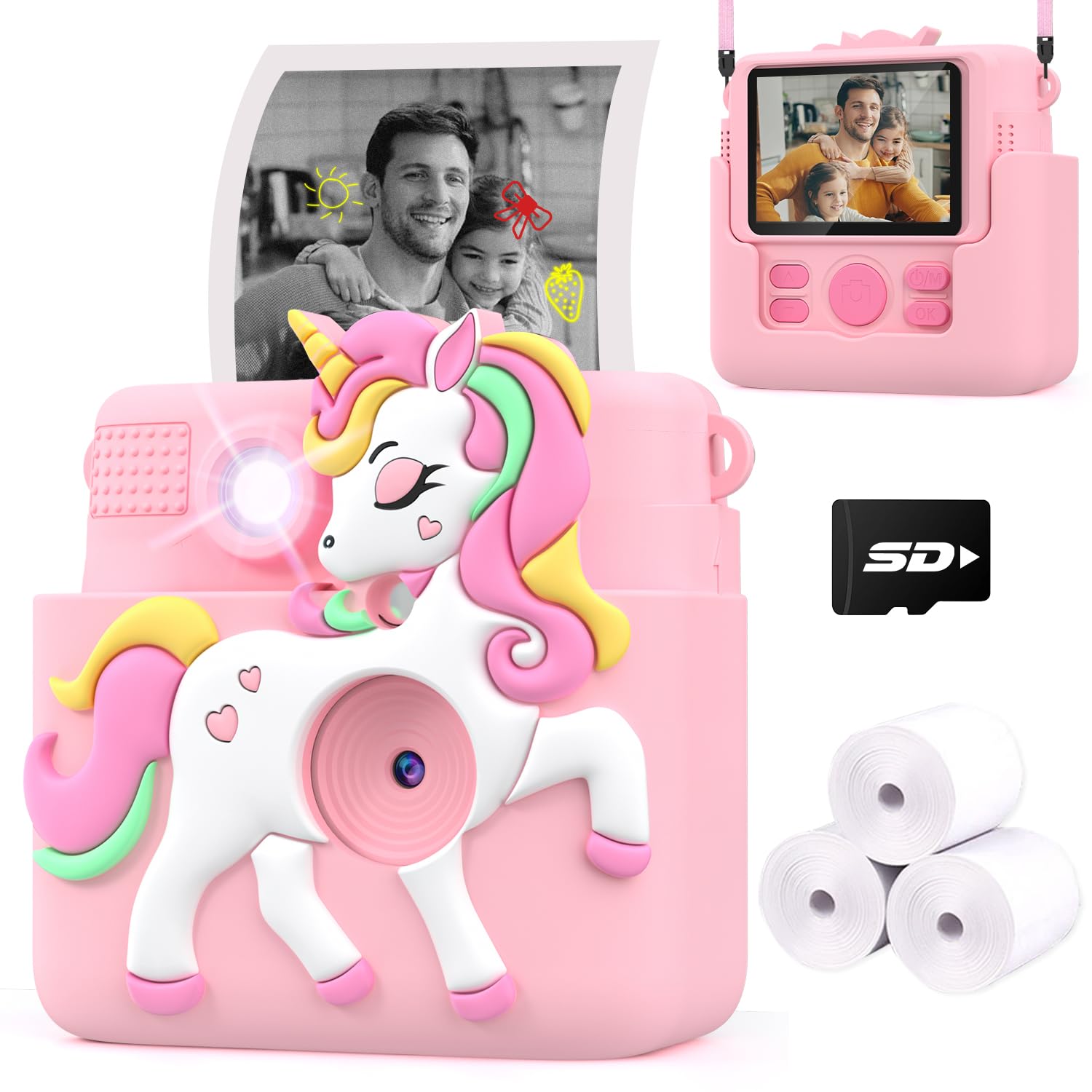
Careenoah Instant Print Camera

91 /100
Keeper Score Outstanding

Key details

Paper
3 rolls included
Screen
2.4 inches
Print Type
Black-and-white thermal
Print Density
5 levels (0-4)
Check Price on Amazon

For a four-year-old, the horse-shaped silicone cover is the best idea in this group: it wraps the whole body, it is soft enough to take the edge off a drop onto pavement, and it does not make the camera look like office equipment.

Inside is a working instant printer. A 2.4-inch screen, five filters, thirteen frames, thirteen cartoon effects and — the part we appreciate most — five print-density settings, so a child can lighten or darken the print instead of accepting whatever the camera decides. Three rolls of thermal paper come in the box, enough to get through an enthusiastic first week. The prints are small and black-and-white with the look of a pencil sketch, which children seem to find magical and adults should expect.

Paper is the running cost, and a child who prints everything will work through a roll faster than you expect, so order refills with the camera rather than after the first empty one. It suits the four-to-seven range best; older kids tend to want a colour screen and games. As a first camera that produces something to hold, it is the friendliest thing here.

Pros

  • Padded silicone case and neck strap
  • Five print-density settings
  • Three paper rolls in the box

Cons

  • Grainy black-and-white prints
  • Some units stop printing early
Our verdict

For the youngest photographers, the padded silicone cover and the five print-density settings make this the friendliest instant camera here.

Check Latest Price
7

Small Hands

goopow H11 Kids Camera

91 /100
Keeper Score Outstanding

Key details

Screen
2 inches
Weight
3.53 oz
Dimensions
4.17 x 2.71 x 1.88 inches
Battery Life
1.5-2 hours
Check Price on Amazon

A hundred grams. That is lighter than most phones, and it is the number that matters here: this is a camera a small child can wear on a lanyard all afternoon without complaining.

At 4.17 by 2.71 by 1.88 inches it is genuinely tiny, with a 2-inch screen and buttons sized for small fingers. A memory card, a card reader, a lanyard and a USB cable are all in the box, so it works straight out of the packaging. It shoots 1080p video and 12-megapixel stills, offers 8x digital zoom, and tucks a few games in alongside the camera functions.

Battery life is the compromise. The listing claims one and a half to two hours of continuous shooting, which is on the short side for a day out, so plan on a charge most evenings. Charging is over USB, and there is no case in the box, which leaves the lanyard doing the protective work.

Where this one wins is the three-to-five age group, where a camera's main job is to be light enough to carry and simple enough not to need help. Older children will find the screen cramped and the pictures soft. It is a firm recommendation for the smallest photographers and something to outgrow by about seven.

Pros

  • Lightest camera here at 100 grams
  • Card, reader and lanyard included
  • Simple enough for a three-year-old

Cons

  • Battery lasts about two hours
  • Soft, low-resolution images
Our verdict

At 100 grams it disappears into a small bag or onto a lanyard, which is exactly why it suits three- and four-year-olds better than it suits anyone older.

Check Latest Price
8

Video and Selfies

Makolle S9 Kids Camera

89 /100
Keeper Score Excellent

Key details

Lens
180° flip
Screen
2.4 inches
Stills
8MP
Battery
1000mAh
Check Price on Amazon

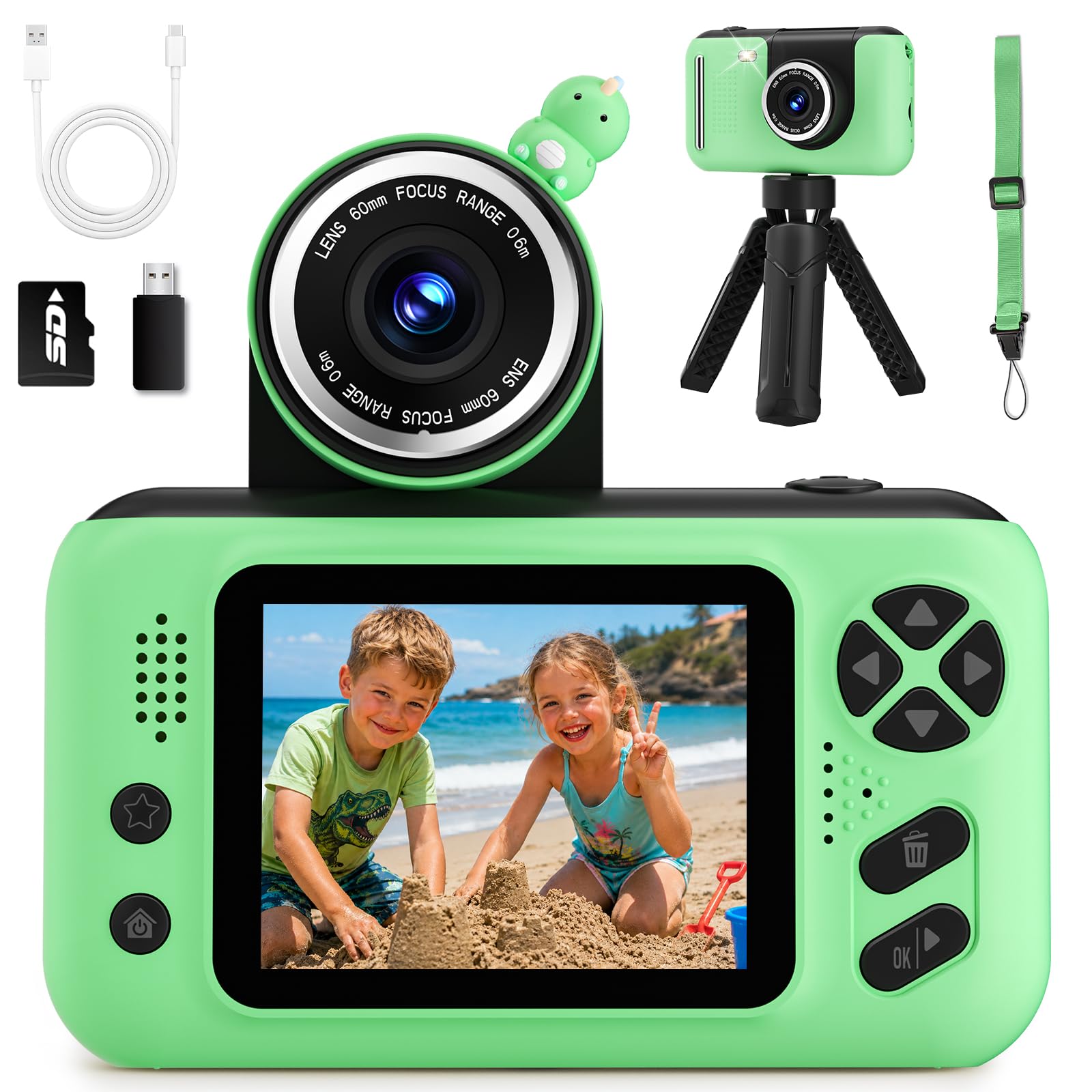
The lens sits on a hinge and swings through 180 degrees, so it points forward for a selfie and back again for everything else. It is a neat trick, and it means one camera covers both jobs without a second front lens.

The rest of the package is generous: a 2.4-inch screen, 8-megapixel photos, 1080p video, 8x digital zoom, twelve frames, six filters, burst shooting, a small tripod and an SD card with a reader. There is also an MP3 player, which sounds like an odd addition until you remember that a child already carrying the camera does not need a second device for music.

The battery is the sore point. The 1,000mAh cell is rated for two to three hours of continuous shooting, and video, games and music eat into that. Photo quality is fine for a kids camera and no more, with 8 megapixels that go soft towards the edges.

For a child who wants to make videos and star in them, the flip lens is worth more than the specification sheet suggests, and the tripod in the box makes tabletop filming possible without a helper. It is the pick for a would-be vlogger in the eight-to-eleven range; a child who mostly wants prints should look at the instant models instead.

Pros

  • 180-degree flip lens for selfies and video
  • Tripod, SD card and reader included
  • Built-in MP3 player

Cons

  • Battery drains fast with video and music
  • Soft images at the edges
Our verdict

The flip lens turns the camera around for selfies and video, and the tripod in the box makes it the closest thing here to a vlogging kit.

Check Latest Price

The Four-Month Kid-Camera Test

We started with a long list of kid cameras and filtered it by size, age range, included memory, and value—then narrowed it to 14 for a four-month test. The point was not to find the most advanced camera, but the ones a child could actually use and keep using.

The first pass happened at the kitchen table, where kids ages 3 to 11 unboxed each camera and tried to take a photo without help. I watched which buttons they reached for, whether the grip fit a small hand, and whether the camera ended up in a pocket or back on the shelf. Then we took them into real life: backyard play, a birthday party, a car ride, and a weekend trip. I timed battery life from full charge to dead screen on those outings, and checked whether included cards and chargers made the first day easier. The soft covers and lanyards got a workout too—appearance mattered because kids wanted to carry the cameras, not hide them.

After each outing, I downloaded the cards and looked at the photos on a laptop instead of the tiny screen: faces in focus, color in daylight, blur in low light, anti-shake with wiggly hands, and whether the zoom was useful or just cropped the picture. We did drop tests from coffee-table height onto carpet, plus one accidental pavement tumble, then checked the lens, screen, and battery door. For instant-print models, I noted whether the print was recognizable or a gray smudge, and whether the paper jammed. Filters, games, and selfie modes got the same test: did a kid come back to them after the first day? That is how we sorted the sturdy, simple, genuinely fun cameras from the ones that only looked good in the box.

How to Choose a Camera for Kids

Start With What the Child Can Do Alone

Age ranges printed on the box are marketing. The useful question is how many steps stand between a child and a photo. A dedicated shutter button, a screen they can see and a menu that does not require reading will be used independently by a five-year-old; nested menus and mode dials come straight back to you.

Our test is simple: hand it over, say nothing, and see whether a picture appears in under two minutes. The Desuccus passes that easily. A 44-megapixel point-and-shoot with manual exposure options does not, which is exactly why we place that kind of camera with the nine-to-twelve crowd instead.

Decide Between Prints and Files

Instant-print models use thermal paper rather than film, so a print costs a fraction of what a film pack does and no ink is involved. The trade is that prints come out black-and-white and small, while the colour version of each shot stays on the camera's memory.

These are two different objects. Prints are for the fridge and the moment; files are for keeping. Under about seven, the print is usually the point, because watching a picture appear is the magic and the colour copy rarely gets looked at. Above that, a digital camera with a card and video is the better long-term buy because it grows with the child.

Weight, Size and the Drop

The lightest camera here is 100 grams and the heaviest is over 13 ounces, and that gap decides who can wear one on a lanyard for a whole afternoon. Small is good for small hands right up to the point where it is too small: a 2-inch screen is genuinely cramped for a nine-year-old who is used to a tablet, while a three-year-old will not care.

Look for a soft silicone or rubberised cover and a lanyard that attaches at two points rather than one. A single-point strap on a very light camera is usually the part that lets go first.

Charging, Cables and Spare Batteries

Almost every camera here runs on a small built-in cell, rated anywhere from an hour and a half to five hours of shooting. On a trip, two batteries and a charger are worth more than a bigger megapixel count, because a swap takes seconds and a wall socket does not always exist.

Check the connector before ordering. USB-C cameras share a cable with the rest of the house; a micro-USB model needs its own and is useless without it. Whichever you choose, charge it and shoot a test card at home, well before a birthday or a flight.

What the Photos Are Actually Good For

Megapixel numbers on kids cameras are not worth comparing. A listing claiming 44 or 48 megapixels is describing interpolated files from a tiny sensor, and the results are soft next to any phone from the last five years. Two honest megapixels in good light beat forty on a dim afternoon.

What matters is daylight performance and how the camera behaves indoors, where most of these turn grainy and dim. Set expectations accordingly: these cameras are for pointing, framing and keeping, not for printing large.

Frequently Asked Questions

Final Verdict

Most families should buy the Desuccus X2. It is the camera a five-year-old can run unaided, it arrives with the card, the reader and the cable, and it charges from the same USB-C brick as everything else in the house — which is why it is our top pick rather than the one with the best pictures.

If the printing is the point, the ESOXOFFORE is the one to buy. If the child is closer to ten and wants a camera that looks serious, choose the Lecran. Buy for the child you have, not the photographer you hope they become.