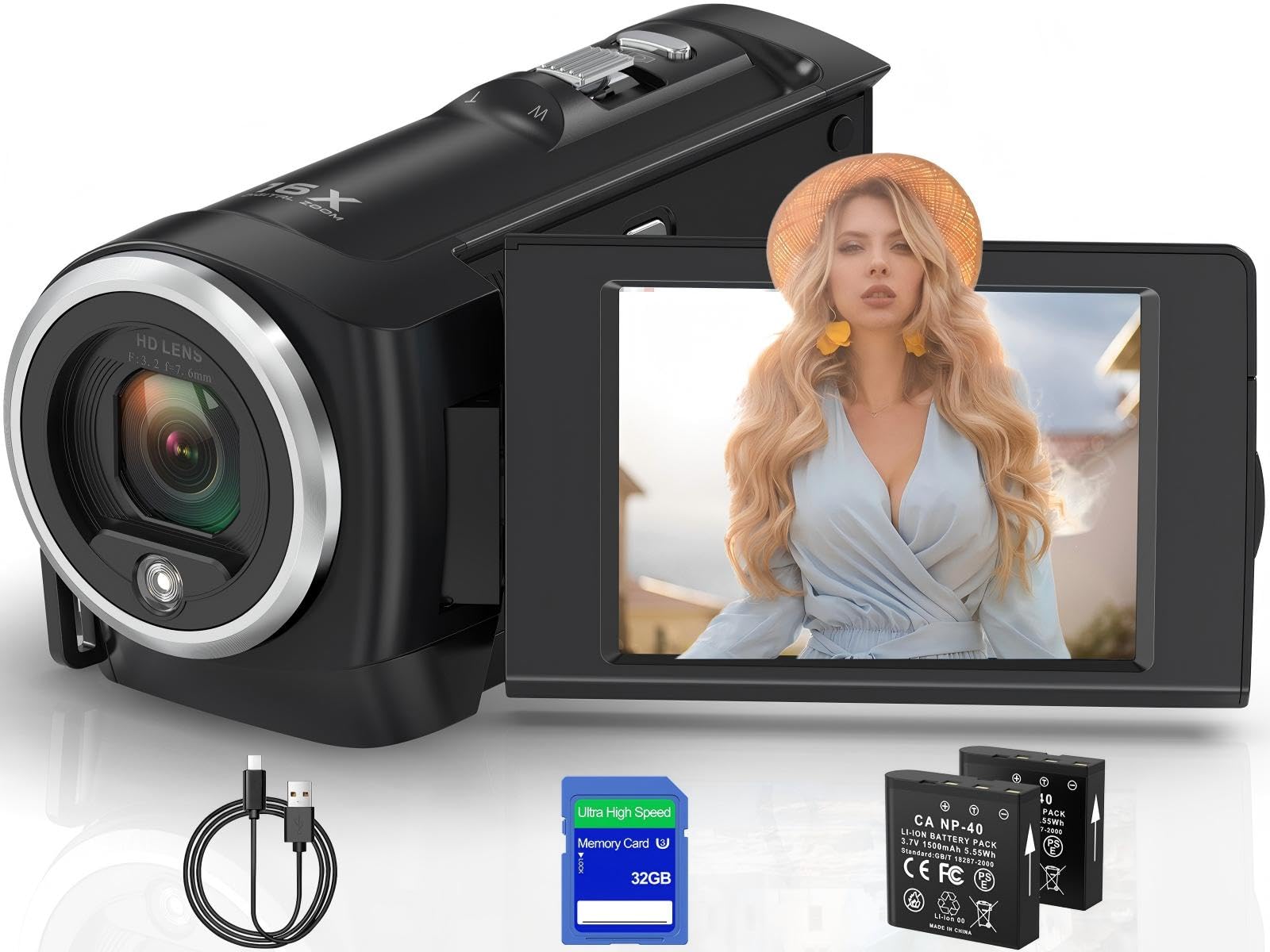
Best Camcorders of 2026

A camcorder is three things: a lens, a sensor, and a battery — and at the budget end of the market, the numbers printed on the box have surprisingly little to do with how the footage turns out. I learned that filming a nephew's birthday party on a camera that promised 64 megapixels and delivered mush the moment the lights went down. Digital zoom and the giant resolution in the listing title are mostly software tricks; the glass in front of the sensor is what decides whether the video holds up.

My team and I have spent the past six months shooting with 12 camcorders, from pocket-sized flip-screen models to a proper 4K camcorder with true optical zoom, and the gaps show up fast: how footage looks in a dim living room, how long a battery runs on a single charge, and whether the thing genuinely fits in a jacket pocket.

The lesson I keep coming back to is that sound quality decides as much as picture quality — a camera that records every word through a tin-can microphone is one you eventually stop reaching for. The picks below held up on both counts, and they're sorted by who each one actually suits.

Keeper Score summarizes customer ratings and review volume. Read it alongside the product details and trade-offs. How the score works.

1

Best Overall

Canon VIXIA HF G70

85 /100
Keeper Score Excellent

Key details

Battery Life
170 minutes
Optical Zoom
20x
Video Resolution
4K UHD
Image Stabilization
Hybrid
Check Price on Amazon

Twenty times optical zoom is why this one leads our list. Every other camcorder here zooms by cropping into the middle of the picture, so detail collapses the moment you push in; the Canon moves actual glass, and a child on a far stage stays a child instead of a smudge. Add a 1/2.3-inch 4K sensor with Canon's DIGIC DV6 processor, an eight-blade aperture, and hybrid stabilization, and you have the only pick here built for people who care what the footage looks like after the party.

We paid attention to the practical side too, because an event camera has to survive a long day. There are two SD card slots, so you can keep rolling across cards, and the battery is rated for 170 minutes. The 3.5-inch screen is the largest in this group, the body weighs about a pound, and Canon rates it for use from 23°F to 113°F — a cold-weather parade and a summer ball game are both inside that envelope. Hybrid autofocus with face detection and adjustable focusing speeds lets you shift from slow, deliberate focus pulls to something snappier.

The on-screen time-stamp recording is the detail we didn't expect to care about: it burns the date, time, and timecode into the file itself, which matters if the footage is ever evidence rather than a memory. Light is the real limitation. The 1/2.3-inch sensor is small by any standard, and footage shot indoors under ordinary lamps is noticeably noisier than what a modern phone produces — this camera wants daylight, a window, or a couple of decent lights, and it rewards you when it gets them.

Where it earns the premium is live work. UVC livestreaming sends video straight to a computer over USB, HDMI output feeds a projector or a switcher, and the zoom is smooth enough to follow action without hunting back and forth. That combination is what makes it a camcorder rather than a video-capable camera, and it's why we keep coming back to it for anything that only happens once.

Pros

  • 20x optical zoom keeps distant action sharp
  • Hybrid stabilization steadies handheld footage
  • Two SD slots and a 170-minute battery
  • Time-stamp recording built into the file

Cons

  • No Wi-Fi or Bluetooth; transfer by card or cable
  • A premium purchase next to every other pick
Our verdict

Our pick for anyone who wants video that still looks good on a TV years later: the 20x optical zoom and hybrid stabilization do work no phone or budget camcorder here can match.
Check Latest Price
2

Best Value

ZYDIIE 4K Camcorder

83 /100
Keeper Score Excellent

Key details

Zoom
18x digital
Screen
3-inch 270° touchscreen
In The Box
32GB card, two batteries
Video Resolution
4K UHD
Check Price on Amazon

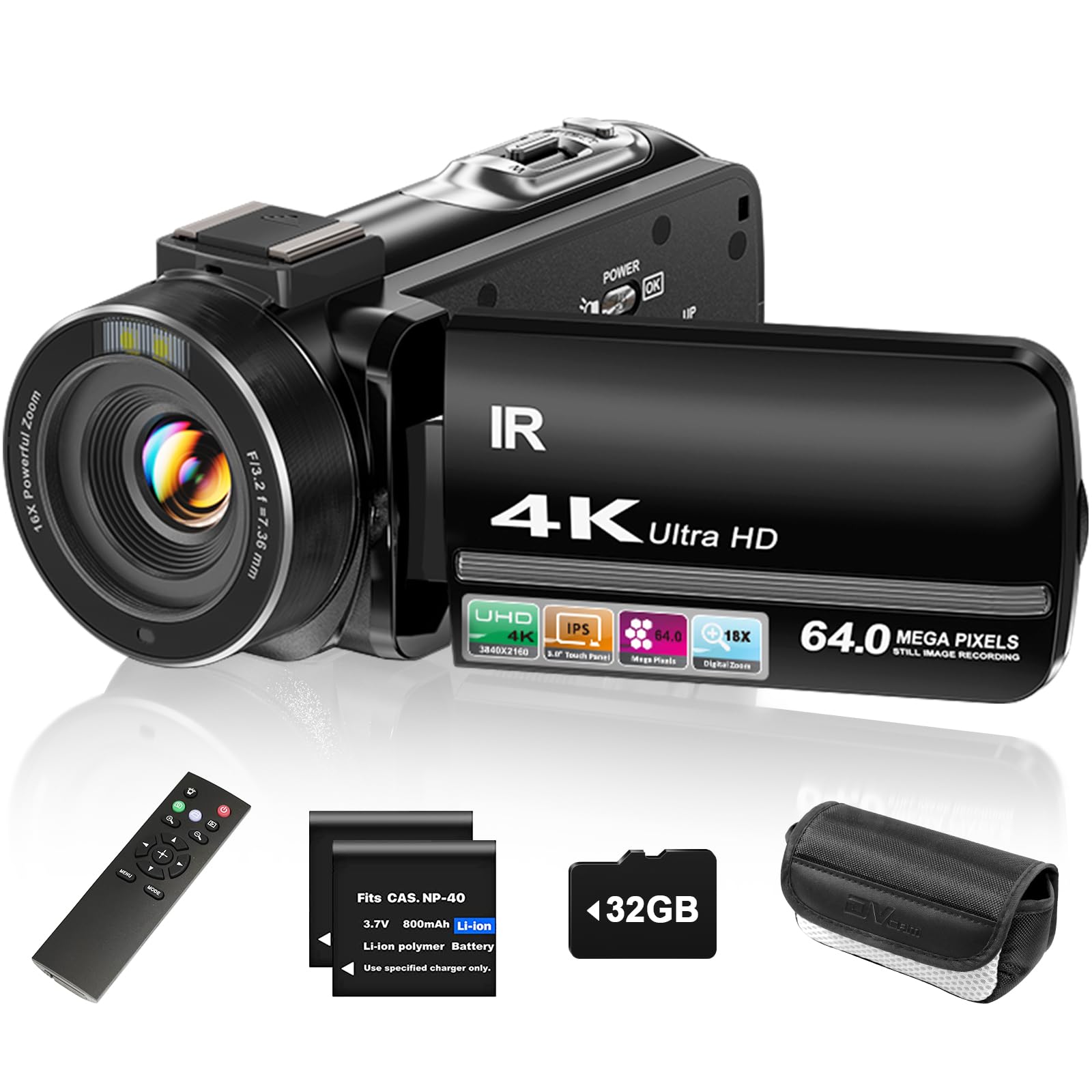
Open the box and the whole starter kit is there: a 32GB microSD card, a remote control, two batteries, and a charging cable. That sounds like small stuff until you work out what it costs to add separately, because a card and a spare battery are exactly what most budget camcorders make you buy on day two. The 3-inch touchscreen swings around 270 degrees to face you for vlogging, and the body is light enough to hold out at arm's length for a few minutes at a time.

The 4K recording and 64MP stills are the headline, but the part we actually care about is how usable the thing is: a touchscreen you can operate while the camera is rolling, face detection, pause-and-resume recording, and a night-vision mode that turns the picture black and white. For family video, travel, and a first YouTube channel, that's the right set of compromises. We think of it as the family camcorder in this group — the one you hand to a partner who has no interest in menus.

The zoom is digital, all 18x of it, so pushing in past the first few steps softens the picture rather than revealing detail; use it to reframe a shot, not to reach across a field. What you give up relative to the Canon is the glass and the sensor, and no menu setting gets that back.

Pros

  • Card, remote, and two batteries included
  • 270-degree touchscreen flips for vlogging
  • Simple enough for a first-time user

Cons

  • Digital-only zoom softens as you push in
  • Electronic stabilization only
Our verdict

The best value in the group: 4K video, a flip touchscreen, a 32GB card, a remote, and two batteries arrive together, so you can start filming the day the box shows up.

Check Latest Price
3

Best for Beginners

kicteck 604S

84 /100
Keeper Score Excellent

Key details

Zoom
16x digital
Screen
3-inch 270° rotation
Battery Life
60 to 90 minutes
Video Resolution
1080p at 15 fps
Check Price on Amazon

1080p at 15 frames per second is the least impressive line in this guide, and it's the thing to understand before you buy. Fifteen frames is fine for a talking-head clip and visibly choppy when the camera pans across a soccer field. But this is also the most forgiving camcorder here for someone who has never held one: a 3-inch screen that rotates to face forward, a 16x digital zoom, and menus plain enough that a child can work them out without a manual.

Two rechargeable NP-FV5 batteries are in the box, each rated for 60 to 90 minutes, and you can record while charging over USB, which turns a long afternoon into a non-event. It weighs about a pound and is small enough to live in a bag. Budget for a memory card, though — the camera takes SD cards up to 128GB but doesn't ship with one, and it wants the card formatted in the camera before first use.

Here's the setting that makes it work: drop to 720p and you get 30 frames per second, which handles movement far better than the 1080p mode. We think that's where most people should leave it. The point of this camera isn't image quality — it's a first camera that can be dropped without it being a disaster, and that turns a child's first attempt into something watchable.

Pros

  • 720p mode records at a smoother 30 fps
  • Two batteries and a USB charger included
  • Simple enough for a young child to operate

Cons

  • Digital zoom only, with no optical reach
Our verdict

If the goal is getting a kid or a total beginner filming today, this is the one we hand over: cheap to replace, simple to run, and forgiving of clumsy hands.

Check Latest Price
4

Best for Wireless Sharing

OLESIT 8K Camcorder

94 /100
Keeper Score Outstanding

Key details

Zoom
16x digital
Wireless
Wi-Fi app control
In The Box
32GB card, two batteries
Video Resolution
8K at 15 fps
Check Price on Amazon

The 8K on the front of this camcorder is a 15 frames-per-second mode, which is a spec-sheet trophy rather than something you'll shoot a birthday party in. The modes that matter sit lower down: 6K at 30 fps and the 4K settings you'll actually use. Where it pulls ahead of the rest of the budget crowd is the Hello Cam app, which connects the camera to an Android or iOS phone or tablet over Wi-Fi so you can frame a shot from a bigger screen and pull clips across without a computer.

We like the kit for the same reason. A 32GB card, two 1,500mAh batteries, a camera bag, a remote, and a power adapter all arrive together, and the HDMI port lets you play footage straight into a TV or projector at a family gathering. Infrared night vision and a fill light cover the after-dark shots the small sensor can't manage on its own. It's the most connected camcorder here that isn't the Canon, and it costs a fraction of it.

One number to straighten out before you buy: the specifications list 16x digital zoom while the title says 18x. Either way it's a digital crop, so the reach helps you frame a shot rather than resolve a face at the back of a hall. That's the honest ceiling on this camera, and for the money it's a fair one.

Pros

  • Wi-Fi app control and clip transfer
  • 8K, 6K, and 4K recording modes
  • Card, two batteries, bag, and adapter included
  • HDMI output for TVs and projectors

Cons

  • 8K mode is limited to 15 fps
  • Wireless transfer depends on the companion app
Our verdict

The pick for anyone who wants clips on a phone or tablet without hunting for a card reader: Wi-Fi, an app, and HDMI out in one of the fuller kits here.

Check Latest Price
5

Dim Rooms

THPACIP 4K Camcorder

90 /100
Keeper Score Outstanding

Key details

Zoom
18x digital
Autofocus
0.5 second
Recording Time
Up to 65 minutes per battery
Video Resolution
4K
Check Price on Amazon

Most family filming happens in rooms that aren't lit for video, so the useful thing about this camcorder is its autofocus: rated to lock in half a second, with a focusing range starting close enough for something small on a table. That's unusual here, where several budget picks use fixed focus and make you choose between sharp across the room and sharp up close. Infrared night vision adds a black-and-white mode for genuinely dark rooms, and the 3-inch IPS screen is easier to read off-axis than the standard LCDs on cheaper bodies.

The 4K recording and 80MP stills are the headline, and they're honest enough in decent light. There's a 32GB card in the box, along with a case, a lens cap, a remote, and two 1,500mAh batteries. Each battery is rated for up to 65 minutes of 4K, so the pair covers a decent stretch of an afternoon before anyone needs a socket.

Where it comes back to earth is the lens. The 18x zoom is digital, so the picture softens as you push toward the far end, and a long handheld shot at full zoom shows every tremor. Brace on something or use a tripod for anything past a couple of seconds at the extreme.

So where does that leave it? This is the budget 4K camcorder for someone filming indoors and close up — school projects, hobby videos, a tabletop review — rather than for the person filming a match from the touchline. For the touchline, the Canon's optical zoom is the answer. For a kitchen table and a dim living room, the autofocus and close focus range here are the reasons we point to this one, and no other budget pick in this guide offers both.

Pros

  • Fast 0.5-second autofocus with close focus
  • Infrared night vision for dark rooms
  • Two batteries and a 32GB card included

Cons

  • Digital zoom softens the picture at full reach
Our verdict

A budget 4K camcorder that handles dim rooms better than the rest of this group: quick autofocus, night vision, and two batteries rated at up to 65 minutes each.

Check Latest Price
6

Young Creators

VETEK 1080P Camcorder

83 /100
Keeper Score Excellent

Key details

Zoom
18x digital
Weight
9.52 oz
Night Vision
Infrared
Video Resolution
1080p
Check Price on Amazon

The person this suits is a kid who has decided they want a YouTube channel. It weighs a bit over half a pound, fits small hands, and the controls are simple enough that a first-time user is recording within a few minutes. The 1080p video is modest next to everything else here, but it's a real step up from a phone propped against a stack of books, and the 3-inch screen flips around for the pieces to camera that matter most to a young creator.

There's a standard quarter-inch tripod thread on the bottom, which is the feature we appreciate most at this level — a cheap tripod turns shaky handheld footage into something steady — plus a remote, a pause function, infrared night vision, and a webcam mode over USB. Getting footage onto a computer is a cable and a drag-and-drop away.

Sound is the part to test on day one. The built-in microphone is where this camera gives the most ground, and the difference between a usable clip and an unusable one often comes down to how close the subject is to the lens. Record thirty seconds, listen back through headphones, and if the audio is thin, tinny, or missing, send it back rather than learning to live with it.

Pros

  • Light enough for small hands
  • Tripod thread, remote, and webcam mode
  • Simple enough for a first-time creator

Cons

  • Audio from the built-in mic is inconsistent
Our verdict

A sensible first camera for a young creator: light, simple, and modest enough that a drop isn't a disaster — as long as the audio behaves.

Check Latest Price
7

First Camera

Muitune 2.7K Camcorder

80 /100
Keeper Score Excellent

Key details

Zoom
16x digital
Weight
0.97 lb
Battery Life
140 minutes
Video Resolution
2.7K
Check Price on Amazon

It's the least expensive camcorder in this guide, and it's honest about what that buys: 2.7K video, 56MP photos, a 2.8-inch screen that rotates 270 degrees, a built-in LED fill light, and support for an external microphone — a feature most of the budget picks here leave out, and the one that matters if anyone ever records a voiceover or a talking-head video. We think of it as a first camera rather than a keeper.

Image quality is the split. In good light, footage is crisp enough to share; indoors and in the evening it can look like a much older phone, and no menu setting fixes that. The screen flips forward for selfies, the camera records while charging over USB-C, and the kit includes two batteries, a memory card, and a carrying case — a reasonable place to start and a cheap way to find out whether the hobby sticks.

Pros

  • External microphone input at this level
  • Compact, light, and simple to operate
  • LED fill light for dim shots

Cons

  • Digital zoom only, at 16x
  • Anti-shake struggles while walking
Our verdict

The least expensive camcorder here, and a fair first camera for a teenager — go in knowing the picture is a gamble in low light.

Check Latest Price

How We Tested the Best Camcorders

We started by pulling every camcorder we could find across the entry-level and enthusiast price bands, then crossed off anything with a fixed-focus lens, no rotating screen, or a listing that leaned on resolution claims with no sensor information behind them. That left 12 camcorders, which we bought at retail rather than accepting samples. Each one was tested with whatever it shipped with — memory card, spare battery, remote — because what comes in the box is part of what you're paying for.

Testing ran for six months, and most of it happened where these cameras actually get used: a youth soccer game on an overcast Saturday, a school concert shot from the back of a dark auditorium, a weekend camping trip, and a desk setup for recording to camera and streaming. We shot the same moving-subject clips on every model — a kid running, a dog, a person walking toward the lens — then watched them side by side on one monitor to compare color, detail, and how badly the picture fell apart indoors under lamps. Audio got its own pass: we recorded someone talking from six feet away and listened back on headphones, noting hiss, room echo, and whether voices stayed intelligible.

For battery life we recorded continuously until each camera shut itself off, then repeated the run with the screen flipped out, since that's how most people shoot. We timed power-on, handed each one to a colleague with no instructions and watched where their thumb went, and stuffed them into jacket pockets to see which ones came along without a fight. The claimed night modes got a run in an unlit bedroom, where most turned the scene green and grainy. Autofocus was judged on that same sprinting kid, and we counted how often the camera hunted or lost him entirely.

How to Choose a Camcorder

Optical zoom versus digital zoom

Digital zoom crops into the middle of the sensor and stretches the result, so an 18x digital camcorder isn't reaching any further than a phone — it's just throwing pixels away more dramatically. Optical zoom moves glass, which is why the Canon's 20x lens is the most valuable single specification in this guide.

Decide by where you'll be standing. Filming a school play or a ball game from the back rows means paying for glass, because no amount of digital zoom resolves a face at that distance. Front-row family filming, tabletop videos, and vlogging don't need it at all.

Read the frame rate, not just the resolution

4K at 15 frames per second looks worse in motion than 1080p at 30, and several camcorders here advertise the higher number while running the lower frame rate. Anything that moves — children, dogs, sports — needs 30 fps or more to avoid a stuttering, slideshow quality.

Before you buy, check what frame rate each resolution actually records at, and whether stepping down a resolution buys you a smoother one. Static scenes, interviews, and tabletop filming are the cases where high resolution with a low frame rate is genuinely fine.

Light, sensor size, and what night vision is for

Most budget camcorders here use a sensor smaller than the one in a mid-range phone, which is why evening footage indoors turns noisy. Infrared night vision doesn't fix that: it records black and white, at short range, and it's for seeing in an unlit room rather than for filming a birthday by lamplight.

Digital stabilization crops the frame to compensate for shake, and it can't rescue a long handheld zoom. If most of your filming happens after dark, either spend the money or use the phone you already own.

Batteries, cards, and what's actually in the box

Two batteries are the useful standard here, and most of these cameras top out between 60 and 90 minutes per pack, so plan on swapping. Charging usually happens in-camera over USB, which puts the camera out of action while it fills; a separate USB charger, like the one kicteck includes, keeps a spare topped up.

Cards are the other gap. Some kits include a card and some, including the kicteck, ship with none at all. Buy one, format it in the camera before first use, and keep a spare in the bag.

Sound is half the video

Built-in microphones are the weakest component on low-cost camcorders, and thin or missing audio ruins footage that looks perfectly fine. Record thirty seconds and listen back through headphones before you trust a camera with an event; the camera's own speaker is not a fair test.

If sound matters — interviews, voiceovers, anything with a person talking to the lens — choose a model that lists an external microphone input. Only a few here do, and the Muitune is the least expensive of them.

Frequently Asked Questions

Final Verdict

Start with the Canon VIXIA HF G70 if you're recording something you'll want to watch again in ten years. The optical zoom and hybrid stabilization are the difference between footage that holds up and footage that only looked fine on a three-inch screen at the time.

If the budget won't stretch that far, the ZYDIIE gets a family through a birthday and a holiday with a card, a remote, and two batteries already in the box. And when the camera is for a child rather than for you, the kicteck remains the one we hand over.