Best Wireless Video Transmitters for Cameras of 2026

Running a camera feed to a monitor used to mean cable, gaffer tape, and somebody at the doorway so nobody tripped. A wireless transmitter deletes all three, which is why these kits have gone from rental-house specialty to something a two-person crew owns outright. The catch: a clean signal on an empty stage can fall apart once the room fills with phones, venue Wi-Fi, and LED walls.

My team and I have lived with 10 of these systems over six months, and the pattern that emerged had less to do with the spec sheet than with what happens when the air gets crowded. Every box promises line-of-sight range and a latency figure measured under perfect conditions; what separates them is how gracefully they dodge interference, how long one person needs to get a picture up, whether a second receiver pairs without a fight, and how much of the price you actually feel once you're using it.

The picks below are the ones we'd put on a paying shoot, plus a couple we'd hand to a first-timer who just wants a laptop on a projector across the room.

Keeper Score summarizes customer ratings and review volume. Read it alongside the product details and trade-offs. How the score works.

1

Best Overall

Hollyland Pyro H

85 /100
Keeper Score Excellent

Key details

Ports
HDMI in / out / loop-out
Latency
60 ms
Stated Range
1,300 ft (400 m) LOS
Max Resolution
4K30 / 1080p60
Check Price on Amazon

Hollyland's Pyro H carries 4K at up to 30 fps over a plain HDMI connection, reaches a stated 1,300 ft (400 m) line of sight, and does it at 60 ms. Those three numbers together are what put it at the front of this group.

What settled the ranking for us is the receiver count. One transmitter feeds up to four receivers, and the Hollyview app adds phones and tablets as extra screens, so a director, a focus puller and a client can all watch the same take without a second kit on set. The UVC output is the feature we ended up using most: run the receiver into a laptop over USB-C and it appears as a webcam, with no capture card in the chain.

Rigging is thought through. Five antennas, a cold-shoe mount and an OTG adapter come in the box, and the transmitter loops out over HDMI so the operator keeps a monitor on the camera rather than watching the delayed feed. Dual-band 2.4/5 GHz with a smart channel scan is the practical half of that: run the scan before you roll, not after the picture breaks up.

On price it sits between the cheap 1080p extender kits and the DJI, and it earns the gap by doing 4K and four receivers in one box. If everything in your workflow is HDMI and you want one system that covers a two-camera interview and a small livestream, this is where our money goes.

Pros

  • 4K30 over HDMI at a stated 1,300 ft
  • One transmitter feeds up to four receivers
  • UVC output turns the receiver into a webcam feed
  • Loop-out keeps a monitor on the camera

Cons

  • HDMI only, with no SDI in or out
Our verdict

The strongest all-round link here: 4K over HDMI, 1,300 ft of stated range, four receivers and a webcam feed over USB-C, for less than the DJI.

Check Latest Price
2

Best for Long Range

DJI SDR Transmission Combo

84 /100
Keeper Score Excellent

Key details

Latency
35 ms
Receivers
Unlimited in broadcast mode
Stated Range
3 km/10,000 ft
Max Resolution
1080p60
Check Price on Amazon

Walls, crowds and a hall full of phones on the same band are what break a wireless video link, and DJI's SDR system is built to walk around them. It hops automatically across 2.4 GHz, 5.8 GHz and the DFR band, and the stated range is 3 km/10,000 ft — further than anything else on this page by a wide margin.

The compromise sits at the top of the chain. It sends 1080p at up to 60 fps and 20 Mbps, and it does not do 4K. For monitoring on a gimbal, or a live-switched multicamera shoot, that is plenty. For a client who wants to check focus on a 4K frame, it is not.

The USB-C monitoring is what we kept coming back to. In broadcast mode one transmitter serves an unlimited number of receivers, which is a different proposition from counting to four, and the receiver outputs over SDI, HDMI or straight into a phone or tablet over USB-C. On a shoot where the director, the client and the script supervisor all want a look, that flexibility buys more than another thousand lines would.

Setup asks more of you the first time. Pairing and channel choices run through the DJI app, and getting a first picture took us longer here than with the Hollylands; once it is configured, it is the most forgiving link in the group. If range and penetration are the problem you are solving, this is the answer, and 1080p is the price.

Pros

  • 3 km/10,000 ft stated range with SDR hopping
  • 35 ms latency at 1080p60
  • Unlimited receivers in broadcast mode
  • SDI, HDMI, Wi-Fi and USB-C outputs

Cons

  • Caps at 1080p60 with no 4K
  • The most expensive system in this group
Our verdict

The long-range specialist: SDR band hopping, a stated 3 km, unlimited receivers in broadcast mode, and 1080p60 at 35 ms — with no 4K, on purpose.

Check Latest Price
3

Best for SDI Rigs

Hollyland Pyro S

83 /100
Keeper Score Excellent

Key details

Ports
HDMI and SDI in / out
Latency
50 ms
Stated Range
1,300 ft LOS
Max Resolution
4K30 / 1080p60
Check Price on Amazon

This is the Pyro H's sibling for crews who still run SDI: the same 4K at up to 30 fps, the same 1,300 ft claim, the same four-receiver monitoring, with SDI in and out alongside HDMI and a slightly lower 50 ms latency figure. For a broadcast or cinema camera with a BNC connector, this is the version that works, and that is the entire case for it.

Decimal frame rates are the detail that gets missed. The Pyro S passes 23.98, 29.97 and 59.94 fps in and out, which matters when the rest of the chain is broadcast-standard and someone in the truck is counting frames.

Auto dual-band hopping is the reason to pick this over a cheaper kit in a crowded room. It moves between bands without intervention, and the smart channel scan finds a clean slot before you roll. One transmitter feeding four receivers is what makes it useful in a venue — a sanctuary, a conference hall, a theatre where the same feed has to reach the overflow room and the green room at once.

Where it earns its keep is over a long day of rolling. The link holds, the channel scan does its work quietly, and nothing about it asks for attention between takes — which is the whole point of a transmitter you stop thinking about.

Pros

  • HDMI and SDI in and out
  • Passes 23.98, 29.97 and 59.94 fps
  • Feeds up to four receivers at once
  • Auto dual-band hopping with channel scan

Cons

  • Premium price over the Pyro H
  • 4K tops out at 30 fps
Our verdict

For rigs with SDI, this is the pick: 4K30 and 1080p60 over HDMI or SDI, four receivers, 1,300 ft of stated range and 50 ms.

Check Latest Price
4

Best Budget

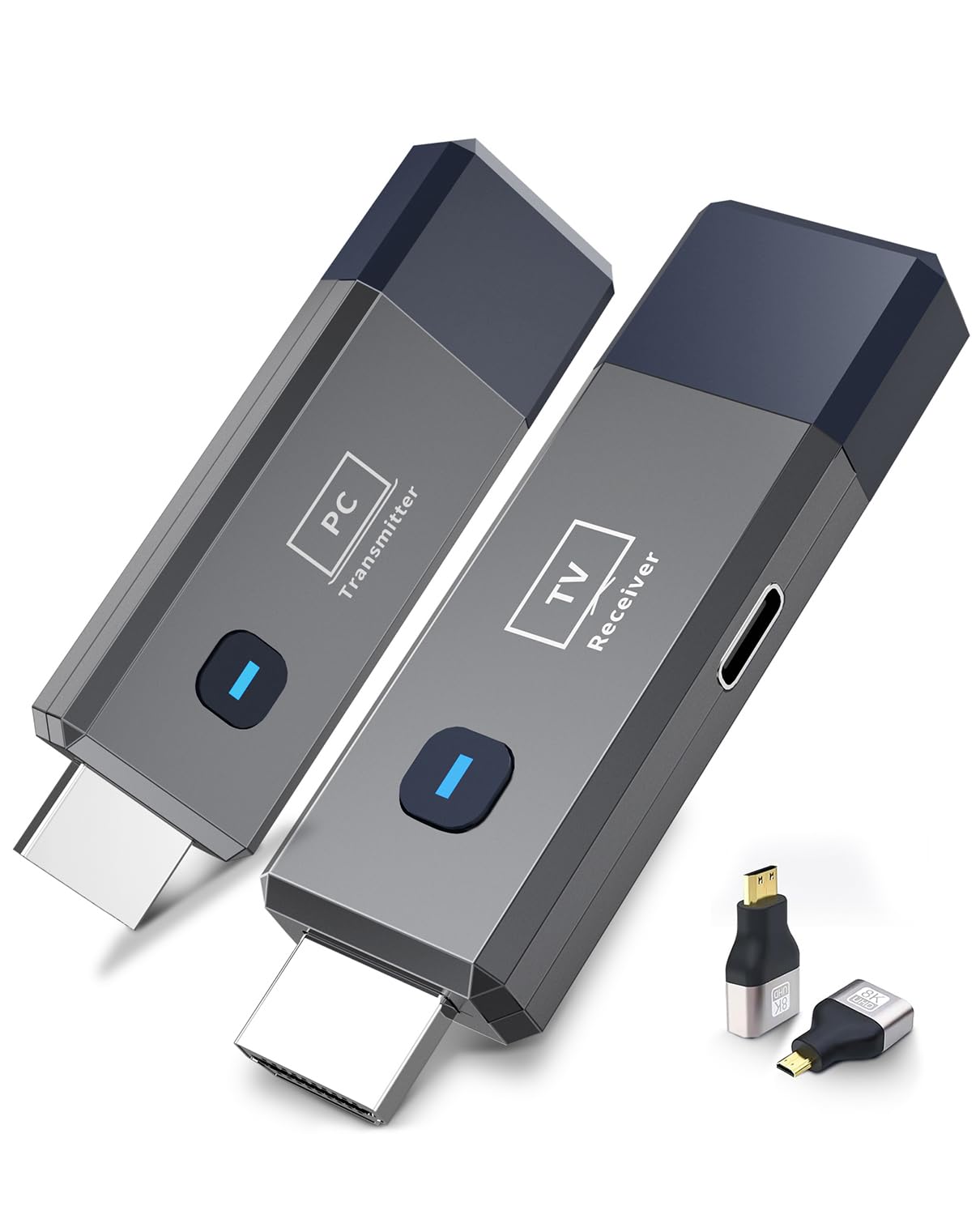
ANJCTDD Wireless HDMI Kit

85 /100
Keeper Score Excellent

Key details

Weight
0.3 lb
Latency
0.01 s (stated)
Stated Range
328 ft/100 m
Output Resolution
1080p60
Check Price on Amazon

A laptop on one side of a room, a projector on the other, and no appetite for fishing an HDMI cable through a ceiling: that is the job this kit does, and it does it for less than anything else on this page.

What surprised us is how little the lack of setup matters. There is no app, no network and no password — you plug both ends in and the pair finds each other in seconds. Presentations, a call on the big screen, a camera feed to a confidence monitor at the back of a room: we have not once needed a menu.

Picture and sound have been the steady part. The output is clean at 1080p60, audio stays in sync, and at 0.3 lb the pair vanishes into a laptop bag in a way the antenna-heavy kits here never will. Power comes over USB-C, so a power bank or a spare port on the TV is enough.

The link is the wobbly part. In a room crowded with wireless — a conference center, a hotel ballroom, a flat with a dozen smart devices — the picture can break up and need a re-pair, and the fix is line of sight and a different channel rather than better hardware. For home and small-office use that is a small caveat; for an event with hundreds of phones on the Wi-Fi, budget for one of the dual-band systems instead.

Pros

  • Pairs in seconds with no app or network
  • Clean 1080p60 picture with synced audio
  • 0.3 lb
  • Powers over USB-C from a bank or TV

Cons

  • 4K in, 1080p60 out
Our verdict

The budget pick that behaves: plug-and-play 1080p60 with no app or network, light enough to carry anywhere, and the cheapest way into a wireless link here.

Check Latest Price
5

Best for Multiple Receivers

Vrriis WL082

84 /100
Keeper Score Excellent

Key details

Power
NP-F, USB-C or adapter
Receivers
Up to 5, switched
Stated Range
1,300 ft
Max Resolution
1080p60
Check Price on Amazon

Five receivers, one transmitter, and a remote that still works from the far end of the house — the Vrriis kit is built around switching between screens rather than feeding them all at once, and for a cable box serving three televisions that is a smarter buy than three cable runs.

The IR passthrough is the part people walk past. An IR cable at the receiver relays remote commands back to the source, so whoever is in the bedroom can change the channel on the box in the living room without a second remote or a phone app. Loop-out at the transmitter then keeps a local screen where the source lives.

We like it for houses and small venues for exactly that reason. NP-F battery support means the transmitter can ride on a camera for a shot or two without hunting for an outlet, the pair arrives already paired, and adding a receiver is a couple of minutes rather than a manual and a prayer. It is a 1080p system, so treat it as distribution and monitoring rather than a 4K workflow — and at 1.9 lb with antennas that do not fold, it travels in a case, not a pocket. Neither has bothered us for the jobs it is for.

Pros

  • Switches among up to five receivers
  • IR passthrough controls the source remotely
  • Runs on NP-F batteries, USB-C or the adapter
  • Loop-out keeps a local monitor at the source

Cons

  • Range drops with every receiver added
Our verdict

A distribution kit rather than a cine one: five switchable receivers, IR passthrough to the source and NP-F power, all at 1080p60 for a midrange price.

Check Latest Price
6

Best All-In-One Kit

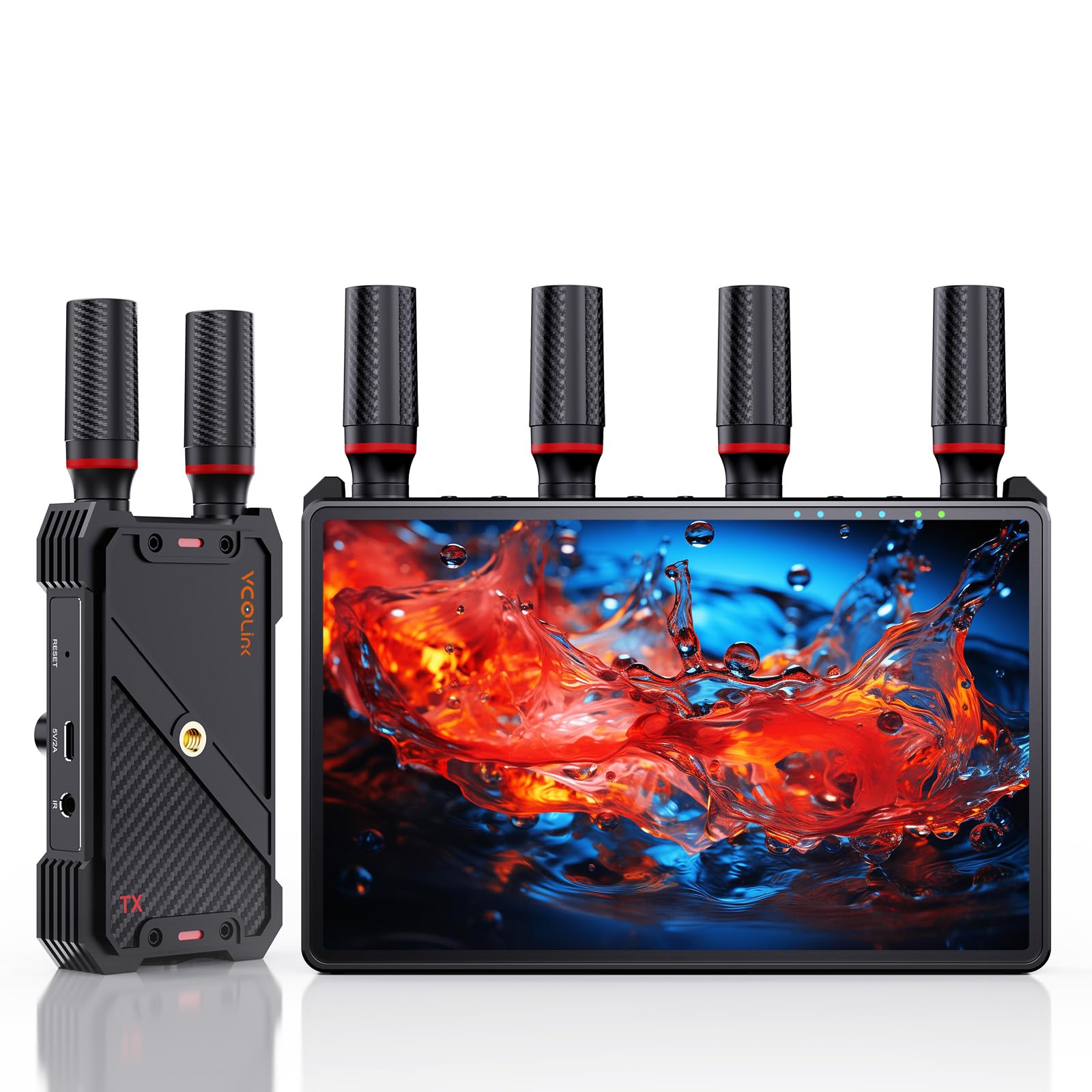
VCOLink 7-Inch Monitor Kit

83 /100
Keeper Score Excellent

Key details

Latency
Under 0.05 s (stated)
Stated Range
1,312 ft LOS
Max Resolution
1080p60
Receiver Screen
7 in built-in
Check Price on Amazon

There is a 7-inch screen built into the receiver, which sounds like a small thing until you are the person holding the monitor. One box, one battery, no HDMI lead to a separate display — that is the whole pitch, and it is why this kit is our pick for a first director's monitor.

The numbers hold up: 1080p60 at up to 1,312 ft line of sight, a stated latency under 0.05 s, and loop-out at the transmitter so the camera operator keeps their own screen. Power is flexible in the way that matters on location — NP-F batteries, a USB-C power bank, or mains — so a long day does not hang on one outlet.

One transmitter broadcasts to as many as five receivers with a multi-view layout, which changes the shape of a small shoot: everyone gets a screen instead of crowding around one. It also costs less than the DJI or the Pyro S and includes the monitor neither of them has, which is an unusual combination at this end of the group.

It is light enough to hang off a light stand with a battery attached, which is where a monitor usually ends up anyway. The plastics feel light, and that is the honest trade — you are buying the screen and the link, not the finish.

Pros

  • 7-inch screen built into the receiver
  • 1080p60 at a stated 1,312 ft
  • Loop-out feeds the operator's own monitor
  • Runs on NP-F, USB-C or mains

Cons

  • No SDI and no 4K
Our verdict

A receiver, monitor and link in one box: 1080p60 to a 7-inch screen, five receivers supported and flexible power — our pick for a first director's monitor.

Check Latest Price
7

Best for Quiet Sets

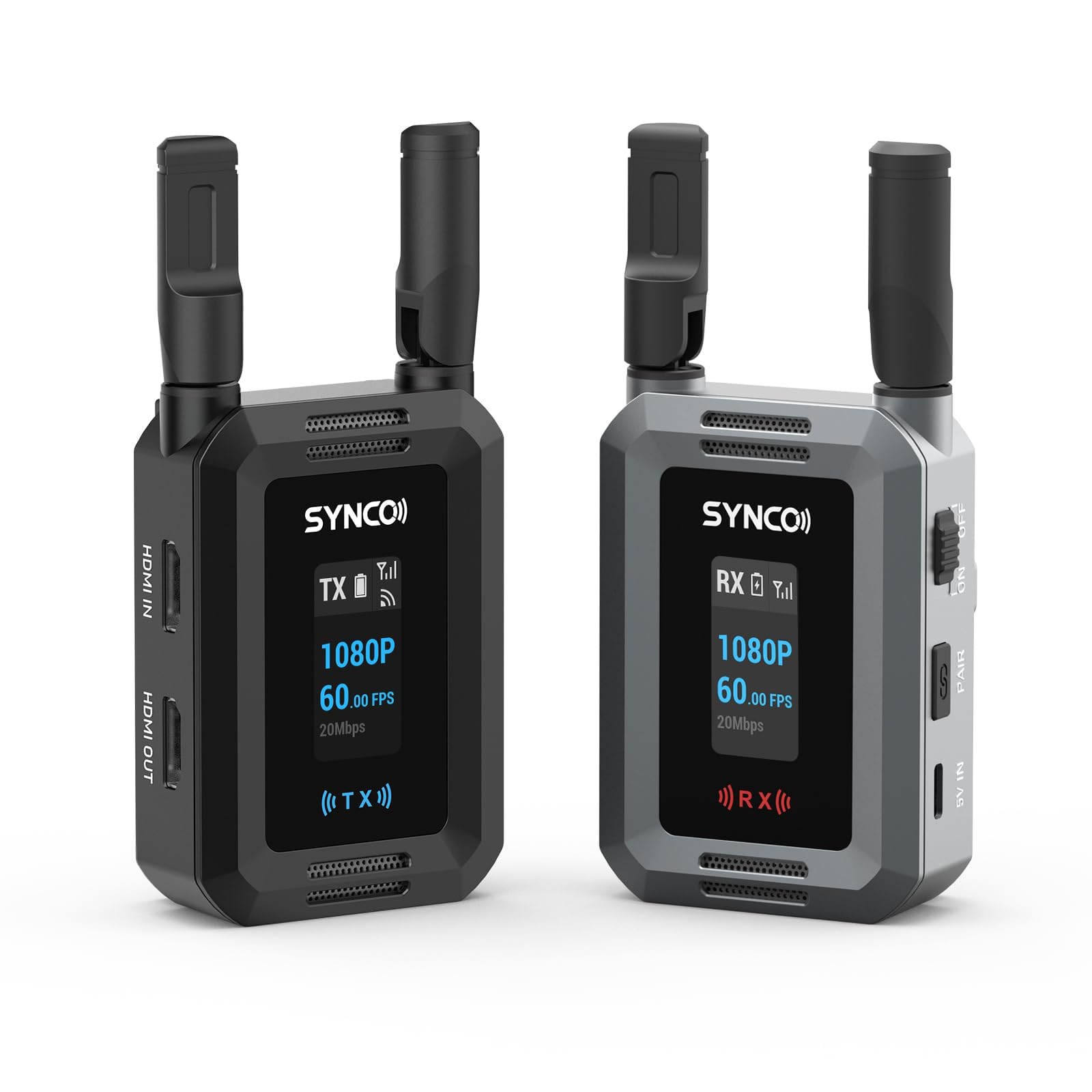
SYNCO XVision HD

78 /100
Keeper Score Very Good

Key details

Latency
40 ms
Power Draw
2 W, fanless
Stated Range
984 ft/300 m
Max Resolution
1080p60
Check Price on Amazon

Two watts and no fan. The XVision HD runs cool enough to sit beside a microphone without a whir turning up in the recording, and that single fact is why it is on this list at all.

The rest of the sheet is competitive rather than spectacular: 1080p60, a stated 984 ft (300 m), 40 ms latency, HDMI in and out with loop-out, and the choice of an NP-F battery or USB-C power. It is the least expensive of the pro-style systems here, which counts for more than a 4K badge on a monitoring feed.

Receivers are where it reaches beyond its price. The system supports up to nine real-time endpoints in monitor-only mode, so a full crew can watch without daisy-chaining hardware, and the signal has been steady in our use, even with people crossing between the antennas.

So the case for it is quiet and inexpensive rather than best-in-class. If you are shooting sync sound and the transmitter lives a foot from a boom mic, the fanless design is worth more than another thousand lines of resolution. It is the one we put on a sound-sensitive rig, and we give up 4K to get it.

Pros

  • Fanless 2 W draw
  • Up to nine monitor-only endpoints
  • 984 ft stated range at 40 ms
  • NP-F or USB-C power

Cons

  • NP-F batteries are not included
Our verdict

The quiet one: a fanless 2 W draw, 1080p60 at 40 ms, up to nine monitoring endpoints, and the lowest price of the pro-style systems here.

Check Latest Price
8

Two Screens

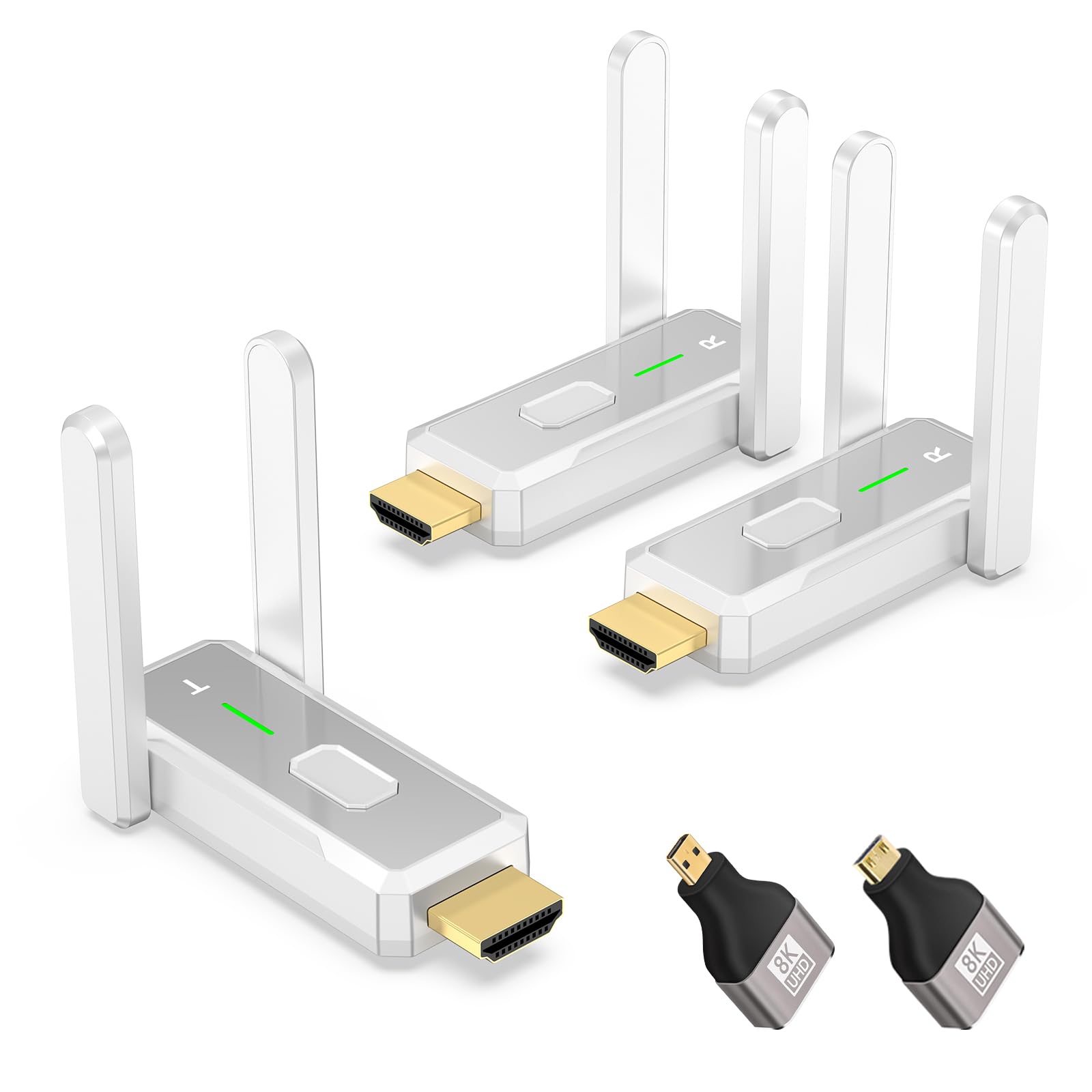
KVZOO 1TX+2RX Kit

83 /100
Keeper Score Excellent

Key details

Kit
1 transmitter, 2 receivers
Stated Range
500 ft/150 m
Included Adapters
Micro and Mini HDMI
Output Resolution
1080p
Check Price on Amazon

Two receivers come in the box, both showing the same picture at the same time. Every other kit on this page ships with one, and buying a second receiver is the step most people forget until the day they need it.

The rest of the design is sensible. Dual-band 2.4 GHz and 5 GHz with two antennas, a stated 500 ft (150 m), 1080p output, and micro and mini HDMI adapters included so a camera with a small port does not need a dongle hunt. Plug and play, no app, no network.

Two displays at once is the use case it is built for: a lobby and a back office, a projector and a confidence monitor, a showroom and a stockroom. One transmitter, two screens, no switcher and no second kit to power.

Longevity is the open question — we have not lived with this one long enough to answer it, so what we are recommending is the design. The value is in the second receiver and the adapters, and if you need two screens fed for not much money, that is enough to earn a place here.

Pros

  • Two receivers included for two displays
  • Micro and Mini HDMI adapters in the box
  • Dual-band 2.4G/5G with two antennas
  • Plug and play with no app or network

Cons

No notable drawbacks to flag.

Our verdict

For feeding two screens at once on a small budget, this is the kit: two receivers in the box, dual-band, plug and play, and no app to configure.

Check Latest Price

How We Tested Wireless Video Transmitters

We started with research, pulling every transmitter-receiver kit a working shooter might plausibly buy, from palm-sized plug-and-play extenders to SDI-capable systems meant for camera rigs, and filtered on the things a spec sheet can settle: at least 1080p60 output, HDMI and SDI where the money justified it, the ability to pair more than one receiver, and power that can come from a battery instead of a wall outlet. That left 10 systems, which we've used on and off for six months.

Most of the work happened on location rather than on a bench. We ran a two-camera interview in a studio thick with venue Wi-Fi, walked each transmitter away from its receiver across an open field until the image broke, then repeated the walk with a wall in between. We also handed every kit to someone who had never used it and timed how long it took them to get a picture on screen unaided, pairing and channel selection included.

At each step we noted how the picture failed, not just whether it did: blocky and recovering, or black and needing a reboot. We watched whether the automatic channel scan triggered on its own or required digging through a menu, taped a stopwatch on camera to compare delay by eye against the monitor, plugged a second screen into the loop-out while the first was live, and added receivers mid-session to see how fast the system picked them up. Every unit also rode in a camera bag for a few weeks, where we logged weight, port layout, heat after an hour of running, and whether the connectors felt like they'd survive a season. Then we weighed what each one cost against what we'd actually noticed in use.

How to Choose a Wireless Video Transmitter

What comes out is not what goes in

Several budget kits here advertise 4K decoding and then output 1080p60 — the 4K is what they accept at the input, not the picture you see at the other end. The Hollyland Pyro H and Pyro S carry 4K end to end at up to 30 fps; the DJI stops at 1080p60 deliberately, trading resolution for reach.

Decide where the picture is going. A confidence monitor, a projector and a director's screen are all fine at 1080p60. A client checking focus on a 4K frame is not, and no setting fixes that.

Range is a straight line in the open

Every range figure on this page is line-of-sight, measured with nothing between the antennas. Indoors, a wall costs you, a crowd of people costs you more, and on the Vrriis the range drops as you add receivers — the listing says so outright. Treat the claim as a best case and plan for a good deal less through a couple of walls.

If your job runs through obstructions, pay for band hopping. The Pyro pair scan for a clean channel, and the DJI's SDR system is built for a hostile RF environment.

Latency matters less than you think, until it doesn't

Watching a monitor for framing and focus, 60 ms is invisible. Delay bites when the transmitter sits inside a chain you are cutting live or matching to sound: a 35 ms link is easier to keep in sync than a 50 ms one, and the cheapest kits are the ones whose delay stretches when the signal weakens.

Ports decide more than specs do

HDMI is the default and it is all most cameras need, but two ports earn their keep. SDI, on the Pyro S, is what a broadcast or cinema camera still asks for, and no adapter fixes its absence. Loop-out, on most of the pro kits here, keeps a monitor on the camera so the operator is not watching the same delayed feed as the client.

If you are streaming, look for UVC. The Pyro H's receiver shows up as a webcam over USB-C, with no capture card in the chain.

Power, weight and what is not in the box

The Vrriis, VCOLink and SYNCO kits all run from NP-F batteries and none of them includes one, so budget for two batteries and a charger per transmitter or plan on USB-C power from a bank. Weight matters once the transmitter is on a gimbal: the SYNCO's fanless 2 W draw means no fan noise beside a microphone, and the Vrriis at 1.9 lb travels in a case rather than a pocket.

Frequently Asked Questions

Final Verdict

The Hollyland Pyro H is the one we keep coming back to. It carries 4K over HDMI to four receivers, keeps a local monitor on the loop-out and turns into a webcam feed over USB-C — more different jobs covered than anything else here, for less than the DJI.

If your sets are large, crowded or full of concrete, the DJI SDR system's 3 km link and band hopping justify the extra money and the 1080p ceiling that comes with it. And if the whole job is a laptop and a projector, the ANJCTDD does it for the least and we have never wanted more from it.