Best Wireless Security Cameras of 2026

The quickest way to sour on a security camera is a 3 a.m. alert caused by a raccoon. Mute those notifications once and you'll stop opening the app altogether, which defeats the whole point of mounting the thing in the first place. What you actually want is dull and dependable: a clear look at the driveway from your phone, an alert that fires because a person is standing there, and a battery that doesn't turn into a weekly chore.

I've had cameras on my own house for years, and the lesson that keeps coming back is that the recordings, not the hardware, are where the cost hides. My team and I spent the past six months living with 12 wireless cameras — school runs, deliveries, a windy spring, a rainy stretch that left the solar panels useless. Two things mattered more than resolution: how each camera handled motion at dusk, and whether its mount allowed the angle I actually needed. The picks below are the ones still earning their spot.

Keeper Score summarizes customer ratings and review volume. Read it alongside the product details and trade-offs. How the score works.

1

Best Overall

eufyCam C37 4-Cam Kit

85 /100
Keeper Score Excellent

Key details

Cameras
4
Tracking
360° pan and tilt
Resolution
2K
Local Storage
64GB built-in
Check Price on Amazon

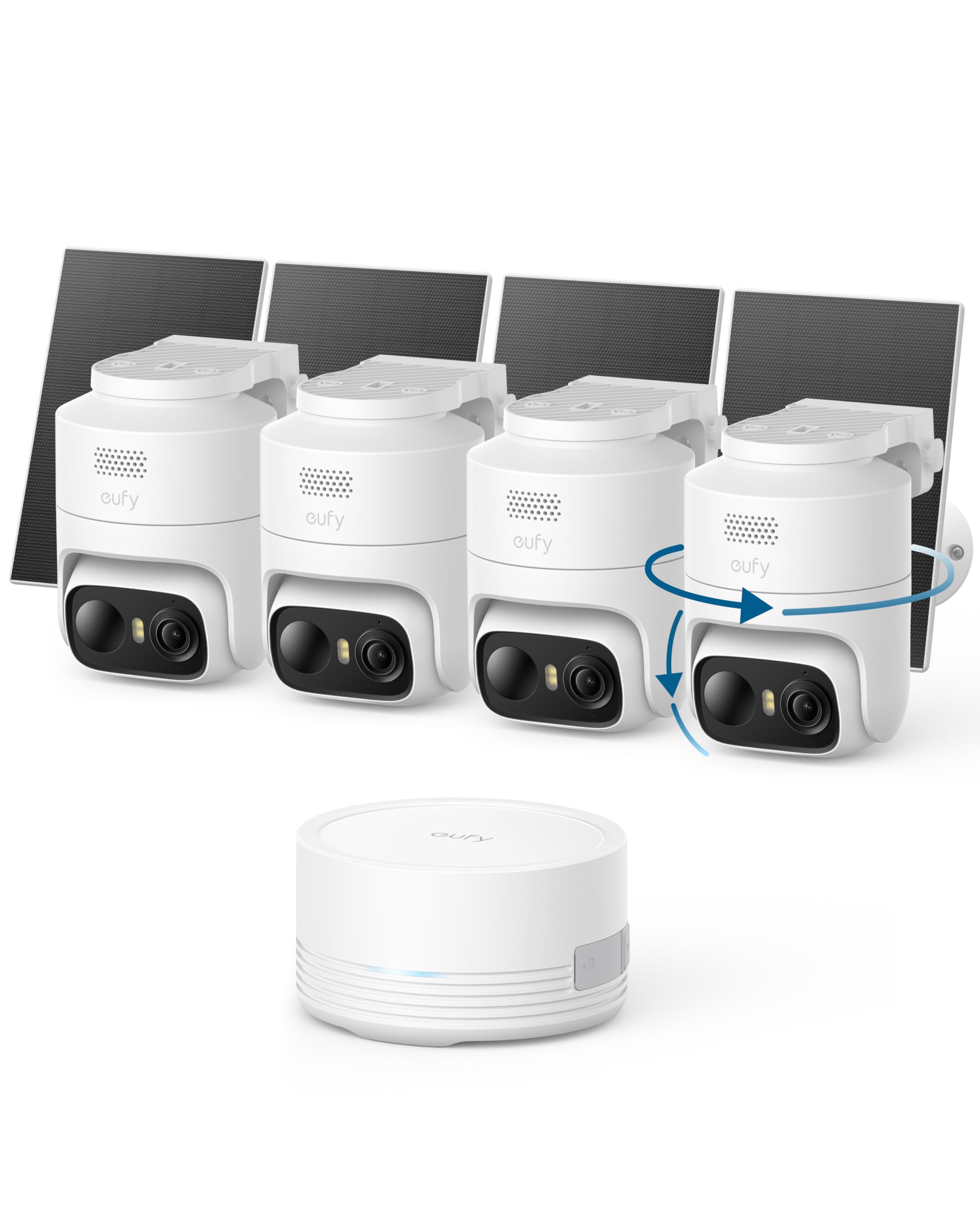
The 360° pan-and-tilt head is what makes the eufy C37 kit feel different from a box of four fixed cameras. Each camera can sweep a yard, follow a person across the driveway, and then go back to its resting view, so a four-camera kit covers more ground than the count suggests. The 2K color night vision and built-in spotlight are useful after dark, and the detachable solar panels let you put the panel where the sun actually reaches instead of settling for the camera's shade.

We recommend this kit for most homes because it pairs that coverage with 64GB of local storage in the HomeBase Mini and no subscription. We like that the base keeps clips on site; you can still add a plan if you want cloud backup, but you do not have to. The app brings all four cameras into one place, and the human, vehicle, pet, and face detection gives the alerts more context than a plain motion trigger. That is the difference between a clip you scroll past and one you actually check.

The rest of the kit is thoughtfully put together: IP65 housings, a 2K image that holds up when you zoom, and solar panels that detach for a better angle. We came away thinking it is the most complete four-camera kit here for a whole-property view, provided your router reaches the corners. If your Wi-Fi is weak at the soffit, solve that before you mount anything.

Pros

  • 360° auto tracking covers more ground
  • 64GB local storage without a subscription
  • Detachable solar panels aim separately
  • Human, vehicle, pet, and face detection

Cons

  • 2.4GHz-only Wi-Fi
Our verdict

We recommend the eufy C37 kit for most homes: four 2K cameras with 360° tracking and 64GB of local storage, and no subscription required.

Check Latest Price
2

Best for Multi-Camera Live View

D1 Classic 4-Cam Kit

86 /100
Keeper Score Excellent

Key details

Cameras
4
Live View
Up to 4 feeds
Resolution
2K (3MP)
Local Storage
32GB base
Check Price on Amazon

The aosu D1 Classic earns its place with the base station, not the cameras. The aosuBase holds 32GB of local storage, shows up to four live feeds at once, and gives the four cameras their own wireless link instead of putting them on your home Wi-Fi. That last part is the practical win in a house where the router is already carrying phones, a TV, and a work laptop.

The cameras themselves are 2K with full-color night vision, 360° pan-and-tilt, and auto tracking that follows a person across the yard. We like that the base keeps the recording loop local and ready, with no subscription required, and that the app can show the whole property on one screen. The 6x digital zoom is not the same as optical zoom, but it is enough to check a face at the door.

We recommend the D1 Classic for a busy household that wants a no-fee four-camera system and a base that takes the load off the home network. The base is the part to plan around, but once it is in place the cameras are the easy part. Battery life and motion pickup are the other variables; aim the cameras at the approaches you care about rather than a busy street, and the kit settles into its job.

Pros

  • 32GB local storage in the base
  • Four-camera live view on one screen
  • 360° auto tracking
  • No subscription required

Cons

  • Base needs a wired Ethernet link
Our verdict

We recommend the Aosu D1 when you want a four-camera kit with local storage and a base that keeps the cameras off your home Wi-Fi.

Check Latest Price
3

Best Picture Quality

Arlo Pro 6th Gen 4-Cam

85 /100
Keeper Score Excellent

Key details

Battery
Removable rechargeable
Cameras
4
Resolution
2K HDR
Field Of View
160°
Check Price on Amazon

A 160° field of view is the reason to look at the Arlo Pro 6th Gen kit before the others. We think it has the best picture quality in this group for a wide driveway or a corner that needs one camera to cover two approaches, because the 2K HDR image holds detail in bright sun and deep shade. The four-camera kit is not the cheapest way to get coverage, but it is the one we reach for when the view matters more than the count.

The removable rechargeable batteries are another detail we appreciate. You can take a battery out and charge it without unmounting the camera, which is a small thing until you are on a ladder in January. The 160° lens also means fewer cameras in awkward spots, and the 2K HDR feed keeps faces and plates from turning into silhouettes when the sun is behind them.

The catch is the plan. The kit includes a one-month Arlo Secure trial, and advanced detection, longer history, and emergency response sit behind a paid subscription after that. If you want the smart features, budget for the plan as part of the system. We recommend the Arlo Pro kit for a wide, high-detail view where the subscription is a fair trade.

Pros

  • 160° field of view covers more
  • 2K HDR video with strong contrast
  • Removable rechargeable batteries
  • Four-camera kit with wide-view detail

Cons

No notable drawbacks to flag.

Our verdict

We recommend the Arlo Pro kit when one camera has to cover a wide driveway and picture quality matters more than avoiding a subscription.

Check Latest Price
4

Best Budget Solar Kit

Gianteye 4-Pack Solar Cameras

88 /100
Keeper Score Excellent

Key details

Power
Solar and battery
Cameras
4
Coverage
360° pan and tilt
Resolution
2K
Check Price on Amazon

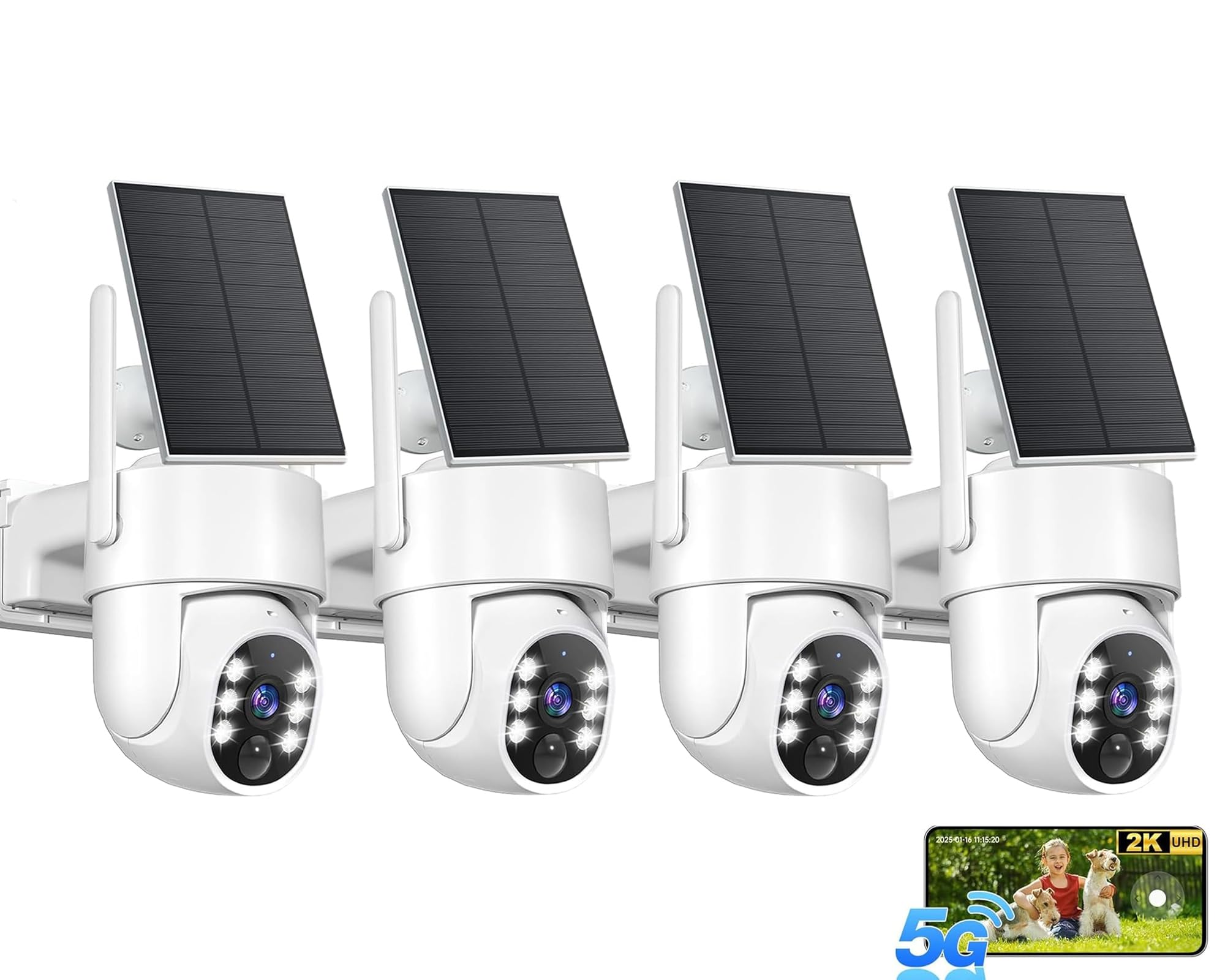
Four solar pan-tilt cameras at a budget price is the Gianteye kit's opening argument. The 2K image, color night vision, and 360° sweep give you more coverage than a set of fixed cameras at the same money, and the detachable solar panel means you can put the panel in the sun while the camera watches the gate. The IP65 housing and two-way audio round out the basics without asking you to buy a base station.

We like the AI human detection for cutting down on alerts from moving branches, and the spotlight makes color night vision useful rather than a specs-page line. The app is where budget kits usually show their seams, so plan on a little patience at setup. Pair the cameras near the router first, then mount them, and the rest of the experience is less fussy.

We recommend the Gianteye kit for a renter or a first-time buyer who wants four cameras and solar charging without a premium price. The microSD card is not included, so add one before you rely on local clips, and check the live view at each corner before you commit to the screws. If the Wi-Fi reaches, this is the budget solar kit that does the most work.

Pros

  • Four 2K pan-tilt cameras
  • Detachable solar panels
  • Color night vision with spotlight
  • IP65 weatherproof housing

Cons

  • Wi-Fi pairing can be fussy
Our verdict

We recommend the Gianteye kit for four solar 2K cameras on a budget, as long as you are ready to be patient with the Wi-Fi setup.

Check Latest Price
5

Best Budget Single Camera

HITELLARCAM 2K Camera

86 /100
Keeper Score Excellent

Key details

Power
Battery
Wi-Fi
2.4GHz and 5GHz
Resolution
2K
Battery Life
Up to 6 months
Check Price on Amazon

Most homes do not need four cameras; they need one good view of the door everyone uses. The HITELLARCAM is built for that job: a single 2K camera, a 5,200mAh rechargeable battery, and a price that makes a second camera an easy add later. It is small enough to tuck under an eave and simple enough to set up without a base station.

The dual-band 2.4GHz and 5GHz Wi-Fi is a real advantage on a budget camera, because it gives you a better chance of a stable link in a crowded house. The free cloud storage is the other draw; there is no subscription required for the basic recording, and the app sends motion alerts without a plan. The spotlight and siren are useful extras, though we treat any camera siren as a deterrent rather than a guarantee.

Battery life is the number to read carefully. The six-month claim assumes a quiet spot and few alerts; a camera aimed at a sidewalk will drain faster and send more notifications. The 2K image is sharp in daylight, and color night vision is a plus, but keep the camera close to the door you are watching rather than trying to cover a whole yard.

We recommend the HITELLARCAM as the best budget single camera in this group for a renter, a first camera, or a back-door check. It is not the camera for a whole driveway at night, and it will not replace a four-camera kit, but it does the one-camera job without asking for a subscription or a hub.

Pros

  • 2K video on a single-camera budget
  • Free cloud storage without a plan
  • Dual-band 2.4GHz and 5GHz Wi-Fi
  • Battery rated up to six months

Cons

  • 8-meter night-vision range
Our verdict

We recommend the HITELLARCAM for a first camera or a single back-door view; it is the simplest budget pick here.

Check Latest Price
6

Budget Four-Pack

Rraycom 4-Pack

82 /100
Keeper Score Excellent

Key details

Power
Battery
Wi-Fi
2.4GHz and 5GHz
Cameras
4
Resolution
2K
Check Price on Amazon

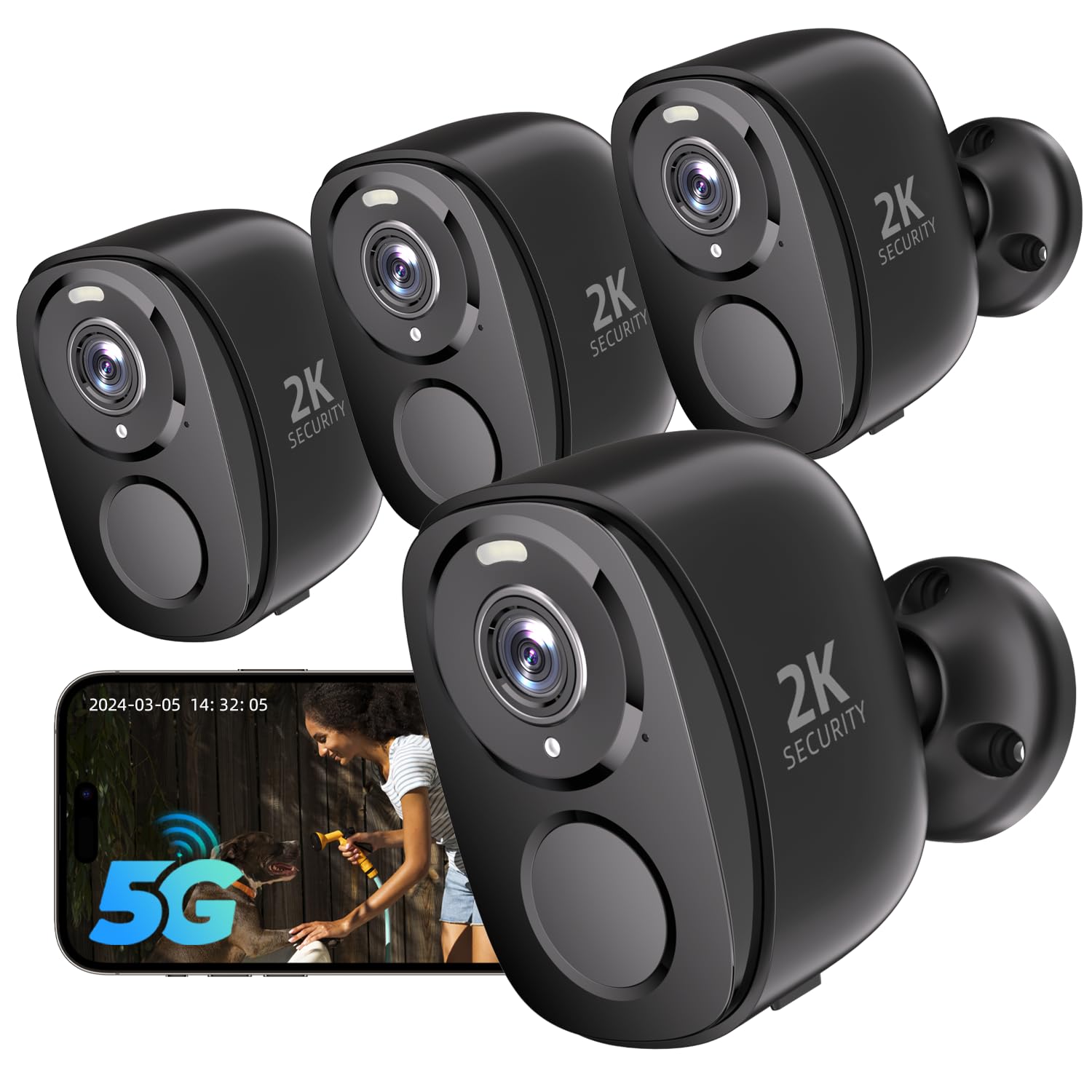
The Rraycom four-pack skips solar panels, and that is the first thing to understand about it. You are buying four 2K cameras that run on batteries and need a charging routine, not a set you can mount and forget. In exchange, you get dual-band 2.4GHz and 5GHz Wi-Fi, a siren, color night vision, and AI motion detection across four cameras without a base station.

We like the dual-band radio at this price, and the bird-recognition mode is the odd extra that makes the kit memorable. If you have a feeder in view, it is a genuinely fun second job for a security camera; if not, you can ignore it. We recommend the Rraycom kit for a budget four-camera setup where you are willing to trade solar charging for a lower entry point and a little more setup work.

The practical catch is upkeep. Four battery cameras mean four charging trips unless you add solar panels or place them where a USB cable can reach. The 2K picture and color night vision are competitive, and the IP65 housing is fine for exposed spots, but this is not the kit for someone who wants to install once and never touch it. If you want that, pay for solar.

Pros

  • Four 2K cameras in one kit
  • Dual-band 2.4GHz and 5GHz Wi-Fi
  • Color night vision and siren
  • Bird-recognition mode

Cons

No notable drawbacks to flag.

Our verdict

We recommend the Rraycom four-pack for a budget setup if you want four 2K cameras and do not mind a charging routine.

Check Latest Price
7

Five-Camera Coverage

Blink Outdoor 2K+ Bundle

0 /100
Keeper Score Fair

Key details

Power
AA lithium batteries
Cameras
5 plus doorbell
Resolution
2K
Included Hub
Sync Module Core
Check Price on Amazon

The Blink bundle leads with a wired doorbell, which is not what this guide is for. The five Outdoor 2K+ cameras are the part that matters: battery-powered, weather-resistant, and paired with the Sync Module Core, they give a Blink household a lot of camera coverage for a budget kit. If you specifically want cameras only, the doorbell is dead weight.

The Outdoor 2K+ runs for months on the included AA lithium batteries, and the 2K video is a step up from the older 1080p Outdoor 4. The Sync Module Core keeps the cameras together in the Blink app, and the weather rating covers temperatures from -4°F to 113°F, which is more range than most of us need. The wired doorbell stays always-on through existing doorbell wiring, so it does not compete for battery life.

The five-camera count is the real story: you can cover a front, back, side, and garage with one system, and the module keeps them in one app. The battery cameras are easy to place because there is no base wiring at each mount, and the Sync Module Core is the only piece that needs a spot near the router. That is the kind of convenience that makes a budget kit feel less budget.

We recommend the Blink bundle for a household that wants five 2K cameras and can ignore the included doorbell. It is not the pick for a cameras-only install or for someone who wants the smartest alerts without an extra plan. For a straightforward five-camera budget kit, though, it earns a look.

Pros

  • Five Outdoor 2K+ cameras
  • Sync Module Core included
  • Months of battery on AA lithium
  • Weather-resistant to 113°F

Cons

  • Smart detection needs an optional plan
  • Disposable AA batteries
Our verdict

We recommend the Blink bundle for a budget five-camera kit if the included doorbell and optional smart-alert plan do not bother you.

Check Latest Price

How We Tested These Wireless Security Cameras

We started with every wireless camera we could find that ran on battery or solar and could record without a mandatory monthly plan. Then we filtered: a 2K-or-sharper image, person-and-vehicle detection, a swappable or rechargeable battery, and an app a first-time user could finish setting up without a manual. Twelve cameras from six kits made the final cut, and we ran them for six months.

Each one was mounted where cameras actually go — beside a front door, at the corner of a driveway, on a back gate, under an eave — and I timed the install alone, from unboxing through app pairing to the last screw, noting where the instructions stalled. Picture quality got judged on foot: a person walking up the path at 30 feet, a delivery box on the step at dusk, headlights sweeping across the yard, then the same scene at midnight with and without the spotlight on.

For motion detection, I walked a set route past each camera every evening for a week and logged what triggered it — me, a passing car, branches in the wind — then adjusted sensitivity and counted the false alerts again. Connectivity was pushed to the far corner of the yard, where 2.4GHz reaches and 5GHz doesn't, watching live view for lag and dropouts. Battery life we tracked as a percentage drop per week, with and without sun, so the solar claims met an overcast April.

Finally, the money and the recordings: we tallied what a subscription would add over a year against what each camera stored locally, then pulled the card or drive and tried to play back a real event. A camera that lost that clip didn't stay in the roundup, however good the picture looked.

How to Choose a Wireless Security Camera

Start with coverage, not camera count

A four-camera kit is not automatically better than two. What matters is whether each camera sees a useful approach: the front door, the driveway, the side gate, the back slider. A fixed 2K camera with a narrow view can miss the thing you care about, while a pan-tilt camera can sweep a wider area and follow movement. The eufy C37 and Aosu D1 both lean on 360° tracking for that reason.

Sketch the property before you buy. If one camera can cover the driveway and the front walk, spend the extra camera budget on a second angle at the back instead of another view of the same door.

Decide how you will power it

Wire-free does not always mean battery-free, and wireless does not always mean no outlet. Some kits called wireless still need a cord at every camera, which changes where you can mount them. Battery cameras are the most flexible, but they ask for a charging routine; solar panels reduce that routine only if the panel gets real sun. The Gianteye kit's detachable panels let you aim the panel separately from the camera, which is a useful detail on a shaded eave.

If you want to install once and forget it, solar is worth paying for. If you have an outlet near each mount, a plug-in kit can be the lower-maintenance choice. The Rraycom four-pack is the bargain-battery option here: four cameras, no solar panels, and a charging schedule you should plan on.

Treat no subscription as a storage question

No monthly fee is only meaningful if you have somewhere to keep the clips. A base station with built-in storage is the cleanest answer: the eufy HomeBase Mini holds 64GB, and the Aosu base holds 32GB with a loop recording setup. A microSD slot is the other route, but the card is often not included, and a full card can stop recording until you clear it.

Cloud storage can be a backup rather than the main plan. Check whether the camera keeps recording locally when the internet drops, and whether the smart alerts you want sit behind a paid plan. The Arlo Pro kit, for example, includes a one-month Secure trial, but advanced detection and longer history are subscription features.

Match the radio to your house

A 2.4GHz-only camera can be the right choice because that band travels farther through walls, but it is also the crowded one in many homes. Dual-band cameras give you a 5GHz option when the camera is close to the router and the 2.4GHz band when it is not. The eufy C37 is 2.4GHz only; the HITELLARCAM and Rraycom kits support both bands.

Test the signal at the mounting spot before you drill. A camera that drops off the network is not a security camera; it is a notification you learn to ignore.

Plan for alerts and weather

Motion detection is where budget kits separate. A camera that alerts on every passing car will get silenced, and a camera that misses a person at the door is worse than no alert at all. Look for human detection and adjustable zones, and accept that a busy street will always create more alerts than a quiet backyard.

Outdoor housings should carry an IP65 or IP66 rating, and the mounting angle matters as much as the rating. Put the camera under an eave when you can, angle it away from direct sun, and check that the field of view catches faces rather than the top of a head.

Frequently Asked Questions

Final Verdict

Most people should start with the eufy C37 kit. The 360° tracking means four cameras cover more than four fixed ones, and the 64GB local storage keeps clips without a subscription. If you want a base station that takes the cameras off your home Wi-Fi and shows four feeds at once, the Aosu D1 is the better fit. Choose the Arlo Pro if wide 2K HDR coverage matters more than avoiding a plan.