Best Studio Monitor Stands of 2026

A studio monitor can only be as honest as what it's sitting on. Put a pair on a shared desk and the bass travels straight into the wood, the tweeters end up somewhere around your collarbone, and the image you spent an afternoon dialing in starts to smear. I spent two years with monitors on foam pads and a stack of textbooks before one slid off mid-session. A proper stand decouples the cabinet, lifts the tweeter to ear level, and keeps it there.

Over the past seven months we've bought, assembled, and lived with 12 stands — clamp-on desk risers and floor models — and the pattern that emerged has less to do with height range than you'd think. A stand can advertise a huge height spread and still slip a few centimeters the first time you lean on the desk, and a platform that doesn't grip the bottom of the cabinet lets an angled monitor creep. What follows covers tight desks, shared rooms, and heavier cabinets, and every pick is one that stayed exactly where we set it.

Keeper Score summarizes customer ratings and review volume. Read it alongside the product details and trade-offs. How the score works.

1

Best Overall

Vondynote Cable-Management Floor Stands

88 /100
Keeper Score Excellent

Key details

Top Plate
9 x 9 in
Height Range
33-51 in
Load Capacity
88 lb per stand
Cable Management
1.38 x 0.98 in hole
Check Price on Amazon

A 1.38-by-0.98-inch cable hole is the detail that makes these Vondynote floor stands feel designed for a studio rather than a stage. Run the speaker wire down the column and it disappears into the base, so the back of the desk stays clear. That sounds small until you have two power cables, two signal cables, and a pedal power supply fighting for the same floor space.

The working range is 33 to 51 inches, with a 9-by-9-inch top plate and 2mm EVA pad. Each stand is rated to 88 pounds, which covers most nearfield monitors with headroom. We like that the height settings are held by knobs and pins rather than friction alone; you can set a height and trust it to stay there.

The base is a 13.5-inch square tube cross, and Vondynote supplies two sets of feet: rubber pads for wood or tile and metal spikes for carpet. We appreciate the choice because a stand that is stable on carpet can skate on a hard floor. The powder-coated finish also looks more like furniture than a lot of tripod stands.

Assembly is straightforward, with hardware included. The trade-off is portability: the square base and column are not something you fold up and carry to a session. If the stands will move between rooms, the Pyle tripod pair is the more practical shape, even if it is less tidy.

For a permanent nearfield setup, this is the pair we keep coming back to: 88 pounds of capacity, a useful height range, and cable management that solves a real studio annoyance. We recommend it as the default floor pair, especially where the monitors will not move.

Pros

  • Cable hole hides speaker wires
  • 88-pound capacity per stand
  • 33- to 51-inch height range
  • Rubber pads and floor spikes included

Cons

  • 13.5-inch base needs floor room
Our verdict

For a permanent nearfield setup, we recommend these floor stands for their 88-pound capacity, 33- to 51-inch height range, and cable management.
Check Latest Price
2

Best for Portability

Pyle PSTND32 Tripod Stands

94 /100
Keeper Score Outstanding

Key details

Base Type
Folding tripod
Top Plate
8.9 x 8.9 in
Height Range
34-53 in
Load Capacity
90 lb per stand
Check Price on Amazon

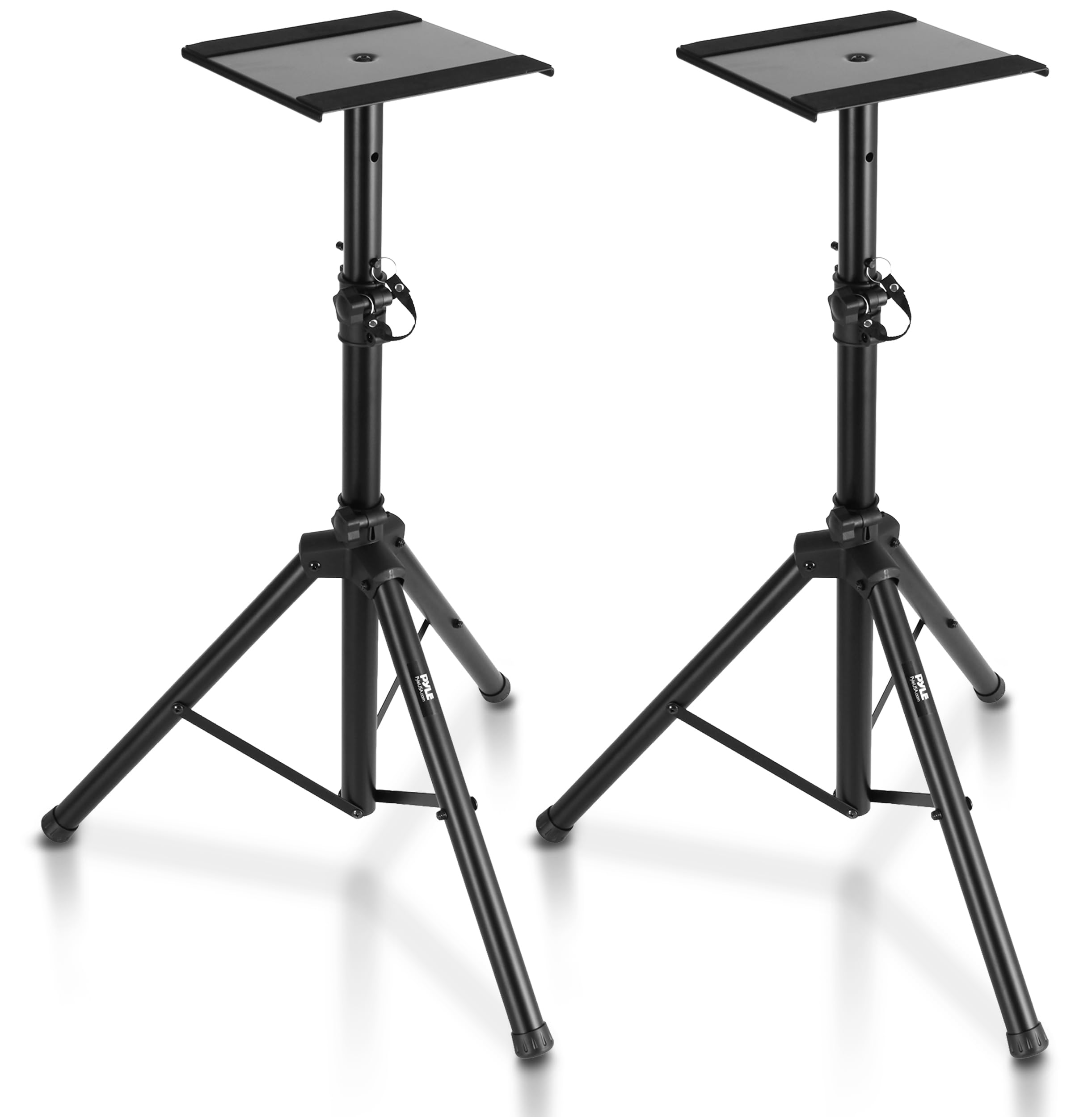
The folding tripod legs are what make the Pyle PSTND32 a different kind of floor stand. The pair collapses for storage and transport, yet Pyle rates each stand to 90 pounds and gives it a 34- to 53-inch height range. We appreciate that combination for a room that has to switch between mixing and storage; the stand does not have to stay in the same spot forever.

The platform is 8.9 by 8.9 inches with a 2mm anti-slip pad, and the telescoping column locks with a safety pin. A center brace ties the tripod legs together, and the footprint can be adjusted with a locking clamp ring. That adjustability matters on uneven floors or in a corner where a fixed square base will not fit. The metal platform feels utilitarian, but it holds a monitor securely.

Assembly is simple, and the stand is light enough to move without drama. We also like that the tripod design lets you spread the legs for stability or pull them in for a tighter footprint. This is the pair we choose when the studio has to pack down, not when it has to look built-in.

Pros

  • Folding tripod legs simplify storage
  • 90-pound capacity per stand
  • 34- to 53-inch height range
  • Adjustable leg spread

Cons

  • Tripod legs occupy floor space
Our verdict

We recommend the Pyle tripod stands when the room has to double as storage, because the legs fold and the 90-pound rating handles big monitors.

Check Latest Price
3

Best Clamp-On for Heavy Monitors

Liquid Stands Clamp-On Stands

91 /100
Keeper Score Outstanding

Key details

Height Range
9.5-13.5 in
Load Capacity
65 lb per stand
Platform Size
9 x 12.5 in
Desk Thickness
0.5-2 in
Check Price on Amazon

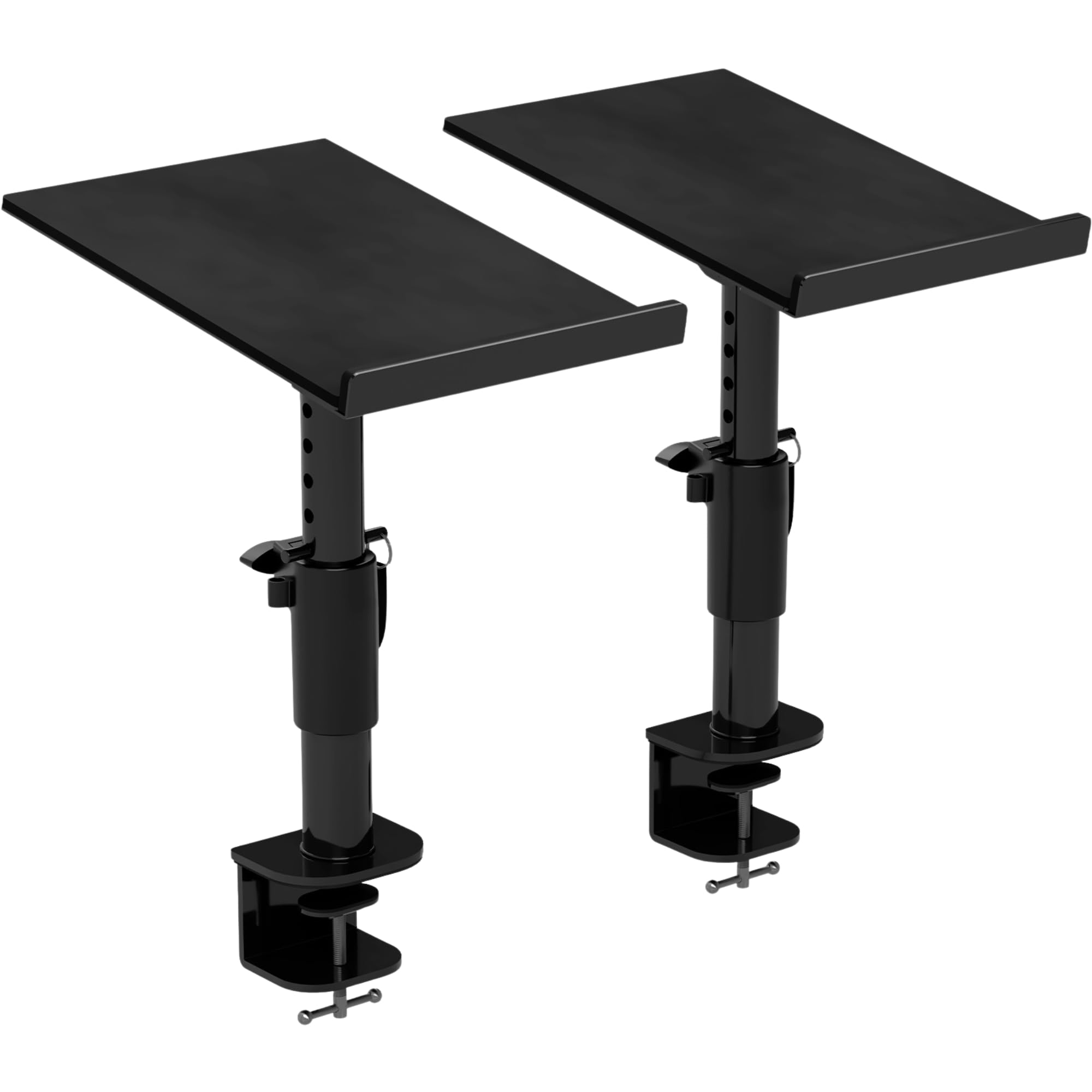
A 65-pound clamp-on rating is the reason to look at the Liquid Stands pair. The platform measures 9 by 12.5 inches, the clamp opens for standard desk edges, and the stand adjusts from 9.5 to 13.5 inches. That is a short range, but it is the right one for a desk where the monitor sits just above the work surface.

What we like is the amount of support in a small footprint. The base is 4 inches wide, the isolation pad is 6mm thick, and the whole thing needs less than 2 inches of clearance from the wall. On a desk pushed into a corner, that shallow depth is more useful than a longer platform. The plates and lips can be flipped for horizontal or vertical placement, so the stand can hold a monitor on its side or upright.

The 10-year warranty is reassuring, and the build feels heavier than the budget clamps. If your monitor is closer to 60 pounds than 20, this is the desk stand we reach for; the Vondynote tilt clamp is the lighter, more adjustable alternative.

Pros

  • 65-pound clamp-on capacity
  • 9 x 12.5-inch platform
  • 6mm isolation pad
  • 10-year warranty

Cons

  • Fits desks only 0.5 to 2 inches thick
Our verdict

The Liquid Stands pair is our pick for a heavy monitor on a desk, with a 65-pound clamp-on rating and a platform that clears the work surface.

Check Latest Price
4

Best Tilting Desk Stands

Vondynote Tilt Clamp Stands

90 /100
Keeper Score Outstanding

Key details

Top Plate
9 x 12 in
Tilt Range
0-12 degrees
Height Range
10.4-15.4 in
Load Capacity
60 lb per stand
Check Price on Amazon

The 12-degree tilt is the feature that separates these Vondynote clamps from flat-plate desk stands. The top plate is 9 by 12 inches, the height range is 10.4 to 15.4 inches, and each stand is rated to 60 pounds. That is enough for most nearfield monitors, and the tilt lets you aim the cabinet without stacking books under the front edge.

The clamp uses a 3mm EVA pad to protect the desk. A locking knob and safety pin hold the height, and the column has four drill holes for repeatable settings. We like the 3mm pad on the top plate as well: it grips the monitor and takes the edge off desk vibration. The 9-by-12-inch plate is big enough that a compact monitor does not overhang.

We found the tilt most useful when the monitors sit slightly above ear height, because a small downward angle brings the tweeter back on axis. The stand still has limits: it is a desk clamp, so you need a clear edge, and it is not the pair for a heavy cabinet. The Liquid Stands clamp carries more weight; this Vondynote is the one we choose when the monitor is lighter and the angle matters more.

Pros

  • 12-degree tilt aims the monitor
  • Four height settings from 10.4 to 15.4 inches
  • 60-pound capacity per stand
  • EVA pads protect desk and monitor

Cons

  • Clamp depth tops out at 2.6 inches
Our verdict

We recommend these Vondynote clamps when you need to aim a desk-mounted monitor, thanks to the 12-degree tilt and 60-pound capacity.

Check Latest Price
5

Best for Lower Listening Positions

AxcessAbles SMS-101 Stands

91 /100
Keeper Score Outstanding

Key details

Top Plate
9 x 9 in
Base Width
17.5 in triangle
Height Range
26-46 in
Load Capacity
80 lb per stand
Check Price on Amazon

A 26-inch starting height is the reason these AxcessAbles stands caught our attention. The pair adjusts from 26 to 46 inches, carries up to 80 pounds per stand, and uses a 9-by-9-inch top tray. For a seated listening position, especially in a low chair or a desk-side setup, that lower range is more useful than a stand that starts above knee height.

The frame is steel with a triangular base, and the tray sits flat so the monitor does not rock. Four non-skid pads are included, and the base is designed to work on carpet or hard flooring. We like the triangular footprint because it puts support under the corners of the cabinet rather than only in the center. The stand feels substantial without being overly complicated.

Assembly is simple, though the instructions are minimal. The top tray is fixed rather than tilting, so the stand is about height and support, not fine angle adjustment. We also appreciate that the 80-pound rating leaves room for a larger monitor. This is the pair we choose when the listening position is low and the monitor is heavy.

Pros

  • 26- to 46-inch height range
  • 80-pound capacity per stand
  • Triangular base adds stability
  • Non-skid pads included

Cons

  • Large triangular base takes floor space
  • Top height is lower than taller floor picks
Our verdict

For lower seated listening, we recommend the AxcessAbles pair for its 26- to 46-inch height range and 80-pound capacity.

Check Latest Price
6

Premium Desk Setups

Gator Frameworks Desktop Clamp Stands

91 /100
Keeper Score Outstanding

Key details

Tilt Range
0-15 degrees
Height Range
10.13-13.5 in
Load Capacity
60 lb per stand
Platform Size
12 x 9 in
Check Price on Amazon

A clamp-on stand with a 0- to 15-degree tilt is a useful thing on a studio desk, and Gator Frameworks gives that mechanism a clean, powder-coated finish. The height range is 10.13 to 13.5 inches, the platform is 12 by 9 inches, and each stand is rated to 60 pounds. It is a compact, good-looking way to get a monitor off the desk.

The EVA-lined surface protects the cabinet and damps some vibration, and the platform is wide enough for a 7-inch monitor without much overhang. The stand attaches to a desk edge without drilling, which matters in a rented room or a desk you do not want to mark.

We recommend it for a studio desk that needs a clean-looking clamp and can take a 60-pound monitor. The Liquid Stands pair is the one for heavier monitors; the Gator is the more polished desk piece.

Pros

  • 0- to 15-degree tilt
  • 12 x 9-inch platform
  • EVA-lined surface
  • 60-pound capacity per stand

Cons

  • Tilt mechanism only angles one way
  • Clamp can leave shelf overhanging desk edge
Our verdict

We recommend the Gator Frameworks clamp-on for a clean-looking studio desk, as long as the monitor stays within its 60-pound limit.

Check Latest Price
7

Budget Floor Setups

Rockville RVSM1 Stands

89 /100
Keeper Score Excellent

Key details

Top Plate
9.05 x 9.45 in
Base Width
17.7 in tripod
Height Range
33-45 in
Load Capacity
60 lb per stand
Check Price on Amazon

The Rockville RVSM1 is the budget floor pair in this group. The height range is 33 to 45 inches, the top plate has a 9.05-by-9.45-inch EVA pad, and the base is a 17.7-inch tripod.

The height locks with a nylon clutch and a safety pin, which is a useful belt-and-suspenders arrangement. Rubber feet are included, and the tripod legs can be adjusted to sit level on uneven floors. Assembly is straightforward, and the EVA pad gives the monitor a non-slip surface.

Stability is the thing to watch. On carpet, at a moderate height, the tripod feels planted; if you put it in a walkway or at the top of its range, a bump is more likely to move the monitor. This is a stand for a low-traffic room, not a busy family space.

We recommend the Rockville pair for a budget setup where the monitor stays well under the listed capacity and the room does not get much foot traffic. It is not the pair we choose for a heavy monitor or a polished studio, but it covers the basics at a lower price. If the stand has to look built-in, the Vondynote floor pair is the better buy.

Pros

  • Budget floor pair
  • 33- to 45-inch height range
  • Safety pin backs up the height clutch
  • EVA foam top pad

Cons

  • Spec panel rates it at 60 lb, not the 80 lb headline
  • Hardware can arrive incomplete
Our verdict

We recommend the Rockville pair for a low-traffic budget setup where 33 to 45 inches of height is enough and the monitor stays well under the listed capacity.

Check Latest Price
8

Small Desk Setups

NiuNyuNeu Clamp Stands

86 /100
Keeper Score Excellent

Key details

Top Plate
9 x 9 in
Height Range
9-14 in
Load Capacity
50 lb per stand
Desk Thickness
Up to 2.6 in
Check Price on Amazon

Four locking heights from 9 to 14 inches are the point of the NiuNyuNeu clamp pair. The 9-by-9-inch plate holds up to 50 pounds, and the C-clamp grabs a desk up to 2.6 inches thick. It is a simple, short stand for a small desk where the monitor needs a lift and the floor is not an option.

We like the clamp hardware: 5mm thick with grade 8.8 screws, plus a 3mm EVA pad that protects the desktop. The stand takes up only 32.5 square centimeters of clamping space, so it does not eat the edge of a compact desk. The four heights are set by locking pins, and the plate has a non-slip pad. For a light monitor, it feels more solid than the price suggests.

The flat plate is a height-only solution, so the Vondynote tilt clamp is the step up when you need to aim the monitor. For a small setup with a light monitor and a clear desk edge, this NiuNyuNeu pair is an easy budget choice.

Pros

  • Four locking heights from 9 to 14 inches
  • 50-pound capacity per stand
  • 5mm clamp with grade 8.8 screws
  • 3mm EVA pads protect the desk

Cons

  • Top height stops at 14 inches
  • Needs 4.7 inches of wall clearance
Our verdict

The NiuNyuNeu pair earns our recommendation on a small desk where a light monitor needs a lift and the clamp has room to bite.

Check Latest Price
9

Light Satellite Speakers

PERLESMITH PSSS2 Stands

88 /100
Keeper Score Excellent

Key details

Base Width
9.72 in
Height Range
33.3-45 in
Load Capacity
11 lb per stand
Adjustable Width
4.5-9 in
Check Price on Amazon

The 11-pound per-stand limit is the first thing to check on the PERLESMITH PSSS2. The stand adjusts from 33.3 to 45 inches, and the top plate width moves from 4.5 to 9 inches to grip small satellite or bookshelf speakers. That adjustable width is clever, but it also tells you what this stand is for: light speakers, not a heavy nearfield monitor.

The cable management is better than the price suggests: a 1.18-by-0.59-inch hole lets you run wire through the hollow pole and out the back. The base is 9.72 inches wide, and the threaded connections are deeper than usual, which gives the column a more secure feel. The glossy black finish is neutral enough to disappear in a living room.

Assembly is straightforward, and the hardware is included. The stand is easy to adjust in height, and the wide base helps on carpet. We also like that the top plate can be narrowed for a small speaker, so the cabinet does not swim on a plate built for a bigger monitor. This is a surround-sound or desktop-satellite stand, not a studio workhorse.

We recommend the PERLESMITH pair for light satellite or small monitor speakers, not for a serious nearfield monitor. Check the weight of your speaker before ordering, and if it is a 5-inch powered model, the Vondynote or Pyle floor stands are the safer choices.

Pros

  • Adjustable 4.5- to 9-inch width
  • Cable hole through hollow poles
  • 33.3- to 45-inch height range
  • Wide 9.72-inch base

Cons

  • Stability is best with small speakers at lower heights
Our verdict

We recommend the PERLESMITH pair for light satellite or small monitor speakers, not for the heavier nearfield monitors this guide mostly covers.

Check Latest Price

How We Chose and Tested Studio Monitor Stands

We started by pulling every stand we could find with a published weight capacity and a platform wide enough for an 8-inch monitor, then cut the ones whose clamp couldn't clear a 1.5-inch desktop or whose base wouldn't fit behind a desk. That left 12 stands, a mix of clamp-on risers and floor models, and we spent seven months with them in a home studio, on a shared apartment desk, in a converted closet booth, and in a garage setup on concrete.

Assembly came first: I built each one alone with only the included tools and timed it, because a stand that needs two people and a hex key you don't own is a stand that never gets adjusted. Each platform was loaded with a 5-inch and then an 8-inch monitor and set to the height that put the tweeter at ear level. We ran low-frequency sweeps at mixing volume and pressed a palm to the desktop to feel how much vibration reached it, nudged the desk the way a knee does, and tilted the angle-adjustable platforms through their full range to see whether the cabinet crept or the pads held. Every stand got re-adjusted and re-leveled after a month to check whether the collars and bolts returned to where we left them.

By the end we were looking at wear: stripped knobs, chipped powder coat, wobble at the joint, clamp marks pressed into the desk, and whether the isolation pads had left residue on the cabinet bottoms. We also judged how each one looked in a room, since a stand that reads as scaffolding is hard to live with in a shared space.

How to Choose Studio Monitor Stands

Start With Listening Height

Sit where you mix, then measure from the floor to your ear. A stand's height range matters only if it brackets that number with a little adjustment left. A 33- to 51-inch floor stand like the Vondynote covers seated and standing positions; a 26- to 46-inch pair like the AxcessAbles is better for a low chair. The trap is buying the maximum height: a stand extended to its top setting can feel less steady than one used mid-range.

Match the Plate and Load Rating to the Monitor

Check the monitor's weight and footprint, then compare those numbers with the per-stand rating, not the pair's combined capacity. A 9-by-9-inch plate suits most compact nearfields; a 9-by-12-inch plate gives a wider monitor more support. The Pyle and Vondynote floor stands are rated around 88 to 90 pounds per stand, while the PERLESMITH pair tops out at 11 pounds, which puts most powered studio monitors out of scope. Overhang is the quiet problem: a cabinet wider than the plate can rock.

Choose Floor or Clamp-On by the Room

Floor stands free the desk but claim floor space; clamp-on stands free the desk edge but need a lip and clearance. Measure desk thickness and the distance to the wall before ordering a clamp. The Liquid Stands fit 0.5- to 2-inch desks and sit less than 2 inches from the wall; the NiuNyuNeu clamp needs about 4.7 inches of wall clearance. If the desk has a drawer or a rear lip, a floor stand is usually the simpler answer.

Look at the Base and Feet

A tripod spreads its legs and folds for storage; a square or triangular base takes less visual space but is harder to move. Match the feet to the floor: rubber pads for wood or tile, spikes for carpet. Vondynote includes both on its floor pair, while the Pyle tripod has a center brace and adjustable leg spread. A 2mm to 6mm EVA pad on the top plate is worth having because it grips the cabinet and reduces the chance of a rattle.

Prioritise Locking and Cable Management

A height lock you can trust matters more than a fancy finish. Look for a safety pin or a locking clutch, not just a friction collar. If the stand will sit in a visible room, a cable hole is the difference between a clean setup and a loop of wire hanging behind the monitor. The Vondynote floor pair has a 1.38-by-0.98-inch cable hole; the desk clamps from Vondynote and Liquid add their own routing or shallow-depth advantages. Tilt is useful only if it moves in the direction your listening position needs.

Frequently Asked Questions

Final Verdict

We recommend the Vondynote cable-management floor stands as the default for a permanent nearfield setup: they put the monitor at seated or standing height, carry up to 88 pounds per stand, and keep the cable run out of sight. If the stands need to fold away between sessions, choose the Pyle tripod pair; if the monitors must stay on the desk, start with the Liquid Stands clamp-on pair for heavier cabinets or the Vondynote tilt clamps for lighter ones.