Best Phone Camera Grips of 2026

For years I shot video by pinching my phone between two fingers, elbows clamped to my ribs, hoping the clip wouldn't wobble. A camera grip solves that specific problem: it gives you a real handle and a real shutter button, so you can shoot one-handed, overhead, or down at knee level without smearing the frame or blocking the lens with your palm. The trouble is that in listing photos they all look like the same black handle with a button on top.

We've spent the past four months shooting with 14 of them — on iPhones in MagSafe cases and on Android phones that needed the adapter ring — and the differences live almost entirely in the places a product photo can't show you: how hard the magnet actually pulls, whether the remote pairs in two seconds or twenty, and whether that button talks to the camera app you already use or insists you install a new one. Half the grips we tried shot fine; the ones that earned a spot were the ones that stayed snapped on when I pressed the shutter.

One thing worth knowing before you spend anything: the magnet is only as strong as the case it's clinging to, and a remote that runs through a third-party app often can't trigger zoom or change video mode the way your phone's own shutter can. With that in mind, here's what held up.

Keeper Score summarizes customer ratings and review volume. Read it alongside the product details and trade-offs. How the score works.

1

Best Overall

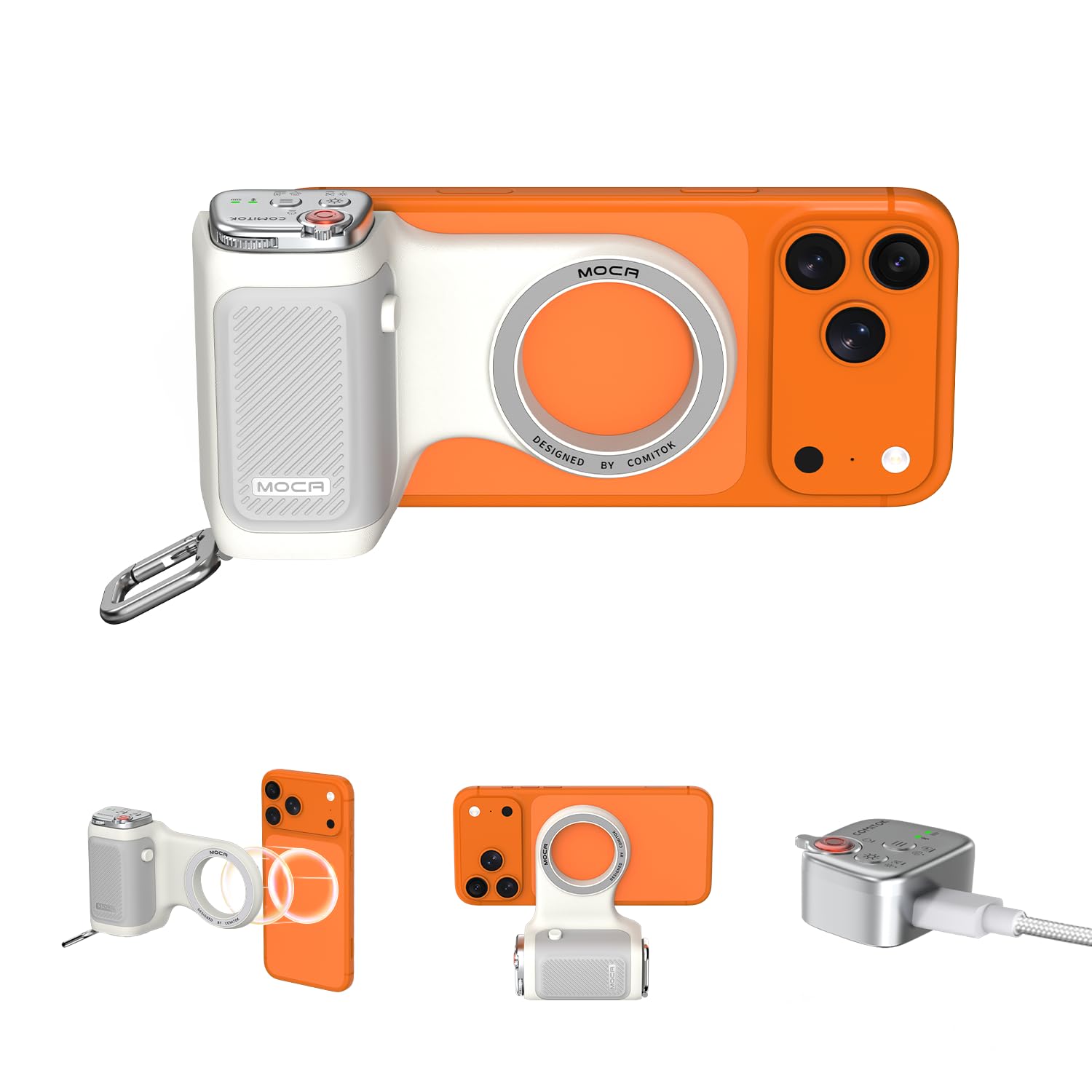
COMITOK MOCA Camera Grip

85 /100
Keeper Score Excellent

Key details

Mount
MagSafe magnet, 1/4-inch thread
Remote
Detachable, native camera control
Weight
4.09 oz
Compatibility
iPhone 17 series, iOS 17/18/26
Check Price on Amazon

This is the grip we point most people to, and the reason sits in the remote: it works the phone's own camera rather than an app of its own. One press wakes the camera, and the rest switch modes, flip between lenses, move exposure and focus, or fire the shutter. No second photo library to manage, no pairing dance through a third-party app — just your camera with a shutter under your thumb.

In the hand it's a soft silicone handle at 116 g, wide enough for a full grip and easy to wipe down after a warm afternoon, with a wrist strip and a lanyard pad in the box. There's a one-time chore: an Accessibility setting has to be switched on — the instructions are printed on a sticker on the handle itself — before the remote will launch the camera. Do it once and it stays done.

The magnet is the part to think through. On a bare iPhone it snaps hard and twists from landscape to portrait without re-mounting, but with a thick case or a heavier phone the included magnetic plate is what does the holding, so put the plate on the case rather than trusting the bare ring. Small thing to plan for; it's the difference between a grip and a grip that lets go.

Pros

  • Remote drives the phone's own camera, no app
  • Comfortable silicone handle that wipes clean
  • 116 g with a 1/4-inch tripod thread
  • Plate included for non-MagSafe phones

Cons

  • Buttons are mapped for iPhone, Android gets less
Our verdict

We think most iPhone shooters should start here: the remote works the phone's own camera, so you get a real shutter and lens control without another app.

Check Latest Price
2

Best DSLR-Style

TELESIN Master Grip

80 /100
Keeper Score Excellent

Key details

Weight
7.05 oz
Battery
3200mAh, wireless charging
Controls
Two-stage shutter, assignable wheel
Included Case
iPhone 17 Pro Max only
Check Price on Amazon

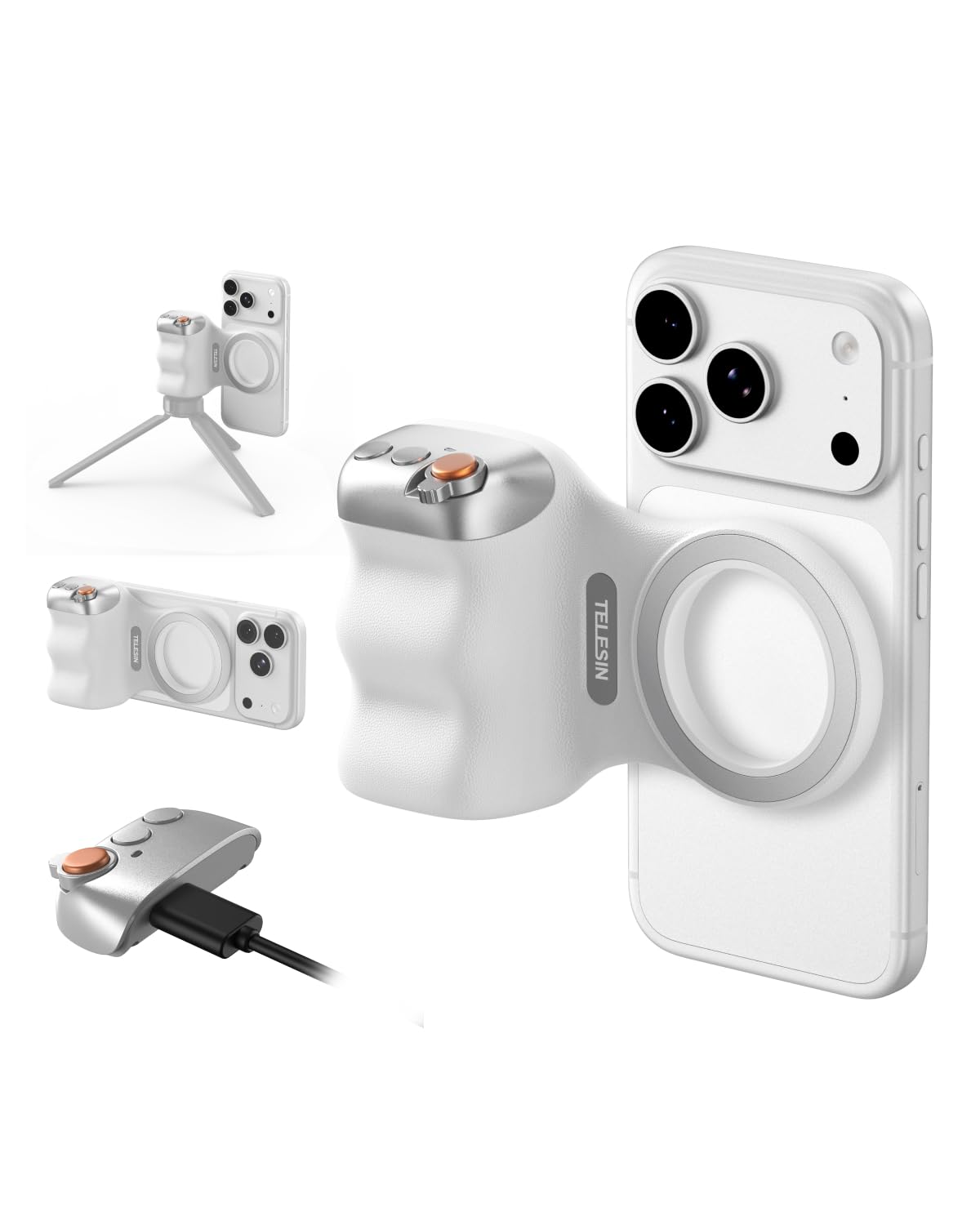
The priciest grip in this roundup is also the only one that feels like a camera rather than a phone accessory. It's 200 g of body, with a two-stage shutter that half-presses to lock focus before it fires and a control wheel that can be assigned to zoom — small things individually, and together the difference between tapping a screen and shooting.

The rest of the hardware is unusual for the category: a 3200mAh battery with wireless charging built into the handle, so the grip tops the phone up while you're shooting, plus an LED light and firmware updates through the Reef Color app. We like that the grip itself is universal even though the box isn't — the bundled graphene case fits the iPhone 17 Pro Max and nothing else, so most buyers will lift it out once and never use it again.

Setup asks for a few more minutes than the others. The app is where the real settings live, and the printed instructions won't get you far, so budget ten minutes at the kitchen table before a first shoot. Do that, and the wheel and the shutter behave the way the marketing promises, which is more than most grips in this set can say about their buttons.

Pros

  • Two-stage shutter and assignable control wheel
  • 3200mAh battery with wireless charging
  • Balanced, camera-like weight in the hand

Cons

  • Bundled case only fits the iPhone 17 Pro Max
  • Bluetooth pairing can need a second attempt
Our verdict

For anyone who wants a phone to handle like a camera, this is the one we point to — as long as the premium and a one-phone case don't put you off.

Check Latest Price
3

Best for Any Phone

ULANZI CG02 Grip

84 /100
Keeper Score Excellent

Key details

Mount
Clamp
Weight
5.64 oz
Fill Light
Three-gear adjustable
Remote Range
15 m
Check Price on Amazon

No magnet, no ring, no MagSafe case required: this grip clamps the phone by its edges, which makes it the one to look at if you're on an Android handset, a wallet case, or a phone that changes every year. The angled handle also lets the whole thing stand upright in portrait on a table between shots, which is more useful than it sounds when you're reviewing what you just took.

For video it's the most complete package here — a three-level fill light built into the handle, a cold shoe on top for a microphone, a 1/4-inch thread underneath for a mini tripod, and a detachable remote that reaches across a room. We rate the light higher than we expected to: three levels is enough to lift a face at arm's length, which is the distance it's designed for.

The remote pairs without an app, though a few Android phones won't accept it in the stock camera app. Test it in the app you actually shoot with during the first week, not halfway through a shoot, and the rest of the package holds up: 160 g, a handle that fills the palm, and a clamp that hasn't slipped on any phone we've seated in it.

Pros

  • Clamps any phone, no MagSafe needed
  • Three-level fill light and a cold shoe
  • Handle doubles as a portrait table stand
  • Detachable remote with 15 m range

Cons

  • Clamp takes a firm push on plus-size phones
Our verdict

If your phone isn't magnetic, this is the grip we recommend: a clamp that fits anything, a fill light built in, and a real mounting point for a mic.

Check Latest Price
4

Best Budget

Kiorafoto Magnetic Grip

83 /100
Keeper Score Excellent

Key details

Remote
Detachable wireless shutter
Magnets
17
Mounting
1/4-inch tripod thread
Magnetic Hold
5.1 lbs / 2.3 kg
Check Price on Amazon

Seventeen magnets, rated to hold 5.1 lbs / 2.3 kg: that's the number that matters when you're leaning a phone over a balcony rail, and it's why this is the budget grip we keep coming back to. The kit is unusually complete for the money — a metal ring and alignment guide for phones without MagSafe, a clear protective film, a lanyard, and a short USB-C cable.

Nothing about it is clever, and that's the right call for a first grip. The phone snaps on and rotates to portrait; the remote fires the shutter; there's a 1/4-inch thread in the base for a tripod and a hole for the lanyard. If you've never shot with a grip and want to find out whether you'd shoot more with one, this is the least expensive way to answer the question.

The remote is the part to know about: it sleeps hard and drops its link between shots, so the first press after a pause often just wakes it. If it doesn't come back, re-pair from your phone's Bluetooth list. Annoying, fixable, and not a reason to skip the grip — the magnet and the thread are why it's here.

Pros

  • 17-magnet mount rated to 5.1 lbs
  • Remote shutter plus 1/4-inch tripod thread
  • Metal ring included for non-MagSafe phones

Cons

  • Shutter only, with no zoom or mode buttons
Our verdict

If you want to try a grip without spending much, this is the one we name: a strong magnet, a working shutter and a tripod thread in one simple kit.

Check Latest Price
5

Pocket Carry

JJC MSG-P1 Grip

84 /100
Keeper Score Excellent

Key details

Remote
Detachable, iOS and Android
Weight
3.68 oz
Mounting
1/4-inch screw, stand base
Magnetic Hold
5.1 lbs / 2.3 kg
Check Price on Amazon

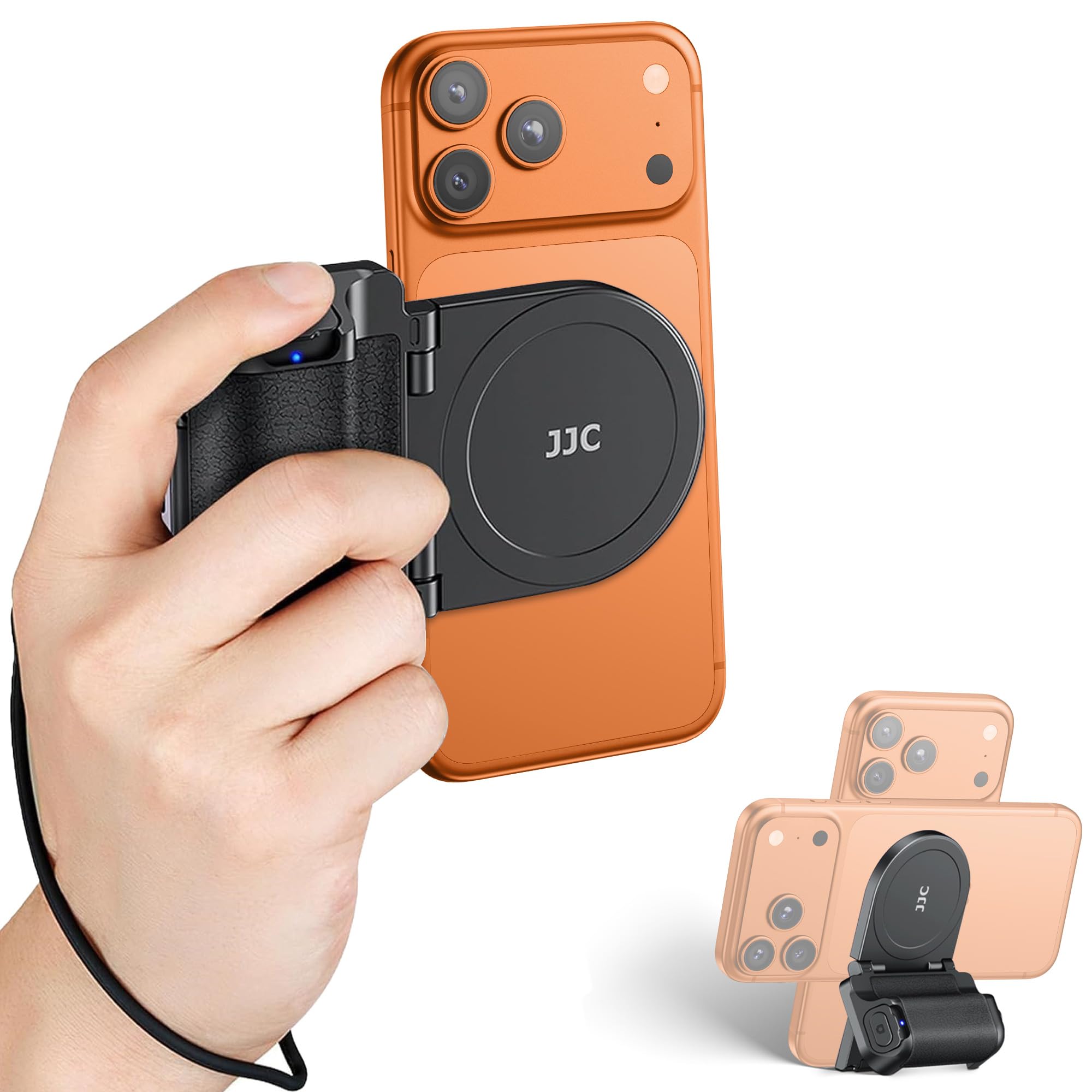
The box is more thoughtful than the price suggests: the magnetic grip, a detachable remote, a metal ring, a lanyard, a protective film, and a safety string that loops from the grip to your wrist — the one accessory in this roundup that assumes something will eventually go wrong.

At 3.68 oz it's one of the lightest grips here, slim enough to leave in a jacket pocket, and the mount rotates from landscape to portrait without re-attaching. It doubles as a tabletop stand, has a 1/4-inch screw in the base, and the magnetic back takes a small LED light. The remote pairs without an app and works with both iOS and Android.

Our read is that it's a bag grip rather than a shoot grip. The slim body is the point, and also the catch: a larger hand wraps around the base rather than settling onto it, which is fine for a few dozen frames and less pleasant over an hour. Where it earns its place is the day you didn't plan to shoot and it's already in your pocket.

Pros

  • Slim 3.68 oz body that doubles as a stand
  • 5.1 lb hold with a ring for Android phones
  • 1/4-inch screw and magnetic accessory back

Cons

  • Bluetooth remote can need re-pairing between sessions
Our verdict

For a light, slim grip that disappears into a pocket and still gives you a stand, a tripod screw and a real magnet, we think this is the one.

Check Latest Price
6

One-Handed Hold

TELESIN Fun Shot Grip

83 /100
Keeper Score Excellent

Key details

Weight
3.84 oz
Mounting
1/4-inch tripod screw
Magnet Hold
6.61 lb
Remote Range
10m/32.8ft
Check Price on Amazon

The shape is the argument: a finger hook curls under your index finger while your thumb falls on the buttons, so the phone hangs off the hand like a small camera instead of being pinched between fingertips. At 109 g there's nothing to carry, and the magnet held a bare iPhone and a MagSafe case without a wobble.

Around that hook is a sensible kit — a detachable remote with a 10 m range, a 1/4-inch screw in the base, and a magnetic back that takes TELESIN's own selfie light if you already own one. The zoom rocker is why you'd choose this over the simpler budget grips; a thumb flick through the range beats a two-finger pinch on a screen you're trying not to touch.

Our advice is to buy it for the hold and treat the electronics as the bonus. The hook and the magnet are what make it a pleasure in the hand, and they're the parts that don't change over time; the buttons are the part worth exercising hard in the first week, in the camera app you actually use.

Pros

  • Finger hook gives the most natural hold here
  • Detachable 10 m remote and a 1/4-inch screw
  • 109 g and accepts TELESIN magnetic lights

Cons

  • Control buttons can stop working
  • Zoom rocker does nothing on some phones
Our verdict

Buy it for the shape: the finger hook makes one-handed shooting easy, and the buttons are a bonus worth testing hard in the first week.

Check Latest Price
7

Cross-Platform Setups

7RYMS 7RIG G1

76 /100
Keeper Score Very Good

Key details

Mount
Dual-sided magnetic, 1/4-inch thread
Remote
iOS, Android, HarmonyOS
Magnet Hold
6.61 lb
Check Price on Amazon

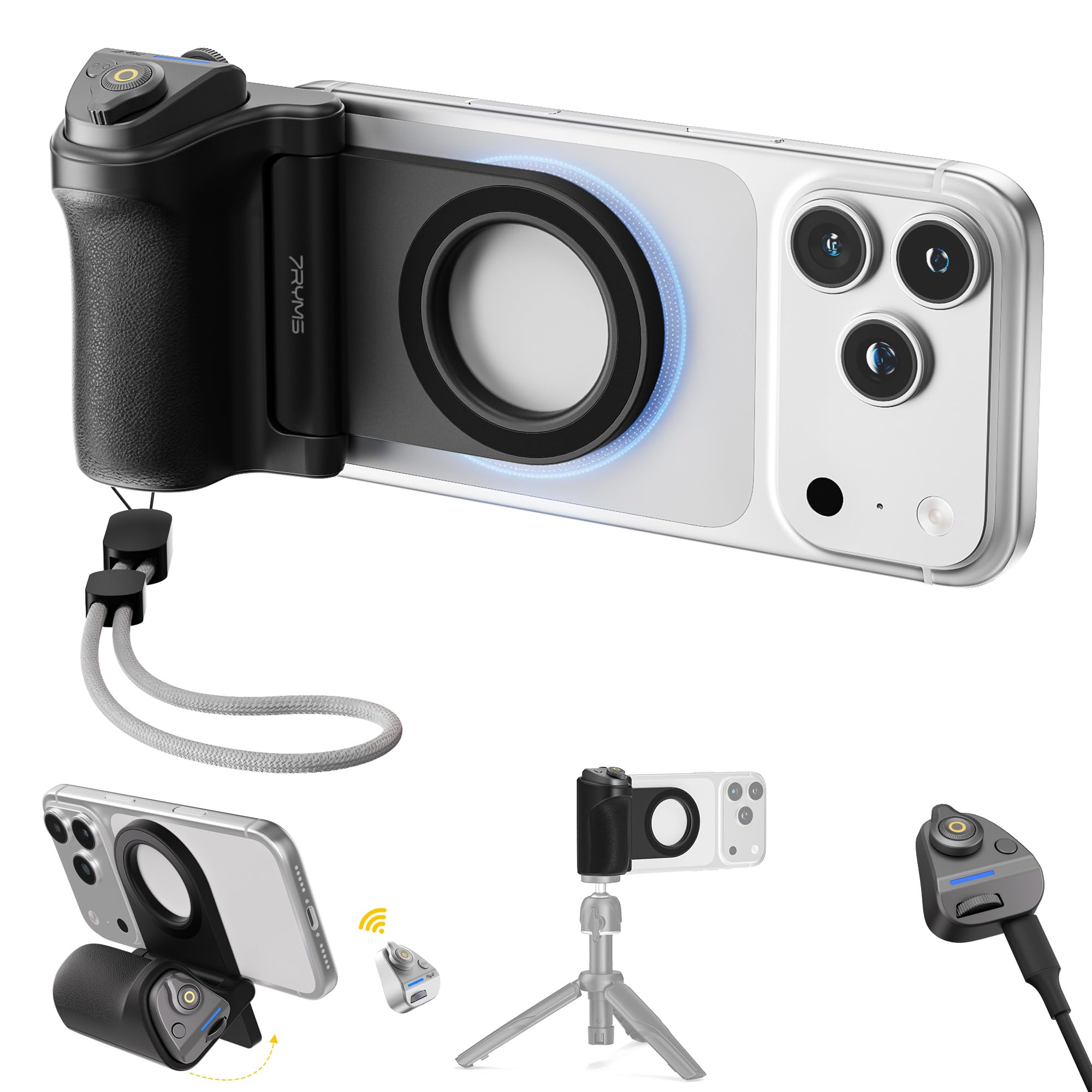
On paper the remote is the most ambitious in this group: shutter, zoom, mode switching and a front/rear toggle, listed for iOS, Android and HarmonyOS rather than one platform. That breadth is the pitch — several grips here are tuned for iPhone and leave Android with little more than the shutter.

The mount is dual-sided. Magnets on the back hold the phone to a claimed 3 kg, and the front face takes a light directly, so the grip sits between your phone and your lighting instead of forcing you to choose one. There's a 1/4-inch thread in the base and a contoured handle shaped to keep a long session comfortable.

The button mapping is the open question. Three platforms is a lot to promise from one small remote, and phones vary enough that the mode and zoom keys are exactly where a grip like this comes up short. Test it on your own handset, in your own camera app, while you can still return it.

Our take: if your household splits between an iPhone and an Android, this is the grip whose specification list makes the most sense, and the dual magnet makes it more flexible than the single-face grips here. Read the button list as a claim to verify rather than a guarantee, and it's a sensible buy.

Pros

  • Remote listed for iOS, Android and HarmonyOS
  • Dual magnetic faces hold a light on the front
  • 3 kg hold and a 1/4-inch tripod thread

Cons

No notable drawbacks to flag.

Our verdict

A versatile magnetic grip on paper: dual magnet faces and a remote claimed across three platforms make it worth a look if you shoot on more than one phone.

Check Latest Price
8

Travel and Group Shots

AMAZEAR Z3 Grip

82 /100
Keeper Score Excellent

Key details

Modes
Grip, selfie stick, tripod
Weight
6.35 oz
Remote Range
10 m
Folded Length
4.3 in (11 cm)
Check Price on Amazon

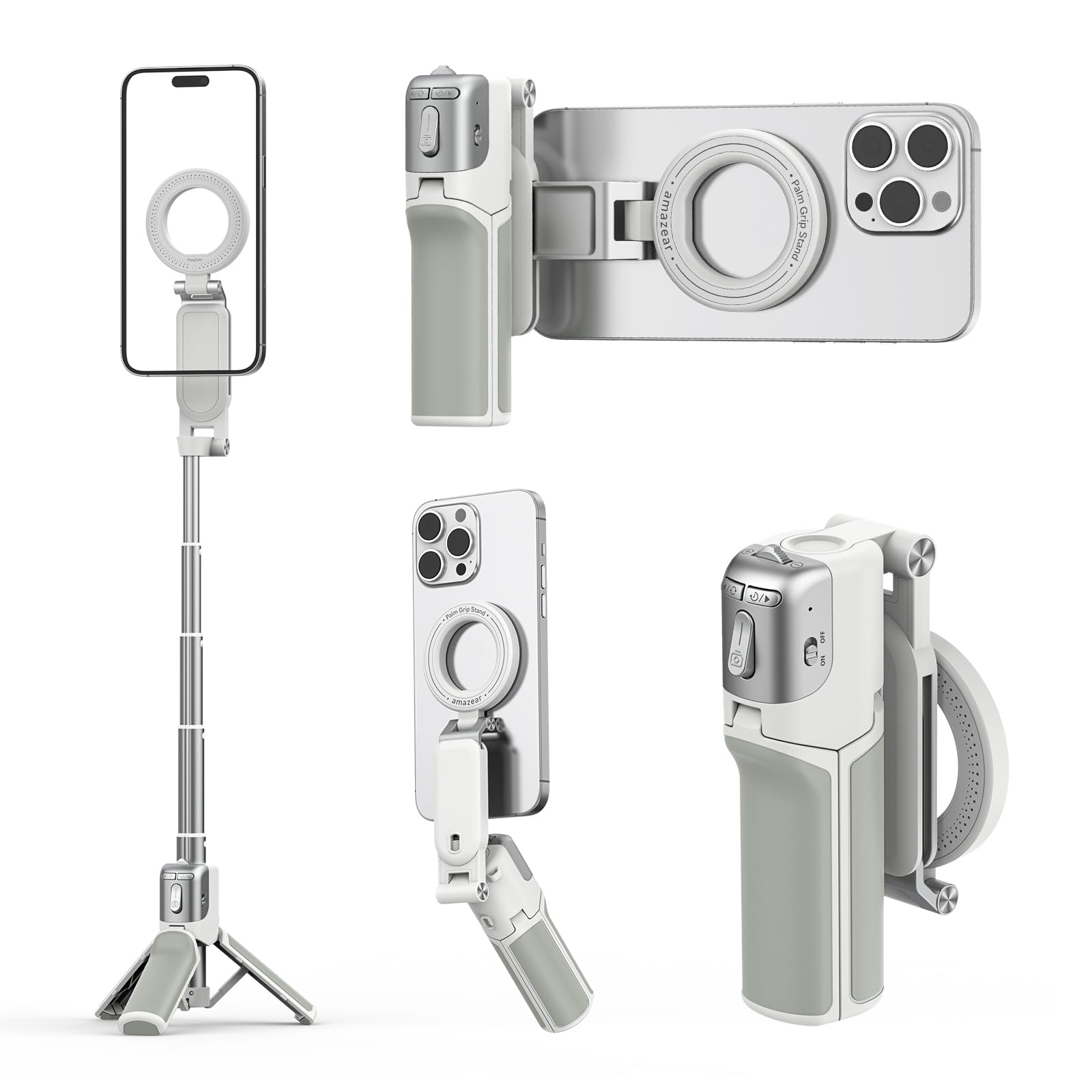
Folded down it's 4.3 inches / 11 cm and 180 g — short enough for a bag pocket or a cupholder, light enough that you stop noticing it. That's the whole case for this one: it's the grip that's actually with you when a shot appears.

Pull the handle and it extends into a short selfie stick with a tripod base, so the same accessory covers group shots and hands-free video. The detachable Z3 remote handles shutter, focus, mode switching and a front/rear flip from up to 10 m, and it charges over USB-C in the base.

The magnet is strong enough to hold a phone one-handed, and the included ring gets a non-MagSafe phone onto it. One quirk worth knowing: the pull is strong enough that it can lift an adhesive ring off the back of a case, so check the ring is seated flat before you hang a phone from it.

Our read: this is the travel pick rather than the shooting pick. The grip section is short by design — that's what buys the folded length — and it's fine for a few dozen frames and less comfortable over an hour of handheld video. What it does that no other pick here can is become a tripod and a stick from something that fits in a pocket.

Pros

  • Folds to 4.3 in and weighs 180 g
  • Grip, selfie stick and tripod in one
  • 10 m detachable remote with USB-C charging

Cons

  • Zoom controls don't work for every phone or mode
Our verdict

The travel pick: a grip that folds small, extends into a selfie stick and stand, and stays in the bag for the shots you didn't plan.

Check Latest Price

How We Tested Phone Camera Grips

We built the shortlist from retailer listings, photography forums, and the grips that kept surfacing in comment threads, then filtered by mount type, remote type, whether the handle offered a standard tripod thread, and price. That left 14 units, which we used for four months. What came in the box counted toward value, too — a grip that ships without the adapter ring for Android phones costs more than its sticker price suggests.

They lived where a grip actually lives: clipped to a backpack strap on a Saturday street-photography walk, held overhead at a kid's recital, aimed low at a dog, propped against a counter for a recipe video, and passed around a table so people with very different hand sizes could each shoot a few frames one-handed.

Every grip got the same treatment. I pressed the shutter twenty times with the phone held upside down to see whether the magnet let it twist, then repeated that on a bare Android phone using the ring. I timed how long each remote took to pair from a cold start, walked to the far side of a room to check range, restarted phones to see whether the pairing survived, and photographed a passing cyclist up close to feel the delay between press and capture. Each remote was also checked against the phone's native camera to see whether it could zoom or start recording on its own, or only after installing something.

Comfort was judged by endurance rather than specs: half an hour of continuous one-handed shooting, plus overhead and low angles to see whether the handle crowded the ultrawide lens, dug into a palm, or covered the charging port. Remotes were run down over weeks of ordinary use, and every grip was dropped once from waist height onto concrete, because that is what eventually happens to them.

How to Choose a Phone Camera Grip

Match the Mount to Your Phone

Every grip here hangs on one of three things: a MagSafe magnet, a clamp, or an adhesive metal ring stuck to your case. A magnet is the fastest to live with, since the phone snaps on and off and twists from landscape to portrait without re-mounting, but it only holds if the phone or case is magnetic. If yours isn't, choose a clamp like the ULANZI CG02 or fit the ring that COMITOK, Kiorafoto and JJC all include.

Here's the test that settles it: attach the grip, hold the phone face-down over a bed and shake gently. If it shifts there, it will shift over concrete, and a thicker case only makes it worse.

Check What the Buttons Actually Control

A Bluetooth remote that only fires the shutter is simple and works almost everywhere. Mode switching, lens flips, exposure and zoom are another matter: they depend on the grip's electronics talking to your phone maker's camera app, which is why an iPhone-tuned grip can leave an Android phone with nothing but the shutter. Native-camera support is what you're paying for when you move up the range.

Test every button in the first week, inside the app you actually shoot with, including any third-party camera app you rely on. A button that does nothing on day one will still do nothing in six months, and the return window is the only time it's free to find out.

Weigh Hold Against Bulk

Hold ratings here run from 3 kg to 5.1 lbs / 2.3 kg, and any of them will hold a phone that weighs a fraction of that on a clean magnetic surface; your case is the real variable. The grip's own weight matters just as much. A 109 g handle disappears into a pocket, while a 200 g body balances a large phone better and pulls at a jacket.

For long one-handed sessions, shape beats magnet strength. A finger hook spreads the load across the hand, where a slim straight handle puts it all on your palm.

Decide Whether You Need Mounting Points

A 1/4-inch thread in the base costs little to add and turns the grip into a tripod head; a cold shoe on top holds a microphone; a magnetic back takes a small light. If you already carry a mini tripod or a shotgun mic, these are the specs that decide the purchase. If you shoot handheld in daylight, they're ballast.

The ULANZI CG02 packs the most mounting into one handle, with a cold shoe, a thread and a built-in fill light, which makes it the natural choice for video work.

What the Extra Money Buys

At the bottom of the range you get a magnet, a shutter remote and a tripod thread, and that covers most handheld shooting. More money buys controls rather than hold: a two-stage shutter that locks focus on a half press, a wheel you can assign to zoom, a battery that tops the phone up while it's mounted, and firmware that keeps the buttons mapped as phones change.

Pay for the button you'll press every session, not the longest feature list. A grip with six controls you never touch is heavier and more expensive than the one that just holds the phone.

Frequently Asked Questions

Final Verdict

Start with the COMITOK MOCA. It costs about the same as the other magnetic grips and it's the one that turns your phone's own camera into something with a shutter, a lens switch and an exposure control, which is the whole point of buying a grip in the first place.

Two requirements change that answer. If you want the phone to handle like a camera — two-stage shutter, assignable wheel, a battery built into the handle — the TELESIN Master Grip justifies the premium. If your phone isn't MagSafe, skip magnets entirely and take the ULANZI CG02's clamp, which doesn't care what's in your case.