Best Intervalometers of 2026

Standing in the dark pressing the shutter every 30 seconds for an hour is a reliable way to ruin a night shoot: you can't move, your fingers go numb, and one late frame leaves a lump in an otherwise smooth star trail. An intervalometer is the small remote that fires the camera on a schedule you set, so the camera keeps shooting while you step back and warm up. We've spent the past four months with 12 of them — wired plug-in timers and wireless rechargeable remotes with LCD screens — and the gap between the good ones and the maddening ones is narrower than the spec sheets suggest.

The detail that sinks more shoots than any other is compatibility: a timer whose plug doesn't match your camera's remote port does nothing at all, and those compatibility lists are easy to misread at a glance. The other surprise is how much of the experience lives in the buttons and the manual — a clearly labeled button beats a thick instruction booklet every time, especially at 2 a.m. The picks below are the ones we'd hand to a friend without a caveat.

Keeper Score summarizes customer ratings and review volume. Read it alongside the product details and trade-offs. How the score works.

1

Best Overall

Pixel TW-283 E3 Wireless Timer

88 /100
Keeper Score Excellent

Key details

Battery
2 AAA batteries
Camera Fit
Canon EOS and Rebel
Timer Range
1 sec to 99 hr 59 min 59 sec, 1-second steps
Wireless Range
300 ft
Check Price on Amazon

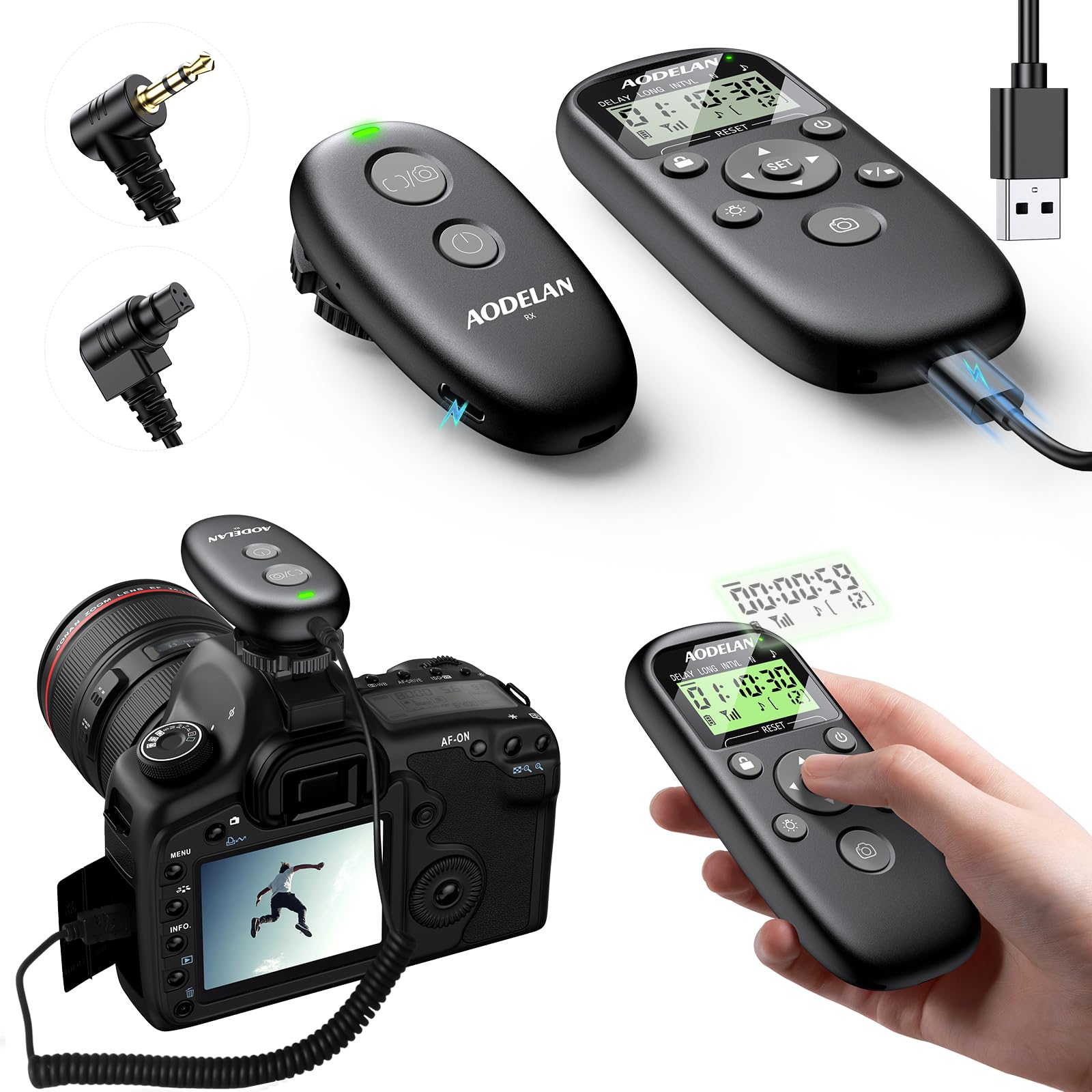
Range is the headline: 300 feet of wireless reach, plus the option to plug the handset straight into the camera when the radio gets temperamental. Set the receiver on the tripod and trigger from the far side of a field, or forget the receiver entirely and shoot tethered. Having both in one bag is what keeps us coming back to this one on shoots where the plan is likely to change.

The schedule covers what time-lapse actually asks for: a delay before the first frame, interval, long exposure, and a shot count, running from one second out to 99 hours 59 minutes 59 seconds in one-second increments. Autofocus, single, continuous, and bulb shooting live on the same handset, so it handles ordinary remote-release duty without a second gadget. Two AAA batteries run it, which is one fewer charger in the bag.

What earns it the top spot is balance rather than a single headline feature. The reach sits near the top of this set, the wired fallback is genuinely useful rather than a spec-sheet afterthought, and it costs less than the cordless Canon units here. If your work is entirely tethered to the tripod, a cheap wired remote will do the job; for everything else, this is the one we point to first.

Pros

  • 300-foot wireless range
  • Works wirelessly or over a cable
  • Delay, interval, long-exposure, and shot-count modes
  • Autofocus, single, continuous, and bulb shooting

Cons

  • Instructions take some working through
  • Pairing can take a few attempts
Our verdict

We recommend it as the default because it fires wirelessly from 300 feet and still works over a cable when it has to, for less than the Canon-only cordless units.
Check Latest Price
2

Best Cordless for Canon

Aodelan WTR-2 II for Canon

85 /100
Keeper Score Excellent

Key details

Modes
Wireless and wired
Charging
Rechargeable, USB-C
Wireless Type
2.4 GHz
Wireless Range
200 ft (60 m)
Check Price on Amazon

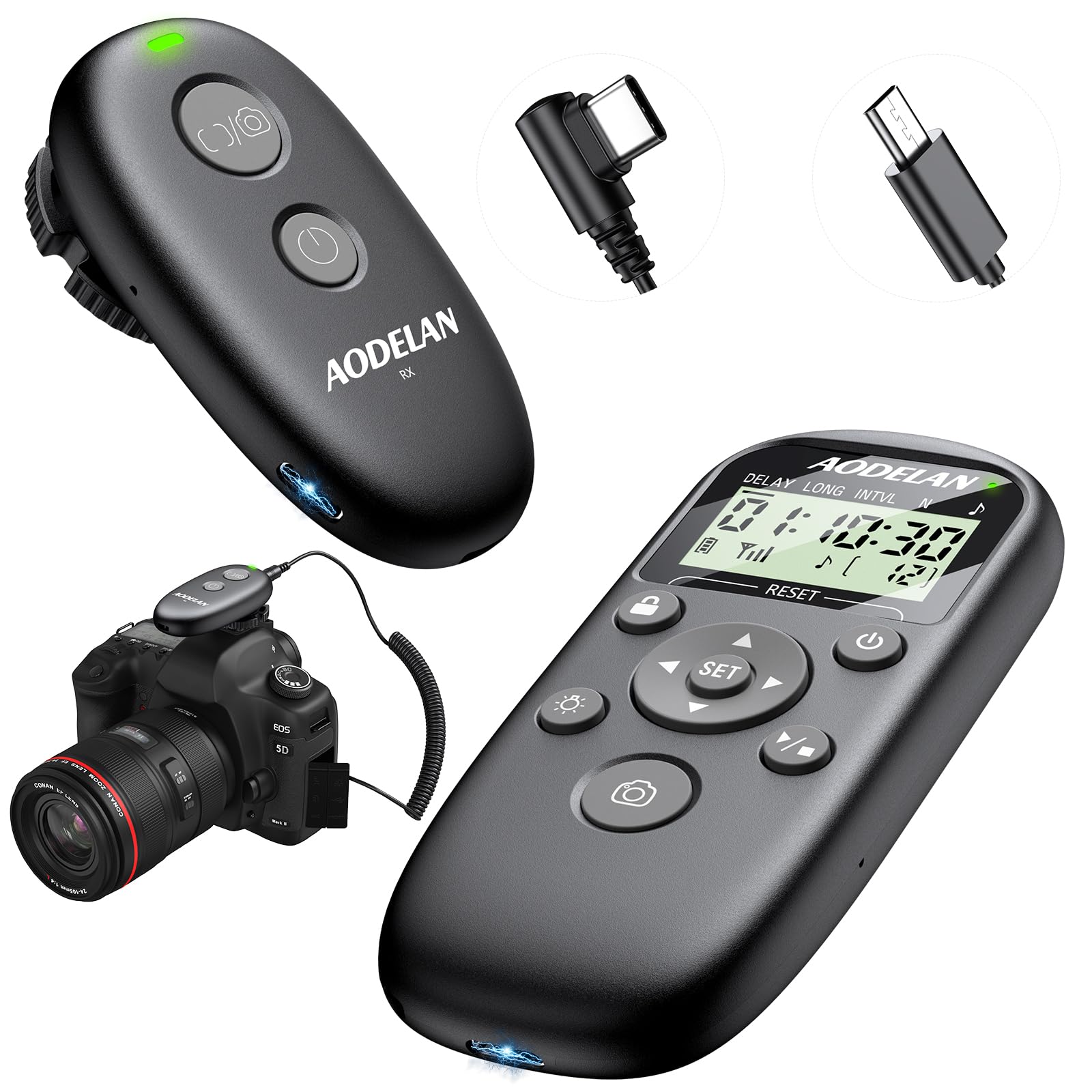
No AAAs. That is the pitch, and it holds up: the WTR-2 II carries a sealed lithium cell that charges over USB-C, so a cable the night before replaces a rummage through the battery drawer at 4 a.m. The 2.4GHz link is rated to 200 feet, and the transmitter also works tethered to the camera when the cell is low or the pairing is stubborn — which takes most of the anxiety out of going cordless. For Canon EOS R and Rebel bodies, this is the cordless timer we recommend first.

At the camera end it is a small receiver and a short cable to the remote port; in your hand it is a bright LCD and a sensible set of keys. The screen is easy to read outdoors, which we noticed on a morning shoot when the alternative was cupping a hand over the display. Setup is a couple of minutes, and the whole thing feels like a finished product rather than a bag of parts.

Pros

  • Rechargeable, USB-C charged
  • 200-foot wireless range
  • Wireless and wired dual control
  • Bright, readable LCD

Cons

  • One-second timing steps only
Our verdict

Buy this one if you want a Canon intervalometer you charge like a phone instead of feeding AAAs; it is the cordless unit we pack for early starts.

Check Latest Price
3

Best for Sony

PHOLSY Wireless Timer for Sony

76 /100
Keeper Score Very Good

Key details

Battery
4 AAA batteries
Display
LCD, readable in sun or dark
Wireless Range
60 m
Timing Precision
0.1 second
Check Price on Amazon

A tenth of a second sounds like a rounding error until you are assembling a sequence that will be played back fast. The PHOLSY resolves to 0.1 seconds across its delay, interval, long-exposure, and frame-count settings, which keeps short intervals exact instead of snapping them to the next whole second and gives you a little room to tighten a sequence in the edit.

For Sony bodies this is the wireless unit we recommend. The radio link is rated at 60 meters, the LCD stays legible in sun or dark, and the shutter cable is a separate piece, so the same transmitter follows you to another camera with the right cord. It also keeps a proper shutter button on the handset, which makes it a usable remote for handheld work rather than a timer you only bring out for tripods.

The face is busy — eleven buttons, and the modes take a session or two before they become muscle memory. Once they do, the dedicated keys beat digging through a menu, and the display shows the active mode at a glance, so a change halfway through a sequence does not cost you the frame you were waiting for.

Pros

  • 0.1-second timing resolution
  • 60-meter wireless range
  • Replaceable shutter cable
  • LCD readable in sun or dark

Cons

  • Four AAA batteries to keep stocked
Our verdict

For Sony bodies this is the wireless timer we choose: 0.1-second steps, a 60-meter reach, and a cable you can swap when you change cameras.

Check Latest Price
4

Best for Nikon

Godox TR-N1/TR-N3 for Nikon

85 /100
Keeper Score Excellent

Key details

Battery
2 AA batteries
Flash Control
Godox X wireless system
Wireless Range
100 m
Cables Included
Two Nikon connectors
Check Price on Amazon

Two Nikon cables come in the box, which is the detail that saves a lot of Nikon shooters return postage. There is a 10-pin connector for the bigger bodies and a smaller Nikon plug for the consumer models, and Godox tucks the second cable down at the bottom of the packaging — empty the box properly before you conclude you have been sent the wrong kit.

Range is rated at 100 meters, the longest here, and the receiver speaks Godox's X wireless system, so a single press fires the camera and a set of Godox strobes together. For a portrait setup or an interior where you are building light, that is a capability nothing else in this group has, and it is the reason to pay attention to this one rather than the cheaper Nikon units.

It runs on two AA batteries, and the maker's own note is worth taking seriously: it wants 1.5-volt cells. Drop in 1.2-volt rechargeables and the battery gauge can misread, which is exactly the sort of thing that makes you distrust a tool at the wrong moment. Alkalines, or rechargeables that genuinely hold 1.5 volts, keep it honest.

In the hand it is a serious piece of gear — twelve buttons, a clear screen, and a weight that reminds you it is there. The capability is specific, though. Without Godox lights in the bag the flash integration is dead weight, and the smaller Nikon timers here will fire your shutter just as reliably. Buy this one when the two jobs are really one job.

Pros

  • Two Nikon connectors included
  • 100-meter wireless range
  • Fires Godox flashes alongside the camera

Cons

  • Not compatible with the Nikon Z8
  • Heaviest handset in this group
Our verdict

It is the Nikon timer we point to when you already shoot Godox lights, because one press fires the camera and the strobes together.

Check Latest Price
5

Best for Advanced Time-Lapse

LRTimelapse PRO Timer 3.5

81 /100
Keeper Score Excellent

Key details

Battery
Rechargeable lithium-ion
Display
OLED
Interval Step
0.1 second
Release Cable
Sold separately
Check Price on Amazon

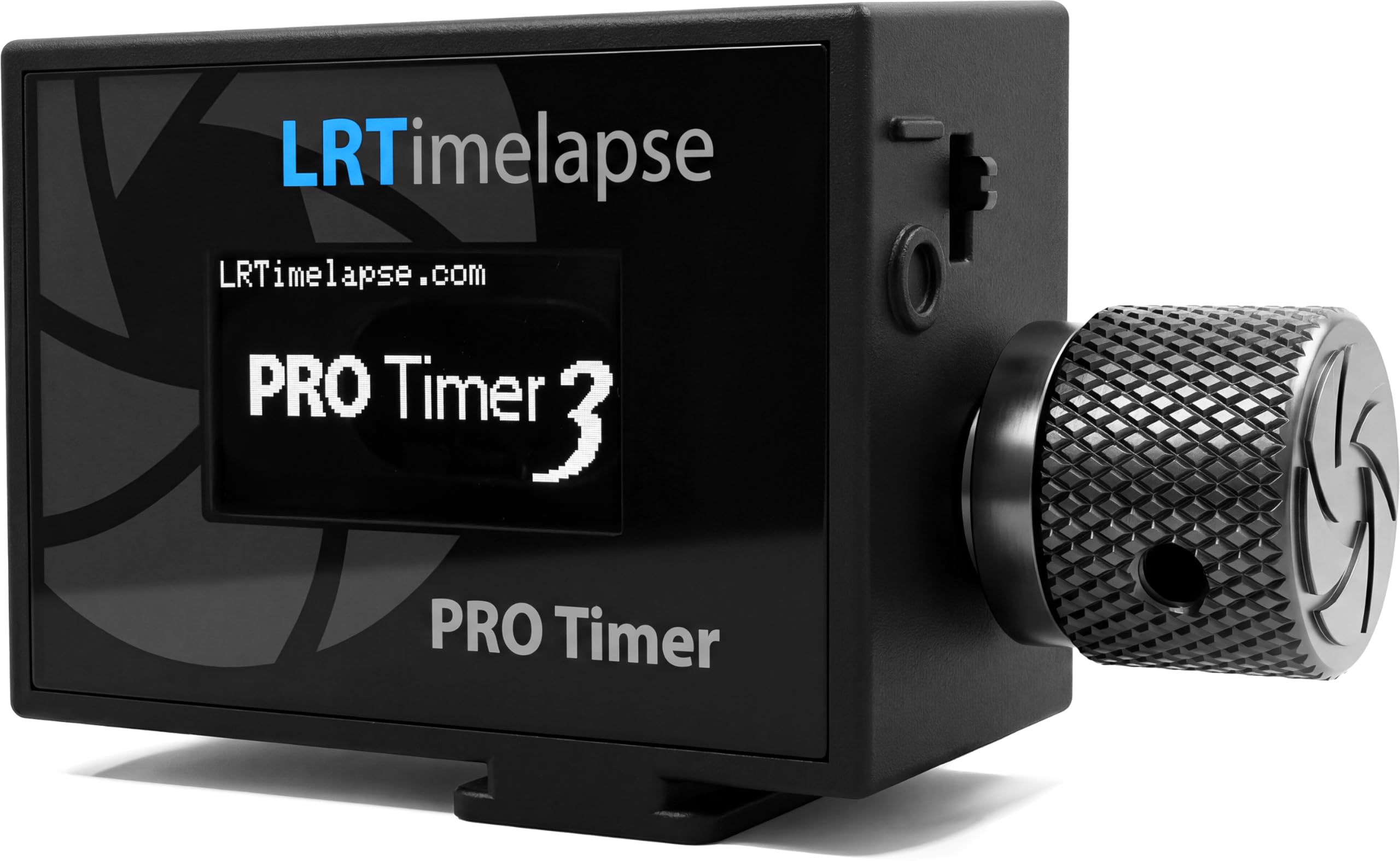
Turn the knob with gloves on. That is the test the PRO Timer 3.5 was clearly designed around, and it passes: a rotary control instead of a membrane keypad, a high-contrast OLED that stays readable in bright conditions, a rechargeable lithium-ion cell instead of a battery hatch, and 60 grams of plastic that you forget is hanging off the rig.

Intervals adjust in 0.1-second steps, and the interval itself can ramp — you set a start and an end value and the timer eases between them over a period you choose. That is how a day-to-night sequence changes pace gradually instead of stepping, and it works alongside motion-control moves as well. There is a dedicated setting for mirrorless bodies and a flashlight function for finding your bag at three in the morning.

This is a specialist's tool and it is built like one. The modes are named for what time-lapse shooters actually do rather than for what the chip can do, and the controls assume you will be standing over a tripod in the dark rather than reading a manual at the kitchen table. Nothing about it feels like a repurposed camera accessory, which is more than we can say for most of this category.

The argument for buying it is the ramping, and ramping only pays off on sequences that cross a light change. For sunsets, star trails, and cloud studies, the wired timers here do the same work and ask nothing of you. Buy this when the sequence itself is the project rather than the timer being an accessory to it.

Pros

  • 0.1-second interval steps
  • Interval ramping for smooth transitions
  • Rotary knob usable with gloves
  • Rechargeable lithium-ion battery

Cons

  • Release cable sold separately
  • Premium price for a specialist tool
Our verdict

The ramping is why this exists: if your sequences cross a light change, it earns its specialist price, and nothing else here does the job.

Check Latest Price
6

Best Budget Wired Remote

JJC TM-C Timer Remote

89 /100
Keeper Score Excellent

Key details

Battery
2 AAA batteries
Display
Backlighted LCD
Timer Range
1 sec to 99 hr 59 min 59 sec
Cable Length
90 cm (2.95 ft)
Check Price on Amazon

At midnight, with the tripod set and the dew starting to form, the thing you judge a timer by is whether you can read its screen. The TM-C passes that test: the LCD is backlighted, so you can check the fields without a headlamp clamped in your teeth. The rest is a conventional wired remote — a 90 cm cable, self-timer, interval, long-exposure, and exposure-count modes, and a timer running from one second to 99 hours 59 minutes 59 seconds.

What makes it worth the smallest outlay in this group is that it covers the real jobs with no radio to pair and no handset battery to charge. Bolt it to a Canon DSLR on a tripod and it will run a star trail until you decide to stop. It is the timer we suggest to anyone who is not sure yet whether they need a timer.

Pros

  • Interval timer up to 99 hours
  • Backlighted LCD for night setups
  • Lowest outlay in this group

Cons

  • Instructions are thin
Our verdict

The least expensive way onto a Canon body with real programmable intervals, and the backlight makes it a genuine night-sky tool.

Check Latest Price
7

Budget Nikon Intervals

PHOLSY N10 for Nikon

83 /100
Keeper Score Excellent

Key details

Battery
2 AAA batteries
Camera Fit
Nikon MC-DC2
Shot Count
1 to 399, or unlimited
Timer Range
Up to 99 hr 59 min 59 sec
Check Price on Amazon

Set the counter to a double dash and the N10 keeps firing until you tell it to stop. That is the setting we reach for on anything longer than a couple of hours, and it sits alongside a timer that reaches 99 hours 59 minutes 59 seconds, interval and long exposure that can run at the same time, an audible beep, and a lamp that shows when the shutter is actually firing. For a wired Nikon remote that covers a full session on its own, this is the one we recommend.

It runs on two AAA batteries and uses the MC-DC2 plug, which covers most recent Nikon bodies below the pro 10-pin models. The eight-button face is more than the job strictly needs and the mode names take a minute to sort out, but the interval field is the one you live in, and it is easy to find by feel after a night or two.

Pros

  • Shot count to 399 or unlimited
  • Interval and long exposure run together
  • Active-shutter lamp and audible beep

Cons

  • Wired only, so you shoot from the camera
Our verdict

A wired Nikon timer that runs all night without babysitting; the shot counter can be set to keep going, which is the whole point.

Check Latest Price
8

Sony, No Batteries

Aodelan Wireless Timer for Sony

76 /100
Keeper Score Very Good

Key details

Modes
Wireless and wired
Display
LCD
Charging
Rechargeable
Wireless Range
196 ft
Check Price on Amazon

Where the PHOLSY asks you to pack four AAAs, this Aodelan carries its own cell and charges over USB-C. On a cold morning that is the difference between a timer that works and one you are hunting batteries for, and it is the reason this is the Sony unit we take when the shoot starts before sunrise.

It runs both ways: a 2.4GHz wireless release with a receiver on the camera, or a plain wired remote when the radio misbehaves. The rated reach is 196 feet, the LCD is backlit, and the fit list covers the ZV-E10 II, A7 IV, A7R V, A9 III, A7S III, A6600, A6500, ZV-1, and RX100 VII among others. The two-year manufacturer warranty is longer than most here.

The trade is that the cell is built in, so there is no swapping in a fresh pair at the trailhead; the discipline is a charging cable in the bag and a top-up after every trip. Keep that habit and it is the tidiest Sony option in this group — one handset, one cable, nothing to raid from a drawer.

Pros

  • Rechargeable, no disposable batteries
  • Wireless and wired dual modes
  • 196-foot control range
  • Two-year manufacturer warranty

Cons

No notable drawbacks to flag.

Our verdict

A Sony intervalometer with its own rechargeable cell and both wired and wireless modes, the tidier option if you will remember to charge it.

Check Latest Price

How We Tested Intervalometers, From Setup to Star Trails

We started with a shortlist of roughly 30 remotes and cut it with one unglamorous filter: whether a unit actually lists the port for the camera bodies we shoot with. Canon, Nikon, and Sony connectors aren't interchangeable, and a mismatched plug makes a timer useless no matter how good the screen is. From there we bought 12 units, spanning simple wired timers to wireless rechargeable models with LCDs, and lived with them for four months.

Setup was the first test. I unboxed each one and timed how long it took to reach a working interval using only the included instructions, noting exactly where I got stuck — a menu that buries the interval setting three layers down, a button that does two jobs depending on how long you hold it, a manual that assumes you already speak the terminology. Then I did it again in the dark, in a backyard and on a rooftop, pressing buttons bare-handed and again with gloves on, and checking whether the display could be read without a headlamp.

In the field, each timer ran a two-hour sequence of roughly 300 frames while I watched for dropped, doubled, or unevenly spaced shots, then repeated the run later to see whether reliability held. Wireless units were walked away from the camera until the shutter stopped firing, including around a corner, to see how much line-of-sight actually mattered. I also felt for the half-press focus point on every shutter release, and logged whether the battery — rechargeable or coin cell — survived a full session of long exposures in the cold.

At the end I set each unit's real behavior against what it cost, because a bare-bones timer that nails the interval every time earns its place over a feature-stuffed one that misses frames.

How to Choose an Intervalometer

Match the plug before you read the feature list

Every timer here is a small computer with a camera-specific cable on the end, and that cable decides whether you own a tool or a paperweight. Canon has used more than one remote socket across its DSLR and mirrorless lines, and Nikon splits between the MC-DC2 plug on consumer bodies and the 10-pin connector on its pro models. A maker's model roll-call is a starting point, not proof.

Find your camera's remote port in its own manual, then buy a timer whose listing names that port. Godox ships two Nikon cables in one box for precisely this reason, and LRTimelapse sells its timer as a brain with the cable ordered separately, which is the most honest version of the same problem.

Wired or wireless, and how far

A cable costs less, needs no pairing, and cannot drop a connection at frame eight hundred. Radio buys distance: 60 meters on the PHOLSY, 100 meters on the Godox, and 300 feet on our top pick. That matters when you are hiding from the wind, standing in a doorway, or shooting a room you would rather not be visible in.

Most wireless units here also run as wired ones when the radio misbehaves, so the real question is whether you will ever want to be away from the camera. If the answer is no, put the money into a better wired unit instead.

Timing precision, and when ramping earns its keep

One-second steps handle star trails, cloudscapes, and construction sequences comfortably. A tenth of a second matters when you plan to speed the sequence up, or when the interval itself has to change gradually across a sunset so a day-to-night shot does not visibly step. That interval ramping is the LRTimelapse PRO Timer's whole reason for existing.

If you have never attempted a sequence that crosses a light change, do not pay for ramping. If you have, it is the feature the purchase turns on, and no other unit in this group offers it.

Power, cold mornings, and the night before

Two AAA cells will run a timer for a long time, and alkalines lose voltage in the cold; a sealed rechargeable avoids the battery drawer but commits you to charging. Either way, the timer is rarely the weak link on a long shoot — your camera battery and memory card are.

Carry spare cells for the timer, switch off image review and wireless on the camera, and set the shot counter to unlimited wherever the timer allows it so a run does not stop early. The 99-hour timer range on most of these units is far beyond what your camera will survive.

Controls you can work in the dark

Almost all of this work happens after sunset, and the difference between a calm session and a fumbled one is a screen you can read and buttons you can find by feel. Backlighting is common; a rotary knob you can turn with gloves on, as on the LRTimelapse, or a proper shutter button on the handset, as on the PHOLSY units, is rarer.

Read a timer's button count as both a feature and a warning. Eleven or twelve keys buy flexibility and cost setup time, and the cheapest units often pair a simple layout with instructions that explain very little.

Frequently Asked Questions

Final Verdict

The Pixel TW-283 is what we hand to most people: 300 feet of wireless range, a cable for when the radio misbehaves, and a complete timer schedule for less than the cordless Canon-only units cost.

Change the requirement and the answer changes with it. Sony shooters should take the PHOLSY for its 0.1-second steps; Nikon shooters who already own Godox lights get more from the TR-N1; and anyone building sequences that cross a light change should save for the LRTimelapse, because the ramping is the entire point.