
Best Digital Photo Frames of 2026

The best thing a digital photo frame does is put a new picture on the shelf on a Tuesday afternoon — a kid on a first day of school, a dog asleep on the couch — sent from a phone three states away. The worst thing it does is refuse to pair with the Wi-Fi. A frame that's a pain to set up becomes an expensive black rectangle, so that's the first thing we attacked.

We've lived with 12 of them over the past six months, from compact 10-inch screens to a 15.6-inch wall-mounted display, and the differences show up fast: some ran a slideshow five minutes after unboxing, others had me restarting the router at 10 p.m. The specs that matter aren't the ones printed on the box. Photo quality has more to do with how a frame crops a vertical phone shot than with pixel count, and a no-subscription promise deserves a second look before you hand a frame to someone who won't pay monthly.

Everything below earned its place the same way: a reluctant grandparent could add a photo without calling for help.

Keeper Score summarizes customer ratings and review volume. Read it alongside the product details and trade-offs. How the score works.

1

Best Overall

Skylight 10-Inch Frame

95 /100
Keeper Score Outstanding

Key details

Display
10 in, 1280x800 touchscreen
Sharing
App and unique email address
Storage
8 GB internal plus cloud
Subscription
None required
Check Price on Amazon

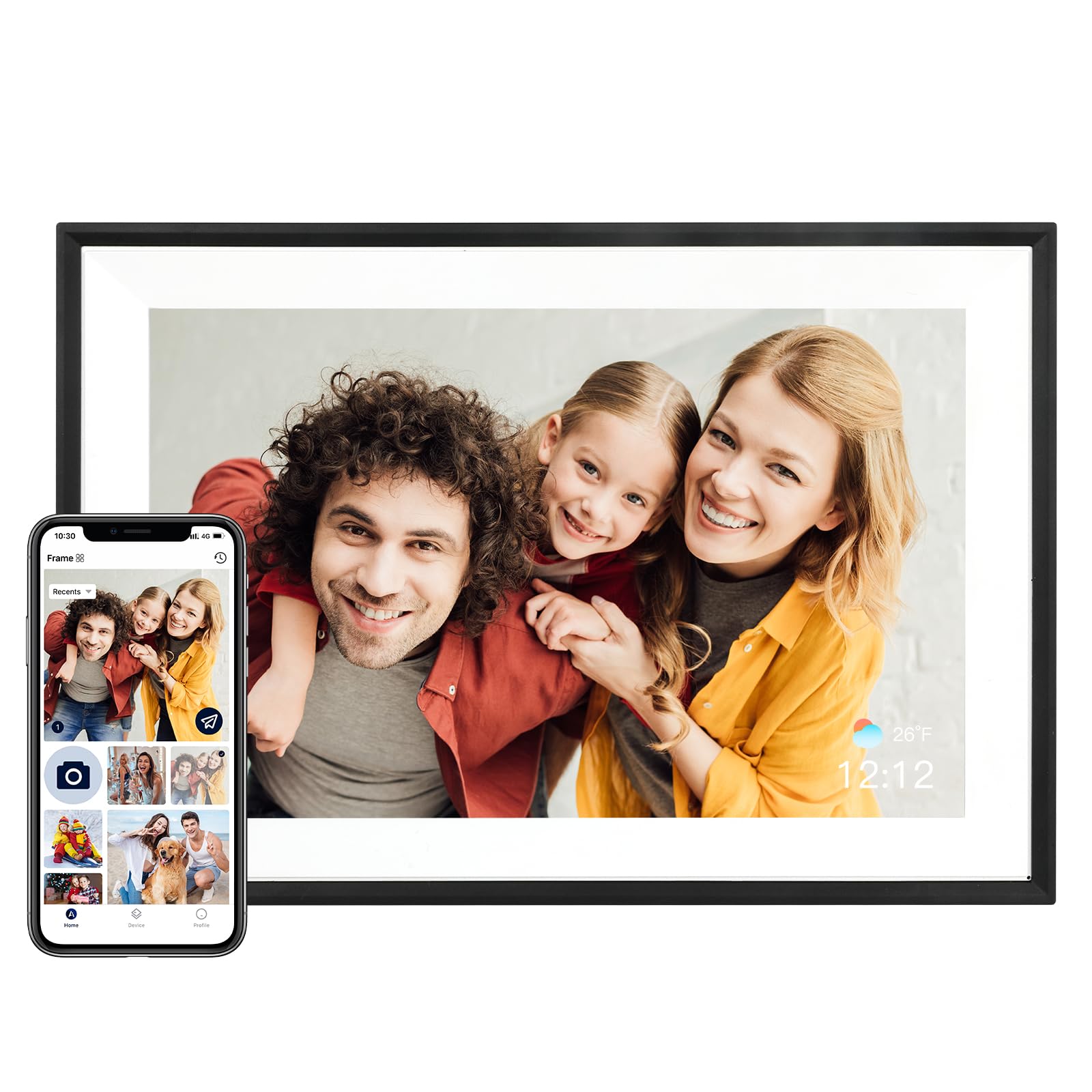
What sold us on the Skylight is the part you don't pay for. There's no subscription behind the sharing: plug the frame in, join it to Wi-Fi, and it gets its own Skylight email address that anyone can send photos to from a phone or a computer. The person receiving the pictures doesn't need an app, an account, or a walkthrough — they just look up when the screen tells them something new arrived.

Setup is where most frames lose the room, so it's what we watched closest. This one was the least fussy of the group: plug in, pick a network, name the frame. The 10-inch 1280x800 touchscreen carries the same resolution as the other 10-inch picks here, sharp on a kitchen counter and a touch soft from across a living room, and the picture is good rather than the best in this set — the Aura's panel is the crisper of the two to our eye.

Storage is where it gives ground. Eight gigabytes is the smallest local capacity on this page, so the Skylight leans on its cloud for anything past a modest album. In practice that works: the frame keeps what it needs on board, an offline mode carries the slideshow through a router outage, and Gift Mode lets you preload and personalize the frame before it ships so it arrives full instead of blank. If you want thousands of images living on the device with no service involved, a 32 GB or 64 GB frame serves you better.

Between this and the Aura, the decision is what you're buying: the Aura is the better-looking object with the sharper screen, the Skylight is the simpler handoff. We keep it at the top because the hardest part of a shared frame is getting other people to use it, and this is the one that asks the least of them.

Pros

  • Photos arrive by plain email, no app needed
  • No subscription behind the sharing
  • The quickest setup of the frames we tested
  • Offline mode keeps the slideshow running

Cons

  • Costs more than the midrange frames
Our verdict

Our default pick for most families: photos arrive by plain email, there's no subscription behind the sharing, and setup was the least fiddly we tested.

Check Latest Price
2

Best Design

Aura Carver 10.1-Inch

95 /100
Keeper Score Outstanding

Key details

Display
10.1 in, WXGA touchscreen
Sharing
Aura app over Wi-Fi
Warranty
1 year
Aspect Ratio
16:9
Check Price on Amazon

The Carver is the only frame here we've left on a console on purpose. Its black surround is narrower than most, the 10.1-inch 16:9 panel sits close to the edge, and it reads as a piece of decor rather than a tablet in a bezel. That's the whole pitch, and it isn't a small one — a frame that looks right in a living room is a frame that stays out where people see it.

Photo handling is where Aura earns the rest of the money. Portrait shots are paired side by side, so a phone full of verticals doesn't turn into two black bars framing one narrow strip. Uploads run through the Aura app, anyone you invite can add from their phone, and the app is the friendliest of this group to hand to a relative who takes a lot of pictures.

The panel sits near the top of this set: crisp, bright enough to hold its color in a sunny room, and still pleasant at an angle, which matters if the frame rests on a sideboard rather than hanging flat. The failure to watch for is a frame that stops powering on entirely, so register the one-year warranty the day it arrives and buy somewhere with an easy return window.

You're paying for the finish and the photo pairing, and at this end of the range that's a fair trade. Just know the money buys appearance and a better screen, not a longer warranty.

Pros

  • The best-looking frame in this group
  • Portrait photos paired side by side
  • Sharp, bright 10.1-inch panel
  • An app that's easy to hand to family

Cons

  • The most expensive frame here
Our verdict

Buy it if the frame is going to be looked at as furniture: it's the best-looking here, with the sharpest 10-inch panel and portrait pairing that flatters phone photos.

Check Latest Price
3

Best Value

AEEZO 10.1-Inch Frame

91 /100
Keeper Score Outstanding

Key details

Display
10.1 in, 1280x800 IPS touchscreen
Sharing
AiMOR app over Wi-Fi
Storage
32 GB built-in
Warranty
1 year manufacturer
Check Price on Amazon

A 32-gigabyte frame with a touchscreen and app upload used to be the expensive end of this category, and the AEEZO is the one that made us stop assuming that. You get the same 1280x800 IPS panel and the same AiMOR app that powers the big humblestead frame here, plus 32 GB of internal memory, for midrange money. Nothing about it reads as the cheap option, which is why it earns the value slot.

The touches around the screen matter more than we expected. A light sensor dims the display as the room darkens, which is the difference between a frame you forget about and one that glows at you through a movie, and a gravity sensor flips portraits without anyone touching it. The touchscreen is responsive, and auto-rotate handles orientation whether the frame stands in landscape or portrait.

Sharing follows the same AiMOR routine as the pricier picks: everyone you invite downloads the app, joins with the frame's code, and pushes photos and 15-second clips. We found the app quick to teach and quick to send with — nobody in our group sat waiting on an upload.

The trade-offs are physical rather than functional. Ten inches is a shelf frame, not a wall centerpiece, and the black plastic surround is plain beside the Aura's. For a kitchen counter, a desk, or a first frame in a house where nobody wants to spend much, neither cost us anything.

Pros

  • 32 GB of storage at a midrange price
  • Auto-dims with the room
  • Sharp 1280x800 IPS touchscreen
  • Same AiMOR app as the big-screen pick

Cons

  • Wants a 2.4 GHz Wi-Fi network
Our verdict

The value pick we point families to first: 32 GB, a bright touchscreen, and the same sharing app the expensive frames use, for midrange money.

Check Latest Price
4

Best Large Screen

Pastigio 15.6-Inch Frame

91 /100
Keeper Score Outstanding

Key details

Display
15.6 in, 1920x1080 IPS touchscreen
Sharing
Frameo app, 15-second videos
Storage
32 GB built-in
Mounting
Wall-mountable
Check Price on Amazon

Fifteen-point-six inches is the point where a digital frame stops being a shelf object. Put this one on a living-room wall and it reads from the far couch in a way a 10-inch frame never will: the 1920x1080 IPS panel matches a midrange laptop, and landscape phone photos fill the 16:9 screen edge to edge.

Frameo is the app, and it handles the unglamorous parts well — invites, captions, 15-second videos with sound. There's a React feature that sends an emoji back to whoever posted the photo; we expected to ignore it and didn't. If the frame is headed to a house where the router is a mystery, it can also be loaded without Wi-Fi at all, which matters more than most listings admit.

Our hesitation is the long run rather than the first month. A panel this size isn't something you replace casually, and the warranty runs 12 months — the shortest here next to the JIUGEDPF's three years. If the frame is going on a main wall where the whole family watches it, the screen still earns that bet; if it's a gift headed far away, buy from somewhere a return is easy.

What we keep coming back to is how much screen you get for the money. Two people can watch this from opposite ends of a room, and nothing else here at midrange prices does that.

Pros

  • 15.6-inch 1080p screen reads across a room
  • Can be loaded without Wi-Fi
  • Frameo handles captions and short videos
  • Wall-mountable for a main room

Cons

  • One-year warranty on a large panel
Our verdict

The one to buy when the frame hangs on a main wall: a 15.6-inch 1080p screen the whole room can read, without a premium price.

Check Latest Price
5

Best for Storage

humblestead 15.6-Inch Frame

87 /100
Keeper Score Excellent

Key details

Weight
2.2 lb
Display
15.6 in, 1920x1080 IPS touchscreen
Sharing
AiMOR app, batch upload
Storage
64 GB built-in
Check Price on Amazon

Two frames on this page share a 15.6-inch 1080p panel, and the humblestead is the one with twice the memory. Sixty-four gigabytes is the largest internal capacity in this group, and it costs less than the other big frame here — so the choice between them is memory and app rather than size.

What 64 GB actually buys is not having to curate. A shared album that the whole family adds to for a year doesn't need pruning, and the AiMOR app's batch upload takes a vacation in one go rather than twelve photos at a time. Captions travel with each picture, which matters more than it sounds when the person looking at it isn't the person who sent it. On the 10-inch frames here we've caught ourselves deleting pictures to make room; on this one we stopped thinking about it.

Our take is that the storage is the reason to pick it, not the picture. The 1920x1080 panel matches the Pastigio's — bright, legible from across a room, correctly shaped for landscape photos — and auto-rotate handles the verticals. At 2.2 pounds it hangs easily, and the whole thing reads as a photo wall rather than a gadget on a shelf.

Pros

  • 64 GB, the most storage in this group
  • Batch upload from the app
  • 1920x1080 on a 15.6-inch panel
  • Costs less than the other big frame here

Cons

  • Can stop working within the first weeks
Our verdict

Choose it over the other big frame when the album is a shared family project — 64 GB means nobody has to prune, and it costs less.

Check Latest Price
6

White-Shelf Placement

JIUGEDPF 10.1-Inch Frame

87 /100
Keeper Score Excellent

Key details

Display
10.1 in, 1280x800 IPS touchscreen
Storage
16 GB built-in
Warranty
3 years
Frame Finish
White plastic
Check Price on Amazon

Three years of warranty is the odd number out on this page — every other frame here carries one. That isn't a reason to buy a frame by itself, but at the bottom of the price range it tells you the maker expects it to keep running, and it's the reassurance we look for in a second frame for a kitchen or a spare room.

Ours is the white one, and the finish is why it gets picked ahead of better-specified frames. Most of this category is black, and a black rectangle on a pale kitchen wall or a white sideboard is the wrong kind of focal point. Behind the cabinet it's the same 10.1-inch 1280x800 IPS touchscreen as the AEEZO's, sharp at counter distance, and the touch controls cover slideshow, play order, brightness, and sleep without a trip to the app.

It mounts on a wall or stands on a surface, rotates between portrait and landscape on its own, and lets you hide individual photos from the slideshow and put the screen to sleep on a schedule. Small things, but they're the difference between a frame that shows the same fifty pictures in the same order forever and one you can actually curate.

Pros

  • Three-year warranty, the longest here
  • White cabinet stands out from the black crowd
  • Sleep scheduling and photo hiding built in
  • Wall-mountable with auto-rotate

Cons

  • 16 GB is the smallest storage here
Our verdict

Buy it as a second frame for a pale kitchen or hallway: the only white cabinet here, backed by a three-year warranty.

Check Latest Price

How We Tested Digital Photo Frames in Real Homes

We started with a list of roughly 40 frames, reading listings and specs and cutting anything that charged a monthly fee for basic features, skipped phone-to-frame uploading, or topped out under 10 inches. That left 12 that we bought ourselves and tested for six months across living rooms, kitchens, a nursery, a home office, and one hallway where the frame hangs at eye level and gets bumped into daily.

Setup was the first test, stopwatch in hand: unbox, join my home network, and get one photo onto the screen from a phone on the other side of the country. I repeated it on 2.4GHz and 5GHz networks and in a basement room with weak signal, then pushed 200 photos in at once to see whether the frame kept pace or choked. After that came the part spec sheets skip — how badly vertical phone shots were cropped, how long the app took to find a new frame, and whether the person receiving the frame could repeat the process without me.

Then we just lived with them. I looked at each screen at noon with sun on it and again at night to compare brightness, glare, and how solid the frame felt in hand, played the video clips each one supported, and let slideshows run for weeks to catch freezes or surprise restarts. Frames promising no subscription kept that promise, and we noted what happened as built-in storage filled and whether the frame nagged to upgrade. Two were given as gifts, the honest test of ease of use, and every pick was weighed against what it delivered for the money.

How to Choose a Digital Photo Frame

Match the Screen to the Room

The 10-inch frames here run 1280x800; the 15.6-inch ones run 1920x1080. That isn't much more resolution for half again the diagonal, and it doesn't need to be — a big panel is meant to be read from eight or ten feet, where a small one has gone soft. Distance decides it. A 10-inch belongs on a counter, a desk, or a shelf you walk past; a 15.6-inch belongs on a wall the whole room faces. Measure before you commit: the big Pastigio is 15.75 inches across, and the cord still has to reach an outlet.

Decide Where the Album Actually Lives

Internal memory on these frames runs from 8 GB to 64 GB, and the number matters less than where the master copy sits. Local storage keeps the slideshow running when the network doesn't, and it means the album is still yours if a maker's service changes. A cloud-first frame such as the Skylight trades some of that for effortless sharing and a lighter on-device album. Ask two questions before buying: does the app charge a subscription, and what happens to the photos already loaded if the Wi-Fi drops?

Work Out Who Can Actually Send Photos

Every frame here pairs with a phone app — AiMOR, Frameo, Aura, Uhale — and the real difference is the invitation. Some generate a code, some give the frame its own email address, some do both. Think about the least technical person in the chain rather than yourself: if this is a gift for a parent, can a cousin add a photo without calling you for a password? If the recipient has no internet at all, look for a frame that takes a card or a direct transfer, as the Pastigio does.

Buy for the Second Year, Not the First

These are simple devices with a known weak spot, and it isn't the screen. Power and connectivity are what give out, and a frame that fails tends to fail early rather than wear out slowly. That changes how you shop more than any specification: buy where returns are painless, register the warranty the day it arrives, and treat a three-year term as a genuine feature. If the frame is a gift, set it up and run it for a week first.

Frequently Asked Questions

Final Verdict

The Skylight is the frame we recommend first, and the reason is boring in the best way: photos arrive by plain email, nobody needs a subscription or an app lesson, and setup takes minutes. Pay the premium if the point of the frame is sharing, because a family that actually sends pictures will use it every day.

If the frame is going to be looked at as furniture, the Aura Carver is the better object and the sharper screen for roughly the same money. And if it's headed for a living-room wall rather than a kitchen shelf, the Pastigio's 15.6 inches beat both.

