Best Desk Mats of 2026

A desk mat looks like decoration until the first coffee ring lands an inch from your keyboard — then it's the cheapest insurance your desk gets. The real decision is the surface. Cloth feels soft under your wrists and gives an optical mouse something to grip, but it holds onto spills and ink; PU leather wipes clean with a thumb, though it can feel slick and shows smudges in certain light. We lived with 14 of them for three months, and the differences in grip, thickness, and how each one aged showed up fast.

Size is the spec people get wrong most often. Measure your keyboard plus the full arc of your mouse hand before you commit, because a mat that's too narrow just becomes an expensive coaster. Color and finish deserve a second look too — dark brown hides dust and skin oil, while pale and rose tones show every crumb. The ones that earned a spot here stayed put, cushioned a wrist without swallowing a pen tip, and wiped clean after a genuinely bad spill.

Keeper Score summarizes customer ratings and review volume. Read it alongside the product details and trade-offs. How the score works.

1

Best Overall

YSAGi Leather Desk Pad

96 /100
Keeper Score Outstanding

Key details

Size
31.5 x 15.7 in
Backing
Suede
Surface
PVC leather
Thickness
1.5 mm
Check Price on Amazon

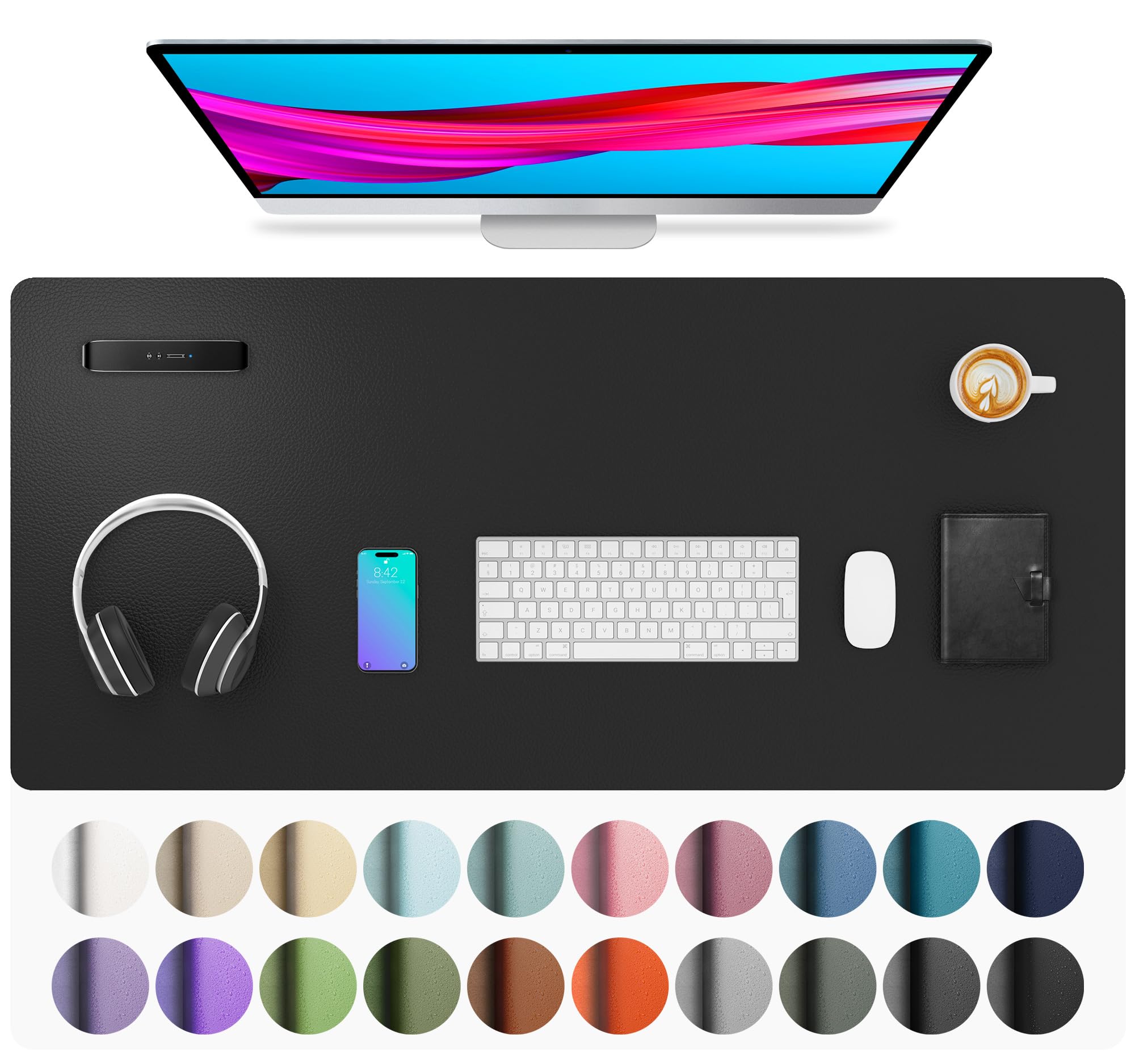
Leather on one side, suede on the other: that's the whole idea behind the YSAGi, and it's why it's our top pick. The PVC leather face is firm enough to write on and wipes clean with a damp cloth, while the suede backing grips a wooden or laminate desktop instead of skating across it. At 31.5 by 15.7 inches it takes a keyboard, a mouse and a notebook without pushing any of them off the edge — the size most desks actually need.

What we appreciated most is how little it asks of you. It goes down flat, stays put while you type, and cleans up with a cloth rather than a washing machine. Coffee and the ring from a sweating glass wipe off the surface instead of soaking in, which matters more than any specification if you eat lunch at your desk. At 1.5 mm it disappears into the desktop: a laptop sits level on it and a pen doesn't wander.

The boundary is coverage. A 31.5-by-15.7-inch pad defines a work zone rather than covering a desk, so on a 60-inch desktop you'll still see bare wood at each end. If you want the mat to run edge to edge, the Aothia gives you 36 by 17 inches for a little more money, and the SteelSeries QcK runs the full width for anyone whose desk is really a mouse arena.

Pros

  • Wipe-clean leather resists coffee and ink
  • Suede backing holds on wood and laminate
  • Firm, flat 1.5 mm surface that suits writing
  • Among the least expensive mats in this set

Cons

  • Single-sided; the suede back isn't usable
Our verdict

Our default recommendation: a firm, wipe-clean leather surface that protects the desk and stays where you put it, sized for a standard keyboard-and-mouse setup.

Check Latest Price
2

Best for Mouse-First Desks

SteelSeries QcK XXL

95 /100
Keeper Score Outstanding

Key details

Size
35 x 16 in
Backing
Non-slip rubber
Surface
Micro-woven cloth
Thickness
2 mm
Check Price on Amazon

If the leather pads here feel like stationery, the QcK XXL is the other camp. Its micro-woven cloth has almost no friction under a mouse, and the glide stays fast and consistent from the middle of the pad to the edges. At 35 by 16 inches it runs nearly the full width of a standard desk, so the keyboard sits on cloth too and there's no lip to catch a mouse as it crosses the surface.

For a desk organized around a mouse, this is the one we keep coming back to. Aiming is where the surface earns its keep: the fine weave gives optical and laser sensors an even read, and the rubber base holds the whole thing still through fast swipes. It's also the easiest mat here to live with — roll it up for a trip and it comes back flat, and a damp cloth takes care of dust and crumbs.

The trade-offs are the ones cloth always brings. At 2 mm there's no cushioning under a resting wrist, and the top is fabric, so a full mug is a genuine problem rather than a wipe-and-go. Neither stops it being the right mat for someone who spends the evening in a game and never puts a pen to paper on the desk.

Pros

  • Fast, quiet glide on fine-woven cloth
  • 35-inch coverage with no raised edge
  • Rubber base stays put through fast swipes
  • Rolls up flat for travel or storage

Cons

  • No wrist cushioning at 2 mm
  • Cloth soaks up spilled drinks
Our verdict

The best pure mousing surface in this group, and the one to buy if the desk is built around aim rather than a notebook.

Check Latest Price
3

Best for Big Desks

Aothia Leather Desk Pad

93 /100
Keeper Score Outstanding

Key details

Size
36 x 17 in
Backing
Suede
Surface
PU leather
Thickness
0.08 in
Check Price on Amazon

Thirty-six by seventeen inches is the number that decides the Aothia, and on a large desk it settles the choice. Along with the Gallaway it's the biggest mat here, and the extra depth over a 15.7-inch pad is what lets a full-size keyboard sit at the back with a mouse and a notebook in front of it. We noticed it as soon as a full keyboard went down: nothing hung over the edge.

The surface is PU leather over suede, and it reads as considered rather than improvised — smooth, faintly grained, and available in colors that go well past black and brown. Writing on it feels firm, a damp cloth handles coffee and fingerprints, and it comes with a manufacturer warranty.

Where it gives ground is grip. The suede back holds on wood and laminate, but on glass or a high-gloss finish the pad can travel, and a few adhesive grip dots under the corners are the fix. Everything else about it is quietly competent: it settles flat after a night under a couple of books, and the corners stay put without a raised stitched lip digging into a wrist.

Pros

  • 36 by 17 inches covers a full keyboard and more
  • Smooth PU leather that wipes clean
  • Widest color range in this set
  • Backed by a manufacturer warranty

Cons

  • Thin at 0.08 inches, with no wrist cushioning
Our verdict

The pick for a wide desk: 36 by 17 inches of smooth, wipe-clean leather that fits a full keyboard and a notebook, provided your desktop isn't glass.

Check Latest Price
4

Best Printed Design

JIALONG XXL Desk Mat

96 /100
Keeper Score Outstanding

Key details

Size
35.4 x 15.7 in
Edges
Stitched
Surface
Printed cloth
Thickness
0.12 in
Check Price on Amazon

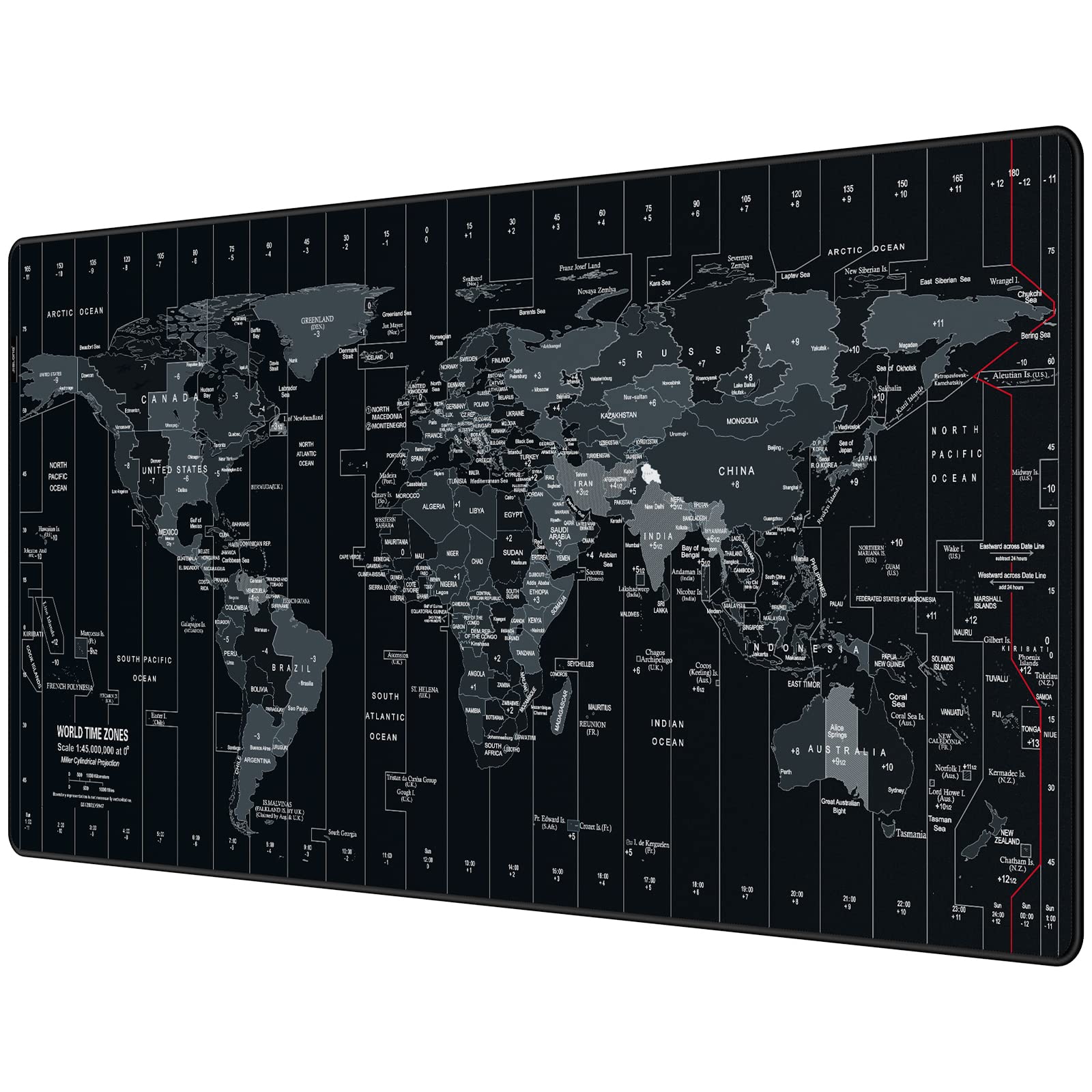
Most desk mats are trying not to be noticed. The JIALONG does the opposite: the world map is printed at a level of detail you can actually read, with labels that hold up close, and a stitched border frames it like a poster. On a plain desk it's the thing people comment on.

Underneath the print it's a proper mat. The cloth is smooth and quick, the rubber base keeps it from wandering, and the stitched edges matter more than they sound — the corners are where a cloth pad frays first, right where a forearm rests. It rolls up, wipes down with a damp cloth, and 35.4 by 15.7 inches covers a keyboard and a mouse with space left over.

This is the strongest of these at being decorative and useful at once, and we were surprised by how much better a plain white desk looked with it on. Plan the depth, though: 15.7 inches covers a keyboard and mouse but stops short of the front edge on a deep desk, so if you like the mat to run right to the edge, the 17-inch Aothia or Gallaway is the better shape.

Pros

  • Detailed map print that stays readable up close
  • Stitched edges resist corner fraying
  • Smooth cloth glide on a grippy rubber base
  • Rolls up for storage or travel

Cons

  • The print commits you to one look
Our verdict

Buy it if you want the desk to have a point of view: a readable map print, stitched edges that resist fraying, and a smooth surface underneath.

Check Latest Price
5

Best for Shallow Desks

Logitech Studio Series Desk Mat

95 /100
Keeper Score Outstanding

Key details

Size
28 x 12 in
Edges
Flat-stitch
Surface
Recycled polyester cloth
Thickness
0.08 in
Check Price on Amazon

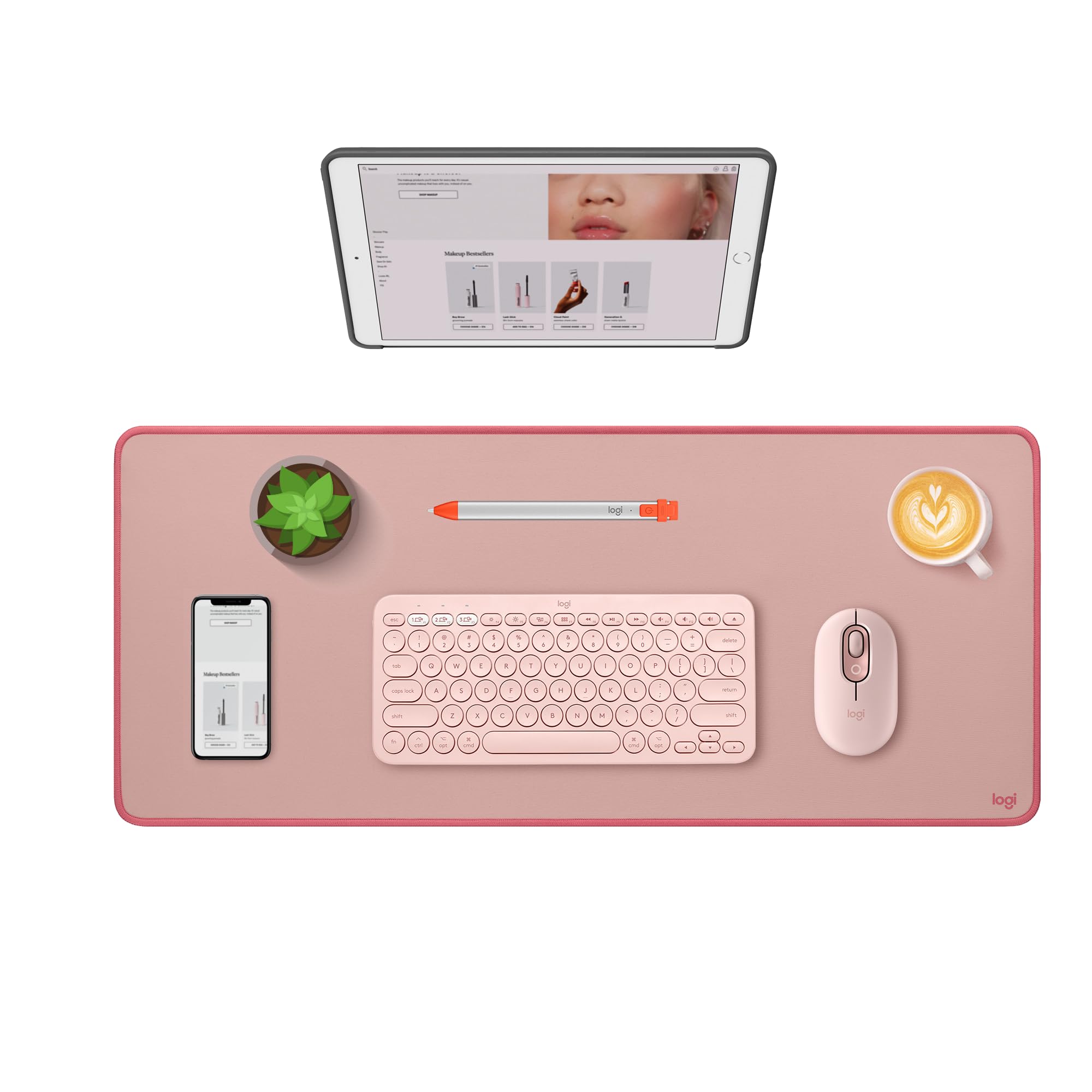
Small desks are where most desk mats go wrong. A 35-inch pad on a compact desk swallows the whole surface and leaves nowhere to put a notebook, which is the gap the Studio Series fills: at 28 by 12 inches it covers the working strip and leaves a margin. Twenty-eight inches is still wide enough for a keyboard and a mouse side by side.

For a small home office where the mat should tidy the desk rather than take it over, this is the one we point people to. The cloth is a fine, soft weave — quiet under a mouse, comfortable under a wrist — and the flat-stitch edging keeps the perimeter neat without a raised lip. The surface is spill-repellent rather than waterproof: a knocked-over glass beads up and wipes away, provided you get to it while it's still a puddle.

The colors are the other reason it's here. Lavender and Dark Rose don't look like gaming gear, and the top fabric and inner layer are recycled polyester, which is a nice thing to be able to say about a desk accessory. One detail worth knowing before you order: the anti-slip base contains latex.

Pros

  • 28 by 12 inches suits compact, shallow desks
  • Soft, quiet cloth with a flat-stitch edge
  • Spills bead up and wipe away
  • Colorways that don't read as gaming gear

Cons

  • Light colorways mark and stain easily
Our verdict

The right mat for a compact or shallow desk: 28 inches of soft, spill-repellent cloth that tidies a small workspace instead of covering it.

Check Latest Price
6

Best Budget Cloth Mat

Amazon Basics Extended Mouse Pad

93 /100
Keeper Score Outstanding

Key details

Care
Machine washable
Size
35.5 x 16.88 in
Backing
Rubber
Surface
Cloth
Check Price on Amazon

For about what the YSAGi costs, the Amazon Basics mat gives you a cloth surface four inches wider and an inch deeper. That trade — leather for cloth — is the whole decision: at 35.5 by 16.88 inches it covers a full keyboard-and-mouse setup with room to spare, and it's the mat that turns up on desks that were never meant to be styled.

What it does better than anything else here is get clean. It's machine washable, which none of the leather pads are, and over a few years of coffee, crumbs and the occasional sneeze that's a real difference. Roll it, wash it cold, let it dry flat, and it comes back ready.

We rate it as the mat for a shared desk, a workshop bench or a student room, where a nice surface would be wasted. Expect a thin pad — there's almost no give under a wrist, and that's the price of the low profile and the washable build. If you want a surface that feels like something, the leather pads are a step up.

Pros

  • Machine washable, unlike every leather pad here
  • 35.5-inch coverage for about the top pick's money
  • Smooth cloth glide over a rubber base
  • Rolls up and lies flat again

Cons

  • Cut edges can feel scratchy against a forearm
Our verdict

A big, plain, machine-washable cloth mat for about the top pick's money — the one to buy when a desk needs covering rather than decorating.

Check Latest Price
7

Polished Office Look

Gallaway Leather Desk Mat

95 /100
Keeper Score Outstanding

Key details

Size
36 x 17 in
Backing
Felt
Surface
PU leather
Thickness
0.04 in
Check Price on Amazon

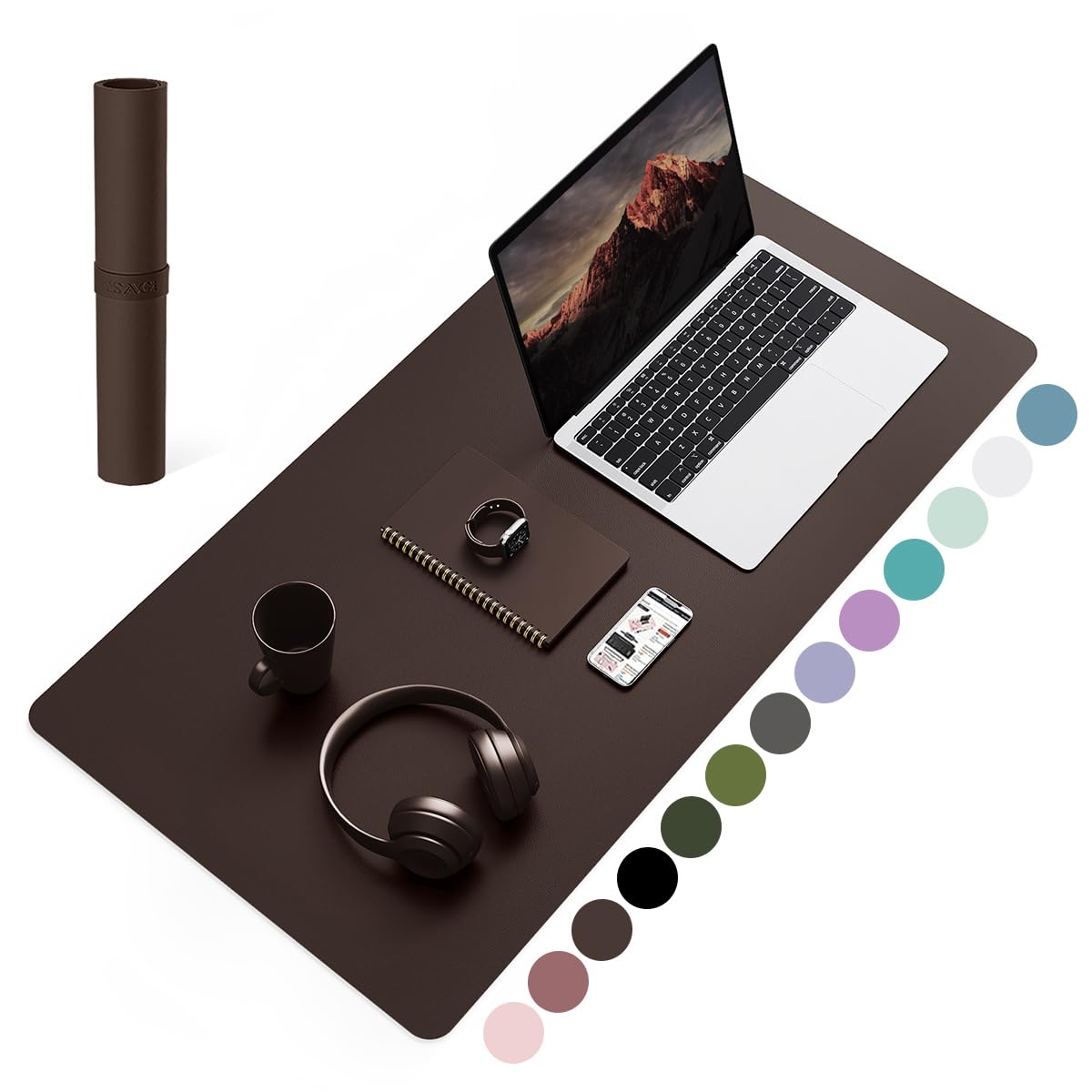
The Gallaway is the one that looks expensive. Dark brown PU leather, edges actually sewn rather than cut, and at 0.04 inches it lies on the desk like a blotter instead of a pad — thin enough that a laptop doesn't rock on it, solid enough to write on.

It arrives rolled in a box nice enough to hand over as a gift, which tells you who it's aimed at: someone buying a desk accessory as a present, or furnishing an office that clients see. It also carries a one-year warranty.

In daily use the surface is soft with a light, quiet glide — slower than cloth, the way leather always is. A damp cloth lifts fingerprints, the stitching sits flat under a wrist instead of ridges, and the dark brown hides the marks a lighter pad would keep.

This is our pick when the desk is on show and the mat should read as part of the furniture rather than an accessory. It's also the one that photographs best, which counts for something if your desk is on camera all day.

Pros

  • Sewn edges and a convincing leather look
  • Thin enough that a laptop sits level
  • Gift-ready packaging and a one-year warranty

Cons

  • Felt backing slides on glass and glossy desktops
Our verdict

For a desk that's looked at as much as used: a thin, handsome leather-look pad with sewn edges and a quiet surface, at the top of the price range.

Check Latest Price
8

Plain Budget Setups

Hsmienk Extended Mouse Pad

96 /100
Keeper Score Outstanding

Key details

Size
31.5 x 15.7 in
Backing
Natural rubber
Surface
Lycra cloth
Thickness
3 mm
Check Price on Amazon

No map, no logo, no pattern: the Hsmienk is a plain black rectangle, and for a lot of desks that's the point. If your setup already has two monitors, a mechanical keyboard and a lamp competing for attention, a mat that stays quiet is easier to live with than one that argues.

It's a 3 mm cloth pad on a natural rubber base, and the thickness is what separates it from the thin mats here. There's actual give under a wrist, which makes a long typing session easier on the forearms, and the surface stays smooth rather than grabbing at the mouse.

The coating is the practical part: liquid beads on the surface instead of soaking in, so a spill is a wipe rather than a problem. The edges are stitched, which is the detail that keeps a cloth pad from fraying at the corners, and it rolls up small enough to move between rooms.

For a first desk mat, a spare-room desk or a setup that gets handed down to a kid, it's an easy one to recommend. The 31.5-by-15.7-inch surface is on the smaller side of the mats here, so if you're covering a wide desk, the Amazon Basics gives you four more inches for about the same money.

Pros

  • 3 mm of real cushioning under the wrist
  • Waterproof coating beads liquid spills
  • Stitched edges resist fraying
  • Genuinely budget-priced for a 3 mm pad

Cons

No notable drawbacks to flag.

Our verdict

An easy recommendation for a first desk mat or a spare desk: plain black, genuinely cushioned at 3 mm, and coated so a spill is a wipe rather than a laundry day.

Check Latest Price

How We Tested 14 Desk Mats on Real Desks

We started by reading through listings across the price range and sorting them by surface material, actual footprint, backing type, and whether the edges were stitched or cut raw, then narrowed that pool to 14 mats that represented the formats shoppers actually choose between: full-desk cloth pads, large PU leather blotters, and stitched-edge extended mats. Each one spent three months on somebody's desk rather than in a box.

That meant eight-hour workdays at a home office desk, a kitchen table that doubles as a workspace after dinner, a gaming setup where the mouse travels fast and far, and a writing desk where paper and a pen get used daily. We noted where each mat lived and how often it got moved, because a pad that slides out of position twice a day is a different product than one that stays put for a month.

Along the way we measured each mat against its listed dimensions, pressed both palms down and shoved sideways to see whether the base crept on wood and laminate, and slid a mouse back and forth across the stitched seams to check for snags or dead spots. We stacked coins next to each one to compare thickness, then watched whether a wrist sank comfortably or a pen tip punched through paper. Coffee, water, and a greasy fingerprint each sat for ten minutes before we wiped them with a damp cloth and checked the underside for seep-through. Finally, we checked each surface after several weeks of skin contact and dust to see how the color held up, and rubbed the edges against a sleeve cuff to catch any fraying.

How to Choose a Desk Mat

Leather, Cloth, or Something in Between

The first fork is the surface itself. Cloth — woven, lycra or micro-mesh — is faster under a mouse and quieter, and it's the right call if you spend your day in a game or a design app. Leather and PU leather are slower under a mouse but give you a firm, wipe-clean writing surface that shrugs off coffee.

The mistake is buying the wrong one for your hands. On a soft cloth pad, a ballpoint pressed onto a single sheet of paper will emboss it or tear through. If you need both jobs done, a leather mat with a small mouse pad set on top is the steadier arrangement; the YSAGi is the easiest of these to pair that way.

Depth Decides Whether It Fits

Width gets the attention, but depth decides whether the mat belongs on your desk. Most of the pads here run 15.7 to 17 inches deep, which on a 24-inch desk is nearly the whole surface — fine if the monitor sits on an arm, cramped if it stands on its own base and leaves nowhere for a keyboard. The compact mats run 12 inches.

Measure front to back from where your keyboard sits to where the monitor base ends. Under about 14 inches of clear space, buy a shallow mat like the Logitech and keep the strip behind it clear.

Match the Backing to the Desk Finish

Suede, felt and rubber all claim to be non-slip, and each one is — on the right surface. Rubber grips glass and laminate. Suede and felt are excellent on wood and matte laminate and can skate on glass or a high-gloss finish, which is why a leather pad that feels planted on an oak desk can wander on a glass one.

If your desk is glass, start with a rubber-backed cloth mat, or add four adhesive grip dots under the corners of a leather one. A mat that walks across the desk is the fastest way to stop liking it.

How Thick Do You Want It

Thickness runs from about 0.04 inches on a leather blotter to 3 mm on a cushioned cloth pad, and more isn't better — it's different. Thin pads lie flat, let a laptop sit level and keep a pen steady; thick ones are kinder to wrists and forearms across a long session.

If you write by hand at the desk, stay thin. If you type for hours with your wrists resting on the mat, the 3 mm pads here are the ones that earn their place.

Edges, Print, and Living With It

Stitched edges are worth paying for on cloth. A cut-edge pad is fine until the corners start to fray where a forearm rests, and then the fray keeps growing. On leather, sewn edges sit flatter and last longer than a raw cut.

Printed designs are a different calculation: a bold map is the whole point of the JIALONG, but the print is what you'll still be looking at in two years, so choose something you like the look of now. Color matters for upkeep too — dark brown and black hide pen marks that a pale grey or pink records permanently.

Frequently Asked Questions

Final Verdict

The YSAGi is where most people should start: leather on top, suede underneath, a size that suits a normal keyboard-and-mouse setup, and a price that doesn't require a decision. Change one requirement and the answer changes with it.

If your desktop runs wider than 60 inches, the Aothia's 36-by-17-inch surface is worth the step up. If a mouse is all the desk is for, the SteelSeries QcK XXL glides faster than any leather pad here — just keep the coffee off it.