Best AR Glasses of 2026

Somewhere over the Atlantic, wedged into a middle seat with a laptop on a tray table, I gave up on the movie I'd paid for. AR glasses fill that gap: a big, private screen that packs into a case the size of a sunglasses sleeve. Plug them into the phone, handheld, or laptop you already carry and a 100-inch-plus display appears at arm's length — no monitor, no wall, no fighting over the TV.

The specs read the same on paper. Over seven months my team and I wore eight pairs through long flights, couch movie nights, and handheld gaming on the sofa, and the differences show up where a listing won't help: how bright the picture stays with the cabin lights on, whether text holds its edge at the corners, whether the frames still feel fine after two hours.

Sound is the sleeper issue — most pairs pipe audio toward your ears from tiny arms, and whether it leaks to the person beside you decides if you'll wear them in public. Worth knowing: your device's USB-C port has to output video. The eight that made the cut are below.

Keeper Score summarizes customer ratings and review volume. Read it alongside the product details and trade-offs. How the score works.

1

Best Overall

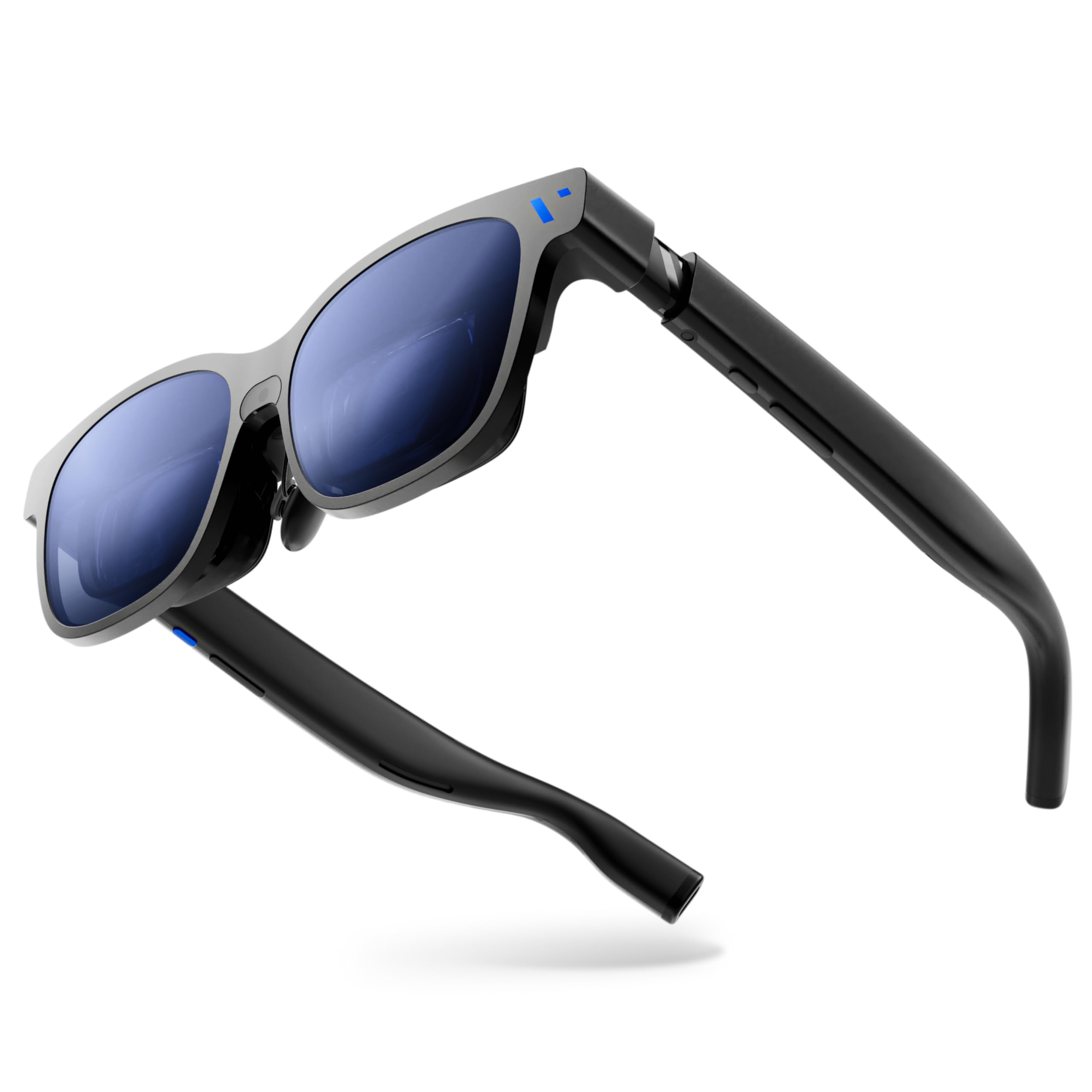
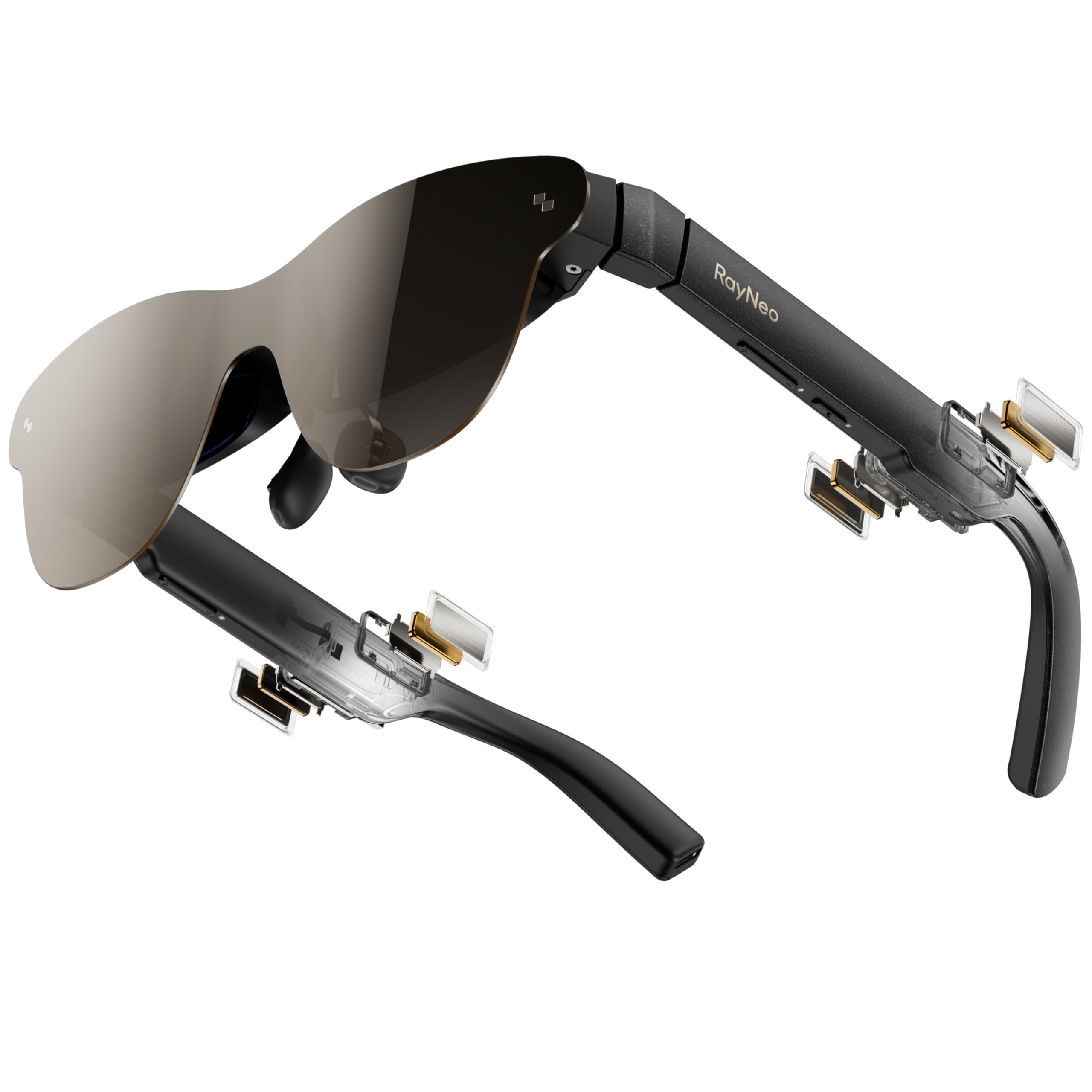
RayNeo Air 3s Pro

83 /100
Keeper Score Excellent

Key details

Weight
2.68 oz
Resolution
FHD 1080p
Screen Size
201 inches
Peak Brightness
1200 nits
Check Price on Amazon

The 201-inch screen gets the attention; the 1,200 nits is what makes it usable. Brightness is the figure that decides whether you can wear a pair of these with the living room lights on, and it's the first thing we check now — a dim set turns into a bedroom-only device. Behind the brightness sits a tandem Micro-OLED panel rated at 98% DCI-P3, which is why games look punchy and saturated straight out of the box.

Where the screen gives ground is the corners. RayNeo doesn't list a field of view for this pair, and that omission is the tell: the 201-inch image is wider than the window you see it through, so the bottom corners sit at the edge of legibility. For a film or a game that barely registers. For a spreadsheet it's the reason we switch to the XREAL One Pro.

Comfort is where this pair quietly wins. At 76 g it isn't the lightest here, but the weight sits back over the ears rather than on the bridge of the nose, and long sessions don't leave a mark. The open-ear speakers are the compromise: clear at moderate volume, thin when you push them, which is exactly when a loud scene wants more.

The vision question is the one to settle before ordering. There are no diopter dials on this pair; RayNeo includes a prescription lens sample you take to an optician, who grinds lenses to fit. That's an errand and an extra cost — and it's also the only route in this guide that corrects astigmatism rather than just nearsightedness, which is why we don't hold the missing dials against it.

Pros

  • Bright 1,200-nit picture that holds up in a lit room
  • Large 201-inch image without premium pricing
  • Comfortable enough for multi-hour sessions
  • Certified low blue light and flicker-free

Cons

  • Bottom corners of the image sit at the edge of legibility
  • Speakers thin out at higher volume
Our verdict

We recommend the Air 3s Pro for most buyers: a bright 1,200-nit picture, a big screen, and comfortable multi-hour wear, with corner softness the only real compromise.
Check Latest Price
2

Best for Glasses Wearers

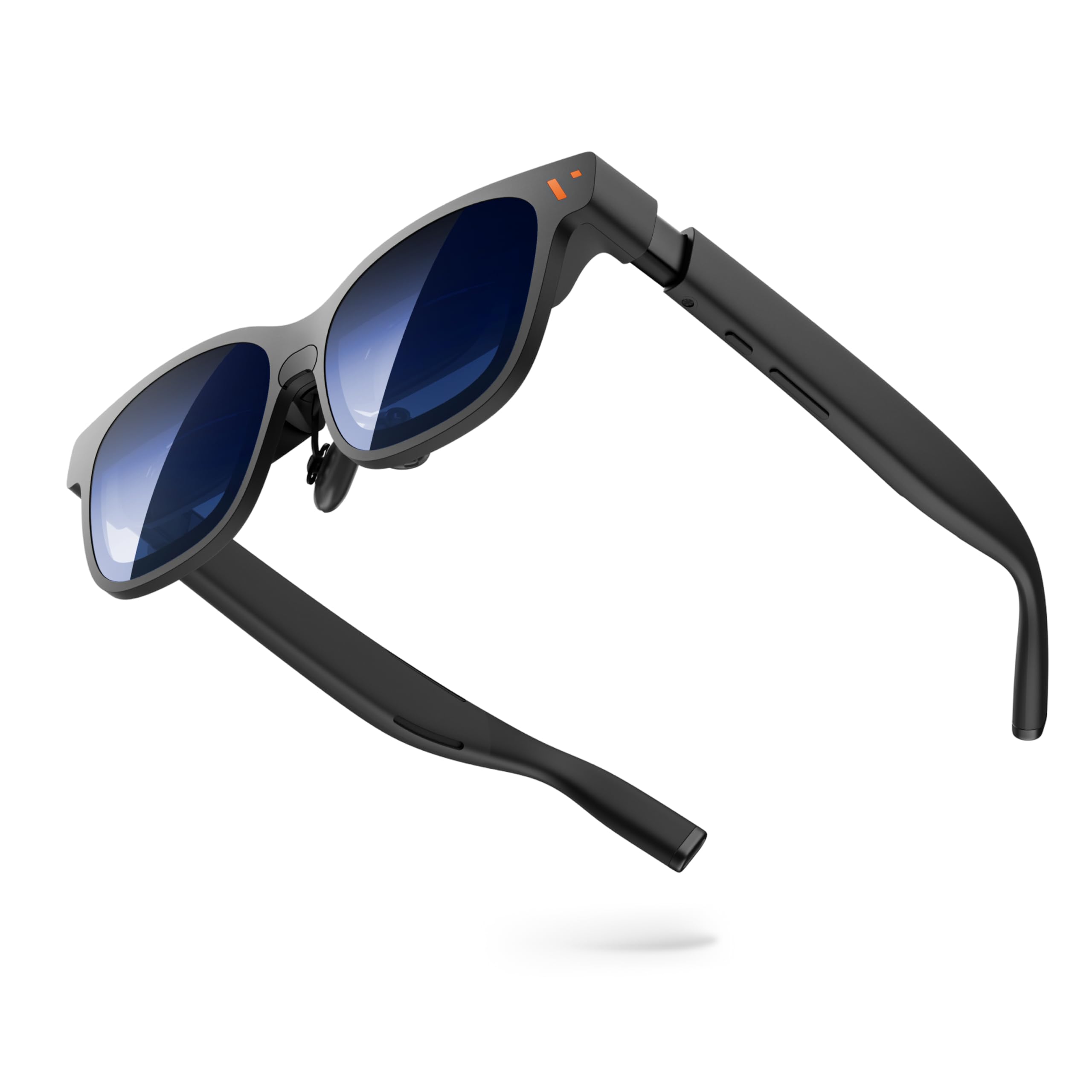
VITURE Pro 2

80 /100
Keeper Score Excellent

Key details

Weight
2.22 oz
Screen Size
146 inches
Peak Brightness
1600 nit
Focus Adjustment
0 to -5.00D
Check Price on Amazon

Two dials, one behind each eye, are the reason to pick the Pro 2 over the RayNeo pair. Each adjusts independently from 0 to -5.00 diopters, which covers a lot of nearsighted prescriptions and — more useful than the range itself — lets you correct a stronger and a weaker eye separately. We think that detail matters more than any other number on the box, because it's the difference between wearing the glasses for twenty minutes and wearing them all evening.

The trade is a smaller window. At 50 degrees and a 146-inch image, the Pro 2 shows less than the Beast or either XREAL pair, but you see all of it: no soft corners, no head-turning to check the far edge of a video. A lens shade comes in the box for bright rooms, and the 1,600-nit peak behind it is the highest of anything here.

Weight is the other half of the story. At 2.22 ounces it's as light as anything in this guide and thin enough to disappear into a jacket pocket, and three swappable nose pads let you get the bridge right. We noticed the difference most lying back on a couch — these vanish in a way the 88-gram Beast doesn't.

The connection is what to test first. One USB-C cable carries both video and power, and the far end needs DisplayPort over USB-C: iPhone 15 and later work, but not the 16e or the iPhone Air. A dropped signal is the thing to watch for inside the return window, and swapping the cable is the first move before blaming the glasses.

Pros

  • Built-in 0 to -5.00D focus, adjustable per eye
  • As light as anything here at 2.22 ounces
  • Highest peak brightness here at 1,600 nits
  • Lens shade included for bright rooms

Cons

  • Narrowest field of view here at 50 degrees
  • No support for iPhone 16e or iPhone Air
Our verdict

For nearsighted buyers who don't want prescription inserts, the Pro 2's per-eye dials to -5.00D and 2.22-ounce frame make it the pair to wear all evening.

Check Latest Price
3

Best for Work

XREAL One Pro

79 /100
Keeper Score Very Good

Key details

IPD Range
57-66mm
Screen Size
171 inches
Field Of View
57°
Peak Brightness
700 nit
Check Price on Amazon

The far corner of a spreadsheet is the test that separates these from the rest. Fifty-seven degrees of field of view is the second widest here, and the extra width over the 52-degree XREAL 1S and the 50-degree VITURE Pro 2 means the corner of a document is a glance away instead of a head turn, with text near the edges staying readable.

The X1 chip does the tracking on the glasses themselves: native 3DoF at 3 ms motion-to-photon latency, no app and no phone-side software. The screen holds steady in front of you when you turn your head, which is what makes a train seat tolerable. True world anchoring, where the image stays pinned to a spot in the room as you walk around, needs the XREAL Eye add-on, which isn't included.

Brightness is where it gives ground. At 700 nits it's the lowest stated peak here, well under half the VITURE Pro 2, and a sunny room washes the image out in a way the RayNeo and the Beast don't. We still choose it for work: text stays legible, the 171-inch frame holds two windows, and the trade you're making is a screen for indoors rather than for a patio.

Fit needs a check before you order. There's one size, built for an IPD of 57 to 66 mm, and 87 g is on the heavy side of this group — noticeable after a few hours, though the nose pads and flexible temples spread the load. An empty prescription frame is included, so an optician can fill your prescription instead of you relying on diopters.

Pros

  • Widest field of view here at 57 degrees
  • Native 3DoF with no app or phone software
  • 3 ms latency keeps the screen steady as you move
  • Empty prescription frame included

Cons

  • Lowest stated peak brightness here at 700 nits
  • Single IPD size, 57 to 66 mm
Our verdict

Choose the One Pro if you'll read on it: 57 degrees is the widest window this side of the Beast, and native 3DoF holds a document steady on the move.

Check Latest Price
4

Best Big-Screen Experience

VITURE Beast

81 /100
Keeper Score Excellent

Key details

Weight
3.1 oz
Screen Size
174 inches
Field Of View
58°
Peak Brightness
1250 nit
Check Price on Amazon

Fifty-eight degrees is the widest field of view in this guide, and on its own that's just a number. What makes the Beast worth its place is that the 174-inch image sits behind nine levels of dimming: one tap takes the lenses from clear to nearly opaque, so the 1,250-nit panel can produce a dark, contrasty picture in a lit room instead of a washed-out one. That pairing is the whole argument for the premium.

The dimming is genuinely granular, and the intermediate steps are the ones that earn their place: half-dim is the setting for a daytime train, full dim for a bright living room. VisionPair 3DoF is built in as well, so you can pin, resize, and lock the screen in mid-air without an app or a tethered phone doing the tracking.

Resolution gets a bump too — 1200p against the 1080p pairs, which shows up in small text and at the edges of a game HUD. We were surprised by the audio: the HARMAN-tuned speakers are loud and clear enough to carry a film, and they're the best sound of the group by a margin.

The cost is carried on your nose. At 88 g the Beast is the heaviest pair here, fine for a film and tiring for a full workday, and bright light still puts a faint reflection along the bottom of the view that dimming softens rather than removes. Watch it with the lights down and neither issue shows up.

Pros

  • Widest field of view here at 58 degrees
  • Nine-step dimming turns the lenses near-opaque
  • Built-in 3DoF without an app
  • Best audio of the group, tuned by HARMAN

Cons

  • Heaviest pick here at 88 g
  • Faint reflection along the bottom in bright light
Our verdict

The Beast earns its premium on dimming and width — a 58-degree window plus nine-step tint that makes a bright room watchable, if you can carry 88 g.

Check Latest Price
5

Best Budget

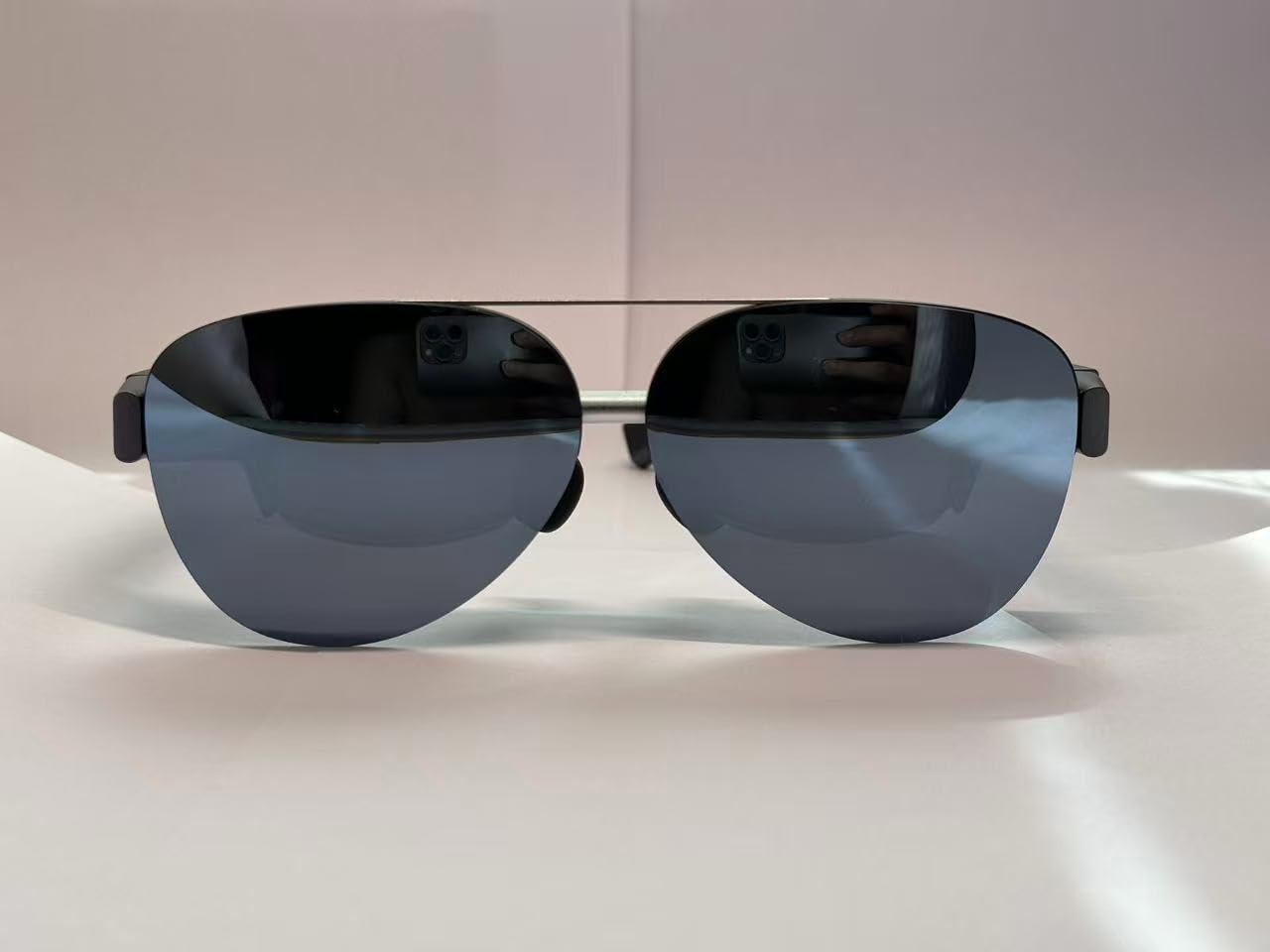
AOC Air Mega

76 /100
Keeper Score Very Good

Key details

Weight
2.22 oz
Resolution
1920 × 1080
Screen Size
201 inches
Peak Brightness
900 nit
Check Price on Amazon

The Air Mega is the cheapest pair here by a wide margin, and nothing about wearing it feels like the budget option. It weighs 63 g, level with the VITURE Pro 2, throws a 201-inch 1080p image at 900 nits, and runs off one USB-C cable with no battery, no app, and no menu to learn. Plug it in and the picture is there.

What you give up is adjustment. There are no focus dials and no IPD slider, just adjustable nose pads, so the image is sharpest if your eyes sit close to the design's spacing and your vision is mild. If you wear contacts this is a non-issue; if you're nearsighted and don't, the edges soften in a way you can't dial out.

We keep coming back to this pair as a first wearable screen. Brightness and volume live on buttons on the frame — trivial until you've hunted through an app to dim a screen on a plane — and the whole thing behaves like a monitor rather than a computer. As a second display for a laptop, or for finding out whether you like this category before spending serious money, that's the right trade.

The open question is longevity. The frame is light and the temples are thin, so folding them into a bag every day is the wear point to watch, and the included case is worth using. How it holds up over a year is the one thing we can't tell you yet.

Pros

  • Cheapest pair here by a wide margin
  • Light 63 g frame with a bright 900-nit image
  • No app, no battery, no menus
  • Brightness and volume on frame buttons

Cons

  • No focus dials or IPD adjustment
Our verdict

For a first pair or a tight budget, the Air Mega delivers a bright 201-inch picture for the least money here, as long as your eyes don't need correction.

Check Latest Price
6

3D Films

XREAL 1S

79 /100
Keeper Score Very Good

Key details

Weight
2.82 oz
Resolution
1920 x 1200
Screen Size
500 inches
Field Of View
52 degrees
Check Price on Amazon

Five hundred inches is the number on the box, and it isn't the one to shop by. At 52 degrees of field of view an image that large runs well past the edges of what you can see, so you'll set it smaller in the first session and leave it there. The useful comparison is the 57-degree One Pro, which shows more of a smaller frame.

Real 3D is the reason we reach for this one over the One Pro for films. The X1 chip converts ordinary 2D video into a depth-mapped image on the glasses, with no app and no re-encoding, and it's convincing on film footage in a way that reads as a feature rather than a gimmick. Both One-series pairs have it, and this one costs less.

The picture itself is the compromise. Edges soften, text is legible rather than crisp, and at full brightness indoors the glare is uncomfortable with the room lights on — run it a couple of steps below maximum and the image settles. On a 120 Hz 3DoF screen, that's a fair trade for movie nights and a poor one for reading.

Comfort is the split, and it's personal. The frame is light, but eye strain inside the first half hour is the thing to test within the return window, with brightness the first setting to move. For 3D and for the size of the thing, that risk is worth taking.

Pros

  • Real-time 2D-to-3D conversion built in
  • Native 3DoF with the X1 chip
  • Huge, immersive image for movies and games
  • Costs less than the One Pro

Cons

  • Text reads legible rather than crisp
  • Glare at full brightness indoors
Our verdict

Buy the 1S for its 2D-to-3D conversion and huge image; if words on a screen are the point, spend the difference on the One Pro.

Check Latest Price

How We Chose and Tested These AR Glasses

We started with every pair we could find that would genuinely accept a video signal from a phone, a handheld, or a laptop over USB-C, then filtered out duplicates built on the same optics and frame. That left eight pairs, which we wore for seven months — on a red-eye, on the commuter train, on the couch during handheld gaming sessions, and at a desk standing in for a second monitor.

Display quality got the most scrutiny, because it's where these live or die. We opened the same PDFs, dark movie scenes, and fast racing games on each pair, looking for text that fuzzed at the edges, whites that drifted green, and shadows that collapsed into mud. Brightness we measured twice by eye — once in a dark room, once with overheads on and a window behind us — and noted the point where the image stopped being readable. Screen size and field of view we judged by whether the corners of the virtual screen felt reachable or forced us to turn our heads.

Comfort we tracked with a timer: how long before the nose bridge ached and the temples pinched, and whether each pair stayed put when we looked down. For sound, a colleague sat an arm's length away and told us what they could hear. We paired every pair with both an iPhone and an Android phone, counting the taps to adjust volume and the steps to fix a frozen picture, and we opened and closed each hinge and folded each frame into its case to see how the plastic flexed.

How to Choose Ar Glasses

Read the Field of View, Not the Screen Size

A 201-inch screen and a 500-inch screen can look much the same on your face, because those numbers describe a virtual size at a stated distance, not how much of it fits in your view. What you actually see is set by the field of view: 50 degrees on the VITURE Pro 2, 52 on the XREAL 1S, 57 on the One Pro, 58 on the Beast. Push a big image through a narrow window and the corners fall outside your clear vision, which is why the widest pairs here are the ones that hold up for reading.

Match the field of view to the job. Films and games can run past the edges, and that overflow is part of what makes them immersive. For spreadsheets, code, or long documents, give up image size and take the widest window you can afford.

Decide How You'll Correct Your Vision

There are two routes and they aren't interchangeable. Built-in diopter dials, as on the VITURE Pro 2, twist to correct nearsightedness — 0 to -5.00 diopters there, adjusted separately per eye, which matters if your eyes differ. The alternative is a prescription insert: RayNeo includes a sample frame to take to an optician, and the XREAL One Pro includes an empty frame to have filled.

Dials are faster and cost nothing extra, but they don't correct astigmatism. If there's a cylinder value on your prescription, the optician route is the one that gives you a sharp image, so get a lens quote before you commit to the glasses.

Check the Port Before the Device

These have no battery and no processor of their own; they're a display that draws power and video down one USB-C cable, and the far end needs DisplayPort Alt Mode. Plenty of phones, tablets, and laptops have a USB-C port that handles data and charging but carries no video, and no cheap adapter fixes that.

Consoles and older devices need a powered dock or an HDMI-to-USB-C adapter, which adds cost and another thing to pack. Check your exact model before ordering: the VITURE Pro 2 supports iPhone 15 and later but not the 16e or the iPhone Air, and footnotes like that are where purchases go wrong.

Weigh It on Your Nose, Not the Scale

The pairs here run from 2.22 ounces to 88 grams, and the spread matters more than it looks because all of it hangs off your nose and ears. Under about 70 g you stop noticing after twenty minutes; past 85 g a two-hour film is fine and an eight-hour workday isn't.

Fit is the other half. Nose pads come in sets, temples flex to different degrees, and your IPD has to fall inside the design's range — the XREAL One Pro covers 57 to 66 mm in a single size. Have an optician measure yours before you order rather than guessing from a photo.

Think About Dimming and Sound

Peak brightness runs from 700 to 1,600 nits across these picks, and the gap decides whether an image survives a sunny room. Brightness alone isn't the whole answer, though: dimming does as much work. The VITURE Beast's nine-step tint takes the lenses from clear to nearly opaque with one tap, which is what lets a bright panel deliver a dark, contrasty picture in daylight.

All of these use open-ear speakers in the temples, so at volume the row behind you hears the dialogue. Keep the volume low enough that a quiet scene stays quiet, and save the loud stuff for home.

Frequently Asked Questions

Final Verdict

We recommend the RayNeo Air 3s Pro for most people: a bright 1,200-nit picture, a large 201-inch image, and comfortable multi-hour wear at midrange money, with soft corners as the one compromise worth accepting.

If you're nearsighted and would rather not order prescription inserts, choose the VITURE Pro 2 — the built-in -5.00D dials work per eye, and you trade image size for seeing the whole frame. If your screen time is documents rather than films, the XREAL One Pro's 57-degree window is the deciding advantage.